

v1.0.0-mc+1.21.7
release

Parry It!
Parry projectiles, creepers and damage!
 75
75
Parry It!
Parry It Datapack
> Parry projectiles, creepers and damage!
Introduction
This datapack features a new type of shield that allows the player to parry projectiles, creepers and damage.
Installation
- Place the .zip in your world's datapacks folder
Usage
- If you don't have the recipe use the `/reload` command to obtain it
- Craft the shield
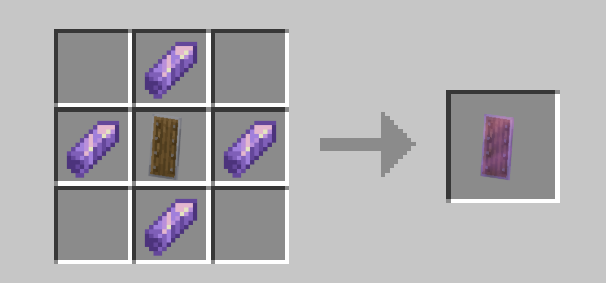
Parrying
- Right click it while holding it with your left or right hand to perform a parry
- By default, you have a 7 ticks (0.35 seconds) window to perform a parry, if you fail, you will be applied a negative effect and your parry cooldown is increased
- If you perform a succesful parry, it will reset your cooldown to 2 ticks
- Depending on what do you parry, it will give you different effects
Damage Parry
- If you are hit while parrying, it blocks the damage and gives you strenght for a few seconds
- The mob/player that has hit you be given a slow and nausea effect
Projectile parry
There are 3 types of projectiles, each one has a different effect when parried
- Absorbable (Wind Charges and Wither Skulls): Gives the player strenght and speed, and gives slowness to the mob/player that shot the projectile
- Deflectable (Arrows, tridents and throwable potions): Changes the direction of the projectile and gives slowness to the mob/player that shot the projectile
- Stopable (Fireballs): Stops in the air the projectile (and can be punch again) and gives slowness to the mob/player that shot the projectile
Creeper Parry
- When in a 3 block radius from a creeper that is targeting you, using the shield around 5 ticks (0.25) right before it explodes, it will instantly do 1000 damage to the creeper
Admin commands
- To give yourself a parry shield use the `/function parry_it:_sudo/give_shield` command
- To change the datapack configuration use the `/function parry_it:_sudo/open_config`, this will open a dialog and it will print out the current configuration in the chat
Configuration
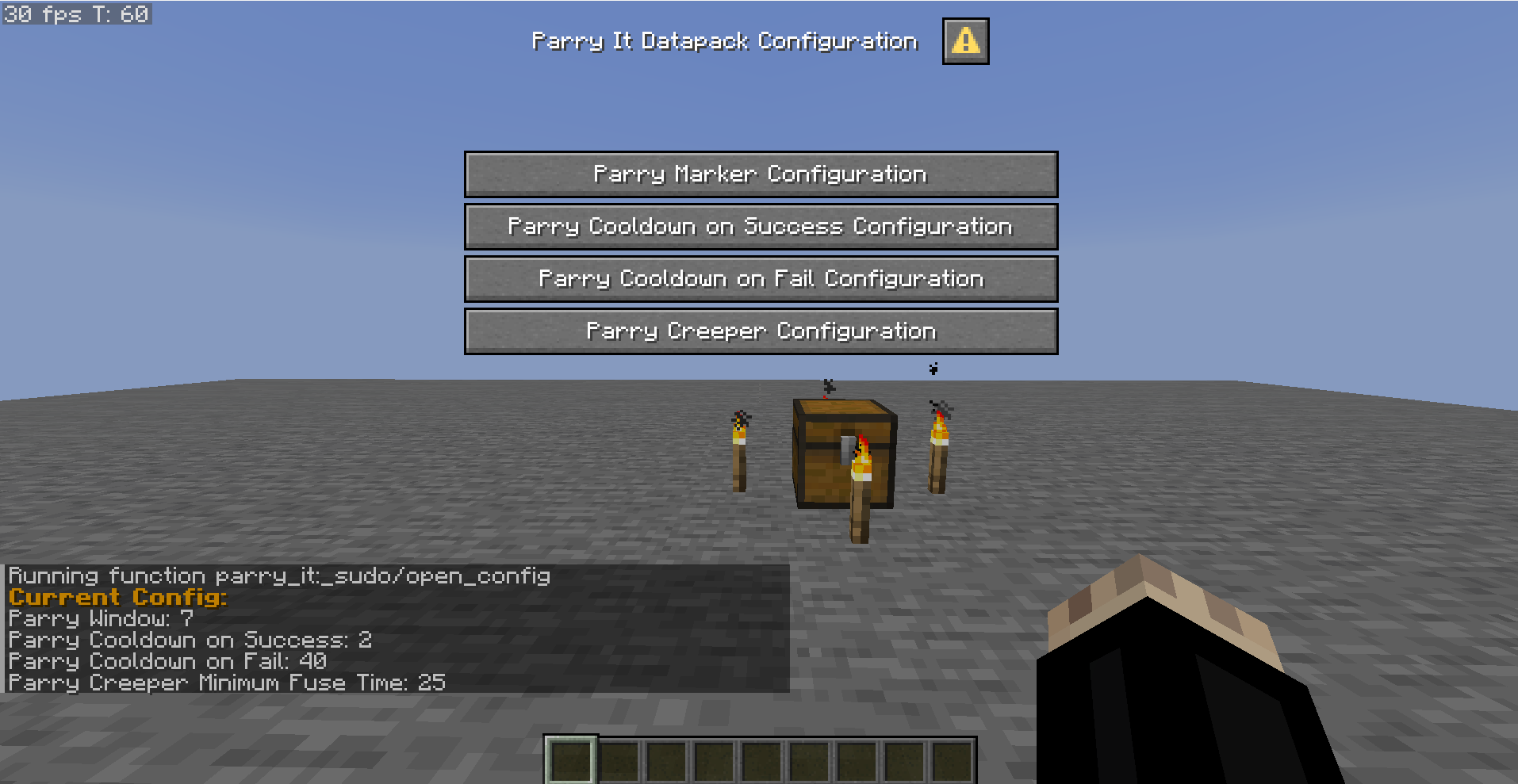
- `/function parry_it:_sudo/reset` sets the configuration to the default values
There are 4 types of values that can be modified inside the configuration dialog
> Note that all the values are in ticks: 20 ticks => 1 second
- Parry Window (7 ticks by default): It's the time between using the parry and failing it, a lower value requires the player to use it more precisely
- Parry Cooldown on Success (2 ticks by default): It's value of the cooldown after a successful parry, a lower value allows to use it right before a parry
- Parry Cooldown on Fail (40 ticks by default): It's value of the cooldown after a failed parry and the duration of the negative effects, a higher value punishes more the player
- Parry Creeper Minimum Fuse Time (25 ticks by default): It's the creeper fuse time required to parry a creeper successfully, a lower value allows to parry creeper earlier and less risky
> It's highly recommended to use a higher parry window and lower creeper minimum fuse time in servers, lag can make this datapack very inconsistent
Video
A very short showcase:
Multiplayer
This feature is still a work in progress, you can parry players' attacks, and the parried player will recieve negative effects. However, there's still some bugs, so don't expect to work consistently.
Compatibility
This datapack has been tested with minecraft +1.21.8