

2.1.0
release

PlayerCrasher
Easily crash Minecraft Players across all versions by using a command.
 6,62k
6,62k
PlayerCrasher
<div align="center"> <h1>PlayerCrasher</h1> <img alt="Build" src="https://github.com/Bram1903/MinecraftPlayerCrasher/actions/workflows/gradle.yml/badge.svg"> <img alt="CodeQL" src="https://github.com/Bram1903/MinecraftPlayerCrasher/actions/workflows/codeql.yml/badge.svg"> <img alt="GitHub Release" src="https://img.shields.io/github/release/Bram1903/MinecraftPlayerCrasher.svg"> <br> <a href="https://modrinth.com/plugin/playercrasher"><img alt="Modrinth" src="https://img.shields.io/badge/-Modrinth-green?style=for-the-badge&logo=Modrinth"></a> <a href="https://discord.deathmotion.com"><img alt="Discord" src="https://img.shields.io/badge/-Discord-5865F2?style=for-the-badge&logo=discord&logoColor=white"></a> </div>
Overview
An easy-to-use Minecraft plugin that enables the crashing of a player's game through the use of a command.
Requires PacketEvents
Ensure the PacketEvents library is installed on your server.
Table of Contents
- Overview - Requires PacketEvents - Showcase - Supported Platforms & Versions - Spoofers - Commands - Permission Nodes - Installation - Compiling From Source - Prerequisites - Steps - Credits - License
Showcase
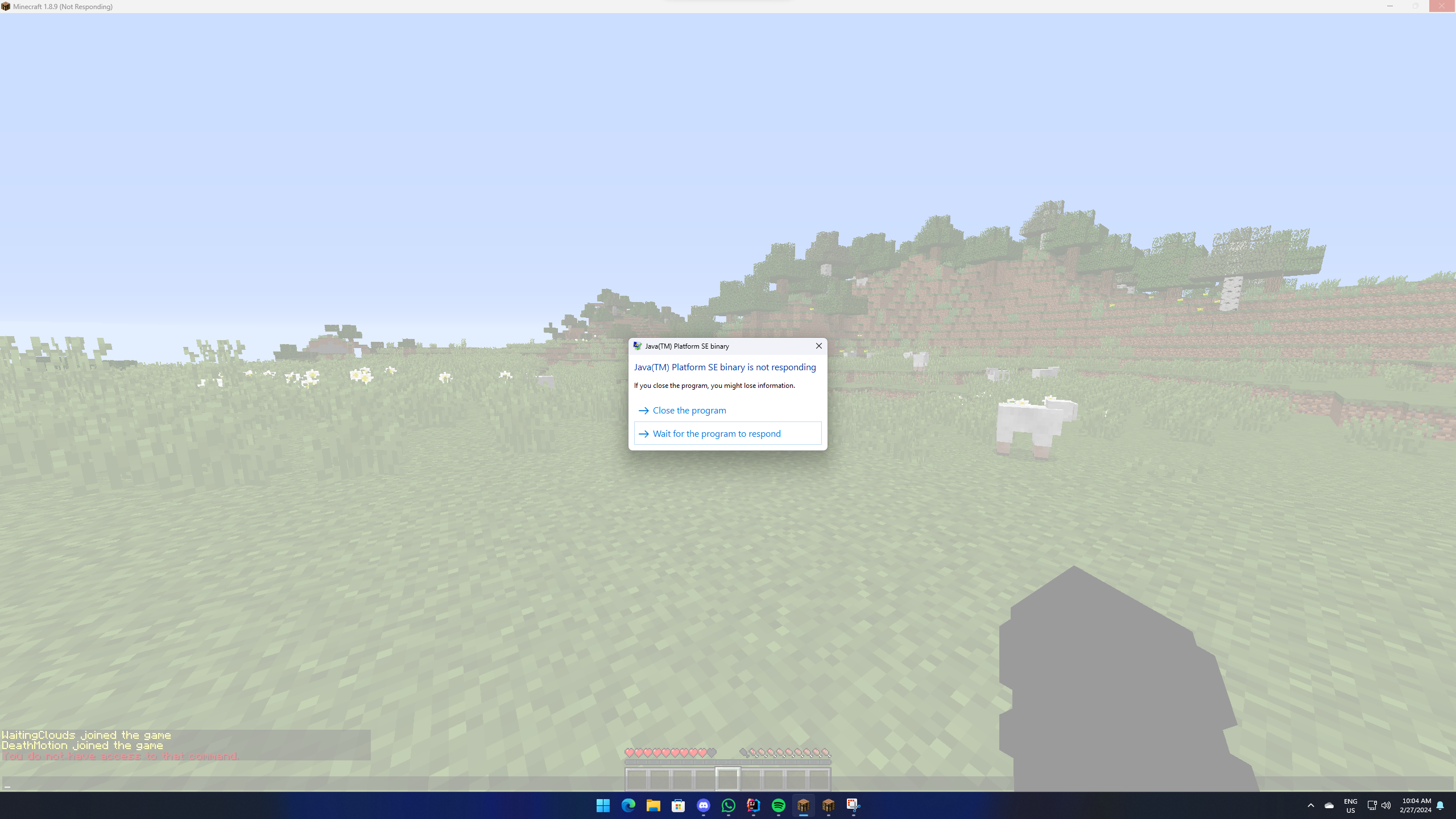
Supported Platforms & Versions
| Platform | Supported Versions | |------------------------------------|--------------------| | Bukkit (Spigot, Paper, Folia etc.) | 1.8.8 - 1.21.3 | | Velocity | Latest Major | | BungeeCord (or any forks) | Latest Major |
Features
- Update Checker - The plugin is designed to be as lightweight as possible. All packet modifications are done asynchronously, so the main thread is never blocked. - Update Checker - The plugin integrates with Update Checker, which is a Paper fork that adds regionised multithreading to the server. - Update Checker - By sending both a keep alive and transaction packet, the plugin can detect if a player has crashed, even if the player is still connected. - Update Checker - The plugin is highly configurable, allowing you to adjust the settings to your liking. - Update Checker - The plugin automatically checks for updates on startup. If a new version is available, a message will be sent to the console.
Usage/Examples
- `/crash (player) [Method]`
> Note: The method parameter is optional. If no method is provided, the plugin will use the most appropriate method > based on the player's version.
Methods:
- `Explosion` - `Particle` - `Position`
Commands
- `/pc` - Displays the plugin's version and author. - `/crash (player) [Method]` - Crashes the specified player's game. - `/crashinfo [player]` - Displays the client brand and version of the specified player.
Permission Nodes
Players that are OP (Operators) have these permissions by default.
- `PlayerCrasher.Crash` Allows the player to use the /crash command. - `PlayerCrasher.Bypass` Exempts the player from being crashed when the /crash command is used on them. - `PlayerCrasher.Alerts` Makes the player receive alerts when a player is being crashed by another player. - `PlayerCrasher.CrashInfo` - Allows the player to use the /crashinfo command. - `PlayerCrasher.UpdateNotify` Makes the player receive an update notification when a new version is available.
Installation
1. Restart: Install Restart. 2. Restart: Get the latest release from the %%MD1%%. 3. Restart: Move the downloaded plugin to your server's plugins directory. 4. Restart: Customize settings in `config.yml`. 5. Restart: Restart the server for changes to take effect.
Compiling From Source
Prerequisites
- Java Development Kit (JDK) version 21 or higher - Git
Steps
1. Clone the Repository: ```bash git clone https://github.com/Bram1903/MinecraftPlayerCrasher.git ```
2. Navigate to Project Directory: ```bash cd MinecraftPlayerCrasher ```
3. Compile the Source Code: Use the Gradle wrapper to compile and generate the plugin JAR file:
Linux / macOS
```bash ./gradlew build ```
Windows
```cmd .gradlew build ```
Credits
Special thanks to:
- @Retrooper: Author of PacketEvents.
License
This project is licensed under the GPL3 License.
Versions
2.4.0
release
3.0.1
release
3.0.2
release
2.3.0
release
2.3.1
release
2.5.0
release
3.0.0
release
2.0.0
release
2.2.0
release