

0.0.10
release

PlayerNameTags
This plugin allows server admins to change any player's nameplate, color it, and make it bold!
 1,56k
1,56k
PlayerNameTags
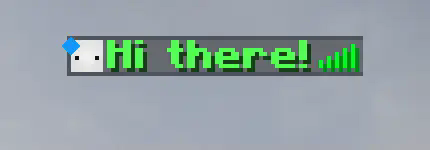
This plugin allows a server admin to set any online or offline player's nameplate to whatever they like! It works as if you right clicked a player with a nametag! Unfortunately the plugin does not allow players to be on vanilla teams (`/team`) since in order to hide the actual player nameplate all players must be in a team with the `nametagVisibility` option set to `never`. You can work around this by setting the new team's `nametagVisibility` to `never` as well.
You can color or format names using the `&` character instead of the usual `§` when using the `/nametag set` command. You can still use the `&` character by adding a backslash `` before it. See more at Formatting Codes.
All of the commands' syntaxes and the config's parameters are at the bottom.
---
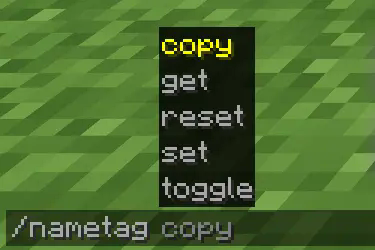
You can set a player's name using the `/nametag` command:



---
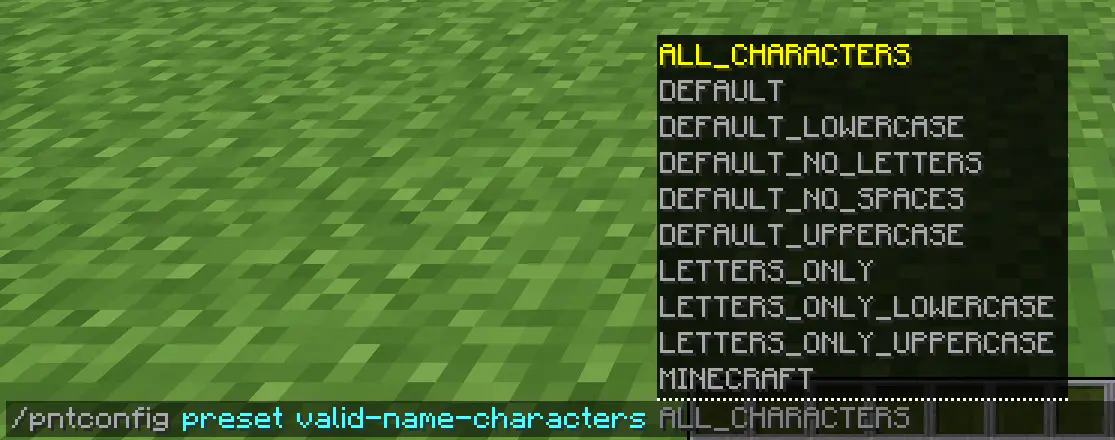
And you can change the plugin's config during runtime using the `pntconfig` command:



---
Notes:
- Parameters surrounded by `<>` are mandatory command arguments - Parameters surrounded by `[]` are optional command arguments - `|` means "or". So, `<get|set>` means you can input `get` or `set`.
Nametag command syntax:
- `/nametag <copy|get|reset|set|toggle>` are the sub-commands - `/nametag copy <name|prefix|suffix> <source_player> <target_player>` will copy `source_player`'s name, prefix, or suffix onto `target_player`. - `/nametag get <name|prefix|suffix> [player]` will send the person who executed the command the `player`'s name, prefix, or suffix. If this command is executed without the `player` argument it will assume the `player` argument as the one who executed the command. - `/nametag reset <name|prefix|suffix> [player]` will reset the `player`'s name, prefix, or suffix. Meaning the prefix and the suffix will be removed and the name will be reset to the player's IGN. - `/nametag set <name|prefix|suffix> <player> <text>` will set the `player`'s name, prefix, or suffix to `text`. By default, spaces are valid characters, which means anything after `<text>` will be treated as part of it (including the spaces). - `/nametag toggle [player]` will turn the nametag of `player` on/off. Crouching or going invisible will not affect the nametag's state until toggled back on.
Config command syntax:
- `/pntconfig <get|preset|reset|set>` are the sub-commands - `/pntconfig get <config_option>` will send the person who executed the command the value stored for `config_option` in the config file. The config file can be found in the `plugin` folder `PlayerNameTags`. - `/pntconfig preset <config_option> <preset>` will set the `config_option`'s value to the `preset` chosen. - `/pntconfig reset <config_option>` will set the `config_option`'s value to its default one. - `/pntconfig set <config_option> <value>` will set the `config_option`'s value to the `value` given.
Config options (in parenthesis are the types of values you can assign to it):
- `enable-colors` allows nameplates to be colored! (Boolean) - `enable-formatting` allows nameplates to be bold, italic, underlined, obfuscated or strokethrough! (Boolean) - `enable-plugin` sets the plugin as enabled or not. You can enable the plugin using the `/pntconfig` command even if this is set to false. (Boolean) - `max-name-length` determines how long a player's name can be. Not the entire nametag, just their name. (Number) - `max-prefix-length` determines how long a player's prefix can be. (Number) - `max-suffix-length` determines how long a player's suffix can be. (Number) - `valid-name-characters` determines which characters names, prefixes, and suffixes can be made of. (Characters)
---
In the future, I plan on adding "titles" to players above or below their nametags, functioning similarly to a prefix or suffix. Before that, however, I'd have to revamp the plugin which should take some time.
Feel free to use this plugin on any server.
Gallery
Versions
0.0.11
release