

1.21.11
release
Smooth Hotbar
Vanilla hotbar without the annoying noise.
 12
12
Smooth Hotbar
⚡Tired of that annoying sand texture in the hotbar?
I suddenly noticed that the default Minecraft hotbar has a pixelated sand texture hidden in its semi-transparent background, and I couldn't unsee it.
It drove me crazy, so I decided to jump into Paint.NET and fix it myself. This simple resource pack removes that annoying pixel noise, replacing it with a completely vanilla-style, vanilla-style, and vanilla-style %%MD0%% gray background.
🔍 Side-by-Side Comparison
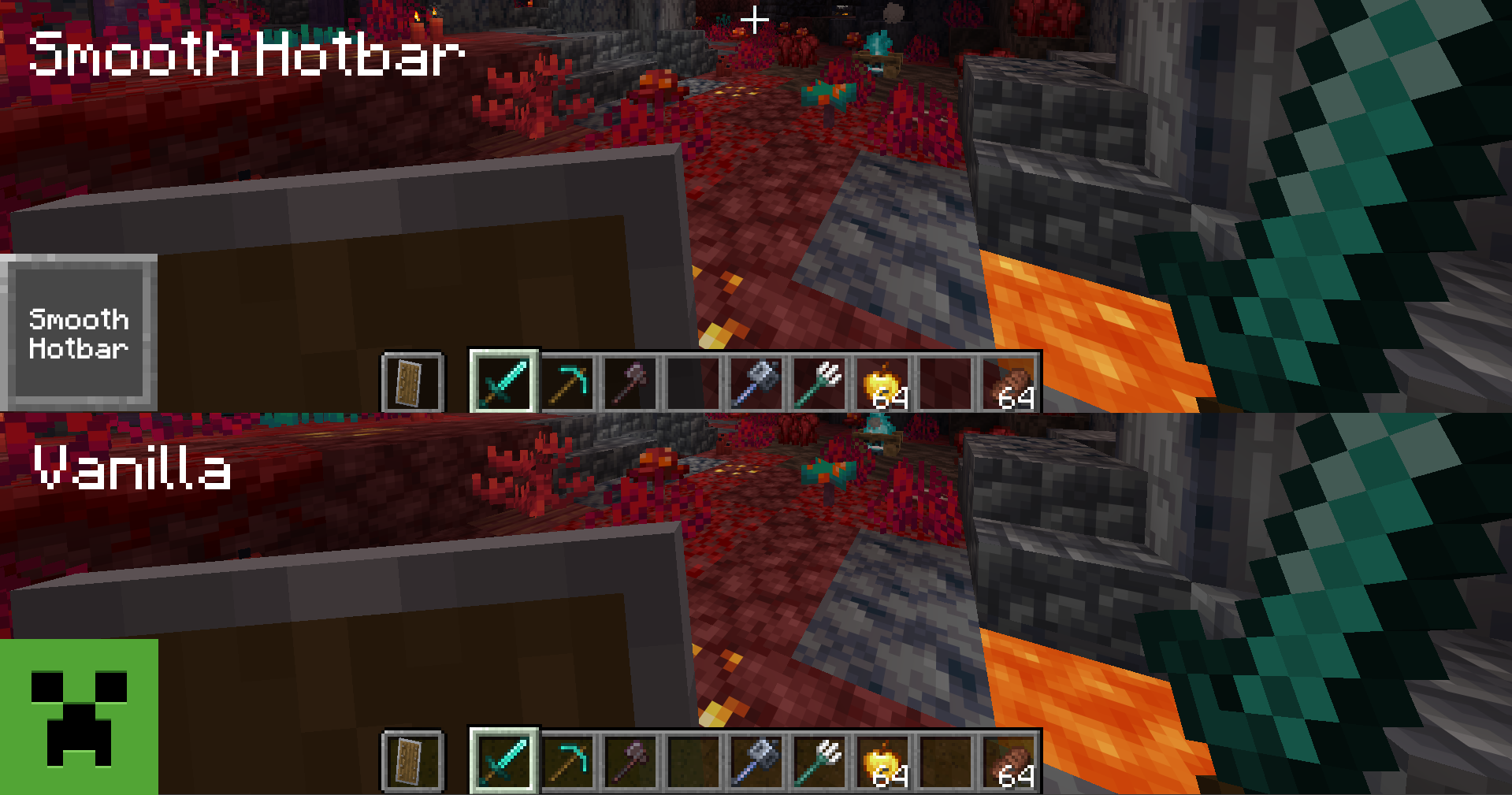
*(Look closely at the background of the hotbar slots against the dark blocks)* * Smooth Hotbar: Annoying pixelated, grainy texture inherited from old sand sprites, puff who would enjoy that. * Smooth Hotbar: Clean, matte, chad and uniform solid gray. Pure visual peace like a real sigma. (please help)
🎯 Features
* Performance Friendly: Keeps the exact same borders, icons, and native dimensions. No weird redesigns for PVP or something similar. * Performance Friendly: Eradicates the old sand pattern from your HUD entirely. * Performance Friendly: Extremely lightweight. It won't affect your FPS at all, because It's just two textures I mean- YES LIGHTWEIGHT.
🛠️ How to Install
1. Download the .zip file. 2. Open Minecraft and go to Done. 3. Drag and drop the downloaded file inside. 4. Activate it by moving it to the right column and press Done!
Gallery
Versions
26.1
release