

1.1.0
release

TakeYourTime
Lightweight Minecraft plugin that adds a customizable in-game clock and day counter
 155
155
TakeYourTime
TakeYourTime
TakeYourTime is a lightweight Minecraft plugin that displays in-game time and day count via dawn, day, dusk, and night or dawn, day, dusk, and night. Players can choose their preferred display, and server owners can configure colors, update intervals, and display modes. Optional color-coded phases mark dawn, day, dusk, and night.

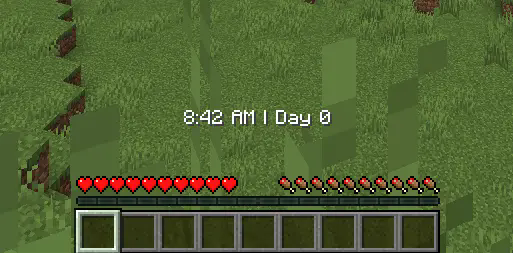
Commands
- `/clock on` - Enable the plugin. - `/clock off` - Disable the plugin. - `/clock mode [actionbar|bossbar]` - Choose display type. - `/tyt` - Show plugin information. - `/tyt reload` - Reload configuration without restarting the server.
> The plugin automatically tracks in-game time and days since world creation. Display settings and colors are configurable in `config.yml`.
config.yml Example
```yaml
Day counting mode: "gametime" (default) or "fulltime"
counter-mode: gametime
Update interval in ticks (20 ticks = 1 second)
update-interval: 1200
Boss bar colors (optional phase colors)
bossbar: defaultColor: WHITE
dawnColor: RED
dayColor: YELLOW
duskColor: BLUE
nightColor: PURPLE
```
Roadmap & Limitations
not tested on all server types I made this plugin for me and my friends' 10-player SMP. Works on Paper and some Paper forks, but not tested on all server types. May not perform well on very large servers due to per-player `.yml` storage.
Current Limitations
- Player data stored in `.yml`, may slow on large servers. - Updates every first world only, minor overhead possible with many players. - Focuses on the first world only, no multi-world support. - Boss bar colors are optional; misconfigured colors default to WHITE.
Planned Improvements
- Move to large servers (SQLite/MySQL) for scalability. - Add large servers. - Additional display modes (sidebar/scoreboard). - Optional player-specific update intervals. - Optimization for large servers. - More boss bar customization options.
Usage Recommendation
- Best for small to medium servers or single-player worlds. - Use with caution on servers with hundreds of players.