

2.0.0
release

BasedChallenges
An Open-Source Minecraft plugin adding a lot of fun challenges
 174
174
BasedChallenges
BasedChallenges
*BasedChallenges was created to provide a free, open-source Minecraft challenges plugin as an alternative to closed-source or paid ones.*
Below you can find a list of which Challenges, Enhancements and Objectives we provide:
 Challenge List
<details> <summary><img width="24" height="24" src="https://raw.githubusercontent.com/Owen1212055/mc-assets/c0c9f987cc7e1fc80042bfbd7cbafe16141e546c/assets/BOOK.png" alt="Book"> What's Missing?</summary> After a random delay, an item will be removed from your inventory, and you must choose this exact missing item from a selection of decoys. If you choose the wrong item, you will fail the challenge. <hr> <details> <summary>Data</summary> <table> <ul> <li><img width="24" height="24" src="https://raw.githubusercontent.com/Owen1212055/mc-assets/c0c9f987cc7e1fc80042bfbd7cbafe16141e546c/assets/CLOCK.png" alt="Clock"> Delay Between<br><small>This is the amount of time between each challenge.<br>This is the time the player has to prepare for the next question<br>about which item is missing.</small></li><li><img width="24" height="24" src="https://raw.githubusercontent.com/Owen1212055/mc-assets/c0c9f987cc7e1fc80042bfbd7cbafe16141e546c/assets/CLOCK.png" alt="Clock"> Time to Choose<br><small>This is the amount of time the player has to choose the missing item.<br>If the player does not choose the item within this time, they will fail the challenge.</small></li><li><img width="24" height="24" src="https://raw.githubusercontent.com/Owen1212055/mc-assets/c0c9f987cc7e1fc80042bfbd7cbafe16141e546c/assets/DIAMOND.png" alt="Diamond"> Decoy Item Amount<br><small>This is the amount of decoy items which will be displayed to the player.<br>The player must choose the correct item from this selection.</small></li><li><img width="24" height="24" src="https://raw.githubusercontent.com/Owen1212055/mc-assets/c0c9f987cc7e1fc80042bfbd7cbafe16141e546c/assets/BOOK.png" alt="Book"> Inventory Title<br><small>This is the title of the inventory,<br>which will be displayed to the player.<br>This will be the inventory in which the player will choose the missing item.</small></li><li><img width="24" height="24" src="https://raw.githubusercontent.com/Owen1212055/mc-assets/c0c9f987cc7e1fc80042bfbd7cbafe16141e546c/assets/PAPER.png" alt="Paper"> Time Left Message<br><small>This is the message which will be displayed to the player,<br>telling them how much time they have left to choose the missing item.<br>This message will be displayed in the chat.<br>You can use {timeLeft} to display the time left to make the selection.</small></li> </ul> </table>
</details>
 Health
This challenge will modify the health of all players. This means that players will be able to have more or less health. <hr> <details> <summary>Data</summary> <table> <ul> <li><img width="24" height="24" src="https://raw.githubusercontent.com/Owen1212055/mc-assets/c0c9f987cc7e1fc80042bfbd7cbafe16141e546c/assets/HEART_OF_THE_SEA.png" alt="Heart Of The Sea"> Health<br><small>This configures the amount of health which will be<br>available to the players.</small></li> </ul> </table>
</details>
 Chunk Clear
When you leave a chunk, it will be completely cleared of all blocks.
 Chunk Time Limit
The time in chunks is limited, which means that you have to act quickly and leave the chunk before the time runs out. <hr> <details> <summary>Data</summary> <table> <ul> <li><img width="24" height="24" src="https://raw.githubusercontent.com/Owen1212055/mc-assets/c0c9f987cc7e1fc80042bfbd7cbafe16141e546c/assets/CLOCK.png" alt="Clock"> Time Limit<br><small>The time limit for each chunk.<br>If the player is in the chunk for longer than this time,<br>they will lose this challenge.</small></li><li><img width="24" height="24" src="https://raw.githubusercontent.com/Owen1212055/mc-assets/c0c9f987cc7e1fc80042bfbd7cbafe16141e546c/assets/PAPER.png" alt="Paper"> Boss Bar Name<br><small>The name of the boss bar which is displayed<br>to the player when they are in a chunk.<br>You can use {timeLeft} to display the time left in this chunk.</small></li><li><img width="24" height="24" src="https://raw.githubusercontent.com/Owen1212055/mc-assets/c0c9f987cc7e1fc80042bfbd7cbafe16141e546c/assets/RED_DYE.png" alt="Red Dye"> Boss Bar Color<br><small>The color of the boss bar which is displayed<br>to the player when they are in a chunk.</small></li> </ul> </table>
</details>
 MLG
MLG
This challenge will require you to MLG after a specified amount of time. <hr> <details> <summary>Data</summary> <table> <ul> <li><img width="24" height="24" src="https://raw.githubusercontent.com/Owen1212055/mc-assets/c0c9f987cc7e1fc80042bfbd7cbafe16141e546c/assets/ENDER_PEARL.png" alt="Ender Pearl"> Fall Height<br><small>This configures the fall height from which the mlg will be performed.<br>This is configured in <b>blocks</b>.</small></li><li><img width="24" height="24" src="https://raw.githubusercontent.com/Owen1212055/mc-assets/c0c9f987cc7e1fc80042bfbd7cbafe16141e546c/assets/WATER_BUCKET.png" alt="Water Bucket"> MLG Item<br><small>This configures the item which will be used to MLG.<br>This will be the only item which the player will have in their inventory,<br>when trying to MLG.</small></li><li><img width="24" height="24" src="https://raw.githubusercontent.com/Owen1212055/mc-assets/c0c9f987cc7e1fc80042bfbd7cbafe16141e546c/assets/CLOCK.png" alt="Clock"> Time Between MLGs<br><small>This configures the time between each MLG.<br>This is configured in <b>seconds</b>.</small></li> </ul> </table>
</details>
 Structure Time Limit
The time in structures is limited, which means that you have to act quickly and leave the structure before the time runs out. <hr> <details> <summary>Data</summary> <table> <ul> <li><img width="24" height="24" src="https://raw.githubusercontent.com/Owen1212055/mc-assets/c0c9f987cc7e1fc80042bfbd7cbafe16141e546c/assets/CLOCK.png" alt="Clock"> Time Limit<br><small>The time limit for each structure.<br>If the player is in the structure for longer than this time,<br>they will lose this challenge.</small></li><li><img width="24" height="24" src="https://raw.githubusercontent.com/Owen1212055/mc-assets/c0c9f987cc7e1fc80042bfbd7cbafe16141e546c/assets/PAPER.png" alt="Paper"> Boss Bar Name<br><small>The name of the boss bar which is displayed<br>to the player when they are in a biome.<br>You can use {timeLeft} to display the time left in this structure<br>and {structureName} to display the name of the structure.</small></li><li><img width="24" height="24" src="https://raw.githubusercontent.com/Owen1212055/mc-assets/c0c9f987cc7e1fc80042bfbd7cbafe16141e546c/assets/RED_DYE.png" alt="Red Dye"> Boss Bar Color<br><small>The color of the boss bar which is displayed<br>to the player when they are in a structure.</small></li> </ul> </table>
</details>
 Chunk Decay
After a specified amount of time, the chunk you are in will decay some of its blocks. <hr> <details> <summary>Data</summary> <table> <ul> <li><img width="24" height="24" src="https://raw.githubusercontent.com/Owen1212055/mc-assets/c0c9f987cc7e1fc80042bfbd7cbafe16141e546c/assets/CLOCK.png" alt="Clock"> Delay<br><small>This configures the delay before the current chunk decays.<br>This is configured in <b>seconds</b>.</small></li><li><img width="24" height="24" src="https://raw.githubusercontent.com/Owen1212055/mc-assets/c0c9f987cc7e1fc80042bfbd7cbafe16141e546c/assets/ENDER_PEARL.png" alt="Ender Pearl"> Amount<br><small>This configures the amount of blocks which will decay at once.<br>This is configured as a <b>percentage</b>.</small></li> </ul> </table>
</details>
 Delayed Damage
Every damage taken by anybody will be cancelled and stored. After a certain time has passed, the damage will be applied to all players at once. <hr> <details> <summary>Data</summary> <table> <ul> <li><img width="24" height="24" src="https://raw.githubusercontent.com/Owen1212055/mc-assets/c0c9f987cc7e1fc80042bfbd7cbafe16141e546c/assets/CLOCK.png" alt="Clock"> Delay Time<br><small>The time in seconds after which the damage will be applied.</small></li><li><img width="24" height="24" src="https://raw.githubusercontent.com/Owen1212055/mc-assets/c0c9f987cc7e1fc80042bfbd7cbafe16141e546c/assets/PAPER.png" alt="Paper"> Boss Bar Message<br><small>The message which will be displayed in the boss bar.<br>You can use {timeLeft} to display the time left until the damage is applied.</small></li><li><img width="24" height="24" src="https://raw.githubusercontent.com/Owen1212055/mc-assets/c0c9f987cc7e1fc80042bfbd7cbafe16141e546c/assets/RED_DYE.png" alt="Red Dye"> Boss Bar Color<br><small>The color of the boss bar which will be displayed.</small></li><li><img width="24" height="24" src="https://raw.githubusercontent.com/Owen1212055/mc-assets/c0c9f987cc7e1fc80042bfbd7cbafe16141e546c/assets/ANVIL.png" alt="Anvil"> Damage Apply Message<br><small>The message which will be displayed when the damage is applied.<br>This message will be sent to all players when the damage is being applied.<br>You can use {damage} to display the amount of damage which was applied.</small></li> </ul> </table>
</details>
 Inventory Size
This challenge will modify the size of the inventory for all players. This means that players will be able to have more or less inventory space. <hr> <details> <summary>Data</summary> <table> <ul> <li><img width="24" height="24" src="https://raw.githubusercontent.com/Owen1212055/mc-assets/c0c9f987cc7e1fc80042bfbd7cbafe16141e546c/assets/BARREL.png" alt="Barrel"> Slot Amount<br><small>This configures the amount of slots which will be<br>available to the players.</small></li> </ul> </table>
</details>
Structure Random Effect
Everybody will receive a random effect once they enter a structure. The effect will stay the same for the structure, regardless of how many times they enter it. <hr> <details> <summary>Data</summary> <table> <ul> <li><img width="24" height="24" src="https://raw.githubusercontent.com/Owen1212055/mc-assets/c0c9f987cc7e1fc80042bfbd7cbafe16141e546c/assets/GLASS_BOTTLE.png" alt="Glass Bottle"> Effect Level<br><small>The level of the effect that will be applied.<br>The level will be randomly selected by the range<br>you are specifying here.</small></li> </ul> </table>
</details>
 Random Crafting
This challenge will randomize the crafting results. <hr> <details> <summary>Data</summary> <table> <ul> <li><img width="24" height="24" src="https://raw.githubusercontent.com/Owen1212055/mc-assets/c0c9f987cc7e1fc80042bfbd7cbafe16141e546c/assets/DROPPER.png" alt="Dropper"> Random Every Time<br><small>This configures if the crafting results should be randomized every time<br>you craft an item, or if they should be the same for each type of item.</small></li> </ul> </table>
</details>
 Random Chest Loot
This challenge will randomize the loot you receive when opening a loot chest. <hr> <details> <summary>Data</summary> <table> <ul> <li><img width="24" height="24" src="https://raw.githubusercontent.com/Owen1212055/mc-assets/c0c9f987cc7e1fc80042bfbd7cbafe16141e546c/assets/DROPPER.png" alt="Dropper"> Random Every Time<br><small>This configures if the chest loot should be randomized every time<br>you open a loot chest, or if they should be the same for each type of chest.</small></li> </ul> </table>
</details>
Chunk Sync
This challenge will sync every action across all chunks. This means that if you place or break a block in one chunk, it will also be placed or broken in every other chunk. <hr> <details> <summary>Data</summary> <table> <ul> <li><img width="24" height="24" src="https://raw.githubusercontent.com/Owen1212055/mc-assets/c0c9f987cc7e1fc80042bfbd7cbafe16141e546c/assets/CLOCK.png" alt="Clock"> Total Chunk Update Time (ms)<br><small>This configures the total time it will take to update all chunks.<br>A lower value will result in faster updates, but may cause lag.<br>This is configured in <smallcaps>milliseconds</smallcaps>.</small></li> </ul> </table>
</details>
 One Biome
This challenge will make the entire world one biome, which will be switched every specified amount of time. <hr> <details> <summary>Data</summary> <table> <ul> <li><img width="24" height="24" src="https://raw.githubusercontent.com/Owen1212055/mc-assets/c0c9f987cc7e1fc80042bfbd7cbafe16141e546c/assets/CLOCK.png" alt="Clock"> Time Between Change<br><small>This configures the duration between each biome change.<br>This is configured in <b>seconds</b>.</small></li><li><img width="24" height="24" src="https://raw.githubusercontent.com/Owen1212055/mc-assets/c0c9f987cc7e1fc80042bfbd7cbafe16141e546c/assets/PAPER.png" alt="Paper"> Action Bar Message<br><small>This configures the message which will be displayed in the boss bar,<br>to indicate the time until the next biome change.</small></li><li><img width="24" height="24" src="https://raw.githubusercontent.com/Owen1212055/mc-assets/c0c9f987cc7e1fc80042bfbd7cbafe16141e546c/assets/RED_DYE.png" alt="Red Dye"> Action Bar Color<br><small>This configures the color which will be displayed in the boss bar,<br>to indicate the time until the next biome change.</small></li> </ul> </table>
</details>
 Chunk Drop
After a specified amount of time, the chunk you are in will drop by one block. <hr> <details> <summary>Data</summary> <table> <ul> <li><img width="24" height="24" src="https://raw.githubusercontent.com/Owen1212055/mc-assets/c0c9f987cc7e1fc80042bfbd7cbafe16141e546c/assets/CLOCK.png" alt="Clock"> Delay<br><small>This configures the delay before the current chunk drops by one block.<br>This is configured in <b>seconds</b>.</small></li> </ul> </table>
</details>
No Regeneration
This challenge will disable regeneration. This means that you will have to beat the game without regenerating health, natural or (if also enabled) through other sources. <hr> <details> <summary>Data</summary> <table> <ul> <li><img width="24" height="24" src="https://raw.githubusercontent.com/Owen1212055/mc-assets/c0c9f987cc7e1fc80042bfbd7cbafe16141e546c/assets/GLASS_BOTTLE.png" alt="Glass Bottle"> Block Unnatural Regeneration<br><small>This configures if players are allowed to regenerate health unnaturally.<br>If enabled, players will be <b>disallowed</b> to regenerate health unnaturally.<br>This includes regeneration from golden apples, potions, and other sources.</small></li> </ul> </table>
</details>
 Biome Time Limit
The time in biomes is limited, which means that you have to act quickly and leave the biome before the time runs out. <hr> <details> <summary>Data</summary> <table> <ul> <li><img width="24" height="24" src="https://raw.githubusercontent.com/Owen1212055/mc-assets/c0c9f987cc7e1fc80042bfbd7cbafe16141e546c/assets/CLOCK.png" alt="Clock"> Time Limit<br><small>The time limit for each biome.<br>If the player is in the biome for longer than this time,<br>they will lose this challenge.</small></li><li><img width="24" height="24" src="https://raw.githubusercontent.com/Owen1212055/mc-assets/c0c9f987cc7e1fc80042bfbd7cbafe16141e546c/assets/PAPER.png" alt="Paper"> Boss Bar Name<br><small>The name of the boss bar which is displayed<br>to the player when they are in a biome.<br>You can use {timeLeft} to display the time left in this biome<br>and {biomeName} to display the name of the biome.</small></li><li><img width="24" height="24" src="https://raw.githubusercontent.com/Owen1212055/mc-assets/c0c9f987cc7e1fc80042bfbd7cbafe16141e546c/assets/RED_DYE.png" alt="Red Dye"> Boss Bar Color<br><small>The color of the boss bar which is displayed<br>to the player when they are in a biome.</small></li> </ul> </table>
</details>
 Random Block Drops
This challenge will randomize the drops you receive when breaking a block. <hr> <details> <summary>Data</summary> <table> <ul> <li><img width="24" height="24" src="https://raw.githubusercontent.com/Owen1212055/mc-assets/c0c9f987cc7e1fc80042bfbd7cbafe16141e546c/assets/DROPPER.png" alt="Dropper"> Random Every Time<br><small>This configures if the block drops should be randomized every time<br>you break a block, or if they should be the same for each type of block.</small></li> </ul> </table>
</details>
 Snake
Snake
Everybody will leave a trail behind them. If you touch a trail, the challenge fails. <hr> <details> <summary>Data</summary> <table> <ul> <li><img width="24" height="24" src="https://raw.githubusercontent.com/Owen1212055/mc-assets/c0c9f987cc7e1fc80042bfbd7cbafe16141e546c/assets/ENDER_EYE.png" alt="Ender Eye"> Display Distance<br><small>The distance for which the trail will be rendered.<br>This is configured in <b>blocks</b>.</small></li> </ul> </table>
</details>
 Chunk Break
When you break a block in a chunk, every other block of the same type in the chunk will also break.
 Rewind
This challenge allows you to create a checkpoint at any time, where you can rewind back to. Be careful, since it does not only rewind your position, but also the world. Rewind by crouching and switching to your offhand. <hr> <details> <summary>Data</summary> <table> <ul> <li><img width="24" height="24" src="https://raw.githubusercontent.com/Owen1212055/mc-assets/c0c9f987cc7e1fc80042bfbd7cbafe16141e546c/assets/REDSTONE.png" alt="Redstone"> Persist Death<br><small>This configures whether or not players should<br>be allowed to replay before their death.<br>This would allow them to avoid death and get back their items,<br>regardless of the death/item loss.</small></li><li><img width="24" height="24" src="https://raw.githubusercontent.com/Owen1212055/mc-assets/c0c9f987cc7e1fc80042bfbd7cbafe16141e546c/assets/CLOCK.png" alt="Clock"> Delay<br><small>This configures the delay between each <b>frame</b> of the rewind.<br>This is configured in <b>milliseconds</b>.</small></li> </ul> </table>
</details>
 Random Entity Drops
This challenge will randomize the drops you receive when killing a mob. <hr> <details> <summary>Data</summary> <table> <ul> <li><img width="24" height="24" src="https://raw.githubusercontent.com/Owen1212055/mc-assets/c0c9f987cc7e1fc80042bfbd7cbafe16141e546c/assets/DROPPER.png" alt="Dropper"> Random Every Time<br><small>This configures if the drops should be randomized every time<br>you kill a mob, or if they should be the same for each type of mob.</small></li> </ul> </table>
</details>
 Gravity
This challenge will modify the gravity for all players. This means that players will be able to jump higher or lower. <hr> <details> <summary>Data</summary> <table> <ul> <li><img width="24" height="24" src="https://raw.githubusercontent.com/Owen1212055/mc-assets/c0c9f987cc7e1fc80042bfbd7cbafe16141e546c/assets/FEATHER.png" alt="Feather"> Gravity<br><small>This configures the gravity which will be applied to the players.</small></li> </ul> </table>
</details>
 No Villager Trading
This challenge will disable villager trading. This means that you will have to beat the game without trading with any villagers.
 Sync
Sync
This challenge will sync actions between every player. This means that everybody needs to communicate and work together, or else you might do something which has consequences for everybody. <hr> <details> <summary>Data</summary> <table> <ul> <li><img width="24" height="24" src="https://raw.githubusercontent.com/Owen1212055/mc-assets/c0c9f987cc7e1fc80042bfbd7cbafe16141e546c/assets/RED_DYE.png" alt="Red Dye"> Sync Health<br><small>This will sync the health of all players.<br>This means that if one player takes damage,<br>everybody will take the same amount of damage.</small></li><li><img width="24" height="24" src="https://raw.githubusercontent.com/Owen1212055/mc-assets/c0c9f987cc7e1fc80042bfbd7cbafe16141e546c/assets/BREAD.png" alt="Bread"> Sync Hunger<br><small>This will sync the hunger of all players.<br>This means that if one player eats food,<br>everybody will eat the same amount of food.</small></li><li><img width="24" height="24" src="https://raw.githubusercontent.com/Owen1212055/mc-assets/c0c9f987cc7e1fc80042bfbd7cbafe16141e546c/assets/EXPERIENCE_BOTTLE.png" alt="Experience Bottle"> Sync Experience<br><small>This will sync the experience of all players.<br>This means that if one player gains experience,<br>everybody will gain the same amount of experience.</small></li><li><img width="24" height="24" src="https://raw.githubusercontent.com/Owen1212055/mc-assets/c0c9f987cc7e1fc80042bfbd7cbafe16141e546c/assets/GLASS_BOTTLE.png" alt="Glass Bottle"> Sync Effects<br><small>This will sync the effects of all players.<br>This means that if one player gets a potion effect,<br>everybody will get the same potion effect.</small></li><li><img width="24" height="24" src="https://raw.githubusercontent.com/Owen1212055/mc-assets/c0c9f987cc7e1fc80042bfbd7cbafe16141e546c/assets/DIAMOND_SWORD.png" alt="Diamond Sword"> Sync Hotbar<br><small>This will sync the hotbar of all players.<br>This means that if one player changes their hotbar,<br>everybody will have the same hotbar.</small></li> </ul> </table>
</details>
Chunk Random Effect
Everybody will receive a random effect once they enter a chunk. The effect will stay the same for the chunk, regardless of how many times they enter it. <hr> <details> <summary>Data</summary> <table> <ul> <li><img width="24" height="24" src="https://raw.githubusercontent.com/Owen1212055/mc-assets/c0c9f987cc7e1fc80042bfbd7cbafe16141e546c/assets/GLASS_BOTTLE.png" alt="Glass Bottle"> Effect Level<br><small>The level of the effect that will be applied.<br>The level will be randomly selected by the range<br>you are specifying here.</small></li> </ul> </table>
</details>
 Level Border
The experience level you have will determine the size of the border around you. Increase your level to increase your room to work with. <hr> <details> <summary>Data</summary> <table> <ul> <li><img width="24" height="24" src="https://raw.githubusercontent.com/Owen1212055/mc-assets/c0c9f987cc7e1fc80042bfbd7cbafe16141e546c/assets/EXPERIENCE_BOTTLE.png" alt="Experience Bottle"> Level Multiplier<br><small>The amount to multiply the level by to get the size<br>of the border. A higher level will make it easier to<br>complete the challenge.</small></li><li><img width="24" height="24" src="https://raw.githubusercontent.com/Owen1212055/mc-assets/c0c9f987cc7e1fc80042bfbd7cbafe16141e546c/assets/LIME_DYE.png" alt="Lime Dye"> Starting Size<br><small>The size of the border when you first start the challenge.<br>This will not be affected by the level multiplier and serves<br>as a base size for the border.</small></li> </ul> </table>
</details>
 Stack Size
This challenge will only allow you to stack a certain amount of items into one single slot at a time. <hr> <details> <summary>Data</summary> <table> <ul> <li><img width="24" height="24" src="https://raw.githubusercontent.com/Owen1212055/mc-assets/c0c9f987cc7e1fc80042bfbd7cbafe16141e546c/assets/BARREL.png" alt="Barrel"> Stack Size<br><small>This configures how many items<br>you can stack into a single slot.</small></li> </ul> </table>
</details>
 Locked Entity
If you kill a entity, it will become locked. This means that you can't hit it again until you kill a specified amount of other entities. <hr> <details> <summary>Data</summary> <table> <ul> <li><img width="24" height="24" src="https://raw.githubusercontent.com/Owen1212055/mc-assets/c0c9f987cc7e1fc80042bfbd7cbafe16141e546c/assets/CLOCK.png" alt="Clock"> Amount<br><small>The amount of entities that need to be killed before<br>the locked entity is unlocked again (and the last killed<br>entity is locked).</small></li><li><img width="24" height="24" src="https://raw.githubusercontent.com/Owen1212055/mc-assets/c0c9f987cc7e1fc80042bfbd7cbafe16141e546c/assets/PAPER.png" alt="Paper"> Boss Bar Text<br><small>The text which is displayed in the boss bar.</small></li><li><img width="24" height="24" src="https://raw.githubusercontent.com/Owen1212055/mc-assets/c0c9f987cc7e1fc80042bfbd7cbafe16141e546c/assets/RED_DYE.png" alt="Red Dye"> Boss Bar Color<br><small>The color of the boss bar.</small></li> </ul> </table>
</details>
No Crafting
This challenge will disable crafting. This means that you will have to beat the game without creating any items. <hr> <details> <summary>Data</summary> <table> <ul> <li><img width="24" height="24" src="https://raw.githubusercontent.com/Owen1212055/mc-assets/c0c9f987cc7e1fc80042bfbd7cbafe16141e546c/assets/CRAFTING_TABLE.png" alt="Crafting Table"> No Inventory Crafting<br><small>This configures if players are allowed to craft items in their inventory.<br>If disabled, players will be <b>allowed</b> to craft items in their inventory,<br>but <b>disallowed</b> to craft items in the crafting table.</small></li> </ul> </table>
</details>
 Traffic Light
After a while, the traffic light will switch to a different color. While the light is green, you will be able to move around. While the light is yellow, you should stop moving. If you move while the light is red, the challenge will fail. <hr> <details> <summary>Data</summary> <table> <ul> <li><img width="24" height="24" src="https://raw.githubusercontent.com/Owen1212055/mc-assets/c0c9f987cc7e1fc80042bfbd7cbafe16141e546c/assets/RED_CONCRETE.png" alt="Red Concrete"> Red Boss Bar Text<br><small>The text which is displayed in the red boss bar.</small></li><li><img width="24" height="24" src="https://raw.githubusercontent.com/Owen1212055/mc-assets/c0c9f987cc7e1fc80042bfbd7cbafe16141e546c/assets/RED_DYE.png" alt="Red Dye"> Red Boss Bar Color<br><small>The color of the red boss bar.</small></li><li><img width="24" height="24" src="https://raw.githubusercontent.com/Owen1212055/mc-assets/c0c9f987cc7e1fc80042bfbd7cbafe16141e546c/assets/RED_CONCRETE_POWDER.png" alt="Red Concrete Powder"> Red Time<br><small>This time is the time in <b>seconds</b> the red phase will last at least and at most.</small></li><li><img width="24" height="24" src="https://raw.githubusercontent.com/Owen1212055/mc-assets/c0c9f987cc7e1fc80042bfbd7cbafe16141e546c/assets/YELLOW_CONCRETE.png" alt="Yellow Concrete"> Yellow Boss Bar Text<br><small>The text which is displayed in the yellow boss bar.</small></li><li><img width="24" height="24" src="https://raw.githubusercontent.com/Owen1212055/mc-assets/c0c9f987cc7e1fc80042bfbd7cbafe16141e546c/assets/YELLOW_DYE.png" alt="Yellow Dye"> Yellow Boss Bar Color<br><small>The color of the yellow boss bar.</small></li><li><img width="24" height="24" src="https://raw.githubusercontent.com/Owen1212055/mc-assets/c0c9f987cc7e1fc80042bfbd7cbafe16141e546c/assets/YELLOW_CONCRETE_POWDER.png" alt="Yellow Concrete Powder"> Yellow Time<br><small>This time is the time in <b>seconds</b> the yellow phase will last at least and at most.</small></li><li><img width="24" height="24" src="https://raw.githubusercontent.com/Owen1212055/mc-assets/c0c9f987cc7e1fc80042bfbd7cbafe16141e546c/assets/LIME_CONCRETE.png" alt="Lime Concrete"> Green Boss Bar Text<br><small>The text which is displayed in the green boss bar.</small></li><li><img width="24" height="24" src="https://raw.githubusercontent.com/Owen1212055/mc-assets/c0c9f987cc7e1fc80042bfbd7cbafe16141e546c/assets/LIME_DYE.png" alt="Lime Dye"> Green Boss Bar Color<br><small>The color of the green boss bar.</small></li><li><img width="24" height="24" src="https://raw.githubusercontent.com/Owen1212055/mc-assets/c0c9f987cc7e1fc80042bfbd7cbafe16141e546c/assets/LIME_CONCRETE_POWDER.png" alt="Lime Concrete Powder"> Green Time<br><small>This time is the time in <b>seconds</b> the green phase will last at least and at most.</small></li> </ul> </table>
</details>
Biome Random Effect
Everybody will receive a random effect once they enter a biome. The effect will stay the same for the biome, regardless of how many times they enter it. <hr> <details> <summary>Data</summary> <table> <ul> <li><img width="24" height="24" src="https://raw.githubusercontent.com/Owen1212055/mc-assets/c0c9f987cc7e1fc80042bfbd7cbafe16141e546c/assets/GLASS_BOTTLE.png" alt="Glass Bottle"> Effect Level<br><small>The level of the effect that will be applied.<br>The level will be randomly selected by the range<br>you are specifying here.</small></li> </ul> </table>
</details>
 Scale
Scale
This challenge will modify the scale of all players. This means that players will be able to grow or shrink. <hr> <details> <summary>Data</summary> <table> <ul> <li><img width="24" height="24" src="https://raw.githubusercontent.com/Owen1212055/mc-assets/c0c9f987cc7e1fc80042bfbd7cbafe16141e546c/assets/ENDER_PEARL.png" alt="Ender Pearl"> Scale<br><small>This configures the scale of the players.<br>A higher value will make the players larger,<br>while a lower value will make the players smaller.</small></li> </ul> </table>
</details>
 One Durability
Every tool will break after one single use.
 Realistic
This challenge will make the game more realistic. <hr> <details> <summary>Data</summary> <table> <ul> <li><img width="24" height="24" src="https://raw.githubusercontent.com/Owen1212055/mc-assets/c0c9f987cc7e1fc80042bfbd7cbafe16141e546c/assets/GRASS_BLOCK.png" alt="Grass Block"> Realistic Blocks<br><small>This configures whether or not blocks will be realistic.<br>This means that blocks will have gravity and will fall,<br>if they are not supported by other blocks below them.</small></li><li><img width="24" height="24" src="https://raw.githubusercontent.com/Owen1212055/mc-assets/c0c9f987cc7e1fc80042bfbd7cbafe16141e546c/assets/TNT.png" alt="Tnt"> Realistic Explosions<br><small>This configures whether or not explosions will be realistic.<br>This means that explosions will make blocks fly around.</small></li><li><img width="24" height="24" src="https://raw.githubusercontent.com/Owen1212055/mc-assets/c0c9f987cc7e1fc80042bfbd7cbafe16141e546c/assets/SAND.png" alt="Sand"> Hydration<br><small>This configures whether or not players will need to drink water,<br>to stay hydrated. If they do not drink water, they will take damage.</small></li><li><img width="24" height="24" src="https://raw.githubusercontent.com/Owen1212055/mc-assets/c0c9f987cc7e1fc80042bfbd7cbafe16141e546c/assets/WATER_BUCKET.png" alt="Water Bucket"> No Water Sources<br><small>This configures whether or not <b>infinite water sources</b> will be disabled.<br>If enabled, you will not be able to create a infinite water source by<br>placing three water sources next to each other.</small></li><li><img width="24" height="24" src="https://raw.githubusercontent.com/Owen1212055/mc-assets/c0c9f987cc7e1fc80042bfbd7cbafe16141e546c/assets/PAPER.png" alt="Paper"> Hydration Bar Message<br><small>This configures the boss bar message,<br>which will be displayed to the players to indicate their hydration level.</small></li><li><img width="24" height="24" src="https://raw.githubusercontent.com/Owen1212055/mc-assets/c0c9f987cc7e1fc80042bfbd7cbafe16141e546c/assets/RED_DYE.png" alt="Red Dye"> Hydration Bar Color<br><small>This configures the color of the boss bar,<br>which will be displayed to the players to indicate their hydration level.</small></li> </ul> </table>
</details>
 The Floor is Lava
This challenge will make the floor turn into lava after a specified amount of time. You will have to avoid the lava to complete the challenge. <hr> <details> <summary>Data</summary> <table> <ul> <li><img width="24" height="24" src="https://raw.githubusercontent.com/Owen1212055/mc-assets/c0c9f987cc7e1fc80042bfbd7cbafe16141e546c/assets/CLOCK.png" alt="Clock"> Delay<br><small>This configures the delay before the floor turns into lava.<br>This is configured in <b>seconds</b>.</small></li> </ul> </table>
</details>
 Dripstone Rain
This challenge will make dripstone fall from the sky, which you will have to avoid, if you want to complete the challenge. <hr> <details> <summary>Data</summary> <table> <ul> <li><img width="24" height="24" src="https://raw.githubusercontent.com/Owen1212055/mc-assets/c0c9f987cc7e1fc80042bfbd7cbafe16141e546c/assets/DRIPSTONE_BLOCK.png" alt="Dripstone Block"> Density<br><small>This configures the density in which the dripstone will fall.<br>This is configured as a <b>percentage</b>.</small></li><li><img width="24" height="24" src="https://raw.githubusercontent.com/Owen1212055/mc-assets/c0c9f987cc7e1fc80042bfbd7cbafe16141e546c/assets/SPYGLASS.png" alt="Spyglass"> X/Z Distance<br><small>This configures the distance in which the dripstone will fall.<br>This means that the dripstone will fall in a square around the player,<br>with a maximum distance of the configured value.<br>This is configured in <b>blocks</b>.</small></li><li><img width="24" height="24" src="https://raw.githubusercontent.com/Owen1212055/mc-assets/c0c9f987cc7e1fc80042bfbd7cbafe16141e546c/assets/SCAFFOLDING.png" alt="Scaffolding"> Height<br><small>This configures the height from which the dripstone will fall.<br>This is configured in <b>blocks</b>.</small></li> </ul> </table>
</details> </details>
 Enhancement List
<details> <summary><img width="24" height="24" src="https://raw.githubusercontent.com/Owen1212055/mc-assets/c0c9f987cc7e1fc80042bfbd7cbafe16141e546c/assets/LEATHER_HELMET.png" alt="Leather Helmet"> Pre-Game</summary> This enhancement allows you to configure how the pre-game state behaves. The pre-game state is the state before the game has started. <hr> <details> <summary>Data</summary> <table> <ul> <li><img width="24" height="24" src="https://raw.githubusercontent.com/Owen1212055/mc-assets/c0c9f987cc7e1fc80042bfbd7cbafe16141e546c/assets/DIAMOND_PICKAXE.png" alt="Diamond Pickaxe"> No Block Break<br><small>This configures if players should be<br>able to break blocks in the pre-game state.</small></li><li><img width="24" height="24" src="https://raw.githubusercontent.com/Owen1212055/mc-assets/c0c9f987cc7e1fc80042bfbd7cbafe16141e546c/assets/GRASS_BLOCK.png" alt="Grass Block"> No Block Place<br><small>This configures if players should be<br>able to place blocks in the pre-game state.</small></li><li><img width="24" height="24" src="https://raw.githubusercontent.com/Owen1212055/mc-assets/c0c9f987cc7e1fc80042bfbd7cbafe16141e546c/assets/LEATHER_BOOTS.png" alt="Leather Boots"> No Movement<br><small>This configures if players should be<br>able to move in the pre-game state.</small></li><li><img width="24" height="24" src="https://raw.githubusercontent.com/Owen1212055/mc-assets/c0c9f987cc7e1fc80042bfbd7cbafe16141e546c/assets/GLASS_BOTTLE.png" alt="Glass Bottle"> No Effect<br><small>This configures if players should be<br>able to have effects in the pre-game state.</small></li><li><img width="24" height="24" src="https://raw.githubusercontent.com/Owen1212055/mc-assets/c0c9f987cc7e1fc80042bfbd7cbafe16141e546c/assets/IRON_SWORD.png" alt="Iron Sword"> No Damage<br><small>This configures if players should be<br>able to take damage in the pre-game state.</small></li><li><img width="24" height="24" src="https://raw.githubusercontent.com/Owen1212055/mc-assets/c0c9f987cc7e1fc80042bfbd7cbafe16141e546c/assets/BARREL.png" alt="Barrel"> No Item<br><small>This configures if players should be<br>able to use/interact with items in the pre-game state.</small></li><li><img width="24" height="24" src="https://raw.githubusercontent.com/Owen1212055/mc-assets/c0c9f987cc7e1fc80042bfbd7cbafe16141e546c/assets/MINECART.png" alt="Minecart"> No Vehicle<br><small>This configures if players should be<br>able to use vehicles (boats, minecarts, ...)<br>in the pre-game state.</small></li><li><img width="24" height="24" src="https://raw.githubusercontent.com/Owen1212055/mc-assets/c0c9f987cc7e1fc80042bfbd7cbafe16141e546c/assets/OAK_DOOR.png" alt="Oak Door"> No Interact<br><small>This configures if players should be<br>able to interact with entities in the pre-game state.</small></li> </ul> </table>
</details>
Timer
This enhancement will add a timer to the action bar. The timer will count the time which has passed, since the game has started. You can modify the timer by using <color:#cba6f7>/timer <hr> <details> <summary>Data</summary> <table> <ul> <li><img width="24" height="24" src="https://raw.githubusercontent.com/Owen1212055/mc-assets/c0c9f987cc7e1fc80042bfbd7cbafe16141e546c/assets/LEATHER_BOOTS.png" alt="Leather Boots"> Animation Speed<br><small>This configures the speed of the timer animation.<br>The higher the value, the faster the animation.</small></li><li><img width="24" height="24" src="https://raw.githubusercontent.com/Owen1212055/mc-assets/c0c9f987cc7e1fc80042bfbd7cbafe16141e546c/assets/FEATHER.png" alt="Feather"> Display to Spectators<br><small>This configures whether the timer should be displayed to spectators.</small></li><li><img width="24" height="24" src="https://raw.githubusercontent.com/Owen1212055/mc-assets/c0c9f987cc7e1fc80042bfbd7cbafe16141e546c/assets/PAPER.png" alt="Paper"> Running Action Bar Message<br><small>This configures the message which is displayed in the action bar,<br>when the timer is <b>running</b>.<br>You can use {days}, {hours}, {minutes}, {seconds} to display the time which has passed.</small></li><li><img width="24" height="24" src="https://raw.githubusercontent.com/Owen1212055/mc-assets/c0c9f987cc7e1fc80042bfbd7cbafe16141e546c/assets/PAPER.png" alt="Paper"> Paused Action Bar Message<br><small>This configures the message which is displayed in the action bar,<br>when the timer is <b>paused</b>.<br>You can use {days}, {hours}, {minutes}, {seconds} to display the time which has passed.</small></li> </ul> </table>
</details>
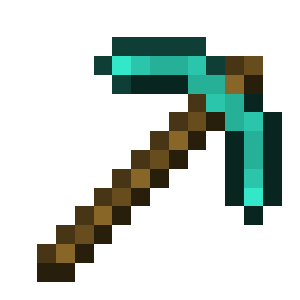 Vein Miner
This challenge will allow you to vein mine blocks. This means that when you break a block, all connected blocks of the same type will also break. <hr> <details> <summary>Data</summary> <table> <ul> <li><img width="24" height="24" src="https://raw.githubusercontent.com/Owen1212055/mc-assets/c0c9f987cc7e1fc80042bfbd7cbafe16141e546c/assets/DIAMOND_PICKAXE.png" alt="Diamond Pickaxe"> Max Blocks<br><small>This configures the maximum amount of blocks<br>which the vein miner can break at once.</small></li><li><img width="24" height="24" src="https://raw.githubusercontent.com/Owen1212055/mc-assets/c0c9f987cc7e1fc80042bfbd7cbafe16141e546c/assets/DIAMOND_ORE.png" alt="Diamond Ore"> Allowed Blocks<br><small>This configures the blocks which are allowed to be vein mined.</small></li> </ul> </table>
</details>
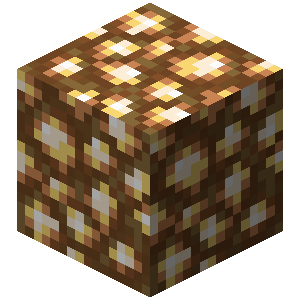 Glow
Glow
Every specified entity will receive a glow effect, so you can easily see them, even through walls. <hr> <details> <summary>Data</summary> <table> <ul> <li><img width="24" height="24" src="https://raw.githubusercontent.com/Owen1212055/mc-assets/c0c9f987cc7e1fc80042bfbd7cbafe16141e546c/assets/PLAYER_HEAD.png" alt="Player Head"> Players<br><small>Every player will receive a glow effect.</small></li><li><img width="24" height="24" src="https://raw.githubusercontent.com/Owen1212055/mc-assets/c0c9f987cc7e1fc80042bfbd7cbafe16141e546c/assets/SHEEP_SPAWN_EGG.png" alt="Sheep Spawn Egg"> Entities<br><small>Every entity will receive a glow effect.</small></li> </ul> </table>
</details>
No Fall
This enhancement will disable fall damage in the game. This means that players will not take any damage from falling.
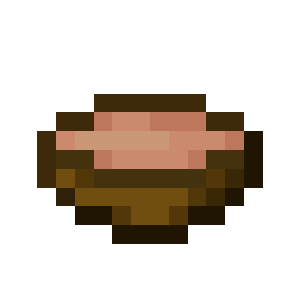 Souping
This enhancement will allow you to soup in the game. Souping is the act of eating mushroom stew to heal yourself, even if your hunger bar is full. <hr> <details> <summary>Data</summary> <table> <ul> <li><img width="24" height="24" src="https://raw.githubusercontent.com/Owen1212055/mc-assets/c0c9f987cc7e1fc80042bfbd7cbafe16141e546c/assets/MUSHROOM_STEW.png" alt="Mushroom Stew"> Amount to Heal<br><small>This configures the amount of health which is restored<br>when you soup.<br>This is configured in <b>half hearts</b>.</small></li><li><img width="24" height="24" src="https://raw.githubusercontent.com/Owen1212055/mc-assets/c0c9f987cc7e1fc80042bfbd7cbafe16141e546c/assets/BOWL.png" alt="Bowl"> Leave Bowl<br><small>This configures whether the bowl should be left behind<br>after souping, or if it should be consumed (deleted).</small></li> </ul> </table>
</details>
 No Fire
This enhancement will disable fire damage in the game. This means that players will not take any damage from fire.
 Announce
This enhancement will announce various events to every player. <hr> <details> <summary>Data</summary> <table> <ul> <li><img width="24" height="24" src="https://raw.githubusercontent.com/Owen1212055/mc-assets/c0c9f987cc7e1fc80042bfbd7cbafe16141e546c/assets/IRON_SWORD.png" alt="Iron Sword"> Damage Announce<br><small>This configures whether or not damage<br>should be announced to every player.</small></li><li><img width="24" height="24" src="https://raw.githubusercontent.com/Owen1212055/mc-assets/c0c9f987cc7e1fc80042bfbd7cbafe16141e546c/assets/PAPER.png" alt="Paper"> Damage Message<br><small>This is the message which will be sent <br>to every player when a player takes damage.</small></li><li><img width="24" height="24" src="https://raw.githubusercontent.com/Owen1212055/mc-assets/c0c9f987cc7e1fc80042bfbd7cbafe16141e546c/assets/ENDER_PEARL.png" alt="Ender Pearl"> Dimension Announce<br><small>This configures whether or not dimension<br>changes should be announced to every player.</small></li><li><img width="24" height="24" src="https://raw.githubusercontent.com/Owen1212055/mc-assets/c0c9f987cc7e1fc80042bfbd7cbafe16141e546c/assets/PAPER.png" alt="Paper"> Dimension Message<br><small>This is the message which will be sent <br>to every player when a player changes dimension.</small></li> </ul> </table>
</details>
Backpack
This enhancement will add a backpack to each player. The backpack will allow each player to store items in it. You can access the backpack by using <color:#cba6f7>/backpack<color:#cdd6f4>, and reset it by using <color:#cba6f7>/backpack reset <hr> <details> <summary>Data</summary> <table> <ul> <li><img width="24" height="24" src="https://raw.githubusercontent.com/Owen1212055/mc-assets/c0c9f987cc7e1fc80042bfbd7cbafe16141e546c/assets/BARREL.png" alt="Barrel"> Size<br><small>The size of the backpack.<br>This will determine how many items you can store in the backpack.</small></li> </ul> </table>
</details>
 No PvP
This enhancement will disable PvP in the game. This means that players will not be able to damage each other.
 Old Combat
This enhancement will revert the combat mechanics to the old ones, found in the game versions before 1.9.X.
</details>
 Objective List
<details> <summary><img width="24" height="24" src="https://raw.githubusercontent.com/Owen1212055/mc-assets/c0c9f987cc7e1fc80042bfbd7cbafe16141e546c/assets/BOOK.png" alt="Book"> Every Advancement</summary> This objective will require you to obtain every advancement in the game. The first player who obtains every advancement will complete the objective. <hr> <details> <summary>Data</summary> <table> <ul> <li><img width="24" height="24" src="https://raw.githubusercontent.com/Owen1212055/mc-assets/c0c9f987cc7e1fc80042bfbd7cbafe16141e546c/assets/PAPER.png" alt="Paper"> Boss Bar Message<br><small>The message which will be displayed in the boss bar.<br>This message will be displayed to all players,<br>to showcase which advancement they need to obtain.</small></li><li><img width="24" height="24" src="https://raw.githubusercontent.com/Owen1212055/mc-assets/c0c9f987cc7e1fc80042bfbd7cbafe16141e546c/assets/RED_DYE.png" alt="Red Dye"> Boss Bar Color<br><small>The color of the boss bar.<br>This color will be used to showcase the progress<br>of the collection of advancements.</small></li> </ul> </table>
</details>
Obtain Item
This objective will require you to obtain a specific item. The first player who obtains the specified item, will complete the objective. <hr> <details> <summary>Data</summary> <table> <ul> <li><img width="24" height="24" src="https://raw.githubusercontent.com/Owen1212055/mc-assets/c0c9f987cc7e1fc80042bfbd7cbafe16141e546c/assets/DIAMOND_PICKAXE.png" alt="Diamond Pickaxe"> Item to obtain<br><small>The item which needs to be obtained<br>in order to complete the objective.</small></li> </ul> </table>
</details>
 Death
Death
This objective will require you to die as fast as possible. Once you die, you will complete the objective.
 Kill Entity
This objective will require you to kill a specific entity, in order to complete it. The first player to kill the entity will complete the objective. <hr> <details> <summary>Data</summary> <table> <ul> <li><img width="24" height="24" src="https://raw.githubusercontent.com/Owen1212055/mc-assets/c0c9f987cc7e1fc80042bfbd7cbafe16141e546c/assets/DRAGON_HEAD.png" alt="Dragon Head"> Target Type<br><small>The type of entity which needs to be killed<br>in order to complete the objective.</small></li> </ul> </table>
</details> </details>
First Steps
Download
- Download the BasedUtils and the BasedChallenges plugin from the and page.
Installation
- Move the downloaded Jar files (BasedUtils and BasedChallenges) into your server's plugins folder ( `SERVER_NAME/plugins`). This is where the server loads plugins from.
Server Compatibility
- Ensure your server uses a compatible Java version and supports the required Minecraft version. You can verify by checking the `Supported Paper Version` and `Supported Java Version` on the Releases page for both plugins.
Usage
1. Start your server and join it. 2. Make sure that you either have the `basedchallenges.*` permission or are an operator. 3. Use the command `/basedinterface` to open the GUI and start selecting your content. 4. Use the command `/basedgame` to manage the game. 5. Use any other commands (found below), configure anything, and enjoy the plugin!
FAQ
Understanding Features
Commands
| Command | Description | Permission | |-------------------|--------------------------------------------------------|-----------------------------| | `/basedinterface` | Opens the main interface. | `basedchallenges.interface` | | `/basedgame` | Starts or stops the game. | `basedchallenges.game` | | `/position` | Manage a set of saved positions. | `basedchallenges.position` | | `/top` | Teleport to the top of the world. | `basedchallenges.top` | | `/timer` | Start or stop the timer (needs the Timer Enhancement). | `basedchallenges.timer` | | `/backpack` | Opens the backpack. Requires the Backpack Enhancement. | `basedchallenges.backpack` | | `/world` | Teleport to a world. | `basedchallenges.world` | | `/breload` | Reloads the plugin's configuration files. | `basedchallenges.breload` | | `/reset` | Resets the world. | `basedchallenges.reset` | | `/spawn` | Easily spawn some entities in the world. | `basedchallenges.spawn` |
What is the difference between Objectives, Challenges and Enhancements?
- Enhancements: Objectives are the goal of the game. They are the one thing you need to complete to win the game. You don't need an objective to play any game, but they are useful to set yourself a goal you want to achieve. - Enhancements: Challenges are the main focus of the plugin. They provide fun twists on the main game and are not required to play the game. - Enhancements: Enhancements are optional improvements to the game which can be enabled. They provide additional features or improvements to the game. They are not required to play the game.
Still unsure?
- If any part of the Plugin is unclear (even after trying it out), don't hesitate to contact us for assistance.
Purpose
- BasedChallenges was created to provide a free, open-source challenges plugin as an alternative to closed-source or paid ones.
Feature Requests
- When you have an idea for a new feature, feel free to submit a feature request, and we'll consider implementing it.
Bug Reports
- Encountered a bug? Report it by creating a bug report, and we'll address it promptly.