

v1.1
release

Minecraft Bingo
Bingo is a fun mini-game in which players compete to collect items from a random list.
 30,42k
Minecraft Bingo
Bingo Game Data Pack [1.20.3-26.1]
|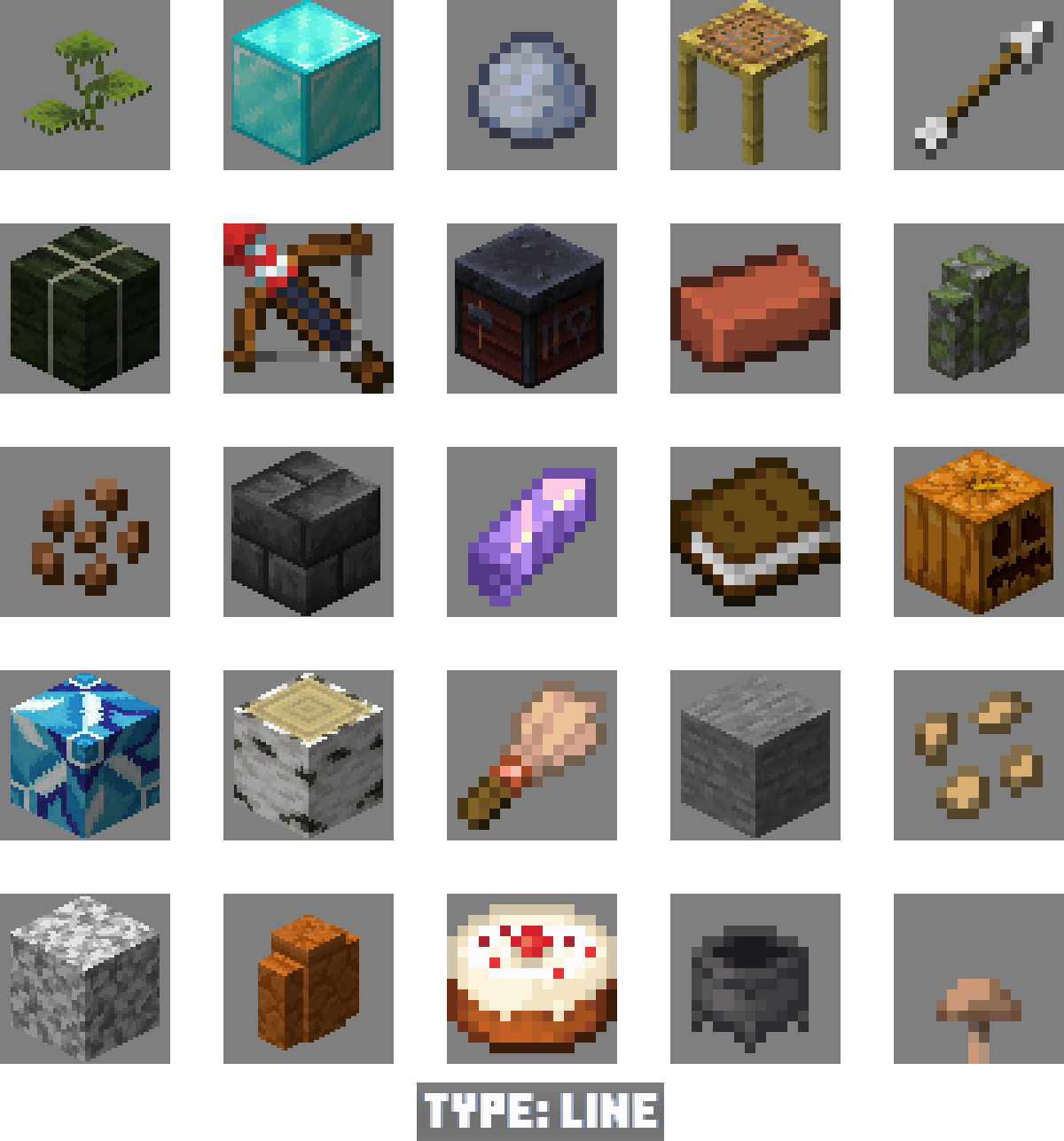 |Your goal is to collect certain items as quickly as possible and complete the Bingo card. The team that completes the task first will win.| |-|-|
Different versions of Vanilla Minecraft Java Edition are designed for specific versions of Vanilla Minecraft Java Edition. Make sure you are using the correct version of the game for compatibility.
|⚠️ Important: This data pack requires an accompanying resource pack to function properly. Please make sure it is installed!| |-|
Installation Guide for Data Pack & Resource Pack
Select and Download
Decide which version of the game you want to play, and then download the Data Pack (DP) and Resource Pack (RP) corresponding to your chosen version.
Download
1. Find the Minecraft Bingo page on Modrinth (you are on it). 2. Select the bottom of the page tab. 3. Click on the bottom of the page you want to download. 4. At the bottom of the page, you will find the data package file and resource package file you need. 5. Download both files
<details> <summary>Downloading Guide for the Data Pack & Resource Pack</summary>


Data Pack Installation:
Open Pack Folder - Open Minecraft, go to Open Pack Folder > Open Pack Folder. - Click on the Open Pack Folder button, then Open Pack Folder. - Select Open Pack Folder and move the downloaded Data Pack file into this folder.
Warning - Open Minecraft, go to Warning, select the world you want, and click on Warning. - Open the Warning, then go to the Warning folder. - Move the downloaded Data Pack file here. - ⚠️ Warning: Adding the Data Pack to an existing world may impact your current gameplay. This includes potential changes such as the deletion of achievements and modifications to your inventory. Ensure you understand how the Data Pack works to avoid any unintended consequences or loss of progress.
3. Reload if Necessary Use the `/reload` command in-game if needed to activate the Data Pack.
Resource Pack Installation:
- Open Minecraft and go to Open Pack Folder > Open Pack Folder > Open Pack Folder. - Move the downloaded Resource Pack file here. - Go back to Minecraft, select the Resource Pack, and activate it. </details>
How to Play
Once you've installed everything you need, you can play alone or gather players for a group game - it's all up to you! To start the game, enter the command `/trigger .bingo.start`. Once initiated, each player will have the opportunity to select their team.
> Discuss Configuration: > You can join any team, and there are no limits to the number of players in each team. You can play solo, team up with friends, or create multiple teams—it's all your choice. > > Discuss Configuration: > It's advisable to discuss the game setup with other participants before starting. The rules are flexible, allowing you to customize the game to your liking, as long as all players agree.
Game Modes:
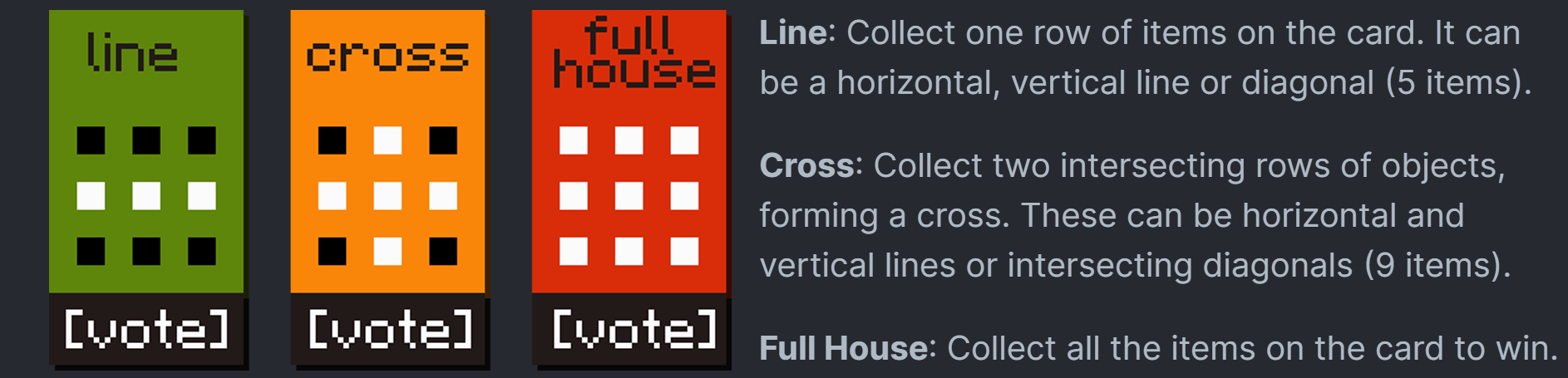
Difficulty levels:
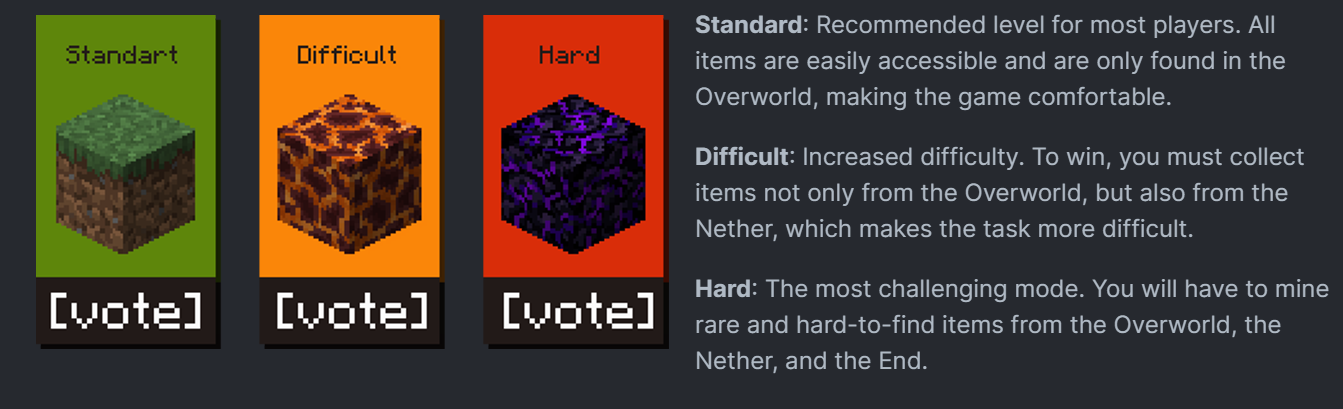
|Command|Description| |---|--| |`/trigger .bingo.start`|After entering it, the game will start immediately and you will be able to start completing the goals.| |`/trigger .bingo.leave.game`|Use this command if you need to leave the current Bingo game.| |`/trigger .bingo.settings`|It is recommended to use this command to customize the interface according to your preferences.| |`/trigger .bingo.rules`|This command will show you the rules of the game. Use it if you want to quickly familiarize yourself with the rules.|
Translation
Chinese (Simplified) English (UK) English (USA) French German Italian Japanese Polish Portuguese (Brazil) Russian Spanish (Mexico) Spanish (Spain) Turkish Ukrainian
Credits and Resources
- Original Idea by lorgon111 - Negative Space Font - GitHub Repository - No Shadow - GitHub Repository
Enjoy the game!
Gallery
Versions
v1.9
release
v1.5.3
release
v1.5.2
beta
v26.1
release
v1.5
beta
v1.4
beta
v1.2
beta
v1.2
beta
v1.6
release
v1
release
v1.5.1
beta
v1.3
release
v1.3
release
v1.7
release
v1.2.1
release
v1.5
beta
v1.4.1
beta
v1.8
release
v1.8
release
v1.2
beta
v1.5.2
beta
v1.4.2
release
v1.4.1
beta
v1.9
release
v1.7
release
v26.1
release
v1.5.3
release
v1.1
release
v1.5.1
beta
v1.6
release
v1
release
v1.9-1.10
release
v1.9-1.10
release
v1.11
release
v1.4
beta
v1.4.2
release
v1.2.1
release
v1.11
release