

1.1.2
release

ChestLockLite
Lock your chests with owner-only protection, password protection, or trusted players system.
 1,28k
1,28k
ChestLockLite
ChestLockLite
A simple, powerful container locking plugin for Spigot/Paper 1.21+ servers. Lock your chests, barrels, hoppers, and furnaces with owner protection, password protection, or trusted players system. No MySQL required - uses lightweight SQLite storage.
---
Lock a Container
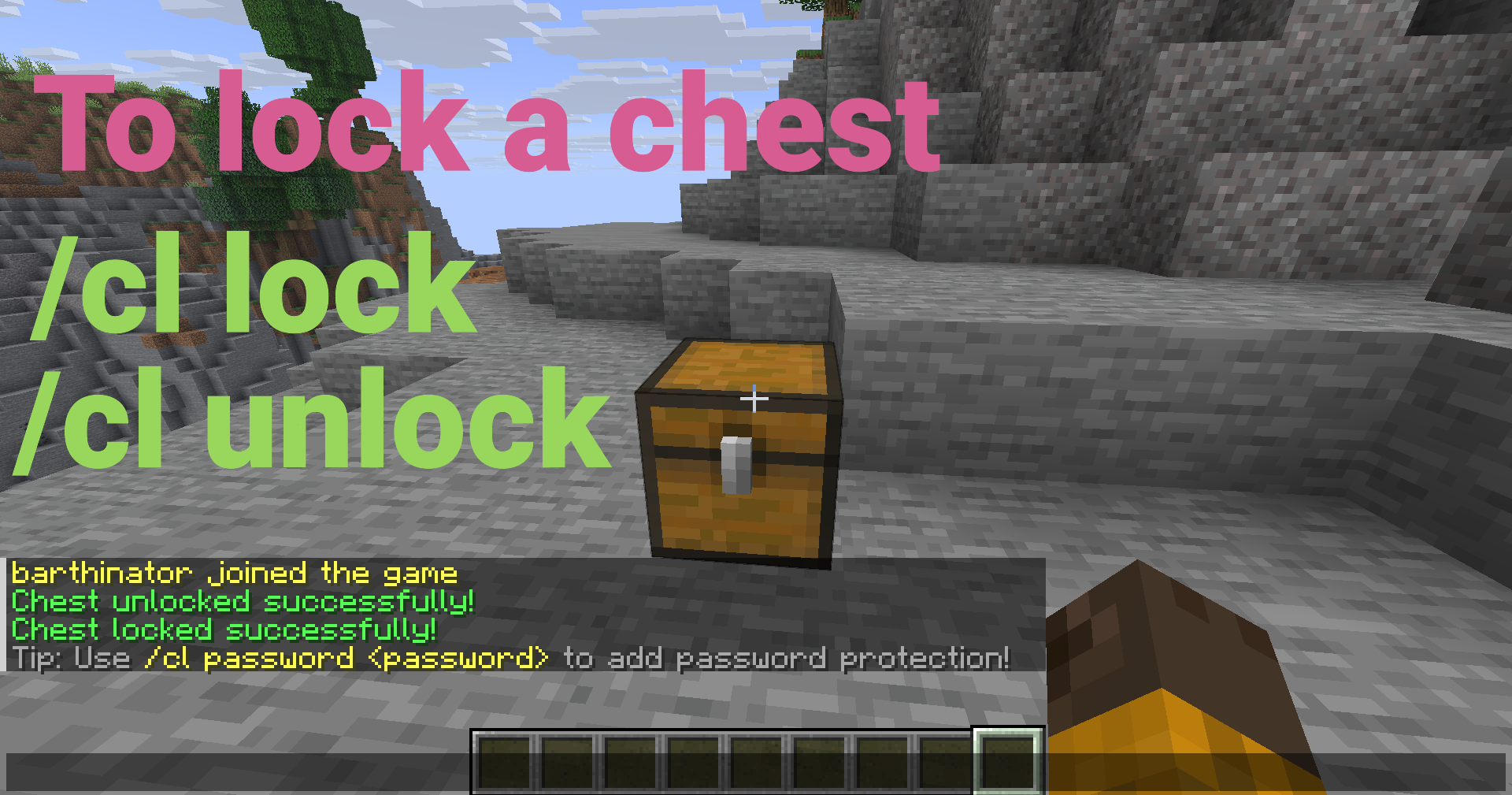
Look at a chest, barrel, hopper, or furnace and run:
```bash /cl lock ```
Only you can open it now!
---
Key Features
Core Protection
- Container Protection - Lock containers so only you can access them - Container Protection - Share access with passwords (SHA-256 hashed) - Container Protection - Grant access to specific players without passwords - Container Protection - Prevents breaking, explosions, fire, and pistons
Container Support
- Per-Container Hopper Control - All chest types (regular, trapped, copper, etc.) - Per-Container Hopper Control - Full locking support for barrels - Per-Container Hopper Control - Lock hoppers and control item extraction (configurable) - Per-Container Hopper Control - Lock furnaces, blast furnaces, and smokers (configurable) - Per-Container Hopper Control - Toggle hopper access per container via GUI
User Interface
- Container-Specific Messages - Easy-to-use visual interface (Shift + Right-click with empty hand) - Container-Specific Messages - Interactive character selection - Container-Specific Messages - Full autocomplete support for all commands - Container-Specific Messages - Messages show the correct container type
Advanced Features
- Automatic Migration - Automatically handles single and double chests - Automatic Migration - Optional automatic locking when placing containers - Automatic Migration - Prevents spam attempts (configurable) - Automatic Migration - Clear locks, reload config, bypass permissions - Automatic Migration - Admins see notifications when opening locked containers - Automatic Migration - Fast, lightweight, no external database needed - Automatic Migration - Automatic database backups - Automatic Migration - Seamless database upgrades
---
Quick Setup
1. Download the `ChestLockLite.jar` file 2. Place it in your server's `plugins` folder 3. Start your server 4. Configure as needed in `plugins/ChestLockLite/config.yml` (optional)
That's it! The plugin is ready to use.
---
Usage Examples
Password Protection
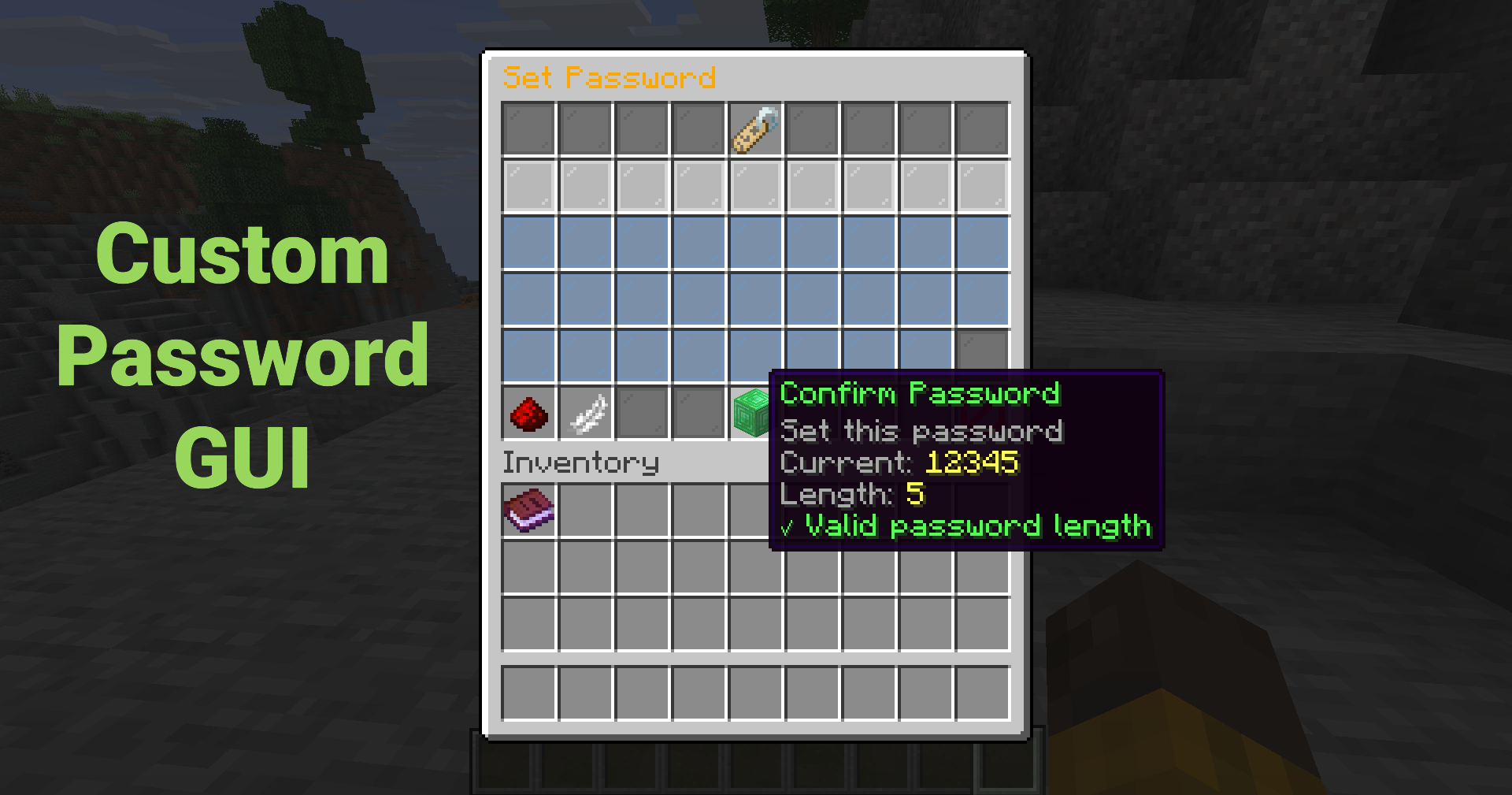
Set a password so anyone with the password can unlock the container:
```bash /cl password mypassword123 ```
Or use the GUI (Shift + Right-click → "Set Password") for an interactive password input!
---
Trust a Player
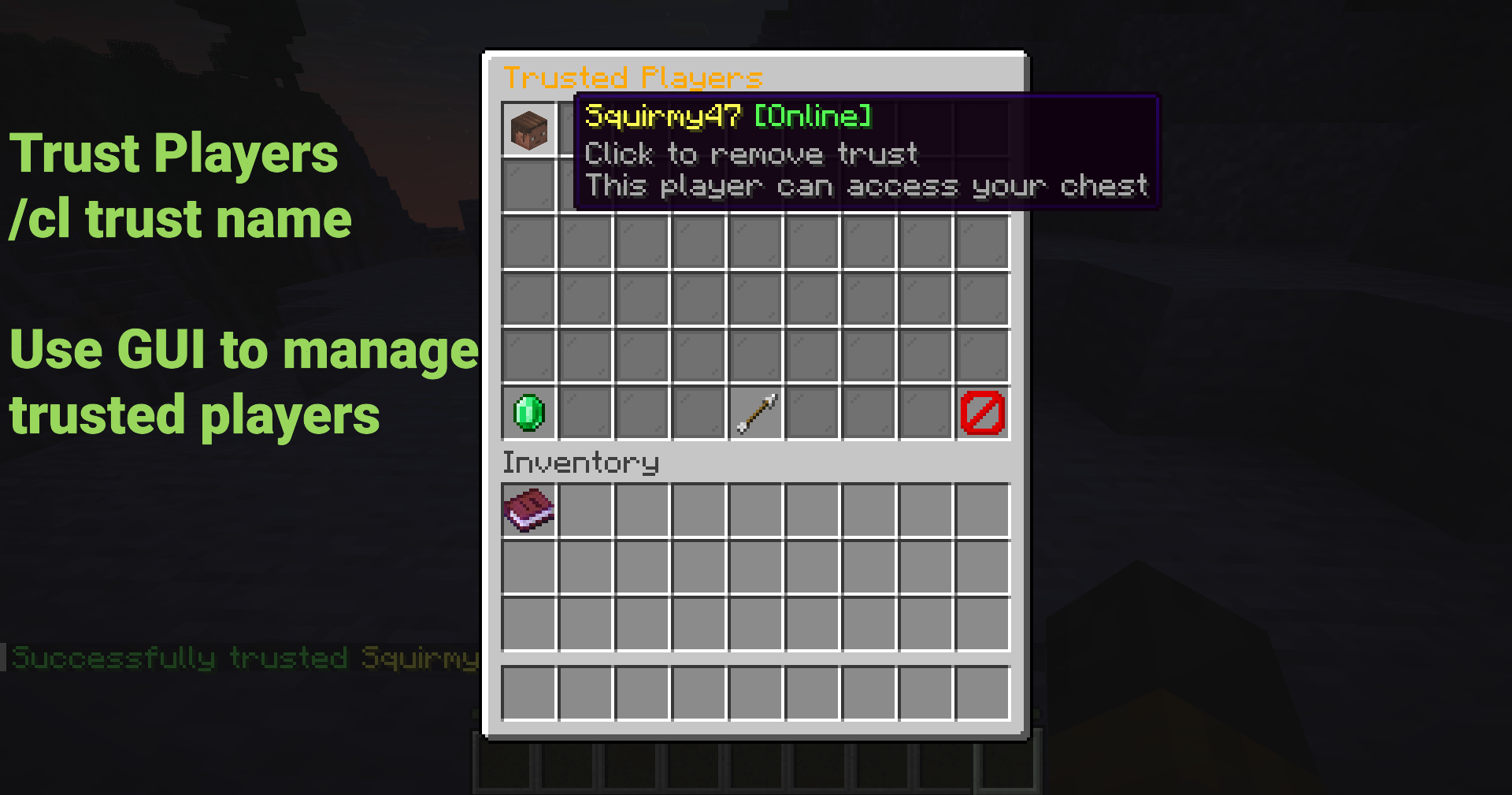
Grant a player access without sharing passwords:
```bash /cl trust FriendName ```
The trusted player will receive a notification and can now access your container!
---
Using the GUI
Shift + Right-click any container to open the menu (Must have empty hand)
Click buttons to: - Lock/unlock containers - Set or remove passwords - Manage trusted players - Toggle hopper access (per container) - View lock information
No commands to remember!
---
Common Commands
| Command | Description | |---------|-------------| | `/cl lock` | Lock the container you're looking at | | `/cl unlock` | Unlock your container | | `/cl password <pass>` | Set or enter password | | `/cl trust <player>` | Trust a player on your container | | `/cl untrust <player>` | Remove trust from a player | | `/cl trustedlist` | List trusted players | | `/cl gui` | Open GUI menu | | `/cl info` | View lock information |
Aliases: `/chestlock`, `/lockchest`
---
Security Features
- Hopper Control - Passwords are never stored in plain text - Hopper Control - Prevents rainbow table attacks - Hopper Control - Prevents unauthorized breaking - Hopper Control - Protects from creepers, TNT, etc. - Hopper Control - Protects from fire and lava damage - Hopper Control - Prevents pistons from moving locked containers - Hopper Control - Prevent hoppers from extracting items from locked containers
---
Configuration
New in v1.1.0:
```yaml locks:
Support for hoppers (allow locking hoppers)
allow-hoppers: true
Support for furnaces (allow locking furnaces, blast furnaces, smokers)
allow-furnaces: true
Show notification to admins when they open locked containers
admin-notification: true ```
---
Perfect For
- Any Server - Protect player containers from griefing - Any Server - Secure shared storage areas - Any Server - Protect shop chests and storage - Any Server - Team-based container protection - Any Server - Simple, lightweight container protection
---
Documentation
- Permissions: Permissions - Permissions: %%MD1%% - Permissions: %%MD2%% - Permissions: %%MD3%%
---
Admin Commands
Admins have access to powerful management tools:
| Command | Description | Permission | |---------|-------------|------------| | `/cl clear` | Clear lock on targeted container | `chestlocklite.admin.clear` | | `/cl clearall <player>` | Clear all locks by player | `chestlocklite.admin.clearall` | | `/cl cleararea [radius]` | Clear locks in area | `chestlocklite.admin.cleararea` | | `/cl reload` | Reload configuration | `chestlocklite.admin.reload` |
---
Performance
- Comprehensive Testing - Minimal server impact - Comprehensive Testing - Fast, no external database needed - Comprehensive Testing - O(log n) lookup time - Comprehensive Testing - Handles 10,000+ locks without issues - Comprehensive Testing - 39 unit tests ensure reliability
---
What's New in v1.1.0
- 🎉 Test Suite - Lock all container types! - 🎛️ Test Suite - Toggle hopper access via GUI - 🔔 Test Suite - Admins see notifications when opening locked containers - 💬 Test Suite - Messages show correct container type - 🐛 Test Suite - Fixed password GUI bug and GUI access with items - 🧪 Test Suite - Comprehensive testing infrastructure (39 tests)
---
License
This project is licensed under the MIT License.
---
Links
- Support: Support - Support: %%MD1%% - Support: %%MD2%% - Support: Check the %%MD3%%
---
Made with ❤️ for the Minecraft community
*Perfect for survival, SMP, and economy servers. Simple configuration, comprehensive permissions system, and full documentation included.*