

1.1.1
release
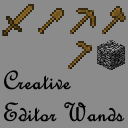
CreativeEditorWands StationAPI
Adds world edit style properties to wooden tools when enabled.
 1,95k
1,95k
CreativeEditorWands StationAPI
CreativeEditorWands StationAPI for Minecraft Beta 1.7.3
A StationAPI mod for Minecraft Beta 1.7.3 that adds world edit type properties to wooden tools when enabled. * Mod (mostly) works on Multiplayer with GlassConfigAPI version 3.0+ used to sync configs!
List of changes
All changes only apply when player is OP or in single-player toggle wands on/off via bedrock.
* Selection Tool (wooden axe) * Mode 1: Select two points (`right-click` on two blocks) * Mode 2: Copy selection (area between the two points) over to the new area `right-click` * Mode 3: Fill selection (area between the two points) with whatever block is `right-clicked` * Use `scroll-wheel` in inventory to rotate selection (does nothing if no selection has been made) * Hit living entities to rotate selection in multiplayer (also works in single-player) * Hold `left-shift` and use `scroll-wheel` to change axe mode in single-player * Use `right-click` in the air to change axe mode in multiplayer * Paint Brush (wooden sword) * Draw with `right-click` * Block ID zero means copy `right-clicked` block and use it to draw * Use `scroll-wheel` in inventory to select block type * Hold `left-shift` and use `scroll-wheel` to select block metadata * Erase Brush (wooden shovel) * Erase with `right-click` * Block ID zero means erase any block * Use `scroll-wheel` in inventory to select block type * Hold `left-shift` and use `scroll-wheel` to select block metadata * Block Picker (wooden pickaxe) * Select block ID and metadata with `right-click` * In single-player in inventory pick up the pickaxe and click a brush to apply the color to it * In multiplayer the selected block will be used for all brushes * Use `scroll-wheel` in inventory to select block type * Hold `left-shift` and use `scroll-wheel` to select block metadata * Brushes Mode (wooden hoe) * Use `scroll-wheel` in inventory to change brush size * Hit living entities to change brush size in multiplayer (also works in single-player) * Use `right-click` on a block to change brush type and apply brush mode * Use `right-click` in the air to apply brush mode * Enable/disable creative editor wands tools with bedrock block * Use `right-click` to enable/disable creative editor wands * This is a single-player only feature
Structure Command
If you are using RetroCommands with this mod, you now also have access to the `/structure` command. This command allows you to save, copy, and paste structures. * NOTE: This command currently does not work with modded blockstates
How it works: 1. `/structure 1` to set the first position of the structure to copy (this happens where your player is standing) 2. `/structure 2` to set the second position of the structure to copy (this happens where your player is standing) 3. `/structure copy SaveName` copies the structure using a cube between positions 1 and 2 - `SaveName` can be anything you want and is the saved name of the structure. - You can save as many structures as you want, just don't reuse the same name unless if you want to overwrite that structure. 4. `/structure paste SaveName` pastes the structure at the location the player is currently standing at 5. `/structure fill BlockID (BlockMeta)` fills the structure with the provided block ID (and optionally metadata value) using a cube between positions 1 and 2
Installation using Prism Launcher
1. Download an instance of Babric for Prism Launcher: https://github.com/babric/prism-instance 2. Install Java 17 and set the instance to use it: https://adoptium.net/temurin/releases/ 3. Add GlassConfigAPI 3.0.2+ to the mod folder for the instance: https://modrinth.com/mod/glass-config-api 4. Add Glass Networking to the mod folder for the instance: https://modrinth.com/mod/glass-networking 5. Add StationAPI to the mod folder for the instance: https://modrinth.com/mod/stationapi 6. (Optional) Add Mod Menu to the mod folder for the instance: https://modrinth.com/mod/modmenu-beta 7. Add this mod to the mod folder for the instance: https://github.com/telvarost/GameplayEssentials-StationAPI/releases 8. Run and enjoy! 👍
Feedback
Got any suggestions on what should be added next? Feel free to share it by creating an issue. Know how to code and want to do it yourself? Then look below on how to get started.
Contributing
Thanks for considering contributing! To get started fork this repository, make your changes, and create a PR.
If you are new to StationAPI consider watching the following videos on Babric/StationAPI Minecraft modding: https://www.youtube.com/watch?v=9-sVGjnGJ5s&list=PLa2JWzyvH63wGcj5-i0P12VkJG7PDyo9T
Gallery
Versions
1.2.0
release
1.1.0
release
1.3.0
release
1.4.1
release
1.0.2
release
1.3.1
release
1.4.0
release