

0.2.0+mc1.20
release

ContainerSearcher
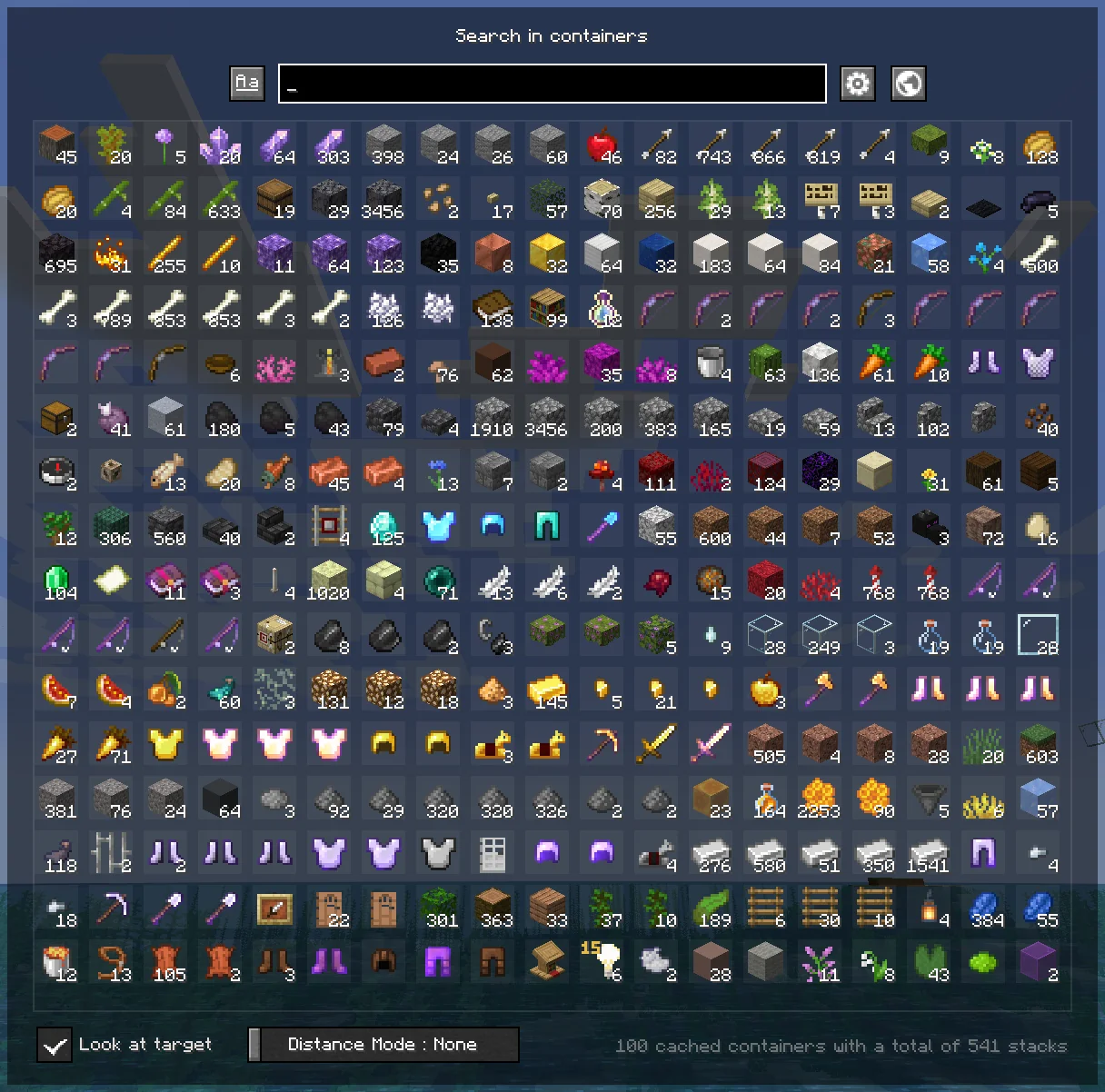
Caches opened containers and allows you to search through them via an in-game menu.
 489,09k
ContainerSearcher
ContainerSearcher
Caches opened containers and allows you to search through them via an in-game menu.
When you open a chest, its contents are saved to a file. Using a keybind (NUMPAD 5 by default, can be changed in your keybindings) you can search for a hovered item in your inventory in nearby containers while you had this mod, allowing you to search for a hovered item in your inventory in nearby containers with different sorting modes. search for a hovered item in your inventory in nearby containers, draw a particle trail, and make you look in the direction of that container; if you're close enough, the container will open directly. Once inside the container, search for a hovered item in your inventory in nearby containers. You can also configure a keybind to search for a hovered item in your inventory in nearby containers, as the Extra Utilities mod does.
👉🏻 Requires Fabric API and Cloth Config.
Mod menu is recommended to configure the mod.
FREQUENTLY ASKED QUESTIONS
How do I change the mod's keybindings?
You can find them in your normal Minecraft keybindings, look for the Container Searcher section, usually under the Miscellaneous section. You will find two configurable keybindings, one to open the search menu as mentioned above, and another to search for the hovered stack in nearby containers.
ISSUES
⚠ DO NOT ASK (OR CREATE ISSUES) FOR UPDATES, UPDATES WILL COME WHENEVER I HAVE TIME ⚠
You would like to report an issue about this mod? refer to the Issue Tracker and please be concise, unique, and constructive.
You like what I do? Consider supporting me on my Patreon so I can continue to make and update Minecraft mods like this!
Versions
0.3.0+mc1.20.4
release
0.3.1+mc1.21.3
release
0.3.0+mc1.20.2
release
0.3.4-beta.1+mc1.21.8
beta
0.2.1+mc1.20.1
release
0.3.5+mc1.21.10
release
0.3.6+mc1.21.11
release
0.3.3-beta.1+mc1.21.5
beta
0.1.7+mc1.19.2
beta
0.1.6+mc1.19.2
beta
0.1.7+mc1.19.3
beta
0.3.1+mc1.21.1
release
0.1.8+mc1.20
release
0.3.2+beta1+mc1.21.4
beta