

1.1
release

CustomScreenMenu
A groundbreaking plugin that completely customizes players' screen option menus and features 3D mode
 366
366
CustomScreenMenu
CustomScreenMenu Plugin Documentation
> A high-performance, fully customizable in-game menu plugin for modern Minecraft servers. > Native Folia support included. > For bug reports or suggestions, join the official Discord.
> The open-source version doesn't come with tech support. Buying or donating is just a great way to encourage the author to keep developing and also get support and help for the plugin.
---
Core Features
- Extensible: Stable on the latest Minecraft releases, compatible with Folia. - Extensible: Open or close any screen with a single command. - Extensible: Auto-display a personal start menu when a player first joins. - Extensible: Hovering, rotatable models of held items. - Extensible: Seamless integration with ItemsAdder, betterhud, and more.
---
Commands
| Command | Description | |---|---| | `/cursormenu run <name>` | Opens the custom menu with the given name. | | `/cursormenu stop` | Instantly closes the active menu. | | `/cursormenu items <item_name>` | Displays a 3-D model of the item in your hand. | | `/cursormenu itemsstop` | Ends the current 3-D item preview. | | `/cursormenu reload` | Reloads all configuration files (required after edits). |
---
Highlights
- Instant teleport around the menu or item. - Instant teleport: Decide whether the menu should open automatically on every login. - Instant teleport: custom model-data, rotation toggle, glow toggle. - Instant teleport: precise X, Y, Z offsets and tilt angles for any on-screen text. - Instant teleport: warp the player the moment they enter the menu. - …and many more configurable options.
--- PlaceholderAPI:
%cursormenu_current_menu% – the name of the menu currently open
%cursormenu_selected_option% – the name of the currently highlighted option
%cursormenu_display_item_id% – the ID of the item currently shown
%cursormenu_clicked_option% – the key of the text layout component that was just clicked
%cursormenu_menu_world% – the world in which the menu is located
%cursormenu_button_x% – X coordinate of the selected button
%cursormenu_button_y% – Y coordinate of the selected button
%cursormenu_button_z% – Z coordinate of the selected button
%cursormenu_is_attacking_or_breaking% – Determine whether the player is currently attacking and destroying blocks, with true as yes and false as no
---
Integrations
| Plugin | Added Capabilities | |---|---| | betterhud | Floating 3-D models, live enchants & lore display, custom item panels. | | betterhud | Render menu elements directly onto the player HUD for a seamless look. |
---
Demo Videos
- Demo 1 – Menu Interaction - Demo 2 – Menu example for registration and login <iframe width="560" height="315" src="https://www.youtube-nocookie.com/embed/MEgSq2Zfnak" title="YouTube video player" frameborder="0" allow="accelerometer; autoplay; clipboard-write; encrypted-media; gyroscope; picture-in-picture; web-share" allowfullscreen></iframe> - [Demo 3 – Advanced Menu Design
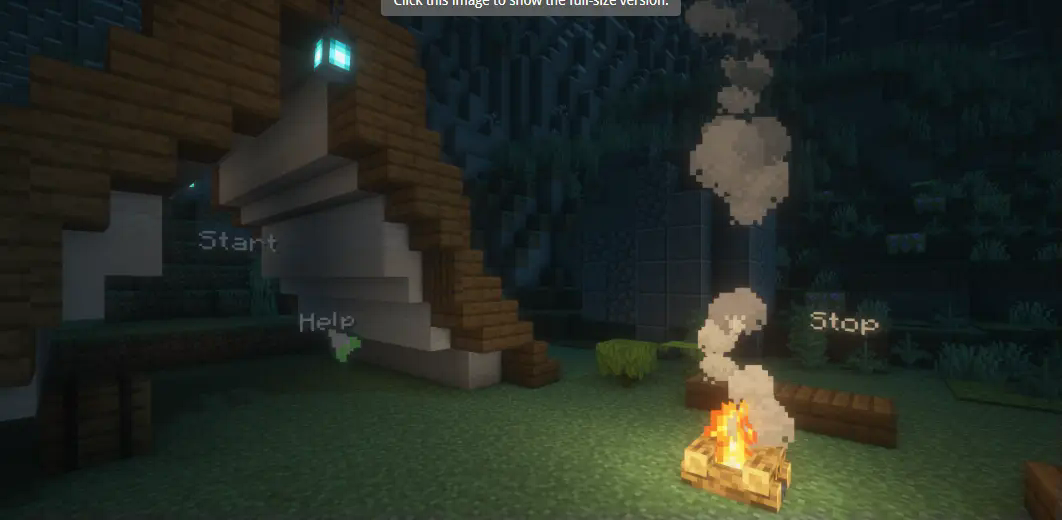 # CustomScreenMenu Plugin Documentation
Gallery
Versions
1.4.0
release
1.4.1
release
1.3.0
release
1.3.1
release
1.3.5
release
1.3.6
release
1.3.3
release
1.2.5
release
1.2.4
release
1.2.9
release
1.2.6
release
1.3.7
release
1.2.8
release
1.2.7
release
1.2.3
release
1.3.2
release
1.3.4
release