

1.0
release

Easy Camera
Fabric mod and Spigot plugin that allows you to view other players' webcams.
 463
463
Easy Camera
Easy Camera
See your friends' real faces in Minecraft!
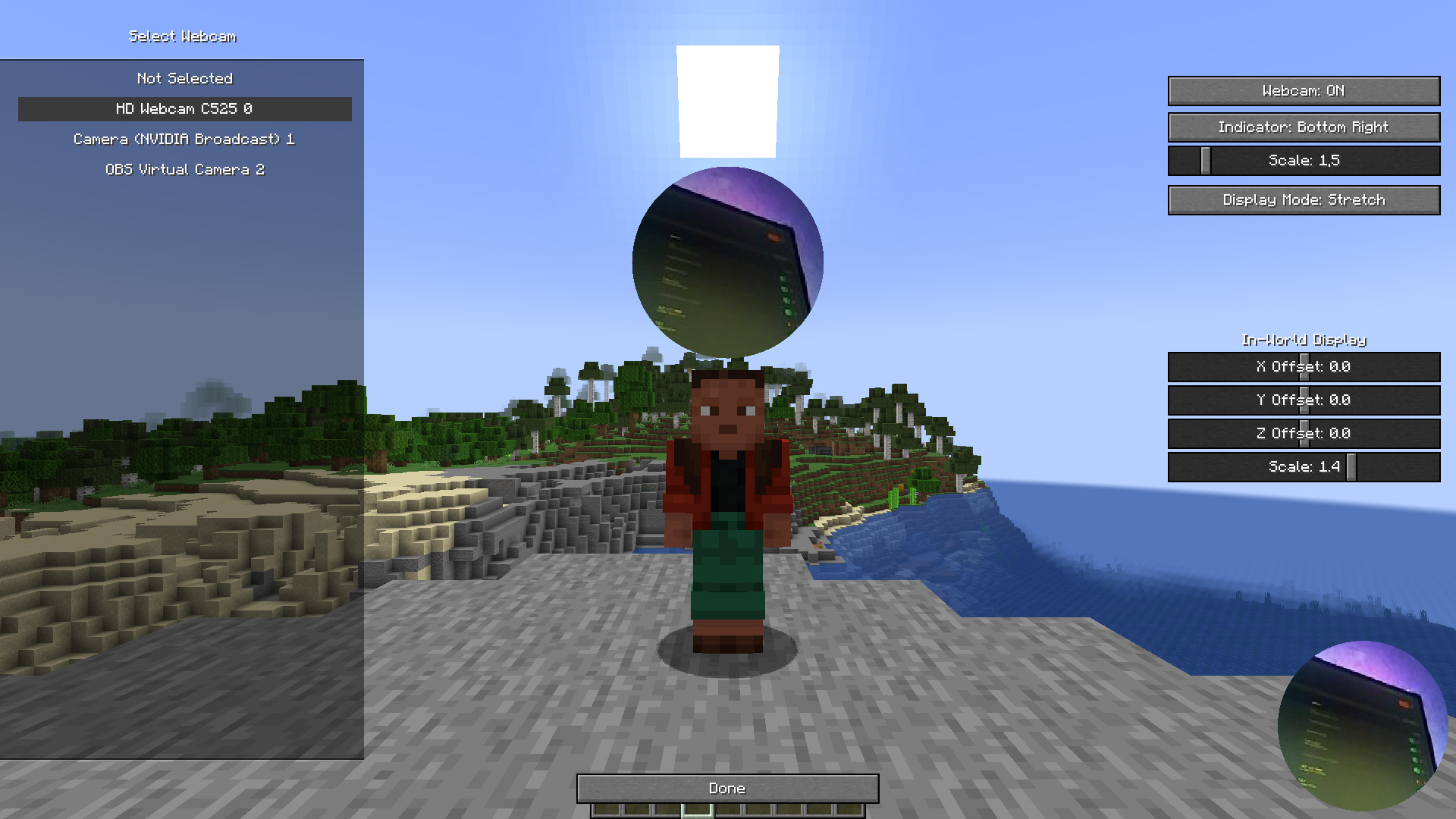
Ever wanted to add a new layer of interaction to your Minecraft server? Easy Camera Mod allows you to see a real-time video stream from your friends' webcams right inside the game! A small, customizable circle appears above each player's head, showing their live reaction and making your adventures even more fun and personal.
This is the perfect mod for streamers, friends playing together, or any server that wants to foster a closer community.
This project was heavily inspired by the unique webcam feature seen on the FreakLand server. Our goal was to recreate and improve upon that amazing idea, making it available for everyone to enjoy on their own Fabric and Spigot servers.
---
Features
- Performance Optimized: See your friends' faces live in the game. The mod is optimized for low latency and minimal performance impact. - Performance Optimized: The webcam view appears as a circle above the player's head in the world and as a small indicator on your HUD. - Performance Optimized: - Performance Optimized: Adjust the size and position of the webcam circle above the player's head to your liking. - Performance Optimized: Choose between `Stretch/Fill` to fit the whole video in the circle or `Crop` to zoom in on a specific area. - Performance Optimized: Enable or disable the on-screen indicator and adjust its position (top-left, top-right, bottom-right) and scale. - Performance Optimized: Flip your own camera view if you need to. - Performance Optimized: Don't want to see someone's camera? You can easily mute any player from a simple in-game menu. Their camera view will be hidden from you. - Performance Optimized: The companion Spigot plugin ensures smooth and fair network usage. It prevents players from sending too much data, ensuring server stability. - Performance Optimized: The mod is designed to be lightweight. It uses efficient compression and throttling to minimize network and client-side lag.
---
Keybinds
By default, you can access the mod's menus with these keys (they can be changed in Minecraft's keybind settings): - ', COMMA': Opens the main settings screen. - ', COMMA': Opens the player mute screen.
---
How to Use
For Players (Client-Side - Fabric)
1. Configure: Make sure you have the Fabric Loader installed. 2. Configure: Download the Fabric API and place it in your `mods` folder. 3. Configure: Download the latest version of Easy Camera Mod and place the `.jar` file in your `.minecraft/mods` folder. 4. Configure: Launch the game. In the main menu or pause menu, you will find a settings screen for Easy Camera Mod. Here you can select your webcam, enable it, and customize all visual settings.
For Server Admins (Server-Side - Spigot/Paper)
1. Restart: Download the latest version of Easy Camera Plugin. 2. Restart: Place the `.jar` file into the `plugins` folder of your Spigot, Paper, or Purpur server. 3. Restart: Restart your server. The plugin will work out of the box. No configuration is needed.
The plugin is crucial for multiplayer. It relays webcam data between players and protects the server from being overloaded.
---
Why use this mod?
- Easy to Set Up: See live reactions, making every moment more memorable. Perfect for cooperative builds, intense PvP battles, or just hanging out. - Easy to Set Up: Easily show your face to your audience without complex OBS setups. Your viewers will see what you see. - Easy to Set Up: With a user-friendly in-game menu, getting started is a breeze.

--- Technical Note: The client mod is for Fabric, and the server plugin is for Spigot-based servers (Spigot, Paper, Purpur, etc.). Both are required for the mod to work in multiplayer.
Versions
1.0
release