

v1.2
release

ecos shader for Canvas
Lightweight graphics enhancements for your laptop. Requires Canvas/can-pipe mod.
 20,93k
ecos shader for Canvas
ecos shader for Canvas and can-pipe
Lightweight graphics enhancements for your laptop.
Features
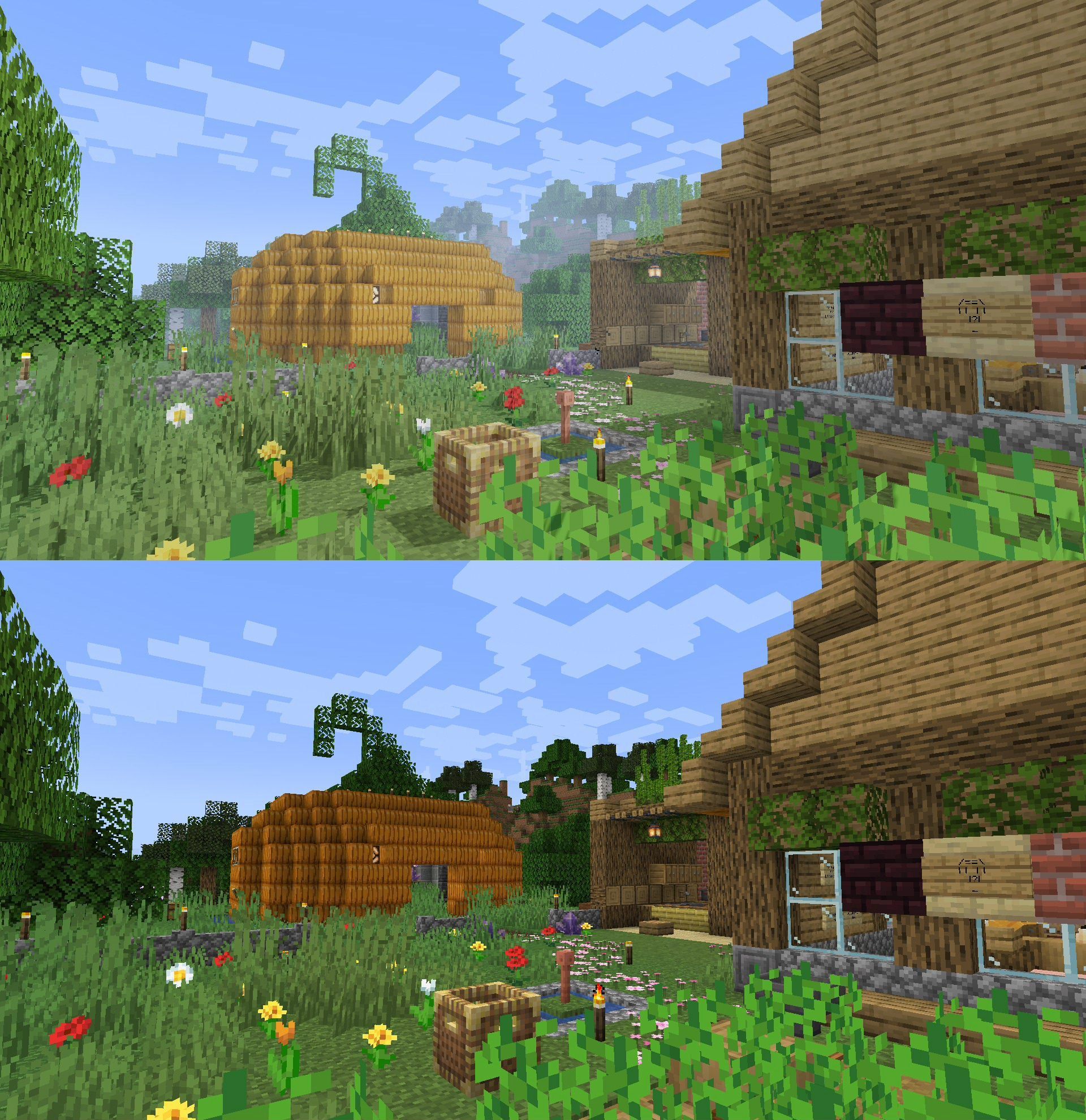
See the gallery for some comparisons.
- Shadows (optional, laptop friendliness varies) - Fog, bloom & tone mapping - Fancy water, metals & glass - Optional toon outline & misc effects - Vanilla-like (for the most part, might change later) - Anti-aliasing
Planned Features
- Water shading - Colored lights
Anti-vanilla feature
- Ignore vanilla lightmap (ecos uses its own lighting system)
How to use this?
1. Install a compatible mod such as Canvas (up to 1.20.2) or can-pipe (26.1 and beyond.)
2. Put Resource Packs inside your Resource Packs folder and activate it like a regular resource pack.
3. Open ecos shaders and configure the pipeline to ecos shaders. If you're on Canvas, you might need to open the Canvas submenu.
Background
Recently I got a laptop, and when I run Lumi Lights on it it started to overheat. So I made this shader as a replacement. It's not the exact same but it got the basic ideas that I wanted from a shader while keeping performance impact at minimum.
Credits
- ecos by Grondag (me) - Project icon & mascot by %%MD1%% - ecos' bloom feature is based on Grondag's work