

1.0
release

Emojify
Plugin that adds support for emojis
 93
93
Emojify
😀Emojify😀
An emoji panel plugin allows players to use emojis in chat using the built into resource pack font function. To open the panel type ```/emoji```
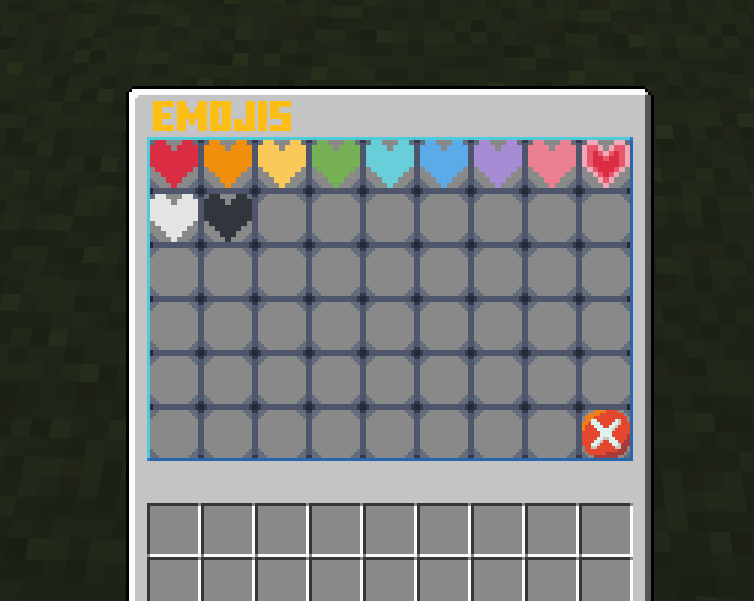
Features
- 🥳Custom Emojis🥳 - Custom UI - Automatic resource pack downloader
Set up
- To make your own emoji, you will first need a ```.png``` file of your emoji. - Then I recommend making your emoji on already built-in emojis, which you can get from GitHub from here. Then extract the resource pack from the ```Emojify.zip``` and open it in your editor of choice, I will be using VSCode. You should see something like this:
Resource pack
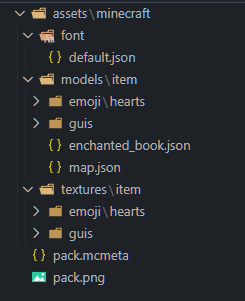
- I will be adding emote of Shrek:
Shrek

- First place your ```image.png``` into ```assets/minecraft/textures/item/emoji/[Your folder]/image.png```.WARNING: your ```image.png``` should be all lower caps
- After that, go to ```assets/minecraft/font/default.json``` and create a new bitmap for a random Unicode character you can get from here.
Example
``` { "providers": [ {"type": "bitmap", "file": "minecraft:item/guis/pixel.png","ascent": -2000,"height": -3,"chars": ["七"]}, {"type": "bitmap", "file": "minecraft:item/guis/upper_section.png","ascent": 13,"height": 222,"chars": ["ㇺ"]}, {"type": "bitmap", "file": "minecraft:item/emoji/hearts/red_heart.png", "ascent": 8, "height": 10, "chars": ["媀"]}, {"type": "bitmap", "file": "minecraft:item/emoji/hearts/orange_heart.png", "ascent": 8, "height": 10, "chars": ["鬣"]}, {"type": "bitmap", "file": "minecraft:item/emoji/hearts/yellow_heart.png", "ascent": 8, "height": 10, "chars": ["觮"]}, {"type": "bitmap", "file": "minecraft:item/emoji/hearts/green_heart.png", "ascent": 8, "height": 10, "chars": ["継"]}, {"type": "bitmap", "file": "minecraft:item/emoji/hearts/light_blue_heart.png", "ascent": 8, "height": 10, "chars": ["佃"]}, {"type": "bitmap", "file": "minecraft:item/emoji/hearts/blue_heart.png", "ascent": 8, "height": 10, "chars": ["青"]}, {"type": "bitmap", "file": "minecraft:item/emoji/hearts/purple_heart.png", "ascent": 8, "height": 10, "chars": ["橙"]}, {"type": "bitmap", "file": "minecraft:item/emoji/hearts/pink_heart.png", "ascent": 8, "height": 10, "chars": ["紫"]}, {"type": "bitmap", "file": "minecraft:item/emoji/hearts/heartpulse.png", "ascent": 8, "height": 10, "chars": ["梾"]}, {"type": "bitmap", "file": "minecraft:item/emoji/hearts/white_heart.png", "ascent": 8, "height": 10, "chars": ["白"]}, {"type": "bitmap", "file": "minecraft:item/emoji/hearts/black_heart.png", "ascent": 8, "height": 10, "chars": ["黒"]}, {"type": "bitmap", "file": "minecraft:item/emoji/shrek/pepe_shrek.png", "ascent": 8, "height": 10, "chars": ["ࢢ"]} ] } ```

You can change "ascent" and "height" to change how it is displayed
- Then create new json file ```assets/minecraft/models/item/emoji/[Your folder]/[Your emoji name].json``` and paste this into it:
Example
``` { "parent": "minecraft:item/generated", "textures": { "layer0": "minecraft:item/emoji/shrek/pepe_shrek" } } ```
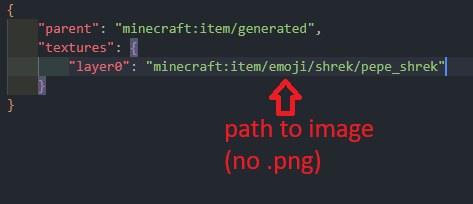
WARNING:Do not use ```.png``` extension at the end of the file path
- Then go to ```assets/minecraft/models/item/enchanted_book.json``` and add your model that you created before:
Example of enchanted_book.json
``` { "parent": "minecraft:item/generated", "textures": { "layer0": "minecraft:item/enchanted_book" }, "overrides": [ {"predicate": {"custom_model_data": 101}, "model":"minecraft:item/emoji/hearts/red_heart"}, {"predicate": {"custom_model_data": 102}, "model":"minecraft:item/emoji/hearts/orange_heart"}, {"predicate": {"custom_model_data": 103}, "model":"minecraft:item/emoji/hearts/yellow_heart"}, {"predicate": {"custom_model_data": 104}, "model":"minecraft:item/emoji/hearts/green_heart"}, {"predicate": {"custom_model_data": 105}, "model":"minecraft:item/emoji/hearts/light_blue_heart"}, {"predicate": {"custom_model_data": 106}, "model":"minecraft:item/emoji/hearts/blue_heart"}, {"predicate": {"custom_model_data": 107}, "model":"minecraft:item/emoji/hearts/purple_heart"}, {"predicate": {"custom_model_data": 108}, "model":"minecraft:item/emoji/hearts/pink_heart"}, {"predicate": {"custom_model_data": 109}, "model":"minecraft:item/emoji/hearts/heartpulse"}, {"predicate": {"custom_model_data": 110}, "model":"minecraft:item/emoji/hearts/white_heart"}, {"predicate": {"custom_model_data": 111}, "model":"minecraft:item/emoji/hearts/black_heart"}, {"predicate": {"custom_model_data": 201}, "model":"minecraft:item/emoji/shrek/shrek"} ] } ```
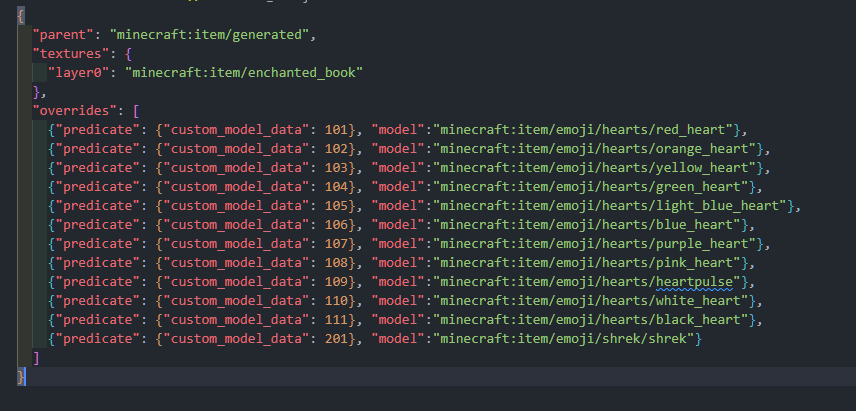
WARNING:Do not use ```.json``` extension at the end of the file path and make sure that the custom_model_data goes up in numerical order, if not it will not display the custom item
- And finally just go to your server and modify the ```plugins/Emojify/config.yml``` like this:
Example of config.yml
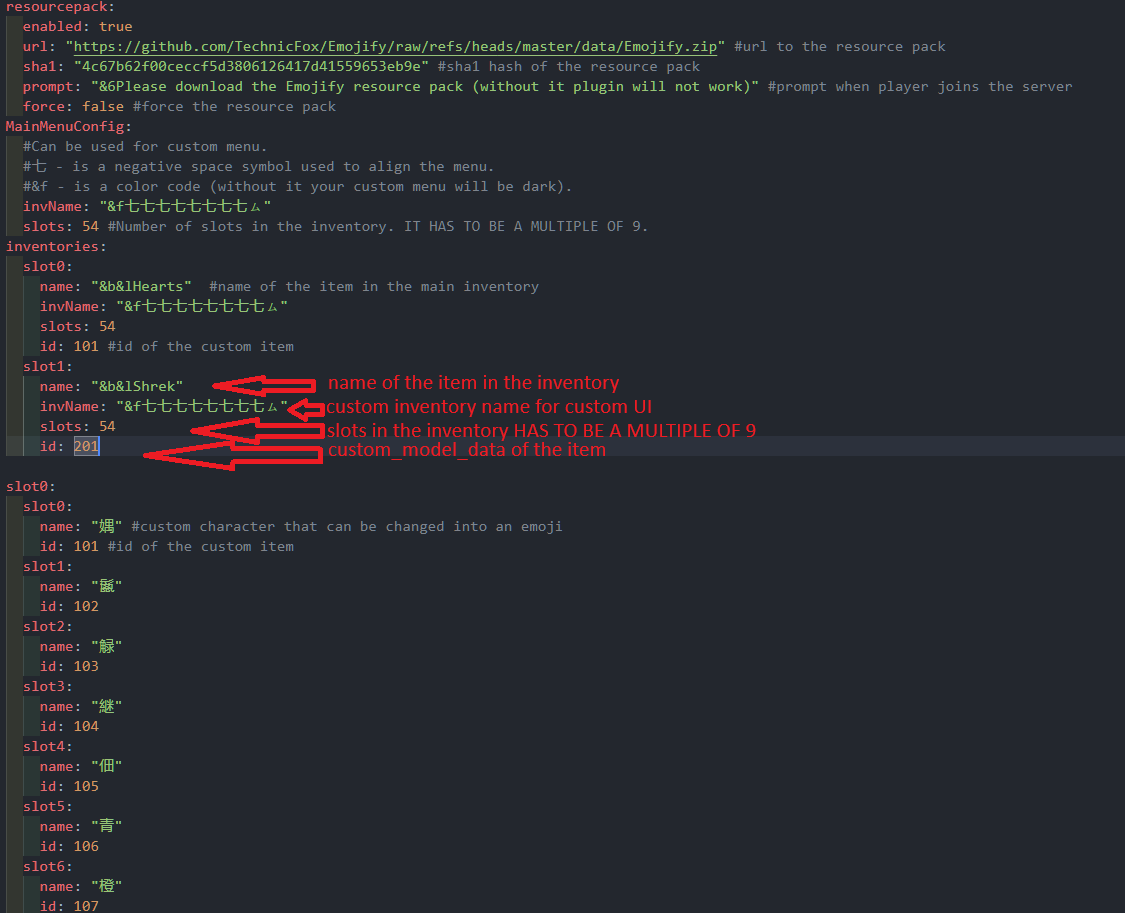
``` inventories: slot0: name: "&b&lHearts" #name of the item in the main inventory invName: "&f七七七七七七七七ㇺ" slots: 54 id: 101 #id of the custom item slot1: name: "&b&lShrek" invName: "&f七七七七七七七七ㇺ" slots: 54 id: 201 ```
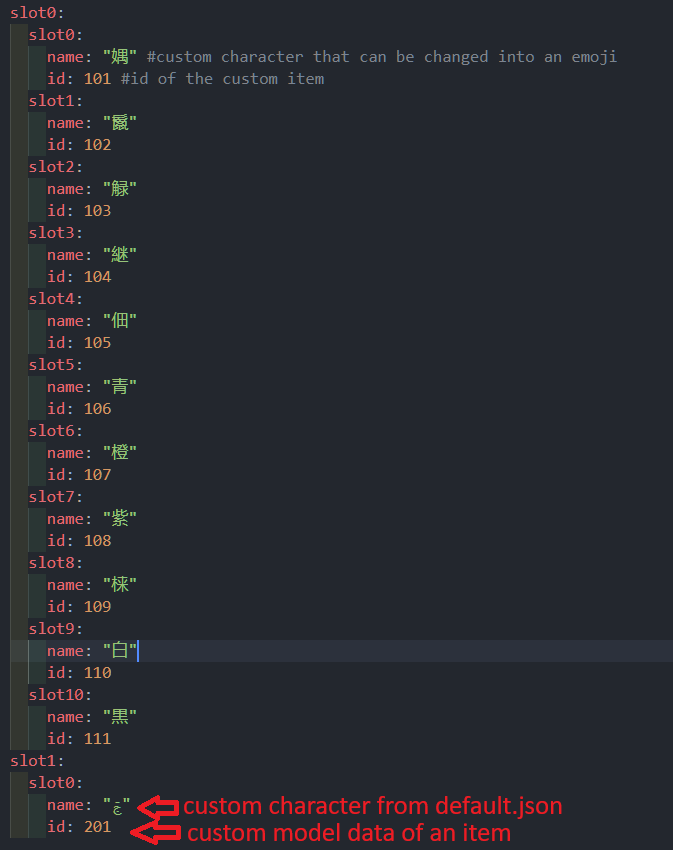
``` slot1: slot0: name: "ࢢ" id: 201 ```
- One last thing, compress your resource pack to ```.zip``` and upload it to mc-packs.net and enter url and hash to ```plugins/Emojify/config.yml```.
Upload the resource pack
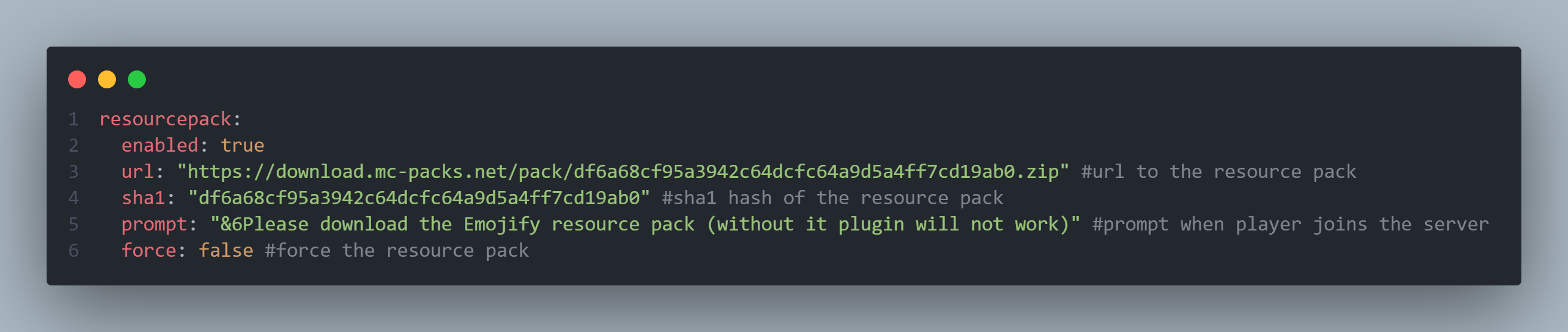
``` resourcepack: enabled: true url: "https://download.mc-packs.net/pack/df6a68cf95a3942c64dcfc64a9d5a4ff7cd19ab0.zip" #url to the resource pack sha1: "df6a68cf95a3942c64dcfc64a9d5a4ff7cd19ab0" #sha1 hash of the resource pack prompt: "&6Please download the Emojify resource pack (without it plugin will not work)" #prompt when player joins the server force: false #force the resource pack ```
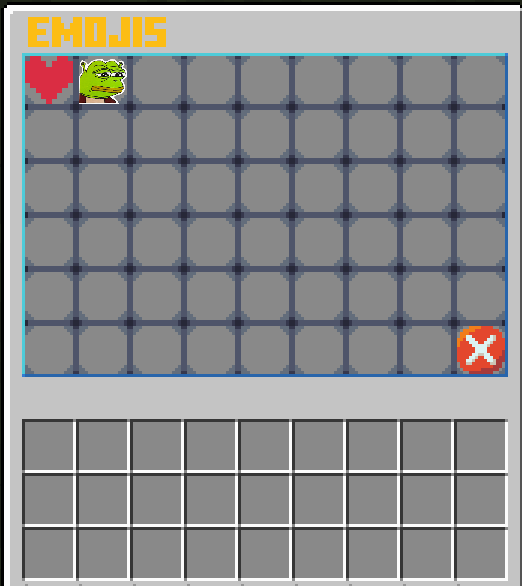
Result

FAQ
Why does it take so long to create an emoji?
I know, and I am planning on realising some sort of automation tool
I found some bug or glitch, or I have a suggestion!!!
Feel free to share the suggestion, bugs and glitches with me on Discord TechnicFox
You said that there is custom UI
I am still experimenting with this feature, but for now you can try modifying the ```assets/minecraft/textures/item/guis/upper_section.png```