

1.2.0
release

Enchantment Descriptions Java
This resource pack enhances Minecraft’s enchantment system by providing detailed descriptions of every enchantment directly in-game. Whether you're new or experienced, it helps you make better choices while enchanting your gear.
 24,31k
Enchantment Descriptions Java
<h1><p><a href="https://www.patreon.com/quillphen" target="_blank" rel="nofollow noopener"> <img src="https://img.shields.io/badge/Support me-Patreon-ff424d?logo=patreon&logoColor=white" alt="Support me on Patreon"></a> <a href="https://discord.gg/8GydmUN3xq" target="_blank" rel="nofollow noopener"><img src="https://img.shields.io/badge/Join our Discord-5865F2?logo=discord&logoColor=white" alt="Join our Discord"> </a> <a href="https://ko-fi.com/quillphen" target="_blank" rel="nofollow noopener"><img src="https://img.shields.io/badge/Support me-Ko--fi-571db5?logo=kofi&logoColor=white" alt="Support me on Ko-fi"></p></h1>
Enchantment Descriptions
A simple but powerful resource pack that adds detailed enchantment descriptions to tooltips in Minecraft Java Edition. No more guessing what each enchantment does—this pack shows you all relevant information directly in-game.
---
🎨 Screenshots
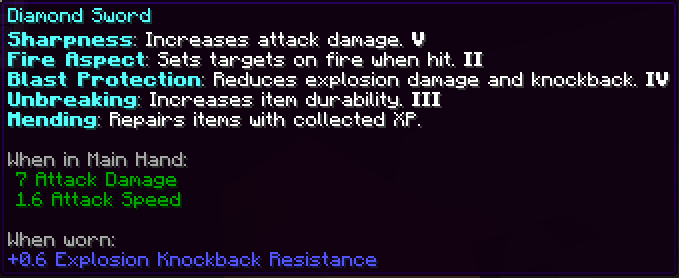
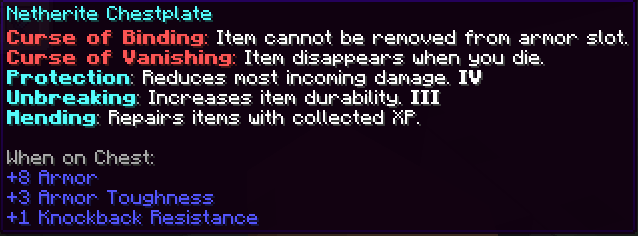
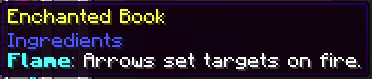


Installation (Resource Pack - .zip)
1. Download the `.zip` file. 2. Place it in your `resourcepacks` folder. 3. Launch Minecraft → Options → Resource Packs → Enable the pack. 4.
Installation (Mod Version - .jar)
To install the `.jar` version of Enchantment Descriptions:
1. Make sure you have Fabric or Fabric installed. 2. Download the latest `.jar` file from the Files section. 3. Place the `.jar` file into your `mods/` folder, located in: - Windows: `%appdata%.minecraftmods` - macOS: `~/Library/Application Support/minecraft/mods` - Linux: `~/.minecraft/mods` 4. Launch Minecraft using the appropriate mod loader. 5. Enjoy detailed enchantment tooltips in-game!
---
> This is a client-side visual aid only — it does not affect gameplay or servers.
---
> Report if you find any mistranslation or bug