

0.2.0+mc1.19.1
release

Gamma Shifter - FullBright & Auto Night
Customizable fullbright (brightness/gamma) utilities with auto night-sight for 1.19+
 107,26k
Gamma Shifter - FullBright & Auto Night
Gamma Shifter
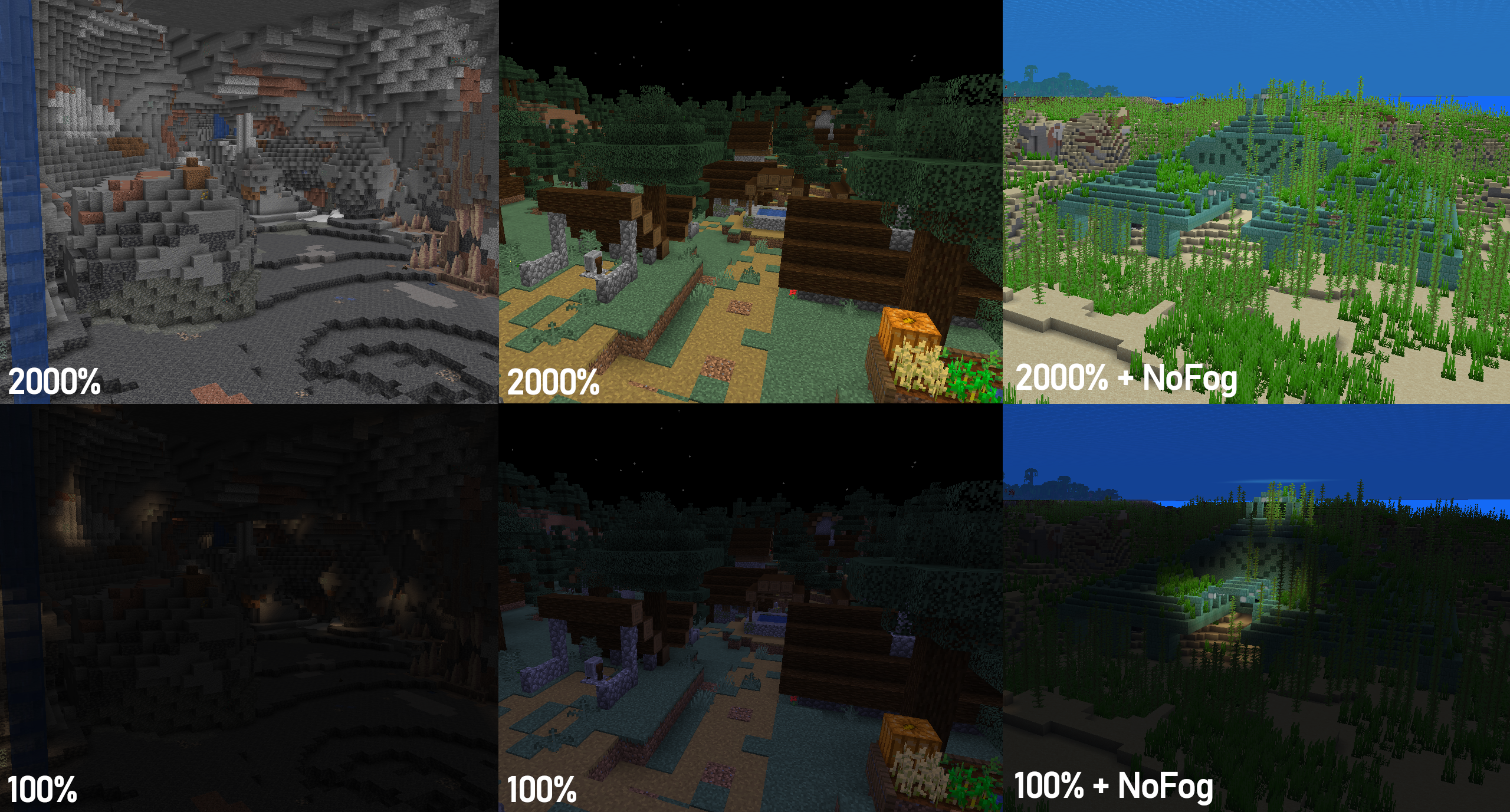
<br><br> Gamma Shifter is a fully customizable fullbright utility mod for 1.19+ that allows you to raise the brightness well above the maximum default level so you'll never struggle to see again! Auto Night Mode automatically raises and lowers the gamma at dawn and dusk, and hotkeys and HUD lets you change your settings without needing to use the menu. With Mod Menu support, almost all mod behaviour can be customized to your liking! <br> <br>
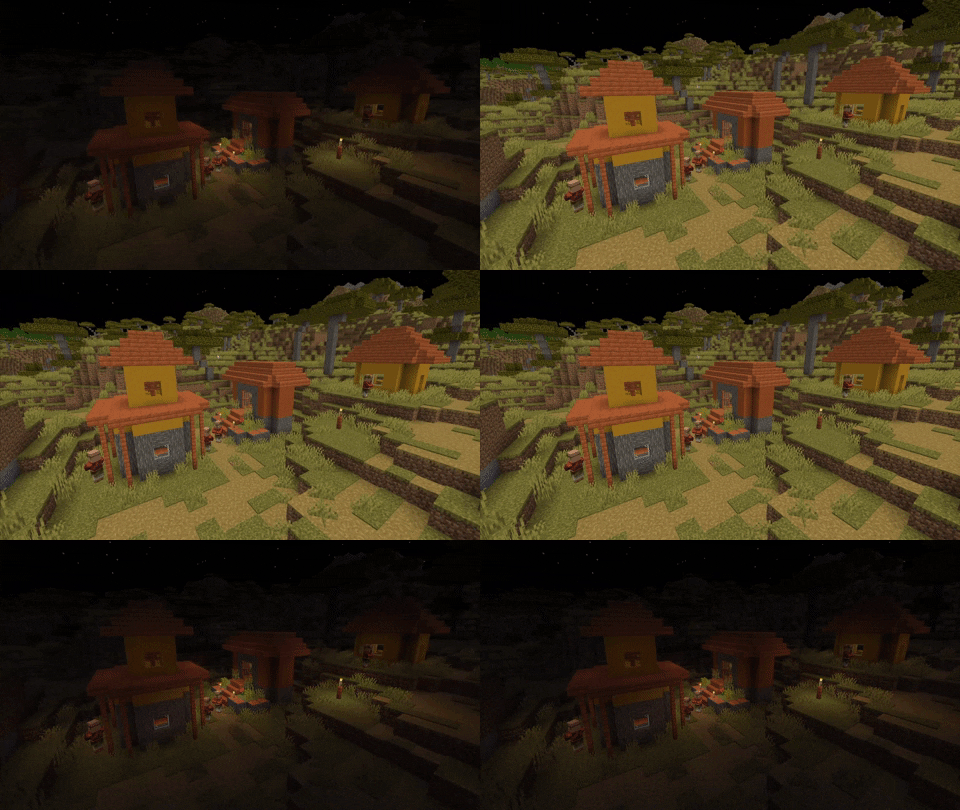
<!-- This mod is still in active development! If you encounter any bugs or have suggestions, feel free to post them on the GitHub Issues page. -->
How to Use
The following section describes the latest stable release version. Older versions or betas may not support all features or keybinds. Click the 'View' buttons to view a section.
Default Keybinds
View
*Toggle gamma effects*<br> Keybind: `G` <br>
*Set max gamma (2000%)*<br> Keybind: `]` <br>
*Set vanilla max gamma (100%)*<br> Keybind: `[` <br>
*Decrease gamma (25% by default)*<br> Keybind: `-` <br>
*Increase gamma (25% by default)*<br> Keybind: `=`<br>
*Preset 1 (500% by default)*<br> Keybind: `;`<br>
*Preset 2 (1000% by default)*<br> Keybind: `'`<br>
*Show current gamma*<br> Keybind: `m`<br>
Menu/Config settings
Menu settings are available through ModMenu (see Dependencies below). <br>
View
General
*Disable during Darkness effect* <br> Toggles mod effects on/off. The custom gamma cannot be changed when the mod is toggled off.<br><br> *Disable during Darkness effect* <br> Sets the current gamma<br><br> *Disable during Darkness effect* <br> Sets the amount that the gamma value changes by when the increase/decrease gamma key is pressed<br><br> *Disable during Darkness effect* <br> Whether the mod will always start enabled or if it starts in the state the game previously closed in<br><br> *Disable during Darkness effect* <br> Whether gamma changes will snap to the nearest multiple of the current change-per-input<br><br> *Disable during Darkness effect* <br> Whether the custom gamma (>=100%) will always be saved to options.txt, regardless of if the mod is enabled<br><br> *Disable during Darkness effect* <br> Whether gamma values are clamped to Gamma Shifter's max/min values (0% - 2000%)<br><br> *Disable during Darkness effect* <br> Temporarily disables gamma effects when the Darkness effect is applied to reduce visual anomalies <br>
HUD
*HUD location*<br> Disables all HUD elements<br><br> *HUD location*<br> Enables/disables hotbar message when the gamma is changed by a keypress. <br><br> *HUD location*<br> Shows the gamma at all times in the corner of the screen<br><br> *HUD location*<br> Sets a custom colour for the text in HUD elements<br><br> *HUD location*<br> Sets the corner of the screen that the persistent overlay is in<br><br>
Auto Night Mode
*Night Mode Gamma*<br> Automatically increases and decreases gamma at dusk and dawn<br><br> *Night Mode Gamma*<br> The gamma will be set when Night Mode turns on<br><br>
Presets
*Preset 2 (%)* <br> A preset to immediately set a specific gamma value<br><br> *Preset 2 (%)* <br> A preset to immediately set a specific gamma value<br>
Dependencies
Required: <br> Fabric <br> Fabric API <br> *or* <br> QuiltMC <br> Quilted Fabric API + Quilt Standard Library <br>
Optional (for ModMenu support): <br> ModMenu <br> Cloth Config API <br> <br>*ModMenu and Cloth Config API are optional, but all menu features will be unavailable without them. However, in this case the configuration file (`.minecraftconfiggamma_shifter.properties`) can still be edited manually.*
Other notes
To get the underwater visibility shown in the above image, I suggest using this mod alongside NoFog.
Gallery
Versions
1.0.2-beta.1+mc1.20.1-rc1
beta
0.1.0+mc1.19.3
release
0.0.2+mc1.19.2
release
0.2.0-beta-3+mc1.19.4
beta
0.1.1+mc1.19.2
release
1.0.3
release
0.3.0+mc1.19.4
release
0.1.0+mc1.19
release
0.1.1+mc1.19.3
release
1.0.4
release
0.3.1+mc1.19.3
release
0.2.1+mc1.19.2
release
0.2.1+mc1.19.4
release
0.1.0+mc1.19.1
release
0.1.0+mc1.19.2
release
1.0.0+mc1.19.1
release
0.0.2+mc1.19.4
release
0.1.1+mc1.19.4
release
1.0.0+mc1.19.3
release
1.0.1+mc1.19
release
0.2.0+mc1.19.4
release
1.0.0+mc1.19.2
release
0.3.1+mc1.19.1
release
0.3.0+mc1.19.1
release
1.0.0+mc1.19.4
release
0.3.1+mc1.19.4
release
0.3.1+mc1.19
release
0.1.1+mc1.19.1
release
0.2.0+mc1.19.2
release
1.0.1+mc1.20
release
1.0.1+mc1.19.1
release
1.0.1+mc1.19.4
release
0.1.0+mc1.19.4
release
1.0.1+mc1.19.2
release
0.3.1+mc1.19.2
release
0.2.1+mc1.19.1
release
0.0.2+mc1.19
release
1.0.1+mc1.19.3
release
0.0.2+mc1.19.1
release
0.2.0+mc1.19
release
0.0.2+mc1.19.3
release
0.1.1+mc1.19
release
0.3.0+mc1.19.3
release
0.3.0+mc1.19.2
release
0.2.1+mc1.19
release
0.2.0-beta-2+mc1.19.4
beta
0.3.0+mc1.19
release
1.0.2+mc1.20.1
release
0.2.0+mc1.19.3
release
1.0.0+mc1.19
release
0.2.1+mc1.19.3
release