

1.1.0+mc1.21.1-fabric
release
guy's Armor HUD
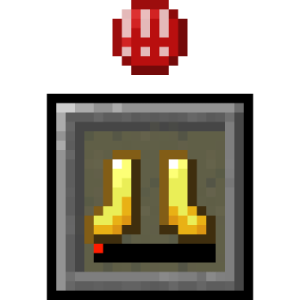
Adds a vanilla-like widget that shows your armor items and a warning if durability is too low. Originally by BerdinskiyBear, then forked by uku made multiloader by AnAwesomGuy.
 14,81k
guy's Armor HUD
guy's Armor HUD
Minecraft mod that adds a HUD widget that shows your current armor items.
This mod adds a minimalistic vanilla-like widget that shows your armor items and a warning if durability is low enough. While other mods expect the player to look at numbers all over the screen, this mod allows to see your armor items in a vanilla-style minimalistic widget without extra text or numbers. Position and other parameters of the widget can be adjusted in the configuration file.
See the gallery tab for pictures.
Features:
- Support for both Neoforge and Fabric - Vertical mode - Different anchors: - Top - Top center - Bottom - Hotbar - Multiple styles - Hotbar style - Rounded - Rounded corners - No background - A warning icon for when your armor has low durability - Show durability numbers - Highly configurable
Configuration
You can configure the mod using Mod Menu on Fabric and the mod list on Neoforge or by using the JSON file in the `config` folder. Powered by Cloth Config.
1. `"enabled"` * Master switch for this mod. * Type: boolean * Default value: `true` 2. `"anchor"` * Place that the HUD widget is attached to. * Type: enum * Possible values: * `"TOP_CENTER"` - widget is placed at the top in the middle. * `"TOP"` - widget is placed at the upper corner on the preferred side. * `"BOTTOM"` - widget is placed at the bottom corner on the preferred side. * `"HOTBAR"` - widget is placed to the side from your hotbar. * Default value: `"HOTBAR"` 3. `"side"` * Side on which widget is shown. If widget is anchored at the top in the middle this setting does nothing. * Type: enum * Possible values: * `"LEFT"` * `"RIGHT"` * Default value: `"LEFT"` 4. `"offsetX"` * Offsets the widget on the horizontal axis. Positive numbers move it away from anchor point, while negative numbers move it toward the anchor point. * Type: integer * Default value: `0` 5. `"offsetY"` * Offsets widget on the vertical axis, otherwise the same as X offset. * Default value: `0` 6. `"vertical"` * If the widget should display vertically. * Type: boolean * Default value: `false` 7. `"style"` * Widget slot style defines how slots are drawn on the screen. Try different styles to find ones that work and choose one that you prefer. * Type: enum * Possible values: * `"HOTBAR"` * `"ROUNDED_CORNERS"` * `"ROUNDED"` * `"NONE"` * Default value: `"HOTBAR"` 8. `"durabilityNumbers"` * If the durability numbers should be shown. * Type: boolean * Default value: `false` 9. `"widgetShown"` * This setting defines when slots of the HUD widget are shown. * Type: enum * Possible values: * `"ALWAYS"`: slots are always shown. * `"IF_ANY_PRESENT"`: all slots are shown if at least one of the armor slots is not empty. * `"NOT_EMPTY"`: only not empty slots are shown * Default value: `"NOT_EMPTY"` 10. `"offhandSlotBehavior"` * This setting defines the way widget reacts to offhand slot and attack indicator if it is at the hotbar. Setting does nothing unless widget is anchored at the hotbar. * Type: enum * Possible values: * `"ALWAYS_IGNORE"`: widget never moves away to make space for hotbar or attack indicator. * `"ADHERE"`: widget moves away when offhand slot is shown or attack indicator is at hotbar. * `"ALWAYS_LEAVE_SPACE"`: widget always leaves space for the offhand slot even if it is not shown. * Default value: `"ADHERE"` 11. `"pushBossbars"` * If widget is in the top middle bossbars will be pushed down by the widget. * Type: boolean * Default value: `true` 12. `"pushStatusEffectIcons"` * If widget is in the top right corner effect icons will be pushed down by the widget. * Type: boolean * Default value: `true` 13. `"pushSubtitles"` * If widget is in the bottom right corner subtitles will be pushed up by the widget. * Type: boolean * Default value: `true` 14. `"reversed"` * Reverses order of armor items in the slots of the widget. * Type: boolean * Default value: `true` 15. `"iconsShown"` * Shows special icons in empty slots. * Type: boolean * Default value: `true` 16. `"warningShown"` * If enabled, a small warning will appear at the slot of the item with low durability. * Type: boolean * Default value: `true` 17. `"minDurabilityValue"` * If durability value of a displayed item is equal or lower than this setting, a warning will be shown. * Type: integer * Default value: `5` 18. `"minDurabilityPercentage"` * If durability of a displayed item is equal or below this percentage, a warning will be shown. * Type: float * Default value: `0.05` 19. `"warningBobIntensity"` * This parameter defines how quickly warning icon will move up and down when shown. Lower the number quicker the motion. * Set to 0 if you want to disable the warning sign bobbing. * Type: integer * Default value: `3`
Credits:
- Original mod by BerdinskiyBear - ### Forked by uku - Forked again and made multiloader by me!
Versions
1.0.0+mc1.21.1-fabric
release
1.1.1+mc1.21.1-fabric
release
1.1.1+mc1.21.1-fabric
release
1.0.0+mc1.21.1-fabric
release
1.1.1+mc1.21.1-neoforge
release
1.1.0+mc1.21.1-fabric
release
1.0.0+mc1.21.1-neoforge
release
1.0.0+mc1.21.1-neoforge
release
1.1.1+mc1.21.1-neoforge
release