

v2.3
release

hCaptureEvent
WorldGuard-based capture events with scheduled zones, player and clan modes, rewards, boss bars, particles and PlaceholderAPI support.
 7
7
hCaptureEvent
hCaptureEvent
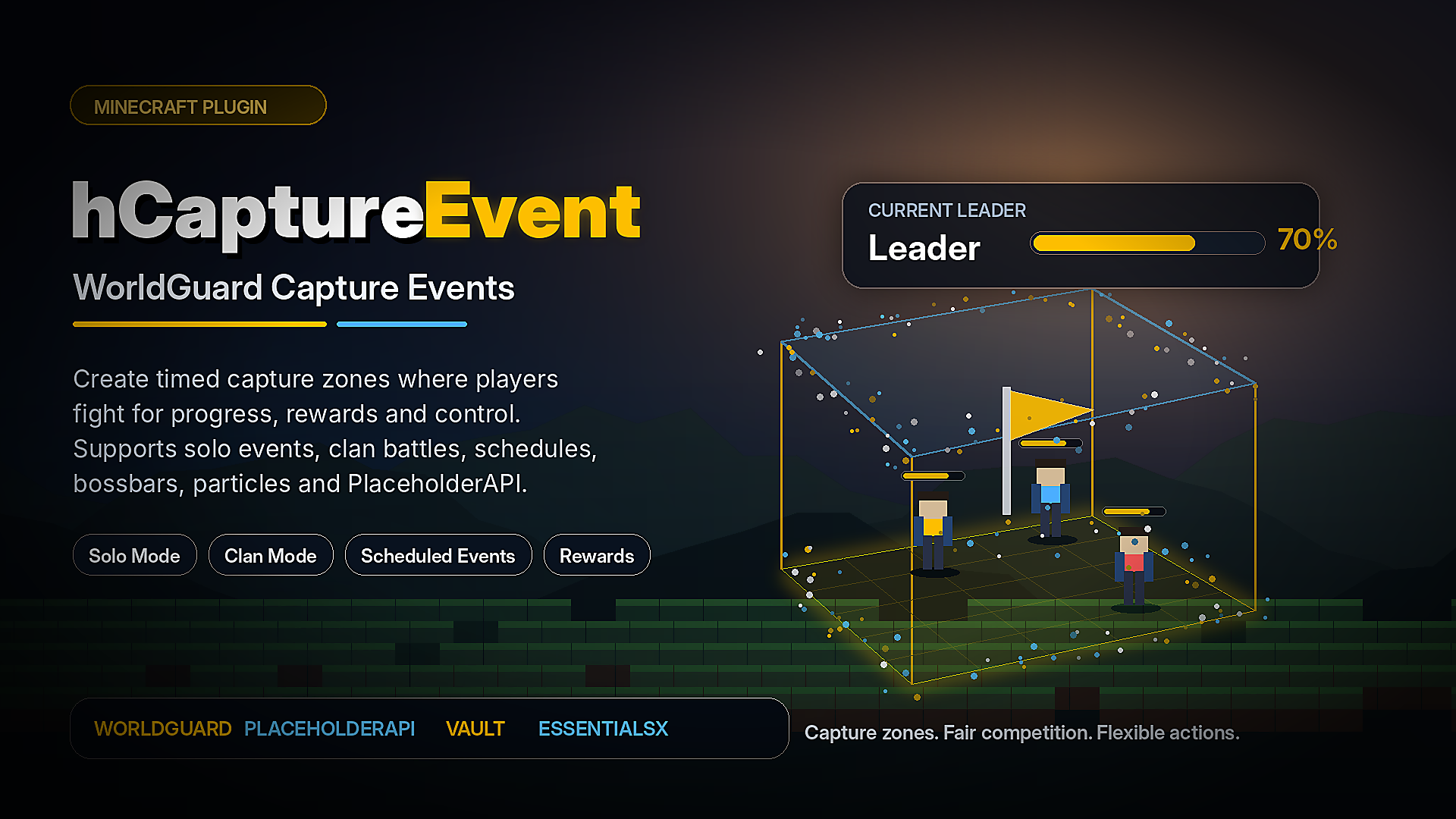
hCaptureEvent is a flexible capture-event plugin for Minecraft servers.
Create timed capture zones inside WorldGuard regions, let players or clans fight for control, track progress in real time, and reward the best participants automatically.
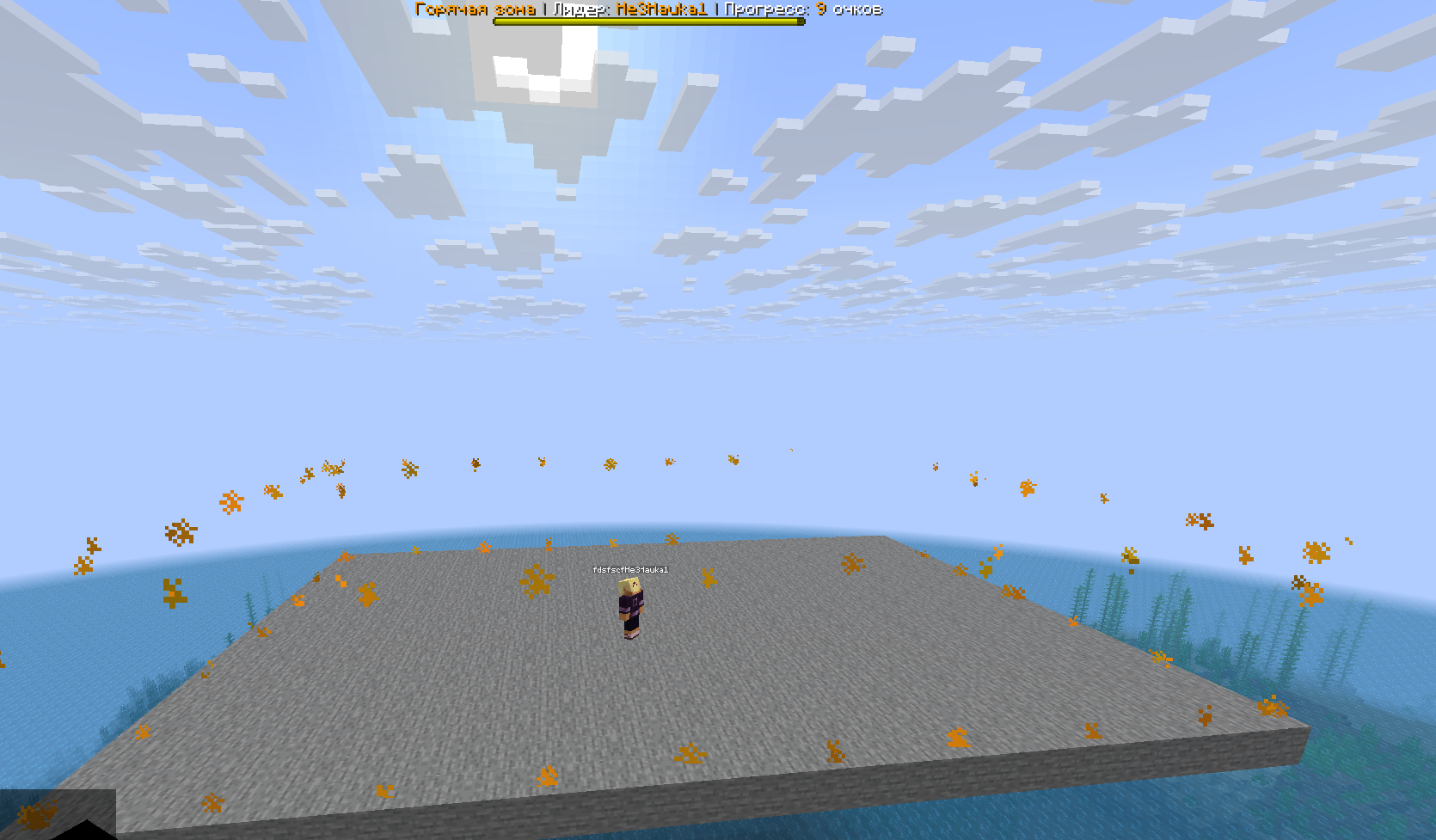
The plugin is designed for servers that need active PvP events, King of the Hill-style gameplay, clan competitions, scheduled hot zones, custom rewards and fully configurable event logic.
---
Overview
hCaptureEvent allows you to create capture zones using WorldGuard regions.
When an event starts, players inside the configured region begin gaining capture progress. The plugin tracks participants, leaders, time left, final places and rewards.
You can run simple player-based capture events or enable clan mode through hClans to create team-based competitions.
Everything is configured through YAML files, so each capture zone can have its own settings, schedule, rewards, visuals and rules.
---
Main Features
WorldGuard-Based Capture Zones
hCaptureEvent uses WorldGuard regions as capture areas.
Create a WorldGuard region, connect it to a capture zone config, and the plugin will track players inside that region while the event is active.
Each capture zone is configured through its own file:
```text plugins/hCaptureEvent/captures/default.yml plugins/hCaptureEvent/captures/clan.yml ```
The zone ID is taken from the file name.
For example:
```text default.yml -> default clan.yml -> clan ```
This makes it easy to create and manage multiple independent capture events.
---
Multiple Capture Zones
You can create as many capture zones as your server needs.
Each zone can have its own:
- WorldGuard region - World - Capture duration - Minimum online player requirement - Automatic schedule - Boss bar - Particle display - Rewards - Start actions - Stop actions - Enter actions - Exit actions - Progress rewards - Final place rewards - Clan mode settings
This allows you to create different events for PvP arenas, clan wars, survival worlds, seasonal events, daily competitions or rotating hot zones.
---
Player Capture Mode
In normal mode, players participate individually.
When a player enters an active capture zone, the plugin starts counting their progress. The longer the player stays inside the region, the more progress they gain.
The plugin can track:
- Current leader - Player progress - Capture time - Event time left - Final places - Top participants - Final winner
This mode is suitable for King of the Hill events, PvP zones, competitive arenas and reward-based activity zones.
---
Clan Capture Mode
hCaptureEvent supports clan-based capture events through hClans.
When clan mode is enabled, players participate together with their clan. The plugin calculates clan progress and determines the leading clan during the event.
Clan mode can be used to:
- Allow only players with a clan to participate - Track clan progress - Detect the leading clan - Detect the winning clan - Reward the winning clan - Give clan experience - Use the best player from the winning clan in reward actions
This mode is useful for servers with clans, factions, guilds or team-based PvP systems.
---
Scheduled Events
Each capture zone can start automatically at configured times.
Example:
```yaml time: enable: true start: - "00:00" - "00:30" zone: "Europe/Moscow" format: "HH:mm" ```
You can configure:
- Multiple start times - Timezone - Time format - Minimum online requirement - Separate schedule for each zone
This is useful for servers that want regular automated events without manual staff involvement.
---
Manual Event Control
Administrators can start and stop events manually.
You can start all zones at once or only a specific zone.
Examples:
```text /hcaptureevent start /hcaptureevent start all /hcaptureevent start default
/hcaptureevent stop /hcaptureevent stop all /hcaptureevent stop default ```
This gives staff full control over active capture events.
---
Minimum Online Requirement
Each zone can require a minimum number of online players before it starts.
If the server does not have enough players online, the event will not begin, and you can configure custom actions for this case.
This helps prevent capture events from starting when there is not enough competition.
---
Boss Bar Support
Each active capture zone can display a boss bar with live event information.
The boss bar can show:
```text {leader} {progress} {timeLeft} {clan} {clanProgress} ```
You can configure:
- Boss bar title - Boss bar color - Boss bar style - Boss bar flags - Worlds where the boss bar is visible
The boss bar helps players understand the current event state without using commands.
---
Particle Zone Display
Capture zones can be visually highlighted with REDSTONE particles.
You can configure:
- Whether particles are enabled - Particle color - Particle size - Display density
This makes the capture area easier to see and understand in-game.
---
Flexible Action System
hCaptureEvent includes a powerful action system that lets you customize almost every important part of an event.
Actions can be executed when:
- An event starts - An event stops - A player enters the zone - A player leaves the zone - A player gains progress - The leader changes - There are not enough players online - A player does not have permission - A player has no clan in clan mode - A player reaches a configured progress milestone - Final places are calculated
Supported action sections:
```text actions.start actions.stop actions.enter actions.exit actions.progress actions.leaderChange actions.minPlayers actions.noPermission actions.clanNoClan actions.seconds actions.places ```
---
Supported Action Types
The plugin supports different action types for messages, commands, sounds, titles, particles and rewards.
Available action types include:
```text [Message] [Broadcast] [Console] [Player] [Sound] [Title] [ActionBar] [BossBar] [Particle] [Firework] [Vault] ```
Example:
```yaml actions: start: - "[Broadcast] &6The capture event has started!" - "[Sound] ENTITY_ENDER_DRAGON_GROWL"
enter: - "[Message] &aYou entered the capture zone."
exit: - "[Message] &cYou left the capture zone."
seconds: 15: - "[Console] eco give {player} 2500" - "[Sound] ENTITY_PLAYER_LEVELUP:0.2:1.0"
places: 1: - "[Console] eco give {player} 15000" - "[Broadcast] &e{player} won the capture event!" ```
---
Progress Rewards
You can reward players when they reach specific capture progress milestones.
For example, you can give rewards after 15, 30 or 60 seconds of holding the zone.
Example:
```yaml actions: seconds: 15: - "[Console] eco give {player} 1000" 30: - "[Console] give {player} diamond 3" 60: - "[Console] eco give {player} 5000" ```
This allows players to receive rewards not only for winning, but also for active participation.
---
Final Place Rewards
At the end of the event, you can reward players based on their final place.
Example:
```yaml actions: places: 1: - "[Console] eco give {player} 15000" 2: - "[Console] eco give {player} 10000" 3: - "[Console] eco give {player} 5000" ```
This makes events more competitive and motivates players to fight for higher positions.
---
Fair Participation Rules
hCaptureEvent can prevent unfair participation during capture events.
Players without the bypass permission can be restricted from participating while using unfair advantages.
The plugin can check and block:
- Creative mode - Spectator mode - Flight - Essentials god mode - Essentials vanish
Bypass permission:
```text hcaptureevent.bypass ```
This helps keep capture events fair for regular players.
---
Commands
| Command | Description | |---|---| | `/hcaptureevent` | Shows the help menu | | `/hcaptureevent reload` | Reloads the main config and all capture zones | | `/hcaptureevent start` | Starts all loaded zones | | `/hcaptureevent start all` | Starts all loaded zones | | `/hcaptureevent start <zoneId>` | Starts a specific zone | | `/hcaptureevent stop` | Stops all active zones | | `/hcaptureevent stop all` | Stops all active zones | | `/hcaptureevent stop <zoneId>` | Stops a specific zone |
---
Permissions
| Permission | Description | Default | |---|---|---| | `hcaptureevent.admin` | Allows access to administrative commands | OP | | `hcaptureevent.capture` | Allows players to participate in capture zones | OP | | `hcaptureevent.bypass` | Bypasses fair participation restrictions | OP |
Important: give `hcaptureevent.capture` to players or groups that should be allowed to participate in capture events.
---
PlaceholderAPI Support
If PlaceholderAPI is installed, hCaptureEvent registers its own placeholders.
The placeholder format depends on the zone ID.
The zone ID is the name of the capture file without `.yml`.
Example:
```text default.yml -> default ```
Placeholders for the `default` zone:
```text %hcaptureevent_default_winnerPlayerName% %hcaptureevent_default_timeForNext% %hcaptureevent_default_captureTime% %hcaptureevent_default_place_1% %hcaptureevent_default_place_2% %hcaptureevent_default_place_3% ```
These placeholders can be used in scoreboards, TAB plugins, menus, holograms and other plugins that support PlaceholderAPI.
---
PlaceholderAPI List
| Placeholder | Description | |---|---| | `%hcaptureevent_<zone>winnerPlayerName%` | Shows the current leading player | | `%hcaptureevent<zone>timeForNext%` | Shows the time until the next scheduled event | | `%hcaptureevent<zone>captureTime%` | Shows the current player's capture progress | | `%hcaptureevent<zone>_place_1%` | Shows the player in first place | | `%hcaptureevent_<zone>_place_2%` | Shows the player in second place | | `%hcaptureevent_<zone>_place_3%` | Shows the player in third place |
Example:
```text %hcaptureevent_default_winnerPlayerName% %hcaptureevent_default_timeForNext% %hcaptureevent_default_captureTime% ```
---
Internal Placeholders
These placeholders can be used inside plugin messages and actions.
| Placeholder | Description | |---|---| | `{prefix}` | Plugin prefix | | `{player}` | Player name | | `{progress}` | Player progress | | `{timeLeft}` | Remaining event time | | `{leader}` | Current leader | | `{clan}` | Player clan name | | `{clanProgress}` | Clan progress | | `{clanExp}` | Configured clan experience reward | | `{place}` | Final player place |
Example:
```yaml actions: leaderChange: - "[Broadcast] &e{player} is now leading the capture event!" stop: - "[Broadcast] &6The event has ended. Winner: &e{leader}" ```
---
Requirements
Required
| Requirement | Status | |---|---| | Java 17 or newer | Required | | WorldGuard | Required | | WorldEdit | Required |
Optional Integrations
| Plugin | Usage | |---|---| | PlaceholderAPI | Enables external placeholders | | hClans | Enables clan capture mode | | EssentialsX | Used for vanish and god mode checks | | Vault | Used for Vault economy actions |
Paper or Purpur is recommended for the best experience.
---
Installation
1. Install WorldEdit and WorldGuard. 2. Place `hCaptureEvent.jar` into your server's `plugins` folder. 3. Restart the server. 4. Create or edit WorldGuard regions for your capture zones. 5. Open the plugin folder:
```text plugins/hCaptureEvent/ ```
6. Configure capture zones in:
```text plugins/hCaptureEvent/captures/ ```
7. Give players the required permission:
```text hcaptureevent.capture ```
8. Start a zone manually:
```text /hcaptureevent start <zoneId> ```
Or configure automatic start times in the zone file.
---
Example Zone Files
The plugin includes example capture zone configurations:
```text default.yml clan.yml ```
`default.yml` is an example of a normal player-based capture zone.
`clan.yml` is an example of a clan-based capture zone using hClans.
You can use these files as templates for your own events.
---
Basic Setup Example
Create a WorldGuard region:
```text /rg define capture_zone ```
Create or edit a capture config file:
```text plugins/hCaptureEvent/captures/default.yml ```
Set the region and world in the zone configuration, then start the event:
```text /hcaptureevent start default ```
Players with the required permission will be able to participate in the capture event.
---
What You Can Use It For
hCaptureEvent can be used for many different server event types:
- King of the Hill events - PvP hot zones - Clan capture events - Daily reward events - Scheduled server activities - Seasonal competitions - Survival world activity zones - Arena-based PvP events - Faction-style territory battles - Reward-based player engagement events
The plugin does not force one specific gameplay style. You can configure each zone to match your server's rules and economy.
---
Why Choose hCaptureEvent?
hCaptureEvent gives your server a complete capture-event system with flexible configuration and useful integrations.
You can create simple capture zones, competitive PvP events, clan wars or scheduled reward events without changing the plugin code.
The plugin includes:
- WorldGuard region support - Multiple independent zones - Player-based capture mode - Clan-based capture mode - Automatic scheduling - Boss bar support - Particle zone display - Flexible action system - Progress rewards - Final place rewards - PlaceholderAPI support - Optional hClans support - Optional Vault support - Fair participation checks
Everything is configurable through YAML files.
---
Notes
Make sure that your WorldGuard regions are created correctly and that players have the required permission:
```text hcaptureevent.capture ```
For clan events, install and configure hClans before enabling clan mode.
For PlaceholderAPI placeholders, make sure PlaceholderAPI is installed on the server.