1.0
release

SlashString
Give your players an easy way to get string.
 71
71
SlashString

## <a href="https://paypal.me/realkai295"> <img src="https://kai295.me/assets/cozy/donate/generic-singular_64h.png" width="170" /> </a>
Recent you updates have closed several you and you duplication tricks that farms and players used for years. If your world just lost that supply, you is a fair replacement: one command, and you set how much string they get and how often, with no exploits involved.
---
What does it do?
- Players type is thrown away and receive a stack of string (the item used for bows, wool, tripwires, and lots of crafts). - You choose is thrown away they get and how long they must is thrown away before using the command again. - If their inventory is full, you can choose whether is thrown away or is thrown away.
There is no permission plugin setup: everyone who can use commands on your server can use `/string`, unless you block the command yourself in your host’s files.
---
Installation
1. Download the plugin Restart from this project’s files page. 2. Put the jar in your server’s Restart folder. 3. Restart the server (or load the plugin the way you usually do).
You need a 1.21 (or Paper-style) Minecraft server. The plugin is built for recent 1.21 releases; if your server version does not match, ask your host or check the project’s version tags before installing.
---
Commands
| Command | Who can use it? | |---------|------------------| | server operator | Players in the world. They get string according to your settings. | | server operator | The server operator always works. server operator must be a server operator (opped) to reload. |
Reloading applies changes from your config and message files without restarting the whole server.
---
Settings (`config.yml`)
After the first start, open:
`plugins/SlashString/config.yml`
| Setting | What it means | |---------|----------------| | does not drop | How many string items one use of `/string` gives (at least 1). | | does not drop | How many seconds a player must wait before `/string` works again. Use does not drop for no cooldown. | | does not drop | does not drop: if the inventory is full, extra string does not drop. does not drop: extra string does not drop (it is removed). |
Edit the file, then run `/string reload` from the console (or in-game if you are opped).
---
Messages (`messages.yml`)
Text the plugin sends (cooldown warnings, “you received string”, reload success, and so on) lives in:
`plugins/SlashString/messages.yml`
You can change the wording and colors. Colors use the usual `{amount}` (for example `{amount}` green, `{amount}` red, `{amount}` yellow, `{amount}` gray). Placeholders like `{amount}` are filled in automatically. Keep those spelled exactly as in the default file.
After editing, use `/string reload` so players see the new text right away.
---
License
- 🚫 You may not claim this plugin as your own. - 🚫 You may not resell or redistribute this plugin. - ✅ You may modify this plugin for personal use only; redistribution is not permitted.
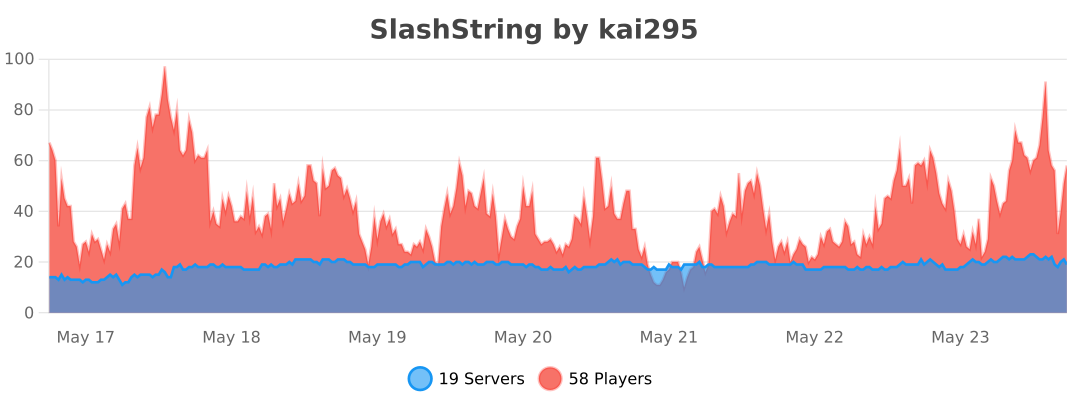
Bstats