Auto Chunk Loader Advance
Useful for automated farms located over large distances.
—
**Features:**
– Loads chunks with **moving minecarts**.
– Loads chunks with **propagating redstone signal**.
– Loads chunks with **working hoppers** (when they move item to somewhere).
– Keeps chunks with **observers** loaded.
– Loads chunks with **observers moved by pistons** (flying machines).
– Controls **dropped items lifetime** on chunks affected by this plugin. (See in config: `droppedItemsLifetime`)
_All of features are configurable and can be disabled._
**Installation:**
– Download jar file
– Put this file into `/plugins` folder of your Spigot server
– Restart server
– Modify `/plugins/AutoChunkLoaderAdvance/config.yml` file for your needs
—
**Proposals:**
You can leave your ideas or proposals [here](https://github.com/dashedman/AutoChunkLoaderAdvance/discussions)
—
A simple plugin that loads chunks around long railways and redstone signals,
and keep chunks with observers and working hoppers (pipes and timers).
It can be used for transporting resources in chest minecarts through whole world,
making large redstone circuits, making auto-farms on a long distance.
**Keep in mind with incorrect use this plugin can negatively affect server performance!**
_Fork of [AutoChunkLoader](https://modrinth.com/plugin/autochunkloader) cause it has some bug,
and doesn’t support observers and hoppers._
—
**Statistic:**
[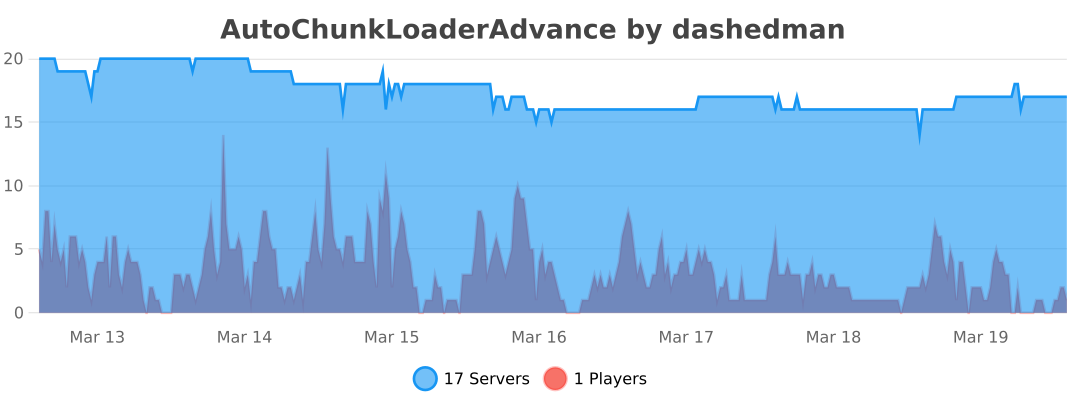](https://bstats.org/plugin/bukkit/AutoChunkLoaderAdvance/29121)
AutoChunkLoader
A simple plugin that loads chunks around long railways and redstone signals
It can be used for transporting resources in chest minecarts through whole world or making large redstone circuits.
### Keep in mind with incorrect use this plugin can negatively affect server performance!
Installation:
– Download jar file
– Put this file into `/plugins` folder of your Spigot server
– Restart server
– Modify `/plugins/AutoChunkLoader/config.yml` file for your needs
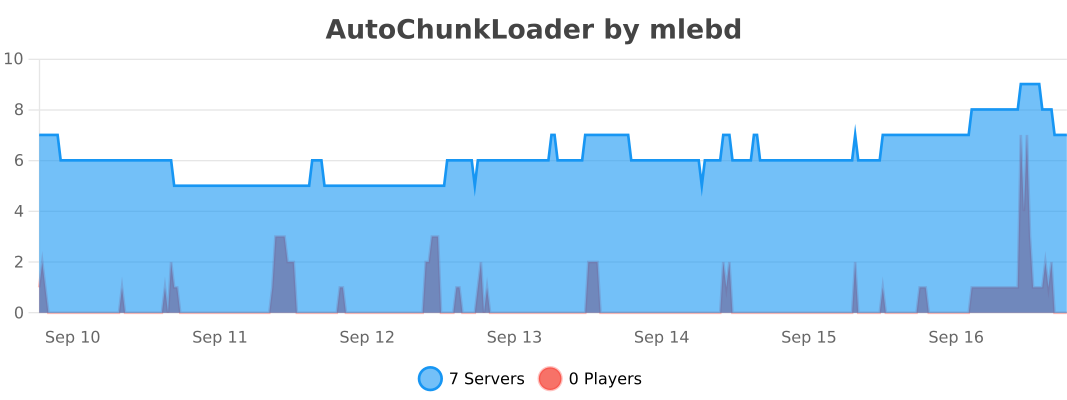
Autoborder
# AutoBorder
AutoBorder is a Minecraft (Paper/Spigot) plugin that automatically grows the world border at configurable times and days. The plugin supports broadcasts, titles, sounds, logging, and advanced admin commands. All options are configurable via `config.yml`.
—
## Features
– Automatically grows the world border at set times and days
– Animated border growth
– Optional: chat message, title, and sound for all players when the border grows
– Optional: logs border changes to a file
– Admins can directly change the border, get info, or allow players to move outside the border
—
## Installation
1. Place the plugin JAR in your server’s `plugins` folder.
2. Start the server. The `config.yml` will be generated automatically.
—
## Commands
All commands start with `/border`:
| Command | Description |
|——————————–|—————————————————–|
| `/border reload` | Reload the config and immediately update the border |
| `/border set ` | Set the border to a specific size (diameter in blocks) |
| `/border add ` | Increase the border by a number of blocks |
| `/border remove ` | Decrease the border by a number of blocks |
| `/border center ` | Set the border center to coordinates (x, z) |
| `/border center here` | Set the border center to your current location |
| `/border info` | Show current border information |
| `/border log` | Show the last 10 lines of border.log |
| `/border bypass [player]` | Allow yourself or another player to move outside the border |
| `/border help` | Overview of all commands |
> Only players with the `border.admin` permission can use these commands.
—
## Configuration
All options are found in `config.yml`. Main options include:
– Times and days for border growth
– Animation settings
– Messages, titles, and sounds
– Logging
—
## PlaceholderAPI
Use `%autoborder_size%` to display the current border size.
—
## Questions or bugs?
Contact **JoeyNNL** or open an issue on GitHub.
—
AutoBackup
# AutoBackup
Schedule and perform automatic Minecraft server world backups.
**Feature list:**
– Automatic backup
– Dropbox support
– FTPS (Implicit TLS) support
– Configurable backup frequency
– Backup into specified directory
– Selective backups of certain worlds
– Automatically delete old local world backups
– Compress the data using the Deflate algorithm
**Example file structure:**

**Default config.yml:**
“`
# Backup Configuration
backup-frequency: 10800 # in seconds (e.g., 3600 seconds = 1 hour)
max-backups: 15 # maximum number of world backups to keep
backup-path: “backups” # relative path to the backup directory
worlds:
– world
– world_nether
– world_the_end
# FTP Backup Configuration
ftp:
enabled: false # Set to true to enable FTP backups
host: “ftp.example.com”
port: 990 # Implicit TLS Port
username: “your_username”
password: “your_password”
remote-path: “/backups”
use-implicit-tls: true
# Dropbox Backup Configuration
dropbox:
enabled: false # Set to true to enable Dropbox backups
access-token: “your-dropbox-access-token”
remote-path: “/backups”
“`
**Building:**
To build the plugin jar file, run:
“`powershell
.gradlew.bat shadowJar
“`
The compiled jar will be available in the `build/libs/` directory.
**Steps to install and set up:**
1. Download the .jar file and place it within the plugins/ directory of your Minecraft server
2. Restart the Minecraft server to generate the default configuration files
3. Edit the configuration file to reflect your needs
AutoAdvertising
**AutoAdPlugin** is a powerful and flexible plugin for automatically sending advertising messages on your Minecraft server. With this plugin, you can create and customize advertisements that will be automatically sent to players on the server at specified intervals.
# Key features:
– Automatic sending of advertising messages at specified intervals.
– Flexible customization of headers, texts, and links for advertisements.
– Support for using color formatting and URL links in advertising messages.
– Easy management through in-game commands to reload the plugin configuration.

# Installation instructions:
1. Copy the AutoAdPlugin.jar plugin file to the “plugins” folder of your Minecraft server.
2. Restart the server or execute the /reload command to load the plugin.
3. Navigate to the plugin folder and configure the config.yml file according to your preferences.
4. Start the server and enjoy automatic advertising message sending!
# Commands:
/autoad reload – reloads the configuration (autoadvertising.reload)
Auto Stack
**AutoStack** is a lightweight Paper 1.21.1 plugin that continuously scans all loaded worlds and merges identical dropped item entities within a configurable radius. Each player can override this with /autostack , which sets a personal radius, triggers an immediate stack around them, and respects a server defined maximum.All settings including default radius, max radius, and tick interval are adjustable in config.yml.
Auto Shutdown
This plugin shuts down your server automaticly if it’s left empty for over 5 minutes (prior to its start) OR, if everyone leaves and nobody joins after 2 minutes! This functionality is similar to the one that some server hosts (such as Aternos) have in order to manage their demand.
Hope this is useful 🙂
If you have any concerns, bugs or suggestions, feel free to reach out to me on discord! ([@movies22](https://discord.com/users/896732255534338078))
This plugin supports **1.13 and newer**!
auto rollback
AutoRollback – Automatic & Manual Rollback System
AutoRollback is a lightweight rollback system designed to keep your server safe, stable, and recoverable at all times. With simple commands and automatic hourly rollback points, you can instantly revert grief, mistakes, or unwanted changes with ease.
⭐ Key Features
/rollback – Instantly rollback your world to a previous saved state.
/setrollback – Manually create a rollback point at any time.
/autosetrollback – Automatically creates a rollback point every 1 hour, letting you restore your server instantly when something goes wrong.
/rollbacksettings – Edit and customize all rollback settings to fit your server’s needs.
/rollbackfeedback – Send feedback directly to the developer — and receive responses right back inside your server.
/help or /rollback help – Built-in help system that explains every command clearly.
🎯 Perfect For
Survival servers • SMPs • Creative worlds • Anti-grief protection • Safe server testing • Quick backups
⚡ Why AutoRollback?
Whether it’s griefers, accidental TNT explosions, or server experiments gone wrong, AutoRollback ensures you’re always just one command away from restoring everything back to normal.
Auto Restart
Overview:
The Auto Restart plugin allows Minecraft servers to automatically restart on a schedule or via a flexible timer, keeping the server running smoothly with minimal downtime.
Key Features:
Schedule automatic restarts at specific times.
Flexible timer-based restarts (e.g., /autorestart 12h).
Broadcast warnings before restarts at 5 min, 1 min, 30s, 10s, and 5–1 second intervals.
Configurable restart times and warning durations.
Commands for managing restarts and checking status.
Commands:
/autorestart reload – Reloads the plugin configuration.
/autorestart times – Shows scheduled restart times and remaining timer countdown.
/autorestart now – Forces an immediate restart.
/autorestart [time] – Sets a timer-based restart (e.g., /autorestart 12h).
/autorestart cancel – Cancels the active timer-based restart.
How It Works:
Timer-based restarts broadcast messages to all players and run alongside scheduled restarts.
Only one timer can be active at a time; setting a new timer replaces the previous one.
Warning messages follow the same intervals as scheduled restarts.
Timers persist until the server restarts or the timer is manually canceled.
Auto Replant
# Auto Replant
Automatically replants harvested crops so you can harvest without ever planting again.
## Features
– **Automatic Replanting**: Instantly replant crops upon harvest.
– **Configurable Sounds**: Add sounds on crop harvest.
## Preview
## Commands
| Command | Description | Permission |
|————–|——————————–|———————-|
| `/ar reload` | Reloads the configuration file | `autoreplant.reload` |
## Permissions
| Permission | Description | Default |
|———————-|———————————|———|
| `autoreplant.reload` | Allows you to reload the plugin | `op` |
## Configuration
config.yml
“`yml
reload-success: “&aSuccessfully reloaded configuration!”
no-permission: “&cYou don’t have permission to run this command.”
sound:
enabled: true
source: “block.note_block.bell”
volume: 1.0
pitch: 0.6
“`
## Support & License
⭐ If you find this project useful, consider giving it a star on GitHub!
📜 This project is under the [MIT License](https://github.com/RareHyperIonYT/AutoReplant/blob/main/LICENSE).