# ru
Плагин основанный на пакетах, который скрывает сундуки на определённом расстоянии от игрока. Простыми словами – это обычный AntiXray.
Плагин не очень хорошо оптимизирован, так что он будет с открытым исходником, чтобы Вам было легче написать уже готовый плагин для полноценной работы на сервере опираясь на данный плагин
Для работы плагина требуется Protocollib
# en
A packet-based plugin that hides chests at a certain distance from the player. In simple terms, it’s a regular AntiXray.
The plugin is not very well optimized, so it will be open source, so that it would be easier for you to write a ready-made plugin for full-fledged work on the server based on this plugin
The plugin requires Protocollib to work.
AntiHealthIndicator
AntiHealthIndicator
## Overview
The **AntiHealthIndicator** plugin prevents hackers and modders from seeing other players’ health. Designed to be
lightweight with minimal server performance impact, it modifies packets directly, making it impossible to bypass. Logic
executes asynchronously to minimize server load. Additional features include hiding durability, enchantments, item stack
amounts, player saturation, absorption, and XP.
### Requires PacketEvents
Ensure the [PacketEvents](https://modrinth.com/plugin/packetevents) library is installed on your server.
| Platform | Supported Versions |
|————————————|——————–|
| Bukkit (Spigot, Paper, Folia etc.) | 1.8.8 – 1.21.11 |
| Velocity | Latest Major |
| BungeeCord (or any forks) | Latest Major |
| Sponge | Latest Major |
## Spoofers
The plugin includes various spoofing features:
– Health (including randomization)
– Air Ticks
– Player Absorption
– Player Saturation
– Player Gamemode
– Player XP
– Item Durability
– Item Enchantments
– Item Stack Amount
## Commands
– `/antihealthindicator` or `/ahi` – Main plugin command.
## Permission Nodes
Operators (OPs) have these permissions by default, except for `AntiHealthIndicator.Bypass`:
– `AntiHealthIndicator.Notify` – Notifies player of updates.
– `AntiHealthIndicator.Bypass` – Prevents receiving spoofed data
– `AntiHealthIndicator.Reload` – Grants access to the `/antihealthindicator reload` command.
– `AntiHealthIndicator.Debug` – Receives debug messages if debugging is enabled.
## Installation
1. **Prerequisites**: Install [PacketEvents](https://modrinth.com/plugin/packetevents).
2. **Download**: Get the latest release from
the [GitHub release page](https://github.com/Bram1903/AntiHealthIndicator/releases/latest).
3. **Installation**: Move the downloaded plugin to your server’s plugins directory.
4. **Configuration**: Customize settings in `config.yml`.
5. **Reload**: Reload the plugin using `/antihealthindicator reload` or restart the server to apply changes.
## Credits
Special thanks to:
– **[@Retrooper](https://github.com/retrooper)**: Author of [PacketEvents](https://github.com/retrooper/packetevents).
– **[@Tofaa](https://github.com/Tofaa2)**: Helped design the project infrastructure and logic. Check out
his [EntityLib](https://github.com/Tofaa2/EntityLib).
– **[@Booky10](https://github.com/booky10)**: Helped with various complex matters.
– **[@Abhigya](https://github.com/AbhigyaKrishna)**: Designed the Gradle Build Chain.
## License
This project is licensed under the [GPL3 License](LICENSE).
AnnouncerPlugin
# Announcer Plugin
This is a simple plugin that allows you to create and schedule server messages, it uses the MiniMessage format so you can personalize anything as you like!
Please suggest improvements or bugs at the [repo](https://github.com/crysuchi/Announcer)
AlwaysOnline
**Notice:** This will not keep your **aternos** server always running, this plugin is to help servers keep players connecting whilst minecraft authentication servers are down.
This plugin will NOT help you when you first install it when mojang servers are offline, it must be installed when they are online!
## **Overview**
Hate mojang servers being offline? Same with me. So to resolve this issue, I have created AlwaysOnline. A plugin that keeps your bukkit, spigot, paper **or** bungeecord server online while mojang is offline.
## **How it works**
The plugin is set to a repeating task with a configurable delay, to see if the session servers are offline. If they are, the plugin will go into mojang offline mode. When in this mode, the server will allow players to login if their ip matches from their last authenticated login. If they don’t match, it denies them from logging in. The plugin will also deny new players from joining if the mojang authentication servers are down.
Works with: **Bungeecord, Velocity, Spigot, Paper, Bukkit**
## **Features**
* Stores last authenticated data in a FlatFile type database or MySQL
* UUIDs will **not** be cracked, but instead premium. This means that player UUIDs will always be consistent.
* Doesn’t rely on any third party services
* Compatible with most bukkit, spigot, paper & bungee plugins
* Lightweight and efficient
* No libraries required
* Works with all bungeecord versions
* Works with bukkit, spigot, paper versions
* **/alwaysonline toggle** – Manually toggle between mojang offline mode and back.
* /**alwaysonline enable** – Makes the plugin check to see if the mojang servers are offline.
* /**alwaysonline disable** – Makes the plugin stop checking to see if the mojang servers are offline.
* /**alwaysonline reload** – Reloads the configuration file.
Permission node for all of these commands is **alwaysonline.usage**
## **Permissions**
**alwaysonline.notify** – Players with this permission node will be alerted when the mojang servers go online or offline.
## **Configuration file**
“`
#Welcome to the AlwaysOnline main configuration file!
#The delay to wait between checking to see if mojang is online, in seconds.
check-interval=60
#Message for the MOTD to be when mojang servers are offline. Set to ‘null’ to disable.
message-motd-offline=&eMojang servers are down,n&ebut you can still connect!
#The message to display when a user attempts to login while the mojang servers are offline, but their IP does not match.
message-kick-ip=We can not let you join since you are not on the same computer you logged on before!
#The message to display when a user is new and logs in while mojang servers are offline.
message-kick-new=We can not let you join because the mojang servers are offline!
#The message to display when a user attempts to login with an invalid minecraft username.
message-kick-invalid=Invalid username. Hacking?
#The message to display when mojang servers go offline. Set to null to disable.
message-mojang-offline=&5[&2AlwaysOnline&5]&a Mojang servers are now offline!
#The message to display when mojang servers go back online. Set to null to disable.
message-mojang-online=&5[&2AlwaysOnline&5]&a Mojang servers are now online!
#Below are three session server check methods which can be used to determine if mojang is online or not.
#For example, if http-head-session-server is true AND mojang-server-status is also true, then the plugin will
#only go into mojang offline mode if both services claim the session servers are offline.
#Uses the status information located at https://sessionserver.mojang.com/
http-head-session-server=true
##########################################
# Mysql Database Information
# Only edit if using mysql
##########################################
use_mysql=false
host=127.0.0.1
port=3306
database-name=minecraft
database-username=root
database-password=password
#Please do not change this!
config_version=5
“`
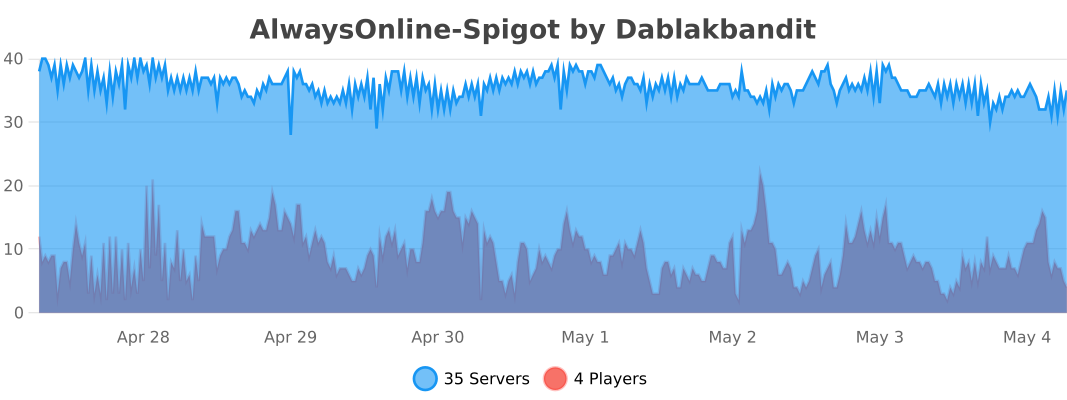
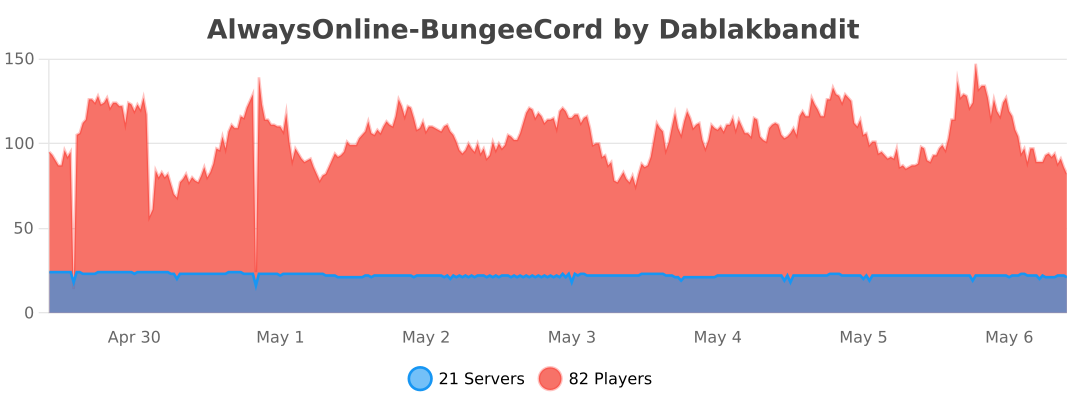
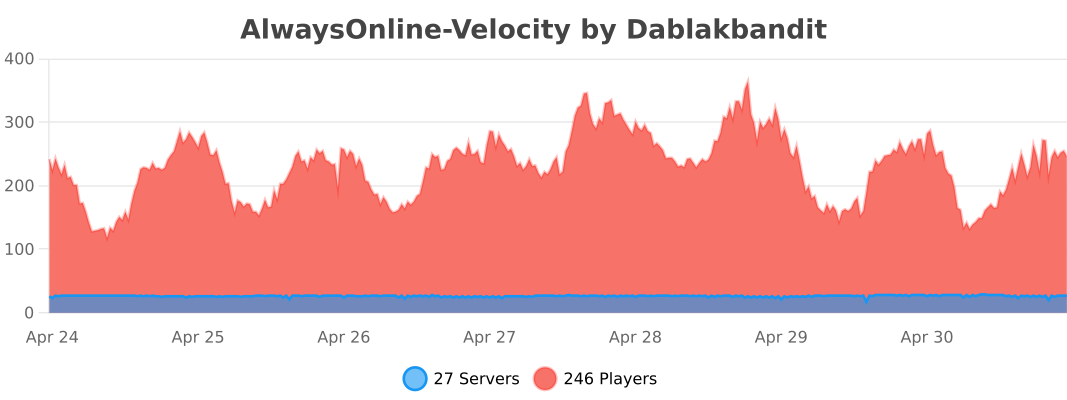
The following information is sent to bstats.org:
* A unique identifier
* The server’s Java version
* Whether the server is on online or offline mode.
* The plugin’s version
* The server’s version
* The OS’ version, name, and architecture
* The core count of the CPU
* The number of players online
* The Metrics version
Opting out of this service can be done by disabling Metrics globally by editing the bStats’s configuration file.
AltAuth
**AltAuth has not been updated to recent Minecraft versions. Since Mojang accounts have become completly unusable I have no need anymore for the modification, although the banned and multiplayer disabled accounts functionality should still work.**
# AltAuth
AltAuth is a solution to allow players with ~~Mojang account~~, (untested) banned accounts and (untested) multiplayer disabled accounts to join online mode Minecraft servers depending on client and server support.
This works by redirecting the session server requests to a proxy specified by the server.
**Trusting the AltAuth proxy session server used by the server is required, as a malicious proxy server can use your Minecraft account for up to 48 (Mojang account) or 24 (Microsoft account) hours on ALL servers.** You can select in-game which AltAuth proxy servers you trust. A server using AltAuth has to trust its selected AltAuth proxy server that it prevents unauthenticated users from joining. More information on setting up an AltAuth proxy and a technical overview can be found on the GitHub page https://github.com/lixfel/AltAuth.
ajQueue
ajQueue is a queue plugin that will prevent players from spam-joining a server, or will queue players when the server is full/restarting
– Bungeecord and Velocity support
– Separate queues for each server
– Priority queue feature
– Per-server priority queue
– Will say the server is restarting, or offline if offline for more than 2 mins (configurable)
– All messages are configurable in messages.yml
– Can replace the /server command
– Actionbar with queue position
– Can be used in guis/npcs (install on spigot too)
– Ability to pause queues (to temporarily not send players)
– Permission to allow players to stay in the queue for a minute after they leave (they will be in the same place in the queue if they rejoin)
– Permission to only allow joining the queue from certain servers
# This plugin requires a bungee/velocity server!
If you try to install it only on spigot, it will do nothing.
– Put jar in the proxy’s plugins folder. – Restart the proxy – Use /move <servername> or /queue <servername> – If you want to replace the /server command, read this – If you want to use the queue command from the spigot side (clicking npcs, clicking items, etc) just install the same jar on spigot
– Give priority queue players the ajqueue.priority permission node.
– (optional) Install the plugin on spigot servers to make queue commands work in server selectors and npcs
If you did not replace the /server command, I recommend you deny players access to the /server command to prevent them from bypassing the queue
/move <server> – Join the queue for <server> /queue <server> – Join the queue for <server> /server <server> – Join the queue for <server> (requires setup)
/leavequeue – Leave any queue you are in. /ajqueue reload – Reloads the configs /ajqueue list – Lists players in queues and shows total player count in queues /ajqueue pause <server> – Pause/unpause the queue for a server /ajqueue <player> <server> – Puts a player in a queue
If you would like to support me, get some extra features (like infinite priority queue levels), and get updates slightly faster, please consider buying the premium versio (Spigot / Polymart) of this plugin. The differences between this version and the premium version are listed on the premium version’s page
If you have any questions, suggestions, or issues with the plugin, please contact me on any of the below methods: Discord Spigot PM Spigot discussion section (Discord is preferred and the quickest way to get a response) Due to spigot blocking my ip address for no reason, I will hardly be on spigot anymore. Please join my discord if you want a quick response.
DO NOT REQUEST SUPPORT THROUGH REVIEWS!
It is much easier (and usually faster) to contact me for support in one of the above areas. Discord is the fastest way to get support because I get instant mobile notifications.

### **Keep your Minecraft server chat clean and safe with advanced AI technology!**
AI Chat Moderation is a powerful plugin that uses artificial intelligence to detect and filter harmful messages in your Minecraft server chat. With customizable detection categories and response actions, you can create a welcoming environment for all players.
_The plugin uses an OPENAI or Mistral AI model, no API key required_
## Features
– Advanced AI Detection: Identifies 12 categories of harmful content including harassment, hate speech, threats, violence, and inappropriate sexual content FOR all languages.
– Customizable Confidence Levels: Fine-tune detection sensitivity for each category
– Flexible Response System: Configure unique responses for different violation types
– Real-time Moderation: Option to check messages before or after they’re sent
– Comprehensive Logging: Track flagged messages in your server console
– Easy Configuration: Simple YAML file with detailed options
## Installation
Just drag and drop the plugin jar into your plugins folder and it is ready !
No need to create an OPENAI key. To not to leave any doubt, message may be cached in my programs for performance purpose only.
## How It Works
The plugin analyzes each chat message using AI technology to determine if it contains harmful content. When potentially harmful content is detected, the plugin can:
– Hide the message from other players
– Send warning messages to the offending player
– Execute custom commands based on the violation type
– Kick or take other administrative actions for severe violations
Give your moderators the tools they need to maintain a positive community without constantly monitoring chat. AI Chat Moderation works silently in the background, allowing you to focus on building and playing while keeping your server safe for everyone.
## Commands
– /acm reload : To reload the plugin
– /acm debug : To see the categories confidence of each message sent. It allows to adjust your categories confidence easily.
## Permissions
– acm.reload : To be able to use /acm reload
– acm.debug : To be able to use /acm debug
– acm.bypass : To bypass the checks (**By default OP bypass**)
_AI Chat Moderation – Smart protection for your Minecraft community_
The configuration file:
“`yaml
# Enable or disable the plugin
enabled: true
# —- NO AI PART —-
# To blacklist some words without using AI
blacklisted-words:
– fuck you
– retarded
# Whether or not the message will be hidden when it contains a blacklisted word
blacklisted-words-hide-message: true
# The commands to run if the message contains a blacklisted word
blacklisted-words-commands:
– “SEND_MESSAGE &6%player% &cUse a correct language.”
# —- AI PART —-
# Choose your provider OPENAI or MISTRAL or DETOXIFY
# + Mistral is better for arabic and Russian languages
# + OpenAI responses are faster
# + Detoxify Very fast, good for IT, FR, RU, PT, ES, TR but not very detection when the insult is splitted / not well written / acronym
providers: [DETOXIFY, OPENAI]
# True: the plugin will log the flagged messages in the console
# False: the plugin will not log the flagged messages in the console
logs-flagged-messages: true
logged-message-format: “Flagged message: Player:[%player%] – Message:[%message%] – Category:[%category%] – Confidence[%confidence%]”
# True: the plugin will check the message before it is sent (the message will be a bit delayed, approximately 0.3s)
# False: the plugin will check the message after it has been sent (the message will not be delayed) but if the message is flagged, the message will not be deleted
check-after-message-has-been-sent: false
# The different harmful categories that the plugin can detect
categories:
# OPENAI
illicit/violent:
# True: the plugin will detect the messages in this category
# False: the plugin will not detect the messages in this category
detection: true
# The actions that the plugin will do when a message is detected in this category
actions:
warn:
# Adjust the confidence level to detect the messages in this category
# When it is higher the plugin will detect only the messages with height intensity of harmfulness
# When it is lower the plugin will detect the messages with low intensity of harmfulness
# From 0.0 to 1.0, 0.85 is a good value
confidence: 0.80
# Whether the plugin will hide the message from the player
hideMessage: true
# The commands that the plugin will execute when a message is detected in this category
# Placeholders: %player%: the player who sent the message
# %player_uuid%: the UUID of the player who sent the message
commands:
– “SEND_MESSAGE &6%player% &cYou are not allowed to use violent language.”
other:
confidence: 0.95
hideMessage: true
commands:
– “kick %player%”
# OPENAI
self-harm/instructions:
detection: true
actions:
warn:
confidence: 0.80
hideMessage: true
commands:
– “SEND_MESSAGE &6%player% &cYou are not allowed to use self-harm instructions.”
# OPENAI
harassment:
detection: true
actions:
warn:
confidence: 0.80
hideMessage: true
commands:
– “SEND_MESSAGE &6%player% &cYou are not allowed to harass other players.”
# OPENAI
violence/graphic:
detection: true
actions:
warn:
confidence: 0.80
hideMessage: true
commands:
– “SEND_MESSAGE &6%player% &cYou are not allowed to use violence.”
# OPENAI
illicit:
detection: true
actions:
warn:
confidence: 0.80
hideMessage: true
commands:
– “SEND_MESSAGE &6%player% &cYou are not allowed to use illicit language.”
# OPENAI
self-harm/intent:
detection: true
actions:
warn:
confidence: 0.80
hideMessage: true
commands:
– “SEND_MESSAGE &6%player% &cYou are not allowed to use self-harm intent.”
# OPENAI
hate/threatening:
detection: true
actions:
warn:
confidence: 0.80
hideMessage: true
commands:
– “SEND_MESSAGE &6%player% &cYou are not allowed to use threatening language.”
# OPENAI
sexual/minors:
detection: true
actions:
warn:
confidence: 0.80
hideMessage: true
commands:
– “SEND_MESSAGE &6%player% &cYou are not allowed to use sexual language.”
# OPENAI
harassment/threatening:
detection: true
actions:
warn:
confidence: 0.80
hideMessage: true
commands:
– “SEND_MESSAGE &6%player% &cYou are not allowed to use threatening language.”
# OPENAI
hate:
detection: true
actions:
warn:
confidence: 0.80
hideMessage: true
commands:
– “SEND_MESSAGE &6%player% &cYou are not allowed to use hate language.”
# OPENAI
self-harm:
detection: true
actions:
warn:
confidence: 0.80
hideMessage: true
commands:
– “SEND_MESSAGE &6%player% &cYou are not allowed to use self-harm language.”
# OPENAI and MISTRAL
sexual:
detection: true
actions:
warn:
confidence: 0.80
hideMessage: true
commands:
– “SEND_MESSAGE &6%player% &cYou are not allowed to use sexual language.”
# OPENAI
violence:
detection: true
actions:
warn:
confidence: 0.80
hideMessage: true
commands:
– “SEND_MESSAGE &6%player% &cYou are not allowed to use violent language.”
# MISTRAL
# Content that expresses prejudice, hostility, or advocates discrimination against individuals or groups based on protected characteristics such as race, ethnicity, religion, gender, sexual orientation, or disability. This includes slurs, dehumanizing language, calls for exclusion or harm targeted at specific groups, and persistent harassment or bullying of individuals based on these characteristics.
hate_and_discrimination:
detection: true
actions:
warn:
confidence: 0.80
hideMessage: true
commands:
– “SEND_MESSAGE &6%player% &cYou are not allowed to use hate language.”
# MISTRAL
# Content that describes, glorifies, incites, or threatens physical violence against individuals or groups. This includes graphic depictions of injury or death, explicit threats of harm, and instructions for carrying out violent acts. This category covers both targeted threats and general promotion or glorification of violence.
violence_and_threats:
detection: true
actions:
warn:
confidence: 0.80
hideMessage: true
commands:
– “SEND_MESSAGE &6%player% &cYou are not allowed to use violent language.”
# MISTRAL
# Content that promotes or provides instructions for illegal activities or extremely hazardous behaviors that pose a significant risk of physical harm, death, or legal consequences. This includes guidance on creating weapons or explosives, encouragement of extreme risk-taking behaviors, and promotion of non-violent crimes such as fraud, theft, or drug trafficking.
dangerous_and_criminal_content:
detection: true
actions:
warn:
confidence: 0.80
hideMessage: true
commands:
– “SEND_MESSAGE &6%player% &cYou are not allowed to use violent language.”
# MISTRAL
# Content that promotes, instructs, plans, or encourages deliberate self-injury, suicide, eating disorders, or other self-destructive behaviors. This includes detailed methods, glorification, statements of intent, dangerous challenges, and related slang terms
selfharm:
detection: true
actions:
warn:
confidence: 0.80
hideMessage: true
commands:
– “SEND_MESSAGE &6%player% &cYou are not allowed to use violent language.”
# MISTRAL
# Content that contains or tries to elicit detailed or tailored medical advice
health:
detection: true
actions:
warn:
confidence: 0.80
hideMessage: true
commands:
– “SEND_MESSAGE &6%player% &cYou are not allowed to use tailored medical language.”
# MISTRAL
# Content that contains or tries to elicit detailed or tailored financial advice.
financial:
detection: true
actions:
warn:
confidence: 0.80
hideMessage: true
commands:
– “SEND_MESSAGE &6%player% &cYou are not allowed to use financial language.”
# MISTRAL
# Content that contains or tries to elicit detailed or tailored legal advice.
law:
detection: true
actions:
warn:
confidence: 0.80
hideMessage: true
commands:
– “SEND_MESSAGE &6%player% &cYou are not allowed to use elicit detailed language.”
# MISTRAL
# Content that requests, shares, or attempts to elicit personal identifying information such as full names, addresses, phone numbers, social security numbers, or financial account details.
pii:
detection: true
actions:
warn:
confidence: 0.80
hideMessage: true
commands:
– “SEND_MESSAGE &6%player% &cYou are not allowed to leak personal information.”
# DETOXIFY
toxicity:
detection: true
actions:
warn:
confidence: 0.80
hideMessage: true
commands:
– “SEND_MESSAGE &6%player% &cYou are not allowed to use toxic language.”
# DETOXIFY
sexual_explicit:
detection: true
actions:
warn:
confidence: 0.80
hideMessage: true
commands:
– “SEND_MESSAGE &6%player% &cYou are not allowed to use sexual explicit language.”
# DETOXIFY
severe_toxicity:
detection: true
actions:
warn:
confidence: 0.80
hideMessage: true
commands:
– “SEND_MESSAGE &6%player% &cYou are not allowed to use severe toxic language.”
# DETOXIFY
obscene:
detection: true
actions:
warn:
confidence: 0.80
hideMessage: true
commands:
– “SEND_MESSAGE &6%player% &cYou are not allowed to use obscene language.”
# DETOXIFY
threat:
detection: true
actions:
warn:
confidence: 0.80
hideMessage: true
commands:
– “SEND_MESSAGE &6%player% &cYou are not allowed to use threat language.”
# DETOXIFY
identity_attack:
detection: true
actions:
warn:
confidence: 0.80
hideMessage: true
commands:
– “SEND_MESSAGE &6%player% &cYou are not allowed to use threat language.”
# DETOXIFY
insult:
detection: true
actions:
warn:
confidence: 0.80
hideMessage: true
commands:
– “SEND_MESSAGE &6%player% &cYou are not allowed to use insult language.”
print-api-errors: false # For debugging purposes, I advice you to set it to false in production
“`
AdvancedServerList
AdvancedServerList
AdvancedServerList is a plugin designed to allow the largest possible customization for your server’s appearance in a Player’s multiplayer screen.
The plugin offers extensive customization including changing the MOTD, player count text, player count hover and favicon of your server. All while also allowing you to create multiple profiles with priorities and conditions to set when a specific profile should be displayed.
## Supported Platforms
## Server List Profiles
A Server List Profile is a single YAML file located in the plugin’s `profiles` folder. It contains settings that allow you to modify the server’s appearance within a Player’s multiplayer screen.
### Priority and Conditions
Each file has a priority and optional condition. The priority is used to determine what file AdvancedServerList should use first – starting from highest number to lowest – with conditions being used to set when the profile should be used.
Once a profile has been found with a condition returning true – which is the default should there be no condition – will AdvancedServerList use said profile.
> *Read more about [Priority](https://asl.andre601.ch/profiles/options/priority) and [Conditions](https://asl.andre601.ch/profiles/options/condition)*
### Placeholders
AdvancedServerList supports two sets of placeholders. The first one being its own placeholders using the `${}` format adobted from BungeeTabListPlus and the second one being placeholders from PlaceholderAPI using its `%_%` placeholder format.
Note that internal placeholders can be used in all text-based options of a profile, while PlaceholderAPI placeholders can be used in all text-based options except the `condition` one.
As a final note can plugins provide their own placeholders to use within AdvancedServerList by using its API.
> *Read more about [Placeholders](https://asl.andre601.ch/profiles/placeholders/)*
### Formatting
AdvancedServerList utilizes the MiniMessage formatting to handle colors and formatting of text. This option was chosen over legacy formatting – using `&` character – for being more clear and readable in its design, not to mention having an easier way for more complex features such as RGB gradients.
> *Read more about [Formatting](https://asl.andre601.ch/profiles/formatting/)*
## Dependencies
AdvancedServerList soft-depends on the following plugins, meaning their inclusion is not required.
The plugin sends statistics to [bStats](https://bstats.org) to show.
You can disable the sending of statistics in the global bStats config located inside `/plugins/bstats/`.
You can find the bStats pages of the plugin for the following platforms:
External libraries can be downloaded by the plugin for various reasons explained below.
You can find these libraries within `/plugins/AdvancedServerList/libs/`. Unless stated otherwise should these libraries not be deleted as they may provide core functionalities for the plugin to use.
These libraries are downloaded by the BungeeCord version of the plugin to provide support for MiniMessage formatting withing BungeeCord chat components.
The YAML version of Configurate is downloaded by the BungeeCord version of the plugin to provide support for its Configuration files.
Additionally can the HOCON version be downloaded should the `/asl migrate MiniMOTD` command be executed.
The HOCON version of Configurate can be removed after a server/proxy restart, as it is only loaded and used during the migration process.
### Transitive Dependencies
Additional dependencies may be downloaded when resolving the previously mentioned ones. Please check the console and the linked projects for further info on these transitive depdenencies.
## Videos
Below can you find a collection of videos made for my plugin. If you made a video and it isn’t shown here, let me know and I’ll add it.
Click to show/hide Videos
english Video by KasaiSora
Spanish Video by Ajneb97
Indonesian Video by faajrikha
German Video by Finni Gamer
## Screenshots
## Support
AdvancedPlHide
# Introduction
## What is this plugin?
**AdvancePlHide** is a plugin designed to control what the client can see when using tab-completion.
This kind of functionality isn’t widely available in the plugin ecosystem—so this plugin was created to fill that gap.
It doesn’t just hide `plugin:command` entries from the tab list; it also blocks plugin completions from showing up after
commands like `/ver` (try it on your server without this plugin and watch your plugin list!).
The plugin also gives you full control over which commands are visible to clients, so your plugins don’t accidentally
expose themselves.
You can specify a list of visible commands or block specific ones from showing up.
> **Note:** This only affects tab-completion—it does **not** prevent commands from being executed.
## Features
– Group-based architecture; compatible with any permission manager.
– Hides plugin lists from common commands available on all servers.
– Removes `plugin:command` from the client’s visible command list.
– Automatically blocks commands like `/plugins` and similar.
– Gives you full control over tab-completion behavior.
– Lightweight and performance-focused.
– Cannot be bypassed by custom clients using special commands to reveal plugins.
– Supports **Minecraft versions 1.8 to 1.21.8**, with more coming soon.
– Works on Spigot, Paper (and forks), BungeeCord, and Velocity.
– 100% free and open-source.
Check out the [documentation](https://github.com/BlueTree242/AdvancedPlHide/wiki) to get started.
# Notes
– This plugin is actively updated for the latest Minecraft versions until v3 is released.
– No new features will be added to v2 — only bug fixes and compatibility updates.
– The plugin works immediately after installation, but advanced features require configuration.
> Occasionally, Mojang introduces breaking changes that may require the plugin to be updated for compatibility with
> newer versions. While this is relatively rare, you should always test the plugin on the target version before
> reporting
> any issues.
> This notice applies **strictly to Spigot**—Paper, Bungee and Velocity are unaffected.
> It is recommended to set the permission `bukkit.command.*` to `false` for all players.
> **Track it. Visualize it. Control it.**
>
> AdvancedPlayTime is a powerful and ultra-efficient plugin that allows players to check their playtime and compare it with others — all in a stunning, fully customizable GUI.
—
### ✨ Key Features
– 🧠 **Highly optimized** – Zero-lag performance, even on large servers.
– 🎨 **Fully customizable GUIs** – Design the look and feel to fit your server’s style.
– 🔢 **Live top-time rankings** – View top active players in multiple display modes.
– 🔧 **Offline time tracking** – Keeps tracking even when you’re offline.
– 🛠️ **Placeholders & Adventure support** – Seamless integration with popular libraries.
– 🔁 **Reset & edit support** – Adjust playtimes or wipe all data easily.
– 💬 **Flexible notifications** – Chat, ActionBar, Title or Subtitle? Your choice.
– 🧩 **Multiple GUI types** – Paginated, scrolling horizontal/vertical, and more.
– 💾 **Supports SQLite & MySQL** – Your data, your way.
| Placeholder | Description |
|———————-|————————————————————————-|
| `%playtime%` | Displays player’s playtime in default readable format (e.g., `10h 35m`) |
—
### 💡 Feedback & Support
Have a suggestion, found a bug, or want to contribute?
👉 [Open an issue here](https://github.com/imDMK/AdvancedPlayTime/issues)
—
### ⭐ Like the plugin?
If you enjoy using PlayTime, consider leaving a positive review or star on [SpigotMC](https://www.spigotmc.org/resources/advancedplaytime.111938/) or [GitHub](https://www.spigotmc.org/resources/%E2%8F%B0%EF%B8%8F-advancedplaytime-1-21-1-21-10.130458/) — it really helps!






![Features]](https://ajg0702.us/img/plugins/header.php?text=Features)



![[IMG]](https://elixirnode.com/assets/images/elixirbannernew.gif)



