> **Send items to any player — via a homing arrow.**
ArrowPost is a Paper 1.21+ plugin that adds a craftable **Tracking Bow**. Load up to 9 items into it, set a target player, and fire. The arrow warps above them and homes in — dropping the payload at their feet on impact.
—
## How It Works
“`
1. Craft or receive a Tracking Bow
2. Sneak + Right-click → load items into the 9-slot payload GUI
3. /aptarget → lock on to a target
4. Shoot → arrow flies, warps above target, homes in
5. Impact → payload drops at their feet
“`
If the arrow is blocked before reaching the target it is removed and your payload is **preserved** — you can shoot again without reloading.
—
## Features
– **Craftable** — 4 Ender Pearls + Bow, no permissions required
– **9-Slot Payload GUI** — sneak + right-click to open; contents persist through restarts
– **One payload per player** — stored on the player, not the bow; multiple bows can’t be used as extra storage
– **Homing arrows** — configurable free-flight delay, then warp teleport above the target and per-tick steering
– **Cross-dimension tracking** — arrow follows the target into a new world
– **Payload only consumed on delivery** — blocked shots leave items intact
– **Cooldown system** — configurable per-player shot cooldown
– **Visual & sound effects** — PORTAL warp burst, CRIT/ENCHANT trail, smoke + hit on impact
– **bStats metrics** — anonymous usage statistics via [bStats](https://bstats.org)
—
## Crafting Recipe
“`
· E ·
E B E
· E ·
“`
`E` = Ender Pearl | `B` = Bow
—
## Commands
| Command | Description | Who |
|———|————-|—–|
| `/aptarget ` | Set your homing target | All players (`arrowpost.use`) |
| `/aptarget clear` | Clear your current target | All players (`arrowpost.use`) |
| `/arrowpost give [player]` | Give a Tracking Bow | Operators only |
**Alias:** `/ap give [player]`
—
## Permissions
| Node | Default | Description |
|——|———|————-|
| `arrowpost.use` | `true` (everyone) | Use the bow and `/aptarget` |
| `arrowpost.admin` | `op` | Run `/arrowpost give` |
—
## Installation
Drop the jar into your server’s `plugins/` folder and restart.
**Requirements:** Paper 1.21+ | Java 21+
—
## Configuration
`plugins/ArrowPost/config.yml`
“`yaml
delay-ticks: 40 # Free-flight ticks before homing activates (≥ 20)
teleport-height: 500 # Blocks above target the arrow warps to (≥ 5)
tracking-radius: 5.0 # Delivery radius in blocks (2.0 – 5.0)
arrow-speed: 1.5 # Homing speed in blocks/tick (1.0 – 10.0)
cooldown-seconds: 10 # Seconds between shots per player (0 = disabled)
effect-particles: true # PORTAL warp, CRIT trail, LARGE_SMOKE on impact
effect-sounds: true # Enderman warp, arrow shoot, arrow hit on impact
“`
Out-of-range values are automatically clamped on startup with a console warning.
—
## License
GNU GPLv3
Arrow Rain
## Features
– Summon a rain of flaming arrows on any player
– Fully configurable radius, density, height, and damage
– Follow mode or Static mode, arrows chase the player or stay locked to a spot
– English & Spanish language support out of the box
– `/arrowrain list` to see all active rains at a glance
– `/arrowrain stop` to cancel a rain at any time
– Op only, players cannot use this command without permission
– Arrows cannot be picked up
– Built specifically for **Folia**, fully region-scheduler compatible
– Simple `config.yml` with sensible defaults
– Tab complete on all arguments
—
## Commands
| Command | Description |
|——–|————-|
| `/arrowrain ` | Start a basic arrow rain |
| `/arrowrain [notify] [follow/static] [radius] [density]` | Full syntax with all options |
| `/arrowrain stop ` | Stop an active arrow rain early |
| `/arrowrain list` | List all currently active arrow rains |
### Argument Breakdown
– **player** — The target player’s username
– **seconds** — How long the rain lasts (capped by `max-duration` in config)
– **notify** — `true` or `false`, whether the target sees messages (default: `false`)
– **follow/static** — `follow` tracks the player as they move, `static` locks to their starting position (default: `follow`)
– **radius** — Override the spread radius in blocks (default: from config)
– **density** — Override arrows per second (default: from config)
[](https://github.com/Wolfst0rm/ArmorStandEditor/actions/workflows/maven-publish.yml)
[](https://sonarcloud.io/summary/new_code?id=wolfieheart_ArmorStandEditor)
[](https://sonarcloud.io/summary/new_code?id=Wolfst0rm_ArmorStandEditor)
[-yellowgreen?style=flat)](https://getbukkit.org/)
[](https://github.com/Wolfst0rm/ArmorStandEditor/LICENSE.md)
ArmorStandEditor is a plugin for Paper and related forks to allow players in survival to easily edit armor stand pose and attributes.
## Credits
* RypoFalem for the original version of this plugin. Thank you for all your hard work (Archived in branch [Original-Version](https://github.com/Wolfst0rm/ArmorStandEditor/tree/Original-Version) )
* Anyone who has contributed to this project with tests, issues, code reviews etc. Thank you!
* Shamblecraft for allowing me to test on the server as required before publishing to production.
## Downloads
Downloads for Version 1.17 and higher can be obtained from the [download page](https://www.spigotmc.org/resources/armorstandeditor-reborn.94503/) or our [release tracker](https://github.com/Wolfst0rm/ArmorStandEditor/releases) here on GitHub.
For versions older than 1.17, then please use [the original versions download page](https://www.spigotmc.org/resources/armor-stand-editor-dead.7688/).
The Latest Downloads Shortcut Links:
* [ArmorStandEditor-Last (Unstable)](https://github.com/Wolfst0rm/ArmorStandEditor/actions)
– **Use these at your own risk. Limited Support is provided for testing purposes**
* 1.20 – Not yet available
* [(Spigot Redirect to latest release)](https://www.spigotmc.org/resources/armorstandeditor-reborn.94503/)
* [Modrinth Redirect to Latest Release](https://modrinth.com/plugin/armorstandeditor-reborn)
* 1.19 to 1.19.4
* [Spigot/Github](https://github.com/Wolfieheart/ArmorStandEditor/releases/tag/1.19.4-41)
* [Modrinth](https://modrinth.com/plugin/armorstandeditor-reborn/version/1.19.4-41)
* 1.18 to 1.18.2
* [Spigot/Github](https://github.com/Wolfieheart/ArmorStandEditor/releases/tag/1.18.2-34.2)
* [Modrinth](https://modrinth.com/plugin/armorstandeditor-reborn/version/1.18.2-34.2)
* 1.17 to 1.17.1
* [Spigot/Github](https://github.com/Wolfst0rm/ArmorStandEditor/releases/tag/1.17.1-30)
* [Modrinth](https://modrinth.com/plugin/armorstandeditor-reborn/version/1.17-30)
* 1.16 to 1.16.5
* [Spigot/Github](https://www.spigotmc.org/resources/armor-stand-editor-dead.7688/download?version=342891)
* [Modrinth](https://modrinth.com/plugin/armorstandeditor-reborn/version/1.16-25)
* [1.14 to 1.14.4](https://www.spigotmc.org/resources/armor-stand-editor-dead.7688/download?version=299267)
* [1.13 to 1.13.2](https://www.spigotmc.org/resources/armor-stand-editor-dead.7688/download?version=235185)
* [1.11 to 1.11.2](https://www.spigotmc.org/resources/armor-stand-editor-dead.7688/download?version=152723)
* [1.10 to 1.10.2](https://www.spigotmc.org/resources/armor-stand-editor-dead.7688/download?version=124213)
* [1.9 to 1.9.4](https://www.spigotmc.org/resources/armor-stand-editor-dead.7688/download?version=92457)
* [1.8](https://www.spigotmc.org/resources/armor-stand-editor-dead.7688/download?version=29676)
**NOTE:** The 1.17 Versions introduce NMS Version Checks and will not load on versions older than 1.13.
It will also advise that if you are on 1.13 to 1.16, that you update to 1.17.x or Higher. This will be
subject to change in the future. The minimum enforced API Version is 1.13.
## Features
* Editing ArmorStands with no commands required
* Rotation of all ArmorStand Parts along each axis
* Rotation of entire ArmorStand after Placement. Supported by Crouching and Scrolling, so you never have to open the menu
* Finer Adjustment to allow for Fine-Tuning of Positions.
* Coarser Adjustments to allow you to quickly to get to the intended position
* Toggles for: Disabling Slots, Invisibility, Gravity, Base Plates, Size (Normal and Small)
* Copying and Pasting ArmorStand Settings between ArmorStandEditor in a Survival Friendly way
* Storage of Copied Settings in one of 9 available slots.
* Naming of ArmorStands through the use of Vanilla Name tags, with colored name support
* Multiple Language Support through the use of community translations
* Respects multiple protection plugins: WorldGuard, Towny, GriefPrevention, Residence etc.
* Targeting of an ArmorStand by pressing F with the tool in your hand
* Glowing ArmorStand to signify Targeting and Slot Disables through the use of Scoreboards.
You can also follow our [Feature Roadmap](https://github.com/Wolfst0rm/ArmorStandEditor-Issues/issues/11) to see what we have planned (Updated as required).
## Support
Support for ArmorStandEditor is provided:
* For API-Versions Higher than 1.13
* For Latest Release and Unstable versions of the Plugin
If there are issues with the plugin on the latest release, you can report them [here](https://github.com/Wolfst0rm/ArmorStandEditor/issues/new?assignees=&labels=P1%3A+To+Be+Tested&template=behaviour-bug.yml).
If there are new feature requests, you can ask them to be implemented [here](https://github.com/Wolfst0rm/ArmorStandEditor/issues/new?assignees=&labels=&template=feature-request.yml).
**NOTE:** Bugs are also first tested to ensure that they can be reproduced according to the reported steps. If they can not, we will ask for more info.
allows you to limit armor stands, so you can fix TPS drops caused by a high number of ArmorStands in your server!
Can be used in all modalities and is fully and easily configurable thanks to its intuitive configuration file.
This plugin was created with the express purpose of fixing LAG problems caused by other plugins that generate and do not
remove custom Armor Stands within a single block!
Later we also thought of adding other functions to avoid lagging machines caused by Armor Stands, like this one in the
picture
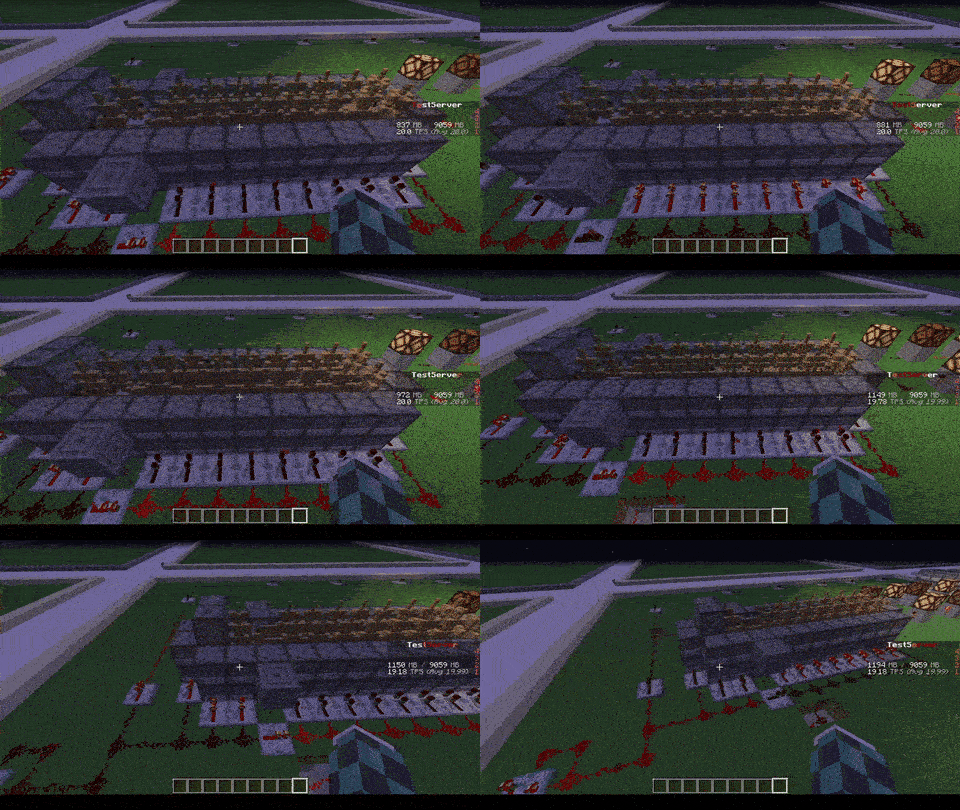
## Feature
* The most important function is that of removing CUSTOM Armor Stands ( created by other plugins ) that exceed the
preset limit in a single block or chunk!
* Set Armor Stand limit in a Block and/or a Chunk
* Check the world name, armor stand type and its name to avoid unwanted removal
* Timer that checks every X minutes in the loaded chunks the number of Armor Stands inside the chunk or in the single
block
* Check TPS status and if too low check and remove the Armor Stands in a sigle block or chunk ( this check is also
performed only on loaded chunks )
* Ability to limit players to placing a maximum of Armor Stands per chunk
* Ability to disable that the Armor Stand can be moved by the pistons or blocks connected to it depending on the number of same chunk Armor Stands
* Ability to disable that Armor Stand can move in the water depending on the number of same chunk Armor Stands
* Ability to disable that Armor Stand can be spawned through dispensers
* Customized notification ( inGame, Discord, Telegram and Console ) of when Armor Stands are removed due to limit
violation
* [NEW] Folia Support!
* No Dependency!
* Open Source!
* **/asl** – *Simple reload of the config file (Perms: `armostandlimiter.reload`)*
* **/asl check ** – *Simple command to control how many Armor Stands there are in a chunk or location in the
world (Perms: `armostandlimiter.check`)*
* **/asl clear ** – *Simple command to remove all Armor Stands there are in a chunk or location in the
world (Perms: `armostandlimiter.check`)*
* **/asl test** – *Simple command to test the notifications (Perms: `armostandlimiter.test`)*
If you have a problem with this plugin, please contact me either via PM, [Discord](https://discord.gg/5ykB943), or the discussion section before / instead of leaving a review first! Not (only) because I don’t like bad reviews for things I can and will fix/add quickly, but primarily because it is simply much easier to communicate via any one of those ways than via the review section!
This is a very simple plugin that allows you to combine an elytra with a chest plate in a smithing table (or an anvil, if configured).
The result will be an armored elytra.
Armored elytras offer the same amount of protection as a diamond chest plate and they can have the same enchantments as well. This means that you can add protection, fire protection etc to the armored elytra as well.
By default, you can only see the elytra when a player wears an armored elytra. However, you will be able to see both the armor and the elytra at the same time if you install [THIS](https://modrinth.com/mod/armored-elytra) Fabric mod on the client!
## **List of features:**
– Combine an elytra with any type of chest plate armor to create an armored elytra! It will have the same amount of armor as the type of armor it was combined with!
– Supports enchantments.
– Configurable list of allowed enchantments (and curses).
– Configurable repair cost.
– Permissions for giving / wearing / crafting different tiers of armored elytras.
– Add enchantments using enchanted books.
– Receive notification when the plugin is out-of-date.
– Permissions support.
– Configurable messages, elytra names and elytra lores.
– Uninstaller for when you no longer want to use this plugin.
I am always looking to improve upon this plugin, so if you have any tips, ideas or requests, let me know! I’ll be happy to help!
NOTE: Armored elytras will remain in the world even after uninstalling this plugin, please use the uninstall feature if you want to uninstall this plugin.
NOTE2: By default, this plugin checks if there are any updates available. If the version you are using is found to be outdated, you will receive a message in the console (and upon logging in if you have the armoredelytra.admin permission node). The update checking can be disabled in the config file.
If you encounter a bug or a problem, please contact me first before leaving a review, then I’ll try my hardest to fix it as soon as possible.
If you like this plugin, please don’t forget to let me know in the review section, it really does help me keep motivated to provide support for this plugin!
## **Permissions:**
**armoredelytra.wear.**
Allows you to wear armored elytras of a specific tier.
**armoredelytra.craft.**
Allows you to craft armored elytras of a specific tier.
**armoredelytra.give.**
*/ArmoredElytra [receiver] *
Allows you to give armored elytras of a specific tier. Will be given to the player that issued the command if no target is specified.
**armoredelytra.admin**
With this node you will receive a notification if the plugin is out of date upon joining the server.
Available armor tiers: leather, gold, chain, iron, diamond.
## **Translations:**
View translations
– (2.4.13) [Spanish](https://pim16aap2.nl/ArmoredElytra/Translations/es_AR.txt) (es_AR), provided by @legionparley.
– (2.4.13) [German](https://pim16aap2.nl/ArmoredElytra/Translations/de_DE.txt) (de_DE), provided by @Eldoria.
– (2.4.14) [Polish](https://pim16aap2.nl/ArmoredElytra/Translations/pl_PL.txt) (pl_PL), provided by @aronreich.
– (2.4.14) [Russian](https://pim16aap2.nl/ArmoredElytra/Translations/ru_RU.txt) (ru_RU), provided by @DarkSumrak.
Got your own translation? Let me know!
Note that translations created for older versions may still work. If there are any missing translations you’ll be notified in the log.
# **Uninstalling this plugin:**
If you decide you no longer want to use this plugin, simply removing the ArmoredElytra.jar from your plugins directory will not get rid of any Armored Elytras on your server. Instead, you should enable the uninstall feature of this plugin in the config.
The way this feature works is by checking player inventories upon login and chest inventories when they are accessed and removing any Armored Elytras it can find. This means that you will need to keep this plugin installed to keep it uninstalled… Though it won’t affect server performance much, if at all, as pretty much the entire plugin is disabled while in uninstall mode.
This paper plugin adds server-side compatibility with the [**Armor Poser**]([https://modrinth.com/mod/armor-poser](https://modrinth.com/mod/armor-poser)) mod.
Armor Poser is a mod that adds a GUI for armor stands for easy posing of armor stands. The Armor Poser plugin listens for incoming packets from the mod, processes them and sends the appropriate responses required for the Armor Poser functionality.
For questions feel free to join my Discord.
[](https://discord.gg/2srq4DHsWw)
## Want to support us? ##
-Mrbysco
-ShyNieke
ArmadilloSleeper
## Prevent TPS drops
Make the typical Armadillo XP Farms more optimized!
With ArmdilloSlepper, all Armadillos that are in a XP Farm will be forced into sleep to make Performance much better!
> **Please use [ProtocolLib](https://www.spigotmc.org/resources/protocollib.1997/) to get the best Experince!**
### Should ArmadilloSleeper support Bukkit/Spigot ?
**Awnser** [here](https://d0de37b3aa514097a1a997a4531a5229.elf.site/)
The Plugin will simply just deactivate AI,Gravity, Sounds and more to make the TPS
more Stable.
Slash Commands:
– **/as version** | Displays the Version of the Plugin
– **/as wake** | Wake up Armadillos that are in sleep
– **/as show** | Show all Armadillos with Glowing **RED=SLEEP GREEN=AWAKE**
> **If you like the Plugin please consider
> Following or/and Donating to my Kofi! :D**
ArenaRegen
**Introduction:**
ArenaRegen is an advanced plugin used for saving maps/regions and regenerating them to their saved forms, perfect for PvP and Practice servers.
**Server Software Support:**
1. Paper
2. Folia
3. Bukkit
4. Spigot
5. and More
**Features:**
Support for multiple arena creation and management
Auto-Regeneration of arena after each duel
Scheduled Auto-Regeneration
Highly customizable config
Multiple regeneration modes
World Edit support
Easily pairable with other plugins
Very easy to use
**Commands**
– /arenaregen help – Show help menu
– /arenaregen setpos1 – Set first position for arena
– /arenaregen setpos2 – Set second position for arena
– /arenaregen create – Create new arena
– /arenaregen save – Save/Update existing arena
– /arenaregen delete – Delete arena
– /arenaregen regen – Manually regenerate arena
– /arenaregen settime
Aqua Kingdoms
AquaKingdoms
The ultimate kingdom management plugin for Paper 1.21+
Build your empire, declare wars, unlock skills, and dominate the server with this feature-rich kingdoms plugin. AquaKingdoms provides a deep, RPG-inspired experience for community-driven servers.
🏰 Core Features
Kingdom Hierarchy: Create and manage kingdoms with customizable roles: Owner, Officer, and Member.
Territory Protection: Chunk-based claiming system to protect your land from griefers.
Kingdom Economy: A shared Bank System allows members to pool resources for upgrades and expansions.
Progression System: Earn XP to level up your kingdom, unlocking higher member limits and more claims.
Diplomacy: Form Alliances to build together or declare Enemies to prepare for battle.
⚔️ PvP & Warfare
Kingdom Wars: Declare war with specific objectives. Track kills and earn rewards for victory.
Siege System: High-stakes gameplay. Attack and breach enemy claims during active war periods.
Kingdom Shields: Protect your hard work! Purchase temporary protection (12h, 24h, or 48h).
Outposts: Capture and hold neutral zones across the map to earn resource bonuses, extra XP, and passive income.
📈 Progression & RPG Elements
9 Kingdom Skills: Unlock passive perks including Mining Fortune, Battle Hearts, and XP Mastery.
Daily Challenges: Keep your members active with auto-generated tasks that reward XP and money.
Kingdom Quests: Multi-stage story quests that reward exclusive titles and rare items.
Prestige System: Reach the endgame? Reset your progress for permanent, powerful bonuses.
🎮 Quality of Life
✨ Modern UI: Intuitive, beautiful GUI menus for every feature—no more command memorization.
💬 Kingdom Chat: Keep your strategies private with a dedicated team chat toggle.
📊 Leaderboards: Compete for the top spot with integrated kingdom rankings and achievements.
🗳️ Elections: Give your members a voice with a built-in democratic voting system.
“`
/k create Start your own kingdom
/k menu Open the main graphical interface
/k war Initiate a formal war declaration
/k skills Open the Kingdom Skill Tree
/k challenges View active daily challenges
/k quests View available story quests
/k prestige Open the Prestige progression menu
“`
AQQBot is a plugin for interconnecting QQ groups and servers based on the Onebot v11 protocol, which allows users to perform many operations through QQ groups (e.g., binding game accounts, querying server status).
## Function
– **Account Binding**: Players need to bind their accounts in the QQ group before they can enter the server
– **Information query**: Players can send specific commands in the QQ group to query the account’s game status (e.g. walking distance), and also query the server status (e.g. server tps)
– **Chat interconnection**: messages sent by players in the QQ group will be forwarded to the server, and at the same time, messages sent by players in the server will be forwarded to the QQ group as well
## Features
– **Lightweight**: plugin size is only less than 600kb
– **Highly customizable**: you can freely switch on and off the various functions built into the plugin, just by editing the configuration file
– **Strong compatibility**: the plugin supports all servers based on Spigot/Paper and Velocity
## Installation
1. install a backend based on the Onebot v11 protocol (e.g. Lagrange.OneBot, LLOneBot)
2. Enable forward WS (Websocket) forwarding on these backends and memorize the port numbers.
3. Install the plugin, turn on the server and edit the bot.yml file:
“`yaml
# Positive Websocket Configuration
ws:
# host address
host: “localhost”
# port
port: 3001
# Plugin-enabled group number
groups:
– “114514”
“`
– Change `ws.host` (host address) here to the address of the server where your backend is located (if your backend and server are on the same server, you don’t need to change it).
– Change `ws.port` here to the port number you just memorized.
– Change `114514` in `groups` here to the QQ group number you want to enable bots.
Next, Restart the server, if there is no error and warning, the connection is successful.
## License
This plugin is open source based on LGPL-2.1 agreement, please abide by the agreement, the final interpretation right belongs to *alazeprt* all rights reserved.