Arc
A shader for Iris & Optifine that aims to providing realistic visuals with very minimal performance loss. Almost every effect/feature can be fine-tuned for the ideal balance between performance and quality. This project is still in beta but will be reaching initial release very soon!
### Features
– HDR
– Full PBR support
– Dynamic, direct, colored block lighting
– Volumetric fog/lighting
– Automatic exposure
– Screen-space reflections
– Water waves & refraction
– Supports distorted and cascaded shadow mapping.
– Depth-of-Field
– Bloom
Also contains special support for [PhysicsMod](https://www.curseforge.com/minecraft/mc-mods/physics-mod) ocean waves & snow!
### Resource Packs
Supports LabPBR and OldPBR texture formats; The default setting for materials is “vanilla”, which hard-codes a limited set of PBR material values for the original Minecraft textures.
The recommended resource pack is [Patrix](https://www.patreon.com/patrix); when used make sure to set the shader setting for Material Format to “Patrix”, as it uses a special combination of OldPBR and LabPBR formats.
### Compatibility & Support
For best results use Iris 1.6 or later; however most features should work with Optifine or Oculus. If you have any suggestions or requests, you can reach out to me on the [ShaderLabs Discord](https://discord.gg/9CRwrfYU).
Aragorn’s Light Shader
# ARAGORN’S LIGHT SHADER
This is a simple, lightweight shader based on Iris that adds realistic anti aliasing shadows and realistic water and clouds. It is not resource-heavy and is ideal for most users.
IMPORTANT: Kindly disable clouds through ‘Options > Video Settings’ as the shader includes a custom cloud engine.
Apple Shaders
[](https://www.youtube.com/@GlacierServicesMC)
[](https://glacier.dpdns.org)
**ABOUT**
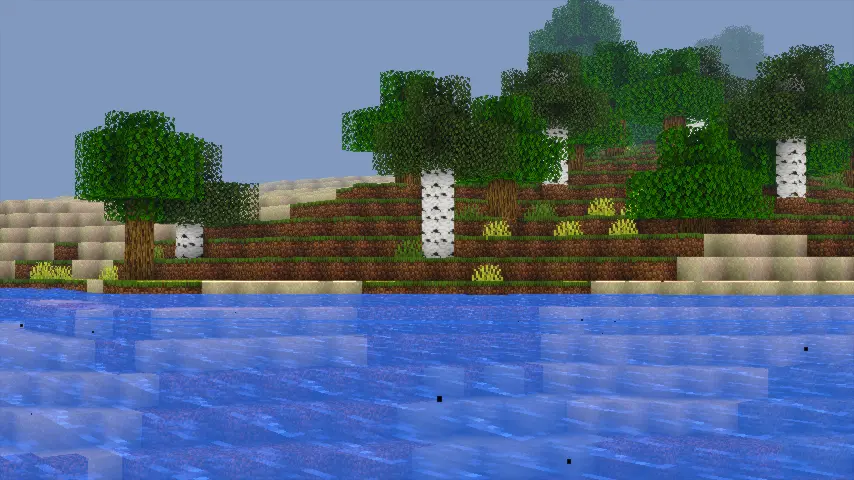
Apple Shaders is a lightweight, beautifully enhanced shader pack designed to bring natural lighting, soft colors, and smooth performance to every device. Built with clean code, optimized effects, and a focus on stability, Apple Shaders delivers a realistic visual upgrade without sacrificing FPS.
Whether you’re exploring landscapes or playing competitive modes, Apple Shaders keeps your world bright, vibrant, and immersive — all while staying incredibly fast.
Features
– 90s-Themed Water Waves: Nostalgic, retro-inspired water animation for a classic feel.
– 90s-Themed Waving Leaves: Smooth, natural leaf movement reminiscent of old-school visuals.
– Natural Lighting & Colors: Soft, realistic lighting that enhances Minecraft’s world.
– Optimized Performance: Lightweight and efficient for smooth gameplay on most devices.
– Immersive Experience: Brings a nostalgic yet natural atmosphere to your game.
**How to report BUGS!!**
Our GlacierDevelopment Discord server is Live you can report bugs and Chat with other GlacierShaders users, report bugs, get help with issues, and join exciting giveaways — all in one place!
[](https://discord.gg/TpsGTtTnSm)
**OFFER!!**

Anti Aliasing (TAA, FXAA)
# ABOUT:
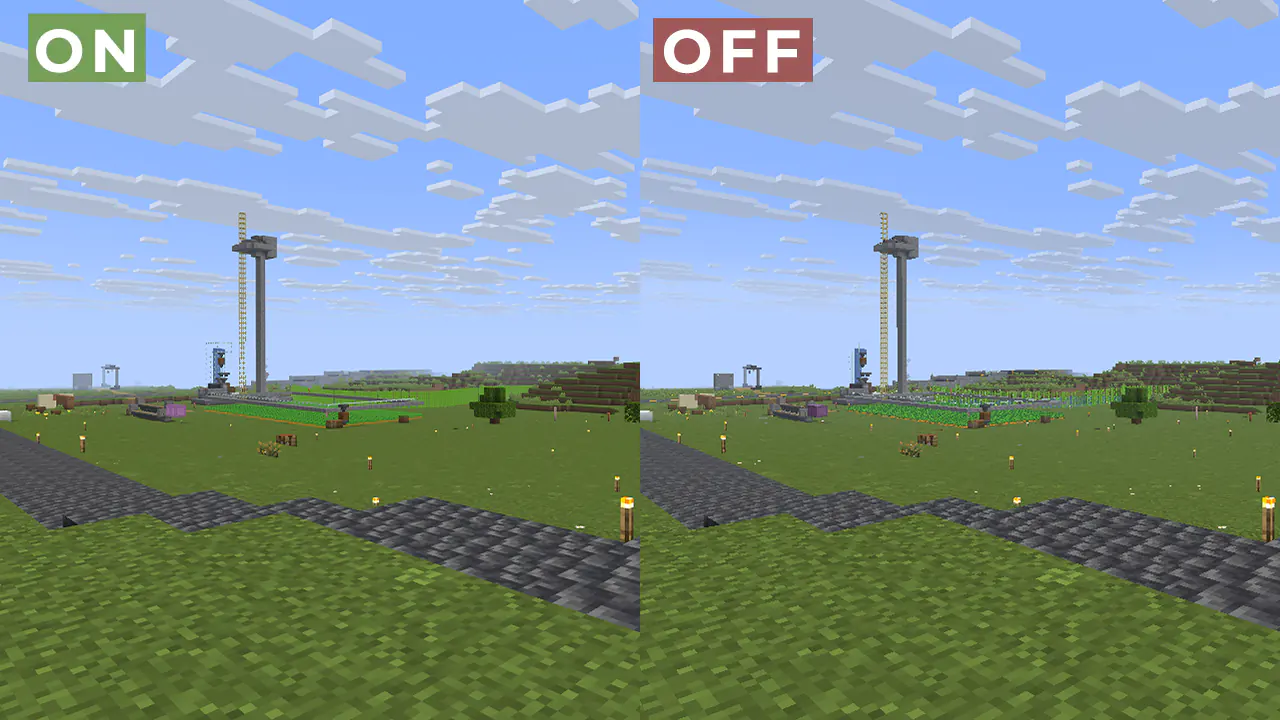
Fix aliasing on textures and object boundaries. It is designed to smooth out visual artifacts. It has two modes: FXAA and TAA. The first mode is faster, while the second is more accurate. There is also support for Distant Horizons.
### Example 1: OFF/ON
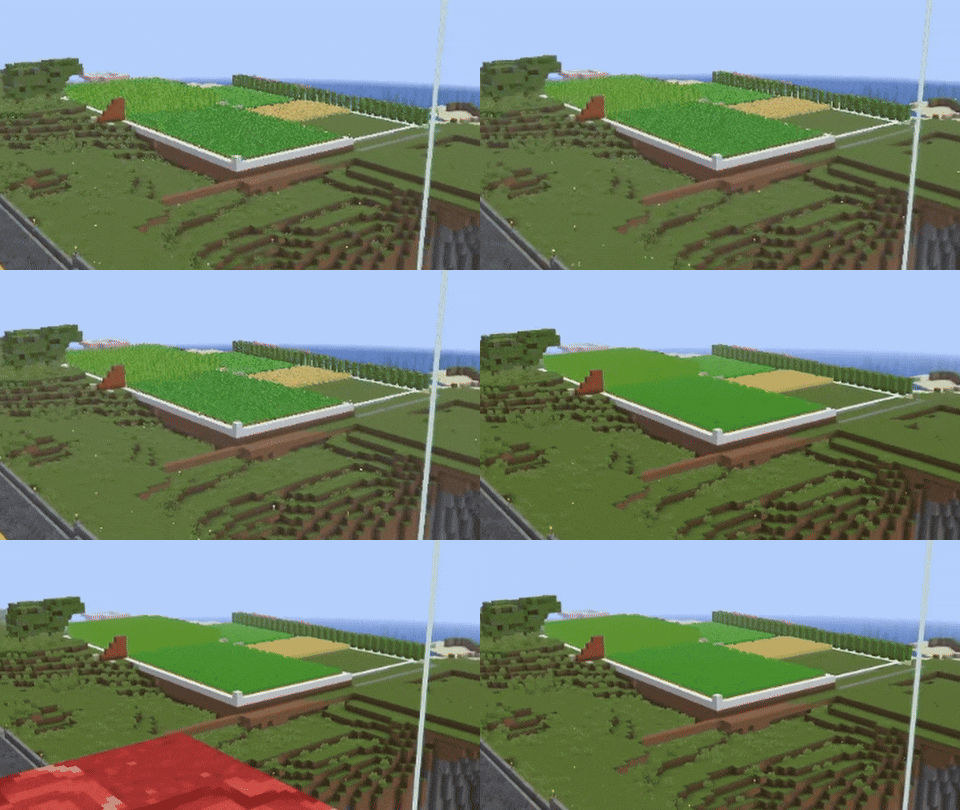
#### When turned off, the image ripples and everything twitches, when turned on, the artifacts disappear.
### Example 2:
## FAQ:
How is it different from other projects?
Fog support for all versions, new method FXAA and better performance than TAA Project.
What is the difference between FXAA and TAA?
FXAA is a simple and fast post-filter that blurs sharp edges, while TAA uses data from previous frames to produce a smoother image, especially when there is movement.
###### Part of the code, namely the implementation of TAA, was taken from TAA Project, so the license is MPL-2.0.
Animtr
A customizable Minecraft shaderpack that transforms the game into a polished anime aesthetic. eatures crisp white sticker borders with soft edges, vibrant pastel color grading, and smooth toon shading with configurable cel levels. It includes material-dependent palette corrections for water, sand, and dirt, plus optional glow effects for glowing entities and ore blocks. You can toggle on extra detail to preserve texture clarity, or enable Candy Mode for biome-specifc color boosts on foliage and water. Everything is adjustable from border thickness and opacity to hand-drawn grain and warmth—fully configurable from Minecraft’s shader settings menu.
Ancient Dream
## Ancient Dream
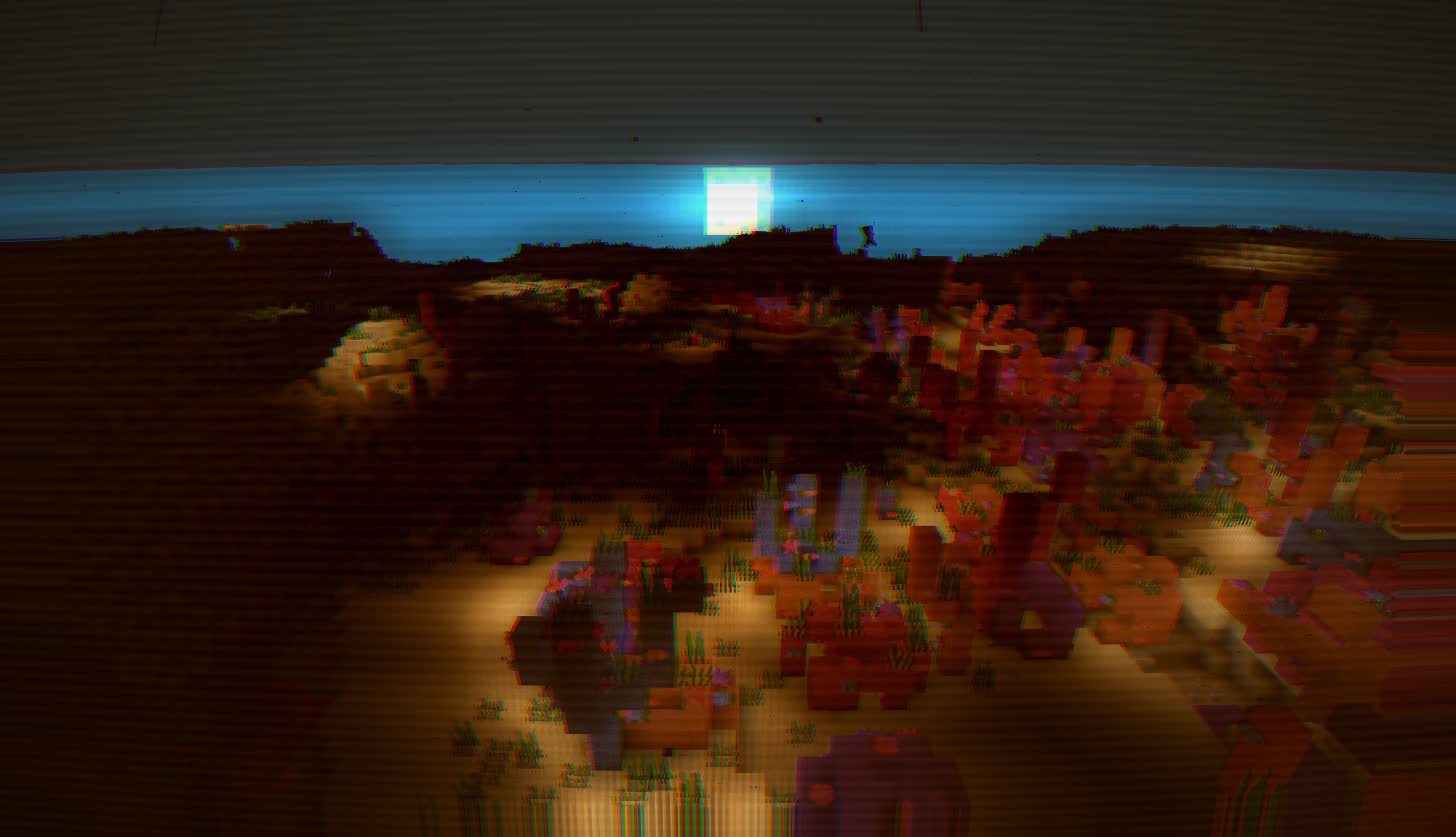
A lightweight horror-themed shader that adds visual effects while minimizing impact on gameplay and performance.
### About:
This is a stylized, mildly horror-themed shader
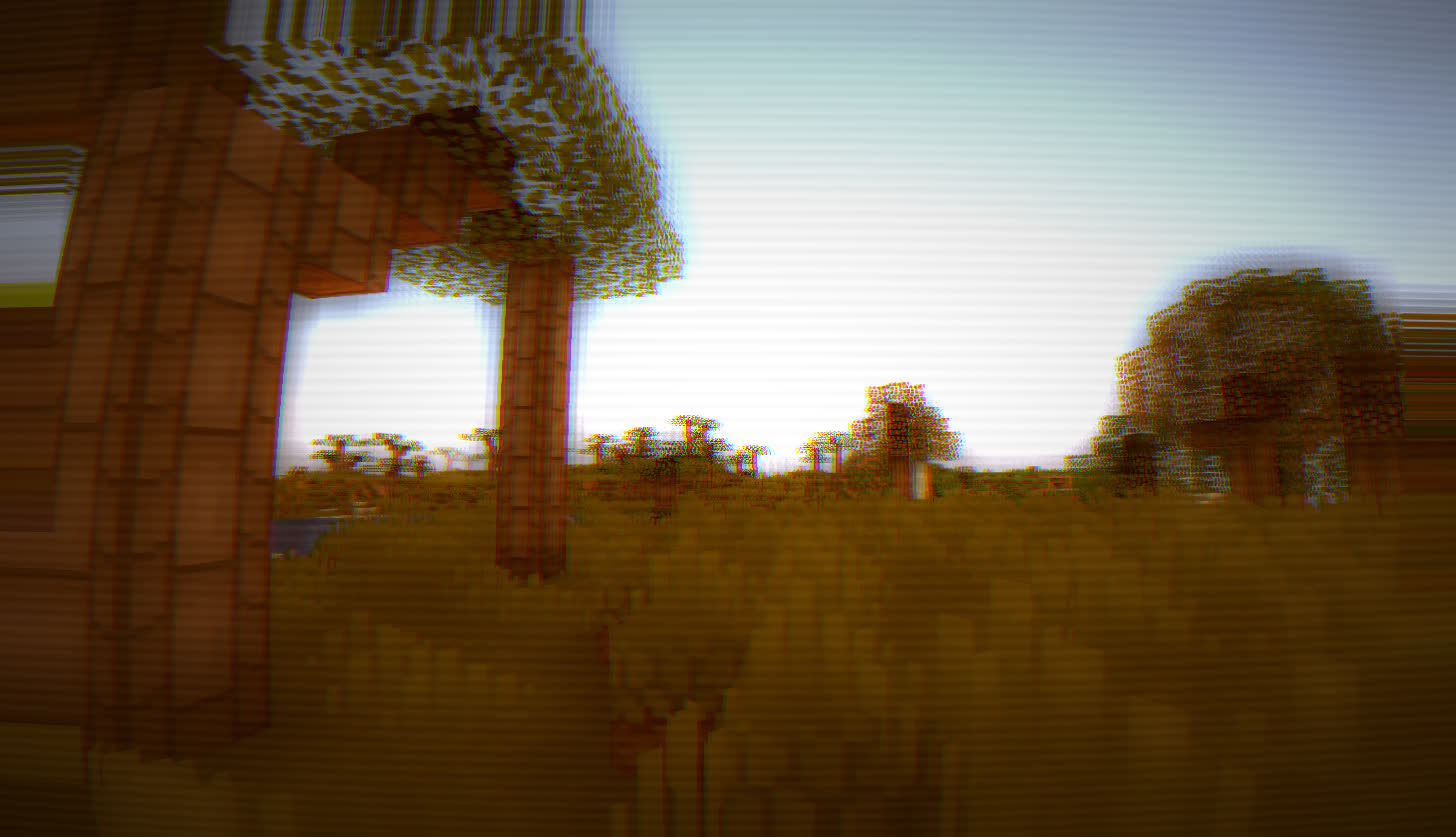
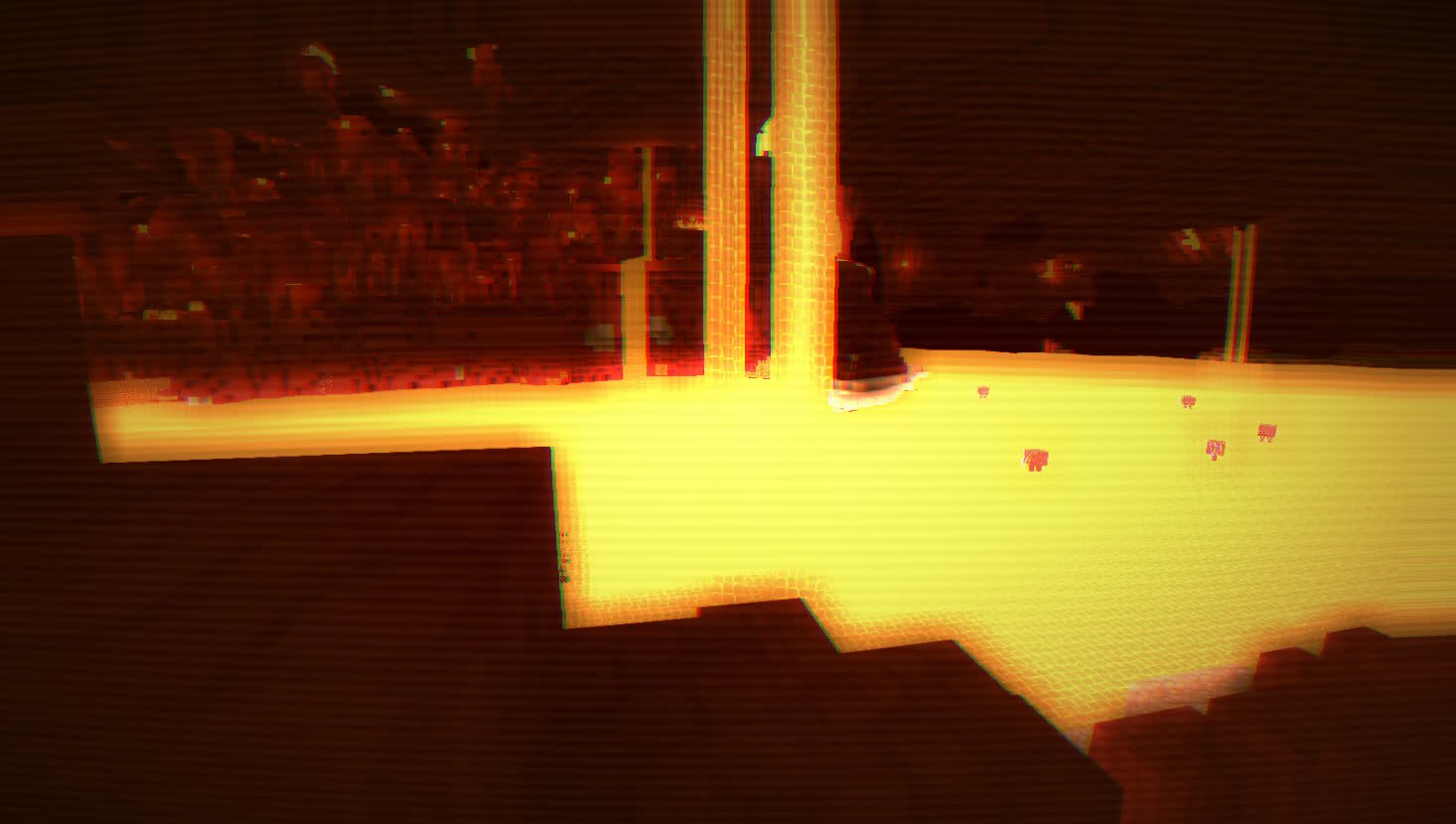
### System Requirements:
Minimum: Intel HD530
Recommended: GTX960m or better
Amethyst Shaders
## What are Amethyst Shaders
[](https://modrinth.com/shader/amethyst-shaders) [](https://modrinth.com/shader/amethyst-shaders)
[](https://curseforge.com/minecraft/shaders/amethyst-shaders)
[](https://curseforge.com/minecraft/shaders/amethyst-shaders)
Based on [**Complementary Reimagined**](https://modrinth.com/shader/complementary-reimagined)
Supports Distant Horizons AND PBR!
[WIP] Amethyst Shaders are a modified version on [**Complementary Reimagined**](https://modrinth.com/shader/complementary-reimagined), with quite a few tweaks to suit our visual style. **It is an Official Amethyst Group Project, made by gamerbenyt.**
**Amethyst Shaders** is in a **very Early Alpha state**, and has many bugs. If you encounter any bugs, please [**create a ticket**](https://github.com/gamerbenyt/amethyst-shaders/issues/new) on the **Amethyst Shaders Support Github**.
**Modifications:**
– **Daytime sky is more blue**
– **Clouds have a thick shiny outline to them (does not reflect world outline preferences)**
– **All blocks are more vibrant**
– **The Nether is more contrasty (eg. brighter blue in soul sand valleys)**
– **The End has brighter beams (the fog-type thing) and more stars**
– **The End has a brighter blue-ish-purple sky**
– **Rain adds visible light rays to light-emmiting blocks (eg. nether portal)**
– **Modified pixelated shadows, included in the default profile.**
Our Developers say that they prefer the Reimagined style, as that is what Amethyst Shaders is based on, but there is an option for the Unbound visual style, like normal Complementary.
### Notice:
Though Amethyst Shaders is based on [**Complementary Reimagined**](https://modrinth.com/shader/complementary-reimagined), it **WILL NOT** be getting updates when Reimagined does, and the only updates that will be brought over from [**Complementary Reimagined**](https://modrinth.com/shader/complementary-reimagined), is their updated license, though updates to the license are very rare. We include the Complementary License and follow it, but you must also agree to [**Our License**](https://github.com/gamerbenyt/Amethyst/blob/main/LICENSE)
### Don’t give us the credit!
**Amethyst Shaders is based on [Complementary Reimagined](https://modrinth.com/shader/complementary-reimagined), and we have only modified it to our liking! Go support the [Complementary Team](https://www.patreon.com/emingt)!**
## Amethyst Shaders 2.3 Out Now!
## Compatibility
Amethyst Shaders was build and playtesting using [**Iris**](https://modrinth.com/mod/iris) but should have some compatibility with [**Optifine**](https://optifine.net/home), as [**Complementary Reimagined**](https://modrinth.com/shader/complementary-reimagined) works on [**Optifine**](https://optifine.net/home). We cannot guarantee that all features will be functional, or function correctly on [**Optifine**](https://optifine.net/home), but most people use [**Iris**](https://modrinth.com/mod/iris) nowadays anyways, so it should be no problem.
## Other Stuff
### **GET OUR FREE** [**WALLPAPERS**](https://drive.google.com/drive/folders/13FiIDOtwQOllx-MAMbBx9lLRw80YE5s9?usp=drive_link)!
AlternateCraft
### AlternateCraft
Transform your Minecraft world into a surreal, dreamlike dimension with AlternateCraft – a shader that makes reality itself pulse, warp, and shift before your eyes.
**Features**
Hypnotic Pulsation – All textures pulse with multi-layered frequencies, creating a mesmerizing visual rhythm
Reality Distortion – Surfaces undulate and shift in fluid, wave-like patterns
Dynamic Patterns – Subtle flowing patterns weave through textures creating depth
Atmospheric Tint – A distinctive color shift adds to the altered reality feel
Subtle Glow – Pulsing areas emit a faint luminescence enhancing the dreamlike state
Performance Optimized – Carefully crafted to maintain good FPS even on mid-range systems
**Perfect For**
Surreal and psychedelic building projects
Experimental adventure maps
Trippy content creation
Liminal space exploration
Unique streaming content with a twist
Players seeking an alternative, mind-bending Minecraft experience
Alpha Piscium
# Alpha Piscium
High-quality realistic Minecraft shaderpack featuring global illumination, volumetric clouds, atmospheric scattering, and stunning visual effects.
Official Website link: https://alphapiscium.org/
Discord server link: https://discord.gg/E2Uq2MmHgq

## Features
– **Real-time Global Illumination**
– [*Reservoir-based SpatioTemporal Importance Resampling*](https://arxiv.org/pdf/2301.11376) (ReSTIR) based Screen-Space Global Illumination
– [*ReBLUR*](https://doi.org/10.1007/978-1-4842-7185-8_49) based denoising
– Realistic, real-time, and fast **Atmospheric Scattering**
– [*Unreal Engine Sky Atmosphere Rendering Technique*](https://sebh.github.io/publications/egsr2020.pdf)
– [*Epipolar Sampling*](https://gdcvault.com/play/1018227/Practical-Implementation-of-Light-Scattering)
– Real-time **Volumetric Clouds**
– [*Nubis*](https://www.guerrilla-games.com/read/nubis-evolved)
– High-quality adaptive **Shadows**
– [*Rectilinear Texture Warping*](https://www.cspaul.com/publications/Rosen.2012.I3D.pdf) (RTWSM)
## Installation
1. Download the Alpha Piscium shaders for Minecraft from [Modrinth](https://modrinth.com/shader/alpha-piscium) or [GitHub Release](https://github.com/Luna5ama/Alpha-Piscium/releases).
2. Install [Iris](https://www.irisshaders.dev/download) shader loader.
3. Open the Minecraft launcher and choose the Iris profile you just created with the version you’re playing.
4. Launch Minecraft.
5. Go to **Options** → **Video Settings** → **Shader Packs**, then click **Open Shader Pack Folder**.
6. Move the downloaded ZIP file into this folder (`.minecraft/shaderpacks`).
7. In-game, select the newly installed pack from the shaders list. (If you select a shader pack using Iris, its filename will turn yellow.)
8. Click **Done** or **Apply** and the shader will be loaded.
## FAQ
– **No lighting at night**: Please use PBR resource packs. For vanilla style, SPBR is recommended. Otherwise, try Patrix.
– **Can’t load shaderpack**: Please use Iris with version 1.7 or higher.
– **Everything goes dark when turning back**: This is due to the limitations of screenspace techniques. There isn’t a perfect way to fix this.
– **Intel GPU**: Alpha Piscium uses cutting-edge graphics technology. Unfortunately, Intel doesn’t maintain their OpenGL driver well, so Intel GPUs are not supported.
– **AMD GPU**: Check if your GPU driver is newer than 22.7.1. If older, please update your driver.
– **Other loading errors**: Press Ctrl+D in Iris’s shaderpack selection screen, then reload the shaderpack. Make an [issue](https://github.com/Luna5ama/Alpha-Piscium/issues) with the error message and the relevant files in `.minecraft/patched_shaders` as shown in the error message.
## Roadmap
### 1.8 Diffuse GI
– Diffuse GI improvement
– Denoiser overhaul
– ReSTIR Diffuse “GI”
– Shadow/SSS blur fix
– Optimize PCSS for both quality and performance
### 1.9 Specular GI
– Add specular GI
### 1.10 Voxy support
– Add voxy support
– Epipolar sampling screen space shadow
– Address shadow map light leaks
### 1.11 More Volumetrics
– Clouds in sky lighting
– Fog
– Cloud shadows
### 1.12 Parallax Mapping
– Add steep/smooth parallax mapping
– Add parallax mapping shadow
### 1.13 More Cloud?
– Improve cirrus cloud modeling
– Mid altitude clouds (altocumulus)
## License
Files under the `scripts` directory are licensed under the MIT License. All other files are licensed under the GNU General Public License v3.0.
Allium Shaders
# Allium Shaders

Allium is an edit of [Complementary Unbound](https://modrinth.com/shader/complementary-unbound) focused on bringing my creative vision to life. Emphasizing the beauty in colors and effects, all while staying as performant as it can be. With Allium, I hope to deliver a unique style and aesthetic that pushes my creativity to it’s limits.
v2.0 has received a massive overhaul on it’s overall look, feel and atmospherics. Even though this shader is fairly young and hasn’t received much updates, I began to feel as if the appearance was not going in a direction that I had originally intended. So I’ve spent the past couple of months revisioning what Allium should be, and what should have been. Although it’s not perfect, I have been fairly happy with how it has turned out and wanted to share it with you all. Cheers! 🙂
### Huge Thanks
– Emin for using [Complementary Unbound](https://modrinth.com/shader/complementary-unbound) as the base shader
– Query for their wonderful LUT code from [MollyVX](https://rutherin.netlify.app/mollyvx.html)
– Xonk for their RTGI and RTAO implementation
### Disclaimer
This shaderpack includes code that was generated or assisted by Artificial Intelligence. While all code has been tested for functionality and performance, users should be aware that parts of the logic (e.g., GLSL functions or noise algorithms) were created with the help of generative AI tools.
## Beta & Release Versions
### Beta
Beta versions are the most recent builds and are released regularly for public testing. If you encounter any issues, please report them.
Beta Versions here on modrinth are also limited, as they are the most stable build I am able to give out, if you want the most up to date unstable versions for testing you can visit [Allium’s Github Page](https://github.com/clorece/Allium)
### Release
Releases are stable, polished versions that result from thorough testing and iteration during the in-development phase. These builds are intended for general use and offer the best balance of visuals, performance, and reliability.
There are no official releases yet…
## Bug Reporting
If you happen to find any bugs, please report them on the [Github Page](https://github.com/clorece/Allium) by:
### 1. Create a New Issue
– Go to the Issues section and click on “New Issue”.
### 2. Provide a Clear Title and Description
– Summarize the problem in the title.
– In the description, include as much detail as possible.
### 3. Attach Relevant Media and Logs
– Include screenshots or, if applicable, videos to illustrate the issue.
– Upload log files if applicable.