Artifality
## About
Artifality is a Minecraft mod for fabric loader. The mod will diversify, improve, and complicate your gameplay by adding several new content such as artifacts, blocks, enchantments, world features and structures, and other stuff. For example some of the features will help you grow a garden and some are gonna propose you a challenge.
[](https://discord.gg/DcemWeskeZ)
[](https://www.curseforge.com/minecraft/mc-mods/artifality)
[](https://modrinth.com/mod/connector)
Arth Client
Arth Client is a client-side (meaning you can still join servers) modpack which offers the best possible experience while playing.
**Features include:**
•Improved Loading Times
•Better FPS
•Zoom feature similar to OptiFine
•Connected textures
•No “chat messages aren’t secure” warning message upon joining servers that don’t support chat reporting.
•OptiFine Capes
•Your settings won’t be overridden every modpack update.
•Dynamic Lights
Performance Optimizations are inspired by the Simply Optimized Modpack.
Arte
> **NOTE: Arte works only on Minecraft 1.20.3+**
Table of Contents
-
About Arte
-
Getting Started
- Usage
- Contact
## About Arte
So, what does it do? Simple! Let’s say you have a BIG server resource pack.
Every time you make a little change, you will have to manually re-host it somewhere, and players will have to fully re-download it.
This can get annoying. Arte splits the resource pack into parts (by namespaces), hosts it directly on your server
and sends each one as a different server resource pack!
> Q: How is this possible? There can only be one server resource pack loaded at one time!
> A: In 1.20.3 Mojang added a new feature that allows servers to send multiple server resource packs at a time!
Players will only re-download the parts that actually need updating, and apply other server packs.
## Getting Started
To set up Arte on your server follow these steps.
### Prerequisites
Different mod-loader require different dependencies!
#### On Fabric:
[![Requires Fabric API][fabric-api-shield]][fabric-api-url]
#### On Spigot:
* Requires nothing!
#### On Paper:
* Requires [ProtocolLib][protocol-url].
### Installation
[![Hangar][hangar-shield]][hangar-url]
[![GitHub][github-shield]][github-url]
[![Polymart][polymart-shield]][polymart-url]
[![Spigot][spigot-shield]][spigot-url]
_Download and install the mod or plugin from [Modrinth][modrinth-versions-url], [Hangar][hangar-versions-url], [Polymart][polymart-updates-url], [Spigot][spigot-updates-url] or [GitHub Releases][github-releases-url]._
1. Start your server
2. Open Arte’s config file
3. Set `address` to your server’s public address
4. Open the port specified in config (`1864`) or put already opened port in the `port` field in config.
5. Restart your server
## Usage
Put your resource pack source (not zipped) in the `arte/resourcepack/` folder and run `/arte reload`.
> Note: Arte folder can be different depending on your server! If you use Fabric or Quilt, it’s folder will be in server’s folder.
> If you use Spigot, then Arte’s folder will be located in `plugins/arte/`.
_For more examples, please refer to the [Documentation](https://projects.shardmc.su/arte)._
## Contact
[![Discord][discord-shield]][discord-url]
[spigot-shield]: https://raw.githubusercontent.com/intergrav/devins-badges/v3/assets/cozy/supported/spigot_64h.png
[fabric-shield]: https://raw.githubusercontent.com/intergrav/devins-badges/v3/assets/cozy/supported/fabric_64h.png
[noforge-shield]: https://raw.githubusercontent.com/intergrav/devins-badges/v3/assets/cozy/unsupported/forge_64h.png
[rptweaks-url]: https://modrinth.com/mod/resource-pack-tweaks
[fabric-api-shield]: https://raw.githubusercontent.com/intergrav/devins-badges/v3/assets/cozy/requires/fabric-api_64h.png
[fabric-api-url]: https://modrinth.com/mod/fabric-api
[protocol-url]: https://ci.dmulloy2.net/job/ProtocolLib//lastBuild/
[spigot-url]: https://www.spigotmc.org/resources/arte.114150/
[github-shield]: https://raw.githubusercontent.com/intergrav/devins-badges/v3/assets/cozy/available/github_64h.png
[github-url]: https://github.com/ShardMC/arte
[hangar-shield]: https://raw.githubusercontent.com/intergrav/devins-badges/v3/assets/cozy/available/hangar_64h.png
[hangar-url]: https://hangar.papermc.io/shardmc/arte
[polymart-shield]: https://raw.githubusercontent.com/intergrav/devins-badges/v3/assets/cozy/available/polymart_64h.png
[polymart-url]: https://polymart.org/resource/plugin-arte.5242
[curseforge-shield]: https://raw.githubusercontent.com/intergrav/devins-badges/v3/assets/cozy/available/curseforge_64h.png
[curseforge-url]: https://curseforge.com/minecraft/bukkit-plugins/arte-for-spigot
[spigot-shield]: https://raw.githubusercontent.com/intergrav/devins-badges/v3/assets/cozy/supported/spigot_64h.png
[spigot-url]: https://www.spigotmc.org/resources/arte.114150/
[modrinth-versions-url]: https://modrinth.com/plugin/arte/versions
[hangar-versions-url]: https://hangar.papermc.io/shardmc/arte/versions
[polymart-updates-url]: https://polymart.org/resource/arte.5242/updates
[curseforge-updates-url]: https://curseforge.com/minecraft/bukkit-plugins/arte-for-spigot/files
[spigot-updates-url]: https://www.spigotmc.org/resources/arte.114150/updates
[github-releases-url]: https://github.com/ShardMC/arte/releases
[github-issues-url]: https://github.com/ShardMC/arte/issues
[discord-shield]: https://raw.githubusercontent.com/intergrav/devins-badges/v3/assets/cozy/social/discord-plural_64h.png
[discord-url]: https://discord.gg/CqVAzakrqx
Arst Motion Blur
# Arst Motion Blur
This mod adds [motion blur](https://en.wikipedia.org/wiki/Motion_blur) effect to Minecraft. Requires [MidnightLib](https://modrinth.com/mod/midnightlib) and [Satin API](https://modrinth.com/mod/satin-api).
You can enable or disable motion blur and adjust the blur strength with [Mod Menu Mod](https://modrinth.com/mod/modmenu). Three customizable keybinds are also added:
+ Toggle motion blur (Set to `m` key by defalt)
+ Increase blur strength (Unbound by default)
+ Decrease blur strength (Unbound by default)
It is not a fork of [Noryea’s Motion Blur](https://github.com/Noryea/motionblur-fabric) but I did refer to some of its code. The shader code in Noryea’s mod uses GLSL 120 which is not supported by some devices while Arst Motion Blur uses GLSL 330 and presumably supports more platforms. The original idea was to make Motion Blur work on my M1 Macbook and eventually I also added more features. You can say this is an upgraded version of Noryea’s mod.
If you encounter any issues when using this mod, you can [submit an issue](https://github.com/arstnei0/arst-motion-blur/issues) in the Github repo or directly ask for help in [my discord](https://discord.gg/5mDP8mFAuT) if you are not familiar with Github.
Credits: Noryea for parts of the shader code and the inspiration for the project.
Arst Armor Hud
Show your armor in your hotbar!
You can customize this mod with the [Mod Menu](https://modrinth.com/mod/modmenu) mod. Available options now are:
1. Hide empty slots
2. Show gui slots
You can request for more features by [submitting an issue](https://github.com/arstnei0/arst-armor-hud/issues/new) in the github repo.
Arsenal
## Features
### Weapons
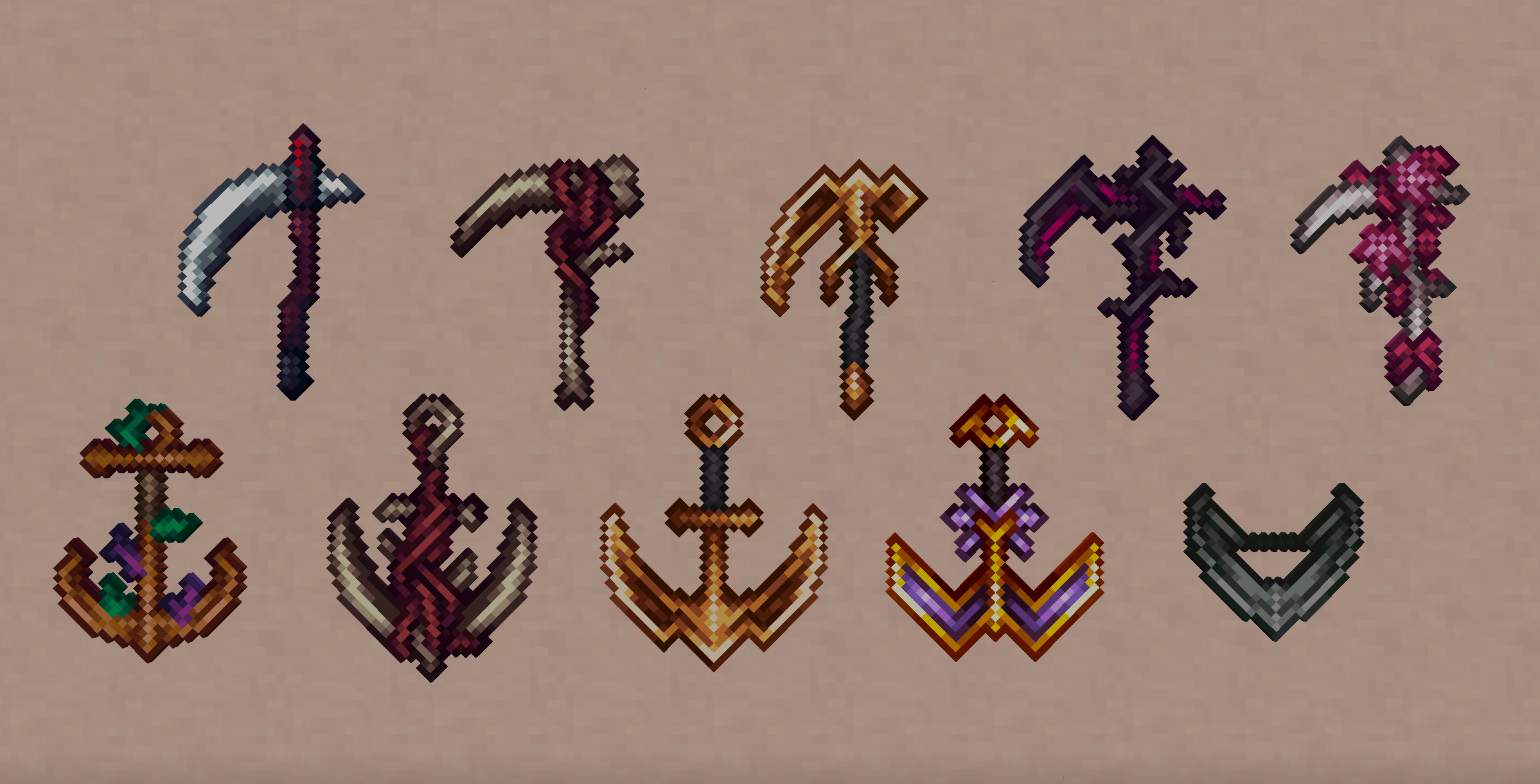
– Scythe
– Reaps in and stuns entities (making them unable to attack for half a second), as well as disable shields, on critical hit
– Can be used as a hoe for mining blocks (Netherite level)
– Comes with custom full swing hit sound effects and sweep particles
– Special enchantments:
– Spewing: Using the Scythe will spew out a blood blade damaging you and transferring half the duration of your potion effects to any entity hit
– Obtained from Vindicators (6.5% chance of one to spawn with it)
– Anchorblade
– Right-click to throw the Anchorblade, can be used to significantly knock back hit entities or entities in the radius of the block hit
– Can be used as a pickaxe for mining blocks (Netherite level) and mines two times faster underwater
– Comes with custom full swing hit sound effects and sweep particles
– Special enchantments:
– Reeling: Using the Anchorblade will no longer knock back entities but instead reel you or the hit entity in like a grapple
– Obtained from Drowned (6.5% of chance one to spawn with it)
### Other Items
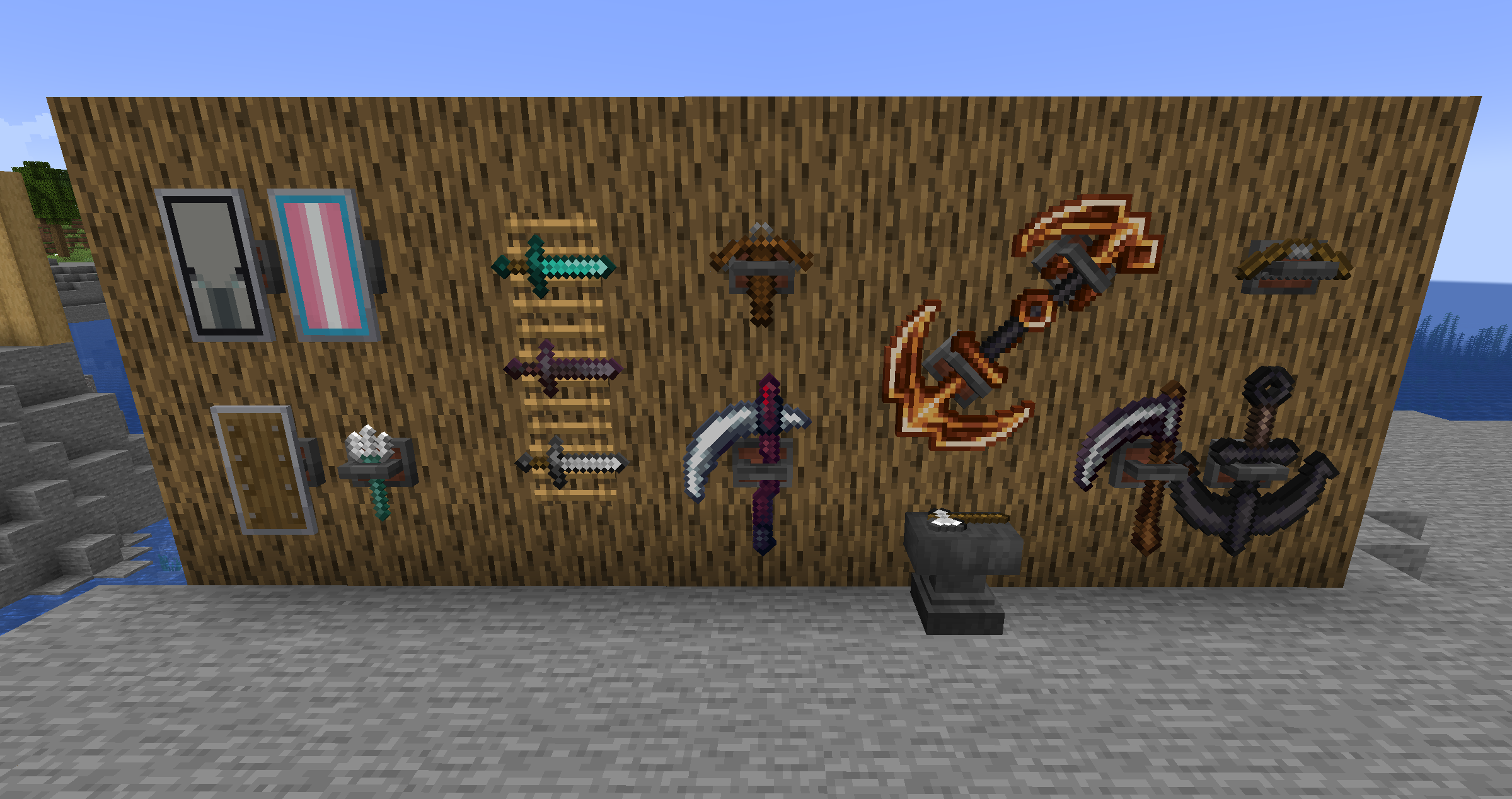
– Weapon racks
– Crafted like an item frame but replacing the two middle sticks with two iron ingots
– Can display weapons, tools and shields at their full size
– When placed:
– Right-click to orient
– Sneak-right-click to make invisible (if a weapon is racked)
– Punch to drop the weapon out of the rack
– Sneak-punch (with no weapon racked) to drop the rack
### Tweaks / Additional Features
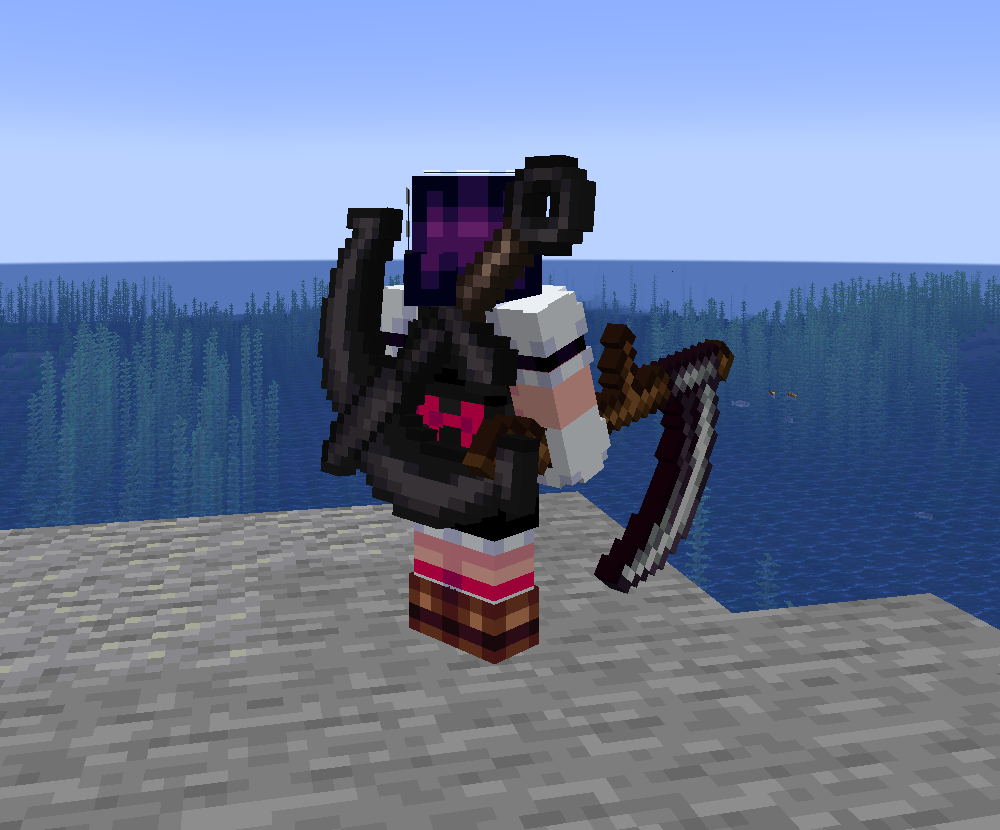
– Back slot
– Can be used to store an item for display on your back and quick access!
– Comes with two keybinds for storing an item in the back slot (by default and unsheathing it without removing it from the slot
– If you have a cape, its visual movement will be limited by the item on your back
– Fire charges can be thrown directly by using them
– Drowned with tridents are guaranteed to drop them, as well as with full durability
### Supporter Bonuses
For Ko-Fi and YouTube members, you get weapon cosmetics:
– Your selected cosmetics are visible to other players.
– Can be changed by sneak-right-clicking an Arsenal weapon on either an anvil or smithing table
– Cosmetics are set per item stack name, not individual item stack, meaning they are synchronized across worlds.
– For example, if you have a Scythe named “Bingle” with a Guilded skin, any Scythe named “Bingle” you pick up or display in any world will have the Guilded skin (and change if you select another skin for it).
– This also means that if you change the skin of a weapon with no name, you will be changing the default skin you are seen with for that weapon, meaning you will not have to visit an anvil / smithing table to get that skin the moment you pick up any unnamed weapon of that type.
– As a result, if you give a skinned weapon to a non-supporter, the cosmetics will not show for them, but will show for you the moment you get it back.
– Each weapon skin comes with its own custom colored hits (as well as chain for the Anchorblades)
### Compatibility
If you want your weapon mod to be compatible and have your items display properly on weapon racks and back slots, Arsenal provides some tags to which you can add them:
– “displayable”: What items can be displayed in a weapon rack. By default, contains the “tools” Vanilla tag and “big_weapons”, “tridents”, “shields” and “ranged_weapons” Arsenal tags.
– “big_weapons”: Weapons that have a 32×32 handheld sprite and therefore should be displayed scaled up. By default, contains the Scythe and Anchorblade.
– “tridents”: Tridents. By default, contains the Minecraft Trident item.
– “shields”: Shields. By default, contains the Minecraft Shield item.
– “ranged_weapons”: Ranged weapons. By default, contains the Minecraft Bow and Crossbow items.
## Gallery
Ars Elixirum



###
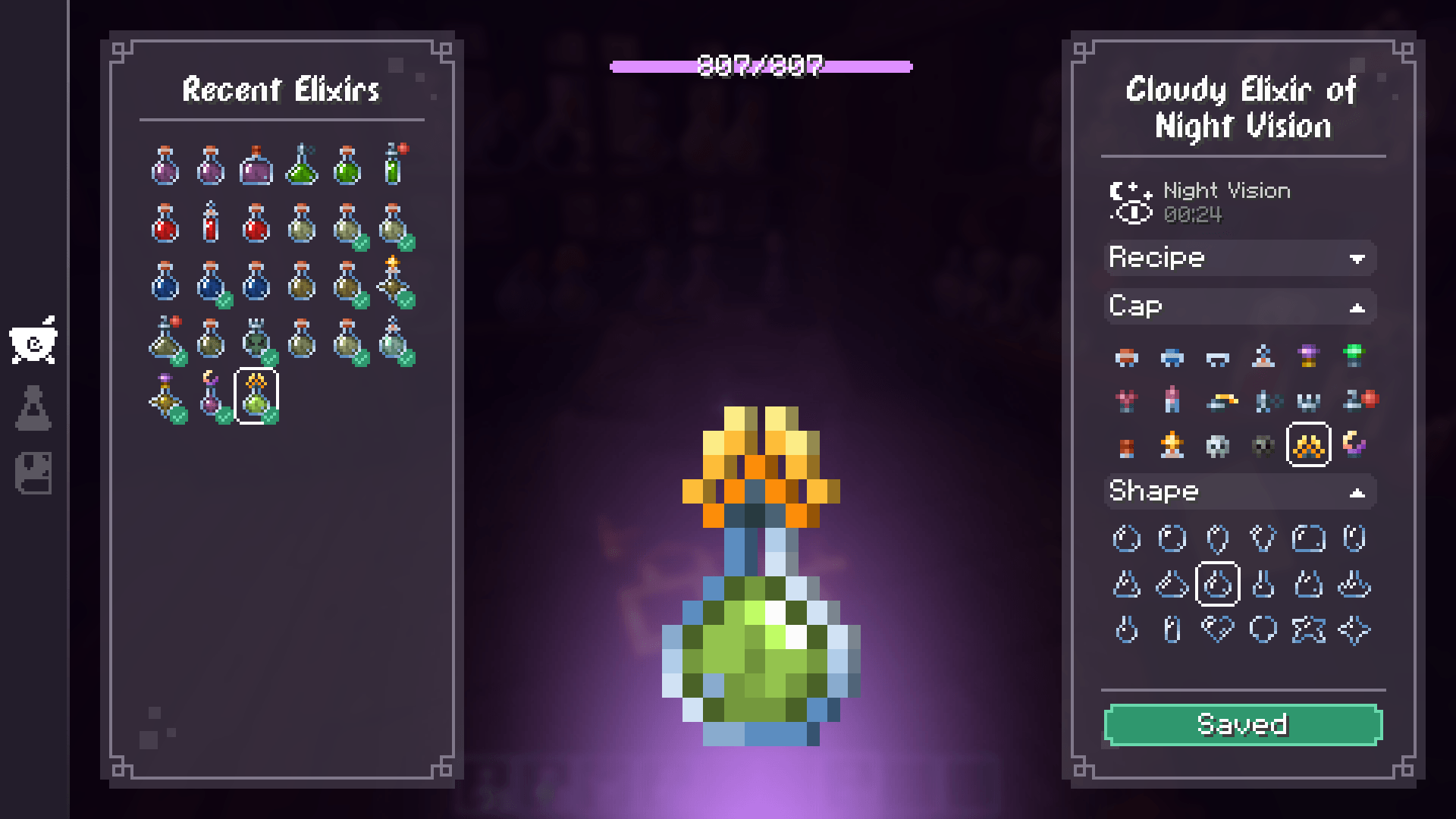
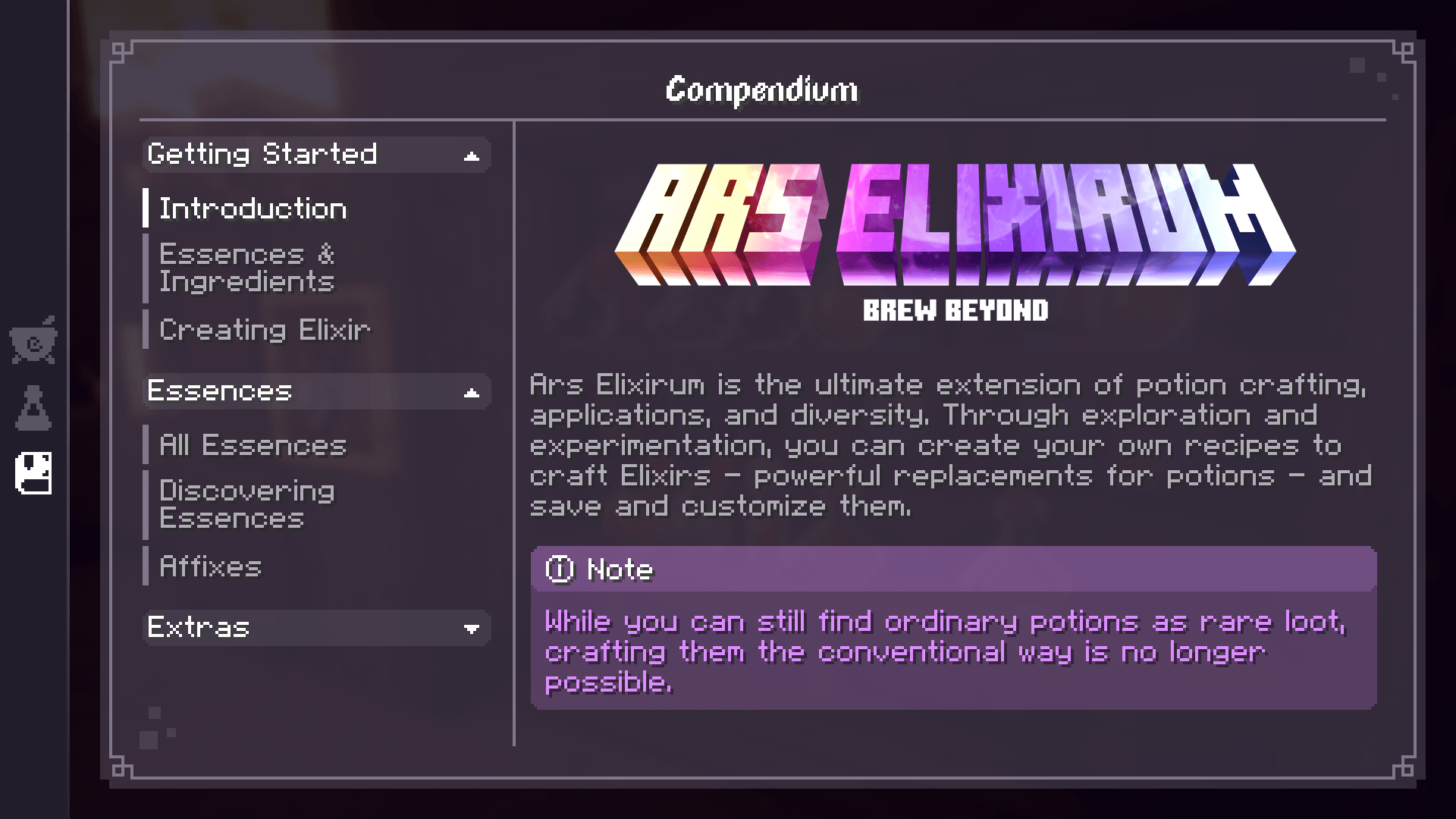
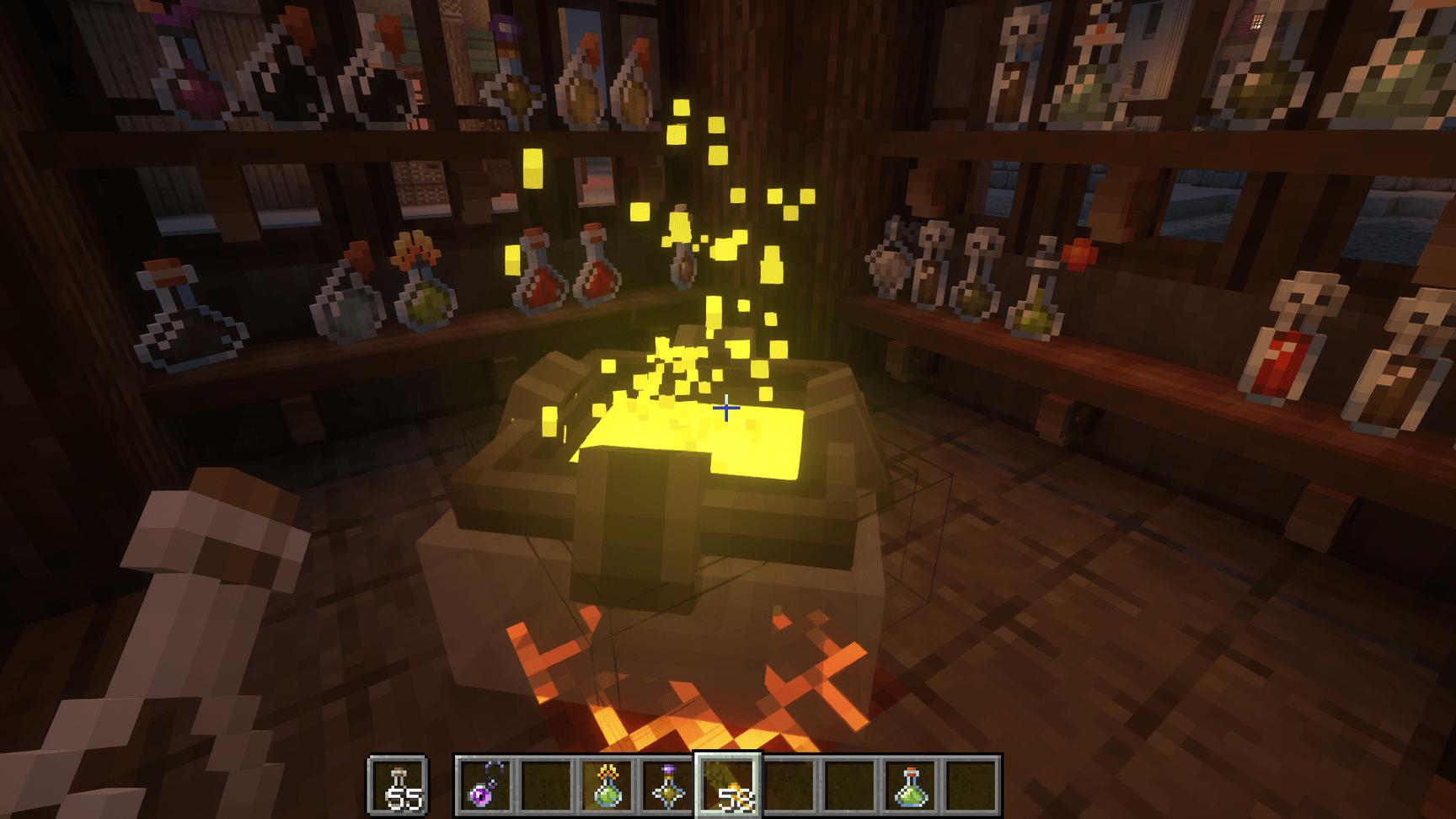
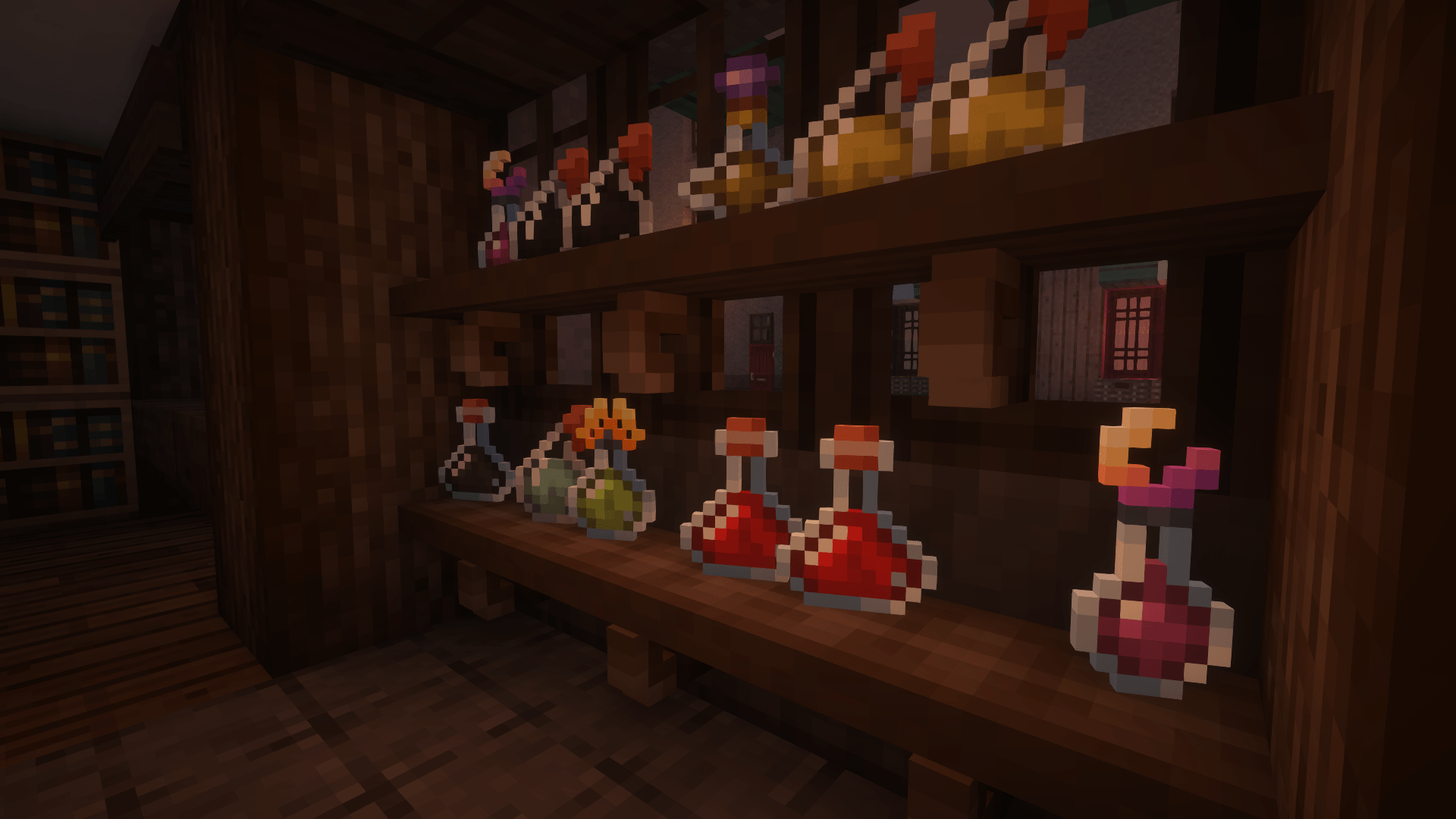
Ars Elixirum is the ultimate extension of potion crafting, applications, and diversity. Through exploration and experimentation, you can create your own recipes to craft Elixirs – powerful replacements for potions – and save and customize them!
#
How to Start?
Simply follow the familiar potion brewing rules you know. The in-game hints and wiki will guide you through the important changes and innovative additions that await!
#
Features for Players
#### No rigid recipes, only boundless creativity:
– Hundreds of unique ingredients await, each possessing distinct alchemical properties. Experiment and combine them to unlock powerful new potions.
– Design your own potion masterpieces: Customize the appearance of your potions with a personal collection of recipes. Every potion you brew using these recipes will automatically reflect your unique style.
– Share your alchemy with the world: Package your favorite concoctions in a recipe book and share them with other players or display them on a lectern.
#### Beyond traditional potion use, delve into a world of alchemy’s potential:
– Event more potion effects to give you a situational advantage or weaken your enemies.
– Infuse food with magical properties. Enhance meals and unlock new culinary experiences.
– Craft Witch Totems of Undying. Harness the power of alchemy to extend your lifespan and defy death.
– Brew potent Aura Potions. Infuse yourself with enchanting effects and leave your mark on the world.
– And even more ways to use potions that you will discover for yourself!
#### Every world, a unique alchemical journey:
– Dynamic ingredient properties. The seed of your world determines the unique properties of each ingredient, making every adventure a fresh and exciting alchemical exploration.
#### Immerse yourself in the world of alchemy:
– Elaborate sound design and atmospheric effects transport you to a realm of bubbling cauldrons and mystical concoctions.
– Debugging commands empower you to explore and experiment, ensuring a smooth and satisfying alchemy experience.
*Not all planned features have been implemented at the moment, since Ars Elixirum was created for the CurseForge Mod Jam and was limited in time.*
#
Features for Mod-Pack Creators
#### Seamless integration with vanilla:
– Designed for Data-Packs: Leverage the familiar and powerful vanilla Data-Pack system for complete and stable customization.
– Full Control: Customize every aspect of Ars Elixirum, from effects generation to ingredients properties. Even manually tweak each ingredient to your liking.
– Mod Compatibility: Integrate Ars Elixirum with any potion effects from other mods. Configure how these effects are generated within your ingredients.
– Global Data Pack Compatibility: Utilize the Global Data Packs mod to ensure your custom settings automatically apply to every world.
*A wiki with guidance on customizing every aspect of the mod will appear here soon!*
#
Obscuria Collection Mods


#
Sponsored by [NameHero](https://nhtrx.com/?a=1494&oc=54&c=209&p=r&s1=)
####
Need your own server to play with friends? NameHero provides amazing hosting services with automatic server setup for any game version and an easy-to-use control panel for advanced customization. Create your own server in 5 minutes without any technical knowledge!

ARRP but it’s Different but it’s Still ARRP
# Advanced Runtime Resource Packs but it’s Different but it’s Still ARRP
ARRP But Different allows developers to dynamically create assets and data at runtime, allowing
developers to not have to pack extreme amounts of resources into mods for things such as dynamic,
mod-dependent, item generation.
### Note
ARRP But Different is a fork of the [ARRP](https://modrinth.com/mod/arrp) mod. This mod has made
changes to the system ARRP used, and also supports the NeoForge mod loader.
## Status
ARRP But Different is still in a beta state. Please report any issues and bugs you find.
### Support
Supports the same generators that the original ARRP mod did, with some small syntax differences.
### Events
Fabric supports all events. NeoForge _only_ supports “BeforeUser” currently.
## FAQ
### Is this compatible with resource packs?
Yes, just like the original ARRP mod, this mod creates “fake” resource packs that are the second to
last in priority. This allows any other resource pack to override the resource packs created through
this mod.
However, this means that Runtime Resource Packs (RRPs) cannot override resources created by other
mods, but can still override Minecraft’s resources.
### Is this compatible with the original ARRP
No, this mod makes changes to the syntax and systems that ARRP used.
## NeoForge Support
This mod also supports NeoForge alongside Fabric, but there is one small piece that does not translate
nicely between the two loaders. The NeoForge version does not support all the entrypoints that the
Fabric version does due to the way mod loading works.
## Using ARRP But Different
For information on how to use ARRP But Different, refer to the [docs](https://arrp-but-different.readthedocs.io/en/latest/).
For resource pack creators looking to add support for generated resources, refer to the [resource
dumping page](https://arrp-but-different.readthedocs.io/en/latest/dumping-resources).
## Special Thanks To:
* [Ueaj Kerman](https://github.com/Ueaj-Kerman) for developing the
[original ARRP mod](https://github.com/Ueaj-Kerman/ARRP).
* [Misode](https://github.com/misode/) & contributors for developing
[datapack generators](https://misode.github.io/).
* The [Minecraft Wiki](https://minecraft.wiki) and its contributors for keeping track of all the
various formats used by data and resource packs.
Arrow Popper
this mod is very simple– it just makes arrows, tridents, and other projectiles that stick in the ground turn into items when they despawn instead of disappearing forever. should work for all versions.
lovely icon made by @mosscairn!
Arrow Ding│箭矢叮
# Function│功能
When an arrow fired from a bow or crossbow hits a mob, both the mob that fired the arrow and the mob that was hit will hear a “Ding” sound. │當一枚由弓或弩發射的箭矢擊中生物,發射箭矢的生物和被擊中的生物會聽到「叮」的聲音。
# Source of inspiration│靈感來源
This datapack was inspired by [ProjectileDing](https://modrinth.com/mod/projectile-ding). However, this datapack has one less bug than that mod: even if the enderman teleports away at the moment before the arrow hits and does not actually hit, a sound will still be made.│該資料包的靈感來自於[ProjectileDing](https://modrinth.com/mod/projectile-ding)。不過這個資料包比那個模組少了一個bug:即便末影人在箭矢擊中的前一刻瞬移走,並沒有真的擊中,也會發出聲音。
# Usage example video│使用示例影片