The **AntiHealthIndicator** plugin prevents hackers and modders from seeing other players’ health. Designed to be
lightweight with minimal server performance impact, it modifies packets directly, making it impossible to bypass. Logic
executes asynchronously to minimize server load. Additional features include hiding durability, enchantments, item stack
amounts, player saturation, absorption, and XP.
### Requires PacketEvents
Ensure the [PacketEvents](https://modrinth.com/plugin/packetevents) library is installed on your server.
| Platform | Supported Versions |
|————————————|——————–|
| Bukkit (Spigot, Paper, Folia etc.) | 1.8.8 – 1.21.11 |
| Velocity | Latest Major |
| BungeeCord (or any forks) | Latest Major |
| Sponge | Latest Major |
## Spoofers
The plugin includes various spoofing features:
– Health (including randomization)
– Air Ticks
– Player Absorption
– Player Saturation
– Player Gamemode
– Player XP
– Item Durability
– Item Enchantments
– Item Stack Amount
## Commands
– `/antihealthindicator` or `/ahi` – Main plugin command.
## Permission Nodes
Operators (OPs) have these permissions by default, except for `AntiHealthIndicator.Bypass`:
– `AntiHealthIndicator.Notify` – Notifies player of updates.
– `AntiHealthIndicator.Bypass` – Prevents receiving spoofed data
– `AntiHealthIndicator.Reload` – Grants access to the `/antihealthindicator reload` command.
– `AntiHealthIndicator.Debug` – Receives debug messages if debugging is enabled.
## Installation
1. **Prerequisites**: Install [PacketEvents](https://modrinth.com/plugin/packetevents).
2. **Download**: Get the latest release from
the [GitHub release page](https://github.com/Bram1903/AntiHealthIndicator/releases/latest).
3. **Installation**: Move the downloaded plugin to your server’s plugins directory.
4. **Configuration**: Customize settings in `config.yml`.
5. **Reload**: Reload the plugin using `/antihealthindicator reload` or restart the server to apply changes.
## Credits
Special thanks to:
– **[@Retrooper](https://github.com/retrooper)**: Author of [PacketEvents](https://github.com/retrooper/packetevents).
– **[@Tofaa](https://github.com/Tofaa2)**: Helped design the project infrastructure and logic. Check out
his [EntityLib](https://github.com/Tofaa2/EntityLib).
– **[@Booky10](https://github.com/booky10)**: Helped with various complex matters.
– **[@Abhigya](https://github.com/AbhigyaKrishna)**: Designed the Gradle Build Chain.
## License
This project is licensed under the [GPL3 License](LICENSE).
AlwaysOnline
**Notice:** This will not keep your **aternos** server always running, this plugin is to help servers keep players connecting whilst minecraft authentication servers are down.
This plugin will NOT help you when you first install it when mojang servers are offline, it must be installed when they are online!
## **Overview**
Hate mojang servers being offline? Same with me. So to resolve this issue, I have created AlwaysOnline. A plugin that keeps your bukkit, spigot, paper **or** bungeecord server online while mojang is offline.
## **How it works**
The plugin is set to a repeating task with a configurable delay, to see if the session servers are offline. If they are, the plugin will go into mojang offline mode. When in this mode, the server will allow players to login if their ip matches from their last authenticated login. If they don’t match, it denies them from logging in. The plugin will also deny new players from joining if the mojang authentication servers are down.
Works with: **Bungeecord, Velocity, Spigot, Paper, Bukkit**
## **Features**
* Stores last authenticated data in a FlatFile type database or MySQL
* UUIDs will **not** be cracked, but instead premium. This means that player UUIDs will always be consistent.
* Doesn’t rely on any third party services
* Compatible with most bukkit, spigot, paper & bungee plugins
* Lightweight and efficient
* No libraries required
* Works with all bungeecord versions
* Works with bukkit, spigot, paper versions
* **/alwaysonline toggle** – Manually toggle between mojang offline mode and back.
* /**alwaysonline enable** – Makes the plugin check to see if the mojang servers are offline.
* /**alwaysonline disable** – Makes the plugin stop checking to see if the mojang servers are offline.
* /**alwaysonline reload** – Reloads the configuration file.
Permission node for all of these commands is **alwaysonline.usage**
## **Permissions**
**alwaysonline.notify** – Players with this permission node will be alerted when the mojang servers go online or offline.
## **Configuration file**
“`
#Welcome to the AlwaysOnline main configuration file!
#The delay to wait between checking to see if mojang is online, in seconds.
check-interval=60
#Message for the MOTD to be when mojang servers are offline. Set to ‘null’ to disable.
message-motd-offline=&eMojang servers are down,n&ebut you can still connect!
#The message to display when a user attempts to login while the mojang servers are offline, but their IP does not match.
message-kick-ip=We can not let you join since you are not on the same computer you logged on before!
#The message to display when a user is new and logs in while mojang servers are offline.
message-kick-new=We can not let you join because the mojang servers are offline!
#The message to display when a user attempts to login with an invalid minecraft username.
message-kick-invalid=Invalid username. Hacking?
#The message to display when mojang servers go offline. Set to null to disable.
message-mojang-offline=&5[&2AlwaysOnline&5]&a Mojang servers are now offline!
#The message to display when mojang servers go back online. Set to null to disable.
message-mojang-online=&5[&2AlwaysOnline&5]&a Mojang servers are now online!
#Below are three session server check methods which can be used to determine if mojang is online or not.
#For example, if http-head-session-server is true AND mojang-server-status is also true, then the plugin will
#only go into mojang offline mode if both services claim the session servers are offline.
#Uses the status information located at https://sessionserver.mojang.com/
http-head-session-server=true
##########################################
# Mysql Database Information
# Only edit if using mysql
##########################################
use_mysql=false
host=127.0.0.1
port=3306
database-name=minecraft
database-username=root
database-password=password
#Please do not change this!
config_version=5
“`
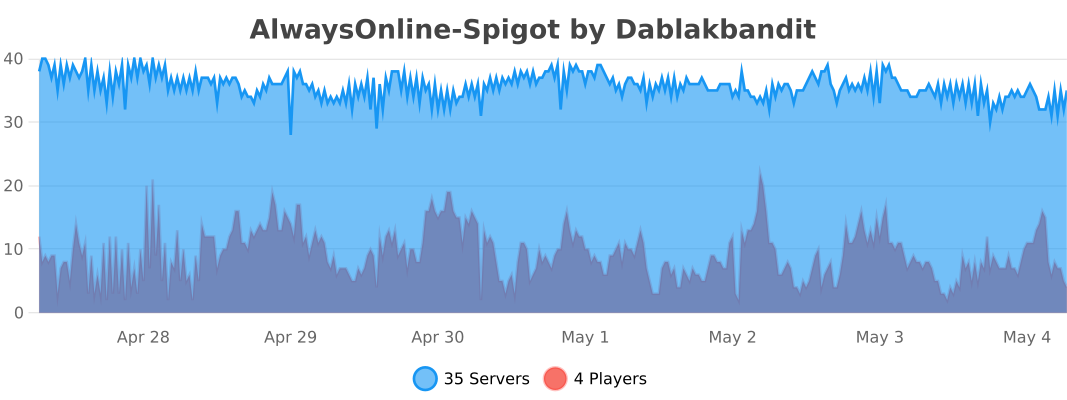
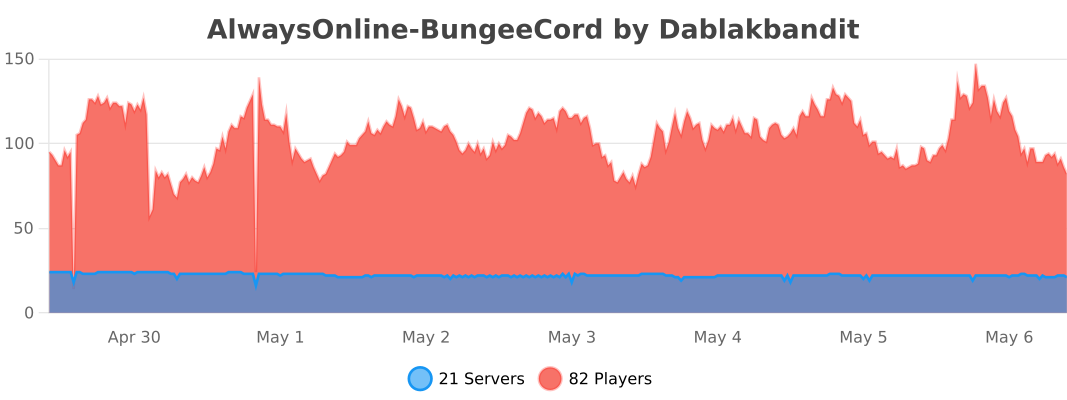
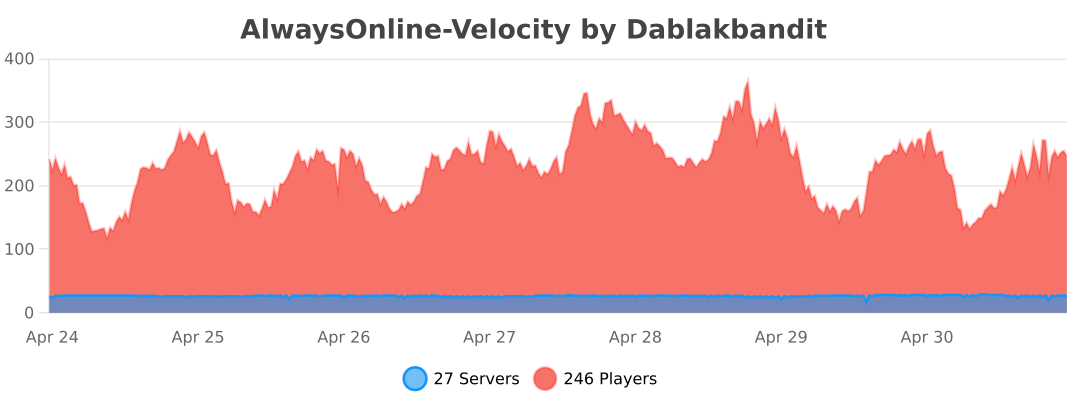
The following information is sent to bstats.org:
* A unique identifier
* The server’s Java version
* Whether the server is on online or offline mode.
* The plugin’s version
* The server’s version
* The OS’ version, name, and architecture
* The core count of the CPU
* The number of players online
* The Metrics version
Opting out of this service can be done by disabling Metrics globally by editing the bStats’s configuration file.
AltAuth
**AltAuth has not been updated to recent Minecraft versions. Since Mojang accounts have become completly unusable I have no need anymore for the modification, although the banned and multiplayer disabled accounts functionality should still work.**
# AltAuth
AltAuth is a solution to allow players with ~~Mojang account~~, (untested) banned accounts and (untested) multiplayer disabled accounts to join online mode Minecraft servers depending on client and server support.
This works by redirecting the session server requests to a proxy specified by the server.
**Trusting the AltAuth proxy session server used by the server is required, as a malicious proxy server can use your Minecraft account for up to 48 (Mojang account) or 24 (Microsoft account) hours on ALL servers.** You can select in-game which AltAuth proxy servers you trust. A server using AltAuth has to trust its selected AltAuth proxy server that it prevents unauthenticated users from joining. More information on setting up an AltAuth proxy and a technical overview can be found on the GitHub page https://github.com/lixfel/AltAuth.
ajQueue
ajQueue is a queue plugin that will prevent players from spam-joining a server, or will queue players when the server is full/restarting
– Bungeecord and Velocity support
– Separate queues for each server
– Priority queue feature
– Per-server priority queue
– Will say the server is restarting, or offline if offline for more than 2 mins (configurable)
– All messages are configurable in messages.yml
– Can replace the /server command
– Actionbar with queue position
– Can be used in guis/npcs (install on spigot too)
– Ability to pause queues (to temporarily not send players)
– Permission to allow players to stay in the queue for a minute after they leave (they will be in the same place in the queue if they rejoin)
– Permission to only allow joining the queue from certain servers
# This plugin requires a bungee/velocity server!
If you try to install it only on spigot, it will do nothing.
– Put jar in the proxy’s plugins folder. – Restart the proxy – Use /move <servername> or /queue <servername> – If you want to replace the /server command, read this – If you want to use the queue command from the spigot side (clicking npcs, clicking items, etc) just install the same jar on spigot
– Give priority queue players the ajqueue.priority permission node.
– (optional) Install the plugin on spigot servers to make queue commands work in server selectors and npcs
If you did not replace the /server command, I recommend you deny players access to the /server command to prevent them from bypassing the queue
/move <server> – Join the queue for <server> /queue <server> – Join the queue for <server> /server <server> – Join the queue for <server> (requires setup)
/leavequeue – Leave any queue you are in. /ajqueue reload – Reloads the configs /ajqueue list – Lists players in queues and shows total player count in queues /ajqueue pause <server> – Pause/unpause the queue for a server /ajqueue <player> <server> – Puts a player in a queue
If you would like to support me, get some extra features (like infinite priority queue levels), and get updates slightly faster, please consider buying the premium versio (Spigot / Polymart) of this plugin. The differences between this version and the premium version are listed on the premium version’s page
If you have any questions, suggestions, or issues with the plugin, please contact me on any of the below methods: Discord Spigot PM Spigot discussion section (Discord is preferred and the quickest way to get a response) Due to spigot blocking my ip address for no reason, I will hardly be on spigot anymore. Please join my discord if you want a quick response.
DO NOT REQUEST SUPPORT THROUGH REVIEWS!
It is much easier (and usually faster) to contact me for support in one of the above areas. Discord is the fastest way to get support because I get instant mobile notifications.

### **Keep your Minecraft server chat clean and safe with advanced AI technology!**
AI Chat Moderation is a powerful plugin that uses artificial intelligence to detect and filter harmful messages in your Minecraft server chat. With customizable detection categories and response actions, you can create a welcoming environment for all players.
_The plugin uses an OPENAI or Mistral AI model, no API key required_
## Features
– Advanced AI Detection: Identifies 12 categories of harmful content including harassment, hate speech, threats, violence, and inappropriate sexual content FOR all languages.
– Customizable Confidence Levels: Fine-tune detection sensitivity for each category
– Flexible Response System: Configure unique responses for different violation types
– Real-time Moderation: Option to check messages before or after they’re sent
– Comprehensive Logging: Track flagged messages in your server console
– Easy Configuration: Simple YAML file with detailed options
## Installation
Just drag and drop the plugin jar into your plugins folder and it is ready !
No need to create an OPENAI key. To not to leave any doubt, message may be cached in my programs for performance purpose only.
## How It Works
The plugin analyzes each chat message using AI technology to determine if it contains harmful content. When potentially harmful content is detected, the plugin can:
– Hide the message from other players
– Send warning messages to the offending player
– Execute custom commands based on the violation type
– Kick or take other administrative actions for severe violations
Give your moderators the tools they need to maintain a positive community without constantly monitoring chat. AI Chat Moderation works silently in the background, allowing you to focus on building and playing while keeping your server safe for everyone.
## Commands
– /acm reload : To reload the plugin
– /acm debug : To see the categories confidence of each message sent. It allows to adjust your categories confidence easily.
## Permissions
– acm.reload : To be able to use /acm reload
– acm.debug : To be able to use /acm debug
– acm.bypass : To bypass the checks (**By default OP bypass**)
_AI Chat Moderation – Smart protection for your Minecraft community_
The configuration file:
“`yaml
# Enable or disable the plugin
enabled: true
# —- NO AI PART —-
# To blacklist some words without using AI
blacklisted-words:
– fuck you
– retarded
# Whether or not the message will be hidden when it contains a blacklisted word
blacklisted-words-hide-message: true
# The commands to run if the message contains a blacklisted word
blacklisted-words-commands:
– “SEND_MESSAGE &6%player% &cUse a correct language.”
# —- AI PART —-
# Choose your provider OPENAI or MISTRAL or DETOXIFY
# + Mistral is better for arabic and Russian languages
# + OpenAI responses are faster
# + Detoxify Very fast, good for IT, FR, RU, PT, ES, TR but not very detection when the insult is splitted / not well written / acronym
providers: [DETOXIFY, OPENAI]
# True: the plugin will log the flagged messages in the console
# False: the plugin will not log the flagged messages in the console
logs-flagged-messages: true
logged-message-format: “Flagged message: Player:[%player%] – Message:[%message%] – Category:[%category%] – Confidence[%confidence%]”
# True: the plugin will check the message before it is sent (the message will be a bit delayed, approximately 0.3s)
# False: the plugin will check the message after it has been sent (the message will not be delayed) but if the message is flagged, the message will not be deleted
check-after-message-has-been-sent: false
# The different harmful categories that the plugin can detect
categories:
# OPENAI
illicit/violent:
# True: the plugin will detect the messages in this category
# False: the plugin will not detect the messages in this category
detection: true
# The actions that the plugin will do when a message is detected in this category
actions:
warn:
# Adjust the confidence level to detect the messages in this category
# When it is higher the plugin will detect only the messages with height intensity of harmfulness
# When it is lower the plugin will detect the messages with low intensity of harmfulness
# From 0.0 to 1.0, 0.85 is a good value
confidence: 0.80
# Whether the plugin will hide the message from the player
hideMessage: true
# The commands that the plugin will execute when a message is detected in this category
# Placeholders: %player%: the player who sent the message
# %player_uuid%: the UUID of the player who sent the message
commands:
– “SEND_MESSAGE &6%player% &cYou are not allowed to use violent language.”
other:
confidence: 0.95
hideMessage: true
commands:
– “kick %player%”
# OPENAI
self-harm/instructions:
detection: true
actions:
warn:
confidence: 0.80
hideMessage: true
commands:
– “SEND_MESSAGE &6%player% &cYou are not allowed to use self-harm instructions.”
# OPENAI
harassment:
detection: true
actions:
warn:
confidence: 0.80
hideMessage: true
commands:
– “SEND_MESSAGE &6%player% &cYou are not allowed to harass other players.”
# OPENAI
violence/graphic:
detection: true
actions:
warn:
confidence: 0.80
hideMessage: true
commands:
– “SEND_MESSAGE &6%player% &cYou are not allowed to use violence.”
# OPENAI
illicit:
detection: true
actions:
warn:
confidence: 0.80
hideMessage: true
commands:
– “SEND_MESSAGE &6%player% &cYou are not allowed to use illicit language.”
# OPENAI
self-harm/intent:
detection: true
actions:
warn:
confidence: 0.80
hideMessage: true
commands:
– “SEND_MESSAGE &6%player% &cYou are not allowed to use self-harm intent.”
# OPENAI
hate/threatening:
detection: true
actions:
warn:
confidence: 0.80
hideMessage: true
commands:
– “SEND_MESSAGE &6%player% &cYou are not allowed to use threatening language.”
# OPENAI
sexual/minors:
detection: true
actions:
warn:
confidence: 0.80
hideMessage: true
commands:
– “SEND_MESSAGE &6%player% &cYou are not allowed to use sexual language.”
# OPENAI
harassment/threatening:
detection: true
actions:
warn:
confidence: 0.80
hideMessage: true
commands:
– “SEND_MESSAGE &6%player% &cYou are not allowed to use threatening language.”
# OPENAI
hate:
detection: true
actions:
warn:
confidence: 0.80
hideMessage: true
commands:
– “SEND_MESSAGE &6%player% &cYou are not allowed to use hate language.”
# OPENAI
self-harm:
detection: true
actions:
warn:
confidence: 0.80
hideMessage: true
commands:
– “SEND_MESSAGE &6%player% &cYou are not allowed to use self-harm language.”
# OPENAI and MISTRAL
sexual:
detection: true
actions:
warn:
confidence: 0.80
hideMessage: true
commands:
– “SEND_MESSAGE &6%player% &cYou are not allowed to use sexual language.”
# OPENAI
violence:
detection: true
actions:
warn:
confidence: 0.80
hideMessage: true
commands:
– “SEND_MESSAGE &6%player% &cYou are not allowed to use violent language.”
# MISTRAL
# Content that expresses prejudice, hostility, or advocates discrimination against individuals or groups based on protected characteristics such as race, ethnicity, religion, gender, sexual orientation, or disability. This includes slurs, dehumanizing language, calls for exclusion or harm targeted at specific groups, and persistent harassment or bullying of individuals based on these characteristics.
hate_and_discrimination:
detection: true
actions:
warn:
confidence: 0.80
hideMessage: true
commands:
– “SEND_MESSAGE &6%player% &cYou are not allowed to use hate language.”
# MISTRAL
# Content that describes, glorifies, incites, or threatens physical violence against individuals or groups. This includes graphic depictions of injury or death, explicit threats of harm, and instructions for carrying out violent acts. This category covers both targeted threats and general promotion or glorification of violence.
violence_and_threats:
detection: true
actions:
warn:
confidence: 0.80
hideMessage: true
commands:
– “SEND_MESSAGE &6%player% &cYou are not allowed to use violent language.”
# MISTRAL
# Content that promotes or provides instructions for illegal activities or extremely hazardous behaviors that pose a significant risk of physical harm, death, or legal consequences. This includes guidance on creating weapons or explosives, encouragement of extreme risk-taking behaviors, and promotion of non-violent crimes such as fraud, theft, or drug trafficking.
dangerous_and_criminal_content:
detection: true
actions:
warn:
confidence: 0.80
hideMessage: true
commands:
– “SEND_MESSAGE &6%player% &cYou are not allowed to use violent language.”
# MISTRAL
# Content that promotes, instructs, plans, or encourages deliberate self-injury, suicide, eating disorders, or other self-destructive behaviors. This includes detailed methods, glorification, statements of intent, dangerous challenges, and related slang terms
selfharm:
detection: true
actions:
warn:
confidence: 0.80
hideMessage: true
commands:
– “SEND_MESSAGE &6%player% &cYou are not allowed to use violent language.”
# MISTRAL
# Content that contains or tries to elicit detailed or tailored medical advice
health:
detection: true
actions:
warn:
confidence: 0.80
hideMessage: true
commands:
– “SEND_MESSAGE &6%player% &cYou are not allowed to use tailored medical language.”
# MISTRAL
# Content that contains or tries to elicit detailed or tailored financial advice.
financial:
detection: true
actions:
warn:
confidence: 0.80
hideMessage: true
commands:
– “SEND_MESSAGE &6%player% &cYou are not allowed to use financial language.”
# MISTRAL
# Content that contains or tries to elicit detailed or tailored legal advice.
law:
detection: true
actions:
warn:
confidence: 0.80
hideMessage: true
commands:
– “SEND_MESSAGE &6%player% &cYou are not allowed to use elicit detailed language.”
# MISTRAL
# Content that requests, shares, or attempts to elicit personal identifying information such as full names, addresses, phone numbers, social security numbers, or financial account details.
pii:
detection: true
actions:
warn:
confidence: 0.80
hideMessage: true
commands:
– “SEND_MESSAGE &6%player% &cYou are not allowed to leak personal information.”
# DETOXIFY
toxicity:
detection: true
actions:
warn:
confidence: 0.80
hideMessage: true
commands:
– “SEND_MESSAGE &6%player% &cYou are not allowed to use toxic language.”
# DETOXIFY
sexual_explicit:
detection: true
actions:
warn:
confidence: 0.80
hideMessage: true
commands:
– “SEND_MESSAGE &6%player% &cYou are not allowed to use sexual explicit language.”
# DETOXIFY
severe_toxicity:
detection: true
actions:
warn:
confidence: 0.80
hideMessage: true
commands:
– “SEND_MESSAGE &6%player% &cYou are not allowed to use severe toxic language.”
# DETOXIFY
obscene:
detection: true
actions:
warn:
confidence: 0.80
hideMessage: true
commands:
– “SEND_MESSAGE &6%player% &cYou are not allowed to use obscene language.”
# DETOXIFY
threat:
detection: true
actions:
warn:
confidence: 0.80
hideMessage: true
commands:
– “SEND_MESSAGE &6%player% &cYou are not allowed to use threat language.”
# DETOXIFY
identity_attack:
detection: true
actions:
warn:
confidence: 0.80
hideMessage: true
commands:
– “SEND_MESSAGE &6%player% &cYou are not allowed to use threat language.”
# DETOXIFY
insult:
detection: true
actions:
warn:
confidence: 0.80
hideMessage: true
commands:
– “SEND_MESSAGE &6%player% &cYou are not allowed to use insult language.”
print-api-errors: false # For debugging purposes, I advice you to set it to false in production
“`
AdvancedServerList
AdvancedServerList
AdvancedServerList is a plugin designed to allow the largest possible customization for your server’s appearance in a Player’s multiplayer screen.
The plugin offers extensive customization including changing the MOTD, player count text, player count hover and favicon of your server. All while also allowing you to create multiple profiles with priorities and conditions to set when a specific profile should be displayed.
## Supported Platforms
## Server List Profiles
A Server List Profile is a single YAML file located in the plugin’s `profiles` folder. It contains settings that allow you to modify the server’s appearance within a Player’s multiplayer screen.
### Priority and Conditions
Each file has a priority and optional condition. The priority is used to determine what file AdvancedServerList should use first – starting from highest number to lowest – with conditions being used to set when the profile should be used.
Once a profile has been found with a condition returning true – which is the default should there be no condition – will AdvancedServerList use said profile.
> *Read more about [Priority](https://asl.andre601.ch/profiles/options/priority) and [Conditions](https://asl.andre601.ch/profiles/options/condition)*
### Placeholders
AdvancedServerList supports two sets of placeholders. The first one being its own placeholders using the `${}` format adobted from BungeeTabListPlus and the second one being placeholders from PlaceholderAPI using its `%_%` placeholder format.
Note that internal placeholders can be used in all text-based options of a profile, while PlaceholderAPI placeholders can be used in all text-based options except the `condition` one.
As a final note can plugins provide their own placeholders to use within AdvancedServerList by using its API.
> *Read more about [Placeholders](https://asl.andre601.ch/profiles/placeholders/)*
### Formatting
AdvancedServerList utilizes the MiniMessage formatting to handle colors and formatting of text. This option was chosen over legacy formatting – using `&` character – for being more clear and readable in its design, not to mention having an easier way for more complex features such as RGB gradients.
> *Read more about [Formatting](https://asl.andre601.ch/profiles/formatting/)*
## Dependencies
AdvancedServerList soft-depends on the following plugins, meaning their inclusion is not required.
The plugin sends statistics to [bStats](https://bstats.org) to show.
You can disable the sending of statistics in the global bStats config located inside `/plugins/bstats/`.
You can find the bStats pages of the plugin for the following platforms:
External libraries can be downloaded by the plugin for various reasons explained below.
You can find these libraries within `/plugins/AdvancedServerList/libs/`. Unless stated otherwise should these libraries not be deleted as they may provide core functionalities for the plugin to use.
These libraries are downloaded by the BungeeCord version of the plugin to provide support for MiniMessage formatting withing BungeeCord chat components.
The YAML version of Configurate is downloaded by the BungeeCord version of the plugin to provide support for its Configuration files.
Additionally can the HOCON version be downloaded should the `/asl migrate MiniMOTD` command be executed.
The HOCON version of Configurate can be removed after a server/proxy restart, as it is only loaded and used during the migration process.
### Transitive Dependencies
Additional dependencies may be downloaded when resolving the previously mentioned ones. Please check the console and the linked projects for further info on these transitive depdenencies.
## Videos
Below can you find a collection of videos made for my plugin. If you made a video and it isn’t shown here, let me know and I’ll add it.
Click to show/hide Videos
english Video by KasaiSora
Spanish Video by Ajneb97
Indonesian Video by faajrikha
German Video by Finni Gamer
## Screenshots
## Support
AdvancedBanZ
***# Please note: This is a fork of the original AdvancedBan or AdvancedBanX plugin. Do not request support in the official AdvancedBan Discord; instead, seek help on the GitHub repository’s issues page.***
### Description
AdvancedBanZ is a fork of AdvancedBanX, which itself is a modernized update of the original AdvancedBan plugin developed by Leoko. It is an all-in-one punishment system supporting warnings (warn), temporary warnings (tempwarn), mutes, temporary mutes (tempmute), bans, temporary bans (tempban), IP bans (ipban), and kicks. The plugin also provides a player history feature to view past punishment records.
The plugin supports configurable time and message templates, automatically calculating and increasing punishment durations based on specific reasons. AdvancedBanZ provides complete message files, allowing you to freely modify and translate all prompts, and includes a detailed main configuration file with numerous practical options.
Currently, AdvancedBanZ supports Bukkit (Spigot/Paper) and BungeeCord platforms, and supports both MySQL and local file storage for data persistence.
### Installation Steps
1. Download the plugin from *[Modrinth](https://modrinth.com/plugin/advancedbanz)*.
2. Place the plugin into your `plugins` folder (applicable for both Bukkit and BungeeCord).
3. Reload or restart your server.
4. Use `/advancedban` to check if the plugin loaded successfully.
5. Configure as needed and start using it.
> **Optional Tip**: If you encounter issues connecting to the database, try adjusting the MySQL version to 5.X.
### Command Reference
View All Commands
Legend:
– `[Required] `: `|` means “or”, `-s` indicates a silent punishment (does not notify others)
– `/kick<-s> [Player] `
Kick a player
– `/ban /mute /warn /note <-s> [Player] `
Ban / Mute / Warn a player, or add a note to them
– `/banip <-s> [Player/IP] `
Ban a player’s IP (if a player name is entered, the cached IP is used)
– `/tempban /tempmute /tempwarn <-s> [Player] [Xmo|Xd|Xh|Xm|Xs|#TimeLayout] `
Issue a temporary punishment with a specified duration or auto-calculated duration based on a time layout
– `/tempipban <-s> [Player/IP] [Xmo|Xd|Xh|Xm|Xs|#TimeLayout] `
Temporarily ban a player’s IP (Alias: `/tipban`)
– `/change-reason [ID] [New Reason]`
Modify the reason based on the punishment ID
– `/change-reason [ban/mute] [Player] [New Reason]`
Modify the reason for a player’s current ban or mute
– `/unban /unmute [Player]`
Unban or unmute a player
– `/unwarn /unnote [ID]`
Remove a warning or note
– `/unwarn /unnote clear [Player]`
Remove all warnings or notes for a player
– `/unpunish [ID]`
Remove any type of punishment record
– `/warns /notes `
View your own or another player’s list of warnings/notes
– `/check [Player]`
Get player status: UUID / IP / Country / Ban Status / Mute Status / Warning Count / Note Count
– `/banlist `
View all currently active punishments
– `/history [Player] `
View a player’s historical punishment records (requires permission `ab.history`)
– `/advancedban reload`
Reload message files and some settings
– `/advancedban help`
Display all commands and their brief descriptions
– `/systemprefs`
Display system information helpful for configuration
### Permission Nodes
All Permissions
“`yaml
ab.kick.use – /kick
ab.kick.exempt – Exempt from being kicked
ab.notify.kick – Receive kick notifications
ab.ban.perma – /ban
ab.ban.temp – /tempban
ab.ban.undo – /unban
ab.ban.exempt – Exempt from being banned
ab.notify.ban – Receive ban notifications
ab.undoNotify.ban – Receive unban notifications
ab.notify.tempban – Receive temporary ban notifications
ab.ipban.perma – /ipban
ab.ipban.temp – /tempipban
ab.notify.ipban – Receive IP ban notifications
ab.tempipban.exempt – Exempt from temporary IP bans
ab.notify.tempipban – Receive temporary IP ban notifications
By default, users can punish others indefinitely as long they have the corresponding permission. You can set maximum punishment durations via `ab.tempban/tempmute/tempwarn.dur.X`.
In the configuration file, there is a section named `TempPerms` that can be used to define the maximum punishment duration for different IDs. For example:
“`yaml
1: 3600
“`
This means a user with the permission `ab.tempban.dur.1` can only ban for a maximum of 3600 seconds (i.e., 1 hour). The unit is seconds. If a user has multiple such permissions, the one with the higher number takes precedence. See `config.yml` for more details.
Hierarchical Exemption Permissions
For servers with large teams and complex hierarchies, you may need finer control over who can punish whom.
To do this, you can assign exemption level permissions to users in the following format:
“`yaml
ab.TYPE.exempt.X
“`
Where:
– `TYPE` can be: ban, tempban, ipban, tempipban, warn, tempwarn, kick, mute, tempmute
– `X` is an integer from 1 to 10 (10 is the highest privilege)
If X is not specified (i.e., just `ab.TYPE.exempt`), it is equivalent to `ab.TYPE.exempt.11`, meaning complete immunity.
> Note: Exemption permissions only take effect when the target player is online (unless using LuckPerms!)
> Users of the same level cannot punish each other.
**Examples**:
– A user with `ab.ban.exempt` cannot be banned by anyone.
– A user with `ab.ban.exempt.4` cannot be banned by a user with `ab.ban.exempt.3`, but can be banned by a user with `ab.ban.exempt.5`.
Additional Notes
If you are using this plugin on BungeeCord, you need to define permissions in BungeeCord’s `config.yml` or manage them via a dedicated BungeeCord permissions plugin.
The BungeeCord permission system does not support the `*` wildcard, so having `ab.*` does not grant access to all commands. To simplify configuration, AdvancedBanZ provides a setting called `EnableAllPermissionNodes`. When enabled, you can use `.all` instead of `.*`. For example, `ab.all` grants permission for all AdvancedBanZ commands. (Note: This feature does not work with negative permissions, e.g., `-ab.all` is invalid.)
### Configuration File Explanation
#### config.yml
The configuration file should be easy to understand, with detailed comments for each option.
config.yml
“`yaml
# AdvancedBan v4 – Original author Leoko, updated and maintained by 2vY (hlpdev) and Author87668
# Each setting has a brief description; please read carefully before modifying.
# For more information, visit: https://www.spigotmc.org/resources/advancedban.8695/
# Set to false to save all ban records in a local SQLite database
UseMySQL: false
# Whether to show only brief logs on plugin enable/disable
DetailedEnableMessage: true
DetailedDisableMessage: true
# Whether to prevent players from joining the server when a database connection error occurs (e.g., MySQL downtime)
LockdownOnError: true
# Default punishment reason (used when none is specified)
# Supports standard color codes or MiniMessage format (https://docs.advntr.dev/minimessage/format.html)
DefaultReason: “No reason provided.”
# If the server time differs from your time zone, adjust the offset here
# Example: Server time 16:43, your time 13:43, then set to -3
# You can view server time via /systemPrefs
TimeDiff: 0
# These players cannot be punished in any way (effective even when offline)
# Recommended to use with the Vault plugin to ensure offline exemptions work correctly
ExemptPlayers:
– ‘Leoko’
– ‘md5’
– ‘dutchy1001’
– ‘ItzSomebody’
# Date format for the %DATE% variable
DateFormat: “MM/dd/yyyy HH:mm”
# Whether to enable the .all permission node (for permission systems that do not support *, such as BungeeCord)
# When enabled, ab.all can be used instead of ab.*
# Note: Negative permissions (e.g., -ab.all) are invalid
EnableAllPermissionNodes: false
# Actions triggered when warnings reach specified counts
# Supports variables: %PLAYER% %REASON% %COUNT%
# Supports MiniMessage format
WarnActions:
3: “kick %PLAYER% &c&oYou have received your 3rd warning!”
4: “tempban %PLAYER% 30m &c&oYou have received your 4th warning!”
5: “tempban %PLAYER% 5h &c&oYou have received your 5th warning!”
6: “tempban %PLAYER% 7d &c&oYou have received your 6th warning!”
7: “tempban %PLAYER% 1mo &c&oYou have received your %COUNT%th warning!”
10: “ban %PLAYER% &c&oYou have received your 10th warning!”
# Whether to enable debug mode (outputs more logs, useful for troubleshooting)
Debug: false
# Number of days to retain plugin logs (located in plugins/AdvancedBan/logs)
Log Purge Days: 10
# Whether to disable the plugin prefix in all messages
Disable Prefix: false
# Whether to register commands in a friendlier way (Bukkit only)
# Disabled by default to allow overriding /ban and other commands from other plugins
Friendly Register Commands: false
“`
#### messages.yml
Contains all user-facing prompt text, supporting standard color codes and **MiniMessage** format.
messages.yml (excerpt of key structure, full content omitted)
All messages are customizable and support variables such as `%NAME%`, `%OPERATOR%`, `%REASON%`, `%DURATION%`, etc.
#### layouts.yml
Used to define preset **message templates** and **time increment templates**.
layouts.yml
“`yaml
# Message Templates: Can be called via @TemplateName
Message:
ExampleLayout:
– ‘%PREFIX% &7Banned for cheating’
– ‘&c&oExecuted by %OPERATOR%’
– ‘&7’
– “&cDetected use of”
– “&cillegal client, please stop immediately!”
– “&cUnban time &8» &7%DURATION%”
– ‘&7’
– ‘&8Please apply for unban via TS or Forum’
– “&eTS Address &8» &c&nComing Soon”
– “&eForum Address &8» &c&nComing Soon”
# Time Templates: Can be called via #TemplateName, duration increases automatically with each punishment
Time:
ExampleLayout:
– ’30m’ # 1st time
– ‘2h’ # 2nd time
– ‘1d’ # 3rd time
– ‘1w’
– ‘1mo’
– ‘2mo’
– ‘4mo’
– ‘perma’ # Permanent
“`
– All-in-one system for bans, kicks, mutes, and warnings
– High-performance performance
– Supports both BungeeCord and Bukkit/Spigot/Paper
– Player punishment history
– Advanced UUID support (built-in/external fetchers + backup API)
– Supports MySQL or local SQLite storage
– Fully customizable messages and behaviors
– Multi-line ban/kick messages
– Preset reason templates
– Automatic punishment duration escalation (1st time 1 hour, 2nd time 6 hours…)
– Custom time zone offset
– Automatic warning linkage actions (e.g., auto-kick after 3 warnings)
– `/check` command to query UUID, IP, country, ban/mute/warning status
– Full support for **MiniMessage** formatting syntax
### Technical Support
If you encounter issues, please check the console error logs first. If the problem persists, please submit an issue on our [GitHub Issues page](https://github.com/At87668/AdvancedBanZ/issues/new).
### Statistics
This plugin uses **bStats** to anonymously collect server information (such as player count, server version, etc.).
_**PLEASE KEEP IN MIND THAT THIS IS A FORK OF THE ORIGINAL ADVANCED BAN PLUGIN, DO NOT REQUEST SUPPORT IN THE ADVANCED BAN DISCORD, INSTEAD PLEASE GET SUPPORT ON THE GITHUB REPOSITORY ISSUES PAGE**_

AdvancedBanX is an updated and modernized version of the original AdvancedBan plugin made by Leoko. It is an All-In-One punishment system with warns, tempwarns, mutes, tempmutes, bans, tempbans, ipbans, and kicks. There is also player history to view players’ past punishments. The plugin has configurable time & message layouts which automatically calculate and increase punishment times for certain reasons. AdvancedBanX provides a full message file so you can change and translate all messages. There is also a detailed main configuration file with a lot of useful options. At the moment, AdvancedBanX supports Bukkit (Spigot/Paper) and Bungeecord. It also supports MySQL and Local File saving as it’s storage platform.

1. Download the plugin from _[GitHub releases](https://github.com/hlpdev/AdvancedBanX/releases/latest)_.
2. Place the plugin in your plugins folder (Same for Bukkit & Bungeecord).
3. Reload / Restart your server.
4. Check with /advancedban if the plugin has loaded successfully.
5. Configure it to your liking and enjoy.
_Optionally, if there is an issue connecting to a database, please adjust the version of MySql to 5.X_

See all commands
[NEEDED]
| = or
-s = Silent punishemnt (no notification to others)
/kick<-s> [PLAYER]
Kick a player
/ban /mute /warn /note <-s> [PLAYER]
Ban/Mute/Warn a player / Add a note to a player
/banip <-s> [PLAYER/IP]
Ban a player’s IP. If you enter a name it will use the cached IP
/tempban /tempmute /tempwarn <-s> [PLAYER] [Xmo|Xd|Xh|Xm|Xs|#TIMELAYOUT]
Tempban/mute/warn a player for a given time or with a time-layout for automatic-time-calcualtion
/tempipban <-s> [PLAYER/IP] [Xmo|Xd|Xh|Xm|Xs|#TIMELAYOUT]
Temippban a player for a given time or with a time-layout for automatic-time-calcualtion
Alias: /tipban
/change-reason [ID] [New reason]
Change the reason for a punishment by id
/change-reason [ban/mute] [PLAYER] [New reason]
Change the reason for a players punishment
/unban /unmute [PLAYER]
Unban/mute a player
/unwarn /unnote [ID]
Delete a warn/note
/unwarn /unnote clear [PLAYER]
Delete all warnings/notes for a player
/unpunish [ID]
Delete a punishment
/warns /notes
See your own or a player’s warnings/notes.
/check [PLAYER]
Get player-status: UUID/IP/Country/Ban-Status/Mute-Status/Warn-Count/Note-Count
/banlist
See all currently active punishments
/history [PLAYER]
See all currently active punishments
To use the command – ab.history
/advancedban reload
Reloads the messages from file and “some” settings
/advancedban help
Shows a list of all commands and a brief explanation
/systemprefs
Displays some System-Information which are useful for the configuration
By default, the user will be able to punish an infinite amount of time if he has the perms to use the command.
You can set the max-punishment-time with ab.tempban/tempmute/tempwarn.dur.X
In the config, there is a section called “TempPerms”.
There you can configure how long which ID will be able to punish
for example, you set
1: 3600
the player with the perms ab.tempban.dur.1 will only be able to ban 3600s -> 1h
The amount is entered in SEC and if a player has more than one perms the higher numbers override.
There is a second explanation in the config.yml.
Layered exempt permissions
Servers with a large team and a complex hierarchy might need a more advanced approach to who can ban who:
To achieve that, you can assign exempt levels per permissions to users with
“`
ab.TYPE.exempt.X
“`
**TEMP** = ban, tempban, ipban, tempipban, warn, tempwarn, kick, mute, tempmute
**X** = 1 – 10 (10 being the most powerful)
If you do not provide x, the following is what the permission is interpreted as:
“`
ab.TYPE.exempt = ab.TYPE.exempt.11
“`
Note that exempt permissions only work when the targeted user is online (unless using LuckPerms!)
(Users on the same level cannot punish each other)
Example:
Users with ab.ban.exempt cannot be banned by anyone.
Users with ab.ban.exempt.4 cannot be banned by someone with ab.ban.exempt.3 but can be banned by someone with ab.ban.exempt.5
Spoiler
If you use this plugin on bungeecord you need to define the permissions in the config.yml of the Bungeecord Server or through a spcial bBungeecord Permission Plugin.
The problem with bungeecord permissions is that there are not *-Perms so a user with ab.* won’t have access to all commands. But to simplify the setup there is a setting in the advacnedban config called “EnableAllPermissionNodes” which allows you to use a .all instead of a .* so if enabled a user with ab.all will have access to all AdvancedBan commands. (There is another explanation in the config)

Config.yml:
The config.yml should be self explanatory, but explanations are provided for each option.
config.yml
“`
# AdvancedBan v3 – Coded by Leoko, Update & Maintained by 2vY (hlpdev)
# For each setting, there is a small description.
# Please read each description carefully before changing anything.
# For more information visit: https://www.spigotmc.org/resources/advancedban.8695/
# If set to false all bans will be saved locally in a HSQLDB-Database
UseMySQL: false
# Set to false if you want to have only short messages in the console
# On startup and on the shutdown.
DetailedEnableMessage: true
DetailedDisableMessage: true
# Whether to disallow connections to the server when there is an error
# with the database. (e.g.: if your MySQL Server goes down)
LockdownOnError: true
# This will be the default reason to be displayed if none is given
# !! You may use normal color codes or MiniMessage formatting (https://docs.advntr.dev/minimessage/format.html)
DefaultReason: “No reason provided.”
# Change this if your server has a different time that your users.
# e.g.: ServerTime: 16:43 | Your Time: 13:43 | TimeDiff has to be set to -3
# You can check the server time with /systemPrefs
TimeDiff: 0
# This commands will be disabled for muted players
# A player wouldn’t be able to bypass with eg “/minecraft:me”
MuteCommands:
– ‘me’
– ‘say’
– ‘action’
– ‘eaction’
– ‘describe’
– ‘edescribe’
– ’eme’
– ‘w’
– ‘m’
– ‘pm’
– ‘whisper’
– ‘ewhisper’
– ’emsg’
– ‘msg’
– ‘etell’
– ‘tell’
– ‘er’
– ‘r’
– ‘reply’
– ‘ereply’
– ‘ac’
– ‘eac’
– ‘amsg’
– ‘eamsg’
– ‘ehelpop’
– ‘p msg’
# These players will not be able to get punished in any way
# this also works if the player is offline
# Use Vault to make exempt permissions also work for offline players
ExemptPlayers:
– ‘Leoko’
– ‘md5’
– ‘dutchy1001’
– ‘ItzSomebody’
# The date-format which will be used for the %DATE% variable
DateFormat: “MM/dd/yyyy HH:mm”
# This is useful for bungeecord servers or server with permission systems which do not support *-Perms
# So if you enable this you can use ab.all instead of ab.* or ab.ban.all instead of ab.ban.*
# This does not work with negative permissions! e.g. -ab.all would not block all commands for that user.
EnableAllPermissionNodes: false
# If you use external REST-APIs they will have to respond in JSON
# The given APIs will only be used for NAME -> UUID
# For UUID -> NAME will either use the official MojangAPI or the InternFetcher
# To check if you can use the intern fetcher do /systemPerfs and compare your uuid
# to the one you can see online on http://NamesMC.com
# if they are similar we recommend using the InternFetcher
UUID-Fetcher:
# If dynamic it set to true it will override the ‘enabled’ and ‘intern’ settings
# and automatically detect the best possible uuid fetcher settings for your server.
# Our recommendation: don’t set dynamic to false if you don’t have any problems.
Dynamic: true
Enabled: true
Intern: false
REST-API:
URL: “https://api.mojang.com/users/profiles/minecraft/%NAME%?at=%TIMESTAMP%”
Key: “id”
BackUp-API:
URL: “https://api.minetools.eu/uuid/%NAME%”
Key: “id”
# These are the commands that will be performed on warns
# If you skip a number the command from before will be performed
# You can also use non-AdvancedBan-Commands like ‘broadcast’ or ‘clear %PLAYER%
# Variables: %PLAYER%, %REASON%, %COUNT%
# !! You may use normal color codes or MiniMessage formatting (https://docs.advntr.dev/minimessage/format.html)
WarnActions:
3: “kick %PLAYER% &c&oYou have received your 3rd warning!”
4: “tempban %PLAYER% 30m &c&oYou have received your 4th warning!”
5: “tempban %PLAYER% 5h &c&oYou have received your 5th warning!”
6: “tempban %PLAYER% 7d &c&oYou have received your 6th warning!”
7: “tempban %PLAYER% 1mo &c&oYou have received your %COUNT%th warning!”
10: “ban %PLAYER% &c&oYou have received your 10th warning!”
# Here you can create permission-nodes for max-punishment-duration.
# The permission “ab.tempban.dur.1” would allow the player to ban max. for 600sec = 10min
# The permission “ab.tempwarn.dur.2” would allow the player to warn max. for 3600sec = 1h
# You can only create up to 10 perms. The perms can be overridden with “ab.COMMAND.dur.max”
TempPerms:
1: 600
2: 3600
3: 43200
# With this active will show more information in the console, such as errors, if
# the plugin works correctly is not recommended to activate it since it is
# designed to find bugs.
Debug: false
# This is the amount of days that we should keep plugin logs in the plugins/AdvancedBan/logs folder.
# By default is set to 10 days.
Log Purge Days: 10
# Removes the prefix of the plugin in every message.
Disable Prefix: false
# Register commands in a more friendly manner
# Off by default, so AdvancedBan can override /ban from other plugins
# This is a Bukkit-specific option. It has no meaning on BungeeCord
Friendly Register Commands: false
“`
Messages.yml:
The messages.yml file contains all the strings that are presented to the end user. All strings can be changed. All regular color codes can be used, but [MiniMessage formatting](https://docs.advntr.dev/minimessage/format.html) is preferred.
messages.yml
“`
# AdvancedBan v3 – Coded by Leoko, Update & Maintained by 2vY (hlpdev)
# Normal Color Codes along with MiniMessage (https://docs.advntr.dev/minimessage/format.html) are available in all strings
General:
Prefix: “AdvancedBanX»”
NoPerms: “You don’t have perms for that!”
LayoutNotFound: “There is no layout called %NAME%”
# This will be the replacement for the %DURATION% variable
TimeLayoutD: “%D%day(s) %H%h %M%min and %S%sec”
TimeLayoutH: “%H%hour(s) %M%min and %S%sec”
TimeLayoutM: “%M%min and %S%sec”
TimeLayoutS: “%S% seconds”
FailedFetch: “Could not fetch the UUID of %NAME%! See console for details.”
Ban:
Usage: “Usage»/ban (-s) [Name] [Reason/@Layout]”
Done: “%NAME%was successfully banned!”
AlreadyDone: “%NAME%has already been banned!”
Exempt: “You are not able to ban %NAME%”
Layout:
– ‘%PREFIX% Permanently banned‘
– ”
– ”
– “Reason »%REASON%”
– ”
– ‘Unban application in TS or forum‘
– “TS-Ip »coming soon”
– “Forum »coming soon”
Notification:
– “%NAME%got banned by%OPERATOR%”
– “For the reason %REASON%”
UndoNotification: “%OPERATOR%unbanned%NAME%”
Ipban:
Usage: “Usage»/banip (-s) [Name/IP] [Reason/@Layout]”
Layout:
– ‘%PREFIX% Permanently banned‘
– ”
– ”
– “Reason »%REASON%”
– ”
– ‘Unban application in TS or forum‘
– “TS-Ip »coming soon”
– “Forum »coming soon”
Notification:
– “%NAME%got banned by%OPERATOR%”
– “For the reason %REASON%”
IpNotCashed: “There is no saved IP for %NAME%!”
Tempban:
Usage: “Usage»/tempban (-s) [Name] [Xmo/Xd/Xh/Xm/Xs/#TimeLayout] [Reason/@Layout]”
MaxDuration: “You are not able to ban more than %MAX%sec”
Layout:
– ‘%PREFIX% Temporarily banned‘
– ”
– ”
– “Reason »%REASON%”
– “Duration »%DURATION%”
– ”
– ‘Unban application in TS or forum‘
– “TS-Ip »coming soon”
– “Forum »coming soon”
Notification:
– “%NAME%got banned by%OPERATOR%”
– “For the reason %REASON%”
– “This player got banned for DURATION%”
Tempipban:
Usage: “Usage»/tempipban (-s) [Name/IP] [Xmo/Xd/Xh/Xm/Xs/#TimeLayout] [Reason/@Layout]”
MaxDuration: “You are not able to ban more than %MAX%sec”
Layout:
– ‘%PREFIX% Temporarily banned‘
– ”
– ”
– “Reason »%REASON%”
– “Duration »%DURATION%”
– ”
– ‘Unban application in TS or forum‘
– “TS-Ip »coming soon”
– “Forum »coming soon”
Notification:
– “%NAME%got banned by%OPERATOR%”
– “For the reason %REASON%”
– “This player got banned for DURATION%”
Mute:
Usage: “Usage»/mute (-s) [Name] [Reason/@Layout]”
Done: “%NAME%was successfully muted!”
AlreadyDone: “%NAME%has already been muted!”
Exempt: “You are not able to mute %NAME%”
Layout:
– ‘%PREFIX% You are permanently muted‘
– “Reason »%REASON%”
Notification:
– “%NAME%got muted by%OPERATOR%”
– “For the reason %REASON%”
UndoNotification: “%OPERATOR%unmuted%NAME%”
Tempmute:
Usage: “Usage»/tempmute (-s) [Name] [Xmo/Xd/Xh/Xm/Xs/#TimeLayout] [Reason/@Layout]”
MaxDuration: “You are not able to mute more than %MAX%sec”
Layout:
– ‘%PREFIX% You are muted for %DURATION%‘
– “Reason »%REASON%”
Notification:
– “%NAME%got muted by%OPERATOR%”
– “For the reason %REASON%”
– “This player got muted for %DURATION%”
Warn:
Usage: “Usage»/warn (-s) [Name] [Reason/@Layout]”
Done: “%NAME%was successfully warned!”
Exempt: “You are not able to warn%NAME%”
Layout:
– ‘%PREFIX% You received a warning‘
– “Reason»%REASON%”
– ‘You have now %COUNT% warning(s) in total!‘
Notification:
– “%NAME%got warned by%OPERATOR%”
– “For the reason %REASON%”
Note:
Usage: “Usage»/note (-s) [Name] [Reason]”
Done: “%NAME%was successfully noted!”
Exempt: “You are not able to note%NAME%”
Notification:
– “%NAME%got noted by%OPERATOR%”
– “For the reason%REASON%”
Tempwarn:
Usage: “Usage»/tempwarn (-s) [Name] [Xmo/Xd/Xh/Xm/Xs/#TimeLayout] [Reason/@Layout]”
MaxDuration: “You are not able to warn more than %MAX%sec”
Layout:
– ‘%PREFIX% You received a temp-warning‘
– “Reason»%REASON%”
– “It will pass in»%DURATION%”
– ‘You have now %COUNT% warning(s) in total!‘
Notification:
– “%NAME%got temp-warned by%OPERATOR%”
– “For the reason %REASON%”
– “This warning will pass in %DURATION%”
Kick:
Usage: “Usage»/kick (-s) [Name] [Reason/@Layout]”
Done: “%NAME%was successfully kicked!”
NotOnline: “%NAME%is not online!”
Exempt: “You are not able to kick%NAME%”
Layout:
– ‘%PREFIX% You got kicked‘
– ”
– “Reason»%REASON%”
– ”
Notification:
– “%NAME%got kicked by%OPERATOR%”
– “For the reason %REASON%”
UnBan:
Usage: “Usage»/unban [Name/IP]”
NotPunished: “%NAME% is not banned!”
Done: “%NAME%was successfully unbanned!”
Notification: “%OPERATOR%unbanned%NAME%”
UnMute:
Usage: “Usage»/unmute [Name]”
NotPunished: “%NAME% is not muted!”
Done: “%NAME%was successfully unmuted!”
Notification: “%OPERATOR%unmuted%NAME%”
UnWarn:
Usage: “Usage»/unwarn [ID] or /unwarn clear [Name]”
NotFound: “Could not find warning #%ID%”
Done: “Warn #%ID% was successfully deleted!”
Notification: “%OPERATOR%unwarned%NAME%”
Clear:
Empty: “%NAME%has no warnings!”
Done: “Cleared %COUNT% warnings”
UnNote:
Usage: “Usage»/unnote [ID] or /unnote clear [Name]”
NotFound: “Could not find note #%ID%”
Done: “Note #%ID% was successfully deleted!”
Notification: “%OPERATOR%unnoted%NAME%”
Clear:
Empty: “%NAME%has no notes!”
Done: “Cleared %COUNT% notes”
UnPunish:
Usage: “Usage»/unpunish [ID]”
NotFound: “Could not find punishment #%ID%”
Done: “Punishment #%ID% was successfully deleted!”
Banlist:
Usage: “Usage»/banlist (Page)”
OutOfIndex: “There is no page %PAGE%!”
NoEntries: “There are no entries”
Header:
– “%PREFIX% Banlist:”
– “Player/IP|Duration|Banned by”
– “Type>Reason”
– “&7”
Entry:
– “[%DATE%]”
– “%NAME%|%DURATION%|%OPERATOR%”
– “%TYPE%|%REASON%”
– “”
Footer: “Page %CURRENT_PAGE% of %TOTAL_PAGES%| Listed bans: %COUNT%”
PageFooter: “Use /banlist %NEXT_PAGE% to see the next page”
History:
Usage: “Usage»/history [Name/IP] (Page)”
OutOfIndex: “There is no page %PAGE%!”
NoEntries: “Could not find the history of %NAME%”
Header:
– “%PREFIX% History for %NAME%:”
– “Name|Duration|Operator”
– “Type>Reason”
– “”
Entry:
– “[%DATE%]”
– “%NAME%|%DURATION%|%OPERATOR%”
– “%TYPE%|%REASON%”
– “”
Footer: “Page %CURRENT_PAGE% of %TOTAL_PAGES%| Total entries: %COUNT%”
PageFooter: “Use /history %NAME% %NEXT_PAGE% to see the next page”
Warns:
Usage: “Usage»/warns [Name] (Page) or /warns (Page)”
OutOfIndex: “There is no page %PAGE%!”
NoEntries: “%NAME% has no warnings yet”
Header:
– “%PREFIX% Warnings for %NAME%:”
– “Name|Duration|Operator”
– “#ID>Reason”
– “”
Entry:
– “[%DATE%]”
– “%NAME%|%DURATION%|%OPERATOR%”
– “#%ID%>%REASON%”
– “”
Footer: “Page %CURRENT_PAGE% of %TOTAL_PAGES%| Active warnings: %COUNT%”
PageFooter: “Use /warns %NAME% %NEXT_PAGE% to see the next page”
WarnsOwn:
OutOfIndex: “There is no page %PAGE%!”
NoEntries: “You has no warnings yet”
Header:
– “%PREFIX% Your warnings:”
– “Duration|Warned by”
– “#ID>Reason”
– “”
Entry:
– “[%DATE%]”
– “%NAME%|%DURATION%|%OPERATOR%”
– “#%ID%>%REASON%”
– “”
Footer: “Page %CURRENT_PAGE% of %TOTAL_PAGES%| Active warnings: %COUNT%”
PageFooter: “Use /warns %NEXT_PAGE% to see the next page”
Notes:
Usage: “Usage»/notes [Name] (Page) or /notes (Page)”
OutOfIndex: “There is no page %PAGE%!”
NoEntries: “%NAME% has no notes yet”
Header:
– “”
– “%PREFIX% Notes for %NAME%:”
– “”
Entry:
– “%DATE% | By %OPERATOR% (#%ID%)”
– “>%REASON%”
– “”
Footer: “Page %CURRENT_PAGE% of %TOTAL_PAGES%| Notes: %COUNT%”
PageFooter: “Use /notes %NAME% %NEXT_PAGE% to see the next page”
NotesOwn:
OutOfIndex: “There is no page %PAGE%!”
NoEntries: “You has no notes yet”
Header:
– “”
– “%PREFIX% Your notes:”
– “”
Entry:
– “%DATE% | By %OPERATOR% (#%ID%)”
– “>%REASON%”
– “”
Footer: “Page %CURRENT_PAGE% of %TOTAL_PAGES%| Notes: %COUNT%”
PageFooter: “Use /notes %NEXT_PAGE% to see the next page”
ChangeReason:
Usage: “Usage»/change-reason [ID or ban/mute USER] [New reason]”
Done: “Punishment #%ID% has successfully been updated!”
NotFound: “Sorry we have not been able to find this punishment”
Check:
Usage: “Usage»/check [Name]”
Header: “Checking %NAME%(%CACHED%)”
UUID: “UUID»%UUID% (%CACHED%)”
IP: “IP»%IP% (%CACHED%)”
Geo: “Country»%LOCATION%”
Mute: “Muted»%DURATION%”
MuteReason: ” Reason»%REASON%”
Ban: “Banned»%DURATION%”
BanReason: ” Reason»%REASON%”
Warn: “Warns»%COUNT%”
Note: “Notes»%COUNT%”
NotFound: “Sorry we have not been able to find %NAME%”
Cached: “cached”
NotCached: “not cached”
“`
Layouts.yml:
Messages:
Here, you can define predefined reasons which can be used for (temp-)banning/muting/warning & kicking. You can use them by typing @layoutname instead of the reason. You can also provide a reason after defining the template which will replace the %REASON% variable in the layout.
Time:
Here you can define time layouts which can be used for temporary punishments. You can use them by typing #layoutname instead of the duration. The time increases every time a player gets punished with the same layout.
layouts.yml
“`
# AdvancedBan v3 – Coded by Leoko, Update & Maintained by 2vY (hlpdev)
# Normal Color Codes along with MiniMessage (https://docs.advntr.dev/minimessage/format.html) are available in all strings
# The default layouts are in the Message.yml file!
# Message-Layouts can not only be used for bans but also for mutes and warns
# Currently available variables:
# %OPERATOR% – The user who dealt the punishment.
# %REASON% – Reason for punishment.
# %PREFIX% – Prefix set in Message.yml.
# %DURATION% – Amount of time left before a punishment expires (will be -1 for permanent punishments).
# %DATE% – Date punishment was issued on.
# %ID% – Displays the punishment ID (i.e. first punishment = 0, second punishment = 1, third punishment = 2, etc.)
# %HEXID% – Displays the punishment ID in base 16.
# For warns you have also the variable %COUNT% which will be
# replaced with the current amount of warns the player already received
# Example usage: /ban Leoko @ExampleLayout
Message:
ExampleLayout:
– ‘%PREFIX% &7Banned for Hacking’
– ‘&c&oBanned by %OPERATOR%’
– ‘&7’
– “&cIt seems like you are using a”
– “&chacked client please disable it!”
– “&cUnban in &8» &7%DURATION%”
– ‘&7’
– ‘&8Unban application in TS or forum’
– “&eTS-Ip &8» &c&ncoming soon”
– “&eForum &8» &c&ncoming soon”
ExampleLayout2:
– ‘%PREFIX% &7Banned for offensive language’
– ‘&7’
– “&cWe don’t tolerate swearing on our server!”
– “&cYou got banned for the word ‘%REASON%'” # You can even use reasons in message layouts
# You would use this time-layout for example like this: “/tempban Leoko #ExampleLayout Hacking in FFA”
# Or with “/tempwarn Leoko #ExampleLayout Advertising” or even “/tempwarn Leoko #ExampleLayout No capslock please”
# You can also combine this with MessageLayouts like “/tempban Leoko #ExampleLayout @Hacking”
Time:
ExampleLayout:
– ’30m’
– ‘2h’
– ‘1d’
– ‘1w’
– ‘1mo’
– ‘2mo’
– ‘4mo’
– ‘perma’
“`

– Ban-, Kick-, Mute- and Warn-System
– Excellent performance
– BungeeCord & Bukkit/Spigot/Paper plugin all-in-one
– Player history
– Advanced UUID Support
– – Internal or External UUID fetcher
– – Backup UUID fetcher if Mojang servers are offline
– MySQL or local embedded HyperSQL for storage
– Fully customizable
– Multiple lines in Kick and Ban messages
– Predefined reasons
– Automatic time calculation [1st-tempban -> 1h | 2nd-tempban -> 6h, etc]
– Custom time offset [change the timezone if the server has incorrect time]
– Automatic warn actions
– Check command [UUID, IP, Country, Ban/Mute/Warn]
– Full MiniMessage formatting support in all layouts & messages

If you have any problems with the plugin, make sure to check the console for any error messages with instructions on how to solve the issue. If you need additional support, please post an issue in our [GitHub repository here](https://github.com/hlpdev/AdvancedBanX/issues/new).

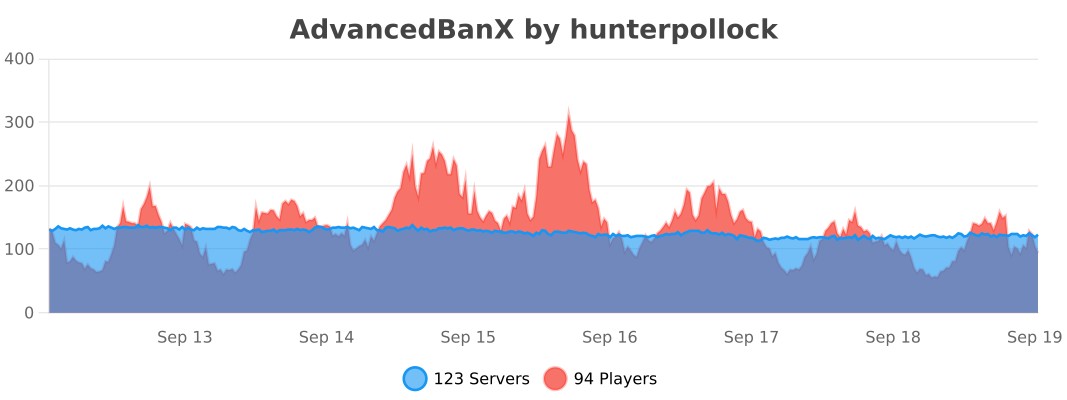
We bStats for recording our metrics which tracks anonymous information about your server (player count, server version, online-mode, etc). The graph below may not be populated as this plugin build has just been released.

The API requires the AdvancedBanX plugin to be installed on the server. When making an addon, make sure to make it clear that the main AdvancedBanX plugin is also required!
Maven
“`
…
hnt8 https://java.hnt8.net
…
…
net.hnt8.advancedban AdvancedBanX 3.0.6 provided
…
“`
Advanced Portals
[//]: # (This is a link to the raw location so that the image can be displayed from pages like Modrinth)

Advanced Portals
==============
An advanced portals plugin designed to have a wide range of features which are easy to use. It adds a bunch of commands to create and edit portals and destinations.
# Usage
Check out the [Tutorial](https://advancedportals.sekwah.com/docs/intro), [List of Commands](https://advancedportals.sekwah.com/docs/commands), and [List of Portal Tags](https://advancedportals.sekwah.com/docs/portal-tags).
# Download
**Note:** Please make sure you download the right version for the right loader and mc version.
Also the proxy plugin for both velocity as well as bungee is contained within the jar files.
# Contributing
Please ensure that your commits are in the following style for PR’s
https://www.conventionalcommits.org/en/v1.0.0/
Also if you could, please run `pre-commit run –files …` or `pre-commit run –all-files` to ensure that the code is formatted correctly.
You will need to have clang-format installed for this to work.
## Types available
* **build**: Changes that affect the build system or external dependencies
* **ci**: Changes to our CI configuration files and scripts
* **docs**: Documentation only changes
* **feat**: A new feature
* **fix**: A bug fix
* **perf**: A code change that improves performance
* **refactor**: A code change that neither fixes a bug nor adds a feature
* **style**: Changes that do not affect the meaning of the code (white-space, formatting, missing semi-colons, etc)
## Scopes available
The scopes available should be the specific modules being worked on. E.g. core, spigot, docs
## Documentation
That is handled on the [website](https://github.com/sekwah41/Advanced-Portals/tree/website) branch.
At some point I may merge this onto this branch to try to push for documentation changes with new features, though for now this works.






![Features]](https://ajg0702.us/img/plugins/header.php?text=Features)



![[IMG]](https://elixirnode.com/assets/images/elixirbannernew.gif)



