Artisan’s Armory | Equipment Overhaul
# Artisan’s Armory-
-is a simple, yet ever expanding pack. We’re starting with Minecraft’s tools and weaponry, but soon enough we’ll be changing much more. The pack maintains the vanilla style, but isn’t afraid to make the big changes. Frankly, I find Minecraft’s colors to be lacking in many area’s. That’s why this pack fully overhauls the color pallets of each set. In addition, fun tweaks have been made to give each set a fresh feel from it’s predecessors!
### Video Showcase
[Youtube Showcase](https://www.youtube.com/watch?v=X8HFlPudl_Y)
### Plans For the Future
– Armor
– Parity Ore Changes
– Custom Buckets
– Custom Enchantment Books
– 3D Tools (when held)
If **you** have any ideas, please leave them below and I’ll be sure to add it to the list.
Anyways, thank you for checking out my pack!
Alternative Redstone Torch
## The Problem
1. When you look at the Redstone Torch from an angled position you will see that it’s red circles crosses, and this looks bad.
2. If you view it from the top it’s look exactly like the regular torch
## Solution
1. Made the red circle to be in an X shape, like grass and other plants.
2. Made the center of the torch a bit more reddish.
||||
|–|–|–|
| 
X shaped red circle
|| 
Reddish center
|
| |
| 
Configurable with Respackopts
|| 
Partnered with Bisecthosting
|
||
Arrows begone
Simply a resource pack to make arrows in entity form flying through the world invisible.
Arrow PVP
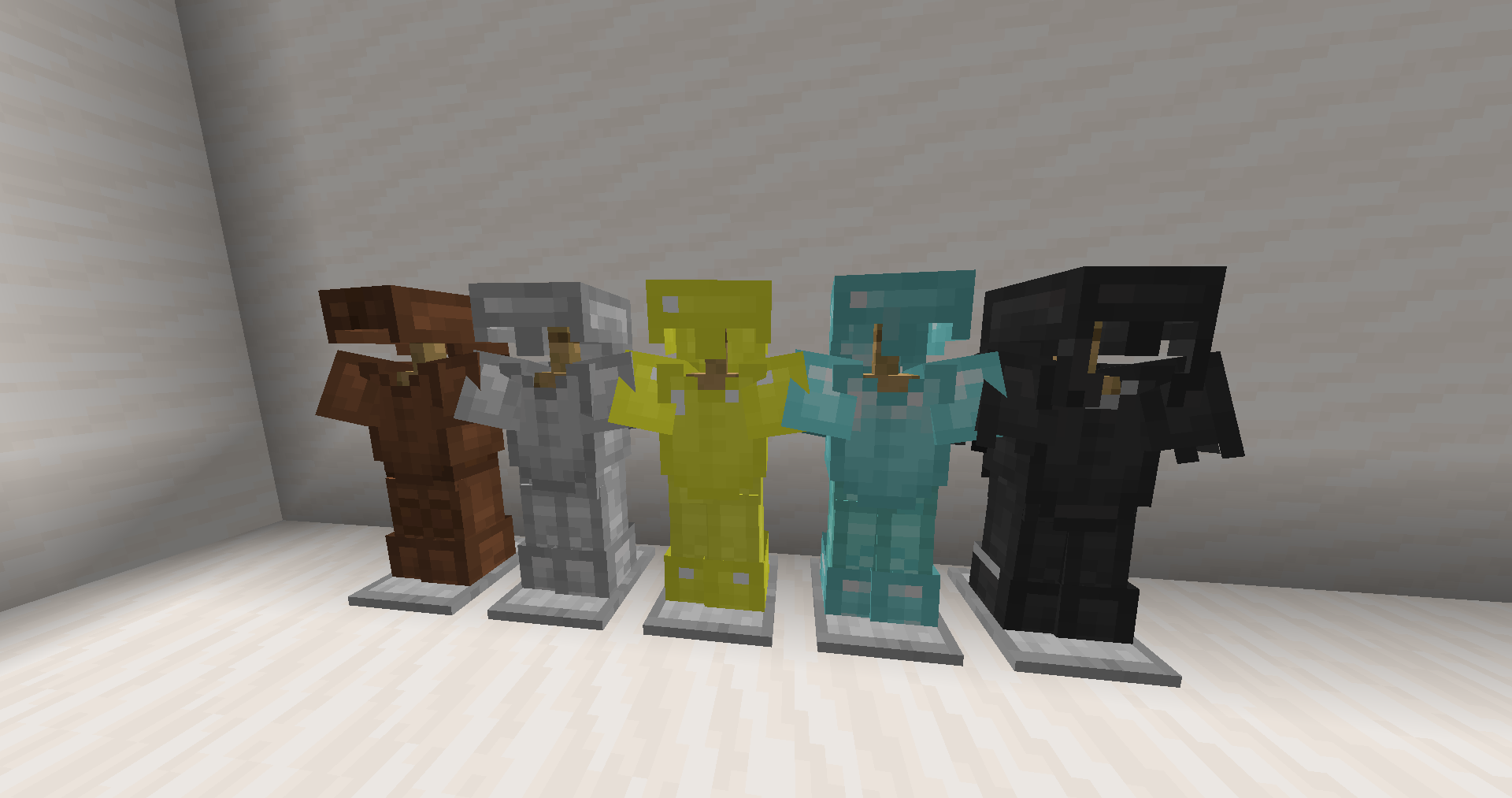
Hello! This is my first resource pack, which can make your PVP a little easier (although you can’t call it a PVP resource pack)! **This pack includes**: Shortening swords and changing all types of armor (except chainmail) to leather style.
**YOU CAN USE MY PACK IN YOUR PACK!!!!!!**
Arrow For Fluid | 流体流向箭头
# Arrow For Fluid
~~Do you also need some arrow for the water and lava fluid like I do?~~
## Features
Add arrow for water and lava.Like gallery.
## Installation
1. Download the resource pack file (.zip).
2. Open Minecraft, go to “Options” > “Resource Packs” > “Open Resource Pack Folder”.
3. Place the downloaded file into the folder.
4. Enable the resource pack in-game.
# 流体流向箭头
~~你是否也跟我一样需要简易查看流体的流向?~~
## 概述
对水和岩浆流体添加了指向箭头。
## 安装方法
1. 下载资源包文件 (.zip)。
2. 打开 Minecraft,进入“选项” > “资源包” > “打开资源包文件夹”。
3. 将下载的文件放入文件夹中。
4. 在游戏中启用该资源包即可。
Arrow Crosshair Overlay
🎯 This pack adds a custom Arrow Crosshair Overlay for players who want sharper aim and clearer targeting. It’s lightweight, clean, and only changes the crosshair.
✨ Fully compatible with all Minecraft versions (from 1.8.9 to the latest). Being an overlay, it stacks perfectly on top of your favorite texture packs.
⚔️ Whether you’re fighting in PvP or just playing casually, this arrow crosshair gives a cleaner view and a better experience.
ArmorStand-Limiter
# ArmorStand-Limiter


allows you to limit armor stands, so you can fix TPS drops caused by a high number of ArmorStands in your server!
Can be used in all modalities and is fully and easily configurable thanks to its intuitive configuration file.
This plugin was created with the express purpose of fixing LAG problems caused by other plugins that generate and do not
remove custom Armor Stands within a single block!
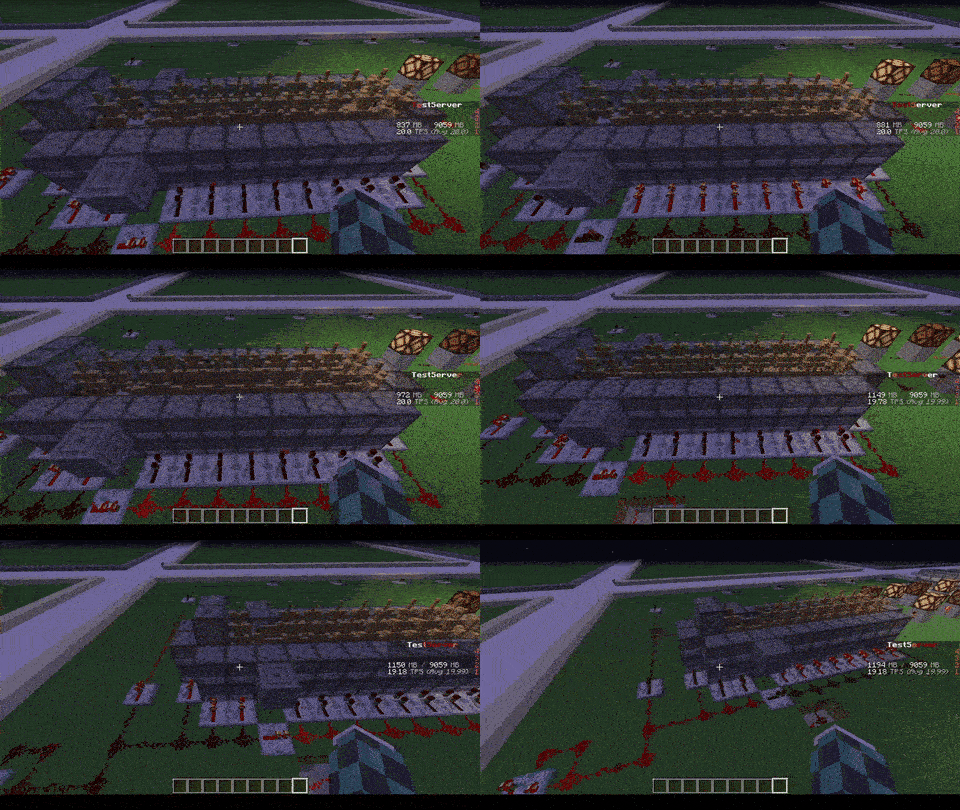
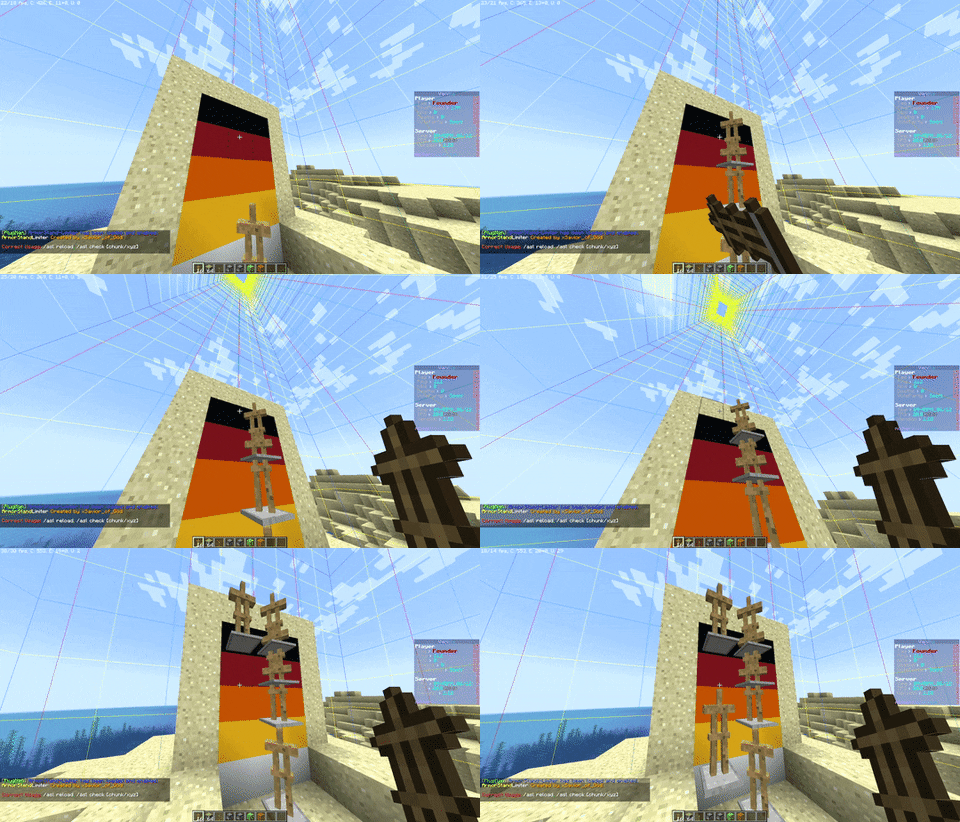
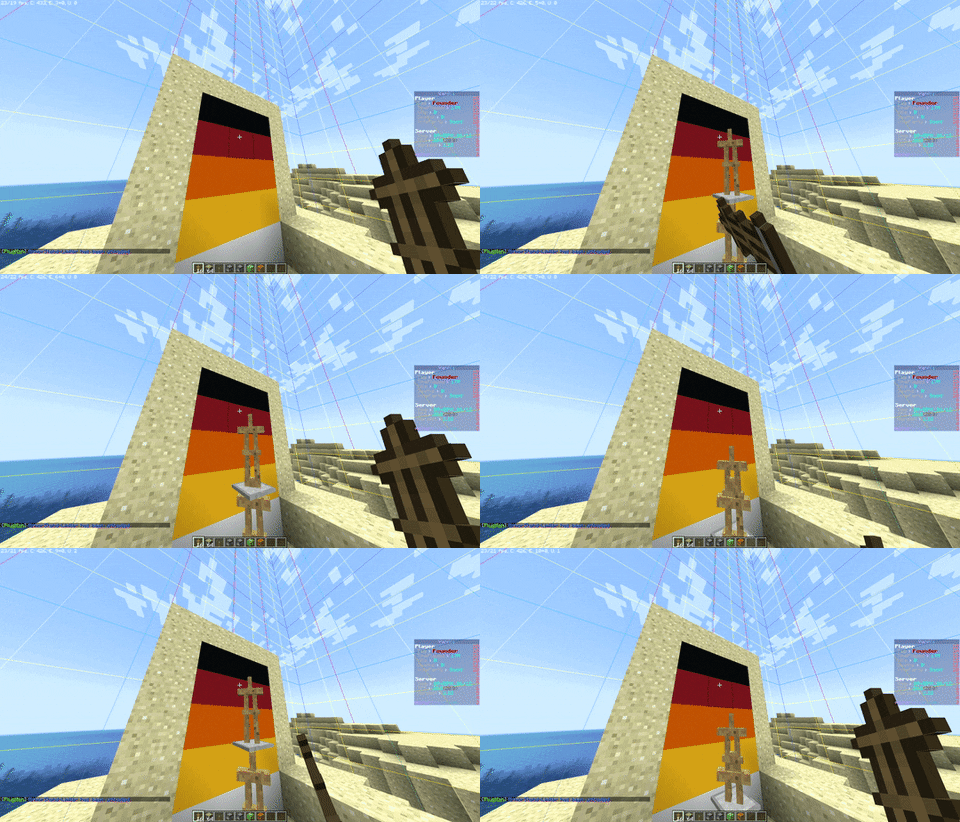
Later we also thought of adding other functions to avoid lagging machines caused by Armor Stands, like this one in the
picture
## Feature
* The most important function is that of removing CUSTOM Armor Stands ( created by other plugins ) that exceed the
preset limit in a single block or chunk!
* Set Armor Stand limit in a Block and/or a Chunk
* Check the world name, armor stand type and its name to avoid unwanted removal
* Timer that checks every X minutes in the loaded chunks the number of Armor Stands inside the chunk or in the single
block
* Check TPS status and if too low check and remove the Armor Stands in a sigle block or chunk ( this check is also
performed only on loaded chunks )
* Ability to limit players to placing a maximum of Armor Stands per chunk
* Ability to disable that the Armor Stand can be moved by the pistons or blocks connected to it depending on the number of same chunk Armor Stands
* Ability to disable that Armor Stand can move in the water depending on the number of same chunk Armor Stands
* Ability to disable that Armor Stand can be spawned through dispensers
* Customized notification ( inGame, Discord, Telegram and Console ) of when Armor Stands are removed due to limit
violation
* [NEW] Folia Support!
* No Dependency!
* Open Source!
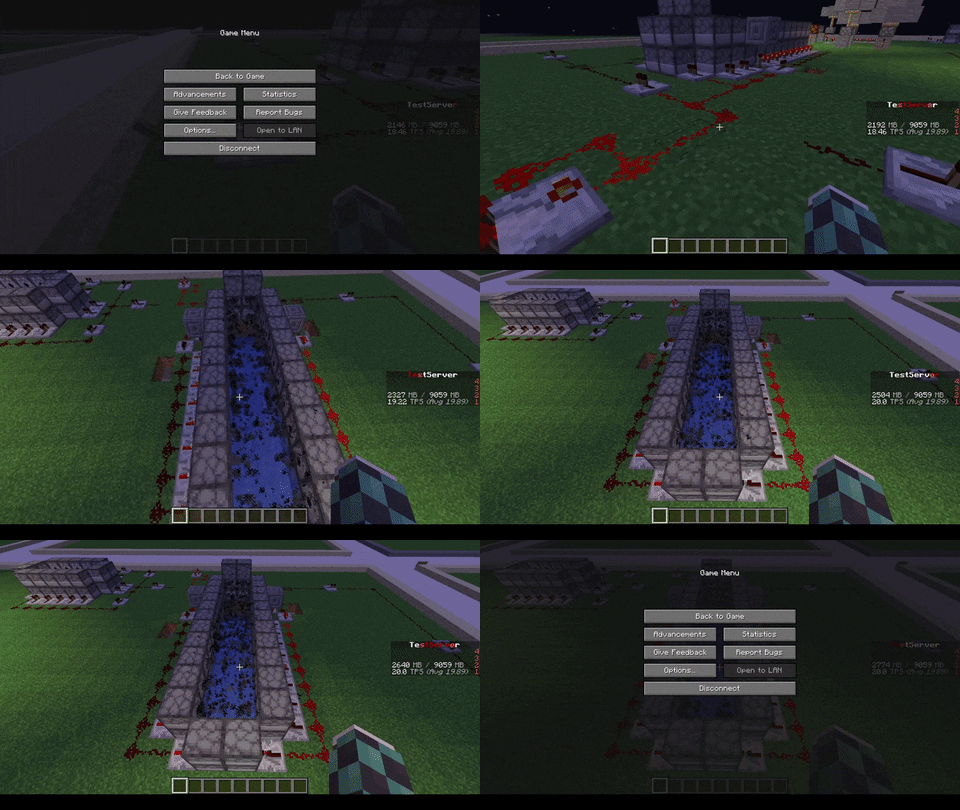
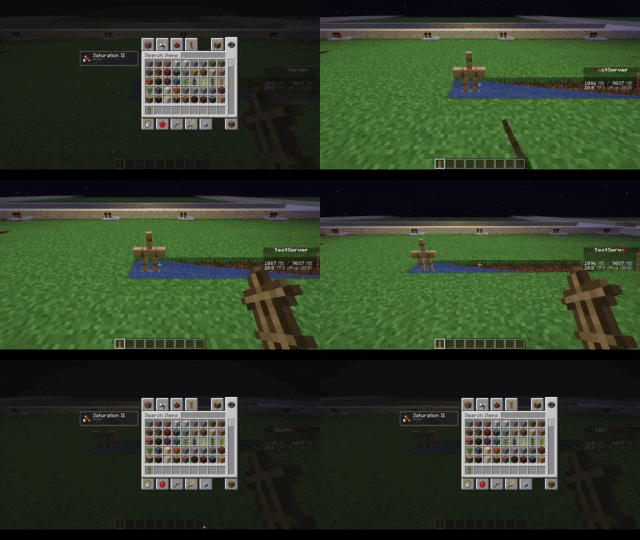
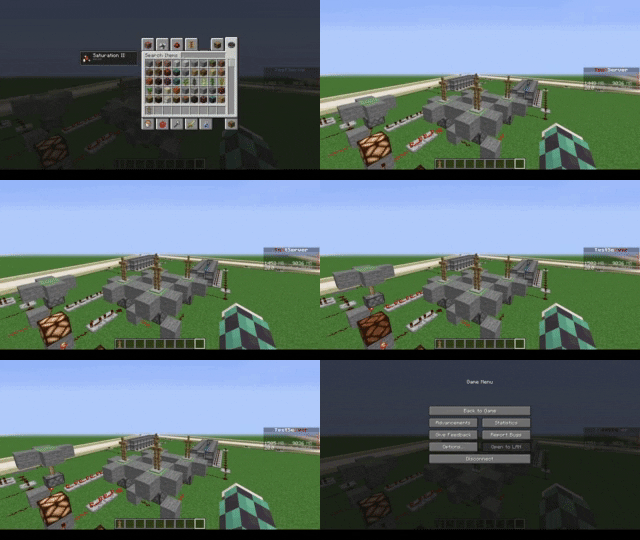
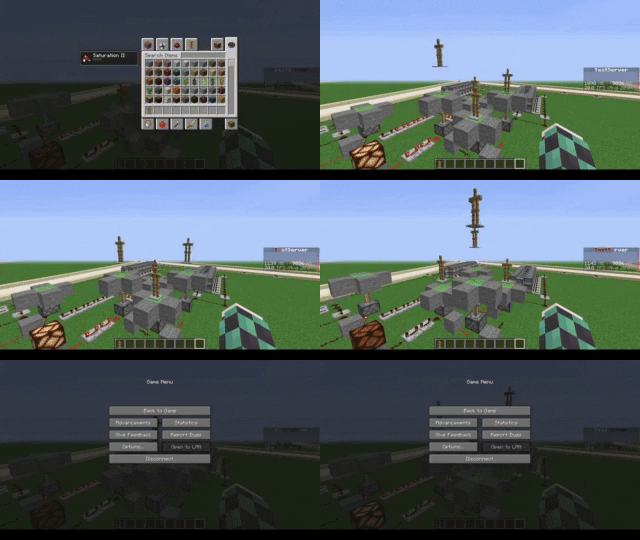
| With ArmorStand Limiter | Without ArmorStand Limiter |
|————————————————————————|—————————————————————————|
|  |  |
|  | 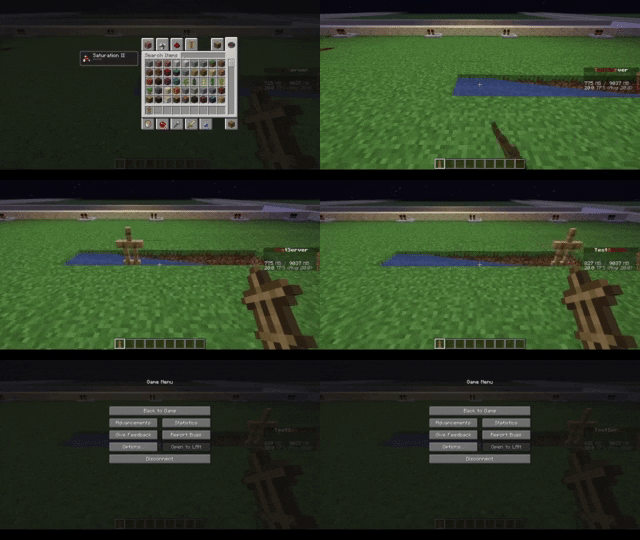 |
|  |  |
|  |  |
## Commands
* **/asl** – *Simple reload of the config file (Perms: `armostandlimiter.reload`)*
* **/asl check ** – *Simple command to control how many Armor Stands there are in a chunk or location in the
world (Perms: `armostandlimiter.check`)*
* **/asl clear ** – *Simple command to remove all Armor Stands there are in a chunk or location in the
world (Perms: `armostandlimiter.check`)*
* **/asl test** – *Simple command to test the notifications (Perms: `armostandlimiter.test`)*
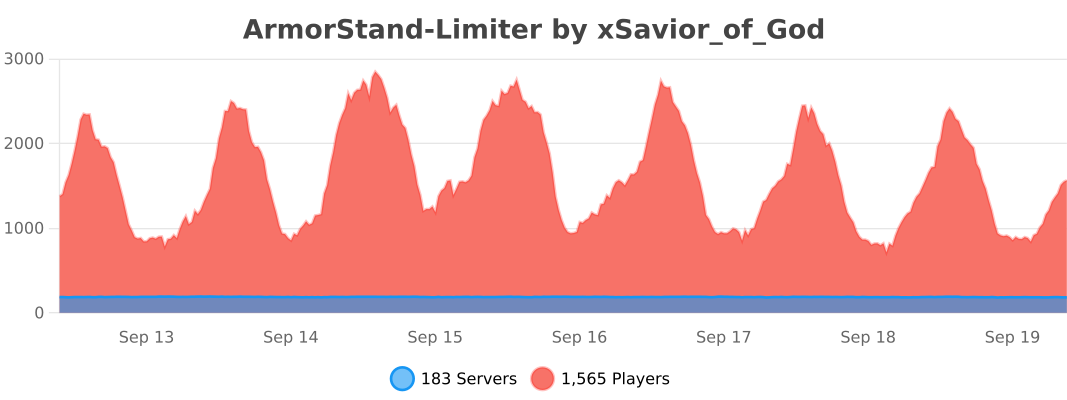
## Stats
[](https://bstats.org/plugin/bukkit/ArmorStand-Limiter/17051)
# Support
[](https://discord.gg/5GqJbRw)
**[Link: https://discord.gg/5GqJbRw](https://discord.gg/5GqJbRw)**
Armor Stand Storage

🛡️ Armor Stand Storage v1.0
============================

Transform your armor stands into functional storage units while maintaining their display capabilities! Perfect for kits, storage rooms, and displays.
**Version:** 1.0
**Minecraft Versions:** 1.8 – 1.21.x
**Release Date:** 1/27/25
✨ Features
———-
* **Smart Storage System**
* Shift + Right-Click any armor stand to access storage
* 27 slots of storage space per armor stand
* Items in armor slots automatically display on the stand
* Regular right-click still works for vanilla interactions
* **Intelligent Armor Detection**
* Automatically detects and displays armor pieces
* Works with any armor type (leather, iron, gold, diamond, netherite)
* Supports modded armor that follows naming conventions
* Compatible with Elytra and player heads
* **Server Friendly**
* Multi-world support with configurable blocked worlds
* Minimal performance impact
* SQLite database for reliable storage
* Works on Minecraft 1.8+
🎮 Usage
——–
1. Place an armor stand
2. Add armor/items normally OR
3. Shift + Right-Click to open storage
4. Place items anywhere in the inventory:
* Armor pieces will automatically display
* Other items are safely stored
* First 6 slots are prioritized for display
⚙️ Configuration
—————-
# Disable storage in specific worlds
disabled-worlds:
#- spawn_world
#- event_world
# Debug mode for detailed logging
debug: false
# Storage settings
storage:
inventory-title: “Armor Stand Storage”
inventory-rows: 3
🔒 Permissions
————–
* `armorstandstorage.use` – Access to armor stand storage (default: op)
📋 Commands
———–
No commands – just shift-right-click to use!
💡 Tips
——-
* Place armor in any slot – it will automatically display
* Use regular right-click for vanilla armor stand features
* Items are saved even if the armor stand breaks
* Works great for shop displays and storage rooms
* Perfect for RPG servers and town builds
🔧 Installation
—————
1. Download the plugin
2. Place in your plugins folder
3. Restart server
4. Configure (optional)
5. Start using!
🎯 Planned Features
——————-
* Custom inventory sizes
* Per-world inventory settings
* Hologram support
* Shop integration
* API for developers
🆕 What’s New in 1.0
——————–
* Initial release
* Full armor stand storage functionality
* Multi-world support
* Automatic armor detection and display
* SQLite database integration
* Legacy version support (1.8+)
📝 Version History
——————
* **1.0** (1.27.2025)
* Initial release
* Core functionality implemented
* Database storage system
* Multi-version support
ArmorStandStorage v1.0 – © 2024 Koopa
Made with ❤️ by Koopa
[GitHub Issues](https://github.com/KoopaCode/ArmorStand-Storage/issues) | [Discord](https://discord.gg/KmHGjaHWct)
`storage` `free` `armorstand` `plugin` `1.8-1.21`
Armor HUD changes
Changed the Armor HUD to match the current Armor textures
…that’s it
This resource pack is compatible with versions 1.6.1 to the latest version.
**before**

**after**

We’re taking requests!
Armed Armor Stands

A simple plugin that adds arms to armor stands upon right click while holding two sticks.

### Config
“`yaml
messages:
prefix: ‘&6ArmedArmorstands &8» &7’
no-permission: ‘&cYou’re not allowed to use this feature!’
permission:
permission: armorstand.arm # Permission for using the feature
required: true # If the permission is required in order to use the feature
send-message: true # If a message should be send if you don’t have the permission
settings:
consume-sticks: true # If the sticks should be removed from the player
drop-sticks: true # If the ‘arms’ should drop upon death
“`
Developer API (ArmorStandArmEvent)
Methods:
– getPlayer()
– getArmorStand()
“`java
import net.kettlemc.armedarmorstands.event.ArmorStandArmEvent;
public class ArmorStandArmListener implements Listener {
@EventHandler
public void onArmorStandArm(ArmorStandArmEvent event) {
if (event.getArmorStand().getWorld().getName().contains(“farmworld”)) {
event.getPlayer().sendMessage(“You are not allowed to use this in the farmworld!”);
event.setCancelled(true);
}
}
}
“`