Artisan’s Armory | Equipment Overhaul
# Artisan’s Armory-
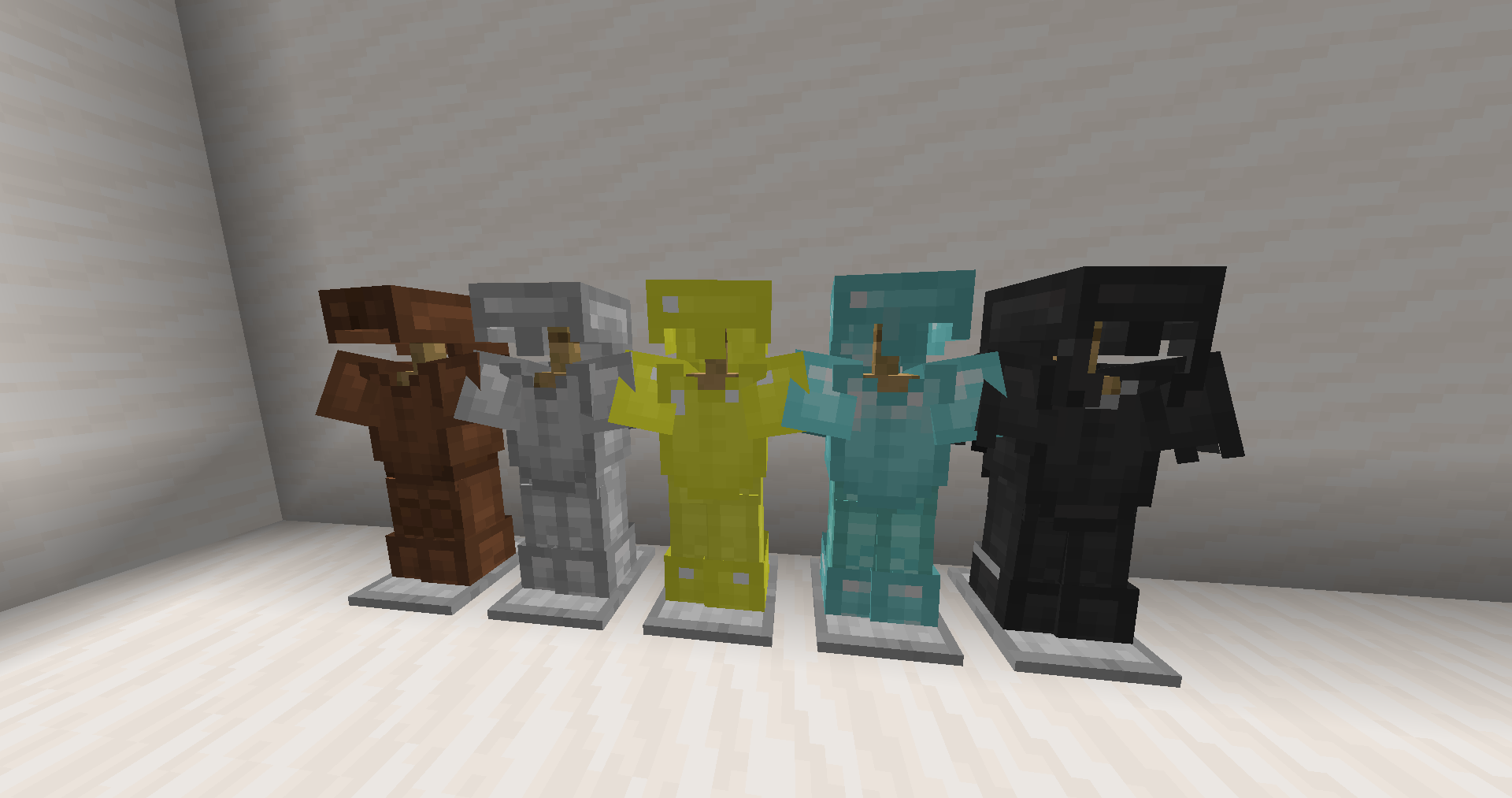
-is a simple, yet ever expanding pack. We’re starting with Minecraft’s tools and weaponry, but soon enough we’ll be changing much more. The pack maintains the vanilla style, but isn’t afraid to make the big changes. Frankly, I find Minecraft’s colors to be lacking in many area’s. That’s why this pack fully overhauls the color pallets of each set. In addition, fun tweaks have been made to give each set a fresh feel from it’s predecessors!
### Video Showcase
[Youtube Showcase](https://www.youtube.com/watch?v=X8HFlPudl_Y)
### Plans For the Future
– Armor
– Parity Ore Changes
– Custom Buckets
– Custom Enchantment Books
– 3D Tools (when held)
If **you** have any ideas, please leave them below and I’ll be sure to add it to the list.
Anyways, thank you for checking out my pack!
Artificial Lightning Mod
This mod adds a block that generates lightning when it receives redstone signal.
When it detects redstone signal, lightning will strike towards that block.
artic Pixelmon
Welcome to Online Pixelmon! The place where you’ll find the best community in Brazil! ✨
What does your modpack add?
Our modpack was created with the aim of making it easier for you to access our server, complementing the mods that are essential for playing with us and improving your gaming experience.
What features does it have?
As mentioned, it contains the essentials for a satisfactory experience on our server, including the main Pixelmon mod, and the complementary JEI and JourneyMap mods.
Why would a user want to download it?
Our main focus is to offer a better experience by delivering the modpack with the right mods and appropriate settings to be able to play even on mobile devices, such as POJAV, since most players have difficulties setting up and playing
Alternative Redstone Torch
## The Problem
1. When you look at the Redstone Torch from an angled position you will see that it’s red circles crosses, and this looks bad.
2. If you view it from the top it’s look exactly like the regular torch
## Solution
1. Made the red circle to be in an X shape, like grass and other plants.
2. Made the center of the torch a bit more reddish.
||||
|–|–|–|
| 
X shaped red circle
|| 
Reddish center
|
| |
| 
Configurable with Respackopts
|| 
Partnered with Bisecthosting
|
||
Arrows begone
Simply a resource pack to make arrows in entity form flying through the world invisible.
Arrow PVP
Hello! This is my first resource pack, which can make your PVP a little easier (although you can’t call it a PVP resource pack)! **This pack includes**: Shortening swords and changing all types of armor (except chainmail) to leather style.
**YOU CAN USE MY PACK IN YOUR PACK!!!!!!**
Arrow For Fluid | 流体流向箭头
# Arrow For Fluid
~~Do you also need some arrow for the water and lava fluid like I do?~~
## Features
Add arrow for water and lava.Like gallery.
## Installation
1. Download the resource pack file (.zip).
2. Open Minecraft, go to “Options” > “Resource Packs” > “Open Resource Pack Folder”.
3. Place the downloaded file into the folder.
4. Enable the resource pack in-game.
# 流体流向箭头
~~你是否也跟我一样需要简易查看流体的流向?~~
## 概述
对水和岩浆流体添加了指向箭头。
## 安装方法
1. 下载资源包文件 (.zip)。
2. 打开 Minecraft,进入“选项” > “资源包” > “打开资源包文件夹”。
3. 将下载的文件放入文件夹中。
4. 在游戏中启用该资源包即可。
Arrow Crosshair Overlay
🎯 This pack adds a custom Arrow Crosshair Overlay for players who want sharper aim and clearer targeting. It’s lightweight, clean, and only changes the crosshair.
✨ Fully compatible with all Minecraft versions (from 1.8.9 to the latest). Being an overlay, it stacks perfectly on top of your favorite texture packs.
⚔️ Whether you’re fighting in PvP or just playing casually, this arrow crosshair gives a cleaner view and a better experience.
Arrow Collector
__The introduction below was written by ChatGPT without changing anything. I just found this interesting so lol__
[](https://bisecthosting.com/kasualix)
## Introduction
Arrow Collector is a super lightweight mod for Minecraft Java Edition that adds a unique functionality to enhance your archery experience. Developed by teampotato, this mod incorporates a single mixin to seamlessly integrate its features into the game.
## Description
The Arrow Collector mod focuses on a specific aspect of the game: arrows and their retrieval. With this mod installed, you’ll witness a new level of convenience when it comes to collecting arrows fired from your bow. No longer will you need to worry about losing valuable ammunition during intense battles or long-range encounters.
## Functionality
The core functionality of the Arrow Collector mod lies in its ability to modify the behavior of arrows upon release from a bow. By leveraging the power of mixins, the mod intercepts the default arrow release mechanism and introduces a smart feature.
When using a bow without the Infinity enchantment, the mod ensures that any arrows fired will be retrievable. Normally, arrows shot from a non-enchanted bow have a chance of being destroyed upon impact or simply disappearing. However, the Arrow Collector mod takes care of this issue by granting the arrows a special status: they become “pickup-allowed” entities.
What does this mean? It means that when you shoot an arrow using a regular bow, you can rest assured that it will remain intact and ready to be picked up after landing. You no longer need to worry about losing arrows in inaccessible areas or during hectic combat situations. With the Arrow Collector mod, you’ll have the chance to retrieve your ammunition and reuse it as needed.
## Conclusion
The Arrow Collector mod brings a small yet impactful enhancement to the Minecraft archery experience. By guaranteeing the retrieval of arrows fired from non-enchanted bows, this mod provides a sense of convenience and conservation. Say goodbye to wasted arrows and embrace a more resourceful approach to combat and exploration. Download the Arrow Collector mod today and ensure that no arrow goes to waste in your Minecraft adventures!
Armstrong

**Armstrong** is a simple plugin that utilizes [Lunar Client](https://lunarclient.com)’s [Apollo API](https://github.com/LunarClient/Apollo).
**Found a bug or have a feature idea?** Use the [issue tracker](https://github.com/Vaption/Armstrong/issues)!
[](https://modrinth.com/plugin/armstrong)
[](https://github.com/Vaption/Armstrong/releases/latest)
[](https://github.com/Vaption/Armstrong/blob/main/LICENSE)
## ⚖️ Armstrong vs. LunarUtility
Originally the goal was just to migrate the codebase to use Apollo rather than the old BukkitAPI.
During the migration, I noticed that Apollo (on its own) now does some of what this plugin once did.
So, the waypoints & disabled-mods module have been removed from this plugin (now configurable in Apollo).
The cooldown module implementation was also removed, but will come back to it at a later time!
## 🙌 Credits
Armstrong is based off of [LunarUtility](https://github.com/RefineDevelopment/LunarUtility). All credit to the original developers!
👨💻 **Contributors**
– 🏙️ [Dubai](https://github.com/GamerRealm) – Original Author
– 🛠️ [Komek](https://github.com/Komeek) – Maintainer
– 💡 [kayalust](https://github.com/kayalust) – Contributor
## 📥 Installing
1. Download the jar from [releases](https://github.com/Vaption/Armstrong/releases)
2. Download LunarClient’s Apollo API jar from [here](https://github.com/LunarClient/Apollo/releases)
3. Drop **both** jars into all your servers
4. Edit the configuration files to your liking
## 📜 Terms of Use
– No selling or claiming this project as your own
– Please respect & credit the developers
## ✨ Features
🏷️ Nametag
Enabled by default, configurable in `config.yml`.

🔒 Require Lunar Client
Disabled by default. Enable by setting `REQUIRE-LUNAR` to `true` in `config.yml`.

🛡️ Staff Mods
Requires `armstrong.staff` permission. Toggle with `/lsm `.

🌙 Player on Lunar Client
Requires `armstrong.players` permission. Check if someone is using Lunar Client with `/lc `.

📋 All Players on Lunar Client
Requires `armstrong.players` permission. Get a list of players on Lunar Client with `/lc players` (or `list` / `users`).
