Artis-Recrafted
Artis Recrafted is a utility mod for modpack creators. It allows pack devs to register their own custom crafting tables with configurable size and a catalyst slot.
## Features
– You can define your own crafting blocks via config: Crafting height, width, material and a lot of other properties can be defined.
– Supports both shaped and unshaped recipes
– Can require a catalyst that can optionally be consumed or damaged
– Supports Ingredients up to full stack size
– NBT matching & Nbt output
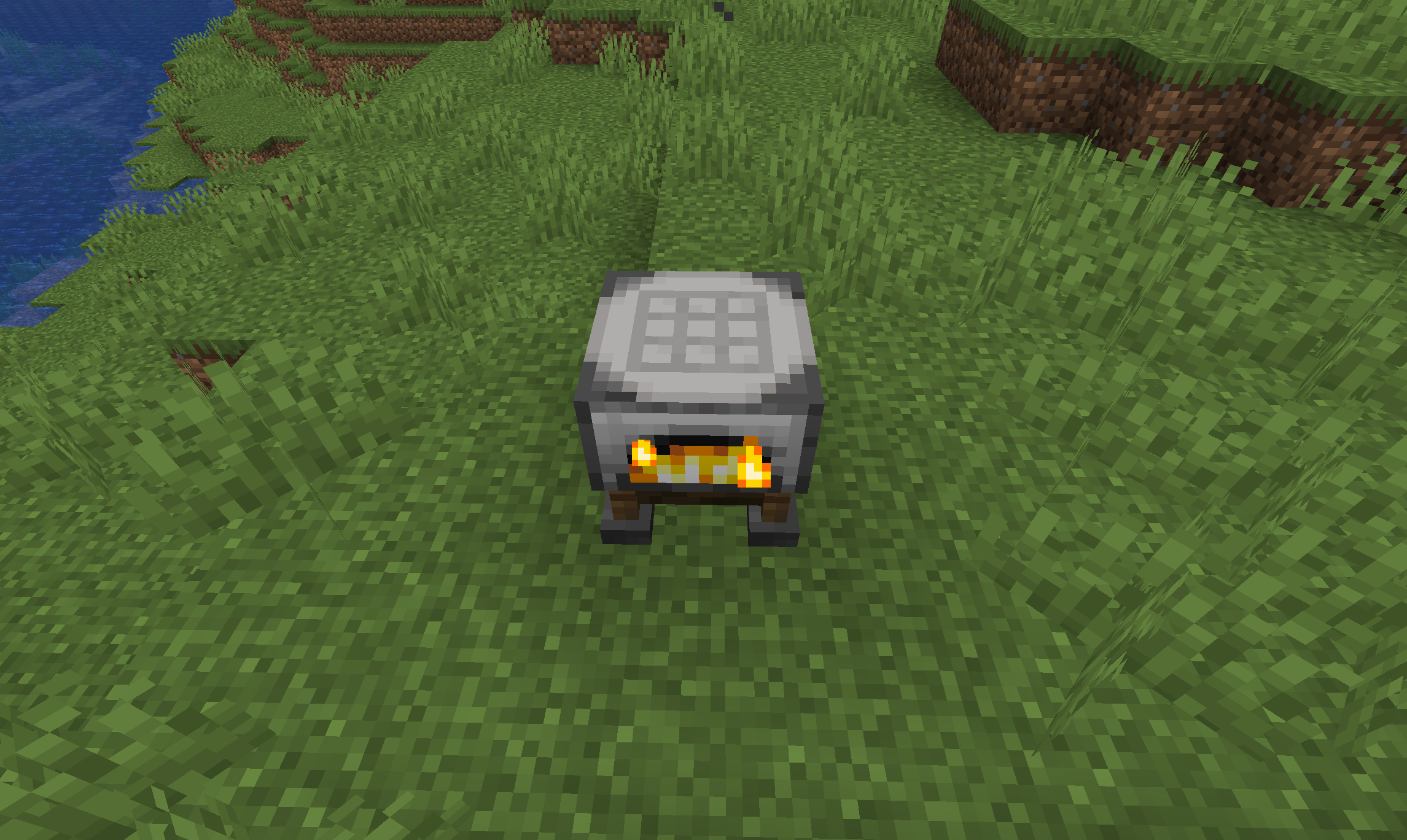
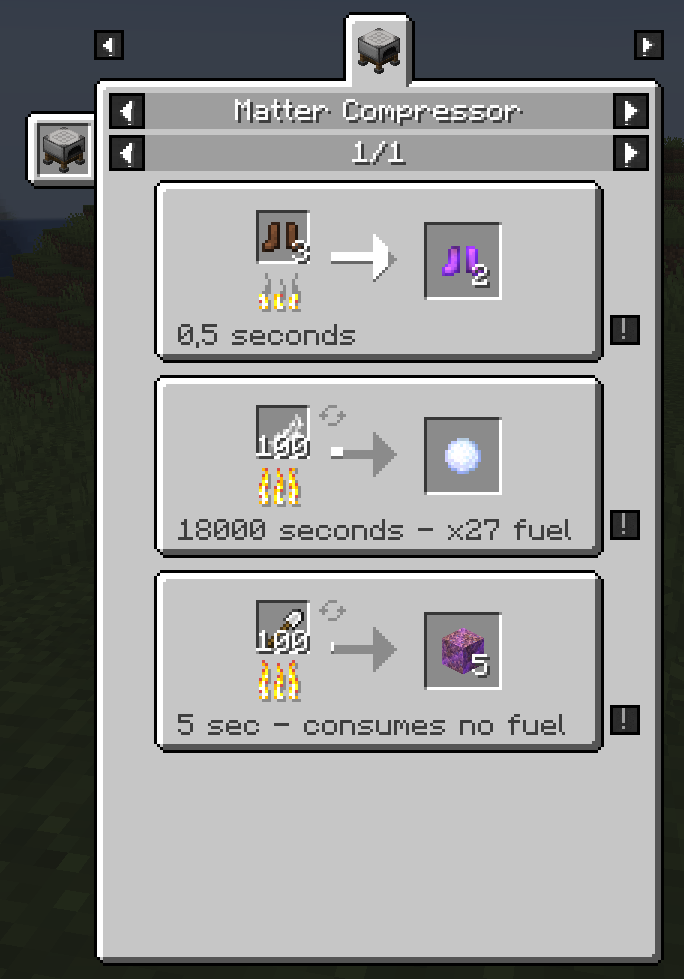
– Matter Consenser, which can require a quasi unlimited number of input items
Information on how to set up the config and create recipes can be found on the wiki at https://github.com/DaFuqs/Artis-Recrafted/wiki
Artis Tables | Matter Consender
———— | ————-
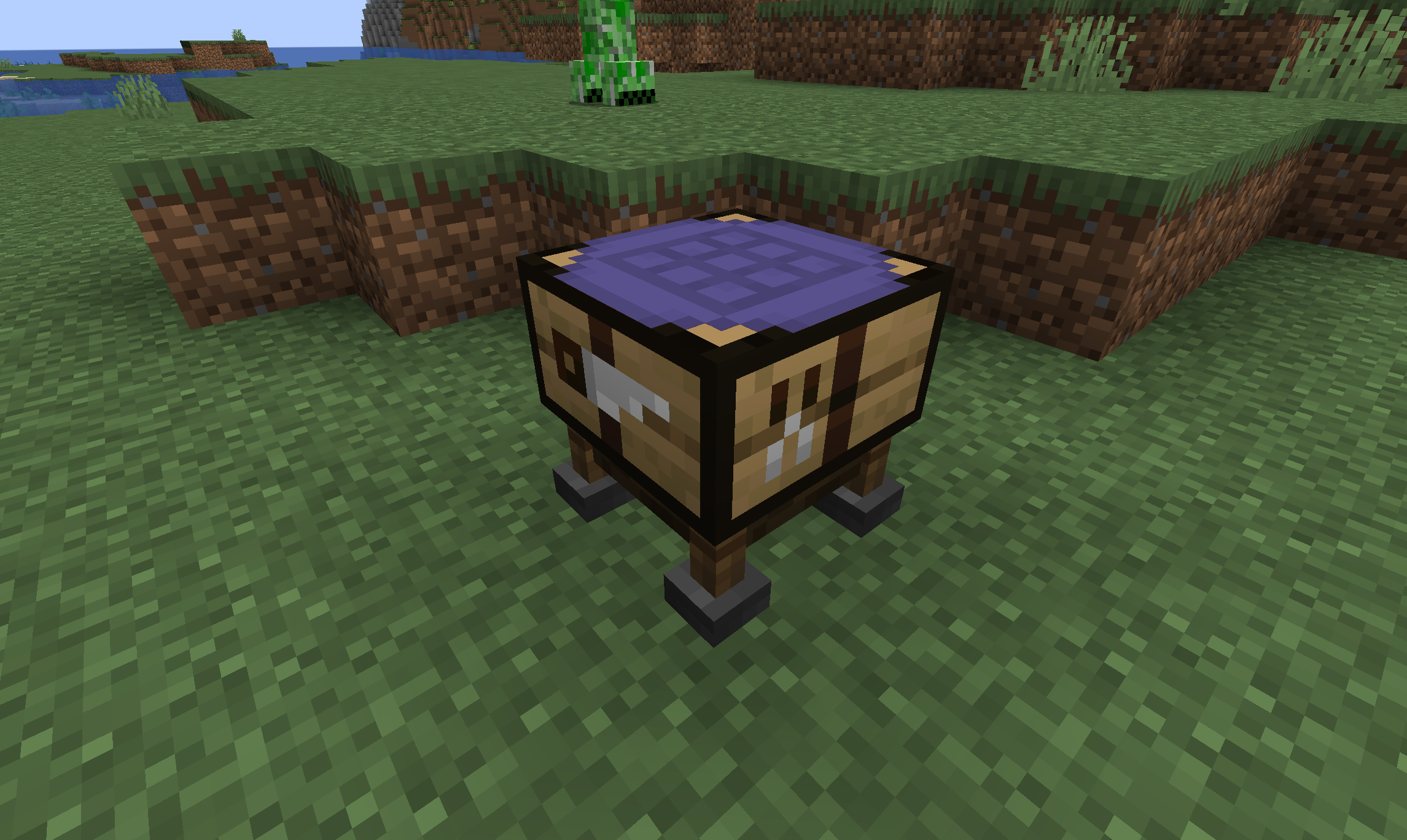 | 
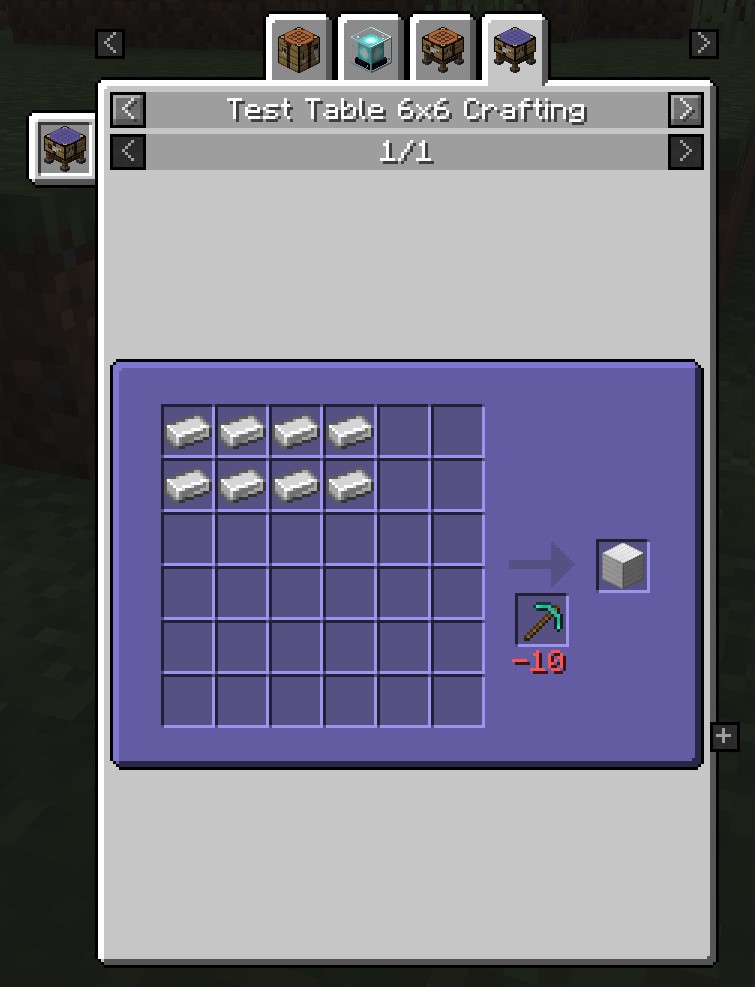 | 
Artisan Tools: Mastery System
### Support and Feedback 💬
If you have questions, suggestions, or have found a bug, please contact me:
[Discord](https://discord.gg/yf23xT9Z8j)
## ArtisanTools 🛠️
**ArtisanTools** — is a unique Minecraft plugin that adds a tool leveling system, tool specialization, and many other interesting features. Bring your tools to life, develop them, and gain unique bonuses!
### **Progress work on the basis of NBT tags, so the plugin does not require and do not use a database.**

– **Tool Leveling**: Tools (pickaxes, axes, shovels, swords) gain experience through use and level up.
– **Tool Specialization**: After reaching level 5, you can choose a specialization for your tool, granting unique bonuses.
– **Customizable Messages**: All messages can be configured via the configuration file, and you can choose where they are displayed (chat, bossbar, actionbar).
– **Experience Setting**: Setting a certain amount of experience per block or creature for each item.
– **Lore**: Displays the progress in the lore of an item.
– **Placeholders**: Integration with PlaceholderAPI to display tool information in chat, signs, and other plugins.
– **Commands**: Convenient commands for managing tools and resetting them.

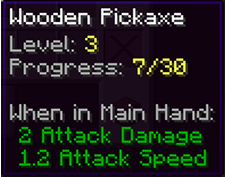

|Command | Description |
|:——————-:|———————-|
|/artisan info|Show information about the tool in hand (level, experience, specialization).|
|/artisan levelreset|Reset the tool’s level and experience.|
|/artisan specialize|Choose a specialization for the tool (available from level 5).|
|/artisan reload|Reload the plugin configuration.|
|Placeholder | Description |
|:——————-:|———————-|
|%artisan_level%|Tool’s level.|
|%artisan_experience%|Tool’s current experience.|
|%artisan_required_experience%|Experience required for the next level.|
|%artisan_specialization%|Tool’s specialization.|

**config.yml**
“`
messages:
level_up:
display: actionbar # Possible values: chat, bossbar, actionbar
text: “&aYour tool has leveled up! Current level: &e{level}”
specialize:
display: chat
text: “&aYou have chosen specialization: &e{specialization}”
tool_info:
display: bossbar
text: “&aLevel: &e{level}, Experience: &e{experience}/{required_experience}, Specialization: &e{specialization}”
“`
**blocks.yml**
“`
blocks:
pickaxe:
STONE: 1
COBBLESTONE: 1
IRON_ORE: 5
GOLD_ORE: 5
DIAMOND_ORE: 10
axe:
OAK_LOG: 2
SPRUCE_LOG: 2
BIRCH_LOG: 2
shovel:
DIRT: 1
GRASS_BLOCK: 1
“`
### Update Plans 🚀
– **Adding New Specializations**: Unique bonuses for each tool type.
– **Tool Quests**: Tasks to obtain rare upgrades.
– **Economy Integration**: Ability to purchase upgrades with in-game currency.
– **Support for Other Plugins**: Integration with Vault, McMMO, and other popular plugins.
– **Graphical User Interface (GUI)**: Convenient menu for selecting specializations and managing tools.
– **Unblocking leveling**: Initially, the tool progression is blocked and unavailable, but after a certain action on a certain item, it becomes available.
Artisan’s Armory | Equipment Overhaul
# Artisan’s Armory-
-is a simple, yet ever expanding pack. We’re starting with Minecraft’s tools and weaponry, but soon enough we’ll be changing much more. The pack maintains the vanilla style, but isn’t afraid to make the big changes. Frankly, I find Minecraft’s colors to be lacking in many area’s. That’s why this pack fully overhauls the color pallets of each set. In addition, fun tweaks have been made to give each set a fresh feel from it’s predecessors!
### Video Showcase
[Youtube Showcase](https://www.youtube.com/watch?v=X8HFlPudl_Y)
### Plans For the Future
– Armor
– Parity Ore Changes
– Custom Buckets
– Custom Enchantment Books
– 3D Tools (when held)
If **you** have any ideas, please leave them below and I’ll be sure to add it to the list.
Anyways, thank you for checking out my pack!
Artisanal Nether Bricks

[](https://twitter.com/2DWisp) [](https://ko-fi.com/jamiecubed) [](https://modrinth.com/user/JamieCubed)
## 🔥 Introduction:
Enhances textures of both types of Nether Brick by adding variants and a unique top texture to make the Nether Fortress a little more pleasing to look at. Also gives the Nether Brick Fence and Wall a custom texture that better fits the vanilla model.
No mods are required.
## 🎨 All of my Creations:
– [Wisp’s Reworked Vanilla](https://modrinth.com/resourcepack/artisanal-default)
– [Wisp’s Colourful Wildflowers](https://modrinth.com/resourcepack/wisps-colourful-wildflowers)
– [Simple Grass Flowers](https://modrinth.com/resourcepack/simple-grass-flowers)
– [Bare Bones Grass Flowers](https://modrinth.com/resourcepack/bare-bones-grass-flowers)
– [Simple Lower Grass Sides](https://modrinth.com/resourcepack/simple-lower-grass-sides)
– [Fancy Full Block Grass](https://modrinth.com/resourcepack/fancy-full-block-grass)
– [Artisanal Nether Bricks](https://modrinth.com/resourcepack/artisanal-nether-bricks)
– [Simple Rustic Glass](https://modrinth.com/resourcepack/simple-rustic-glass)
– [Raven Phantoms](https://modrinth.com/resourcepack/raven-phantoms)
– [Better Breeze Rods](https://modrinth.com/resourcepack/better-breeze-rod)
## 🤔 Frequently Asked Questions:
**Q: How do I install the pack?**
A: Follow [this guide](https://www.planetminecraft.com/blog/how-to-install-minecraft-texture-packs-4615399/).
**Q: Can you port this to Bedrock?**
A: I currently have no plans to port this to Bedrock.
**Q: Can someone else port this to Bedrock?**
A: No, I do not allow third-party ports of my packs.
**Q: Can you add this feature?**
A: Maybe! Comment any suggestions and we can see what happens.
**Q: I found a bug!**
A: Comment all bugs and I will fix them as soon as possible.
**Q: Does this pack work on X version?**
A: Probably. In theory, the pack should work on most modern versions. Though I do not support older versions of Minecraft.
**Q: Can I add this to my modpack?**
A: Of course! You must give credit and can not claim any of my work as your own.
[](https://bisecthosting.com/jamie)
Artisanal Default
### Soon to be replaced!
This pack has been archived in favour of my new pack, **’Wisp’s Reworked Vanilla’**, which makes slightly more drastic changes but still in tune with Vanilla.
You are still welcome to use this older version and I’m keeping it up for archival purposes, but for modern updates and more features use my new pack!
Old Descripton Here
## 🖼️ Introduction:
This is my pet project that combines a bunch of edits, fixes, and expansions I have made to the vanilla experience, all while sticking tightly to the vanilla style and not going overboard! The primary focus for now is on tweaking and expanding bits of the game that stand out to me!
No mods are required, though once I hit 1.0.0 I’ll start looking into features that take advantage of modded features like biome-specific mob variants.
## 📖 Feature List:
Click to reveal
### Blocks:
– Anvil has been remade
– Flower pot has been remade
– All fences and gates have a unique texture
– Most walls have a unique texture
– Cacti now rarely spawn with flowers
– Grass now occasionally has clovers
– Podzol now occasionally has clovers
– Mycelium now occasionally has clovers
– Grass path sides have been reshaded
– Lily pads have been remade and have variants, and also occasionally have flowers
– Melon has been reshaded slightly
– Water is slightly clearer
– All grass and foliage is slightly warmer
– Dandelions have been remade
– Beds have been remade to have a head and footboard
– All sandstone slabs have been remade
– All polished stone slabs have been remade
– All sandstone stairs have been remade to have their proper top textures
– Red and brown mushrooms have been remade and have variants
– Brown mushrooms now rarely appear on the sides of blocks they’re on
– Farmland has a custom side texture
– All buttons have unique textures
– All pressure plates have unique textures
– Smooth stone and chiseled stone brick have been tweaked
– Chests and trapped chests have been remade
### Items:
– Flower pot item has been remade
– Reshaded all tools
### Entities:
– Cow, red mushroom, and brown mushroom have been remade
– Squid and glow squid have been remade
– All humanoid mobs have ears
– Tuxedo cat has been reshaded
### Misc:
– Shadow is now lower resolution to better fit the art style
– HUD hearts and armour icons have been remade
– Leather armour has been remade
– Crosshair has been tweaked
(Not in any particular order)
## 🎨 All of my Creations:
– [Wisp’s Reworked Vanilla](https://modrinth.com/resourcepack/artisanal-default)
– [Wisp’s Colourful Wildflowers](https://modrinth.com/resourcepack/wisps-colourful-wildflowers)
– [Simple Grass Flowers](https://modrinth.com/resourcepack/simple-grass-flowers)
– [Bare Bones Grass Flowers](https://modrinth.com/resourcepack/bare-bones-grass-flowers)
– [Simple Lower Grass Sides](https://modrinth.com/resourcepack/simple-lower-grass-sides)
– [Fancy Full Block Grass](https://modrinth.com/resourcepack/fancy-full-block-grass)
– [Artisanal Nether Bricks](https://modrinth.com/resourcepack/artisanal-nether-bricks)
– [Simple Rustic Glass](https://modrinth.com/resourcepack/simple-rustic-glass)
– [Raven Phantoms](https://modrinth.com/resourcepack/raven-phantoms)
– [Better Breeze Rods](https://modrinth.com/resourcepack/better-breeze-rod)
## 🤔 Frequently Asked Questions:
**Q: How do I install the pack?**
A: Follow [this guide](https://www.planetminecraft.com/blog/how-to-install-minecraft-texture-packs-4615399/).
**Q: Can you port this to Bedrock?**
A: I currently have no plans to port this to Bedrock.
**Q: Can someone else port this to Bedrock?**
A: No, I do not allow third-party ports of my packs.
**Q: Can you add this feature?**
A: Maybe! Comment any suggestions and we can see what happens.
**Q: I found a bug!**
A: Comment all bugs and I will fix them as soon as possible.
**Q: Does this pack work on X version?**
A: Probably. In theory, the pack should work on most modern versions. Though I do not support older versions of Minecraft.
**Q: Can I add this to my modpack?**
A: Of course! You must give credit and can not claim any of my work as your own.
## ✨ Inspirations:
These creators inspire some features in this pack, please check out their amazing work!
– [Sixfootblue](https://www.planetminecraft.com/member/sixfootblue/)
– [Origin Realms](https://originrealms.com/)
– [Vanilla Tweaks](https://vanillatweaks.net/)
– [Sully](https://twitter.com/ModSully)
[](https://bisecthosting.com/jamie)
Artifacts

Some older versions of this mod can be found on curseforge: [Forge](https://www.curseforge.com/minecraft/mc-mods/artifacts) / [Fabric](https://www.curseforge.com/minecraft/mc-mods/artifacts-fabric)
Artifacts is a mod which aims to make exploration more rewarding by adding various powerful items that cannot be crafted.
The items added by this mod can be found in chests in vanilla structures, through archaeology, or can very rarely be found worn by entities. All artifacts only have a few chests in which they can be found, so go out and explore! Additionally, a new underground campsite structure has been added. Mimics occasionally spawn in these campsites instead of a chests, which are dangerous enemies that attack players that get too close. Mimics always drop a random artifact when killed.
Every item added by this mod has a unique model when equipped. The full set of items and their descriptions can be found in the images tab. Sn up-to-date list of where each item can be found is available on the wiki on GitHub.

Arthur arlabus
Rename your sword
“coldness” to make it a frozen sword of arlabus.
This resource pack requires optifine or CIT Resewn to work
ArthCore
ArthCore is a plugin that provides 4 features:
> •Stops server at a configurable time every day and sends a warning message beforehand at a configurable time
>
> •/transfer (playername/@p) (port) (IP address) transfers bedrock players to an IP and port using the floodgate API
>
> •/sell command that works just like in EssentialsX, works with Vault & any economy plugin
>
> •/hub command sends you back to world “world”. This feature is incomplete and will be overriden by your proxy if you have one.
**Dependencies:**
Vault (needed for /sell)
An economy plugin (needed for /sell)
Floodgate & Geyser (needed for /transfer)
**Credit:**
Creator (Arionas03)
Maintainer and Owner (DiamonC)
Arth Client
Arth Client is a client-side (meaning you can still join servers) modpack which offers the best possible experience while playing.
**Features include:**
•Improved Loading Times
•Better FPS
•Zoom feature similar to OptiFine
•Connected textures
•No “chat messages aren’t secure” warning message upon joining servers that don’t support chat reporting.
•OptiFine Capes
•Your settings won’t be overridden every modpack update.
•Dynamic Lights
Performance Optimizations are inspired by the Simply Optimized Modpack.
Art of Forging: A Tetra Addon

**__NOTE__: This requires the latest version of Tetra (and by extension mutil) to work! (4.8.0). Anything lower and the mod will not load.**
**__NOTE__: THIS MOD IS INCOMPATIBLE WITH TETRA VERSIONS HIGHER THAN 6.4.0**
Huge thanks to Noobulus, Legomastar, Nexus, Panda, and Smartin-B for helping to create and bug fix and inspire features in the mod!
This mod adds in 17 new modules to Tetra that you can craft. Many of them are inspired by real life weapons and pop-culture weapons. This mod also alters the loot tables for the simple dungeon chests. Each scroll should now have its own weight and rarity to make certain schematics more difficult to obtain.
Two of the added scrolls are available to craft. To find the recipes, browse through JEI and click on the scroll item when looking up @Tetra.
Art of Forging also has support for the following mods:
– Alex’s Mobs
– From The Shadows
– Better Combat (Tetratic Combat needed)
Information for each of the added modules:
**__Sword Modules:__**
– Rapier blade
– Bastard blade
– Executioner blade
– Saber blade
– Flamberge blade1
– Katana1
– Key guard2
– Shifting blade3
– Void Worm Cleaver4
– Rending Scissors (Red and Purple)1
– Crucible blade1
– Murasama blade5
1*Only available through crafting the respective scrolls*
2*Only available through obtaining the scroll in dungeon loot*
3*Requires an amethyst block to be present in the players inventory*
4*Requires a void worm mandible to be present in the players inventory*
5*Is an improvement to the katana, unlocked through a craftable scroll*
**__Single Modules:__**
– Halberd head1
– Mace head1
1*Only available through obtaining the scroll in dungeon loot*
**__Double Modules:__**
– Tomahawk
– Void Worm Pickaxe1
1*Requires a void worm mandible to be present in the players inventory*
**__Bow Stave:__**
– Dreadnought stave1
1*Only available through obtaining the scroll in dungeon loot*
**__Shield Module:__**
– Kite Shield
**__FQA:__**
1. Will you backport to 1.16.x?
Nope. It is too much work for me, as I am not familiar with Forge for 1.16, and that there are a good amount of features that would not translate well if backported. If you want to backport it yourself feel free to though, this project is under MIT license as well as it has a Github repo you can pull from.
If you having any difficulties, questions, or just want to say hi please feel free to comment on this page! I will try my best to respond to all comments as soon as I am able to 🙂
I also have a Discord server now! Join here to chat, ask questions, or even suggest a feature!