Alternate Current
Alternate Current is an efficient and non-locational redstone dust implementation. Its main focus lies in reducing the lag caused by redstone dust, by optimizing the power calculations and reducing the number of shape and block updates emitted. As a side effect of these changes the block update order of redstone dust networks is predictable and intuitive rather than locational and chaotic.
### Performance
MSPT contributions of redstone dust are up to 30 times lower with Alternate Current, all the while maintaining a high level of Vanilla parity. Its low number of code modifications make it minimally invasive, so it’s an easy drop-in replacement for Vanilla redstone dust.
Check out the [GitHub page](https://github.com/SpaceWalkerRS/alternate-current/blob/main/README.md) for a detailed explanation of Alternate Current’s improvements.
## Why is redstone dust so laggy?
There are two main reasons why redstone dust is laggy: unnecessary updates and unnecessary calculations, both of which are caused by the fact that redstone dust updates recursively. A redstone wire can update its power level over half a dozen times before settling on the final value, doing expensive calculations and emitting copious amounts of shape and block updates each time. On top of that, many shape and block updates are completely redundant.
## How does Alternate Current fix that?
Alternate Current fixes these issues by doing power calculations of the entire network before updating the power levels. Each wire will check power from non-wire components just once and power from other wires just twice. Power sources within the network are identified, and the power is spread from there. This makes the calculations more efficient and the update order more intuitive. Shape and block updates are only emitted when the final power level is reached, and each wire emits no redundant updates.
Alternate -Before- Blue diamonds
visit https://modrinth.com/resourcepack/-before- for the full version of this texturepack.
This is a very simple pack, aiming to make minecraft feel like it takes place a little sooner in history while replacing as little as possible. Tools will be the focus of the pack, but other items will get a tweak or two over time.
AltDefault – Legacy
**The goal of this texture pack is to complete old golden age vanilla textures and improve cohesiveness without changing everything too much. That’s It.**
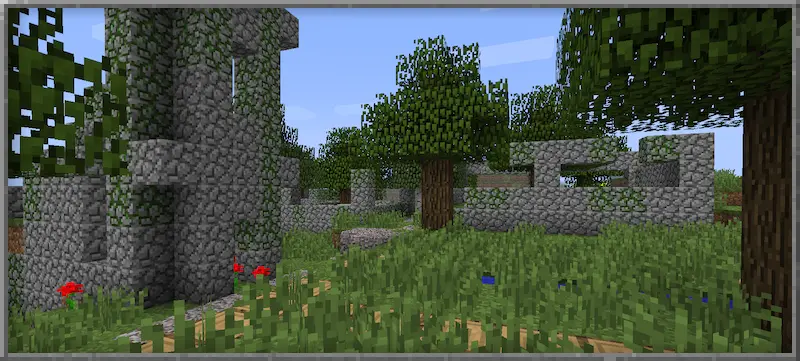
You are allowed to redraw, embed and redistribute this work. Don’t even ask. I’d appreciate it if you credit me in your work, but it’s not required.
(HARD) All-White Textures! (Joel’s 2022 Challenge)
Have you ever played Minecraft® and thought “hey, this is too many colors”?
No? Well… just _pretend_ like you did?
Because here and now, I present…
# THE ALL-WHITE CHALLENGE PACK!
I created this pack originally back in 2022 for 1.19 for a friend of mine to ~~suffer~~ **_enjoy his gameplay_** in!
But, you may say, “1.19? Who still plays in 1.19 when 1.21.5 is available and 1.21.6 is already announced!?”, well, I have a treat for you..
# **THIS PACK IS AVAILABLE FOR *EVERY* MINECRAFT® VERSION!**
_[Available in Easy (no GUI changes)](https://modrinth.com/resourcepack/all-white-2022-joel-challenge-pack-easy) and Hard (all textures changed)_
*Every single major version…*
– 1.21.5? You can use this pack!
– Beta 1.4? Still works!
– Alpha v1.2.2? I don’t know why, BUT IT WORKS!

*Even EVERY SINGLE DEV VERSION IS SUPPORTED*
– 22w44a? Yup, got it.
– 11w50a? Sure.
– Beta 1.6 Test Build 3? You’re crazy, but the pack works!

*Want to play your favorite “special” version? You can do it!*
– Combat Test 7b? This pack supports it!
– 2020’s 20w14infinite? Of course!
– 2013’s 2.0? Yup! (the Pink Wither looks better than ever)

*It even supports versions that don’t support Texture Packs, such as Infdev!*
*(Note: To play with this pack in versions before Alpha v1.2.2, you’ll need to manually modify your .jar file.)*
# So what are you waiting for?
Dive into the exciting, mind-boggling, seen-on-TV (not really), incredibly playable **world of**_… white._ Can you beat Minecraft® with no colors?
## Limitations
This pack isn’t perfect. In vanilla Minecraft®, you cannot change the water texture, and some foliage colors are hardcoded. In older versions, even less can be changed, therefore, this pack technically isn’t ***all*** white, but—especially in more modern versions—it is *mostly* white, as much as the game allows.
Additionally, the Modrinth API (as of writing this on 25.04.25), does not contain all versions of Minecraft®. This has resulted in me having to use some workarounds and marking a few versions wrongly. For example, v0.18 is marked as supporting *c0.30_01c*, when it actually supports *0.28_01*, *0.29*, *0.29_01*, *0.29_02*, *0.30 (Creative, 1900 Re-upload)*, *0.30 (Creative, Launcher Renew)*, and *0.30 (Survival, 1858 Re-upload)*.
If Modrinth adds these missing versions to their API, this notice shall disappear and the wrongly marked versions will be fixed.
For the time being, **the supported Minecraft® versions can be found in the description/changelog of every pack version, as well as its README.TXT**.
## License & Credits
_Concept and implementation of this texture pack © 2022–2026 PetByte. Minecraft® and all associated assets are © 2009–2026 Mojang Studios and Microsoft. This pack is not affiliated with or endorsed by Mojang Studios or Microsoft._
_Licensed under **CC-BY-ND 4.0**. You may use this pack for personal use, streaming, and content creation (monetized or not), but you **must credit PetByte**. Redistribution and modification are **not allowed**._
_For business inquiries, collaborations, or similar matters, please contact contact@petbyte.dev. For issues related to this pack, please contact issues@petbyte.dev. For anything else, feel free to leave a comment._
(EASY) All-White Textures! (Joel’s 2022 Challenge)
Have you ever played Minecraft® and thought “hey, this is too many colors”?
No? Well… just _pretend_ like you did?
Because here and now, I present…
# THE ALL-WHITE CHALLENGE PACK!
I created this pack originally back in 2022 for 1.19 for a friend of mine to ~~suffer~~ **_enjoy his gameplay_** in!
But, you may say, “1.19? Who still plays in 1.19 when 1.21.5 is available and 1.21.6 is already announced!?”, well, I have a treat for you..
# **THIS PACK IS AVAILABLE FOR *EVERY* MINECRAFT® VERSION!**
_Available in Easy (no GUI changes) and [Hard (all textures changed)](https://modrinth.com/resourcepack/all-white-2022-joel-challenge-pack-hard)_
*Every single major version…*
– 1.21.5? You can use this pack!
– Beta 1.4? Still works!
– Alpha v1.2.2? I don’t know why, BUT IT WORKS!

*Even EVERY SINGLE DEV VERSION IS SUPPORTED*
– 22w44a? Yup, got it.
– 11w50a? Sure.
– Beta 1.6 Test Build 3? You’re crazy, but the pack works!

*Want to play your favorite “special” version? You can do it!*
– Combat Test 7b? This pack supports it!
– 2020’s 20w14infinite? Of course!
– 2013’s 2.0? Yup! (the Pink Wither looks better than ever)

*It even supports versions that don’t support Texture Packs, such as Infdev!*
*(Note: To play with this pack in versions before Alpha v1.2.2, you’ll need to manually modify your .jar file.)*
# So what are you waiting for?
Dive into the exciting, mind-boggling, seen-on-TV (not really), incredibly playable **world of**_… white._ Can you beat Minecraft® with no colors?
## Limitations
This pack isn’t perfect. In vanilla Minecraft®, you cannot change the water texture, and some foliage colors are hardcoded. In older versions, even less can be changed, therefore, this pack technically isn’t ***all*** white, but—especially in more modern versions—it is *mostly* white, as much as the game allows.
Additionally, the Modrinth API (as of writing this on 25.04.25), does not contain all versions of Minecraft®. This has resulted in me having to use some workarounds and marking a few versions wrongly. For example, v0.18 is marked as supporting *c0.30_01c*, when it actually supports *0.28_01*, *0.29*, *0.29_01*, *0.29_02*, *0.30 (Creative, 1900 Re-upload)*, *0.30 (Creative, Launcher Renew)*, and *0.30 (Survival, 1858 Re-upload)*.
If Modrinth adds these missing versions to their API, this notice shall disappear and the wrongly marked versions will be fixed.
For the time being, **the supported Minecraft® versions can be found in the description/changelog of every pack version, as well as its README.TXT**.
## License & Credits
_Concept and implementation of this texture pack © 2022–2026 PetByte. Minecraft® and all associated assets are © 2009–2026 Mojang Studios and Microsoft. This pack is not affiliated with or endorsed by Mojang Studios or Microsoft._
_Licensed under **CC-BY-ND 4.0**. You may use this pack for personal use, streaming, and content creation (monetized or not), but you **must credit PetByte**. Redistribution and modification are **not allowed**._
_For business inquiries, collaborations, or similar matters, please contact contact@petbyte.dev. For issues related to this pack, please contact issues@petbyte.dev. For anything else, feel free to leave a comment._
Agenta
# Agenta
A authserver and skin fix for legacy versions of minecraft.
# Compatibility
Requires Java 7. (In theory this can be built for Java 5, but I lack the build tools required for that.)
If running this on Java 12 and newer, please add the following JVM argument: `–add-exports java.base/sun.net.www.protocol.http=ALL-UNNAMED`
1. As a mod: The same Jar will run on forge, bukkit and Risugami’s modloader for Minecaft versions Alpha 1.0.4 to Minecraft release 1.7.10 (These are merely the versions I tested)
2. As a JavaAgent: Add the following JVM argument: `-javaagent:{path}/agent.jar` (replace path with the location of the agent.jar)
3. Inline/static: In this setup, Agenta is essentially taking over the role of Launching minecraft. Add the following JVM argument and change out `{mainClass}` as needed depending on which minecraft version you are launching: `-Dagenta.main.class={mainClass}`
4. As a Bukkit plugin (Tested with bukkit for Minecraft Beta 1.2_01)
# JVM/Congig settings
Non of these are needed to launch Agenta. The available contexts are
“*” => ALL
“static” => When Agenta is launched as the main class with the expectation of chainloading another class manually.
“config” => Only appears in the config file.
| Context |
property |
Argument |
description |
| * |
agenta.assets.fml |
-Dagenta.assets.fml={value} |
A link to an archive Agenta should forward legacy forge download requests to |
| * |
agenta.assets.index |
-Dagenta.assets.index={value} |
The URL for the asset index Agenta should use as a base |
| * |
agenta.assets.routing |
-Dagenta.assets.routing=true |
Should agenta reroute requests the mojang’s asset servers? (default: “true”) |
| * |
agenta.assets.url |
-Dagenta.assets.url={value} |
The URL for the resource server Agenta should pull assets from |
* |
agenta.prt.color |
-Dagenta.prt.color=false |
Pass the value ‘false’ to disable colour printing. |
| * |
agenta.prt.debug |
-Dagenta.prt.debug=false |
Should agenta show debug messages? |
| * |
agenta.save.file |
-Dagenta.save.file=saves.json |
When handling saving for certain versions of old Minecraft that relied on long dead mojang endpoints, what should agenta call the save file? (default: “saves.json”) |
| * |
agenta.skin.resize |
-Dagenta.skin.resize=true |
Should agenta try to resize skins from 64×64 to 64×32 for better compatibility? (default: “true”) |
| * |
agenta.skin.merge |
-Dagenta.skin.merge=true |
Should Agenta take multi layered skins and attempt to flatten the layers down? (default: “true”) |
| * |
agenta.skin.cache |
-Dagenta.skin.cache=true |
Should agenta cache skin lookups? (default: “true”) |
| config |
agenta.config.version |
|
The version of agenta that generated a set config file. Will be used to detect if agenta should upgrade a set config file |
| static |
agenta.main.class |
-Dagenta.main.class={value} |
The class Agenta should try to load next when running in static/inline mode |
# Fixes
– Skin support for pre 1.7.10 versions
– Cape support for pre 1.7.10 versions
– Sound for versions of the game that predate 1.6
– World savings for certain pre-alpha builds (experimental)
– Forge 1.5.2 being unable to fetch it’s library files (experimental)
# Note
– The same jar will work for almost every version of minecraft that predates Release 1.8
– Any miscellaneous fabric based modloader _should_ be supported.
– NilLoader can load Agenta. (Agenta doesn’t meet the criteria of a [NilLoader mod](https://git.sleeping.town/Nil/NilLoader#:~:text=A%20NilLoader%20mod%20includes%20a%20complete%20copy%20of%20NilLoader%20within%20itself))
– Some ancient versions of Forge/modloader may require you to load Agenta as a jar mod.
– LiteLoader inforces compatibility checks and so can never be fully supported
AFK Room
AFK Room Plugin
**WARNING: Currently Our Plugin Needs Vault Plugin To Work. Please Read This Article.**
**WARNING:
This plugin is currently in BETA. So if you encounter any problems let us know!**
The main job of this plugin is helping you with making AFK Room for players!
Exciting?
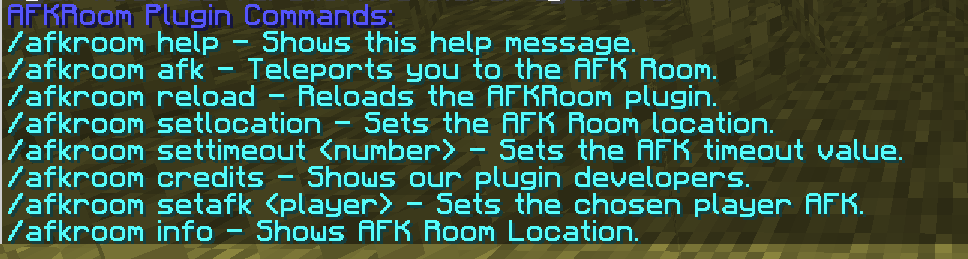
**———- Commands ———-**
> – /afkroom help – Shows a help message about commands.
– > permission: afkroom.help
– > default: all players
> – /afkroom afk – Teleports YOU to AFK Room and makes you AFK player.
– > permission: afkroom.afk
– > default: all players
> – /afkroom reload – Reloads the config.yml for AFKroom plugin.
– > permission: afkroom.reload
– > default: op’s only
> – /afkroom setlocation – Sets the location for AFKRoom. (including axis for dynamic axis feature)
– > permission: afkroom.setlocation
– > default: op’s only
> – /afkroom settimeout – Sets the cooldown for teleport. (minutes) (also editable in config.yml)
– > permission: afkroom.settimeout
– > default: op’s only
> – /afkroom credits – Shows our plugin developers.
– > permission: afkroom.credits
– > default: all players
> – /afkroom setafk – Sets the chosen player AFK.
– > permission: afkroom.setafk
– > default: op’s only
> – /afkroom info – Shows AFK room’s location. (world, x, y, z)
– > permission: afkroom.info
– > default: op’s only
**———- Special Features ———-**
– Editable timeout cooldown: You have access to change AFK timeout for teleport in config.yml! (also /afkroom settimeout command.)
– Setting AFK players spectator: When a player gets AFK, it will be teleported to AFKroom. But, if you enable this feature in config.yml, teleported players will be changed to spectator mode. (when they leave AFKroom, their gamemode changes old one.)
– Teleporting last location: When leaving AFK room, players can teleport to location that they’re staying at. (enable/disable in config.yml)
– Special Sounds: When player goes AFK/unAFK special sound will play. and also %100 configurable in config.yml! (volume, sound, pitch etc.)
– Dynamic Axis: When a player teleports the AFKroom you can make player to look special direction. you can edit enable/disable this feature in config.yml. (default is disabled) (you can set axis with /afkroom setlocation)
– Replaceable Messages: in config.yml, you can change messages. (command messages, title, subtitle etc.)
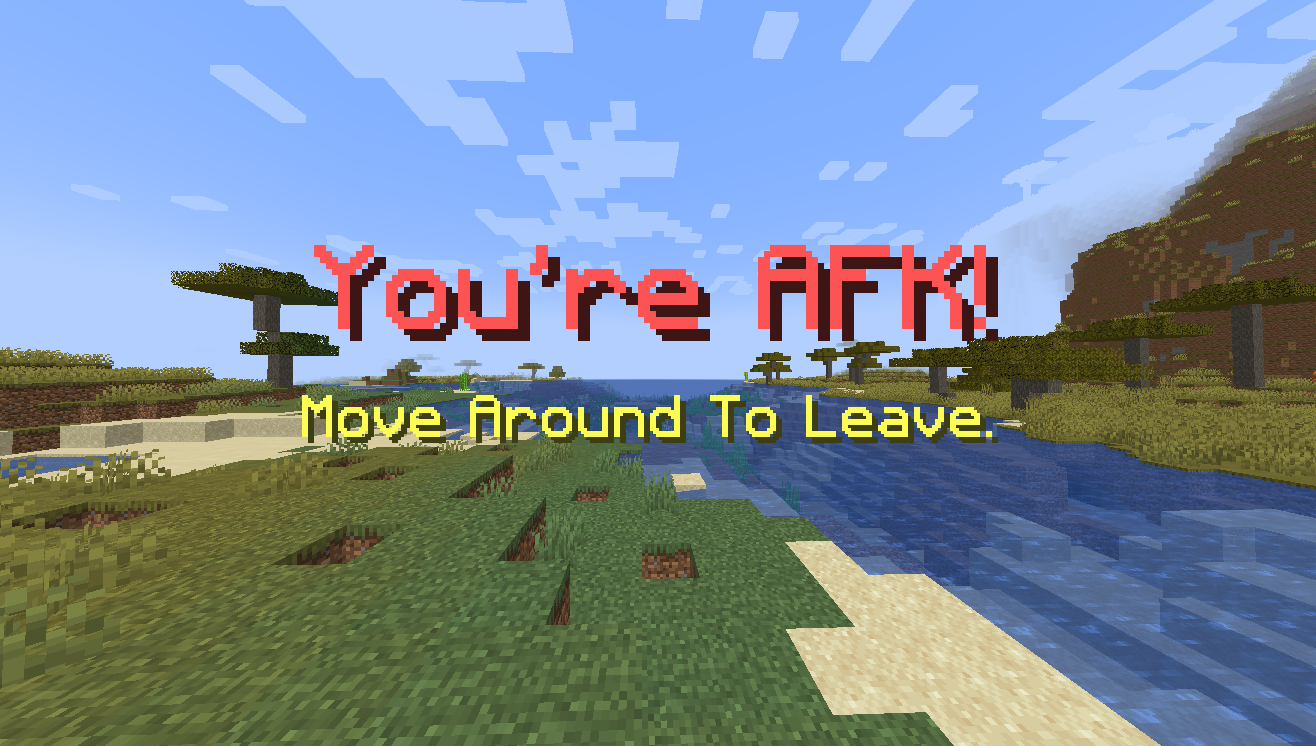
– Title’s Occur When AFK: İf you’re AFK, a title will be in your screen. you can edit it with config.yml.
Affinity Flak

**A plugin to manage explosions, can stop anything from being able to explode, nerf the explosion itself, or buff it**
**All sources are configurable in the config, and can be buffed or nerfed in config**
A Fresh Splash
This resorse pack adds more splash titles!
List of added splashes (commas seperate splashes)
No eating trashcans!
Big Bug!,
Just five minutes…,
May contain latex-infused polyunstaurated fats!,
Sticky stick!,
Why, there are cows!,
Mooo,
Thisisaverylongstringoftextthatyoumayormaynotbeabletoread!,
Mustard,
Minceraft, Not Minecraft!,
“New World”,
Hmmm, what does that button that says “Singleplayer” do?,
:),
Hurry up! What are you staring at me for?,
Mojangsoft!,
Insert text here,
Does not use bistatic radar!,
Me have socks!,
Tnt can explode!,
lllllllllllllllooooooooooooooonnnnnnnnnnnnnnnggggggggggggggg mmmmmeeeeessssssssssaaaaagggggeeeee,
Also try food!,
egg, gge, geg!,
Take eye breaks!,
Are you on a desktop or a laptop?,
java.lang.nullpointerexeption,
Yellow bobbing text!,
Creepier creeper!,
I spent five whole seconds writing this!,
Grrrrr Grrrrr,
Tntntnt!,
3d printer!,
If you type the number keys backwards while holding shift you get “)(*&^%$#@!”!,
Works on Mac, Linux and Windows!,
Use Modrinth for mods and more!,
Rubber Ball!,
PvP and PvE!,
Having fun?,
Minecraft is (usually) fun!,
Pixals!,
Water bucket!
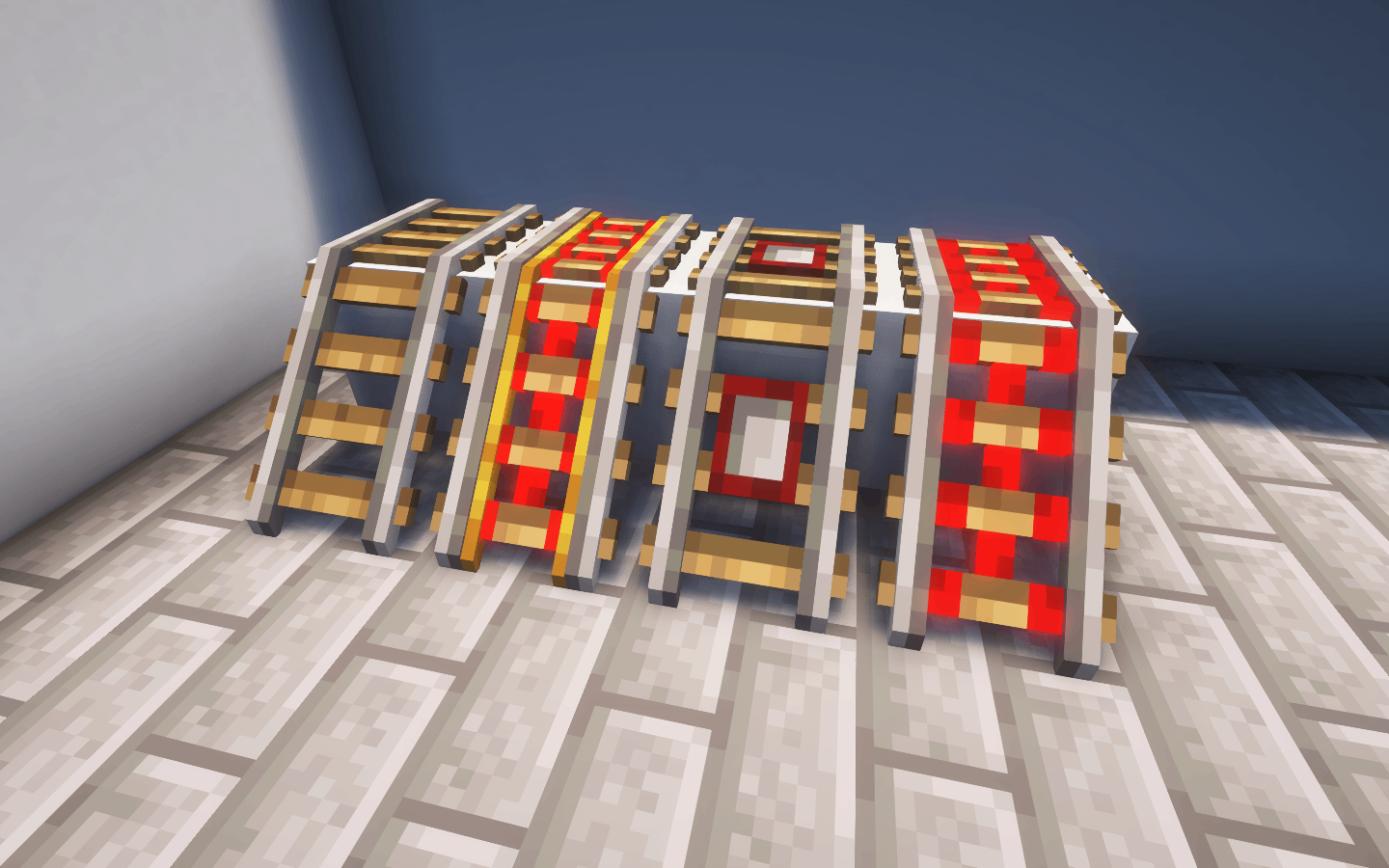
3D Rail
## 3D Rail
Italiano
**Questo pacchetto di risorse aggiorna le texture delle rotaie piatte di Minecraft con modelli 3D dettagliati, conferendo ai binari del tuo carrello da miniera un aspetto più realistico, pur mantenendo lo stile delle texture originali.**
I binari ora presentano rotaie e traversine in legno rialzate e una discreta profondità, migliorando l’immersione pur rimanendo fedeli all’estetica originale.
English
**This asset pack updates the flat rail textures in Minecraft with detailed 3D models, giving your minecart tracks a more realistic look while still maintaining the style of the original textures.**
The tracks now feature raised wooden rails and ties, and a decent amount of depth, improving immersion while still remaining true to the original aesthetic.
—