Artifacts Of The Ancients
## Artifacts Of The Ancients
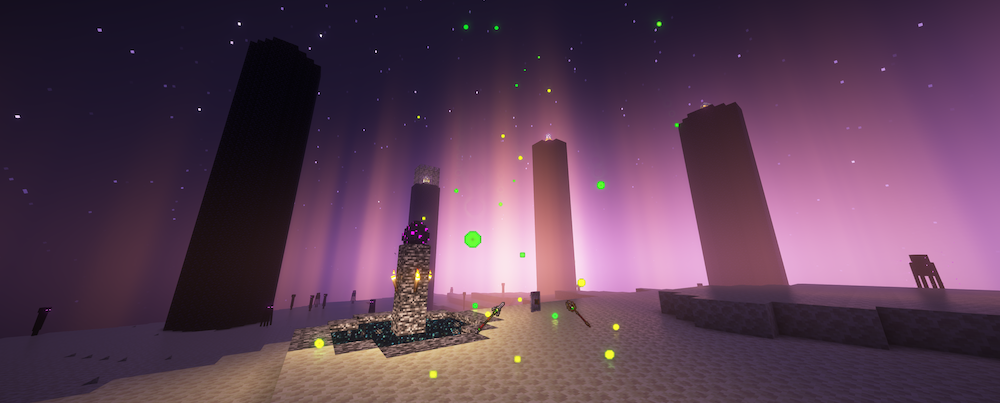
This plugin adds several artifacts that, when obtained, grant players various abilities. These artifacts have unique methods of acquisition.
This comprehensive plugin includes three powerful artifacts, each of which bestows incredible abilities upon players:
##
### Time Artifact
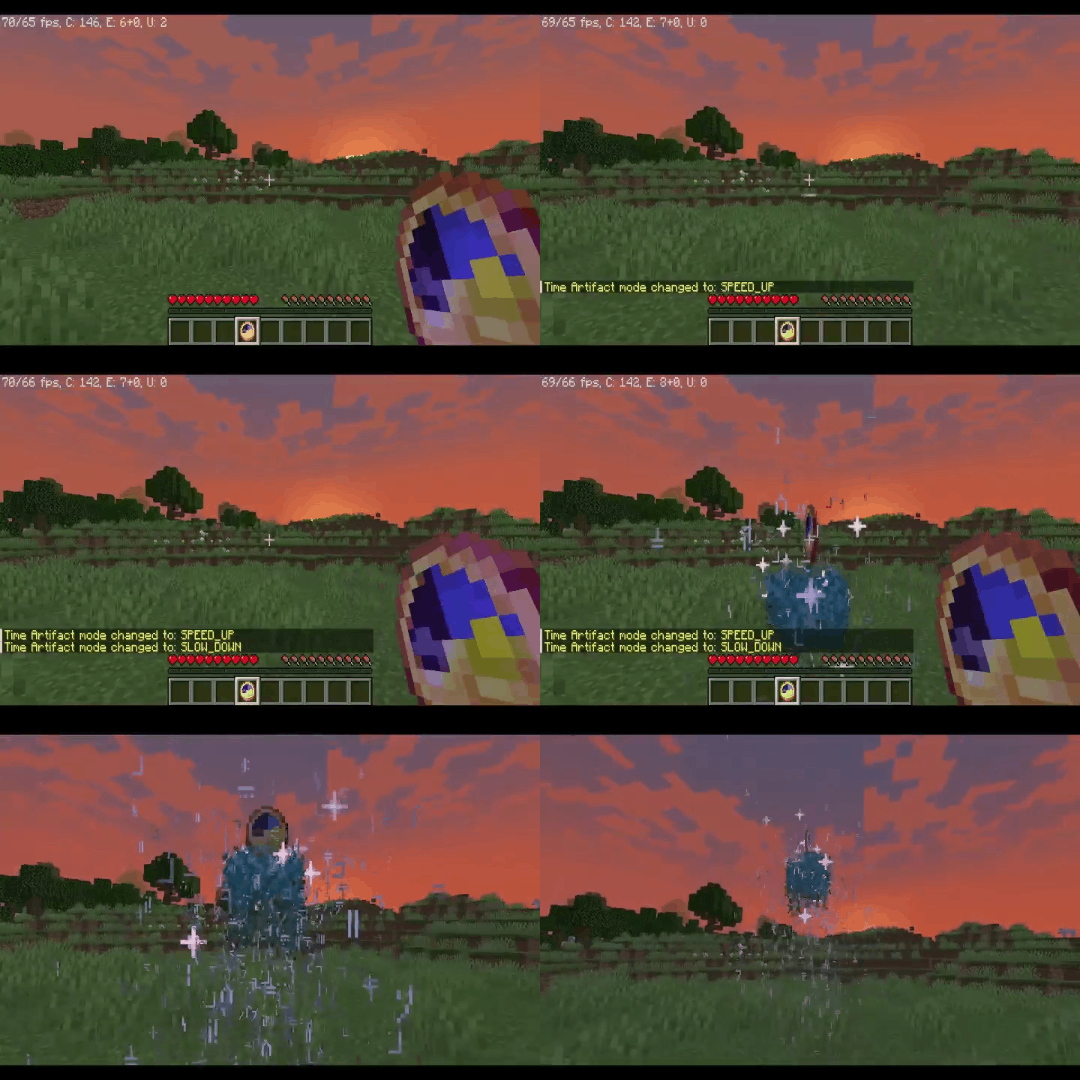
Allows the player to slow down, speed up, or even completely stop the flow of time for a certain period.
>
>
Obtaining
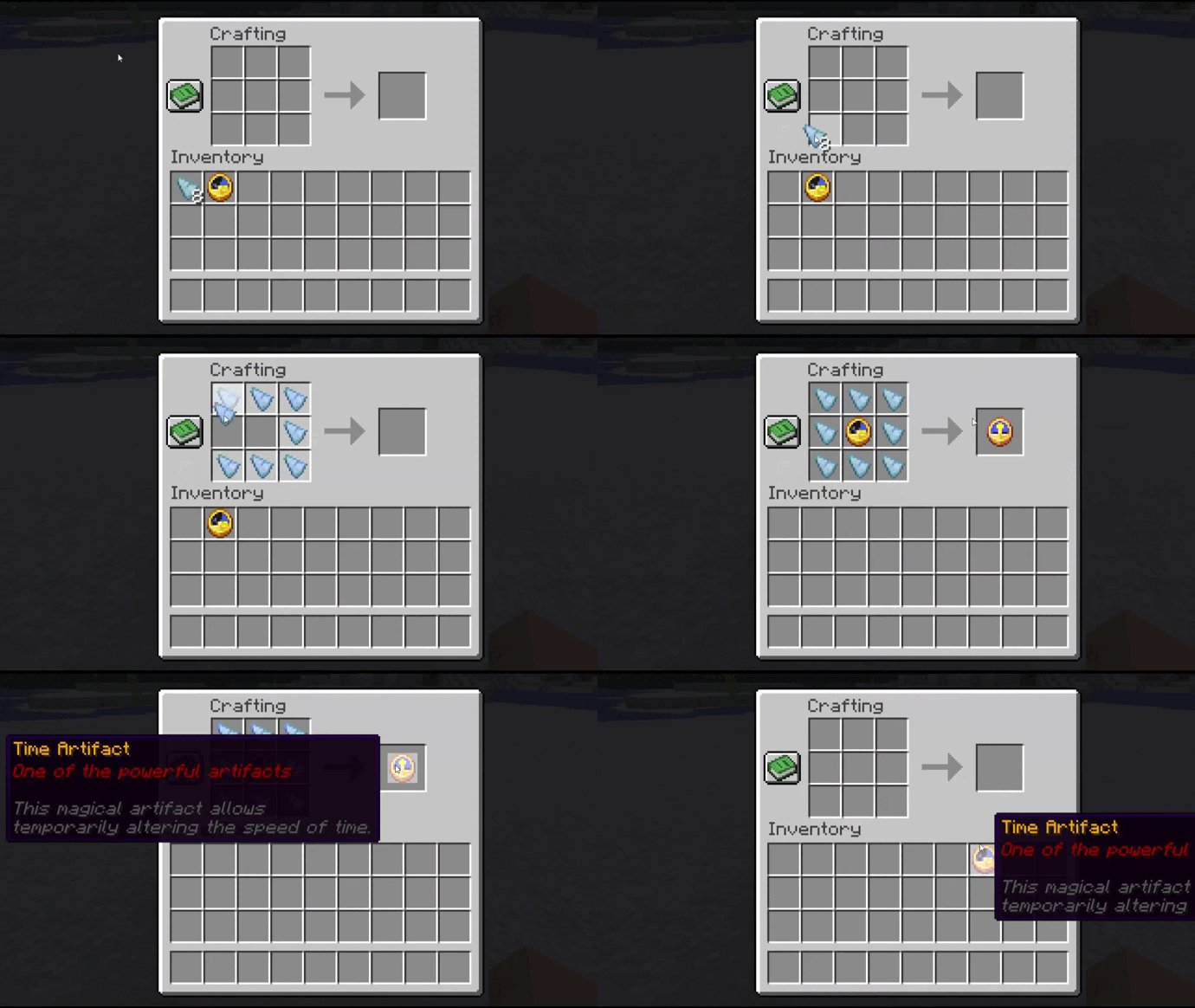
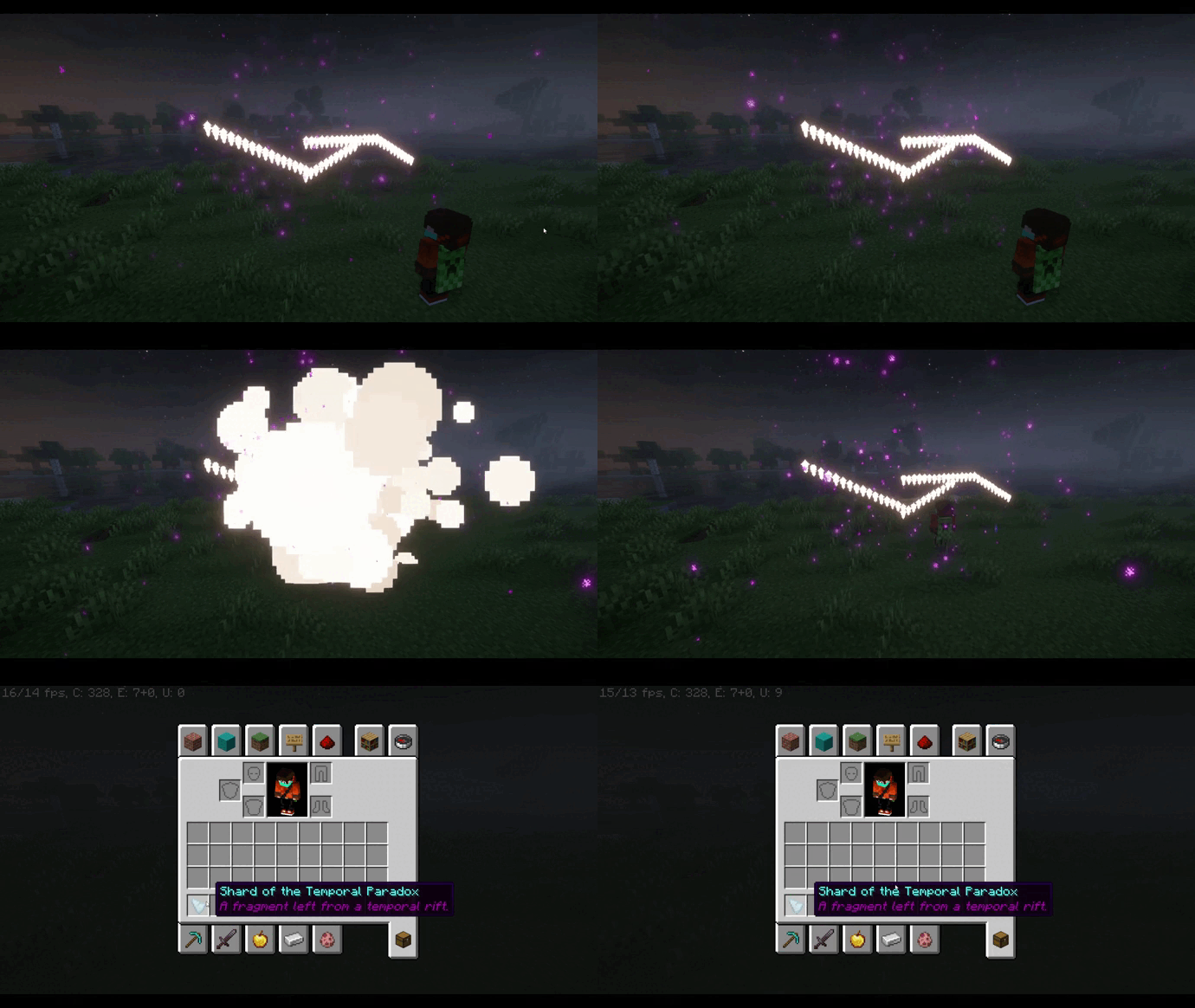
To craft the Time Artifact, you will need a regular clock, which must be placed on a crafting table and surrounded by “Temporal Paradox Shards”.
>
>
This rare shard can be obtained by passing through a temporal rift, which sporadically appears in the world.
>
##
### Seer’s Compass
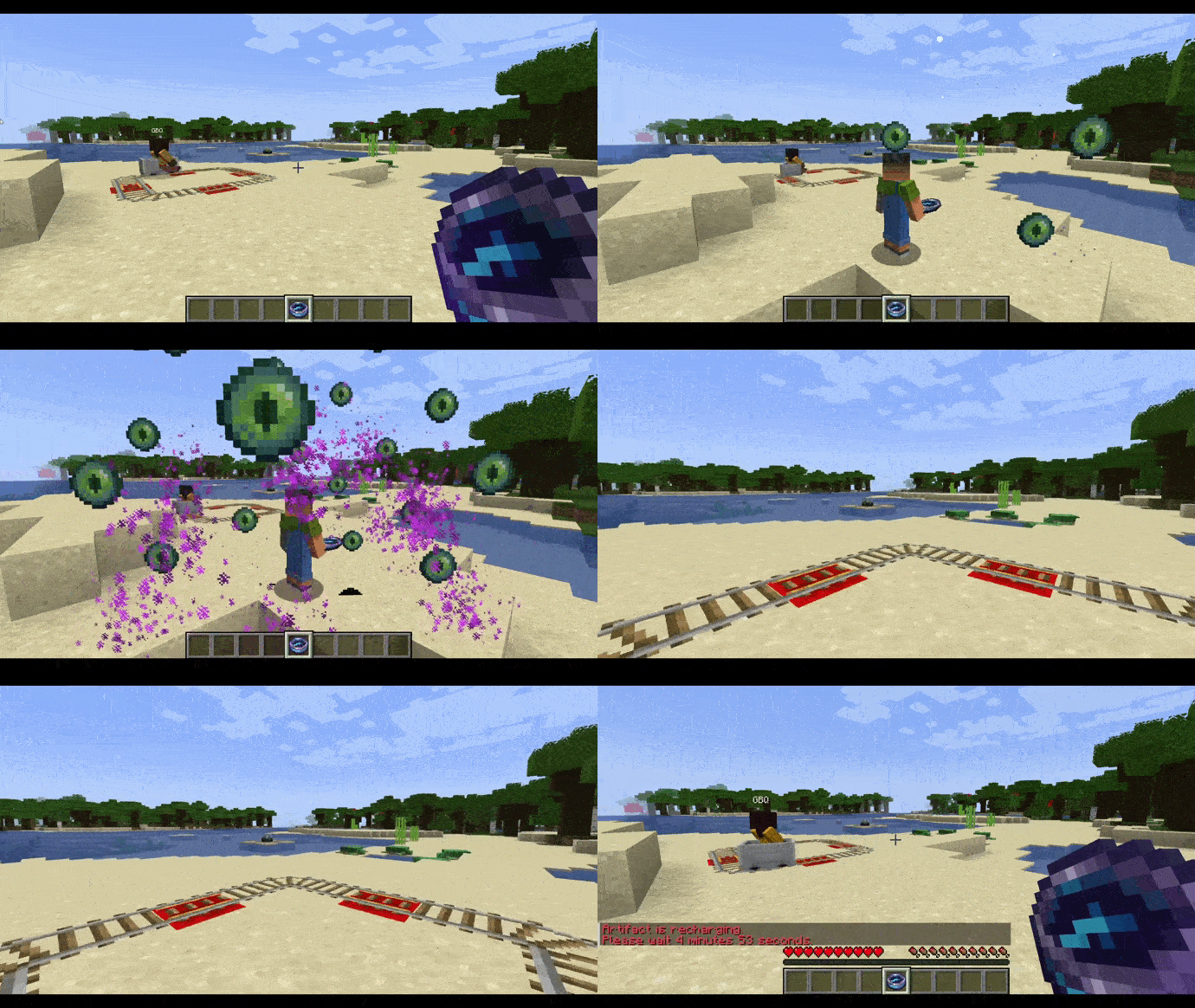
Grants the player the ability to see the world through the eyes of other players, allowing them to track their movements and actions.
>
Obtaining
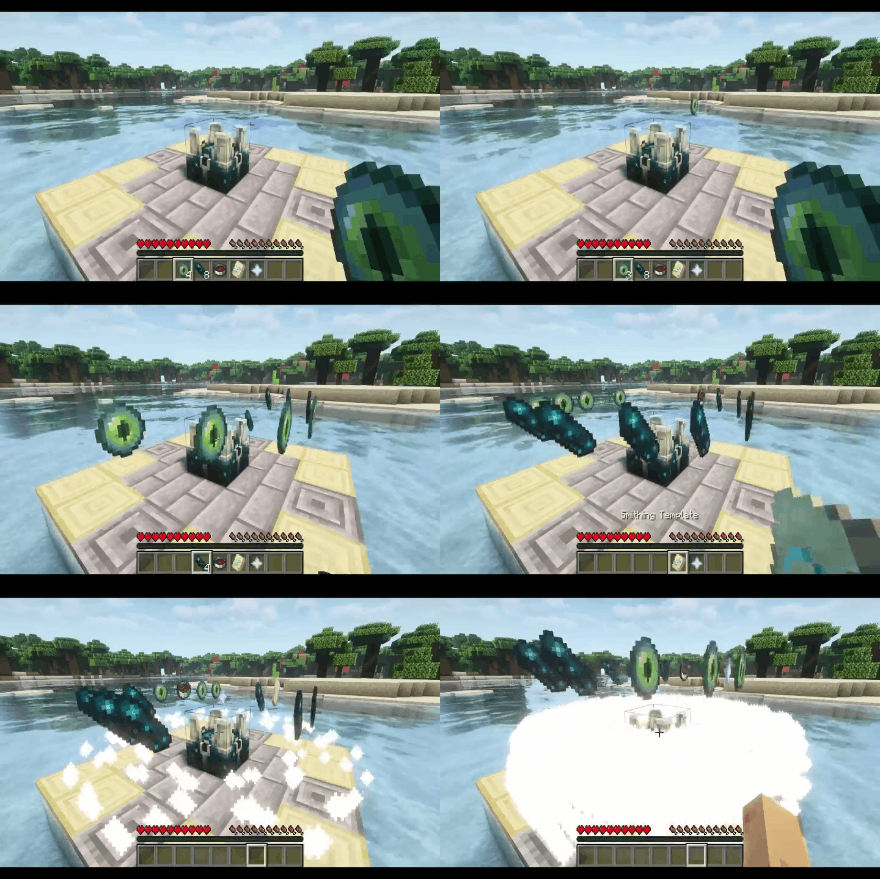
To create the Seer’s Compass, you will need to place the following ingredients on a special block called the “Scalkowing Crier”: 8 echo shards, 4 ender eyes, 1 compass, 1 nether star, and 1 “Eye” armor trim. This will initiate the artifact creation process, resulting in the Seer’s Compass.
>
>
##
### Guardian Amulet
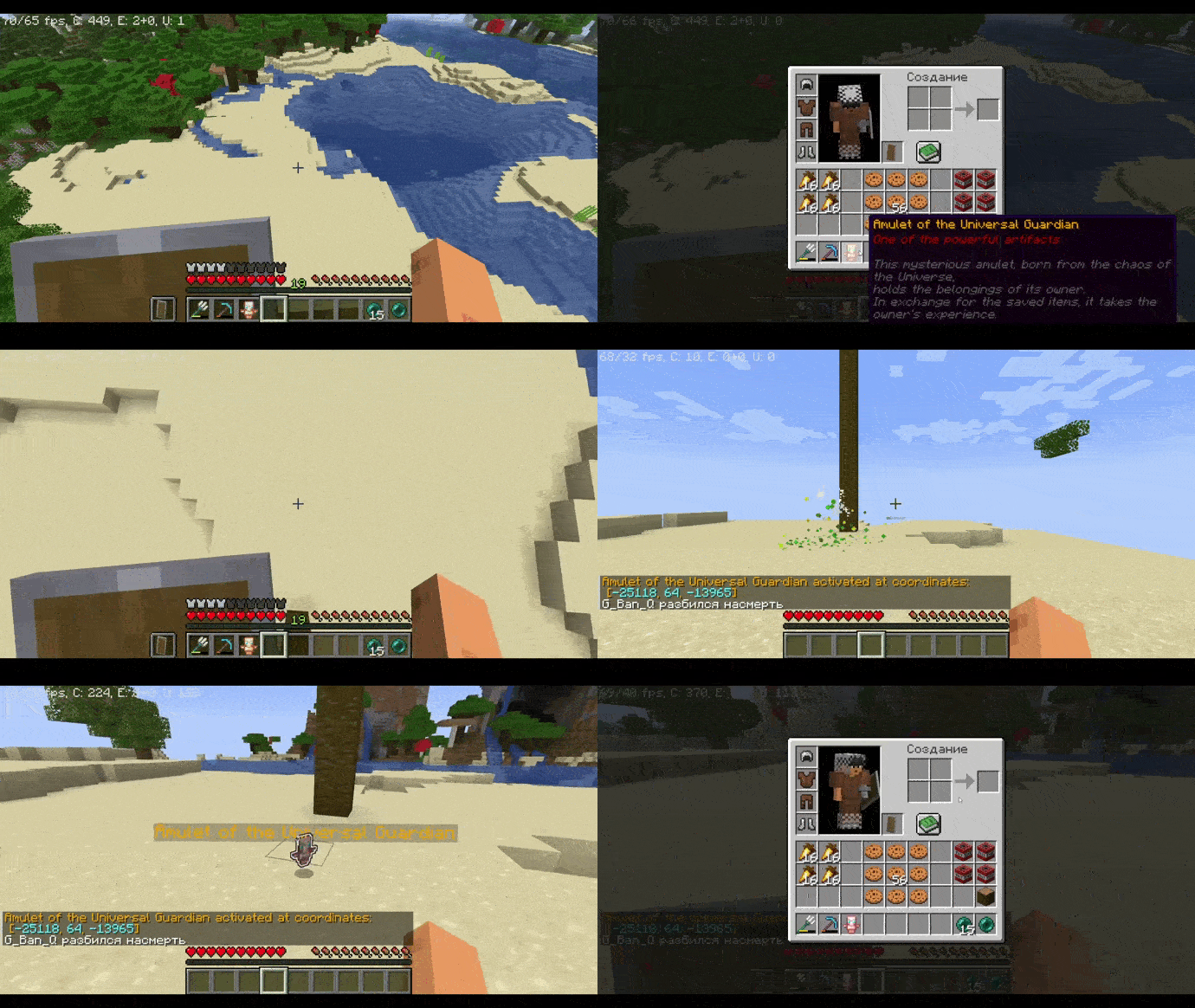
When the player dies, the amulet will save all of their items, holding them until the owner retrieves the artifact. Upon retrieving the amulet, the player’s items will be returned to them, but their experience will be taken. The amulet also displays the coordinates of the player’s death.
> 
>
Obtaining
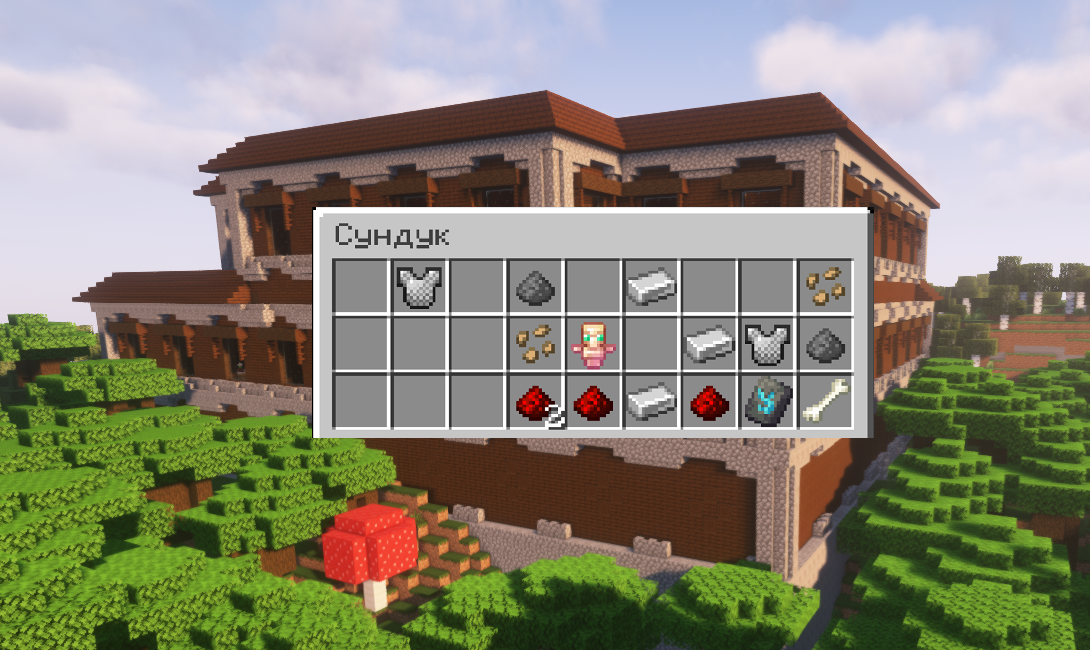
This amulet can be found in chests located in woodland mansions with a 30% probability.
> 
>
## Plugin Commands:
| Command | Permission | Description |
| — | — | — |
| /artefactinfo | AotA.usage | Obtain information about the artifacts |
| /magiccompass | AotA.usage | Grant the Seer’s Compass to the specified player |
| /giveguardianamulet | AotA.usage | Grant the Guardian Amulet to the specified player |
| /timeartifact | AotA.usage | Grant the Time Artifact to the specified player |
| /givetimeshard | AotA.usage | Grant a Temporal Paradox Shard to the specified player |
| /spawnrift | AotA.usage | Summon a temporal rift |
## Permissions:
– AotA.usage – Allows the use of all commands from the “Artifacts of the Ancients” plugin.
##
> **This plugin is currently in development and will be updated, so expect new items and features in the near future!**
> _The open-source code of the plugin will be available in its final versions._
>
Artifacts-L
EN:
!The data pack is still being developed, but it is already capable of functioning!
The datapack for versions below 1.21 is no longer supported and updates for them will not be released, all the latest versions of the datapack currently start with minecraft version 1.21 and higher
Gameplay
## • Mana:
This is a very important aspect, it is needed for: using artifact abilities (50 mana is spent), as well as for improving artifacts (from the first to the second level – 50, from the second to the third – 100). You start the game with a base reserve of 50 mana. Over time, its supply will grow. If your mana is below your reserve, then it is replenished at a rate of 1 point per second. If you are affected by the curse of mana, then its replenishment rate becomes equal to 1 point per minute.
## • Mana Improvement:
To increase your mana reserve, you need to perform certain actions: Do the work of your chosen class, use artifact abilities, or upgrade artifacts to a new level. For all these actions, you will receive “mana improvement points” (OUM), in order to increase your mana level, you need to collect a certain number of OUMS: level 2 = 50, 3 = 150, 4 = 300 5 = 500. ( The number of OUMS is indicated in the sum).
## • Classes:
At the beginning of the game, you will be given a choice of class. Depending on it, you will receive OUMs for certain actions, for example: warrior – dealing damage to enemies, miner – digging with a pickaxe, woodcutter – chopping with an axe. Classes are needed to get OUMS in a convenient and fast way for you. The classes themselves can also be pumped by doing their work, the higher the level of your class, the less work you need to get OUMS.
## • The Curse of Mana:
It reduces your mana replenishment rate to 1 point per minute. You can get a curse if you fail to improve your artifact. The duration of this curse is 60 minutes.
## • Bosses:
Once every 10 to 30 minutes, a random hostile mob can turn into a boss. Each of the bosses has a passive and active ability. After killing the boss, they drop 1-3 scattering dust, the loot can increase its amount.
**Revived flesh**: has 200 lives; passive ability – has 100 armor units; active ability – when the player hits, it will impose a bad luck effect on him, after the bad luck ends, the player will receive a lot of damage and negative effects.
**A dead necromancer**: has 100 lives; passive ability – each arrow that overtakes the player will destroy the caster’s jaws under him; active ability – summons skeleton minions.
**Forky**: has 150 lives; passive ability – if it is in the water, it receives a resistance ability of 1; active effect – throws a trident that summons lightning.
Items
## • Mana Catalyst:
It is created from: 1 amethyst fragment, 1 diamond, 1 eye of Ender, 2 fire rods, 4 lightstone dust, throw it all on the workbench. The catalyst is needed to improve artifacts, as well as to create a mana counter. The catalyst has only 5 strength, which is spent on successful and unsuccessful artifact improvements, as well as to create improvement templates.
## • Mana Counter:
It is created from: a watch and a mana catalyst of any strength (I recommend using it with 1 strength), throw it all on the anvil. The mana counter shows the amount of your mana at a given time. If the numbers above the hotbar are blue, everything is fine, but if they are red, a curse is working on you.
## • Enhancement Template:
Creation: Take a mana catalyst in your left hand and a non-Gerite enhancement in your right. It is needed to create mana counter improvements.
## • Mana Counter Upgrades:
General – Throw the desired upgrade along with the mana counter onto the anvil for use.
**Knowledge improvement** – is created from: an improvement template, 3 books, 2 light-stone dust, thrown on an anvil. Thanks to this improvement, the mana counter will be able to show the time until the artifact is recharged. To do this, you need to take the artifact in the recharge in your left hand and the mana counter with an improvement in your right.
**Improvement of OUMS** – created from: an improvement template, 4 redstones, 2 rotten flesh, 2 pickled spider eyes, thrown on an anvil. Thanks to this improvement, the mana counter in the left hand with the shift clamped will be able to show the number of mana improvement points to the next mana level.
**Cursed Improvement** – created from: an improvement template, 2 diamonds, 2 lapis lazuli, 4 amethyst shards, thrown on an anvil. Thanks to this improvement, the mana counter in the left hand will be able to show the time until the end of the mana curse.
## • Scattering dust:
Drops out of bosses. Taking it in your right hand and pressing shift will reduce the mana curse time by 10 minutes per application.
## • The rune of zeroing:
To create it, throw on the workbench: ender pearls, 4 diamonds, 2 non–cerite crowbars, 2 lightstone dust. Press the RMB to activate, after application, it will allow you to change your class, but it will completely reset the class level.
Artifacts
## • Activation:
The artifact is knocked out not activated, in order to activate it, you need to throw it on the magic table – an artifact, lapis lazuli and a minor item depending on the rarity of the artifact.
## • Rarity:
Artifacts come in 4 rarities – legendary, epic, rare and ordinary. Depending on the rarity, various secondary items will be required to activate (ordinary – iron ingot, rare – gold ingot, epic – diamond, legendary – non-cerite scrap).
## • Ability to upgrade:
When activating some artifacts, they will have stars, which means that they can be improved (the more stars, the higher the chances of successful improvement), if they fail, a mana curse will be imposed. To improve, take the artifact in your right hand and the mana catalyst in your left.
## • Types of artifacts:
There are 2 types – equipment and accessory, their difference is that the former are used as ordinary armor or tools, and the latter must be put in one of the three upper right slots of your inventory to activate their abilities.
## • Dragon Wings:
Drop from the ender dragon with a 12% + 1% chance for each loot level. The rarity is legendary, it does not have the ability to upgrade. Type – equipment. Features: they are not destructible, when put on they give 4 units of armor.
## • Wither Storm:
Drops from the wither-skeleton with a 2.5% + 1% chance for each loot level. The rarity is epic, it has the ability to upgrade. Type – equipment. Properties: when hit, it can dry up the enemy, take it in your left hand and press the shift to summon a wither storm, after using the ability, it will go into recharge for 5 minutes. Note: To upgrade a sword from diamond to non-diamond, a standard method is required.
## • Slime Ring:
Drops from slugs with a 2% + 1% chance for each mining level. Rarity is rare, it does not have the ability to upgrade. The type is an accessory. Properties: gives +4 health units and a jumping effect, if your health reserve decreases from 1 to 3 units, then you instantly heal, become smaller, lose a little of the main health reserve and get a weakness effect, this ability can be activated a maximum of 2 times, for each activation, you will receive a timer of 15 minutes, after which, you will return to your previous appearance or to the previous stage.
## • Zombie Amulet:
Drops with zombies with a 2.5% + 1% chance for each loot level. Rarity is common, it has the ability to upgrade. The type is an accessory. Properties: grants protection from the effect of hunger, each 5th rotten flesh has a chance (5%, 15%, 25%, depending on the level) to completely saturate the owner.
## • The axe of the Brutal Piglin:
Drops from brutal piglins with a 1.5% + 0.5% chance for each mining level. The rarity is epic, it has the ability to upgrade. Type – equipment. Features: indestructibility, take it in your left hand and press the shift to activate the ability (at level 1 it will give you strength 1 for 30c, at level 2 – strength 1 for 30c and a health surge of 1 for 5min, at 3 – strength 1 for 45c and a health surge of 2 for 5min), after activation, the ability will go into recharge for 10 minutes.
RU:
!Пакет данных все еще находится на стадии разработки, но он уже способен функционировать!
Датапак для версий ниже 1.21 больше не поддерживается и обновления для них выходить не будут, все самые последние версии датапака в данный момент начинаются с версии майнкрафт 1.21 и выше
Игровой процесс
## • Мана:
Это очень важный аспект, она нужна для: использования способностей артефактов (затрачивается 50 маны), а так же для улучшения артефактов (с первого на второй уровень – 50, со второго на третий – 100). Вы начинаете игру с базовым запасом в 50 маны. Со временем, её запас будет расти. Если ваша мана ниже вашего запаса, то она пополняется со скоростью – 1 очко в секунду. Если же на вас действует проклятие маны, то её скорость пополнения становиться равна 1 очку в минуту.
## • Улучшение маны:
Для увеличения запаса маны, вам нужно выполнять определённые действия: выполнять работу вашего выбранного класса, использовать способности артефактов или же улучшать артефакты на новый уровень. За все эти действия, вы будете получать “очки улучшения маны” (ОУМ), дабы повысить ваш уровень маны, вам нужно набрать определённое количество ОУМов: 2 уровень = 50, 3 = 150, 4 = 300 5 = 500. (Количество ОУМов указано в сумме).
## • Классы:
В начале игры вам будет предоставлен выбор класса. В зависимости от него, вам будут начисляться ОУМы за определённые действия, например: воин – нанесение урона врагам, шахтёр – копание киркой, дровосек – рубка топором. Классы нужны для получения ОУМов удобным и быстрым для вас способом. Сами классы так же можно прокачивать, выполняя их работу, чем выше уровень вашего класса, тем меньше нужно работы для получения ОУМов.
## • Проклятие маны:
Оно снижает скорость пополнения вашей маны до 1 очка в минуту. Получить проклятие можно, если вам не удастся улучшить свой артефакт. Длительность этого проклятия – 60 минут.
## • Боссы:
Раз в 10 – 30 минут, случайный враждебный моб может превратиться в босса. Каждый из боссов имеет пассивную и активную способность. После убийства босса, с них выпадает 1 – 3 рассеивающей пыли, добыча может увеличить её количество.
**Ожившая плоть**: имеет 200 жизней; пассивная способность – имеет 100 ед брони; активная способность – при ударе игрока, наложит на него эффект невезения, после того, как невезение закончится, игрока получит большой урон и негативные эффекты.
**Мёртвый некромант**: – имеет 100 жизней; пассивная способность – каждая стрела, настигшая игрока, спавнит под ним челюсти заклинателя; активная способность – призывает скелетов-миньонов.
**Форкий**: – имеет 150 жизней; пассивная способность – если находится в воде, получаая способность сопротивления 1; активный эффект – метает трезубец, призывающий молнию.
Предметы
## • Катализатор маны:
Создаётся из: 1 аметистового осколка, 1 алмаза, 1 око эндера, 2 огненный стержней, 4 светокаменной пыли, все это бросить на верстак. Катализатор нужен для улучшения артефактов, а так же для создания счётчика маны. Катализатор имеет всего 5 прочности, которая тратиться при удачном и неудачном улучшения артефакта, а так же, для создания шаблонов улучшений.
## • Счётчик маны:
Создаётся из: часов и катализатор маны любой прочности (рекомендую использовать с 1 прочностью), киньте все это на наковальню. Счётчик маны показывает количество вашей маны в данный момент времени. Если цифры над хотбаром синие – все хорошо, если же красные – на вас действует проклятие.
## • Шаблон улучшения:
Создание: возьмите в левую руку катализатор маны, а в правую незеритовое улучшение. Нужен для создания улучшений счётчика маны.
## • Улучшения счётчика маны:
Общее – киньте нужное улучшение вместе с счётчиком маны на наковальню для применения.
**Улучшение знаний** – создаётся из: шаблона улучшений, 3 книги, 2 светокаменной пыли, кинуть на наковальню. Благодаря этому улучшению, счётчик маны сможет показывать время, до прохождения перезарядка артефакта. Для этого нужно взять артефакт в перезарядке в левую руку и счётчик маны с улучшением в правую.
**Улучшение ОУМов** – создаётся из: шаблона улучшений,4 редстоуна,2 гнилых плотей, 2 маринованный паучих глаз, кинуть на наковальню. Благодаря этому улучшению, счётчик маны в левой руке с зажатым shift сможет показывать количество очков улучшения маны до следующего уровня маны.
**Проклятое улучшение** – создаётся из: шаблона улучшений, 2 алмазов, 2 лазуритов, 4 аметистовых осколков, кинуть на наковальню. Благодаря этому улучшению, счётчик маны в левой руке сможет показывать время до конца проклятия маны.
## • Рассеивающая пыль:
Выпадает из боссов. Взяв её в правую руку и нажав шифт, уменьшит время проклятия маны на 10 минут за применение.
## • Руна обнуления:
Для создания – кинуть на верстак: эндер жемчуг, 4 алмаза, 2 незеритовых лома, 2 светокаменной пыли. Нажмите пкм для активации, после применения, позволит изменить ваш класс, но полностью сбросит уровень классов.
Артефакты
## • Активация:
Артефакт выбивается не активированным, чтобы его активировать, нужно кинуть на чародейский стол – артефакт, лазурит и второстепенный предмет зависящий от редкости артефакта.
## • Редкость:
Артефакты бывают 4 редкостей – легендарные, эпические, редкие и обычные. В зависимости от редкости, будут требоваться разные второстепенные предметы для активации (обычный – железный слиток, редкий – золотой слиток, эпический – алмаз, легендарный – незеритовый лом).
## • Возможность прокачки:
При активации некоторых артефактов, у них будут появляться звёзды, это значит, что их можно улучшить (чем больше звёзд, тем выше шансы на удачное улучшение), при неудаче будет наложено проклятие маны. Для улучшения возьмите артефакт в правую руку и катализатор маны в левую.
## • Типы артефактов:
Есть 2 типа – экипировка и аксессуар, их различие в том, что первые используются как обычная броня или инструменты, а вторые, нужно положить в один из трёх верхних правых слотов вашего инвентаря для активации их способностей.
## • Крылья дракона:
Выпадают с эндер дракона с шансом 12% + 1% за каждый уровень добычи. Редкость – легендарная, не имеет возможность прокачки. Тип – экипировка. Свойства: не разрушаемы, при надевании дают 4 единицы брони.
## • Визер-шторм:
Выпадает с визер-скелета с шансом 2.5% + 1% за каждый уровень добычи. Редкость – эпическая, имеет возможность прокачки. Тип – экипировка. Свойства: при ударе, может иссушить врага, возьмите в левую руку и нажмите шифт для призыва визер-шторма, после использования способность уйдёт в перезарядку на 5 минут. Примечание: для улучшения меча с алмазного до незеритового, требуется стандартный способ.
## • Слизне кольцо:
Выпадает со слизней с шансом 2% + 1% за каждый уровень добычи. Редкость – редкая, не имеет возможность прокачки. Тип – аксессуар. Свойства: даёт +4 единицы здоровья и эффект прыгучести, если ваш запас здоровья уменьшается от 1 до 3 едениц, то вы моментально исцеляетесь, становитесь меньше, теряете немного основного запаса здоровья и получаете эффект слабости, эту способность можно активировать максимум 2 раза, за каждую активацию, вы будете получать таймер в 15 минут, по истечению которого, вы вернётесь в прежний вид или на предыдущую стадию.
## • Амулет зомби:
Выпадает с зомби с шансом 2.5% + 1% за каждый уровень добычи. Редкость – обычная, имеет возможность прокачки. Тип – аксессуар. Свойства: дарует защиту от эффекта голода, каждая 5-ая гнилая плоть, имеет шанс (5%, 15%, 25% в зависимости от уровня) полностью насытить владельца.
## • Топор брутального пиглина:
Выпадает с брутальных пиглинов с шансом 1.5% + 0.5% за каждый уровень добычи. Редкость – эпическая, имеет возможность прокачки. Тип – экипировка. Свойства: неразрушимость, возьмите в левую руку и нажмите шифт для активации способности (на 1 уровне даст – силу 1 на 30с, на 2 – силу 1 на 30с и прилив здоровья 1 на 5мин, на 3 – силу 1 на 45с и прилив здоровья 2 на 5мин), после активации, способность перейдёт в перезарядку на 10 минут.
Artifacts

Some older versions of this mod can be found on curseforge: [Forge](https://www.curseforge.com/minecraft/mc-mods/artifacts) / [Fabric](https://www.curseforge.com/minecraft/mc-mods/artifacts-fabric)
Artifacts is a mod which aims to make exploration more rewarding by adding various powerful items that cannot be crafted.
The items added by this mod can be found in chests in vanilla structures, through archaeology, or can very rarely be found worn by entities. All artifacts only have a few chests in which they can be found, so go out and explore! Additionally, a new underground campsite structure has been added. Mimics occasionally spawn in these campsites instead of a chests, which are dangerous enemies that attack players that get too close. Mimics always drop a random artifact when killed.
Every item added by this mod has a unique model when equipped. The full set of items and their descriptions can be found in the images tab. Sn up-to-date list of where each item can be found is available on the wiki on GitHub.

Arther Lewyien Anime Gui Pack
Arthur Leywin Anime GUI – Description
Step into a sleek and immersive interface inspired by the legendary Arthur Leywin. This GUI blends elegant fantasy aesthetics with a modern anime touch, featuring smooth layouts, glowing accents, and a powerful aura that reflects strength and control.
Every detail is crafted to feel magical yet clean — from the refined panel designs to the subtle energy effects that give it life. The interface captures the essence of a rising king: calm, strategic, and unstoppable.
Perfect for players who want a stylish and anime-inspired experience while keeping everything organized and easy to use. Whether you’re managing inventory or navigating menus, this GUI makes every moment feel epic.
Artefacts CIT
This pack contains custom 2D and 3D models used by the Tetrago RP server.
This resourcespack works without Optifine.
Models
– Khepesh Royal
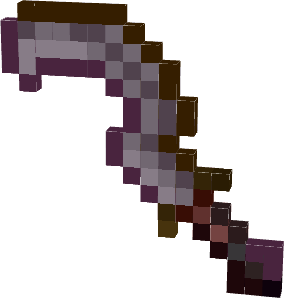
– Arpegene Crown

– Mitre Papale

——————
Version “Plus” of this datapack contains models coming from other CIT resourcespacks.
These included packs have been modified to work without Optifine.
– [Dee’s Extended Equipment | CIT Pack](https://www.curseforge.com/minecraft/texture-packs/dees-extended-equipment)
– [maeflowers’ CIT Pack](https://maeflowersmc.wixsite.com/minecraft/catalog)
——————
On 5.1 version only
_Models using stonecutter via Artefacts datapack companion._
_Link to [Artefacts CIT datapack](https://modrinth.com/datapack/artefacts-dp)_
Arte
> **NOTE: Arte works only on Minecraft 1.20.3+**
Table of Contents
-
About Arte
-
Getting Started
- Usage
- Contact
## About Arte
So, what does it do? Simple! Let’s say you have a BIG server resource pack.
Every time you make a little change, you will have to manually re-host it somewhere, and players will have to fully re-download it.
This can get annoying. Arte splits the resource pack into parts (by namespaces), hosts it directly on your server
and sends each one as a different server resource pack!
> Q: How is this possible? There can only be one server resource pack loaded at one time!
> A: In 1.20.3 Mojang added a new feature that allows servers to send multiple server resource packs at a time!
Players will only re-download the parts that actually need updating, and apply other server packs.
## Getting Started
To set up Arte on your server follow these steps.
### Prerequisites
Different mod-loader require different dependencies!
#### On Fabric:
[![Requires Fabric API][fabric-api-shield]][fabric-api-url]
#### On Spigot:
* Requires nothing!
#### On Paper:
* Requires [ProtocolLib][protocol-url].
### Installation
[![Hangar][hangar-shield]][hangar-url]
[![GitHub][github-shield]][github-url]
[![Polymart][polymart-shield]][polymart-url]
[![Spigot][spigot-shield]][spigot-url]
_Download and install the mod or plugin from [Modrinth][modrinth-versions-url], [Hangar][hangar-versions-url], [Polymart][polymart-updates-url], [Spigot][spigot-updates-url] or [GitHub Releases][github-releases-url]._
1. Start your server
2. Open Arte’s config file
3. Set `address` to your server’s public address
4. Open the port specified in config (`1864`) or put already opened port in the `port` field in config.
5. Restart your server
## Usage
Put your resource pack source (not zipped) in the `arte/resourcepack/` folder and run `/arte reload`.
> Note: Arte folder can be different depending on your server! If you use Fabric or Quilt, it’s folder will be in server’s folder.
> If you use Spigot, then Arte’s folder will be located in `plugins/arte/`.
_For more examples, please refer to the [Documentation](https://projects.shardmc.su/arte)._
## Contact
[![Discord][discord-shield]][discord-url]
[spigot-shield]: https://raw.githubusercontent.com/intergrav/devins-badges/v3/assets/cozy/supported/spigot_64h.png
[fabric-shield]: https://raw.githubusercontent.com/intergrav/devins-badges/v3/assets/cozy/supported/fabric_64h.png
[noforge-shield]: https://raw.githubusercontent.com/intergrav/devins-badges/v3/assets/cozy/unsupported/forge_64h.png
[rptweaks-url]: https://modrinth.com/mod/resource-pack-tweaks
[fabric-api-shield]: https://raw.githubusercontent.com/intergrav/devins-badges/v3/assets/cozy/requires/fabric-api_64h.png
[fabric-api-url]: https://modrinth.com/mod/fabric-api
[protocol-url]: https://ci.dmulloy2.net/job/ProtocolLib//lastBuild/
[spigot-url]: https://www.spigotmc.org/resources/arte.114150/
[github-shield]: https://raw.githubusercontent.com/intergrav/devins-badges/v3/assets/cozy/available/github_64h.png
[github-url]: https://github.com/ShardMC/arte
[hangar-shield]: https://raw.githubusercontent.com/intergrav/devins-badges/v3/assets/cozy/available/hangar_64h.png
[hangar-url]: https://hangar.papermc.io/shardmc/arte
[polymart-shield]: https://raw.githubusercontent.com/intergrav/devins-badges/v3/assets/cozy/available/polymart_64h.png
[polymart-url]: https://polymart.org/resource/plugin-arte.5242
[curseforge-shield]: https://raw.githubusercontent.com/intergrav/devins-badges/v3/assets/cozy/available/curseforge_64h.png
[curseforge-url]: https://curseforge.com/minecraft/bukkit-plugins/arte-for-spigot
[spigot-shield]: https://raw.githubusercontent.com/intergrav/devins-badges/v3/assets/cozy/supported/spigot_64h.png
[spigot-url]: https://www.spigotmc.org/resources/arte.114150/
[modrinth-versions-url]: https://modrinth.com/plugin/arte/versions
[hangar-versions-url]: https://hangar.papermc.io/shardmc/arte/versions
[polymart-updates-url]: https://polymart.org/resource/arte.5242/updates
[curseforge-updates-url]: https://curseforge.com/minecraft/bukkit-plugins/arte-for-spigot/files
[spigot-updates-url]: https://www.spigotmc.org/resources/arte.114150/updates
[github-releases-url]: https://github.com/ShardMC/arte/releases
[github-issues-url]: https://github.com/ShardMC/arte/issues
[discord-shield]: https://raw.githubusercontent.com/intergrav/devins-badges/v3/assets/cozy/social/discord-plural_64h.png
[discord-url]: https://discord.gg/CqVAzakrqx
ArtChanger
Paper plugin mapping internet images into item frames with auto aspect-based grids, high-quality dithering+sharpen, persistence across restarts, anti-dup drops, multi-source URLs, rotation, EN/RU locales, safe and fast by bdiev_.
# Key Features:
– Load images from URLs (Instagram, Discord CDN, Telegram, Imgur, ImgBB, any direct link)
– Auto grid sizing by aspect ratio (e.g., 1:1 → 3×3, 16:9 → 4×2, 4:3 → 4×3; manual 3×2 / 5×5 also supported)
– Rectangular grids with placement validation and chunk-load restoration (tile metadata stored)
– High-quality pipeline: multi-step downscale, sharpening, Floyd–Steinberg dithering, palette mapping to Minecraft maps
– Rotate with right-click; delete with left-click (clears group, keeps main frame)
– Anti-dup: auto-created frames do not drop; only one frame drops per grid
– Persistence across restarts (image ID + grid metadata stored in frames)
– Asynchronous downloads (non-blocking for the server)
# Commands:
– /artchanger set [size]
– size formats: 3 (square), 3×2 (rectangular). If omitted → auto-sized by aspect ratio.
– /artchanger help — show help
# Usage:
– Shift + Right click to paste item in the frame
– Run /artchanger set [size]
– Right-click an item frame to place the image
– Right-click again to rotate
– Left-click to remove the picture (main frame stays; grid auto-frames are removed without drops)
# Grid Sizing:
– Auto: aspect-ratio based (1:1→3×3, 16:9→4×2, 4:3→4×3, 3:2→3×2, 2:3→2×3, 9:16→2×4, panorama>2.5→5×2)
– Manual: /artchanger set 4×3 or /artchanger set 5
– Max recommended grid: 10×10
Please, text me if you found any bugs, Thanks!
Arsonist Tweaked
# What?
Changes the arsonist armor set to fit in more with the vanilla ones. Changes both the model and the item textures.
# Why?
Was originally made because my friends and I thought it looked a bit weird and didn’t really fit as the default armor.
# When?
Was originally made for the 0.7.4.2.1 version of the mod but I think It should work fine on other versions.
ArSi’s PVP Pack
# 🔴 ArSi’s PVP Pack
Welcome to **ArSi’s PVP Pack**! This resource pack blends the clean, minimalist aesthetic of the *Bare Bones* style with an aggressive, reddish twist to make your gameplay both smoother and more stylish.
—
## 🎨 The Aesthetic
ArSi’s PVP Pack reduces visual noise by utilizing flat colors and simple textures. The primary focus is a **vibrant red color palette** that flows through the entire game environment.
* **Bare Bones Style:** Simplified textures for maximum performance and a sleek “official trailer” look.
* **Red Tint:** Many textures have been overhauled with a reddish hue to create a competitive, high-energy vibe.
* **Performance Optimized:** Low-resolution simplicity ensures high FPS, making it perfect for Bedwars, Skywars, or PvP.
## 🛠️ Installation
1. Download the `.zip` file.
2. Launch Minecraft and navigate to `Options` > `Resource Packs`.
3. Open the resource pack folder and drop the file inside.
4. Activate the pack in the menu.
—
> **Note:** This pack is inspired by the Bare Bones style. All credits for the original art direction go to the respective creators.
Arsenal (RPG Series)

## 🗡️ Legendary weapons from the past – not crafted, but conquered.
[](https://fabricmc.net/)
[](https://modrinth.com/mod/spell-engine)
[](https://discord.gg/KN9b3pjFTM)
## ✨ Discover more of the RPG Series
[](https://modrinth.com/mod/archers “”)
[](https://modrinth.com/mod/paladins-and-priests “”)
[](https://modrinth.com/mod/wizards “”)
[](https://modrinth.com/mod/jewelry “”)
[](https://modrinth.com/mod/rogues-and-warriors “”)
[](https://modrinth.com/mod/relics-rpg “Relics”)
# 📦 Installation
### Required
– [Spell Engine](https://modrinth.com/mod/spell-engine “”)
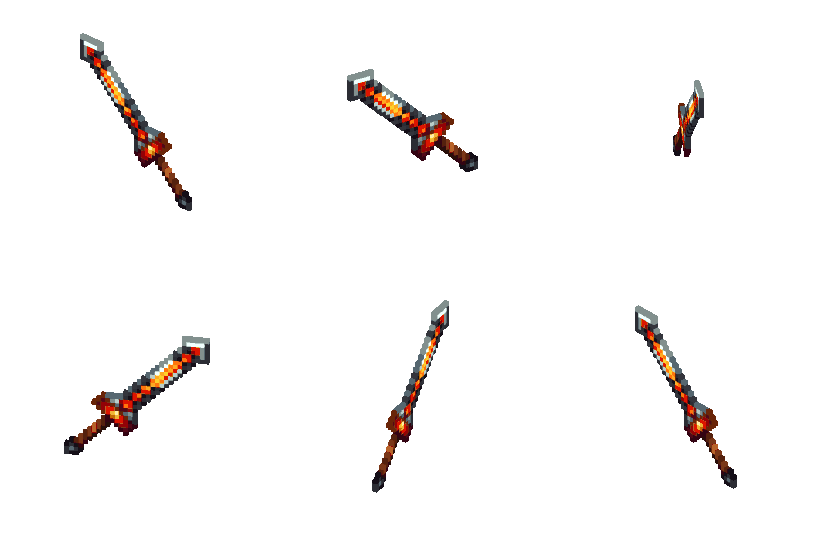
# 🗡️ Features
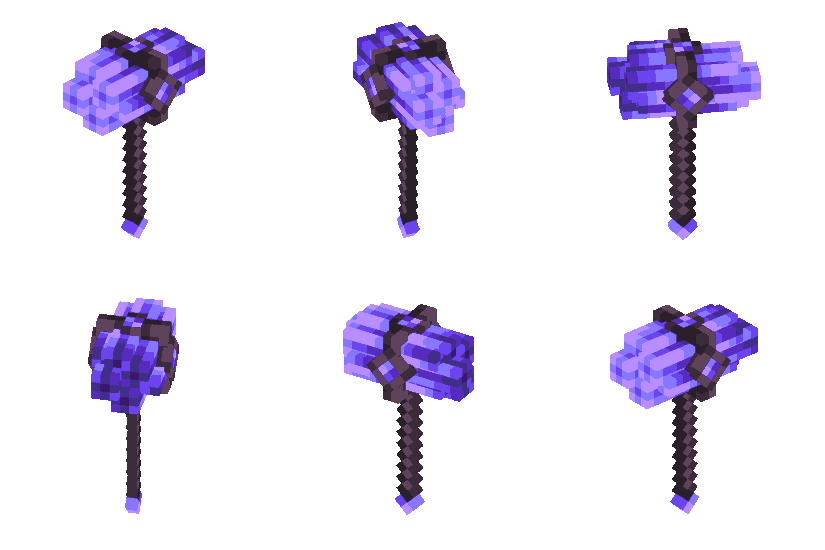
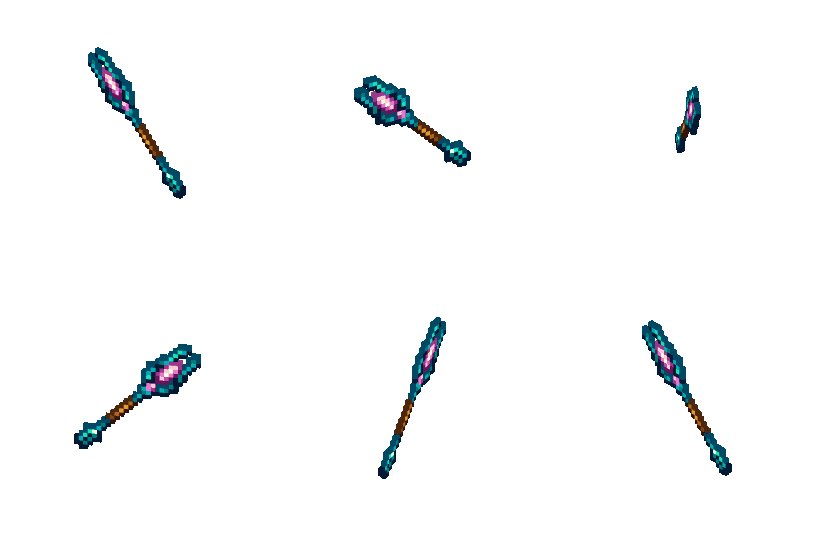
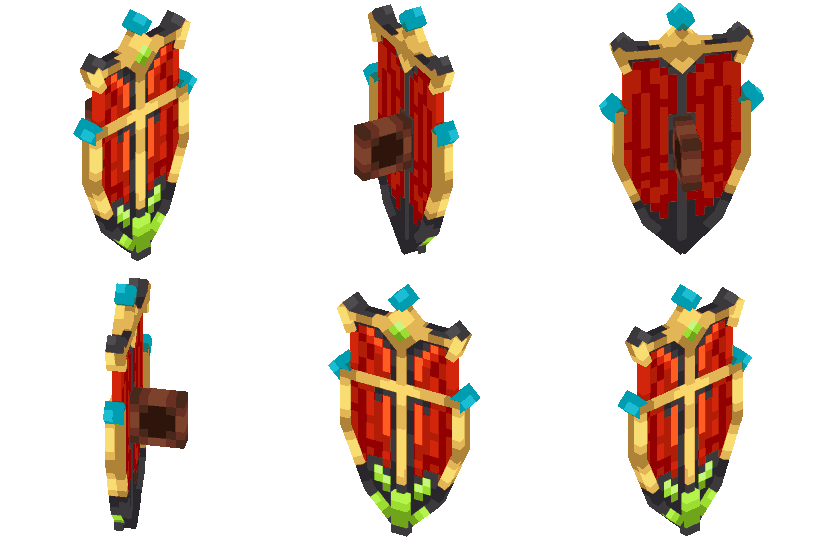
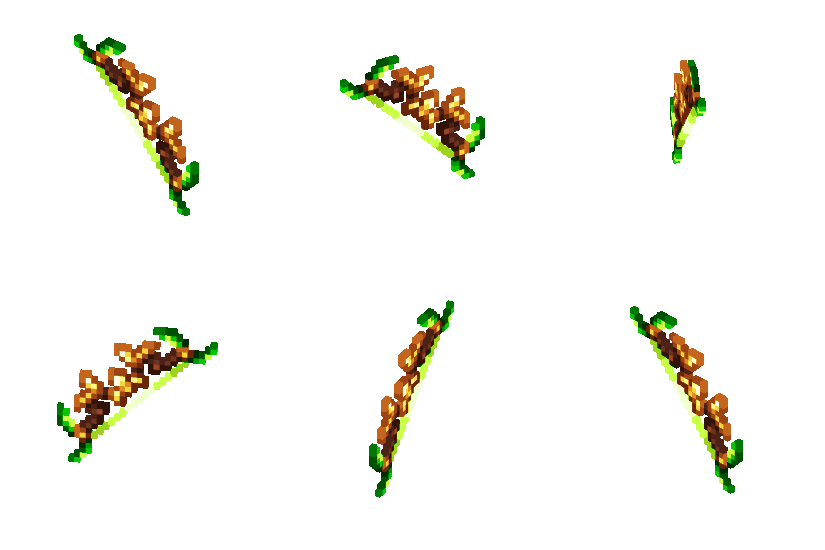
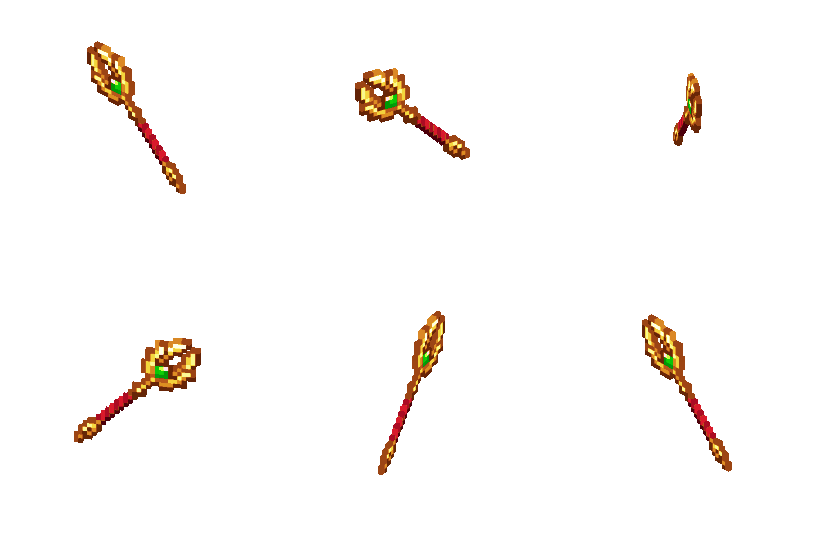
### 40+ Epic weapons, of 15 different types
– All of them have at least one passive spell built in
– Art style following the footsteps of Minecraft Dungeons
– Content inspired World of Warcraft classics
### 20+ Passive spells
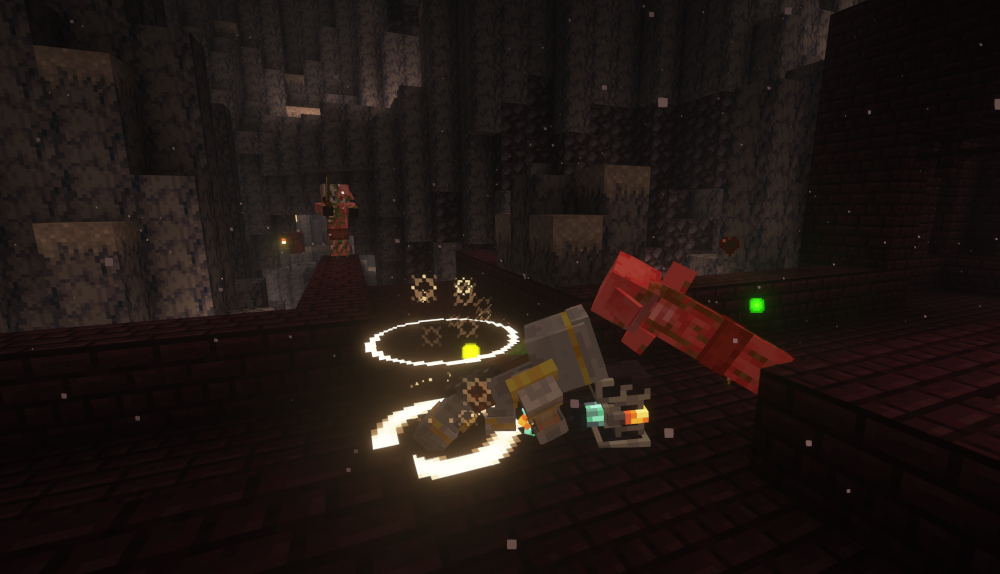
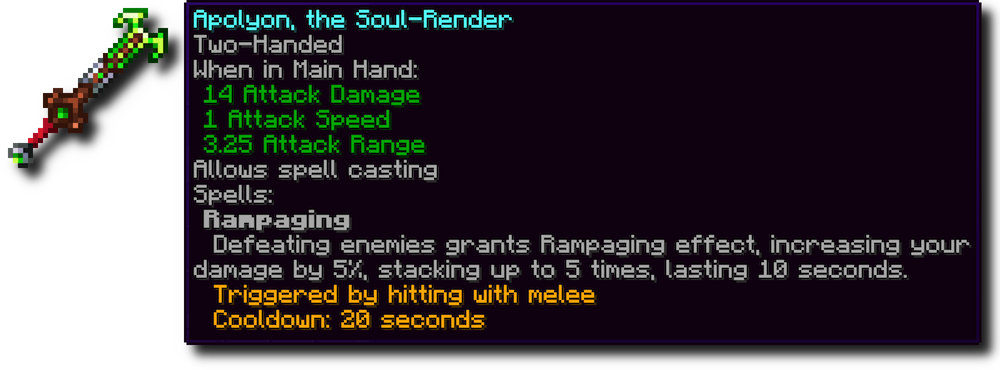
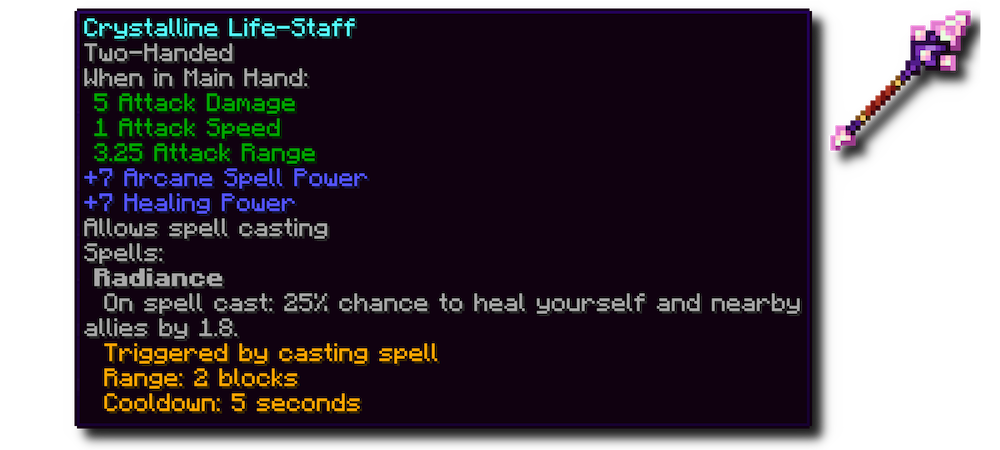
– Mechanics inspired by Minecraft Dungeons (some of them are exact replicas: Swirling, Shockwave, Radiance….)
– Spells for all archetypes (melee spells, bow spells, magic damage spells…)
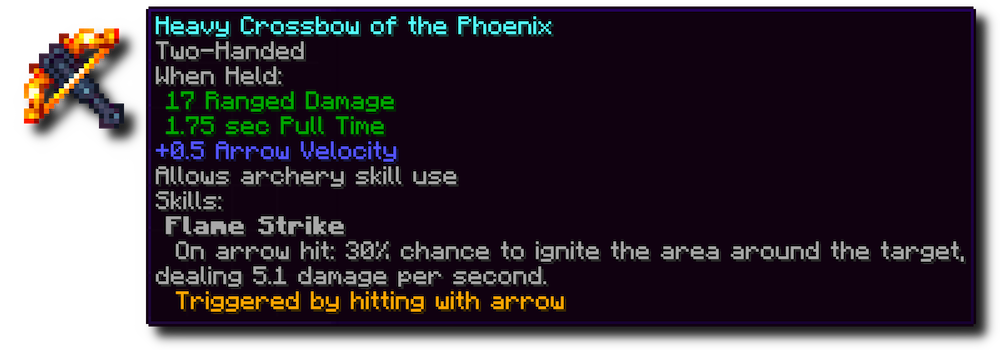
### Obtainable as loot only
– Dropped by bosses (Ender Dragon, Wither, Warden, and third party mod bosses)
– Contained in end game dungeon chests (such as End city chest)
Loot table injections are configurable in `config/rpg_series/loot_items.json`. Arsenal weapons are listed under tier 5 weapons tag.