ARRP
An api for fabric that allows for the generation of resourcepacks at runtime via code.
This allows you to add recipes/loottables/models/blockstates without json and in code, as well as allowing conditional resources. All while being compatible with normal resource packs.
Armadillo Scute Recipe
🛡️ Armadillo Scute Recipe Datapack
Craft the future of armor no mob drops required!
This datapack introduces a custom recipe for Armadillo Scutes, letting you prepare wolf armor without waiting for rare armadillo spawns.
✨ Features
✅ Shapeless recipe using 1 Turtle Scute + 1 Red Dye
🧩 Lore-friendly integration with turtle and dye mechanics
🔁 Modular JSON structure for easy editing and expansion
🛠️ Compatible with Minecraft 1.21+
Checkout my other projects:
[Enchanted Golden Apple](https://modrinth.com/datapack/enchantd-golden-apple-recipe)
[Amethyst Shard](https://modrinth.com/datapack/amethyst-shard)
[Horse Armour Recipe](https://modrinth.com/datapack/horse-armour-recipe)
[Froglight Recipe](https://modrinth.com/datapack/froglights-recipes)
[Music Disc Recipe](https://modrinth.com/datapack/music-discs)
[Heavy Core Recipe](https://modrinth.com/datapack/heavy-core-recipe)
[Echo Shard Recipe](https://modrinth.com/datapack/echo-shard-recipes)
Arı Türkçe Yama
Alıntı sözcüklerden bütünüyle arındırılmış bir Türkçeyi Minecraft’a ekleyen kaynak paketi.
# Arı Türkçe nedir?
Arı Türkçe; alıntı sözcüklerden, kökeni yabancı sözlerden, uydurukça kelimelerden arındırılmış Türkçedir. Camiada ve tarihte Öz Türkçe olarak anılsa da Öz Türkçe adı çok kirlendiği için yamaya Öz Türkçe Yama adı değil Arı Türkçe Yama adı verilmiştir.
# Öz Türkçe adının kirlenmesi derken?
Öz Türkçe denince insanların aklına uydurukça sözcükler, kulağı tırmalayan sözler, TDK’nin yaptığı kötü ve kuralsız kelimeler geliyor. Bu da bu adın kirlendiğinin özetidir. Bu nedenle Arı Türkçe adı uygun görüldü.
# Uydurukça kelimenin tanımı ne, nasıl kelimeler uydurukçadır?
Uydurukça kelime, Türkçenin kurallarına bütünüyle aykırı üretilmiş kelimelere denir. Örnek olarak toplum verilebilir. Bunun uydurukça olma sebebi fiilden isim yapan **+Im** ekinin “toplu” isminin köküne eklenmesidir.
# Peki bu dil görüşünün tarihi nedir?
Arı Türkçe ilk olarak Öz Türkçe adıyla 1910’lardaki Türkçülük akımıyla birlikte ortaya çıkmıştır. Cumhuriyet Dönemi’nde 1932’de Türk Dil Kurumunun kurulmasıyla Dil Devrimi resmî olarak başlamış, Arapça ve Persçe kökenli sözlerin yerine halk ağızlarından derlenen sözcükler ya da Türkçe köklerden türetilen sözcükler bu sözlerin yerine piyasaya sürülmüştür. 1934’ten 1950’de Demokrat Parti’nin iktidar olmasına dek süren Dil Devrimi 1950’de CHP’nin iktidardan düşmesiyle kesilmiştir. 1960 darbesinin ardından ise Dil Devrimi 1970’lerde doruk noktasına çıkarak sürmüş, 1980 darbesinden sonra anayasanın değiştirilmesiyle darbeden önce özerk bir yapıda olan TDK 1982 anayasasıyla birlikte devlet çatısı altında kurulan Atatürk Kültür, Dil ve Tarih Yüksek Kurumuna bağlanmış ve özleştirmeci Dil Devrimi kâğıt üzerinde sona ermiştir.
# Türkçeye geçiş yapmam için kaynak paketini silmem gerekir mi?
Hayır gerekmez. Arı Türkçe, oyundaki diğer tüm dillerden ayrı görünür. Bu da kaynak paketini kaldırmadan istediğiniz dillere geçiş yapabilmenizi sağlar.
# Katkıları için teşekkürler:
– mahiyet
– ulughann
– GorkeyGunesBeg
Area Protection
If you don’t want to read all this, you can just go in game and do /function, the commands will automatically be highlighted
# FAQ:
Q: How to protect an area?
A: With one command that you can find below. It will claim a 30 blocks radius area, and you can use the command as much as you want for each 30 blocks radius you want to claim! It can also easily be unclaimed.
Q: How does the protection work, what does it protect?
A: Once entering a protected area, mobs with griefable abilities will be killed (creeper, ravager, enderman, ender dragon, wither, phantom, warden) along with their loots.
TNT & minecart tnt are disabled in a protected area.
Armor stands, item frames & glowing item frames, painting, are automatically set to invincible in a protected area. They are switching back to destroyable once the area get unclaimed.
Q: Will the datapack change something in my world if I install it?
A: It will only change the gamerule sendCommandFeedback to false to prevent the spam of the gamemode change message in the chat. Nothing else is changed
Q: If I uninstall the datapack, will the protections be gone?
A: Yes, but they will be saved in case you reinstall the datapack later, unless you run /function area_protection:reset_all.
Q: If I use this as a mod in singleplayer and then upload the world on my server, will the areas I protected still be protected?
A: No, unless you install the datapack or the mod on the server!
The datapack only uses tags, not teams, so if your world has teams enabled, the datapack is compatible with it.
# How to use:
Simply run the first command to protect an area! If you don’t want to read all this, you can just go in game and do /function, the commands will automatically be highlighted
/function area_protection:protect_this —-> Set a 30 blocks spherical protection around you.
/function area_protection:reset_this —–> Remove the protection(s) applied at your position up to 40 blocks around you.
/function area_protection:reset_all ——> Remove all the protections of your world (No undo).
/function area_protection:view_protection_borders —–> Allows you to briefly see with particles the spherical protection of the area you are in.
/function area_protection:get_admin_permission_level —-> Allows you to bypass protection. A message will notify you when you are in a protected area, and you will be set in creative mode when running the command.
/function area_protection:get_player_permission_level ——> Reset your permission to default: You can’t bypass protection
Wish to give a player permission to build in every protected area, but not wanting to op him? Just do /execute as “name of the player” run function area_protection:get_admin_permission_level. He will be set in creative mode and will be able to build in every protected area.
Aquarius Libs
Aquarius Libs is an essential modding library for some mods from aquariusplayz.
By itself it wont change the game, but it has functions and variables implemented that makes updating mods easier
and makes the mod creator use much less codes when creating a mod.
Also creates easier communication between mods that use this library mod
and makes bug fixing much easier for those.
Any Hat🎩
🧢 [HATS] Datapack
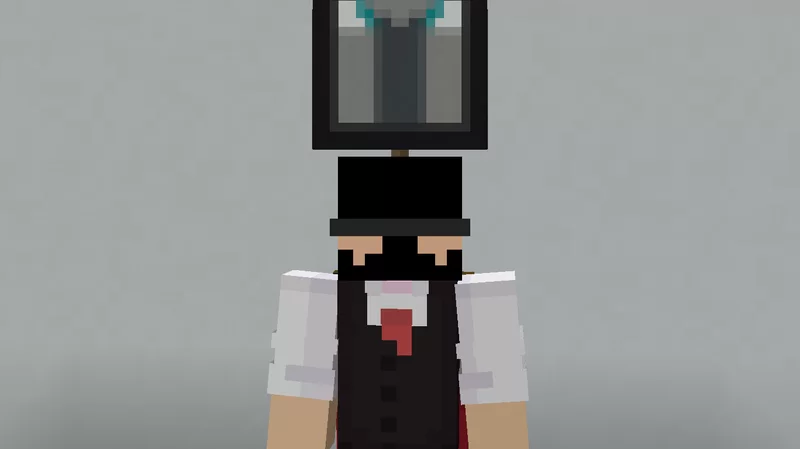
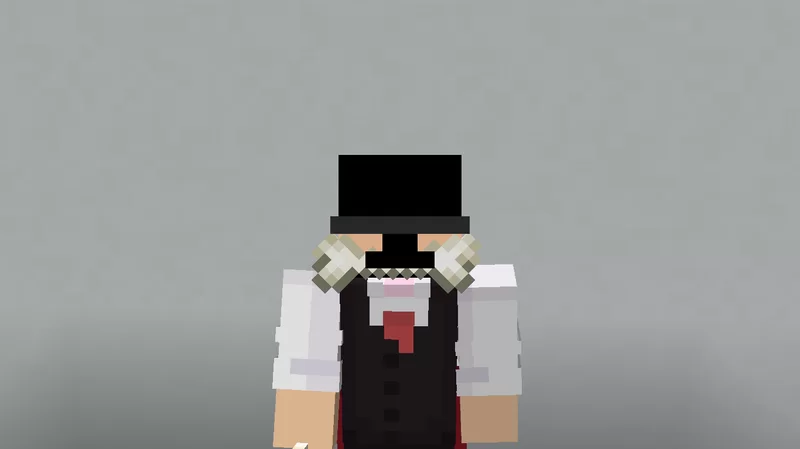
Transform your accessories into stylish hats!
**Hats** by *Ancar*, is a datapack which allows you to wear any item as a hat. It is by far the best hat datapack for the following reasons.
The **BEST** Hat datapack :
– frequent updates
– light
– vanilla
– no cheats
– all vanilla hats
– dupe safe
—
### ▶ Youtube
### 👒 Wearable Items
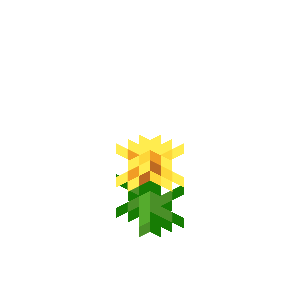
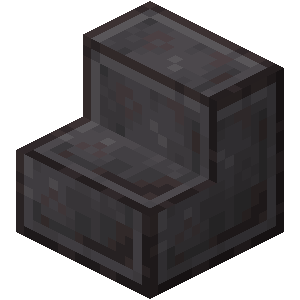
Wear any accessory you find! Here are a few ideas:
| 🌸 Flowers | 📐 Stairs | 🧱 Blocks | ⚔️ Items |
|:———:|:——–:|:——–:|:——–:|
|  |
|  |
|  |
| 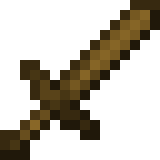 |
|
—
### 🎩 Special Hat Positions
Some items have custom positions!
—
### 💻 Commands
To wear an item as a hat, use:
`/trigger hat` (hold the item first)
—
### 🌍 Features
– **Vanilla-Friendly** ✔️
– **Multiplayer Compatible** ✔️
– **Easy to Set Up** ✔️
—
### 🛠️ Setup Instructions
1. Move the datapack to the `datapacks` folder in your world directory.
2. Ignore the red error message.
3. Enable the datapack, click **Done**, and start your world!
—
### 📝 Changelog
– Ported to minecraft 1.21.10 and used overlays
– Bugfix: `/trigger hat` command not working.
Antumbra
Antumbra is a resource pack which applies a darker and rougher mood to the vanilla look while maintaining the vividness of many textures. In combination with the Photon shader it is possible to achieve a more realistic feel than vanilla. This pack is for everyone who loves the vanilla look, but prefers a more realistic color palette for most textures. Additionally, a person who prefers a more medival style might also like it.

Antumbra + Photon + Photonics
## Features
– An atmospheric dark vibe
– Keeping vividness of many textures
– Dark GUI
## Comparison

Vanilla / Antumbra / Antumbra + Photon + Photonics / Vanilla + Photon + Photonics
Check out the other comparison images in the gallery!
Anton Chigurh (Антон Чигур) Totem of Undying
– Anton Chigur is the main antagonist of Cormac McCarthy’s novel “No Country for Old Men” and its film adaptation. He is a hired assassin, a drug dealer’s mercenary, who ruthlessly eliminates almost everyone he encounters.
– Антон Чигур — главный антагонист романа Кормака Маккарти «Старикам тут не место» и его киноадаптации. Это наёмный убийца, наёмник наркоторговцев, который безжалостно расправляется почти со всеми, кого встречает на своём пути
[Check collection with all memes + streamers Totems ](https://modrinth.com/collection/sfDcDGAi)
Animated
This **Texture Pack** Makes Things **Animated**
[**Respackopts**](https://modrinth.com/mod/respackopts) is _optional_
Trying
– potions
– Suspicious Stew
– Ominus Bottle
– Tipped Arrows
– Fire Charge
– Wind Charge
– TNT Minecart
– Music Discs
– Redstone Items _(Redstonedust ,repeter ,redstone torche ett.)_
Added
Respackopts
# Options
– Windy Grass: True
– Animated Magma: True
Textures
– Every Grass _(dry grass ,grass ,tall dry grass ,tall grass)_
Animal Garden – Prairie Dog

This mod adds prairie dogs as tamable animals to your world.
You can find them in the plains and meadow biome.
(In forge you can change this and other spawn settings
by editing the json files in the data -> biome tags and biome modifier folders
or via resource pack
and in fabric there is a config file for it)
Because they are omnivorous, you can tame them with any food item.
If tamed then it will “bark” when there is a nearby mob that is targeting its owner.
If untamed then it will panic when it gets hit and will also avoid nearby entities.
Also every 5-10 minutes there is a chance that it will dig out an item when its on ground.
The item is chosen from a json item tag named random_item.json( that can also be configured by editing the json files in the mods jar files data -> item tags folders
or via resource pack)
They have 3 type of behaviors
-wandering (wanders around, if tamed then it will wander around the block you put it into wandering mode)
-resting(stays in place)
-following (follows owner)
Before the mob spawns it checks the area around the position if there is already another mob of this type around.
If yes then it will check how many.
And in the config you can also change how big of an area it should check around the mob spawn point and a max number.
If there are more mobs in that area then the max number then it won’t spawn the new mob.
This option is to prevent overspawning.
Mod currently supports
**Forge 26.1.x | 1.21.x | 1.20.6 | 1.20.4 | 1.20.1 | 1.19.4 | 1.19.2 | 1.18.2**
**Fabric 26.1.x | 1.21.x | 1.20.6 | 1.20.4 | 1.20.1 | 1.19.4**
**Neoforge 26.1.x | 1.21.x | 1.20.6 | 1.20.4**
From version 1.0.2 its diurnal (sleeps at night if untamed)
SEND ME A PRIVATE MESSAGE IF YOU NEED THE MOD IN A DIFFERENT VERSION OR IF YOU ENCOUNTER ANY BUGS AT CURSEFORGE
[https://legacy.curseforge.com/members/aquarius_playz/projects](https://legacy.curseforge.com/members/aquarius_playz/projects)
Follow me on X (twitter)
[https://x.com/Aquarius_playz](https://x.com/Aquarius_playz)

**[THIS MOD REQUIRES AQUARIUSLIBS TO BE INSTALLED](https://modrinth.com/mod/aquarius-libs)**