Armorer Heal Golem
✨ Features
🧪 Main description
This module allows armorer villagers to naturally care for Iron Golems, helping them recover and stay strong while defending the village.
It adds a subtle and immersive touch to gameplay, making villages feel more alive and interconnected.
⚡ Use and benefits
Keeps your Iron Golems in good condition without requiring player intervention.
Enhances village survival and immersion by making armorer villagers feel more helpful and alive.
⚙️ Technical informations
Armorer Villagers are able to heal nearby Iron Golems, restoring 4 health points (2 hearts) each time.
This healing effect is automatically applied every 3 seconds, helping golems stay strong while protecting the village.
🎬 Video
📖 Wiki
https://nat688.github.io/AllPlugs-datapacks/armorer-heal-golem.html
📥 Installation
📁 Datapack
Drop the .zip file into your world’s datapacks folder.
Reload the world or use /reload.
Enjoy your enchanted adventure!
⚙️ Mod
Drop the .jar file into the mods folder of your instance.
Restart your game.
Have fun!
Area Protection
If you don’t want to read all this, you can just go in game and do /function, the commands will automatically be highlighted
# FAQ:
Q: How to protect an area?
A: With one command that you can find below. It will claim a 30 blocks radius area, and you can use the command as much as you want for each 30 blocks radius you want to claim! It can also easily be unclaimed.
Q: How does the protection work, what does it protect?
A: Once entering a protected area, mobs with griefable abilities will be killed (creeper, ravager, enderman, ender dragon, wither, phantom, warden) along with their loots.
TNT & minecart tnt are disabled in a protected area.
Armor stands, item frames & glowing item frames, painting, are automatically set to invincible in a protected area. They are switching back to destroyable once the area get unclaimed.
Q: Will the datapack change something in my world if I install it?
A: It will only change the gamerule sendCommandFeedback to false to prevent the spam of the gamemode change message in the chat. Nothing else is changed
Q: If I uninstall the datapack, will the protections be gone?
A: Yes, but they will be saved in case you reinstall the datapack later, unless you run /function area_protection:reset_all.
Q: If I use this as a mod in singleplayer and then upload the world on my server, will the areas I protected still be protected?
A: No, unless you install the datapack or the mod on the server!
The datapack only uses tags, not teams, so if your world has teams enabled, the datapack is compatible with it.
# How to use:
Simply run the first command to protect an area! If you don’t want to read all this, you can just go in game and do /function, the commands will automatically be highlighted
/function area_protection:protect_this —-> Set a 30 blocks spherical protection around you.
/function area_protection:reset_this —–> Remove the protection(s) applied at your position up to 40 blocks around you.
/function area_protection:reset_all ——> Remove all the protections of your world (No undo).
/function area_protection:view_protection_borders —–> Allows you to briefly see with particles the spherical protection of the area you are in.
/function area_protection:get_admin_permission_level —-> Allows you to bypass protection. A message will notify you when you are in a protected area, and you will be set in creative mode when running the command.
/function area_protection:get_player_permission_level ——> Reset your permission to default: You can’t bypass protection
Wish to give a player permission to build in every protected area, but not wanting to op him? Just do /execute as “name of the player” run function area_protection:get_admin_permission_level. He will be set in creative mode and will be able to build in every protected area.
Anything in Sulfur Cubes
# Anything in Sulfur Cubes
Allows you to put nearly **any** block in Sulfur Cubes, with each having fitting properties, instead of the very limited selection in vanilla!
You can even store your shulkers in Sulfur Cubes and your items will not be lost!
### What blocks are added:
Blocks, which mostly fill the sides of the cube (slabs ❌, composter ✅)
## Feature Requests
If you want a block to be changed (or added, if I haven’t already), you can [open an issue](https://github.com/lugosieben/anything-in-sulfur-cubes/issues) and i will look at it as soon as possible!
Anton Chigurh (Антон Чигур) Totem of Undying
– Anton Chigur is the main antagonist of Cormac McCarthy’s novel “No Country for Old Men” and its film adaptation. He is a hired assassin, a drug dealer’s mercenary, who ruthlessly eliminates almost everyone he encounters.
– Антон Чигур — главный антагонист романа Кормака Маккарти «Старикам тут не место» и его киноадаптации. Это наёмный убийца, наёмник наркоторговцев, который безжалостно расправляется почти со всеми, кого встречает на своём пути
[Check collection with all memes + streamers Totems ](https://modrinth.com/collection/sfDcDGAi)
angry villagers 26.1x
**Angry Villagers Resource Pack**
Tired of peaceful and boring villagers? This resource pack transforms them into angry, aggressive-looking characters with new expressions and a darker style.
Villagers now look much more intense and unfriendly, adding a unique атмосфера to your Minecraft world. Perfect for players who want a more chaotic or funny experience.
✔ Custom villager textures
✔ Angry facial expressions
✔ Works in survival and creative
✔ Lightweight and easy to install
Make your villages feel alive… and a little dangerous.
Andrey Gaydulyan Totem of Undying
– EN: **Andrey Gaidulyan** is a Russian theater, film, television and dubbing actor.
He is best known for his role as Alexander (Sasha) Sergeyev in the TV series “Univer” and “SashaTanya”, as well as for his participation in the program “Stars in Africa” on the TNT channel
– RU: **Андрей Гайдулян** — российский актёр театра, кино, телевидения и дубляжа
Наиболее известен по роли Александра (Саши) Сергеева в телесериалах «Универ» и «СашаТаня», а также по участию в программе «Звёзды в Африке» на телеканале «ТНТ»
[ALL RESOURCEPACKS COLLECTION: MEMES + STREAMERS](https://modrinth.com/collection/sfDcDGAi)
Always Shield

"Never hit again with your shield up"
## Description
Always Shield is a very small but **multi-loader and always up-to-date** QoL mod that removed the hidden delay of the shield
that has often times made people confused about how did they got hit or exploded despite rising their shield just a second ago.
FAQ: Does it work on servers and singleplayer?
Yes, yes it does. On both with no issues.
Yes someone has asked us that once (actually they asked Millie but still)
FAQ: How long will it be kept updated?
Quote from Millie, team lead and maintainer of this project: “Until I’m 2 meters under”
Having issues, need to report a bug or just want to chat? Join our [official community Discord server](https://discord.gg/BcCDgnsCwQ)!
Almanac
Almanac is a library used by my mods with mostly loader independent shared code between multiple mods to avoid duplication of code.
Almanac by itself does not add much other than a fix to empty tags leading to non stackable items.

Accurate Iron Ore CTM
A more accurate look to one of the first ores in the game!
A very small resource pack that recolors the iron ore.

Includes support for the [Universal Ores](https://modrinth.com/mod/universal_ores) mod!
This is the connected and emissive textures version of the resource pack! If you want a version without these features, go here: [Accurate Iron Ore](https://modrinth.com/resourcepack/accurate-iron-ore)
## For connected textures and emissive textures, be sure to have [Optifine](https://optifine.net/downloads) or [Continuity](https://modrinth.com/mod/continuity) installed!
To install, just open your .minecraft/resourcepacks and throw the zip file in for your version. Then go into Minecraft, Options, Resource Packs, and add it, and you are good to go!
I hope you enjoy it!
Accurate Iron Ore
A more accurate look to one of the first ores in the game!
A very small resource pack that recolors the iron ore.
Includes support for the [Universal Ores](https://modrinth.com/mod/universal_ores) mod!
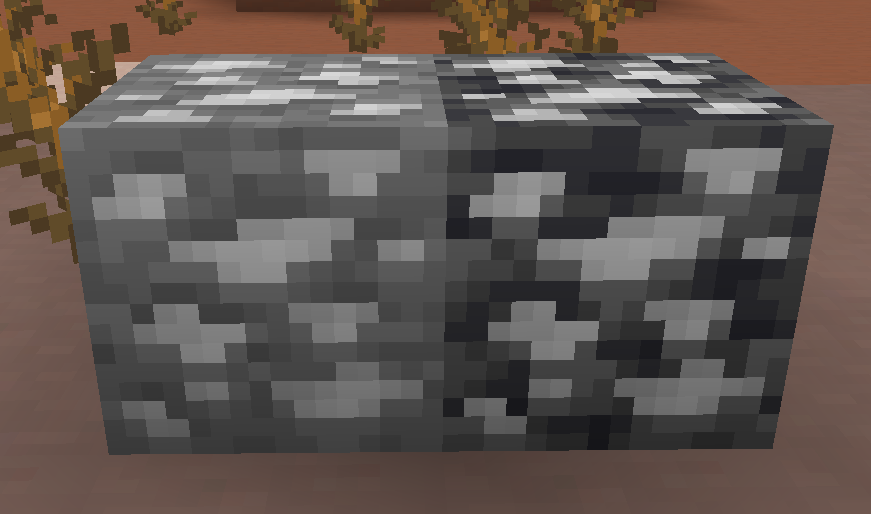
If you would like connected and emissive textures, go here: [Accurate Iron Ore CTM](https://modrinth.com/resourcepack/accurate-iron-ore-ctm)
To install, just open your .minecraft/resourcepacks and throw the zip file in for your version. Then go into Minecraft, Options, Resource Packs, and add it, and you are good to go!
I hope you enjoy it!




