Append on the cloud
# Brief introduction
This is an add-on package for MTR mods below version 1.20. Many cars have been added to the additional package to realize your subway dreams.

# note
* Not applying additional packages below R8 to version 1.20 will render errors!!
# Having problems?
* Escalate at [KOOK](https://kook.top/Btr4j0) (Chinese players only)
* recommend
* Escalate in [Discord](https://discord.gg/G2ENd4AJQD)(Valid until August 15, 2023).
* Not recommended
# Acknowledgement
* [MTRBBS](https://www.mtrbbs.top/) tutorial provided
* Original texture packs available in Minecraft 1.16
AlphaCraft Essentials Core
The Core Resource Pack for AlphaCraft Essentials:
– Changes Panorama
– Changes Title Screen
(Feel free to disable; this is used on the ‘AlphaCraft SMP’.)
Agamyst RE Cherry Blossom
Agamyst RE Cherry Blossom has arrived in Minecraft Java Edition! Immerse yourself in the grace of flowering cherry trees with this texture pack. Each tool reflects the charming theme of cherry blossom trees, with floral details and soft tones that bring an exceptional elegance to your Minecraft experience. Enjoy the beauty of nature with Cherry Blossom and bring a touch of serenity to your world. Embark on a blooming adventure!
Agamyst RE
Agamyst RE reinvents the look of your tools, from picks to bows and everything in between. Each tool is carefully designed to maintain the essence of Minecraft; Each tool now reflects the material it is made of, from the shine of diamond to the sturdiness of iron, including the color palette of each material. Plus, with enhanced 3D models for your tools, each element comes to life in a whole new way, providing a more immersive gaming experience.
AcidCore
# ACIDCORE:

### A Resource Pack With Many Acid-Like Textures, Many Green-Based Themes, And Dark Mode GUIs!
For Any Suggestions Towards The Pack, Or Changes You May Want To See In The Future, Please Contact Me On Discord @Minblox27
48×48 items (GUI Scale 3x)
## 48×48 items
**You use 32×32 or 64×64 blocs but your GUI Scale is 3x?**
Check your items in your inventory closely (zoom in screenshot) you see that it is all wrongly upscaled by Minecraft? Get ride of that non-sense and try my 48×48 pack now!
(+3 items skin if optifine or any ctm mod: Netherite Pickaxe if it has Silk-Touch, Netherite Sword if it has Smite V or Sharpness V.)
**Design of items** based on “Accurate texture”. (Means it’s more **strict vanilla** than any faithful-like)
Design of campfire based on “Heroes II”.
*(May change in the future)*
## 3x Fonts
Each character use the same width as the original ones, so you can read/write panels and books the same way that original 16×16 players do.
## Other
Join my [Discord server](https://discord.gg/cMhvzmxkBY) to feedback.
[](https://www.curseforge.com/minecraft-bedrock/texture-packs/the-48×48-items-bedrock-edition)
[Minecraft BEDROCK version](https://www.curseforge.com/minecraft-bedrock/texture-packs/the-48×48-items-bedrock-edition)
*If you have a very big screen and want upscale x6, I can provide you some 96×96 textures… contact me somewhere…*
GUI Scale 3 Font
# The font for the 1080p everyman. Finally.
Let’s face it. Most gamers have 1080p monitors. Whether it’s a standalone screen or it’s built into your laptop, 1080p is still the most common monitor resolution today, and this creates an interesting issue in Minecraft.
Anyone who’s looked at Minecraft’s `Video Settings` menu for more than 5 seconds has come across the **GUI Scale** option. And as my friends and I can attest, any savvy user who has a 1080p monitor will agree: **at 1080p, a GUI Scale of 3 looks the best.**
GUI Scale 2 ends up looking too small. GUI Scale 4 ends up too big, and screen real estate begins to dwindle. But herein lies the issue: if GUI Scale 3 reigns supreme, ***why are there so few 48x resource packs?***

#### *(By the way! If you like 3x Font but are upgrading to a 1440p monitor, check out [4x Font](https://modrinth.com/resourcepack/4x-font)!)*
## Powers of Two _vs._ Multiples of 16
To make a long story short, the community of people who create Minecraft resource packs got addicted to the Powers of Two. It is therefore easy to find resource packs that are 8x, 16x, 32x, 64x, 128x, or even larger. But Minecraft’s GUI Scale setting doesn’t operate on Powers of Two. **It operates on Multiples of 16.**
Minecraft’s default, inbuilt textures are 16×16 pixels, commonly abbreviated to 16x. When you adjust the GUI Scale setting, you’re actually selecting an integer multiple of 16x for the display scale of all GUI menus, buttons, and text.
**1 times 16 = 16x.** The default, the familiar.
**2 times 16 = 32x.** Double the resolution of the default! [Faithful](https://modrinth.com/resourcepack/faithful-32x) is a great longstanding example.
**4 times 16 = 64x.** Quadruple the resolution of the default!! [VanillaXBR](https://modrinth.com/resourcepack/vanillaxbr) is an example I actually use myself.
But wait, we’ve skipped something. We’re not Valve. We know how to count, right?
**3 times 16 = 48x.** Even though this totally works in-game, 48x gets extremely little community recognition.
It’s true, very few folks make any 48x packs. ~~Heck, Modrinth doesn’t even have a *category* for 48x, making it difficult to advertise such a pack.~~ **UPDATE:** If anyone is reading this sentence *after* December 8th, 2022, you might have noticed that this pack has been marked with the `48x` resolution tag. I’d like to thank **Emma (triphora)** on the Modrinth Discord for responding quickly and amicably to my request that this new tag be added.
As of the same date, PlanetMinecraft still has no 48x category. Moreover, PlanetMinecraft still calls them “Texture Packs.” It’s literally all over their website. Obviously, they must be entirely staffed by idiots. They are called ***RESOURCE PACKS.*** They have been called Resource Packs since the launch of Minecraft 1.6, all the way back in 2013. You know it, I know it, and Modrinth (thank goodness) knows it. I’m never posting anything on PlanetMinecraft ever again.
## Why would anyone want a 48x pack?
Well, how does Minecraft handle a mismatch between the scale of your resource pack and your GUI Scale setting? Pretty much the easiest way they could: ***nearest-neighbor image scaling.***
Now, Minecraft’s default 16x textures can be easily upscaled to 32x, 48x, or 64x as dictated by the GUI Scale. They’re all multiples of 16, after all. But what if you have a 32x or 64x pack installed? What happens then? Let’s take a look.
## Why a 32x pack doesn’t work
Here’s Faithful at its native GUI Scale of 2:

Here’s Faithful again, at GUI Scale 3:

As you can see, 32x textures cannot be cleanly upscaled to 48x. Artifacts appear due to the non-integer transformation.
## Why a 64x pack doesn’t work
Here’s VanillaXBR at its native GUI Scale of 4:

Here’s VanillaXBR again, at GUI Scale 3:

The transformation from 64x to 48x is even worse. Pixels have to be _thrown out_ to perform nearest-neighbor downscaling, resulting in _horrendous_ artifacts. These characters look like they were chewed up by a dog.
# Finally, a 48x font
If I were to attempt to create an entire 48x pack, redoing every texture in the game, I’d likely end up working on the project forever. And that’s _if_ I don’t go nuts in the process.


I have taken it upon myself to improve the lives of all brethren of the church of GUI Scale 3 by creating a new and improved font ***actually designed to look good at GUI Scale 3.***
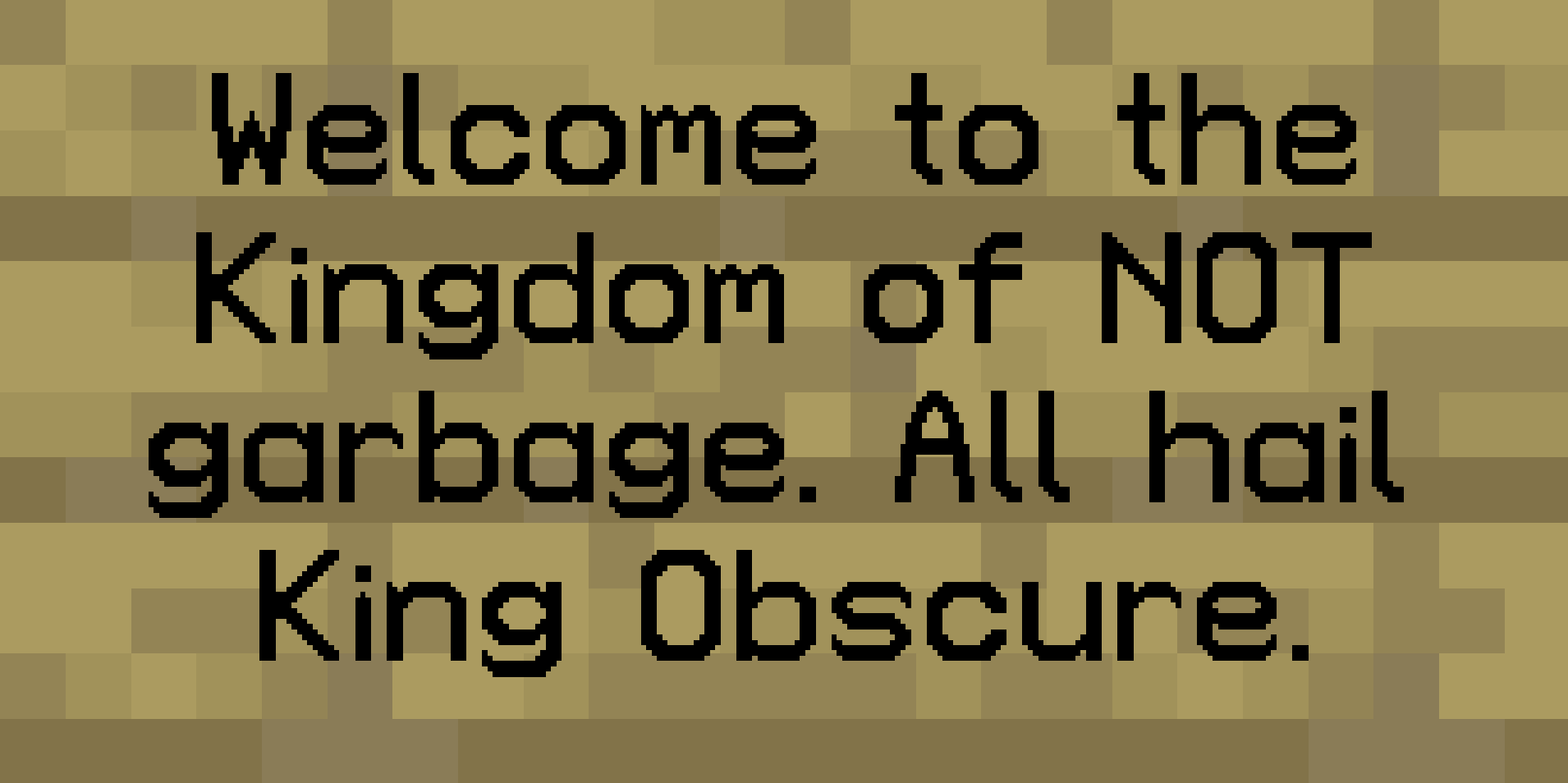
This font is not a Vanilla imitation or interpretation, but rather a revamp according to my own tastes. And *boy* does it look good in-game.

## Progress
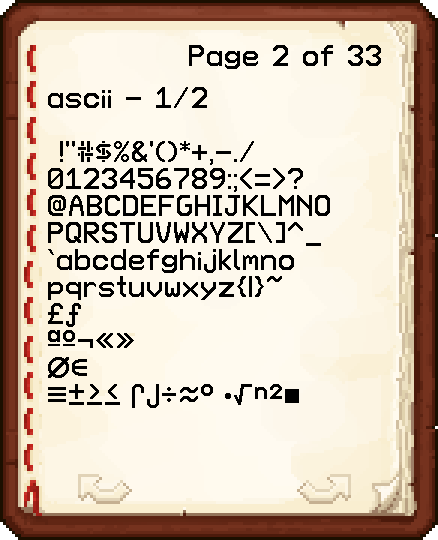
As of Version 1.1, only basic ASCII has been completed. Future versions will include support for accented characters and nonlatin European characters. I also plan to implement the “replace SGA with English characters” modification just for fun.
3D Compatible
### 🧱 Immersive 3D Models for Everyday Blocks
Immerse yourself in a richer, more tactile Minecraft experience with 3D Compatible,
a meticulously crafted texture pack that breathes life into your world
by adding beautifully modeled 3D versions of various in-game blocks—
including ladders, rails, trapdoors, and more—
carefully designed to blend seamlessly into the classic Minecraft look
while elevating the sense of depth and structure in your builds.
### ✨ Beautiful Items with Dimensional Detail
Beyond blocks, this pack also enhances your items,
transforming ordinary objects like lanterns and torches
into detailed 3D models that pop off the screen,
adding that extra touch of realism and craftsmanship
whether they’re placed in the world or held in your hand.
### 🔄 Stackable & Compatible with Other Packs
Built with flexibility in mind, 3D Compatible is fully designed
to work alongside other texture packs,
so you can place it at the top of your resource pack stack
to enjoy all its enhancements without overriding your existing textures or style.
Whether you’re using a medieval pack, a sci-fi theme,
or sticking with vanilla, this pack integrates smoothly
to enrich your visuals without disrupting your aesthetic vision.
### 🌌 Enhance Your World Without Changing Its Soul
Whether you’re constructing complex redstone contraptions,
decorating a cozy mountain village, or simply exploring your survival world,
3D Compatible subtly transforms the atmosphere around you—
adding a layer of depth and realism that keeps the heart of Minecraft intact
while making every ladder climb, rail ride, or lantern-lit evening
feel just a little more magical.
Message me on discord what items/blocks i should do next
Discord: LeG1ga
3D Any Chest! (Optifine)
As long as you have [Optifine](https://optifine.net/home) (or a cem loader mod) and a chest texture (or none, Minecraft already has one!) this will work! Works with ANY texture pack as long as said texture pack doesn’t have it’s own custom 3D/animated chest!
should be able to work with any sized texture pack
The bottom of the chest is only black when using the default Minecraft texture or your texture uses that color, not a glitch!
PVP: Blade Of Miquella

# ⚔️ Blade of Miquella PvP
This resource pack overhauls the textures and models of many items and blocks related to PvP and beyond, adding high-quality custom animations and a striking custom sky.
—
### 🌟 Key Features
* **Visual Overhaul:** Redesigned textures and models for crucial PvP items and blocks.
* **Animated Items:** Custom, fluid animations for the **Totem of Undying, Golden Apple, Enchanted Golden Apple, and Ender Pearl**.
* **OptiFine Integration:** Adds a beautiful custom sky (check images 1 & 2).
* **1.16.5 Exclusive:** Includes a fully redesigned Custom GUI specifically for 1.16.5 players.
—
### 📦 Supported Versions
| Minecraft | Status | Note |
| :— | :— | :— |
| **1.16.5** | ✅ Supported | Includes the exclusive Custom GUI |
| **1.17.x – 1.21.1** | ✅ Supported | Full support |
—
### ❓ FAQ
**Do I need OptiFine for this to work?**
The base textures, models, and item animations work perfectly in vanilla Minecraft. OptiFine is strictly required if you want to see the custom sky. **FabricSkyBoxes is not supported and will not work.**
**Can I use this in my YouTube videos or modpacks?**
Yes. You are free to use this resource pack in your content or public modpacks.