ArrowHitMSG
**ArrowHitMSG – Instant Arrow Hit Feedback**
This lightweight plugin enhances archery combat on your Minecraft server by providing immediate feedback when players hit others with arrows. The plugin delivers a seamless experience for archers by showing critical information right when you need it.
Key Features
Instant Hit Confirmation: Get immediate visual feedback when your arrow finds its target
Damage Display: See exactly how much damage your shot dealt
Remaining Health Display: Know your target’s remaining health after your shot
Customizable Notifications: Choose between chat messages, action bar, or title notifications
Sound Effects: Optional sound confirmation for successful hits
Full Color Customization: Match the plugin’s appearance to your server’s theme
Performance Friendly: Minimal impact on server resources
Simple Configuration: Easy to set up with well-documented config file
Permission-Based: Admin reload command with appropriate permission checks
**
Why Choose This Plugin?**
This archery feedback tool fills an important gap in Minecraft’s combat system. In vanilla gameplay, you often can’t tell if your arrow hit or how effective it was, especially at longer ranges or in chaotic combat situations.
With this plugin, you’ll gain valuable tactical information that can help you improve your archery skills and make better decisions in PvP combat. The customizable notification system lets server owners decide exactly how this information is presented to players.
**Server Benefits**
For server administrators, this plugin enhances PvP gameplay without altering the core mechanics. It’s perfect for:
Combat-focused servers where archery skill matters
Survival servers with PvP elements
Minigame servers featuring bow combat
Any server looking to enhance player feedback during combat
The plugin is designed to be lightweight and efficient, using modern Bukkit/Spigot APIs for optimal performance. It works well alongside other combat enhancement plugins and won’t conflict with most server setups.
**Getting Started**
Simply place the plugin JAR in your plugins folder and restart your server. Default settings will work immediately, but you can customize the experience through the config.yml file to suit your server’s unique style.
The plugin integrates seamlessly with permission systems, allowing server owners to control who can reload the configuration.
Upgrade your server’s archery combat experience today with this essential feedback tool!
Armstrong

**Armstrong** is a simple plugin that utilizes [Lunar Client](https://lunarclient.com)’s [Apollo API](https://github.com/LunarClient/Apollo).
**Found a bug or have a feature idea?** Use the [issue tracker](https://github.com/Vaption/Armstrong/issues)!
[](https://modrinth.com/plugin/armstrong)
[](https://github.com/Vaption/Armstrong/releases/latest)
[](https://github.com/Vaption/Armstrong/blob/main/LICENSE)
## ⚖️ Armstrong vs. LunarUtility
Originally the goal was just to migrate the codebase to use Apollo rather than the old BukkitAPI.
During the migration, I noticed that Apollo (on its own) now does some of what this plugin once did.
So, the waypoints & disabled-mods module have been removed from this plugin (now configurable in Apollo).
The cooldown module implementation was also removed, but will come back to it at a later time!
## 🙌 Credits
Armstrong is based off of [LunarUtility](https://github.com/RefineDevelopment/LunarUtility). All credit to the original developers!
👨💻 **Contributors**
– 🏙️ [Dubai](https://github.com/GamerRealm) – Original Author
– 🛠️ [Komek](https://github.com/Komeek) – Maintainer
– 💡 [kayalust](https://github.com/kayalust) – Contributor
## 📥 Installing
1. Download the jar from [releases](https://github.com/Vaption/Armstrong/releases)
2. Download LunarClient’s Apollo API jar from [here](https://github.com/LunarClient/Apollo/releases)
3. Drop **both** jars into all your servers
4. Edit the configuration files to your liking
## 📜 Terms of Use
– No selling or claiming this project as your own
– Please respect & credit the developers
## ✨ Features
🏷️ Nametag
Enabled by default, configurable in `config.yml`.

🔒 Require Lunar Client
Disabled by default. Enable by setting `REQUIRE-LUNAR` to `true` in `config.yml`.

🛡️ Staff Mods
Requires `armstrong.staff` permission. Toggle with `/lsm `.

🌙 Player on Lunar Client
Requires `armstrong.players` permission. Check if someone is using Lunar Client with `/lc `.

📋 All Players on Lunar Client
Requires `armstrong.players` permission. Get a list of players on Lunar Client with `/lc players` (or `list` / `users`).

Adaptive Range Mob Spawner
# Adaptive Range Mob Spawner (ARMS)
The Adaptive Range Mob Spawner (ARMS) plugin dynamically adjusts the activation range of spawners in Minecraft based on the server’s TPS (Ticks Per Second), ensuring optimal performance while maximizing mob spawn rates. It improves gameplay by maintaining a balance between efficient mob farming and server stability, even during high player activity.
## Key Features
Dynamic Activation Range Adjustment:
Automatically adjusts the spawner’s activation range between a low and high threshold based on the server’s TPS.
When TPS is high, the range increases to maximize mob spawning.
When TPS drops below the configured threshold, the range decreases to reduce server load.
### Player-Defined Range Control:
Initial, low, and high ranges can be defined in the configuration to meet server needs.
Set a custom initial range for placed spawners.
Automatically revert to a vanilla range for naturally generated spawners (optional).
### Intelligent Chunk Management:
Only updates chunks near active players to reduce unnecessary processing.
Preexisting spawners can optionally be treated as player-placed for backward compatibility.
### Auto-Update on Chunk Load:
Ensures spawners update dynamically when a chunk is loaded or when the TPS status changes.
### Persistent Player-Placed Spawner Tagging:
Spawners placed by players are marked with persistent data, ensuring that only marked spawners retain adjusted ranges while natural spawners can be left unaffected.
### Startup and Manual Update Options:
Automatically updates all loaded chunks on server startup.
Force-update all spawners manually with a command.
## Configuration Options
The plugin offers an extensive configuration file to customize its behavior:
### Range Settings:
initial-spawner-range: Initial range for player-placed spawners.
spawner-range-high: Range when TPS is high.
spawner-range-low: Range when TPS is low.
### TPS Thresholds:
tps-threshold-low: TPS level to reduce the range.
tps-threshold-high: TPS level to restore a higher range.
### Chunk Management:
only-update-near-players: Limit updates to chunks near active players.
player-chunk-radius: Radius of chunks around players to monitor.
### World Control:
disabled-worlds: List of worlds where the plugin should be disabled (e.g., the_nether, the_end).
### Spawner Update Policies:
affect-naturally-generated: Whether to update naturally generated spawners.
update-preexisting-spawners: Whether to update preexisting spawners without a player-placed marker.
## Commands
/adaptivespawner — View the current TPS, range, and status of the plugin.
/adaptivespawner reload — Reload the configuration file without restarting the server.
/adaptivespawner debug — Toggle debug mode to enable verbose logging.
/adaptivespawner update — Force a manual update of all loaded spawners.
## Permissions
block4block.admin — Grants access to plugin commands and configuration reloading.
## Use Cases
– Farms and Grinders: Maximize mob spawns while protecting TPS during high server load.
– Survival and Faction Servers: Dynamic range adjustment ensures that high mob spawning does not cause server lag.
– Creative and Custom Worlds: Fine-tune mob spawn mechanics to suit the specific needs of your server.
## Performance Impact and Safety
Optimized for minimal impact using chunk caching and efficient TPS checks.
Asynchronous chunk processing where supported (for Paper servers) ensures smooth updates even during peak hours.
Debug mode for detailed logging and troubleshooting.
## Installation and Setup
Download and place the plugin .jar file in the server’s plugins folder.
Start or reload the server.
Customize the config.yml to fit your server’s requirements.
Use /adaptivespawner reload to apply changes without restarting.
## Compatibility
Compatible with Bukkit, Spigot, and Paper ( Paper is recommended for best performance).
Supports Minecraft versions 1.13 to 1.21+.
Fully configurable to adapt to various server types and world environments.
With Adaptive Range Mob Spawner, you can ensure efficient mob spawning, maintain optimal TPS, and provide a seamless experience for your players.
Armourer’s Workshop Plugin

Create voxel-art to replace or add to the player model, equipment models, CNPCs, and more!
Create decoration blocks for your worlds.
Share your creations on a global library, or a sever specific one.
Direct management of player-equipped skins via commands, or let the player use a GUI.
Support via command/config for making most modded items skinable.
Elevate your server project to a whole new level of detail!
**NOTE: This a plugin version of the [Armourer’s Workshop Mod](https://modrinth.com/mod/armourers-workshop)**
[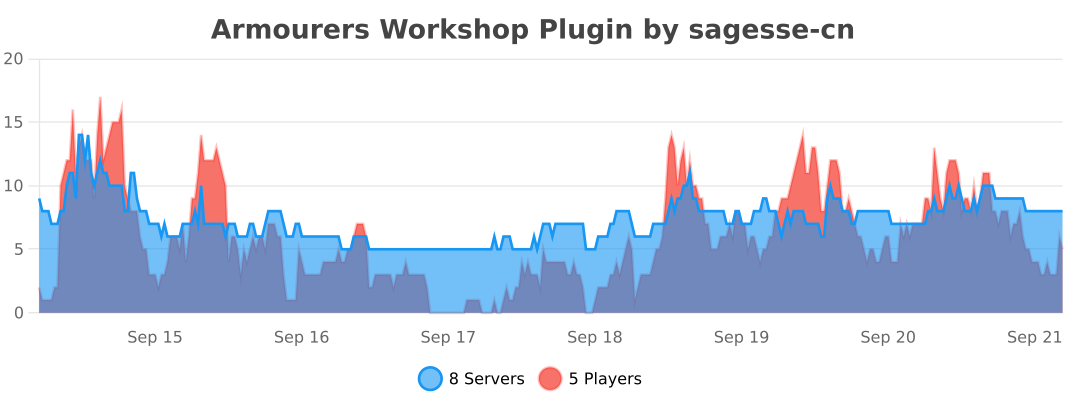](https://bstats.org/plugin/bukkit/Armourers%20Workshop%20Plugin/22668)
## How To Use:
For Plugin Server Owner:
1. install any bukkit server
2. install [Cocoon Server Library](https://modrinth.com/plugin/cocoon/versions?l=bukkit)
3. install [Armourer’s Workshop Plugin](https://modrinth.com/plugin/armourers-workshop-plugin/versions)
For Client User of Plugin Server:
1. install fabirc/forge client
2. install [Cocoon Client Library](https://modrinth.com/plugin/cocoon/versions?l=fabric&l=forge) **<-- Important**
3. install [Armourer's Workshop Mod](https://modrinth.com/mod/armourers-workshop/versions)
ArmorTrimEdit
Minecraft version 1.21.x
Plug-In for Paper & Spigot/Bukkit servers
Commands:
– /armortrimedit
– /armortrimedit set [pattern] [material]
– /armortrimedit remove
Permissions:
– armortrimedit.admin (all features)
– armortrimedit.use (apply & remove armor trims)
– armortrimedit.apply (add armor trims only)
– armortrimedit.remove (remove armor trims only)
GUI Usage:
1. Hold a piece of armor in your main hand
2. Run /armortrimedit
3. In the GUI, select a pattern and material
4. Click the lime concrete to apply the armor trim
5. or click the barrier to remove armor trims from the item
Command Usage:
1. Hold a piece of armor in your main hand
2. Run /armortrimedit set [pattern] [material]
3. or run /armortrimedit remove
GUI/Command functions can be enabled/disabled in the config.yml file
All plugin messages can be changed in the config.yml file.
For a survival friendly experience, survival mode can be enabled in the config.yml file which makes the editor consume/return armor trim templates and materials on use.
ArmorStandEditor-Reborn

[](https://github.com/Wolfst0rm/ArmorStandEditor/actions/workflows/maven-publish.yml)
[](https://sonarcloud.io/summary/new_code?id=wolfieheart_ArmorStandEditor)
[](https://sonarcloud.io/summary/new_code?id=Wolfst0rm_ArmorStandEditor)
[-yellowgreen?style=flat)](https://getbukkit.org/)
[](https://github.com/Wolfst0rm/ArmorStandEditor/LICENSE.md)
ArmorStandEditor is a plugin for Paper and related forks to allow players in survival to easily edit armor stand pose and attributes.
## Credits
* RypoFalem for the original version of this plugin. Thank you for all your hard work (Archived in branch [Original-Version](https://github.com/Wolfst0rm/ArmorStandEditor/tree/Original-Version) )
* Anyone who has contributed to this project with tests, issues, code reviews etc. Thank you!
* Shamblecraft for allowing me to test on the server as required before publishing to production.
## Downloads
Downloads for Version 1.17 and higher can be obtained from the [download page](https://www.spigotmc.org/resources/armorstandeditor-reborn.94503/) or our [release tracker](https://github.com/Wolfst0rm/ArmorStandEditor/releases) here on GitHub.
For versions older than 1.17, then please use [the original versions download page](https://www.spigotmc.org/resources/armor-stand-editor-dead.7688/).
The Latest Downloads Shortcut Links:
* [ArmorStandEditor-Last (Unstable)](https://github.com/Wolfst0rm/ArmorStandEditor/actions)
– **Use these at your own risk. Limited Support is provided for testing purposes**
* 1.20 – Not yet available
* [(Spigot Redirect to latest release)](https://www.spigotmc.org/resources/armorstandeditor-reborn.94503/)
* [Modrinth Redirect to Latest Release](https://modrinth.com/plugin/armorstandeditor-reborn)
* 1.19 to 1.19.4
* [Spigot/Github](https://github.com/Wolfieheart/ArmorStandEditor/releases/tag/1.19.4-41)
* [Modrinth](https://modrinth.com/plugin/armorstandeditor-reborn/version/1.19.4-41)
* 1.18 to 1.18.2
* [Spigot/Github](https://github.com/Wolfieheart/ArmorStandEditor/releases/tag/1.18.2-34.2)
* [Modrinth](https://modrinth.com/plugin/armorstandeditor-reborn/version/1.18.2-34.2)
* 1.17 to 1.17.1
* [Spigot/Github](https://github.com/Wolfst0rm/ArmorStandEditor/releases/tag/1.17.1-30)
* [Modrinth](https://modrinth.com/plugin/armorstandeditor-reborn/version/1.17-30)
* 1.16 to 1.16.5
* [Spigot/Github](https://www.spigotmc.org/resources/armor-stand-editor-dead.7688/download?version=342891)
* [Modrinth](https://modrinth.com/plugin/armorstandeditor-reborn/version/1.16-25)
* [1.14 to 1.14.4](https://www.spigotmc.org/resources/armor-stand-editor-dead.7688/download?version=299267)
* [1.13 to 1.13.2](https://www.spigotmc.org/resources/armor-stand-editor-dead.7688/download?version=235185)
* [1.11 to 1.11.2](https://www.spigotmc.org/resources/armor-stand-editor-dead.7688/download?version=152723)
* [1.10 to 1.10.2](https://www.spigotmc.org/resources/armor-stand-editor-dead.7688/download?version=124213)
* [1.9 to 1.9.4](https://www.spigotmc.org/resources/armor-stand-editor-dead.7688/download?version=92457)
* [1.8](https://www.spigotmc.org/resources/armor-stand-editor-dead.7688/download?version=29676)
**NOTE:** The 1.17 Versions introduce NMS Version Checks and will not load on versions older than 1.13.
It will also advise that if you are on 1.13 to 1.16, that you update to 1.17.x or Higher. This will be
subject to change in the future. The minimum enforced API Version is 1.13.
## Features
* Editing ArmorStands with no commands required
* Rotation of all ArmorStand Parts along each axis
* Rotation of entire ArmorStand after Placement. Supported by Crouching and Scrolling, so you never have to open the menu
* Finer Adjustment to allow for Fine-Tuning of Positions.
* Coarser Adjustments to allow you to quickly to get to the intended position
* Toggles for: Disabling Slots, Invisibility, Gravity, Base Plates, Size (Normal and Small)
* Copying and Pasting ArmorStand Settings between ArmorStandEditor in a Survival Friendly way
* Storage of Copied Settings in one of 9 available slots.
* Naming of ArmorStands through the use of Vanilla Name tags, with colored name support
* Multiple Language Support through the use of community translations
* Respects multiple protection plugins: WorldGuard, Towny, GriefPrevention, Residence etc.
* Targeting of an ArmorStand by pressing F with the tool in your hand
* Glowing ArmorStand to signify Targeting and Slot Disables through the use of Scoreboards.
You can also follow our [Feature Roadmap](https://github.com/Wolfst0rm/ArmorStandEditor-Issues/issues/11) to see what we have planned (Updated as required).
## Support
Support for ArmorStandEditor is provided:
* For API-Versions Higher than 1.13
* For Latest Release and Unstable versions of the Plugin
If there are issues with the plugin on the latest release, you can report them [here](https://github.com/Wolfst0rm/ArmorStandEditor/issues/new?assignees=&labels=P1%3A+To+Be+Tested&template=behaviour-bug.yml).
If there are new feature requests, you can ask them to be implemented [here](https://github.com/Wolfst0rm/ArmorStandEditor/issues/new?assignees=&labels=&template=feature-request.yml).
**NOTE:** Bugs are also first tested to ensure that they can be reproduced according to the reported steps. If they can not, we will ask for more info.
ArmorStandChunkLimit
# ArmorStandChunkLimit
Required Plugin: https://modrinth.com/plugin/kotlinplugins
– Allows to set the max limit of ArmorStands for all chunks.
– Usage: “`/armorstandchunk “`
– Required permission to use this command: “`armorstandchunklimit.set“`
– Players with op (/op nickname) have this required permission by default.
– The purpose of this plugin is to improve server performance.
– Check out other plugins: https://modrinth.com/user/Winlyps
ArmorStand-Limiter
# ArmorStand-Limiter


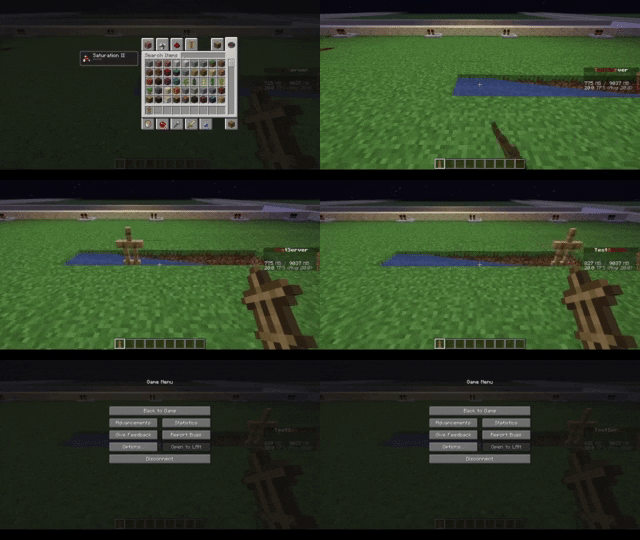
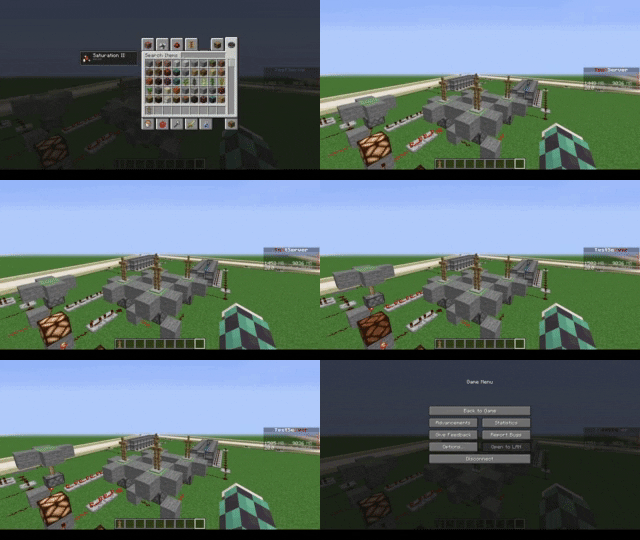
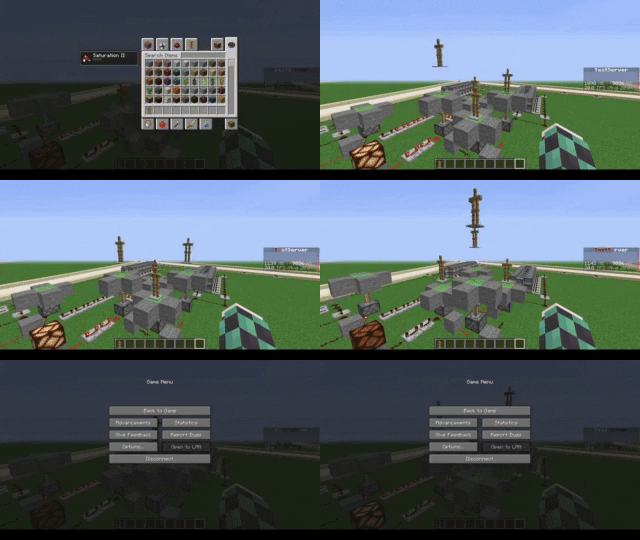
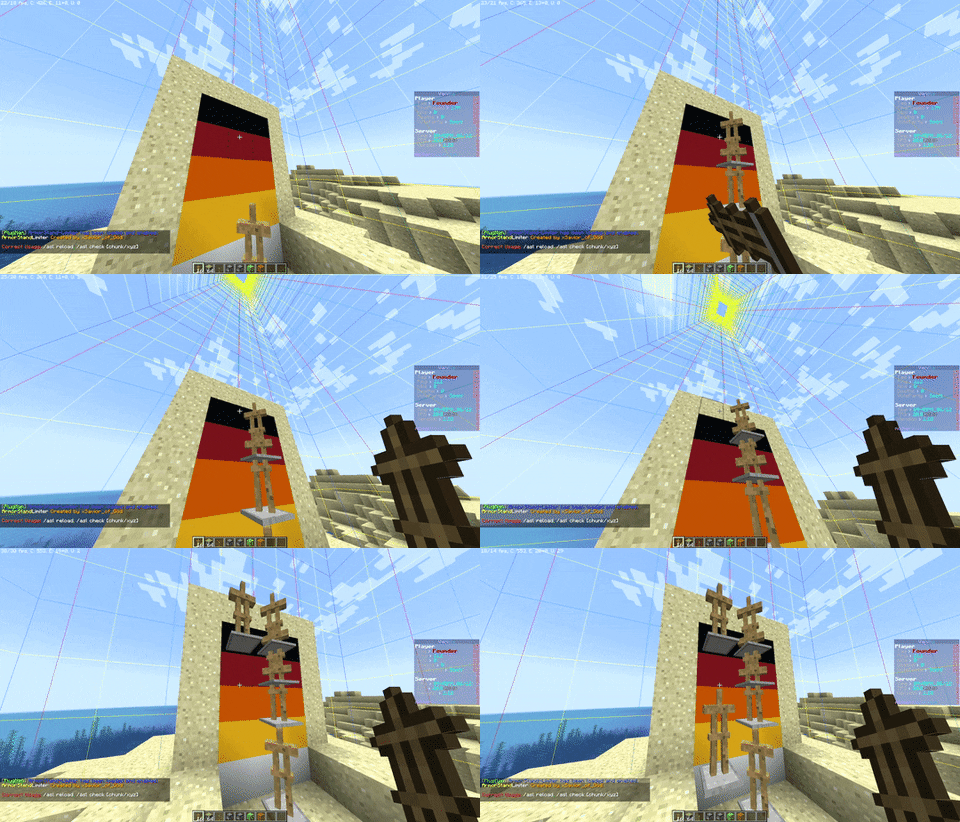
allows you to limit armor stands, so you can fix TPS drops caused by a high number of ArmorStands in your server!
Can be used in all modalities and is fully and easily configurable thanks to its intuitive configuration file.
This plugin was created with the express purpose of fixing LAG problems caused by other plugins that generate and do not
remove custom Armor Stands within a single block!
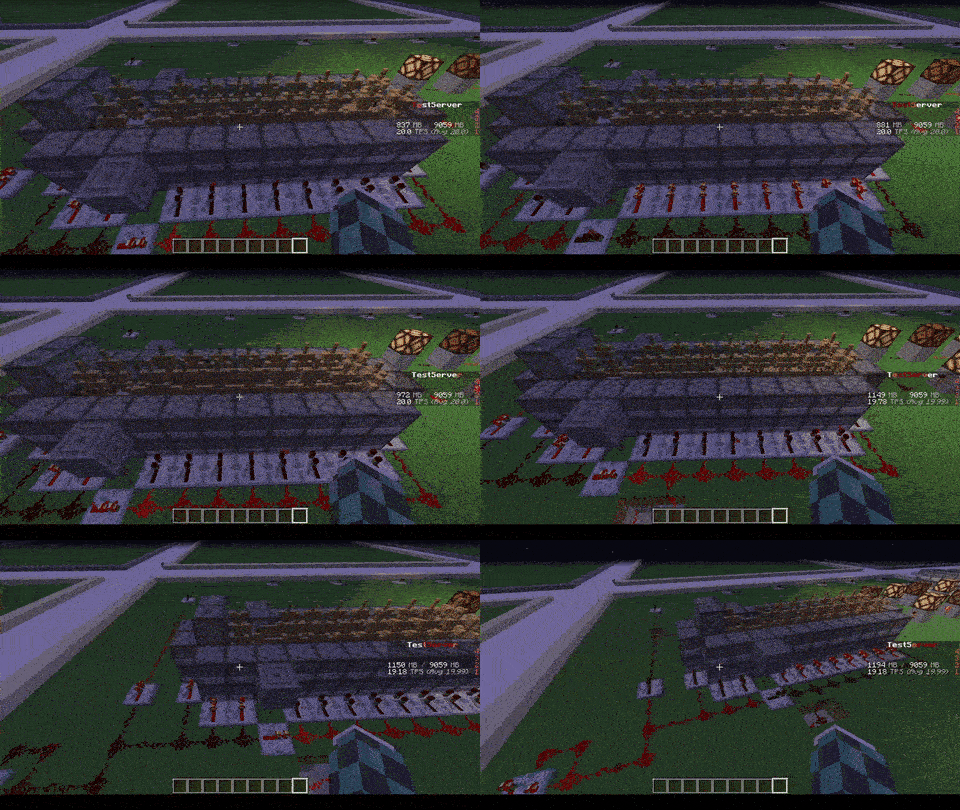
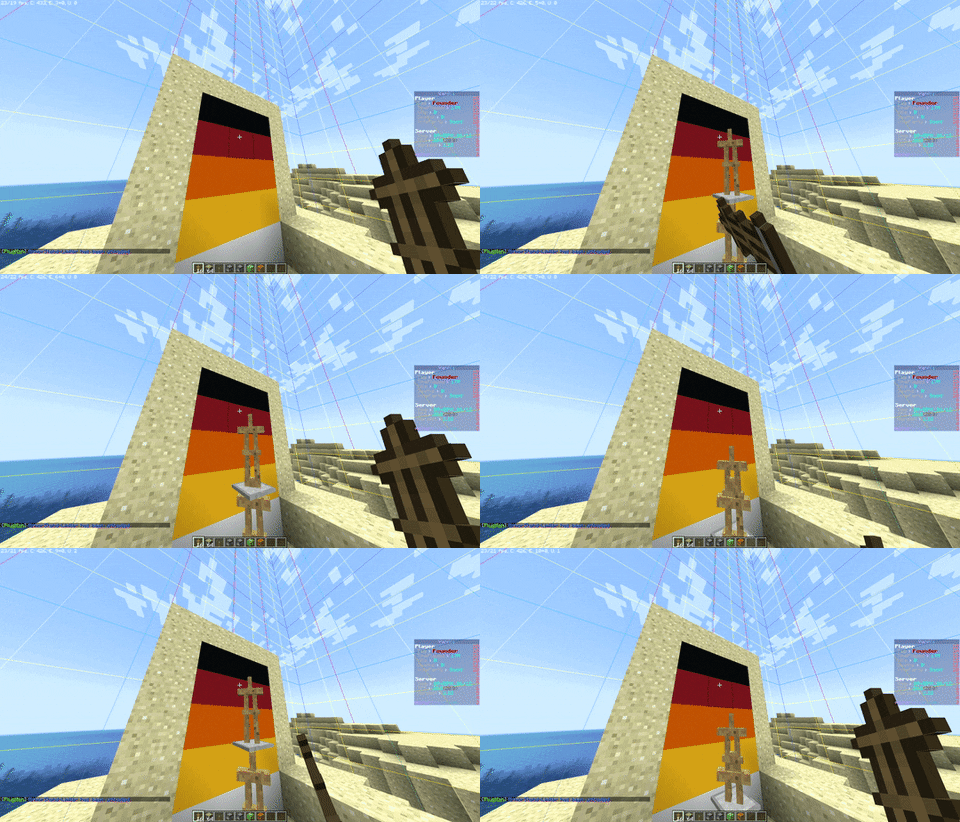
Later we also thought of adding other functions to avoid lagging machines caused by Armor Stands, like this one in the
picture
## Feature
* The most important function is that of removing CUSTOM Armor Stands ( created by other plugins ) that exceed the
preset limit in a single block or chunk!
* Set Armor Stand limit in a Block and/or a Chunk
* Check the world name, armor stand type and its name to avoid unwanted removal
* Timer that checks every X minutes in the loaded chunks the number of Armor Stands inside the chunk or in the single
block
* Check TPS status and if too low check and remove the Armor Stands in a sigle block or chunk ( this check is also
performed only on loaded chunks )
* Ability to limit players to placing a maximum of Armor Stands per chunk
* Ability to disable that the Armor Stand can be moved by the pistons or blocks connected to it depending on the number of same chunk Armor Stands
* Ability to disable that Armor Stand can move in the water depending on the number of same chunk Armor Stands
* Ability to disable that Armor Stand can be spawned through dispensers
* Customized notification ( inGame, Discord, Telegram and Console ) of when Armor Stands are removed due to limit
violation
* [NEW] Folia Support!
* No Dependency!
* Open Source!
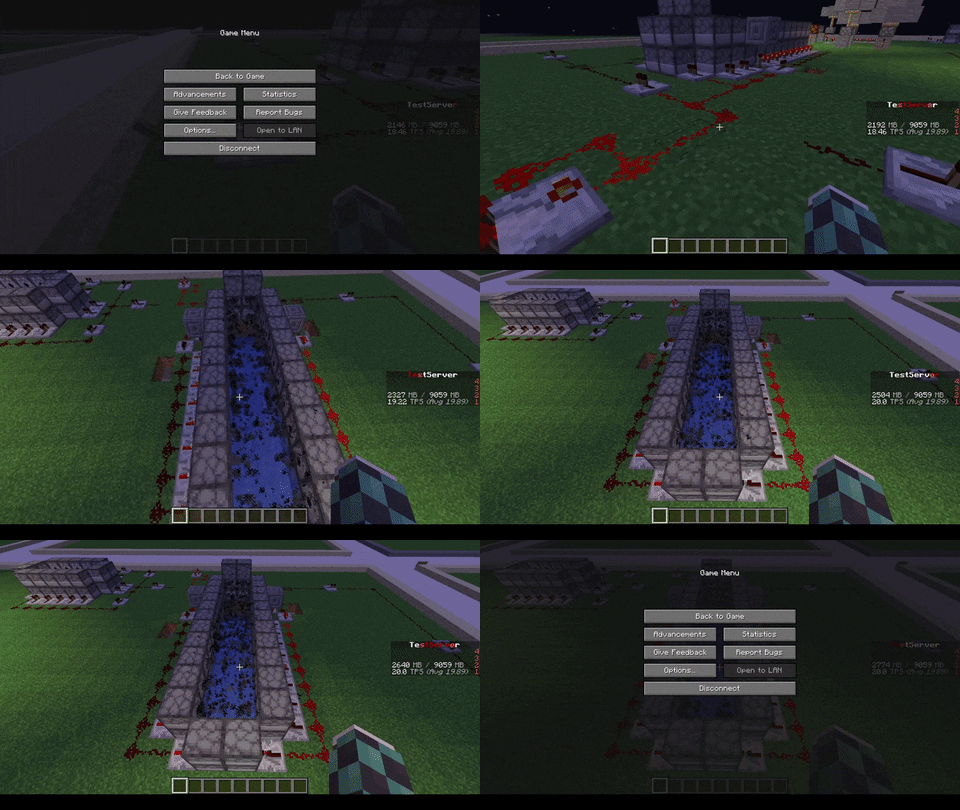
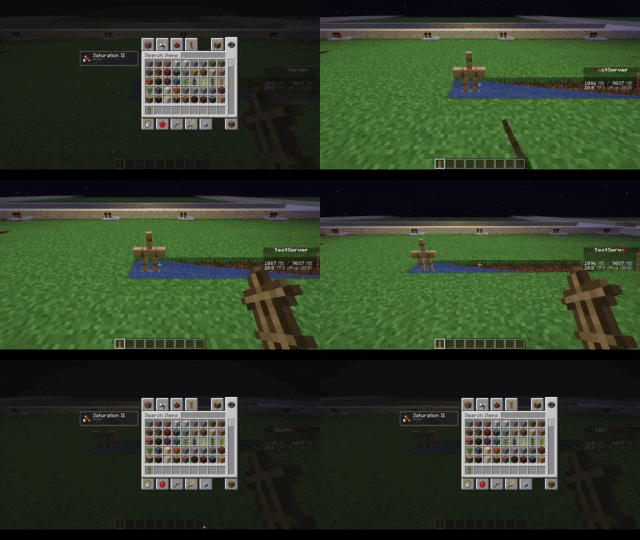
| With ArmorStand Limiter | Without ArmorStand Limiter |
|————————————————————————|—————————————————————————|
|  |  |
|  |  |
|  |  |
|  |  |
## Commands
* **/asl** – *Simple reload of the config file (Perms: `armostandlimiter.reload`)*
* **/asl check ** – *Simple command to control how many Armor Stands there are in a chunk or location in the
world (Perms: `armostandlimiter.check`)*
* **/asl clear ** – *Simple command to remove all Armor Stands there are in a chunk or location in the
world (Perms: `armostandlimiter.check`)*
* **/asl test** – *Simple command to test the notifications (Perms: `armostandlimiter.test`)*
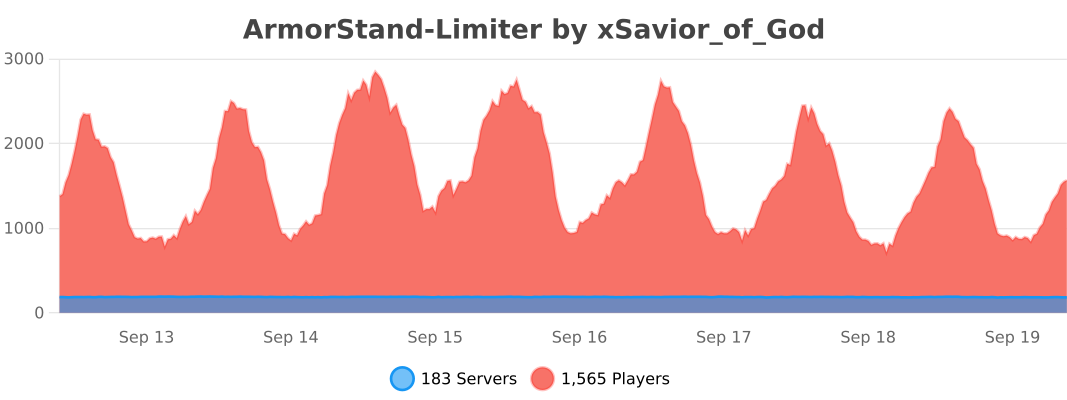
## Stats
[](https://bstats.org/plugin/bukkit/ArmorStand-Limiter/17051)
# Support
[](https://discord.gg/5GqJbRw)
**[Link: https://discord.gg/5GqJbRw](https://discord.gg/5GqJbRw)**
Bedrock Armorstands
## What is this?
Designed to implement full functionality of bedrock armorstands into java servers
## Features
– Works out of the box with no setup required
– Place an armorstand and it has arms by default
– Shift + Right-Click an armorstand to change its pose just like bedrock edition
## Compatability
Versions of the plugin for…
– 26.1+ minecraft versions are compiled with Java 25 which the server must run
– 1.21-1.21.11 minecraft versions are compiled with Java 21 but supports Java 25
## Installation
Download the latest version then drag and drop the jar into your plugins folder.
Then restart.
Armor Stand Storage

🛡️ Armor Stand Storage v1.0
============================

Transform your armor stands into functional storage units while maintaining their display capabilities! Perfect for kits, storage rooms, and displays.
**Version:** 1.0
**Minecraft Versions:** 1.8 – 1.21.x
**Release Date:** 1/27/25
✨ Features
———-
* **Smart Storage System**
* Shift + Right-Click any armor stand to access storage
* 27 slots of storage space per armor stand
* Items in armor slots automatically display on the stand
* Regular right-click still works for vanilla interactions
* **Intelligent Armor Detection**
* Automatically detects and displays armor pieces
* Works with any armor type (leather, iron, gold, diamond, netherite)
* Supports modded armor that follows naming conventions
* Compatible with Elytra and player heads
* **Server Friendly**
* Multi-world support with configurable blocked worlds
* Minimal performance impact
* SQLite database for reliable storage
* Works on Minecraft 1.8+
🎮 Usage
——–
1. Place an armor stand
2. Add armor/items normally OR
3. Shift + Right-Click to open storage
4. Place items anywhere in the inventory:
* Armor pieces will automatically display
* Other items are safely stored
* First 6 slots are prioritized for display
⚙️ Configuration
—————-
# Disable storage in specific worlds
disabled-worlds:
#- spawn_world
#- event_world
# Debug mode for detailed logging
debug: false
# Storage settings
storage:
inventory-title: “Armor Stand Storage”
inventory-rows: 3
🔒 Permissions
————–
* `armorstandstorage.use` – Access to armor stand storage (default: op)
📋 Commands
———–
No commands – just shift-right-click to use!
💡 Tips
——-
* Place armor in any slot – it will automatically display
* Use regular right-click for vanilla armor stand features
* Items are saved even if the armor stand breaks
* Works great for shop displays and storage rooms
* Perfect for RPG servers and town builds
🔧 Installation
—————
1. Download the plugin
2. Place in your plugins folder
3. Restart server
4. Configure (optional)
5. Start using!
🎯 Planned Features
——————-
* Custom inventory sizes
* Per-world inventory settings
* Hologram support
* Shop integration
* API for developers
🆕 What’s New in 1.0
——————–
* Initial release
* Full armor stand storage functionality
* Multi-world support
* Automatic armor detection and display
* SQLite database integration
* Legacy version support (1.8+)
📝 Version History
——————
* **1.0** (1.27.2025)
* Initial release
* Core functionality implemented
* Database storage system
* Multi-version support
ArmorStandStorage v1.0 – © 2024 Koopa
Made with ❤️ by Koopa
[GitHub Issues](https://github.com/KoopaCode/ArmorStand-Storage/issues) | [Discord](https://discord.gg/KmHGjaHWct)
`storage` `free` `armorstand` `plugin` `1.8-1.21`