DoubleJump
# 🚀 DoubleJump — Advanced Double Jump Plugin
> **Smooth, fully customizable double jump — predictable, stable, and lag-free.**
—
## ✨ Features
### ⚡ Clean & Predictable Mechanics
– Fully custom double jump system (not based on vanilla)
– Consistent movement without desync
– No random glitches or unexpected behavior
—
### 🎒 Jump Items
Flexible ways to activate double jump:
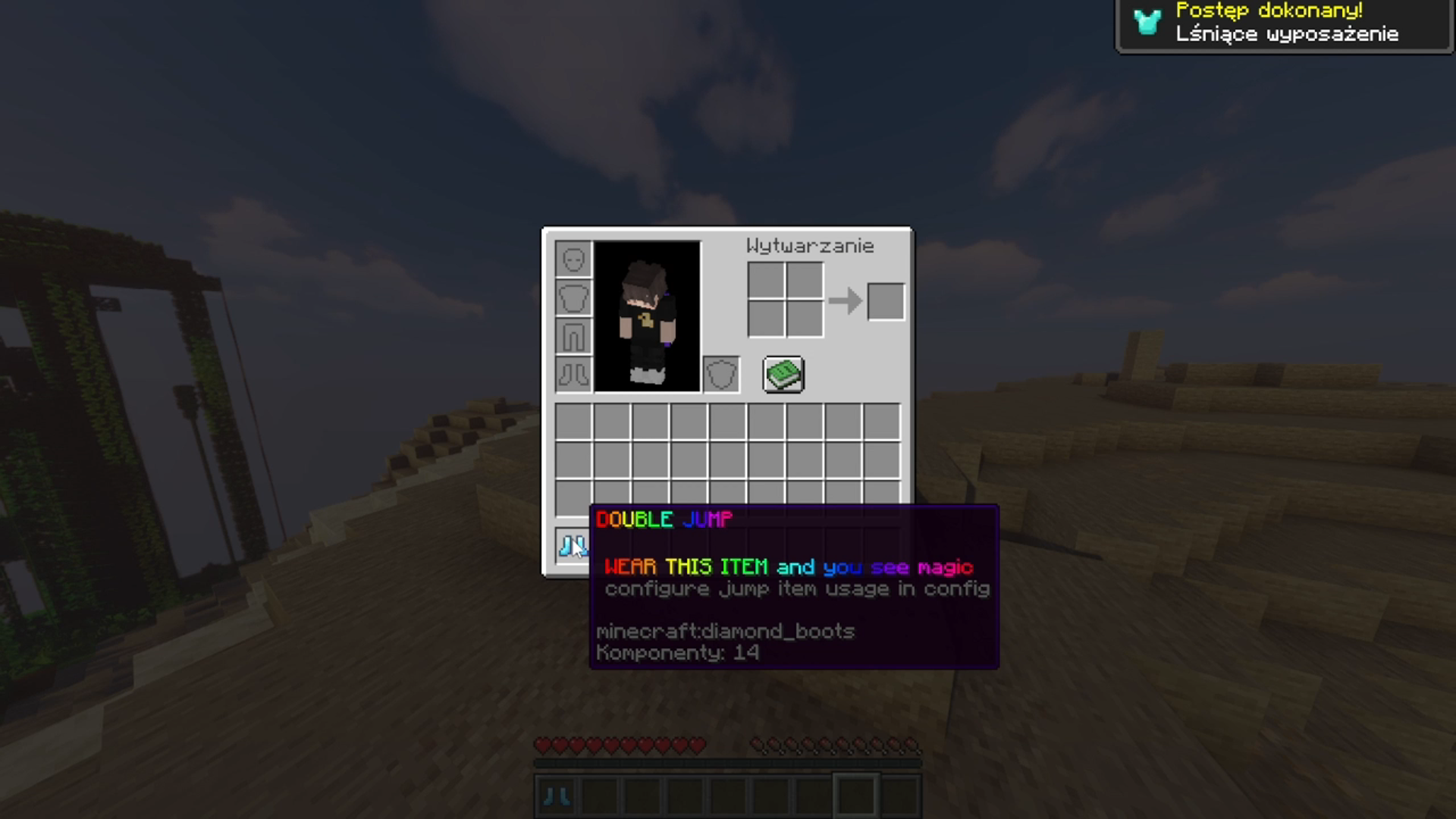
– `WEAR_ITEM` – wear specific boots
– `HOLD_ITEM` – hold an item
– `HAVE_ITEM` – keep item in inventory
– `CLICK_ITEM` – trigger on right-click
Each mode is fully configurable per item.
—
### 🎨 Effects Customization
– Particles and sounds on jump
– Permission-based overrides
– Fine-grained control for different player groups
—
### 🔐 Permission-Based Control
Control everything via permissions:
– velocity
– cooldown
– effects
– access
Perfect for rank-based servers.
—
### 🛡️ Smart Restrictions
Disable or limit jumping in specific scenarios:
– Elytra equipped
– Selected worlds
– WorldGuard regions
– Combat (EternalCombat support)
– High-ping players
– Or allow only via permission
—
### ⏱️ Cooldown System
– Limit jump usage (e.g. every X seconds)
– Prevent spam and abuse
—
### 💥 Fall Damage Control
– Disable for parkour or fun modes
– Enable for balanced PvP
—
### 🔄 Auto Enable
– Automatically enable on join
– Optional permission-based activation (e.g. VIP)
—
### ⚙️ Fully Configurable
– Messages
– Mechanics
– Conditions
– Visuals
No hardcoded limitations.
—
### 🚀 Performance
– Optimized for high-performance servers
– Minimal overhead
– Scales well with large player counts
—
## 🖼️ Showcase
🎬 Real gameplay — no tricks.




—
## 💻 Commands & Permissions
| Command | Permission | Description |
|—————————|—————————–|—————————-|
| `/doublejump enable` | `command.doublejump` | Enable for yourself |
| `/doublejump disable` | `command.doublejump` | Disable for yourself |
| `/doublejump enable-for` | `command.doublejump.target` | Enable for another player |
| `/doublejump disable-for` | `command.doublejump.target` | Disable for another player |
| `/doublejump item give` | `command.doublejump.item` | Give jump item |
| `/doublejump item remove` | `command.doublejump.item` | Remove jump item |
| `/doublejump reload` | `command.doublejump.reload` | Reload config |
—
## 🛒 Support & Refunds
💬 Discord: `imdmk`
Refunds are provided only if:
– A critical bug breaks core functionality
– The issue cannot be resolved in a reasonable time
—
## 🌟 Why DoubleJump?
Most plugins:
– glitch
– are limited
– or impact performance
**This one focuses on stability, control, and clean design.**
You get:
– reliable mechanics
– full configurability
– predictable behavior
—
## ❤️ Support
⭐ Leave a star
☕ Donate: https://paypal.me/dominiksuliga
—
## 💡 Summary
If you want a **stable, configurable double jump system that just works**, this is it.
AdvancedBanZ
***# Please note: This is a fork of the original AdvancedBan or AdvancedBanX plugin. Do not request support in the official AdvancedBan Discord; instead, seek help on the GitHub repository’s issues page.***
### Description
AdvancedBanZ is a fork of AdvancedBanX, which itself is a modernized update of the original AdvancedBan plugin developed by Leoko. It is an all-in-one punishment system supporting warnings (warn), temporary warnings (tempwarn), mutes, temporary mutes (tempmute), bans, temporary bans (tempban), IP bans (ipban), and kicks. The plugin also provides a player history feature to view past punishment records.
The plugin supports configurable time and message templates, automatically calculating and increasing punishment durations based on specific reasons. AdvancedBanZ provides complete message files, allowing you to freely modify and translate all prompts, and includes a detailed main configuration file with numerous practical options.
Currently, AdvancedBanZ supports Bukkit (Spigot/Paper) and BungeeCord platforms, and supports both MySQL and local file storage for data persistence.
### Installation Steps
1. Download the plugin from *[Modrinth](https://modrinth.com/plugin/advancedbanz)*.
2. Place the plugin into your `plugins` folder (applicable for both Bukkit and BungeeCord).
3. Reload or restart your server.
4. Use `/advancedban` to check if the plugin loaded successfully.
5. Configure as needed and start using it.
> **Optional Tip**: If you encounter issues connecting to the database, try adjusting the MySQL version to 5.X.
### Command Reference
View All Commands
Legend:
– `[Required] `: `|` means “or”, `-s` indicates a silent punishment (does not notify others)
– `/kick<-s> [Player] `
Kick a player
– `/ban /mute /warn /note <-s> [Player] `
Ban / Mute / Warn a player, or add a note to them
– `/banip <-s> [Player/IP] `
Ban a player’s IP (if a player name is entered, the cached IP is used)
– `/tempban /tempmute /tempwarn <-s> [Player] [Xmo|Xd|Xh|Xm|Xs|#TimeLayout] `
Issue a temporary punishment with a specified duration or auto-calculated duration based on a time layout
– `/tempipban <-s> [Player/IP] [Xmo|Xd|Xh|Xm|Xs|#TimeLayout] `
Temporarily ban a player’s IP (Alias: `/tipban`)
– `/change-reason [ID] [New Reason]`
Modify the reason based on the punishment ID
– `/change-reason [ban/mute] [Player] [New Reason]`
Modify the reason for a player’s current ban or mute
– `/unban /unmute [Player]`
Unban or unmute a player
– `/unwarn /unnote [ID]`
Remove a warning or note
– `/unwarn /unnote clear [Player]`
Remove all warnings or notes for a player
– `/unpunish [ID]`
Remove any type of punishment record
– `/warns /notes `
View your own or another player’s list of warnings/notes
– `/check [Player]`
Get player status: UUID / IP / Country / Ban Status / Mute Status / Warning Count / Note Count
– `/banlist `
View all currently active punishments
– `/history [Player] `
View a player’s historical punishment records (requires permission `ab.history`)
– `/advancedban reload`
Reload message files and some settings
– `/advancedban help`
Display all commands and their brief descriptions
– `/systemprefs`
Display system information helpful for configuration
### Permission Nodes
All Permissions
“`yaml
ab.kick.use – /kick
ab.kick.exempt – Exempt from being kicked
ab.notify.kick – Receive kick notifications
ab.ban.perma – /ban
ab.ban.temp – /tempban
ab.ban.undo – /unban
ab.ban.exempt – Exempt from being banned
ab.notify.ban – Receive ban notifications
ab.undoNotify.ban – Receive unban notifications
ab.notify.tempban – Receive temporary ban notifications
ab.ipban.perma – /ipban
ab.ipban.temp – /tempipban
ab.notify.ipban – Receive IP ban notifications
ab.tempipban.exempt – Exempt from temporary IP bans
ab.notify.tempipban – Receive temporary IP ban notifications
ab.mute.perma – /mute
ab.mute.temp – /tempmute
ab.mute.undo – /unmute
ab.mute.exempt – Exempt from being muted
ab.notify.mute – Receive mute notifications
ab.undoNotify.mute – Receive unmute notifications
ab.notify.tempmute – Receive temporary mute notifications
ab.warn.perma – /warn
ab.warn.temp – /tempwarn
ab.warn.undo – /unwarn
ab.warn.exempt – Exempt from being warned
ab.notify.warn – Receive warning notifications
ab.undoNotify.warn – Receive unwarn notifications
ab.notify.tempwarn – Receive temporary warning notifications
ab.note.use – /note
ab.note.undo – /unnote
ab.note.exempt – Exempt from having notes added
ab.notify.note – Receive note notifications
ab.undoNotify.note – Receive note removal notifications
ab.all.undo – /unpunish
ab.warns.own – /warns (view self)
ab.warns.other – /warns PLAYER (view others)
ab.notes.own – /notes (view self)
ab.notes.other – /notes PLAYER (view others)
ab.check – /check
ab.check.ip – Also display IP
ab.changeReason – /change-reason
ab.banlist – /banlist
ab.history – /history
ab.reload – /advancedban reload
ab.help – /advancedban help
ab.systemprefs – /systemprefs
“`
Limiting Punishment Durations
By default, users can punish others indefinitely as long they have the corresponding permission. You can set maximum punishment durations via `ab.tempban/tempmute/tempwarn.dur.X`.
In the configuration file, there is a section named `TempPerms` that can be used to define the maximum punishment duration for different IDs. For example:
“`yaml
1: 3600
“`
This means a user with the permission `ab.tempban.dur.1` can only ban for a maximum of 3600 seconds (i.e., 1 hour). The unit is seconds. If a user has multiple such permissions, the one with the higher number takes precedence. See `config.yml` for more details.
Hierarchical Exemption Permissions
For servers with large teams and complex hierarchies, you may need finer control over who can punish whom.
To do this, you can assign exemption level permissions to users in the following format:
“`yaml
ab.TYPE.exempt.X
“`
Where:
– `TYPE` can be: ban, tempban, ipban, tempipban, warn, tempwarn, kick, mute, tempmute
– `X` is an integer from 1 to 10 (10 is the highest privilege)
If X is not specified (i.e., just `ab.TYPE.exempt`), it is equivalent to `ab.TYPE.exempt.11`, meaning complete immunity.
> Note: Exemption permissions only take effect when the target player is online (unless using LuckPerms!)
> Users of the same level cannot punish each other.
**Examples**:
– A user with `ab.ban.exempt` cannot be banned by anyone.
– A user with `ab.ban.exempt.4` cannot be banned by a user with `ab.ban.exempt.3`, but can be banned by a user with `ab.ban.exempt.5`.
Additional Notes
If you are using this plugin on BungeeCord, you need to define permissions in BungeeCord’s `config.yml` or manage them via a dedicated BungeeCord permissions plugin.
The BungeeCord permission system does not support the `*` wildcard, so having `ab.*` does not grant access to all commands. To simplify configuration, AdvancedBanZ provides a setting called `EnableAllPermissionNodes`. When enabled, you can use `.all` instead of `.*`. For example, `ab.all` grants permission for all AdvancedBanZ commands. (Note: This feature does not work with negative permissions, e.g., `-ab.all` is invalid.)
### Configuration File Explanation
#### config.yml
The configuration file should be easy to understand, with detailed comments for each option.
config.yml
“`yaml
# AdvancedBan v4 – Original author Leoko, updated and maintained by 2vY (hlpdev) and Author87668
# Each setting has a brief description; please read carefully before modifying.
# For more information, visit: https://www.spigotmc.org/resources/advancedban.8695/
# Set to false to save all ban records in a local SQLite database
UseMySQL: false
MySQL:
IP: localhost
DB-Name: database-name
Username: admin
Password: superSecret
Port: 3306
Properties: ‘verifyServerCertificate=false&useSSL=false&useUnicode=true&characterEncoding=utf8’
# Whether to show only brief logs on plugin enable/disable
DetailedEnableMessage: true
DetailedDisableMessage: true
# Whether to prevent players from joining the server when a database connection error occurs (e.g., MySQL downtime)
LockdownOnError: true
# Default punishment reason (used when none is specified)
# Supports standard color codes or MiniMessage format (https://docs.advntr.dev/minimessage/format.html)
DefaultReason: “No reason provided.”
# If the server time differs from your time zone, adjust the offset here
# Example: Server time 16:43, your time 13:43, then set to -3
# You can view server time via /systemPrefs
TimeDiff: 0
# List of commands that muted players cannot use (to prevent bypassing)
MuteCommands:
– ‘me’
– ‘say’
– ‘action’
– ‘eaction’
– ‘describe’
– ‘edescribe’
– ’eme’
– ‘w’
– ‘m’
– ‘pm’
– ‘whisper’
– ‘ewhisper’
– ’emsg’
– ‘msg’
– ‘etell’
– ‘tell’
– ‘er’
– ‘r’
– ‘reply’
– ‘ereply’
– ‘ac’
– ‘eac’
– ‘amsg’
– ‘eamsg’
– ‘ehelpop’
– ‘p msg’
# These players cannot be punished in any way (effective even when offline)
# Recommended to use with the Vault plugin to ensure offline exemptions work correctly
ExemptPlayers:
– ‘Leoko’
– ‘md5’
– ‘dutchy1001’
– ‘ItzSomebody’
# Date format for the %DATE% variable
DateFormat: “MM/dd/yyyy HH:mm”
# Whether to enable the .all permission node (for permission systems that do not support *, such as BungeeCord)
# When enabled, ab.all can be used instead of ab.*
# Note: Negative permissions (e.g., -ab.all) are invalid
EnableAllPermissionNodes: false
# UUID Fetcher Settings
UUID-Fetcher:
# Dynamic mode automatically selects the best fetching method; recommended to keep enabled
Dynamic: true
Enabled: true
Intern: false
REST-API:
URL: “https://api.mojang.com/users/profiles/minecraft/%NAME%?at=%TIMESTAMP%”
Key: “id”
BackUp-API:
URL: “https://api.minetools.eu/uuid/%NAME%”
Key: “id”
# Actions triggered when warnings reach specified counts
# Supports variables: %PLAYER% %REASON% %COUNT%
# Supports MiniMessage format
WarnActions:
3: “kick %PLAYER% &c&oYou have received your 3rd warning!”
4: “tempban %PLAYER% 30m &c&oYou have received your 4th warning!”
5: “tempban %PLAYER% 5h &c&oYou have received your 5th warning!”
6: “tempban %PLAYER% 7d &c&oYou have received your 6th warning!”
7: “tempban %PLAYER% 1mo &c&oYou have received your %COUNT%th warning!”
10: “ban %PLAYER% &c&oYou have received your 10th warning!”
# Maximum punishment duration permission mapping (unit: seconds)
TempPerms:
1: 600 # 10 minutes
2: 3600 # 1 hour
3: 43200 # 12 hours
# Whether to enable debug mode (outputs more logs, useful for troubleshooting)
Debug: false
# Number of days to retain plugin logs (located in plugins/AdvancedBan/logs)
Log Purge Days: 10
# Whether to disable the plugin prefix in all messages
Disable Prefix: false
# Whether to register commands in a friendlier way (Bukkit only)
# Disabled by default to allow overriding /ban and other commands from other plugins
Friendly Register Commands: false
“`
#### messages.yml
Contains all user-facing prompt text, supporting standard color codes and **MiniMessage** format.
messages.yml (excerpt of key structure, full content omitted)
File structure includes:
– General
– Ban / Ipban / Tempban / Tempipban
– Mute / Tempmute
– Warn / Tempwarn / Note
– Kick
– UnBan / UnMute / UnWarn / UnNote / UnPunish
– Banlist / History / Warns / Notes
– Check
All messages are customizable and support variables such as `%NAME%`, `%OPERATOR%`, `%REASON%`, `%DURATION%`, etc.
#### layouts.yml
Used to define preset **message templates** and **time increment templates**.
layouts.yml
“`yaml
# Message Templates: Can be called via @TemplateName
Message:
ExampleLayout:
– ‘%PREFIX% &7Banned for cheating’
– ‘&c&oExecuted by %OPERATOR%’
– ‘&7’
– “&cDetected use of”
– “&cillegal client, please stop immediately!”
– “&cUnban time &8» &7%DURATION%”
– ‘&7’
– ‘&8Please apply for unban via TS or Forum’
– “&eTS Address &8» &c&nComing Soon”
– “&eForum Address &8» &c&nComing Soon”
# Time Templates: Can be called via #TemplateName, duration increases automatically with each punishment
Time:
ExampleLayout:
– ’30m’ # 1st time
– ‘2h’ # 2nd time
– ‘1d’ # 3rd time
– ‘1w’
– ‘1mo’
– ‘2mo’
– ‘4mo’
– ‘perma’ # Permanent
“`
**Usage Examples**:
– `/tempban PlayerA #ExampleLayout Cheating`
– `/warn PlayerB @ExampleLayout`
### Features
– All-in-one system for bans, kicks, mutes, and warnings
– High-performance performance
– Supports both BungeeCord and Bukkit/Spigot/Paper
– Player punishment history
– Advanced UUID support (built-in/external fetchers + backup API)
– Supports MySQL or local SQLite storage
– Fully customizable messages and behaviors
– Multi-line ban/kick messages
– Preset reason templates
– Automatic punishment duration escalation (1st time 1 hour, 2nd time 6 hours…)
– Custom time zone offset
– Automatic warning linkage actions (e.g., auto-kick after 3 warnings)
– `/check` command to query UUID, IP, country, ban/mute/warning status
– Full support for **MiniMessage** formatting syntax
### Technical Support
If you encounter issues, please check the console error logs first. If the problem persists, please submit an issue on our [GitHub Issues page](https://github.com/At87668/AdvancedBanZ/issues/new).
### Statistics
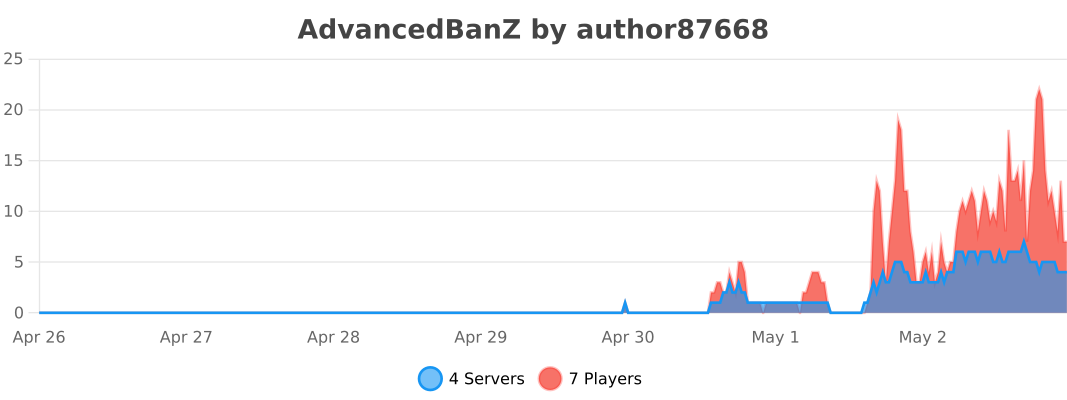
This plugin uses **bStats** to anonymously collect server information (such as player count, server version, etc.).
**Bukkit**
**BungeeCord**
### API Development
When developing plugin extensions, ensure that the AdvancedBanZ main plugin is installed on the server.
Maven Dependency
“`xml
…
hnt8
https://java.hnt8.net
…
…
net.hnt8.advancedban
AdvancedBanZ
3.0.6
provided
…
“`
AdvancedBanX
_**PLEASE KEEP IN MIND THAT THIS IS A FORK OF THE ORIGINAL ADVANCED BAN PLUGIN, DO NOT REQUEST SUPPORT IN THE ADVANCED BAN DISCORD, INSTEAD PLEASE GET SUPPORT ON THE GITHUB REPOSITORY ISSUES PAGE**_

AdvancedBanX is an updated and modernized version of the original AdvancedBan plugin made by Leoko. It is an All-In-One punishment system with warns, tempwarns, mutes, tempmutes, bans, tempbans, ipbans, and kicks. There is also player history to view players’ past punishments. The plugin has configurable time & message layouts which automatically calculate and increase punishment times for certain reasons. AdvancedBanX provides a full message file so you can change and translate all messages. There is also a detailed main configuration file with a lot of useful options. At the moment, AdvancedBanX supports Bukkit (Spigot/Paper) and Bungeecord. It also supports MySQL and Local File saving as it’s storage platform.

1. Download the plugin from _[GitHub releases](https://github.com/hlpdev/AdvancedBanX/releases/latest)_.
2. Place the plugin in your plugins folder (Same for Bukkit & Bungeecord).
3. Reload / Restart your server.
4. Check with /advancedban if the plugin has loaded successfully.
5. Configure it to your liking and enjoy.
_Optionally, if there is an issue connecting to a database, please adjust the version of MySql to 5.X_

See all commands
[NEEDED]
| = or
-s = Silent punishemnt (no notification to others)
/kick<-s> [PLAYER]
Kick a player
/ban /mute /warn /note <-s> [PLAYER]
Ban/Mute/Warn a player / Add a note to a player
/banip <-s> [PLAYER/IP]
Ban a player’s IP. If you enter a name it will use the cached IP
/tempban /tempmute /tempwarn <-s> [PLAYER] [Xmo|Xd|Xh|Xm|Xs|#TIMELAYOUT]
Tempban/mute/warn a player for a given time or with a time-layout for automatic-time-calcualtion
/tempipban <-s> [PLAYER/IP] [Xmo|Xd|Xh|Xm|Xs|#TIMELAYOUT]
Temippban a player for a given time or with a time-layout for automatic-time-calcualtion
Alias: /tipban
/change-reason [ID] [New reason]
Change the reason for a punishment by id
/change-reason [ban/mute] [PLAYER] [New reason]
Change the reason for a players punishment
/unban /unmute [PLAYER]
Unban/mute a player
/unwarn /unnote [ID]
Delete a warn/note
/unwarn /unnote clear [PLAYER]
Delete all warnings/notes for a player
/unpunish [ID]
Delete a punishment
/warns /notes
See your own or a player’s warnings/notes.
/check [PLAYER]
Get player-status: UUID/IP/Country/Ban-Status/Mute-Status/Warn-Count/Note-Count
/banlist
See all currently active punishments
/history [PLAYER]
See all currently active punishments
To use the command – ab.history
/advancedban reload
Reloads the messages from file and “some” settings
/advancedban help
Shows a list of all commands and a brief explanation
/systemprefs
Displays some System-Information which are useful for the configuration

All Permissions
“`
ab.kick.use – /kick
ab.kick.exempt – Immune to kicking
ab.notify.kick – Receives notification
ab.ban.perma – /ban
ab.ban.temp – /tempban
ab.ban.undo – /unban
ab.ban.exempt – Immune to ban
ab.notify.ban – Receives notification
ab.undoNotify.ban – Receives notification when someone gets unbanned
ab.notify.tempban – Receives notification[/SPOILER]
ab.ipban.perma – /ipban
ab.ipban.temp – /tempipban
ab.notify.ipban – Receives notification
ab.tempipban.exempt – Immune to tempipban
ab.notify.tempipban – Receives notification
ab.mute.perma – /mute
ab.mute.temp – /tempmute
ab.mute.undo – /unmute
ab.mute.exempt – Immune to mute
ab.notify.mute – Receives notification
ab.undoNotify.mute – Receives notification when someone gets unmuted
ab.notify.tempmute – Receives notification
ab.warn.perma – /warn
ab.warn.temp – /tempwarn
ab.warn.undo – /unwarn
ab.warn.exempt – Immune to warn
ab.notify.warn – Receives notification
ab.undoNotify.warn – Receives notification when someone gets unwarned
ab.notify.tempwarn – Receives notification
ab.note.use – /note
ab.note.undo – /unnote
ab.note.exempt – Immune to receiving notes
ab.notify.note – Receives notification
ab.undoNotify.note – Receives notification when someone gets unnoted
ab.all.undo – /unpunish
ab.warns.own – /warns
ab.warns.other – /warns PLAYER
ab.notes.own – /notes
ab.notes.other – /notes PLAYER
ab.check – /check
ab.check.ip – Also shows IP
ab.changeReason – /change-reason
ab.banlist – /banlist
ab.history – /history
ab.reload – /advancedban reload
ab.help – /advancedban help
ab.systemprefs – /systemprefs
“`
Limit punish duration
By default, the user will be able to punish an infinite amount of time if he has the perms to use the command.
You can set the max-punishment-time with ab.tempban/tempmute/tempwarn.dur.X
In the config, there is a section called “TempPerms”.
There you can configure how long which ID will be able to punish
for example, you set
1: 3600
the player with the perms ab.tempban.dur.1 will only be able to ban 3600s -> 1h
The amount is entered in SEC and if a player has more than one perms the higher numbers override.
There is a second explanation in the config.yml.
Layered exempt permissions
Servers with a large team and a complex hierarchy might need a more advanced approach to who can ban who:
To achieve that, you can assign exempt levels per permissions to users with
“`
ab.TYPE.exempt.X
“`
**TEMP** = ban, tempban, ipban, tempipban, warn, tempwarn, kick, mute, tempmute
**X** = 1 – 10 (10 being the most powerful)
If you do not provide x, the following is what the permission is interpreted as:
“`
ab.TYPE.exempt = ab.TYPE.exempt.11
“`
Note that exempt permissions only work when the targeted user is online (unless using LuckPerms!)
(Users on the same level cannot punish each other)
Example:
Users with ab.ban.exempt cannot be banned by anyone.
Users with ab.ban.exempt.4 cannot be banned by someone with ab.ban.exempt.3 but can be banned by someone with ab.ban.exempt.5
Spoiler
If you use this plugin on bungeecord you need to define the permissions in the config.yml of the Bungeecord Server or through a spcial bBungeecord Permission Plugin.
The problem with bungeecord permissions is that there are not *-Perms so a user with ab.* won’t have access to all commands. But to simplify the setup there is a setting in the advacnedban config called “EnableAllPermissionNodes” which allows you to use a .all instead of a .* so if enabled a user with ab.all will have access to all AdvancedBan commands. (There is another explanation in the config)

Config.yml:
The config.yml should be self explanatory, but explanations are provided for each option.
config.yml
“`
# AdvancedBan v3 – Coded by Leoko, Update & Maintained by 2vY (hlpdev)
# For each setting, there is a small description.
# Please read each description carefully before changing anything.
# For more information visit: https://www.spigotmc.org/resources/advancedban.8695/
# If set to false all bans will be saved locally in a HSQLDB-Database
UseMySQL: false
MySQL:
IP: localhost
DB-Name: database-name
Username: admin
Password: superSecret
Port: 3306
Properties: ‘verifyServerCertificate=false&useSSL=false&useUnicode=true&characterEncoding=utf8’
# Set to false if you want to have only short messages in the console
# On startup and on the shutdown.
DetailedEnableMessage: true
DetailedDisableMessage: true
# Whether to disallow connections to the server when there is an error
# with the database. (e.g.: if your MySQL Server goes down)
LockdownOnError: true
# This will be the default reason to be displayed if none is given
# !! You may use normal color codes or MiniMessage formatting (https://docs.advntr.dev/minimessage/format.html)
DefaultReason: “No reason provided.”
# Change this if your server has a different time that your users.
# e.g.: ServerTime: 16:43 | Your Time: 13:43 | TimeDiff has to be set to -3
# You can check the server time with /systemPrefs
TimeDiff: 0
# This commands will be disabled for muted players
# A player wouldn’t be able to bypass with eg “/minecraft:me”
MuteCommands:
– ‘me’
– ‘say’
– ‘action’
– ‘eaction’
– ‘describe’
– ‘edescribe’
– ’eme’
– ‘w’
– ‘m’
– ‘pm’
– ‘whisper’
– ‘ewhisper’
– ’emsg’
– ‘msg’
– ‘etell’
– ‘tell’
– ‘er’
– ‘r’
– ‘reply’
– ‘ereply’
– ‘ac’
– ‘eac’
– ‘amsg’
– ‘eamsg’
– ‘ehelpop’
– ‘p msg’
# These players will not be able to get punished in any way
# this also works if the player is offline
# Use Vault to make exempt permissions also work for offline players
ExemptPlayers:
– ‘Leoko’
– ‘md5’
– ‘dutchy1001’
– ‘ItzSomebody’
# The date-format which will be used for the %DATE% variable
DateFormat: “MM/dd/yyyy HH:mm”
# This is useful for bungeecord servers or server with permission systems which do not support *-Perms
# So if you enable this you can use ab.all instead of ab.* or ab.ban.all instead of ab.ban.*
# This does not work with negative permissions! e.g. -ab.all would not block all commands for that user.
EnableAllPermissionNodes: false
# If you use external REST-APIs they will have to respond in JSON
# The given APIs will only be used for NAME -> UUID
# For UUID -> NAME will either use the official MojangAPI or the InternFetcher
# To check if you can use the intern fetcher do /systemPerfs and compare your uuid
# to the one you can see online on http://NamesMC.com
# if they are similar we recommend using the InternFetcher
UUID-Fetcher:
# If dynamic it set to true it will override the ‘enabled’ and ‘intern’ settings
# and automatically detect the best possible uuid fetcher settings for your server.
# Our recommendation: don’t set dynamic to false if you don’t have any problems.
Dynamic: true
Enabled: true
Intern: false
REST-API:
URL: “https://api.mojang.com/users/profiles/minecraft/%NAME%?at=%TIMESTAMP%”
Key: “id”
BackUp-API:
URL: “https://api.minetools.eu/uuid/%NAME%”
Key: “id”
# These are the commands that will be performed on warns
# If you skip a number the command from before will be performed
# You can also use non-AdvancedBan-Commands like ‘broadcast’ or ‘clear %PLAYER%
# Variables: %PLAYER%, %REASON%, %COUNT%
# !! You may use normal color codes or MiniMessage formatting (https://docs.advntr.dev/minimessage/format.html)
WarnActions:
3: “kick %PLAYER% &c&oYou have received your 3rd warning!”
4: “tempban %PLAYER% 30m &c&oYou have received your 4th warning!”
5: “tempban %PLAYER% 5h &c&oYou have received your 5th warning!”
6: “tempban %PLAYER% 7d &c&oYou have received your 6th warning!”
7: “tempban %PLAYER% 1mo &c&oYou have received your %COUNT%th warning!”
10: “ban %PLAYER% &c&oYou have received your 10th warning!”
# Here you can create permission-nodes for max-punishment-duration.
# The permission “ab.tempban.dur.1” would allow the player to ban max. for 600sec = 10min
# The permission “ab.tempwarn.dur.2” would allow the player to warn max. for 3600sec = 1h
# You can only create up to 10 perms. The perms can be overridden with “ab.COMMAND.dur.max”
TempPerms:
1: 600
2: 3600
3: 43200
# With this active will show more information in the console, such as errors, if
# the plugin works correctly is not recommended to activate it since it is
# designed to find bugs.
Debug: false
# This is the amount of days that we should keep plugin logs in the plugins/AdvancedBan/logs folder.
# By default is set to 10 days.
Log Purge Days: 10
# Removes the prefix of the plugin in every message.
Disable Prefix: false
# Register commands in a more friendly manner
# Off by default, so AdvancedBan can override /ban from other plugins
# This is a Bukkit-specific option. It has no meaning on BungeeCord
Friendly Register Commands: false
“`
Messages.yml:
The messages.yml file contains all the strings that are presented to the end user. All strings can be changed. All regular color codes can be used, but [MiniMessage formatting](https://docs.advntr.dev/minimessage/format.html) is preferred.
messages.yml
“`
# AdvancedBan v3 – Coded by Leoko, Update & Maintained by 2vY (hlpdev)
# Normal Color Codes along with MiniMessage (https://docs.advntr.dev/minimessage/format.html) are available in all strings
General:
Prefix: “AdvancedBanX »”
NoPerms: “You don’t have perms for that!”
LayoutNotFound: “There is no layout called %NAME%”
# This will be the replacement for the %DURATION% variable
TimeLayoutD: “%D%day(s) %H%h %M%min and %S%sec”
TimeLayoutH: “%H%hour(s) %M%min and %S%sec”
TimeLayoutM: “%M%min and %S%sec”
TimeLayoutS: “%S% seconds”
FailedFetch: “Could not fetch the UUID of %NAME%! See console for details.”
Ban:
Usage: “Usage » /ban (-s) [Name] [Reason/@Layout]”
Done: “%NAME% was successfully banned!”
AlreadyDone: “%NAME% has already been banned!”
Exempt: “You are not able to ban %NAME%”
Layout:
– ‘%PREFIX% Permanently banned‘
– ”
– ”
– “Reason » %REASON%”
– ”
– ‘Unban application in TS or forum‘
– “TS-Ip » coming soon”
– “Forum » coming soon”
Notification:
– “%NAME% got banned by %OPERATOR%”
– “For the reason %REASON%”
UndoNotification: “%OPERATOR% unbanned %NAME%”
Ipban:
Usage: “Usage » /banip (-s) [Name/IP] [Reason/@Layout]”
Layout:
– ‘%PREFIX% Permanently banned‘
– ”
– ”
– “Reason » %REASON%”
– ”
– ‘Unban application in TS or forum‘
– “TS-Ip » coming soon”
– “Forum » coming soon”
Notification:
– “%NAME% got banned by %OPERATOR%”
– “For the reason %REASON%”
IpNotCashed: “There is no saved IP for %NAME%!”
Tempban:
Usage: “Usage » /tempban (-s) [Name] [Xmo/Xd/Xh/Xm/Xs/#TimeLayout] [Reason/@Layout]”
MaxDuration: “You are not able to ban more than %MAX%sec”
Layout:
– ‘%PREFIX% Temporarily banned‘
– ”
– ”
– “Reason » %REASON%”
– “Duration » %DURATION%”
– ”
– ‘Unban application in TS or forum‘
– “TS-Ip » coming soon”
– “Forum » coming soon”
Notification:
– “%NAME% got banned by %OPERATOR%”
– “For the reason %REASON%”
– “This player got banned for DURATION%”
Tempipban:
Usage: “Usage » /tempipban (-s) [Name/IP] [Xmo/Xd/Xh/Xm/Xs/#TimeLayout] [Reason/@Layout]”
MaxDuration: “You are not able to ban more than %MAX%sec”
Layout:
– ‘%PREFIX% Temporarily banned‘
– ”
– ”
– “Reason » %REASON%”
– “Duration » %DURATION%”
– ”
– ‘Unban application in TS or forum‘
– “TS-Ip » coming soon”
– “Forum » coming soon”
Notification:
– “%NAME% got banned by %OPERATOR%”
– “For the reason %REASON%”
– “This player got banned for DURATION%”
Mute:
Usage: “Usage » /mute (-s) [Name] [Reason/@Layout]”
Done: “%NAME% was successfully muted!”
AlreadyDone: “%NAME% has already been muted!”
Exempt: “You are not able to mute %NAME%”
Layout:
– ‘%PREFIX% You are permanently muted‘
– “Reason » %REASON%”
Notification:
– “%NAME% got muted by %OPERATOR%”
– “For the reason %REASON%”
UndoNotification: “%OPERATOR% unmuted %NAME%”
Tempmute:
Usage: “Usage » /tempmute (-s) [Name] [Xmo/Xd/Xh/Xm/Xs/#TimeLayout] [Reason/@Layout]”
MaxDuration: “You are not able to mute more than %MAX%sec”
Layout:
– ‘%PREFIX% You are muted for %DURATION%‘
– “Reason » %REASON%”
Notification:
– “%NAME% got muted by %OPERATOR%”
– “For the reason %REASON%”
– “This player got muted for %DURATION%”
Warn:
Usage: “Usage » /warn (-s) [Name] [Reason/@Layout]”
Done: “%NAME% was successfully warned!”
Exempt: “You are not able to warn %NAME%”
Layout:
– ‘%PREFIX% You received a warning‘
– “Reason » %REASON%”
– ‘You have now %COUNT% warning(s) in total!‘
Notification:
– “%NAME% got warned by %OPERATOR%”
– “For the reason %REASON%”
Note:
Usage: “Usage » /note (-s) [Name] [Reason]”
Done: “%NAME% was successfully noted!”
Exempt: “You are not able to note %NAME%”
Notification:
– “%NAME% got noted by %OPERATOR%”
– “For the reason %REASON%”
Tempwarn:
Usage: “Usage » /tempwarn (-s) [Name] [Xmo/Xd/Xh/Xm/Xs/#TimeLayout] [Reason/@Layout]”
MaxDuration: “You are not able to warn more than %MAX%sec”
Layout:
– ‘%PREFIX% You received a temp-warning‘
– “Reason » %REASON%”
– “It will pass in » %DURATION%”
– ‘You have now %COUNT% warning(s) in total!‘
Notification:
– “%NAME% got temp-warned by %OPERATOR%”
– “For the reason %REASON%”
– “This warning will pass in %DURATION%”
Kick:
Usage: “Usage » /kick (-s) [Name] [Reason/@Layout]”
Done: “%NAME% was successfully kicked!”
NotOnline: “%NAME% is not online!”
Exempt: “You are not able to kick %NAME%”
Layout:
– ‘%PREFIX% You got kicked‘
– ”
– “Reason » %REASON%”
– ”
Notification:
– “%NAME% got kicked by %OPERATOR%”
– “For the reason %REASON%”
UnBan:
Usage: “Usage » /unban [Name/IP]”
NotPunished: “%NAME% is not banned!”
Done: “%NAME% was successfully unbanned!”
Notification: “%OPERATOR% unbanned %NAME%”
UnMute:
Usage: “Usage » /unmute [Name]”
NotPunished: “%NAME% is not muted!”
Done: “%NAME% was successfully unmuted!”
Notification: “%OPERATOR% unmuted %NAME%”
UnWarn:
Usage: “Usage » /unwarn [ID] or /unwarn clear [Name]”
NotFound: “Could not find warning #%ID%”
Done: “Warn #%ID% was successfully deleted!”
Notification: “%OPERATOR% unwarned %NAME%”
Clear:
Empty: “%NAME% has no warnings!”
Done: “Cleared %COUNT% warnings”
UnNote:
Usage: “Usage » /unnote [ID] or /unnote clear [Name]”
NotFound: “Could not find note #%ID%”
Done: “Note #%ID% was successfully deleted!”
Notification: “%OPERATOR% unnoted %NAME%”
Clear:
Empty: “%NAME% has no notes!”
Done: “Cleared %COUNT% notes”
UnPunish:
Usage: “Usage » /unpunish [ID]”
NotFound: “Could not find punishment #%ID%”
Done: “Punishment #%ID% was successfully deleted!”
Banlist:
Usage: “Usage » /banlist (Page)”
OutOfIndex: “There is no page %PAGE%!”
NoEntries: “There are no entries”
Header:
– “%PREFIX% Banlist:”
– “Player/IP | Duration | Banned by”
– “Type > Reason”
– “&7”
Entry:
– “[%DATE%]”
– “%NAME% | %DURATION% | %OPERATOR%”
– “%TYPE% | %REASON%”
– “”
Footer: “Page %CURRENT_PAGE% of %TOTAL_PAGES% | Listed bans: %COUNT%”
PageFooter: “Use /banlist %NEXT_PAGE% to see the next page”
History:
Usage: “Usage » /history [Name/IP] (Page)”
OutOfIndex: “There is no page %PAGE%!”
NoEntries: “Could not find the history of %NAME%”
Header:
– “%PREFIX% History for %NAME%:”
– “Name | Duration | Operator”
– “Type > Reason”
– “”
Entry:
– “[%DATE%]”
– “%NAME% | %DURATION% | %OPERATOR%”
– “%TYPE% | %REASON%”
– “”
Footer: “Page %CURRENT_PAGE% of %TOTAL_PAGES% | Total entries: %COUNT%”
PageFooter: “Use /history %NAME% %NEXT_PAGE% to see the next page”
Warns:
Usage: “Usage » /warns [Name] (Page) or /warns (Page)”
OutOfIndex: “There is no page %PAGE%!”
NoEntries: “%NAME% has no warnings yet”
Header:
– “%PREFIX% Warnings for %NAME%:”
– “Name | Duration | Operator”
– “#ID > Reason”
– “”
Entry:
– “[%DATE%]”
– “%NAME% | %DURATION% | %OPERATOR%”
– “#%ID% > %REASON%”
– “”
Footer: “Page %CURRENT_PAGE% of %TOTAL_PAGES% | Active warnings: %COUNT%”
PageFooter: “Use /warns %NAME% %NEXT_PAGE% to see the next page”
WarnsOwn:
OutOfIndex: “There is no page %PAGE%!”
NoEntries: “You has no warnings yet”
Header:
– “%PREFIX% Your warnings:”
– “Duration | Warned by”
– “#ID > Reason”
– “”
Entry:
– “[%DATE%]”
– “%NAME% | %DURATION% | %OPERATOR%”
– “#%ID% > %REASON%”
– “”
Footer: “Page %CURRENT_PAGE% of %TOTAL_PAGES% | Active warnings: %COUNT%”
PageFooter: “Use /warns %NEXT_PAGE% to see the next page”
Notes:
Usage: “Usage » /notes [Name] (Page) or /notes (Page)”
OutOfIndex: “There is no page %PAGE%!”
NoEntries: “%NAME% has no notes yet”
Header:
– “”
– “%PREFIX% Notes for %NAME%:”
– “”
Entry:
– “%DATE% | By %OPERATOR% (#%ID%)”
– “> %REASON%”
– “”
Footer: “Page %CURRENT_PAGE% of %TOTAL_PAGES% | Notes: %COUNT%”
PageFooter: “Use /notes %NAME% %NEXT_PAGE% to see the next page”
NotesOwn:
OutOfIndex: “There is no page %PAGE%!”
NoEntries: “You has no notes yet”
Header:
– “”
– “%PREFIX% Your notes:”
– “”
Entry:
– “%DATE% | By %OPERATOR% (#%ID%)”
– “> %REASON%”
– “”
Footer: “Page %CURRENT_PAGE% of %TOTAL_PAGES% | Notes: %COUNT%”
PageFooter: “Use /notes %NEXT_PAGE% to see the next page”
ChangeReason:
Usage: “Usage » /change-reason [ID or ban/mute USER] [New reason]”
Done: “Punishment #%ID% has successfully been updated!”
NotFound: “Sorry we have not been able to find this punishment”
Check:
Usage: “Usage » /check [Name]”
Header: “Checking %NAME% (%CACHED%)”
UUID: “UUID » %UUID% (%CACHED%)”
IP: “IP » %IP% (%CACHED%)”
Geo: “Country » %LOCATION%”
Mute: “Muted » %DURATION%”
MuteReason: ” Reason » %REASON%”
Ban: “Banned » %DURATION%”
BanReason: ” Reason » %REASON%”
Warn: “Warns » %COUNT%”
Note: “Notes » %COUNT%”
NotFound: “Sorry we have not been able to find %NAME%”
Cached: “cached”
NotCached: “not cached”
“`
Layouts.yml:
Messages:
Here, you can define predefined reasons which can be used for (temp-)banning/muting/warning & kicking. You can use them by typing @layoutname instead of the reason. You can also provide a reason after defining the template which will replace the %REASON% variable in the layout.
Time:
Here you can define time layouts which can be used for temporary punishments. You can use them by typing #layoutname instead of the duration. The time increases every time a player gets punished with the same layout.
layouts.yml
“`
# AdvancedBan v3 – Coded by Leoko, Update & Maintained by 2vY (hlpdev)
# Normal Color Codes along with MiniMessage (https://docs.advntr.dev/minimessage/format.html) are available in all strings
# The default layouts are in the Message.yml file!
# Message-Layouts can not only be used for bans but also for mutes and warns
# Currently available variables:
# %OPERATOR% – The user who dealt the punishment.
# %REASON% – Reason for punishment.
# %PREFIX% – Prefix set in Message.yml.
# %DURATION% – Amount of time left before a punishment expires (will be -1 for permanent punishments).
# %DATE% – Date punishment was issued on.
# %ID% – Displays the punishment ID (i.e. first punishment = 0, second punishment = 1, third punishment = 2, etc.)
# %HEXID% – Displays the punishment ID in base 16.
# For warns you have also the variable %COUNT% which will be
# replaced with the current amount of warns the player already received
# Example usage: /ban Leoko @ExampleLayout
Message:
ExampleLayout:
– ‘%PREFIX% &7Banned for Hacking’
– ‘&c&oBanned by %OPERATOR%’
– ‘&7’
– “&cIt seems like you are using a”
– “&chacked client please disable it!”
– “&cUnban in &8» &7%DURATION%”
– ‘&7’
– ‘&8Unban application in TS or forum’
– “&eTS-Ip &8» &c&ncoming soon”
– “&eForum &8» &c&ncoming soon”
ExampleLayout2:
– ‘%PREFIX% &7Banned for offensive language’
– ‘&7’
– “&cWe don’t tolerate swearing on our server!”
– “&cYou got banned for the word ‘%REASON%'” # You can even use reasons in message layouts
# You would use this time-layout for example like this: “/tempban Leoko #ExampleLayout Hacking in FFA”
# Or with “/tempwarn Leoko #ExampleLayout Advertising” or even “/tempwarn Leoko #ExampleLayout No capslock please”
# You can also combine this with MessageLayouts like “/tempban Leoko #ExampleLayout @Hacking”
Time:
ExampleLayout:
– ’30m’
– ‘2h’
– ‘1d’
– ‘1w’
– ‘1mo’
– ‘2mo’
– ‘4mo’
– ‘perma’
“`

– Ban-, Kick-, Mute- and Warn-System
– Excellent performance
– BungeeCord & Bukkit/Spigot/Paper plugin all-in-one
– Player history
– Advanced UUID Support
– – Internal or External UUID fetcher
– – Backup UUID fetcher if Mojang servers are offline
– MySQL or local embedded HyperSQL for storage
– Fully customizable
– Multiple lines in Kick and Ban messages
– Predefined reasons
– Automatic time calculation [1st-tempban -> 1h | 2nd-tempban -> 6h, etc]
– Custom time offset [change the timezone if the server has incorrect time]
– Automatic warn actions
– Check command [UUID, IP, Country, Ban/Mute/Warn]
– Full MiniMessage formatting support in all layouts & messages

If you have any problems with the plugin, make sure to check the console for any error messages with instructions on how to solve the issue. If you need additional support, please post an issue in our [GitHub repository here](https://github.com/hlpdev/AdvancedBanX/issues/new).

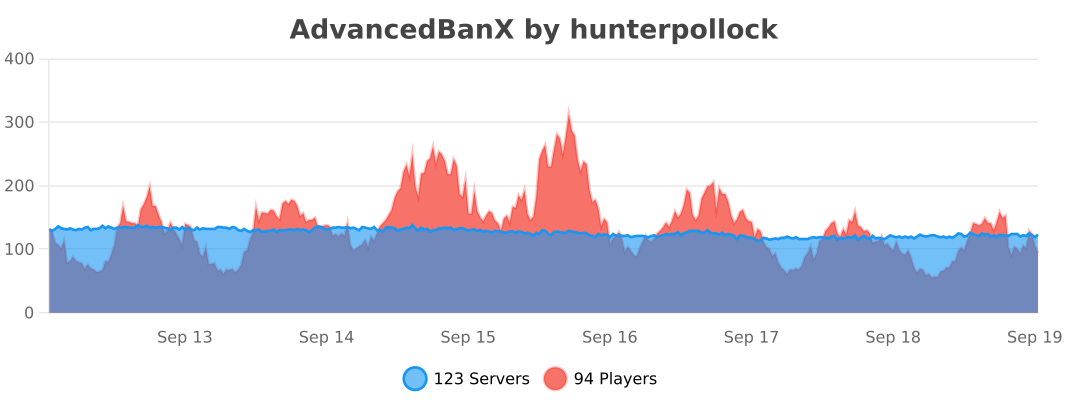
We bStats for recording our metrics which tracks anonymous information about your server (player count, server version, online-mode, etc). The graph below may not be populated as this plugin build has just been released.

The API requires the AdvancedBanX plugin to be installed on the server. When making an addon, make sure to make it clear that the main AdvancedBanX plugin is also required!
Maven
“`
…
hnt8
https://java.hnt8.net
…
…
net.hnt8.advancedban
AdvancedBanX
3.0.6
provided
…
“`
Advanced Portals
[//]: # (This is a link to the raw location so that the image can be displayed from pages like Modrinth)

[](https://discord.gg/fAJ3xJg)
[](https://github.com/sekwah41/Advanced-Portals/graphs/contributors)
[](https://github.com/sekwah41/Advanced-Portals/issues)
[](https://github.com/sekwah41/Advanced-Portals/pulls)
[](https://github.com/sekwah41/Advanced-Portals/network/members)
[](https://github.com/sekwah41/Advanced-Portals/stargazers)
[](https://github.com/sekwah41/Advanced-Portals/blob/master/LICENSE.md)
Advanced Portals
==============
An advanced portals plugin designed to have a wide range of features which are easy to use. It adds a bunch of commands to create and edit portals and destinations.
# Usage
Check out the [Tutorial](https://advancedportals.sekwah.com/docs/intro), [List of Commands](https://advancedportals.sekwah.com/docs/commands), and [List of Portal Tags](https://advancedportals.sekwah.com/docs/portal-tags).
# Download
**Note:** Please make sure you download the right version for the right loader and mc version.
Also the proxy plugin for both velocity as well as bungee is contained within the jar files.
– [Modrinth](https://modrinth.com/plugin/advanced-portals)
– [Bukkit](https://dev.bukkit.org/projects/advanced-portals)
– [Spigot](https://www.spigotmc.org/resources/advanced-portals.14356/)
– [Curseforge](https://www.curseforge.com/minecraft/bukkit-plugins/advanced-portals)
– [Github (Source Code)](https://github.com/sekwah41/Advanced-Portals/releases)
# Contributing
Please ensure that your commits are in the following style for PR’s
https://www.conventionalcommits.org/en/v1.0.0/
Also if you could, please run `pre-commit run –files …` or `pre-commit run –all-files` to ensure that the code is formatted correctly.
You will need to have clang-format installed for this to work.
## Types available
* **build**: Changes that affect the build system or external dependencies
* **ci**: Changes to our CI configuration files and scripts
* **docs**: Documentation only changes
* **feat**: A new feature
* **fix**: A bug fix
* **perf**: A code change that improves performance
* **refactor**: A code change that neither fixes a bug nor adds a feature
* **style**: Changes that do not affect the meaning of the code (white-space, formatting, missing semi-colons, etc)
## Scopes available
The scopes available should be the specific modules being worked on. E.g. core, spigot, docs
## Documentation
That is handled on the [website](https://github.com/sekwah41/Advanced-Portals/tree/website) branch.
At some point I may merge this onto this branch to try to push for documentation changes with new features, though for now this works.
AccountLocker
# AccountLocker – Secure Your Minecraft Accounts
**AccountLocker** is a Velocity plugin designed to link a Minecraft username to a specific IP address, ensuring that only players connecting from the defined IP can access the account. This is a powerful tool to prevent account hijacking caused by password theft or unauthorized access.
—
## **Features**
– **IP Binding for Accounts**
Configure a username and an associated IP address. Any login attempts using that username from a different IP will be denied.
– **Customizable Messages**
Messages displayed to players can be fully customized in `messages_us.yml`.
– **Predefined Language Support**
Includes two predefined `messages.yml` files:
– **Italian (it)**
– **English (us)**
Want to add more languages? Check out the translation repository:
[GitHub Repository](https://github.com/blaze534new/AccountLockerLanguages)
– **Debug Mode**
Enable `debugmode` in the configuration to log all login attempts and monitor unauthorized access attempts.
– **Flexible Configuration**
Choose your preferred language file and toggle debug mode easily in `config.yml`.
—
## **Commands**
– `/accountlocker`
Reload the plugin’s configuration and messages.
**Alias**: `/al`
—
## **Permission**
– `/accountlocker` : `accountlocker.reload`
—
## **Privacy and Origin**
– This plugin **does not collect or process any personal data**, ensuring complete privacy for your players.
– **Made in Italy** by an indie developer passionate about Minecraft server security.
—
## **Why Use AccountLocker?**
Protect your server and your players from unauthorized account access and hijacking attempts. With AccountLocker, usernames can be locked to specific IP addresses, adding an essential layer of security to your Minecraft server.
—
## **Configuration Example**
Here’s the `config.yml` file:
“`
file-version: 1
Language: us #us and it available
debug mode: false #show debug info in console
users: #Users List
blaze534: 0.0.0.0 #Example of configuration
bob: 130.139.1.5
“`
Here’s the `messages_us.yml` file:
“`
file-version: 1
# $user = Username $ipAccount = Ip Address $allowedIp = Ip taken from config.yml
blocked-connection-message: “[AccountLocker] Account Locked”
login-attempt-message: “Login attempt – Username: $user, IP: $ipAccount”
denied-attempt-message: “Access denied for user: $user. IP does not match: $ipAccount (expected: $allowedIp)”
reload-message: “Configuration reloaded correctly.”
“`