Ashen + Dynamic Surroundings Support

Want to play Ashen with [Dynamic Surroundings](https://modrinth.com/mod/dynamicsurroundingsfabric)? Tired of the built-in compass using vanilla font textures and looking out of place with [Ashen’s Custom Font](https://www.curseforge.com/minecraft/texture-packs/ashen-16x-custom-font)? Then this Add-On is for you!
Place this pack *above* Ashen in your load order.
___
This pack is designed and intended for use with [Ashen 16x](https://modrinth.com/resourcepack/ashen/) and [Dynamic Surroundings](https://modrinth.com/mod/dynamicsurroundingsfabric).
___
[](https://bisecthosting.com/aim-boot)
Ashen 16x Custom Font

Designed for use with [Ashen 16x](https://modrinth.com/resourcepack/ashen/), this font pack replaces the entire Vanilla font suite with a new, from-scratch serif font. While the font was originally included as a core feature of Ashen 16x, I’ve chosen to split it off into a separate Add-On pack for folks who don’t want to use it with Ashen, or for those who would like to use the font with another, unrelated pack.
Unlike many custom font packs, Ashen’s custom font features a *complete* typeface, meaning it’s **not limited** to just the standard Latin Alphabet. If you can type it in Vanilla Minecraft, you can type it with this font! This includes the Illager and Standard Galactic (Enchating Table) Alphabets. There are some exceptions to this, however — in cases where Vanilla would insert Unicode characters, such as Devanagari, Ashen *will not* override the Unicode characters.
___

This font pack should be out-of-the-box compatible with all other packs, so long as you place it *above* any other pack you’re using. However, I have not tested this with packs that add fonts via .ttf files or similar, so your mileage may vary there.
While compatible with any pack, I’ll reiterate that this font was explicitly designed with [Ashen 16x](https://modrinth.com/resourcepack/ashen/), my medieval-fantasy pack, in mind!
___
Have questions about the pack? Something broken or not working the way you’d expect it to? Does a character in your language’s alphabet look *really* wrong? Join the Discord here: https://discord.gg/k5pDjKbhdh
___
[](https://bisecthosting.com/aim-boot)
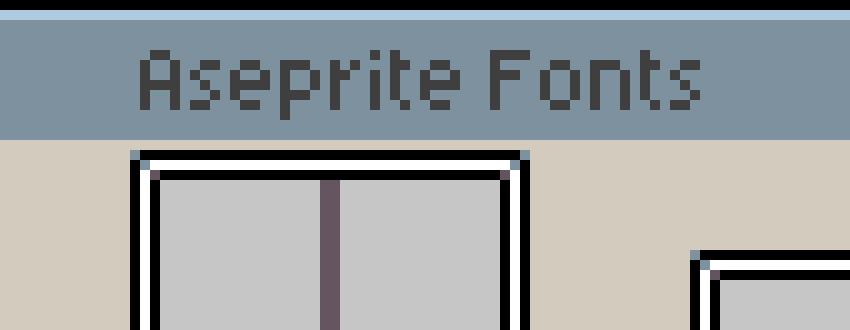
Aseprite Fonts
This program is used by many people who draw, complement and diversify the Minecraft mod-making community, I know many excellent examples made with this program, so in honor of this great program, I decided to expand its beautiful font into Minecraft, since they have similar stylistics!
### At the moment, in addition to the English language, the resource pack has support for the Cyrillic alphabet, namely:
– Russian;
– Pre-Reform Russian;
– Belorussian;
– Ukrainian.
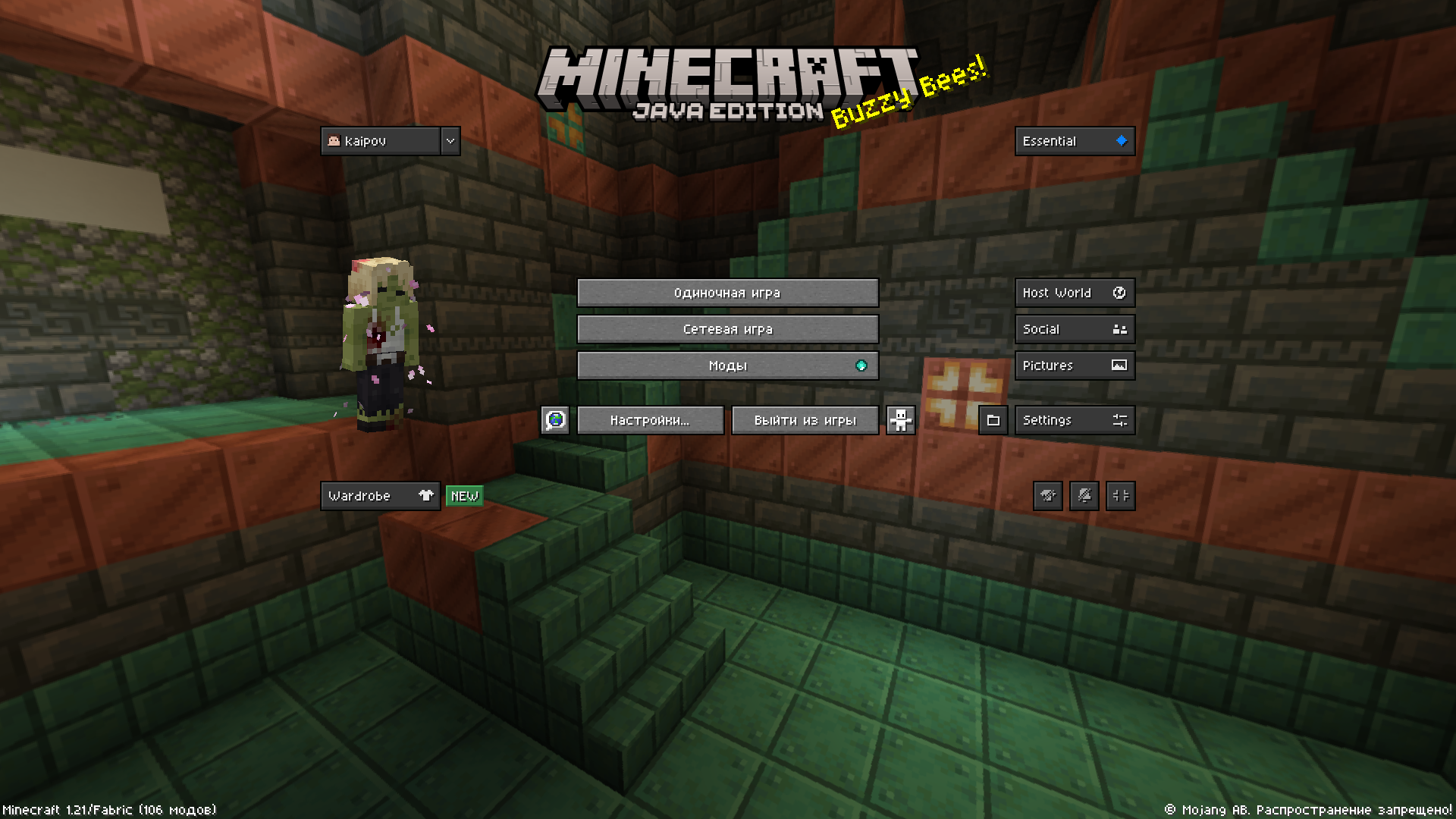
### Adaptations to new languages are gradually possible, you can contact me in the linked discord server!
I also hasten to thank [@maybdev](https://modrinth.com/user/maybdev) who inspired me with the idea of adding my native and other suitable folk languages to his resource pack, since I myself have been using Aseprite for more than a hundred hours, and am used to this font.
_[Resource pack used in the banner](https://modrinth.com/resourcepack/mineseprite-ui)_
Aseprite Font
This resourcepack adds the Aseprite Font to Minecraft!
The only tested version so far is 1.20.6 .
Tho the **@** symbol had to be changed a bit, it was bigger than the maximum size. It’s still different than Minecraft’s **@** symbol tho. There are only the ASCII characters, but all the characters from the ASCII character set are from the exact Aseprite font.
DM me on [my Discord](https://discord.com/users/1182662563771727986) if you encounter a bug or if you would like me to add something.
For those who didn’t already know, Aseprite is a paid for pixel editor.
You can find the [Aseprite Font](https://github.com/aseprite/aseprite/blob/main/data/fonts/aseprite_font.png) directly on github.
## Enjoy!
or not..
Ascii Text Renderer
## Showcase
This is an example of the texture pack with the colors set to “minecraft” and “darkPurple” in the config.
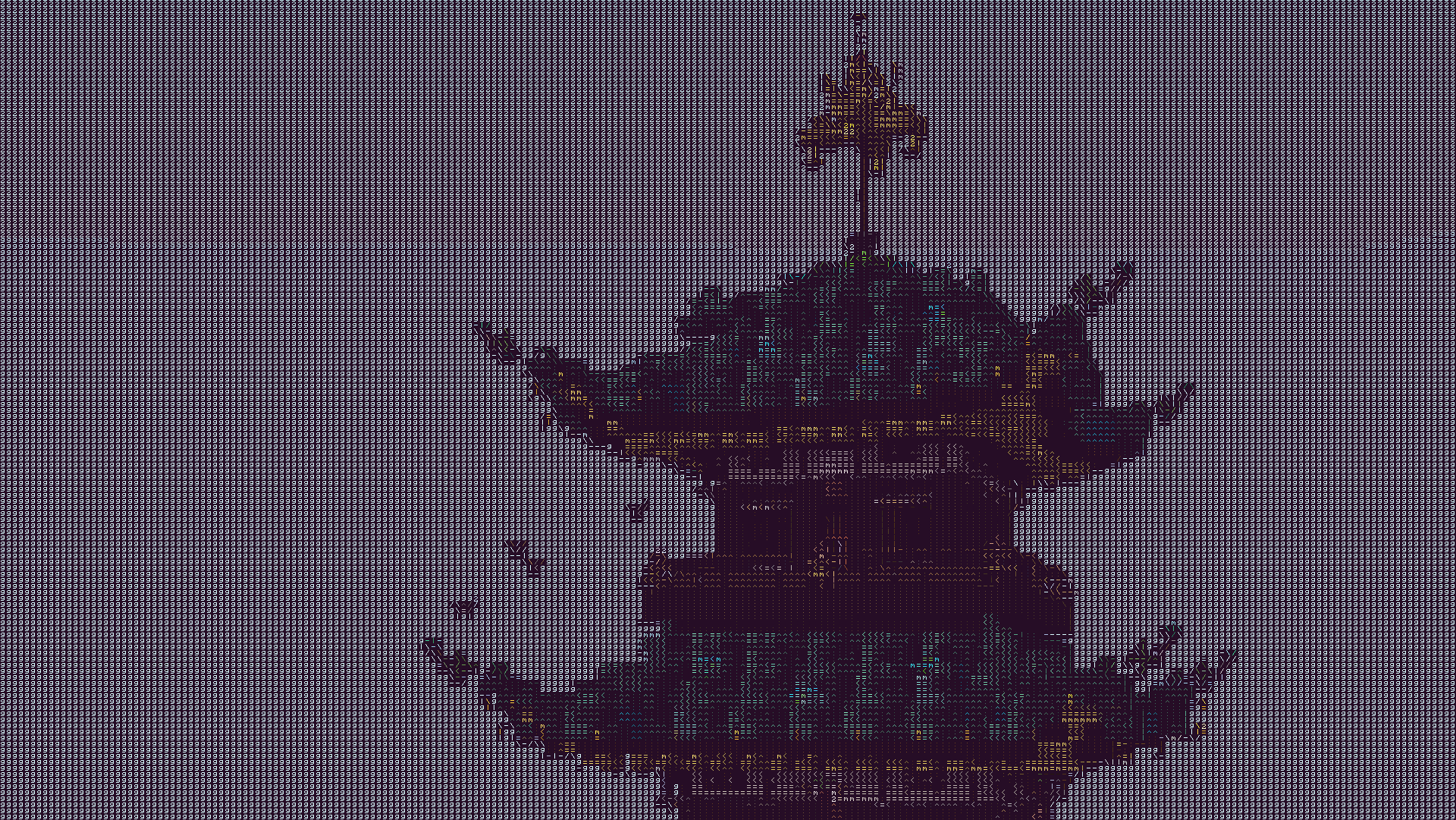
The text may look blurry since the image is a lot smaller than ingame. To show you what the text looks like up close, this is a zoomed in look at a part of the above image.
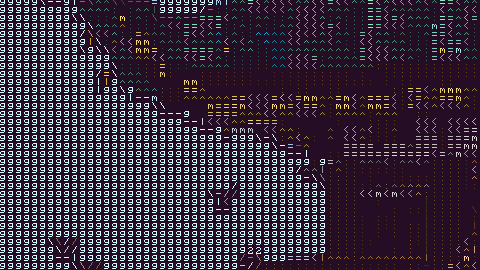
This is more accurate to what you will see ingame. You will see it as sharp as this image, but you will still see the entire image filling up your whole screen.
## Description
This texture pack renders your game as ascii art in completely vanilla minecraft. No mods at all are required for this pack to work. However, **YOU MUST HAVE GRAPHICS SET TO FABULOUS** in your minecraft video settings.
The image above doesn’t fully capture how it looks ingame due to scaling differences, so in order to see the pack in its full beauty you either need to look at the screenshot in fullscreen somehow or actually download the texture pack and look at it ingame.
## How to Use
1. Install the texture pack for one of the supported Minecraft versions.
2. Apply the texture pack ingame, and in your video settings make sure your graphics setting is set to *fabulous* or the pack will not work. Your graphics setting can also act as a toggle for the pack, as setting it to fast or fancy will disable the effect.
3. To configure the texture pack as seen in the gallery, open the texture pack and find the config file in `assets/minecraft/shaders/include/config.glsl`. There are only three options, and many color presets.
## Support
If you have an issue, you can join [my discord](https://discord.gg/gymTft2GbV) and ask in there. I also have frequent votes for my future texture packs, and take suggestions for packs.
https://www.alphaleo.li/resourcepacks
AsaThorr’s PvP Resource pack
# A PvP resource pack with many features, by me, for my friends.
### Main features:
– Black and red theme
– Smooth textures
– QoL features, such as no fishing bobber, low fire and shield, and transparent inventory
– 32x tools, 64x swords
– Visual knockback and potion types (L4J-like)
– Custom sky
### Planned updates:
– More environment blocks transformed to a smoother version
### Add-ons :
– 16x swords – https://modrinth.com/resourcepack/asathorrs-pack-16xswords
## THERE IS NO CIT RESEWN FOLDER, IT WILL NOT WORK IN 1.21.4 AND BELOW!
Also, to get custom skies to work, you need the “Skyboxify” mod (https://modrinth.com/mod/skyboxify) or Optifine.
As Pro 97 tucture pack
AS Pro PvP Pack is a smooth and optimized Minecraft Java texture pack made for PvP players. It includes a small custom totem for better screen visibility, different sword designs, custom potion textures, and a clean GUI for a better gaming experience.
This pack is designed to improve FPS and give smoother gameplay during PvP fights, Bedwars, Skywars, and Survival. The textures are simple, stylish, and easy to use without lag.
Features:
– Small Totem
– Custom Swords
– Different Potion Textures
– Clean PvP GUI
– FPS Boost
– Smooth and Lightweight Design
Perfect for Minecraft Java PvP players who want better performance and a cool look.
Artisan’s Armory | Equipment Overhaul
# Artisan’s Armory-
-is a simple, yet ever expanding pack. We’re starting with Minecraft’s tools and weaponry, but soon enough we’ll be changing much more. The pack maintains the vanilla style, but isn’t afraid to make the big changes. Frankly, I find Minecraft’s colors to be lacking in many area’s. That’s why this pack fully overhauls the color pallets of each set. In addition, fun tweaks have been made to give each set a fresh feel from it’s predecessors!
### Video Showcase
[Youtube Showcase](https://www.youtube.com/watch?v=X8HFlPudl_Y)
### Plans For the Future
– Armor
– Parity Ore Changes
– Custom Buckets
– Custom Enchantment Books
– 3D Tools (when held)
If **you** have any ideas, please leave them below and I’ll be sure to add it to the list.
Anyways, thank you for checking out my pack!
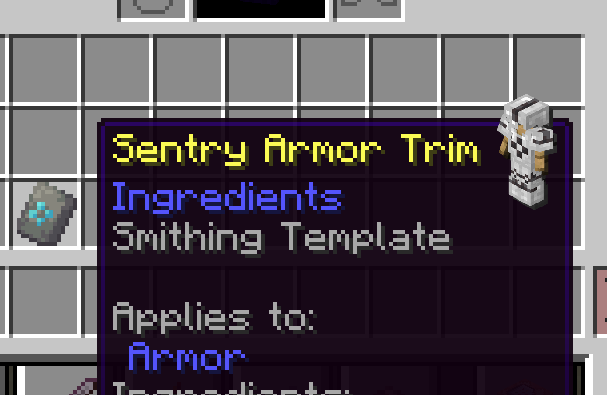
Armor Trim Preview
This pack allows you to see what every armor trim looks like by just hovering over its item!
Arknights Endfield
This is a Arknights Endfield fan made Gui
Added
-lobby gui
-fonts
-inventory gui
V1.1 – Screenshots – inventory added

V 1.0 – Screenshots – lobby added
