AutoFishing
# AutoFishing
A simple lightweight mod that automates the fishing process.
## Setup
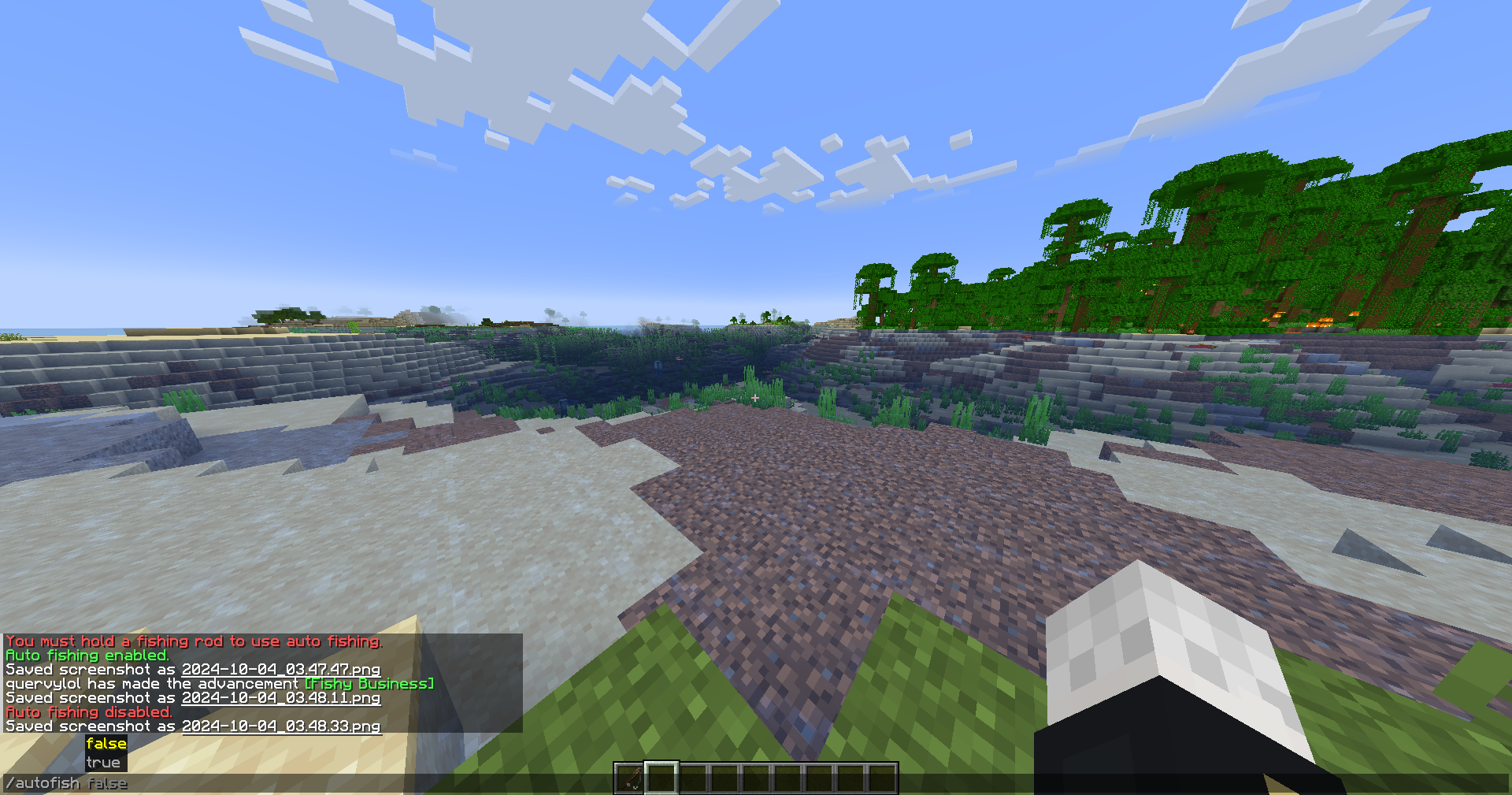
– `/autofish true` will start the auto fishing mod. Do `/autofish false` to disable.
– `/delay (ticks)` is a command where you can set the delay of the rod being recasted. The default value is 20 ticks, or 1 second on a 20 tps server. 1 tick is equal to 50ms.
– `/inventorycheck true` will stop the auto fishing mod if a GUI opens. `/inventorycheck false` will keep the auto fishing mod running if a GUI opens. The default value is set to false.
## Key notes
– You need to hold a fishing rod in order to active auto fishing.
– Swapping from the fishing rod to a different item will automatically disable the auto fishing.
– Reeling in manually, your right mouse button, will automatically disable the auto fishing.
– The delay is reccomended to be set to 10-20.
### Contact
Incase you have any issues, here’s my contact information
– [Github](https://github.com/quervyloll)
– [Discord](https://discord.com/users/659196853291712532)
Auto Feeder Helmet
# Auto Feeder Helmet
## Keeping you saturated!
### Support:
| Version | Modloader | Support-Status |
|:——-:|:———:|:————–:|
| 1.21.10 | NeoForge | ✅ |
| 1.21.8 | NeoForge | ✅ |
| 1.21.5 | NeoForge | ⚠️ |
| 1.21.4 | NeoForge | ⚠️ |
| 1.21.3 | NeoForge | ⚠️ |
| 1.21.1 | NeoForge | ⚠️ |
| 1.21 | NeoForge | ❌ |
| 1.20.x | Forge | ❌ |
| 1.19.x | Forge | ❌ |
| 1.18.x | Forge | ❌ |
| 1.17.x | Forge | ❌ |
| 1.16.x | Forge | ❌ |
| 1.12.x | Forge | ❌ |
⚠️: bug fix only
### About
Auto Feeder Helmet is a Minecraft mod since version 1.12.2 that adds a simple way off staying saturated.
This is done by a simple item called “Helmet Feeding Module”, which can easily be crafted in early game.
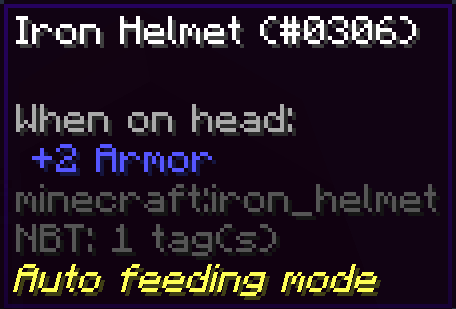
Any helmet with this trait will automatically consume any food items in your inventory when you are hungry.
This way you will never have to deal with eating again, just make sure to always have some food with you.
Since 40.1.0/43.2.0/45.1.0 you craft the helmet and the module together in the smithing table. You now also can uncraft it, by putting the helmet in any crafting grid.
#### Crafting
| Version | How |
|:—————:|:———————————————————————:|
| >= 1.21.2 | Right click with the feeder module, while wearing the desired helmet. |
| 1.19.4 – 1.21.1 | Craft module and helmet together in a smiting table. |
| <= 1.19.4 | Craft module and helmet together in any crafting grid (shapeless). |
### Notes
- Some helmets may have different code structures, so it won't work on any helmet, but with most it is fine.
- Since version 1.7.0 every helmet that can be constructed can be found inside the creative tab of this mod.
[](https://canitzp.de/minimod.html)
Auto Feed Me
# How it works?
This plugin adds the ability to feed your player by placing your consumable items within a UI, when running the command /afm open, you can place any food-related items inside, the plugin will automatically feed your player whenever the hunger bar decreases.
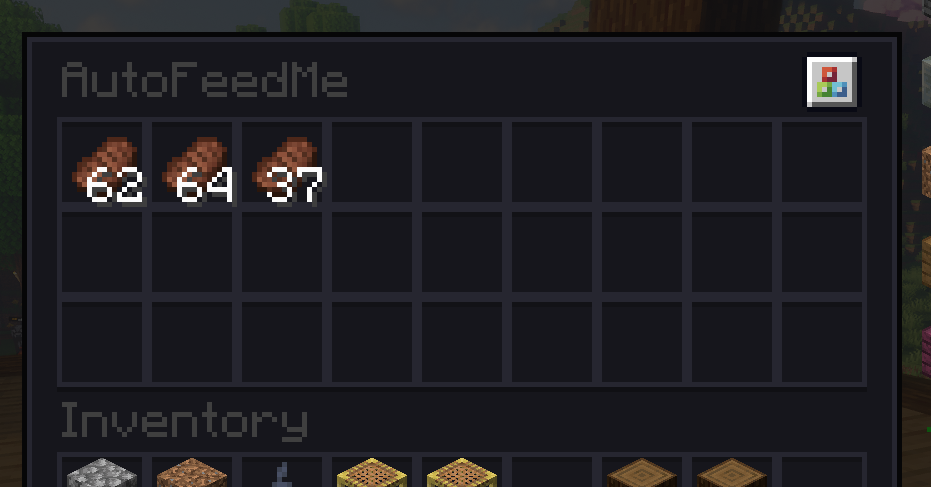
After adding some food items, you can enable the plugin by running /afm on or off.
This is extremely useful if you are more focused on building/pvp/exploring and want to forget completely about having to eat every time you get hungry or life decreases.
# Features:
– Survivor-friendly.
– The auto-feed feature will be disabled by default on the first install. Each player has to manually enable it by running /afm on, only the first time.
– Automatically saves all the food items you store within the UI and also the toggle status. So when you leave and come back to the server dont need to re-enable the plugin.
– The UI will ONLY accept consumable items. If you place a non-consumable item inside, it will return it to your inventory on close, or will drop it to the ground.
# Installation:
– Drop the .jar file into your plugins folder, restart the server.
Bye!

Auto Eater
Auto Eater Mod
=================
This is a simple client mod to stop worrying about eating all the time, selecting the food and eating. It detects whenever the foodbar falls below a certain threshold, selects food in your hotbar, and starts eating, and selects back the slot you had. You can add items to a blacklist to prevent eating unwanted items.
# Features
– Killswitch with hotkey:
Lets you turn Auto Eater on or off instantly by pressing `,` without opening the config screen. Useful when you want full manual control for combat, building, or other precise actions.
– Customizable Food Blacklist:
Prevents specific foods from being eaten automatically. This is useful for rare, valuable, or dangerous foods like golden apples or suspicious stew.
– Auto hunger threshold:
The threshold can automatically adapt to your food supply instead of using one fixed hunger value. In `Auto (min)` it prefers the least nutritious available food, and in `Auto (max)` it prefers the most nutritious food.
– Return to previous selected slot when done:
After auto-eating, the mod switches you back to the hotbar slot you were using before it started.
– Auto Eating cancelation with cooldown:
Auto-eating can be canceled by scrolling away or by pressing left click, and the mod then stays inactive for a configurable amount of time. Getting hit also cancels the mod for safety.
– Include Inventory:
If no food is available in the hotbar, auto-eater will search through your inventory and pull out food to your last hotbar slot, and auto-eat it.
#### Want to see a feature implemented? Please make a [feaure request](https://github.com/nicolas-reig/Auto-Eater/issues/new?labels=feature%20request).
# Config
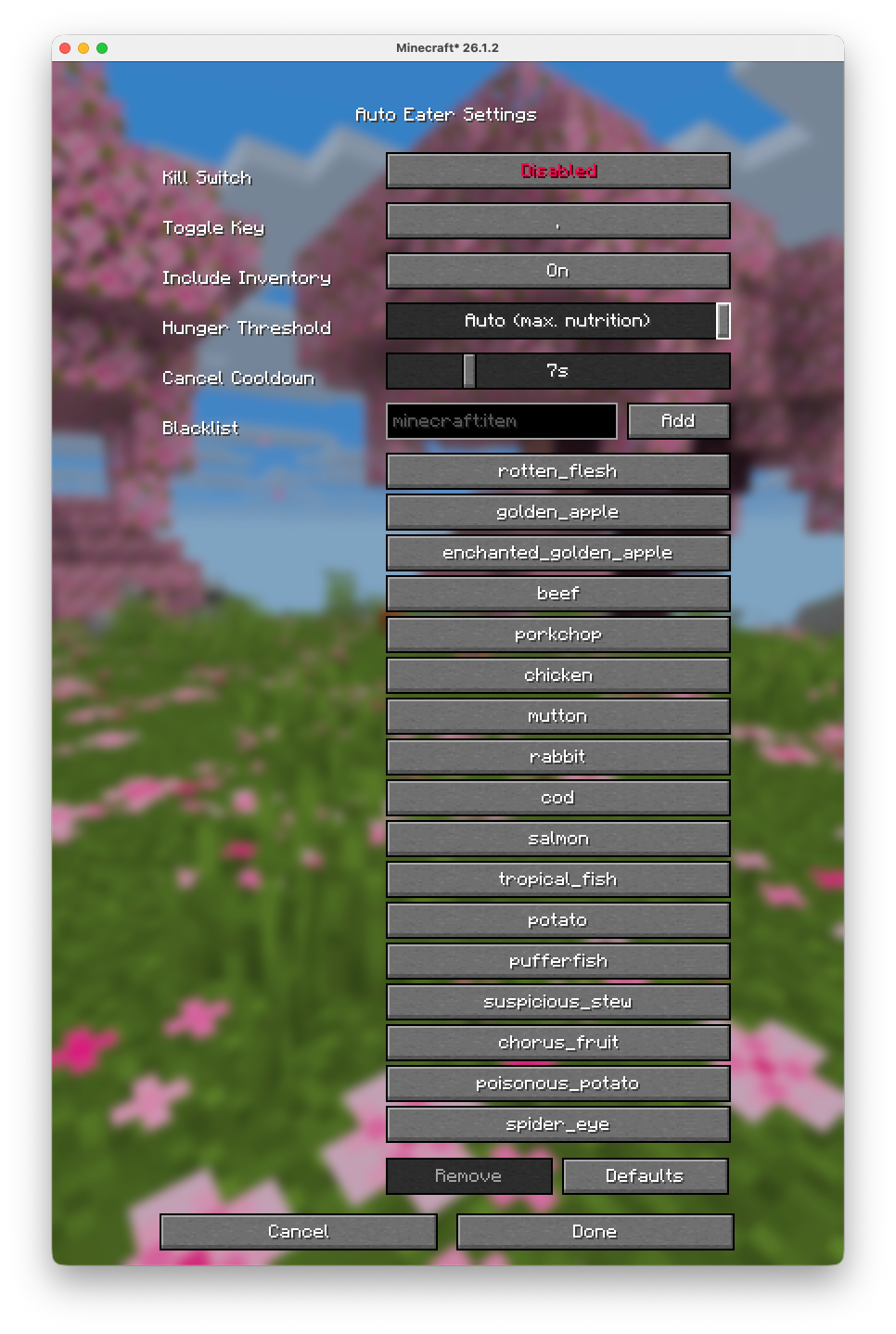
Configurations are available through the mod menu.
Server Warning
Some servers use plugins that turn your inventory into a UI (for example shops, menus, or other item-based interfaces).
In those cases, Auto-Eater can mistakenly try to eat UI items or interfere with menu interactions.
On large servers that use that tipe of interfaces (e.g. Hypixel), it is recommended to turn Auto-Eaeter off while using those plugin/UIs.
# [GitHub Source](https://github.com/nicolas-reig/Auto-Eater)
Auto Crop Replant
# Auto Crop Replant
With this plugin you can replant your crops in a way that you probably never thinked before, non manual crop harvesting! Thats right with this plugin you can replant your crops that have been harvested by eg. pouring water on it, so this means you dont have to harvest the crops with a tool to auto replant it!
## The features of the plugin
Auto crop replant comes with multiple levels of automation.
Level | Replant Radius | Replants Crops |
——|—————-|—————-|
Level **1** | **8 Blocks** | **15 Seconds** |
Level **2** | **12 Blocks** | **10 Seconds** |
Level **3** | **16 Blocks** | **8 Seconds** |
Level **4** | **20 Blocks** | **5 Seconds** |
Level **5** | **24 Blocks** | **4 Seconds** |
Level **6** | **28 Blocks** | **3 Seconds** |
## Crafting recipes!
Recipes
Level **1**
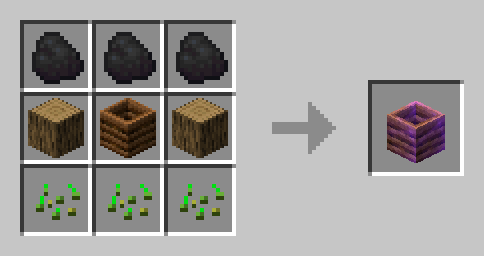
Level **2**
Level **3**
Level **4**
Level **5**
Level **6**
## How to install
1. Just download the plugin file.
2. Put it into your “plugins“ folder.
3. Start your server.
Auto Breeding
Auto Breeding
This is a simple plugin aimed at removing the need
For feeding each animal. instead, let them feast on
Nearby crops and breed themselves like they would
In nature.
Current Hard Settings:
Breed Eligibility – 5 Ticks
Feed/Breed Calls – 5 Minutes
(roughly the same as normal Minecraft)
Animal crop check range – 5 Blocks
[IMG]
Downloads:
10
50
75
100
150
250
500
750
1000
2000
5000
7500
10000
To Do:
– Add Configuration Options ✅
– Add New Mobs (Started but not finished)
For support don’t hesitate to join my
discord server: https://discord.gg/HxMp5ejvKU
DISCLAIMER
– You are not to redistribute the plugin as your own
– You are not to sell the plugin
– You re not to decompile the plugin
Aurora Commands
## Aurora Commands
A set of 4 simple commands meant for server owners & players intended to expand on the vanilla server experience.
### Commands
**/invulnerability** Makes the sender invulnerable to all damage, and invisible to hostile mob AI. Can also be toggle by typing /nodamage or /god.
**/optest** Reports to the sender whether or not they have operator permissions. Can also be used by typing /swag or /whatsmyswag
**/saturate & /desaturate** Either sets your hunger bar fo maximum or minimum. Can also be used by typing /feed or /unfeed.
ATOM: Another Tomato Oriented Mod
# *ATOM*: *A*nother *T*omato *O*riented *M*od
ATOM is my excuse to learn Blockbench and at the same time add random things to Minecraft in order for me to justify wasting my time.
### Features
*You can acquire all seeds through the grass loot table!*
While the mod is still in development, it currently adds:
– Tomatoes
– Seed Bags
– Corn
### License
This project is licensed under EUPLv1.2 see [HERE](https://github.com/tumGER/ATOM/blob/1.19/LICENSE).
Atmospheric
[](https://slabfi.sh/makeship)



### 📖 About:
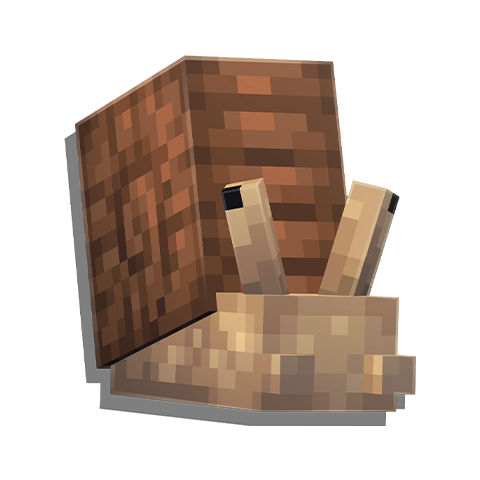
Atmospheric is a series of unique biomes. There are currently a few sets of biomes, Rainforests, Dunes, Aspen Parklands, Scrublands, Kousa Jungles, and more! All of these are plentiful in new rewards, plants, foods, and building blocks, and many even have structures and variants!





















[](https://slabfi.sh/nodecraft)
Astrid’s Fast Food


### Ever Wanted Fast Food In Minecraft Now You Can
###
### With This Mod You Can Eat Chicken Nuggets, Burgers, And Fries Plus More
###
### There Will Be Updates To Add More Food And Drinks To Add To Minecraft

[Discord](https://discord.gg/KZFTX9Btck)

[If you’d like to support me and the development of MODPACK, I recommend trying out BisectHosting. Use THRN to get 25% off your first month of a gaming server for new customers. They offer 24/7 support and lightning-fast response times, ensuring you’re in great hands and providing exceptional assistance for all your gaming needs.](https://bisecthosting.com/THRN)
