auto rollback
AutoRollback – Automatic & Manual Rollback System
AutoRollback is a lightweight rollback system designed to keep your server safe, stable, and recoverable at all times. With simple commands and automatic hourly rollback points, you can instantly revert grief, mistakes, or unwanted changes with ease.
⭐ Key Features
/rollback – Instantly rollback your world to a previous saved state.
/setrollback – Manually create a rollback point at any time.
/autosetrollback – Automatically creates a rollback point every 1 hour, letting you restore your server instantly when something goes wrong.
/rollbacksettings – Edit and customize all rollback settings to fit your server’s needs.
/rollbackfeedback – Send feedback directly to the developer — and receive responses right back inside your server.
/help or /rollback help – Built-in help system that explains every command clearly.
🎯 Perfect For
Survival servers • SMPs • Creative worlds • Anti-grief protection • Safe server testing • Quick backups
⚡ Why AutoRollback?
Whether it’s griefers, accidental TNT explosions, or server experiments gone wrong, AutoRollback ensures you’re always just one command away from restoring everything back to normal.
Auto Replenish
# Auto Replenish
Never run out of blocks while building! This client-side mod automatically refills your hotbar and lets you lock important slots.
## What it does
**Lock hotbar slots** – Press **V** to lock a slot. It gets a golden border and won’t move accidentally.
**Auto-refill** – When you use up items in a locked slot, the mod automatically grabs more from your inventory.
**Ghost items** – Empty locked slots show a transparent preview of what belongs there. Right-click to instantly refill.
## How to use
1. Put an item in your hotbar (e.g., blocks in slot 1)
2. Press **V** to lock the slot (golden border appears)
3. Use the items normally
4. The slot automatically refills from your inventory
5. Press **V** again to unlock
## Works everywhere
✅ Vanilla servers
✅ Modded servers
✅ Singleplayer
**100% client-side** – no server installation needed!
## Perfect for
– Building (keep blocks ready)
– Mining (torches always available)
– Fighting (quick food access)
**Minecraft 1.20.1 | Forge | Client-only**
AutoPromote!
This plugin auto promotes a link or any thing that you want to remind your server about. To edit the message go to config.yml and edit the message you can also edit the interval in minuits and disable it.
Default/Example placholder::
“`
broadcast:
message: ‘&c&l<&o(Edit in config.yml which is inside plugins/AutoPromote!)&r&c&l>
&l&e Support the server by going to:&r&l&b https://ko-fi.com/zackdcat’
interval-mins: 1
enabled: false
“`
**It is reccomended to use & sybols instead of the paper colour changing properties.**
If there is a version that does not exist please email me here so i know to add it: zwhseton@gmail.com
Auto Plant Crops
5000+ downloads, Thank you guys so much for the support 🙂
# Features:
Auto plant seed upon breaking it
Supports almost all crops
Works in both SinglePlayer & Multiplayer
**autoplantcropsDelay: set a delay between each hoeing/planting/bonemealing in ms**
**plantMultiple : Plant seeds both on and around the broken crop if set to true.**
**plantOnWalkOver: Automatically plants seed upon walking over farmland while holding seed if set to true.**
**plantDespiteAge: Plant seed upon broken crop despite it being not ageddenough for harvest if set to true, won’t work if cancelBreakUnlessAged is on.**
**cancelBreakUnlessAged: Prevents the client from breaking and sending break packets to server, won’t work if plantDespiteAge is on.**
~~ **farmLandMuliple : same as plantMultiple but with turning dirts into farmland**~~
**autoFarmLand: Auto turns grass/dirt into farmland upon while over it while holding a hoe if set to true.**
~~ **boneMealMultiple : same as plantMultiple but with bonemeals**~~
~~ **boneMealDelay : set a delay before using bonemeal in order to prevent being kicked by server**~~
**autoBoneMeal: Bone meal seed upon walking over seed while holding bone meal if set to true.**
**switchBackToSlot: switches back to previous slot after finished with replacing crops.**
**autoplantcrops: Disable the entire mod if set to False.**
**autoReplant: Whether to replant the crop or not, useful if you want to use any other functionalites of the mods except for replanting.**
# Demos:
[Demo1 (singleplayer)](https://www.youtube.com/watch?v=ZdvxoAqrtek)
[Demo2(multiplayer)](https://www.youtube.com/watch?v=yn260OUQIqA)
[Demo3(multiplayer)](https://www.youtube.com/watch?v=i8Hvy02qHjc&t=4s
)
# Config:
Config file’s named is autofarmcropsconf and it’s located in %APPDATA%/.minecraft/config
Hold down Z to quickly disable the mod without having to run the command, the key can be changed!
# Commands:
/AutoPlantCropsCommandList: will show a list of options and their status.
/ to change the option’s status; ex: /switchBackToSlot will turn it to false if it’s true and vice versa.
/autoplantcropsDelay ; set the delay between actions, if 0 the delay will your ping to the server.
# Contribution:
Contributions/suggestions/issues,conflicts reports, are all welcomed and are highly appreciated 🙂
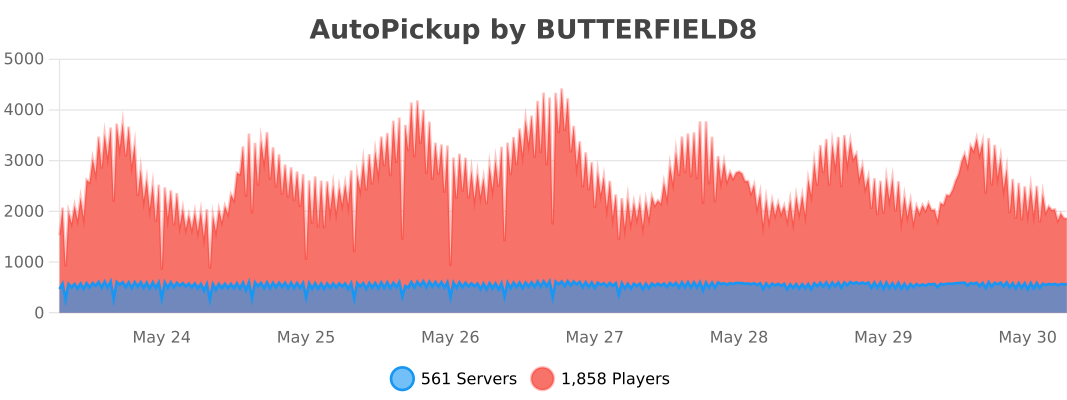
AutoPickup

## 
– /auto – autopickup.pickup.mined (Enables auto pickup)
– /auto reload – autopickup.admin (Reloads config)
– /autodrops – autopickup.pickup.entities (Mob drops)
– /autosmelt – autopickup.pickup.mined.autosmelt (Auto Smelt)
– autopickup.pickup.mined.autoenabled (Automatically enables when a player joins the server)
– autopickup.pickup.entities.autoenabled (Automatically enables when a player joins the server)
– autopickup.pickup.mined.autosmelt.autoenabled (Automatically enables when a player joins the server)
## 
– Automatically pickup blocks & exp
– Supports mob drops & entity exp
– Auto smelt for blocks
– Stays enabled on relog/server restart
– Custom Messages (Hex Support)
– Hex Example: �AAFF
– Disable permissions
– [PAPI Placeholders](https://www.spigotmc.org/resources/autopickup-1-17-support.70157/update?update=408142)
– [bStats](https://bstats.org/plugin/bukkit/AutoPickup/5914)
– [Dev Builds](https://github.com/MrButtersDEV/AutoPickup/releases)
– [Support Discord](https://discord.gg/ncHH4FP)
Config.yml
“`yaml
ConfigVersion: 1.4
#############################################################################################################
# _ _____ _ _ #
# / | | | __ (_) | | #
# / _ _ | |_ ___ | |__) | _ ___ | | __ _ _ _ __ #
# / / | | | | | __| / _ | ___/ | | / __| | |/ / | | | | | ‘_ #
# / ____ | |_| | | |_ | (_) | | | | | | (__ | < | |_| | | |_) | #
# /_/ _ __,_| __| ___/ |_| |_| ___| |_|_ __,_| | .__/ #
# | | #
# |_| #
#############################################################################################################
# By: BUTTERFIELD8 & The Zircon Network #
# Discord: https://discord.gg/ncHH4FP #
#############################################################################################################
#Message Prefix
msgPrefix: "&8[&5Auto&d&oPickup&8]"
#Toggle Message - /auto
msgAutoPickupEnable: "&7You have&a enabled &7auto pickup."
msgAutoPickupDisable: "&7You have&c disabled &7auto pickup."
#Toggle Message - /autosmelt
msgAutoSmeltEnable: "&7You have&a enabled &7auto smelt."
msgAutoSmeltDisable: "&7You have&c disabled &7auto smelt."
#Toggle Message - /drops
msgAutoMobDropsEnable: "&7You have&a enabled &7auto drops."
msgAutoMobDropsDisable: "&7You have&c disabled &7auto drops."
#Toggle Message - /fishingdrops
msgAutoFishingDropsEnable: "&7You have&a enabled &7auto fishing drops."
msgAutoFishingDropsDisable: "&7You have&c disabled &7auto fishing drops."
#Aditional toggling messages
msgAutoEnable: "&7Auto pickup has been automatically&a enabled&7."
doAutoEnableMSG: true
msgEnabledJoinMSG: "&7Auto pickup has been automatically&a enabled&7."
doEnabledOnJoinMSG: true
#Reload Config Message
msgReload: "&cReloaded Config"
#Fully Inventory Message
msgFullInv: "&7Your inventory is full!"
doFullInvMSG: true
titlebar:
doTitleBar: false
line1: "&cWarning"
line2: "&7Inventory is full!"
#This is most useful for prison servers! -- This setting is not normally recommended
#This feature voids any extra blocks broken when /auto is enabled and the inventory is full!
voidOnFullInv: false
#If set to true AutoPickup will ignore XP drop calculations from when using a silk spawner plugin.
usingSilkSpawnerPlugin: true
#If set to true mobs will naturally drop XP
ignoreMobXPDrops: false
#Plase does not have permission
msgNoperms: "&cYou don't have permission to use this command"
#Require Permissions | Do players require permission to run commands?
requirePerms:
autopickup: true
auto-reload: true
```
Blacklist.yml
“`yaml
#############################################################################################################
# _ _____ _ _ #
# / | | | __ (_) | | B L A C K L I S T . Y M L #
# / _ _ | |_ ___ | |__) | _ ___ | | __ _ _ _ __ #
# / / | | | | | __| / _ | ___/ | | / __| | |/ / | | | | | ‘_ #
# / ____ | |_| | | |_ | (_) | | | | | | (__ | < | |_| | | |_) | #
# /_/ _ __,_| __| ___/ |_| |_| ___| |_|_ __,_| | .__/ #
# | | #
# |_| #
#############################################################################################################
# By: BUTTERFIELD8 & The Zircon Network #
# Discord: https://discord.gg/ncHH4FP #
# Material Names: https://hub.spigotmc.org/javadocs/spigot/org/bukkit/Material.html #
# Entity Names: https://hub.spigotmc.org/javadocs/spigot/org/bukkit/entity/EntityType.html #
#############################################################################################################
#Set to "true" if you would like to enable the blacklist
doBlacklisted: false
doBlacklistedEntities: true
doAutoSmeltBlacklist: false
#By listing blocks below you are adding them to the blacklist therefore causing them to drop to the ground.
Blacklisted:
- DIRT
- SAND
BlacklistedEntities:
- PLAYER
BlacklistedFishing: []
BlacklistedWorlds:
- example
#These materials will be ignored when auto smelt is enabled. Only items that can be smelted should be added.
AutoSmeltBlacklist:
- OAK_LOG
```
papi.yml
“`yaml
#############################################################################################################
# _ _____ _ _ #
# / | | | __ (_) | | P A P I . Y M L #
# / _ _ | |_ ___ | |__) | _ ___ | | __ _ _ _ __ #
# / / | | | | | __| / _ | ___/ | | / __| | |/ / | | | | | ‘_ #
# / ____ | |_| | | |_ | (_) | | | | | | (__ | < | |_| | | |_) | #
# /_/ _ __,_| __| ___/ |_| |_| ___| |_|_ __,_| | .__/ #
# | | #
# |_| #
#############################################################################################################
# By: BUTTERFIELD8 & The Zircon Network #
# Discord: https://discord.gg/ncHH4FP #
#############################################################################################################
papi:
enabled:
true: "&aEnabled"
false: "&cDisabled"
```
Auto pause
A mod to port pause-while-empty-seconds server property to older versions.
Unlike some other mods, executeing commands while the server is paused still works.
When the server is paused the world tick gets skiped, after unpausing evereything continues as usual. It save peformance if the server has a lot chunk loaders.
#### Easy configuration with commands:
– `/pause status` – shows if pausing is enabled and the delay.
– `/pause set delay ` – sets the delay after which the server is paused.
– `/pause set enabled ` – turn pausing on and off.
– `/pause reload` – reload the config from file.
**You can configure every setting individually in `auto-pause.json`**
### If you want support for a spesific version just make a isues on github
Auto Nickname

An addon for Name Tag that automatically assigns a random nickname and skin to players when they join the server.
Supports 1.21.x
Auto Nickname is an addon for Name Tag (required dependency) that gives every player a randomized nickname and skin the moment they join your server. No manual setup per player is needed — nicknames and skins are pulled from configurable lists and assigned automatically on first join, keeping players’ real identities hidden for game modes like murder mystery, SMP roleplay, or any experience where anonymous identities add to the fun.

Most of Lodestone’s plugins—including Auto Nickname—are completely free to use!
Please consider supporting development through Ko-fi or Paypal. It directly helps fund future projects.

AutoMessage

Basically, AutoMessage is responsible for adding an option to create and send messages automatically in a fast and effective way. To do this, it adds a configuration file that can be modified from start to finish by the player, and that, for example, will allow them to promote their social networks when starting a game, or simply thank them for downloading.
### Do you need a server to play with your friends?

For exceptional server hosting services, look no further than **[BisectHosting](https://bisecthosting.com/lupin)**. Of course, you can install all the mods or modpacks you want, and their support team is always available to help you.
**[With the code “Lupin” you will get a 25% discount! Click here!](https://bisecthosting.com/lupin)**

This mod is intended for two types of people, either the creators of mod packs, or on the other hand, the creators of multiplayer servers, since it is in charge of facilitating the sending of automatic messages.
These messages are easily customizable, through the new file that will be generated when running the mod for the first time. Among other things, you can choose the text, the color or even the links.

### How do you configure this mod?
An example would be the following:
[“AutoMessage Configuration”]
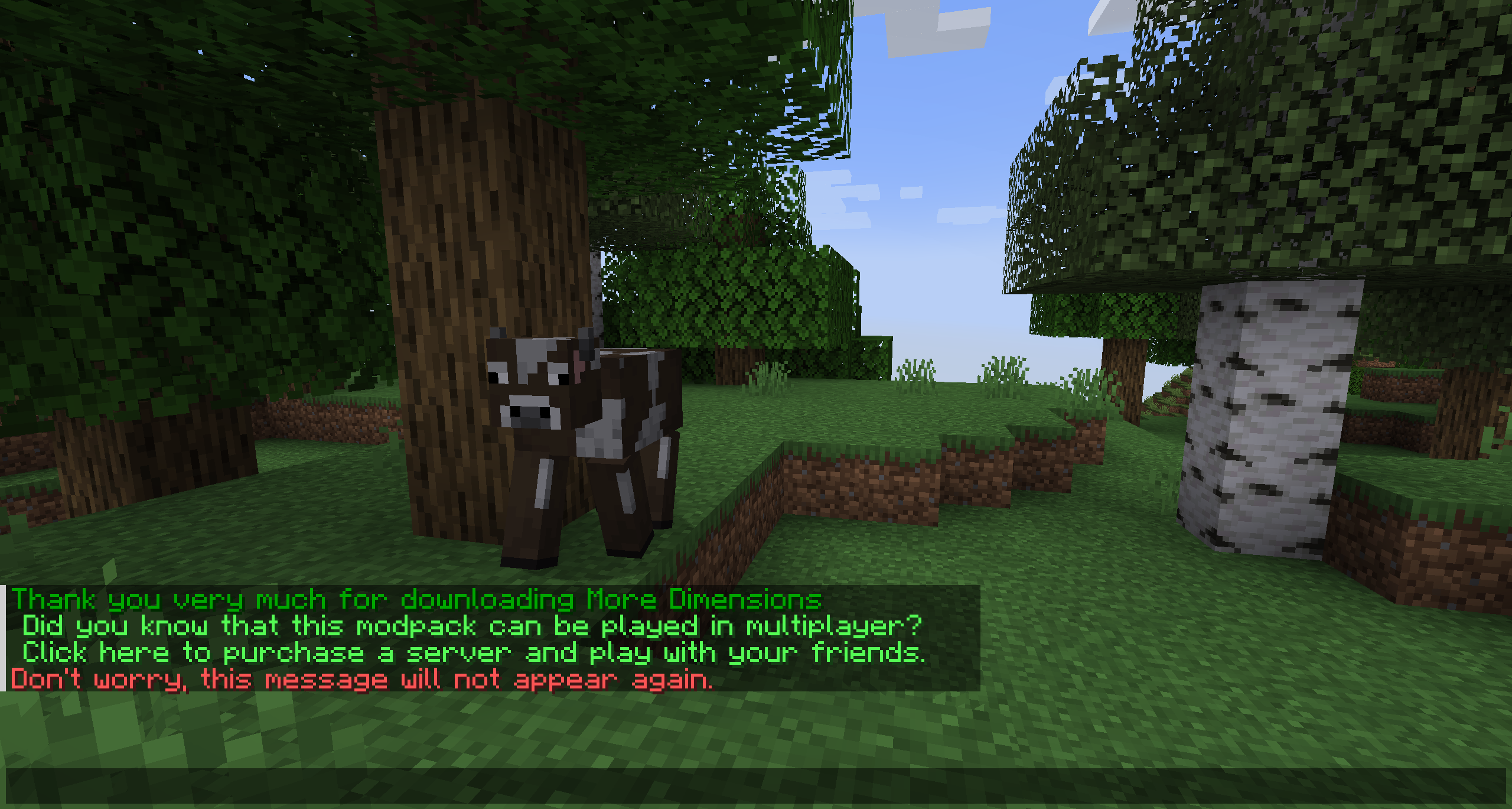
– MESSAGES = [“§2Thank you very much for downloading AutoMessage§f”, “§cDon’t worry, this message will not appear again.§f”]
– INTERVALS = [5, 5]
– LIMITS = [1, 1]
– LINKS = [“https://www.curseforge.com/members/lupiiin_/projects”, “https://www.curseforge.com/members/lupiiin_/projects”]
– HARD LIMITS = [1, 1]
### A more detailed explanation…
– The message is obviously the text that will appear on the screen, several texts can be put on different lines, separated by commas, and opening and closing with quotation marks. Color codes and guide: https://www.codewizardshq.com/minecraft-color-codes/
– The interval is the time that will pass until the message is displayed on the screen.
– The soft limit is the number of times the message will be sent in a single session.
– The hard limit is the number of times the message will be sent for the lifetime of the player.
– In links, a link should be placed if necessary.
### An Important Note…
The values you place in your Soft Limit and Hard Limit configuration are tracked individually for separate worlds. For Modpack Developers, this means your message will be repeated if the player creates a new world. For Server Owners, this means that resetting your world will cause the messages to be repeated as well.
### Does it work on servers?
###
Sure! Remember that the best way to play with mods and friends is with BisectHosting, and by **[clicking on this link you can get a 25% discount](https://bisecthosting.com/lupin).**
### Can this mod be used in modpacks?
###
Of course! As long as it is published only on Modrinth or CurseForge. Uploading it to any other platform would be violating our rights and is not allowed at all.
However, we are really grateful if you consider adding it to your Modrinth or CurseForge modpack. If you need any small changes or have any questions, contact us!

[](https://discord.gg/X8VY5WMbe4)
.
Auto Mace Swap
⚔️ Mace Swap (Advanced Combat Utility)
Mace Swap is a powerful client-side combat utility mod for Fabric designed to maximize your PvP potential. It automates the infamous “Ghost Swap” trick, introduces smooth Target Assist, and enables frame-perfect shield-break, wind charge, trident, and elytra-mace divebomb combos!
✨ Features
Ghost Swapping: When you left-click to attack, the mod instantly switches to the Mace in your hotbar, lands the hit, and swaps back to your main weapon. Deal massive Mace damage while keeping the fast attack speed and visual handling of your Sword!
Target Assist: Never miss a hit. Press the toggle key while looking at an enemy to lock on. The camera will smoothly track the target. Features advanced Line of Sight checks, Smart Priority, and customizable distance limits.
Elytra & Trident Divebombs: Take to the skies and decimate enemies!
Elytra Combo: With a single hotkey, the mod equips your Elytra, boosts you with a Firework, tracks your target, and re-equips your chestplate right before impact.
Trident Combo: Lock onto a target and right-click with a Riptide Trident. The mod automatically launches you upward, dives precisely at the target, and swaps to your Mace.
Wind Burst Chaining: Both combos fully support the Wind Burst enchantment for infinite, automated mid-air strike loops!
Spear Fast Swap (1.21.11+): Perform 0-tick spear dashes! Instantly ghost-swap to a Spear to dash or attack when left-clicking with an empty hand or non-weapon item.
Auto Shield Break & Penetration: Automatically punish shield users. Hit a blocking player with an Axe to break their shield and instantly swap to your Mace. Alternatively, use Shield Penetration to micro-teleport behind them and bypass the block entirely.
Advanced Auto Wind Charge: Falling from a height or right-clicking will automatically throw a Wind Charge directly below you and jump. This uses silent packet manipulation, meaning your camera will not visually flick down! Can be configured to work always or only during Target Lock.
Auto-MLG & Refill: Automatically saves you from lethal fall damage using water or wind charges, and automatically refills your hotbar with essential items from your inventory.
Smart Contextual Controls: Everything revolves around intuitive keybinds (Default: R for Target Assist/Swap, V for Elytra Launch, G for Axe Combo).
Fully Configurable: Fully customizable through ModMenu (requires Cloth Config API). Adjust your attack delays, aim speeds, targeting distances, item filters, and toggle specific modules.
⚙️ How to Use
Place a Mace (and Wind Charges/Fireworks/Elytra/Trident, if using those features) anywhere in your hotbar or inventory.
Hold your primary fast weapon (e.g., a Sword or Axe).
Standard Swap: Press R while looking away from entities to enable standard Auto-Mace mode. Attack your target to trigger the instant swap.
Target Assist & Combos: Look directly at an enemy within your configured distance and press R to lock on. The camera will track them, attacks will automatically swap to the Mace, and Wind Charges will seamlessly deploy.
Elytra Divebomb: Press V while looking at an enemy. The mod will launch you up, track the target, and prepare a lethal strike.
Trident Divebomb: Lock onto an enemy (R) and hold Right-Click with a Riptide Trident.
Shield Break: Toggle the Axe Combo mode with G. Hit a blocking enemy with your Axe, and let the mod do the rest!
⚠️ Disclaimer
This mod utilizes rapid inventory slot switching and silent rotation/position packets to perform its mechanics. While it works perfectly on vanilla servers, strict server-side anti-cheats may flag these instant inventory updates, spoofed rotations, or smooth aim assistance. Use responsibly and at your own risk on public multiplayer servers!
Auto Hide HUD
Have you even wanted the HUD elements to go away so you can enjoy the beauty of the world? I sure did. Welcome to Auto Hide HUD.
As the name implies, this mod will auto hide the HUD after a period of inactivity. DON’T panic. It’s not gone forever. It will return when your health changes. Or your hunger goes down. Don’t want it to do that? There are plenty of options to make this function exactly how you want. Want the HUD to disappear after 2.5 seconds and only comeback when your air levels are below 30%? There’s a setting for that!
Using this mod makes your Minecraft experience so much more immersive. It really feels like the first time I used shaders again. Just beautiful.
Let me know if you have any issues or feature suggestions.
Companion App
I’ve added a little player-info data server that broadcasts things like your position, health, food, air, status effects, and hotbar items to a companion app running on the same machine. Disabled by default — enable it in the in-game config, then launch the mod jar directly (java -jar path/to/mod.jar, or double-click if on Windows).
The companion is very configurable: pick which info to show, choose a background color, even make the window transparent when unfocused (great for Wallpaper Engine users). I built it because I have a small monitor under my main one and I wanted to glance at position and health while keeping the in-game HUD hidden for a clean look.
Note: the companion’s port must match the mod’s playerDataServerPort config (default 25922).
I hope you enjoy