ArrowPack Create
## Create ecosystem in one place
With this modpack, you can enjoy the Create 6.0.x ecosystem on a modernized 1.20.1 Fabric server with all ammenities you need.
This includes all major Create packages available for 1.20.1, notably:
1. **Create Fabric** – base Create mod
2. **Create Crafts & Additions** – electricity, beekeeping and more fabrication processes
3. **Create: Steam ‘n’ Rails** – expand the Create railway and logistics system
any many more smaller Create mods.
Future version may incorporate more Create mods as they become available for 1.20.1.
Such changes would be communicated in the changelog with a notice regarding world-gen incompatibility or side-effects.
## Optimization mods
**Indium**, **Lithium** and **Sodium** come pre-installed for optimal rendering performance.
## Quality of life mods
Some mods which I consider essential such as:
1. **Roughly Enough Items** – ingame recipe menu
2. **Tree Harvester** – chop trees in one go
3. **Jade** – HUD info for the looked at entity
4. **Xaero’s Minimap** and **Xaero’s World Map**
5. **Zoomify** – zoom mod with smooth transitions
6. **ClickThrough** – don’t let signs or item frames block you from reaching for that chest
7. **Waystones** – teleport across large distances by beacons
8. **Chunk Loaders** – Allow players to keep certain chunks loaded while exploring the world
9. **Gravestones** – Items are stored inside a gravestone upon death
10. **Inventory Management**: Essential inventory sorting and transfer between containers
## Datapacks
**Tectonic** adds more visually interesting and extreme mountain ranges, underground rivers and more to your world.
**Dungeons and Taverns** adds – well – taverns and dungeons in the form of Pillager outposts and friendly innkeepers as encounters on your adventure.
## Variation and fun
I love flying around and exploring the world, so **Immersive Aircraft**, **Man of Many Planes** and **Traveler’s Backpack** got you covered.
To add more variations on blocks (stairs, slab etc.), you have **Chipped**.
With **Farmer’s Delight** and **Create: Garnished**, you can extend the already rich farming and cooking aspects of Minecraft.
## Client-side included
For easier distribution among friends, this modpack comes with the following mods installed:
1. **Iris Shaders**
2. **Complementary Shaders – Reimagined**
3. **LambDynamicLights**
4. **Falling Leaves**
So all your friends instantly can enjoy a vivid Minecraft world with one click.
## Summary
Most if not all of Create with sensible optimizations, modern shaders and variety datapacks included.
If you want a one-click solution to quickly setup a server for **Create**, this modpack is for you.
Arrow Despawner
This datapack changes the max inGround value for Arrows to 10 seconds (200 ticks).
The vanilla arrow despawn time is a minute, which was causing severe lag combined with the mods [Guard Villagers](https://modrinth.com/mod/guard-villagers-(fabricquilt)) and [Traben’s 3D Arrows](https://modrinth.com/resourcepack/trabens-3d-arrow-models), during Raids and such. I imagine this datapack will also help people who use mods where they recruit villagers such as [Villager Recruits](https://modrinth.com/mod/villager-recruits)

If you want to adjust the amount of time arrows stay stuck in the ground, unzip the datapack, go to this file path:
arrow_despawner/data/arrow_timer/functions/tick.mcfunction
and adjust the command:
“execute as @e[type=arrow,tag=stuck_arrow,scores={arrow_timer=200..}] at @s run kill @s”
You can change the {arrow_timer=200..} to 600 ticks, which is 30 seconds, or even past the vanilla 1200 ticks (1 minute).
By default I have kept arrows shot by the player from despawning until 6000 ticks–5 minutes–which is the vanilla default. But you can of course change this value as well.
**This was created for 1.20.1, but should work for all the other versions listed.**
Happy mine and crafting!
Arreglando Cobblemon
# **🟢 Arreglando Cobblemon**
¡Recupera la fluidez y la nostalgia de los juegos clásicos en tu mundo de Minecraft! Este Sidemod elimina la necesidad de gestionar manualmente las evoluciones y los ataques desde el menú del equipo, introduciendo Interfaces Gráficas (GUIs) inmersivas que aparecen en el momento exacto de la acción.
Este mod está diseñado para funcionar como un complemento natural de Cobblemon, mejorando la experiencia de juego sin romper la estética.
## **✨ Características Principales**
### 🧬 Evolución Automática e Inmersiva
Olvídate de recibir una notificación en el chat y tener que abrir el menú “M” para evolucionar.
• Activación Instantánea: Al igual que en los juegos de la saga principal o Pixelmon, cuando tu Pokémon alcanza el nivel o cumple los requisitos, el proceso de evolución comienza automáticamente.
• Tú tienes el control: Aparecerá una GUI emergente que te informará que tu Pokémon está evolucionando.
• Opción de Cancelar: ¿Quieres mantener a tu Pokémon en su forma actual? Simplemente presiona el botón de Cancelar en la pantalla para detener el proceso.

## ⚔️ Sistema de Aprendizaje de Movimientos
¡Se acabó el perder movimientos por accidente o que se descarten automáticamente!
• Gestión Inteligente: Si tu Pokémon intenta aprender un movimiento nuevo y ya tiene los 4 espacios ocupados, el juego se pausará y se abrirá una interfaz de selección.
• Selección Visual: Verás una lista clara con tus 4 ataques actuales y el nuevo movimiento.
• Decisión Estratégica: Haz clic simplemente en el ataque que deseas olvidar para reemplazarlo, o rechaza el nuevo movimiento si prefieres tu set actual.

## 🛠️ Requisitos e Instalación
• Requiere Cobblemon (versión 1.7+ recomendada para la 1.21.1).
• Instalación: Coloca el archivo .jar tanto en la carpeta de mods del Servidor como del Cliente (necesario para ver las interfaces).
ingles
🟢 Arreglando Cobblemon
Bring back the fluidity and nostalgia of the classic games to your Minecraft world! This Sidemod eliminates the need to manually manage evolutions and moves from the team menu by introducing immersive Graphical User Interfaces (GUIs) that pop up at the exact moment of the action. This mod is designed to work as a natural complement to Cobblemon, enhancing the gameplay experience without breaking the aesthetic.
✨ Key Features
🧬 Automatic and Immersive Evolution
Forget about receiving a chat notification and having to open the “M” menu to evolve.
• Instant Activation: Just like in the main series games or Pixelmon, when your Pokémon reaches the required level or meets the requirements, the evolution process starts automatically.
• You’re in Control: A pop-up GUI will appear to inform you that your Pokémon is evolving.
• Option to Cancel: Do you want to keep your Pokémon in its current form? Simply press the Cancel button on the screen to stop the process.
⚔️ Move Learning System
No more accidentally losing moves or having them automatically discarded!
• Smart Management: If your Pokémon tries to learn a new move and already has 4 slots occupied, the game will pause and a selection interface will open.
• Visual Selection: You will see a clear list with your 4 current moves and the new move.
• Strategic Decision: Simply click on the move you wish to forget to replace it, or reject the new move if you prefer your current set.
🛠️ Requirements and Installation
• Requires Cobblemon (version 1.7+ recommended for 1.21.1).
• Installation: Place the .jar file in both the Server and Client mod folders (necessary to view the interfaces).
Arqone Frostline
# Arqone Frostline ❄️
[](https://neoforged.net)
### A frozen survival overhaul.
⚠️ Recommended RAM Allocation: 6–8 GB
Minimum: 4 GB (will cause slow worldgen or lag spikes)
**Arqone Frostline** is a survival-focused modpack designed around Christmas time, cold environments, exploration, and immersion.
Every mod has been carefully picked to fit a cohesive *winter atmosphere*, with rebalanced survival mechanics, visuals, and ambient effects.
❄️ *Part of the Arqone Project Network*
🌨️ *Smooth gameplay, immersive visuals, and performance-friendly setup*
🧊 *Compatible with NeoForge 1.21.1*
> This pack is developed as part of the **Arqone: Frostline** project – a unique survival experience connecting web, community, and gameplay. [www.arqone.eu/frostline](https://www.arqone.eu/frostline)
—
### 📦 Features
– Custom-balanced survival experience
– Hand-picked winter & weather mods
– Optimized visuals (Photon shaders & Distant Horizons ready)
—
### 🧊 Slovenský popis
**Arqone Frostline** je survival modpack so zimnou a Vianočnou atmosférou a plynulým gameplayom.
Každý mod bol vybraný tak, aby ladil s mrazivým prostredím.
❄️ *Súčasť Arqone Project Network*
🌨️ *Plynulý beh, prepracovaná atmosféra a mnoho viac*
—
### 📦 Funkcie
– Prepracovaný survival systém
– Zimné a ambientné módy
– Vylepšené efekty (Photon shaders & Distant Horizons ready)
—
### Credits & Licenses:
This modpack utilizes a variety of incredible mods created by the Minecraft community. Full credit goes to the original authors for their amazing work.
I have included some external mods and modified version of some mods. Below you can find information about the original mods.
– More Chest Variants by LieOnLion [Source – Modrinth](https://modrinth.com/mod/more-chest-variants-lieonlion) – Edited
– ~~Iron Chests by ProgWML6 [Source – Curseforge](https://www.curseforge.com/minecraft/mc-mods/iron-chests)~~ USED IN OLDER VERSIONS
– AllTheLeaks (Memory Leak Fix) by Uncandango [Source – Curseforge](https://www.curseforge.com/minecraft/mc-mods/alltheleaks)
_Note: All included mods are used under their respective licenses (e.g., MIT, LGPL, MPL) and comply with author permissions. For specific license files, please check the individual mod pages._
*Created by Kexe as part of the Arqone universe.*
AronHS Season 2 Modpack
This is the modpack i use for my new minecraft hardcore season 2 series, all the mods below are the exact same mods i use in my videos
If i ever decide to add more, ill be sure to update the modpack, so you can follow along if your watching/playing.
**Please enjoy the modpack :)**
Adaptive Range Mob Spawner
# Adaptive Range Mob Spawner (ARMS)
The Adaptive Range Mob Spawner (ARMS) plugin dynamically adjusts the activation range of spawners in Minecraft based on the server’s TPS (Ticks Per Second), ensuring optimal performance while maximizing mob spawn rates. It improves gameplay by maintaining a balance between efficient mob farming and server stability, even during high player activity.
## Key Features
Dynamic Activation Range Adjustment:
Automatically adjusts the spawner’s activation range between a low and high threshold based on the server’s TPS.
When TPS is high, the range increases to maximize mob spawning.
When TPS drops below the configured threshold, the range decreases to reduce server load.
### Player-Defined Range Control:
Initial, low, and high ranges can be defined in the configuration to meet server needs.
Set a custom initial range for placed spawners.
Automatically revert to a vanilla range for naturally generated spawners (optional).
### Intelligent Chunk Management:
Only updates chunks near active players to reduce unnecessary processing.
Preexisting spawners can optionally be treated as player-placed for backward compatibility.
### Auto-Update on Chunk Load:
Ensures spawners update dynamically when a chunk is loaded or when the TPS status changes.
### Persistent Player-Placed Spawner Tagging:
Spawners placed by players are marked with persistent data, ensuring that only marked spawners retain adjusted ranges while natural spawners can be left unaffected.
### Startup and Manual Update Options:
Automatically updates all loaded chunks on server startup.
Force-update all spawners manually with a command.
## Configuration Options
The plugin offers an extensive configuration file to customize its behavior:
### Range Settings:
initial-spawner-range: Initial range for player-placed spawners.
spawner-range-high: Range when TPS is high.
spawner-range-low: Range when TPS is low.
### TPS Thresholds:
tps-threshold-low: TPS level to reduce the range.
tps-threshold-high: TPS level to restore a higher range.
### Chunk Management:
only-update-near-players: Limit updates to chunks near active players.
player-chunk-radius: Radius of chunks around players to monitor.
### World Control:
disabled-worlds: List of worlds where the plugin should be disabled (e.g., the_nether, the_end).
### Spawner Update Policies:
affect-naturally-generated: Whether to update naturally generated spawners.
update-preexisting-spawners: Whether to update preexisting spawners without a player-placed marker.
## Commands
/adaptivespawner — View the current TPS, range, and status of the plugin.
/adaptivespawner reload — Reload the configuration file without restarting the server.
/adaptivespawner debug — Toggle debug mode to enable verbose logging.
/adaptivespawner update — Force a manual update of all loaded spawners.
## Permissions
block4block.admin — Grants access to plugin commands and configuration reloading.
## Use Cases
– Farms and Grinders: Maximize mob spawns while protecting TPS during high server load.
– Survival and Faction Servers: Dynamic range adjustment ensures that high mob spawning does not cause server lag.
– Creative and Custom Worlds: Fine-tune mob spawn mechanics to suit the specific needs of your server.
## Performance Impact and Safety
Optimized for minimal impact using chunk caching and efficient TPS checks.
Asynchronous chunk processing where supported (for Paper servers) ensures smooth updates even during peak hours.
Debug mode for detailed logging and troubleshooting.
## Installation and Setup
Download and place the plugin .jar file in the server’s plugins folder.
Start or reload the server.
Customize the config.yml to fit your server’s requirements.
Use /adaptivespawner reload to apply changes without restarting.
## Compatibility
Compatible with Bukkit, Spigot, and Paper ( Paper is recommended for best performance).
Supports Minecraft versions 1.13 to 1.21+.
Fully configurable to adapt to various server types and world environments.
With Adaptive Range Mob Spawner, you can ensure efficient mob spawning, maintain optimal TPS, and provide a seamless experience for your players.
Armour Limiter
Ever wanted to make your minecraft server difficult by disabling player from crafting certain armours?
I got you!!
This Datapack stops players from acquiring specific armours and tools.
Usage:
After Installing the datapack, Follow the tips below to start the datapack:
1. Write “/Functions ” and then press TAB to get the list of available commands.
2. Write “/Functions start_stop:start” to start the datapack, Now the datapack will start to clear every
armour and tools in your inventory
3. To prevent certain armours and tools from getting cleared, Type “/Functions stop:” and then press TAB,
By doing this you will get the list of all the armours and tools that you can filter out, and select the
armour/tool family that you dont want to get cleared.
4. If you cannot find your desired armour or tools family in the list then find it in the list given below and
paste it in the place of ““, “/Function stop:”
List of the armour/tools family:
A. netharmour
B. nethtools
C. diaarmour
D. diatools
E. goldarmour
F. goldtools
G. ironarmour
H. irontools
I. leatherarmour
J. woodtools
K. chainarmour
L. stonetools
Armortip

## This mod shows you how the armor looks on you!
### ABOUT
Armortip makes it easier than ever to see what an armor looks.
### FEATURES
– See your Armor on your skin as u hover over it.
– See ArmorTrims Preview on your Armor.
– See Animal Armor as u hover over it.
### MISC
Feel free to include Armortip in your Modpack.
# [Feel the drip now!](https://modrinth.com/mod/armortip)
ArmorStandChunkLimit
# ArmorStandChunkLimit
Required Plugin: https://modrinth.com/plugin/kotlinplugins
– Allows to set the max limit of ArmorStands for all chunks.
– Usage: “`/armorstandchunk “`
– Required permission to use this command: “`armorstandchunklimit.set“`
– Players with op (/op nickname) have this required permission by default.
– The purpose of this plugin is to improve server performance.
– Check out other plugins: https://modrinth.com/user/Winlyps
ArmorStand-Limiter
# ArmorStand-Limiter


allows you to limit armor stands, so you can fix TPS drops caused by a high number of ArmorStands in your server!
Can be used in all modalities and is fully and easily configurable thanks to its intuitive configuration file.
This plugin was created with the express purpose of fixing LAG problems caused by other plugins that generate and do not
remove custom Armor Stands within a single block!
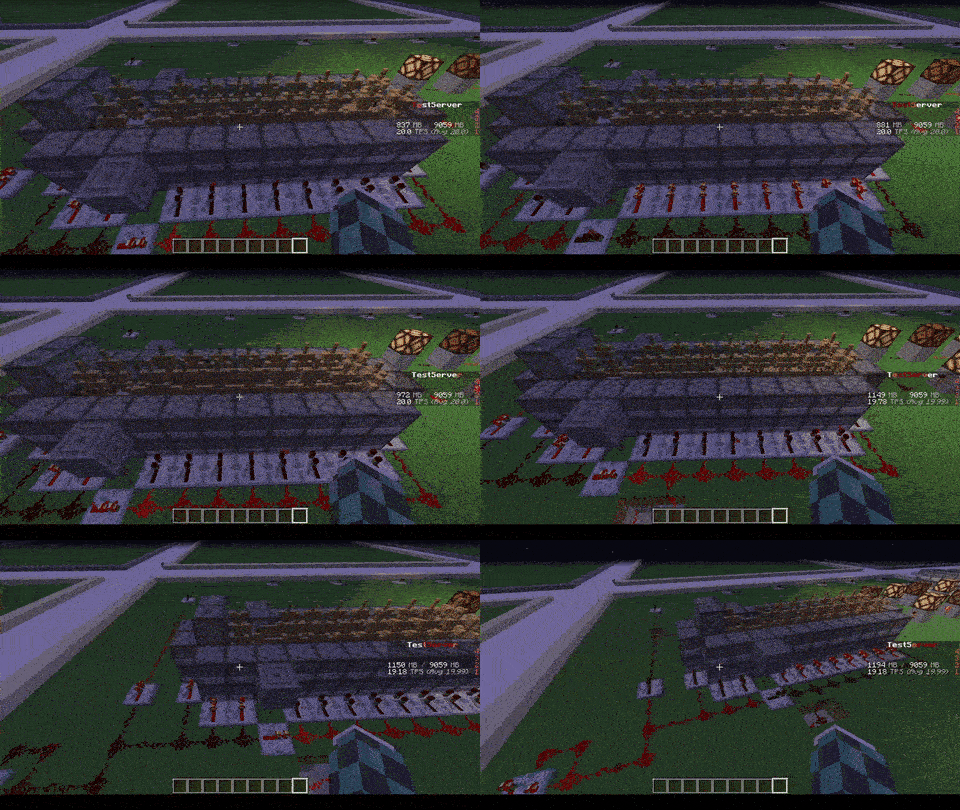
Later we also thought of adding other functions to avoid lagging machines caused by Armor Stands, like this one in the
picture
## Feature
* The most important function is that of removing CUSTOM Armor Stands ( created by other plugins ) that exceed the
preset limit in a single block or chunk!
* Set Armor Stand limit in a Block and/or a Chunk
* Check the world name, armor stand type and its name to avoid unwanted removal
* Timer that checks every X minutes in the loaded chunks the number of Armor Stands inside the chunk or in the single
block
* Check TPS status and if too low check and remove the Armor Stands in a sigle block or chunk ( this check is also
performed only on loaded chunks )
* Ability to limit players to placing a maximum of Armor Stands per chunk
* Ability to disable that the Armor Stand can be moved by the pistons or blocks connected to it depending on the number of same chunk Armor Stands
* Ability to disable that Armor Stand can move in the water depending on the number of same chunk Armor Stands
* Ability to disable that Armor Stand can be spawned through dispensers
* Customized notification ( inGame, Discord, Telegram and Console ) of when Armor Stands are removed due to limit
violation
* [NEW] Folia Support!
* No Dependency!
* Open Source!
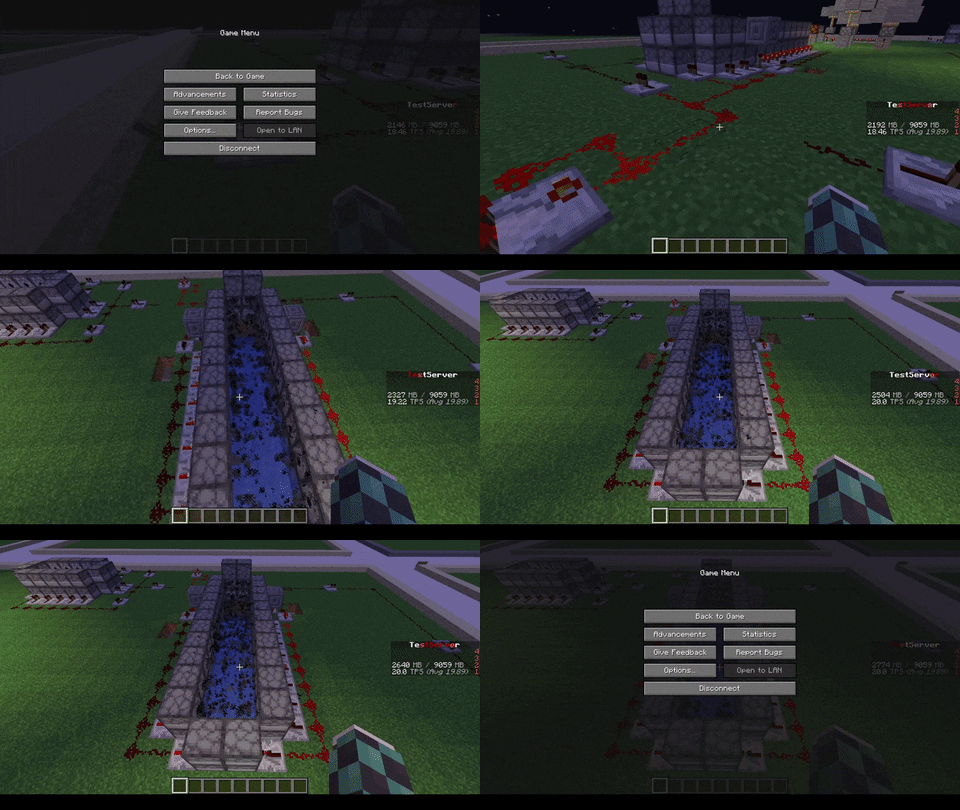
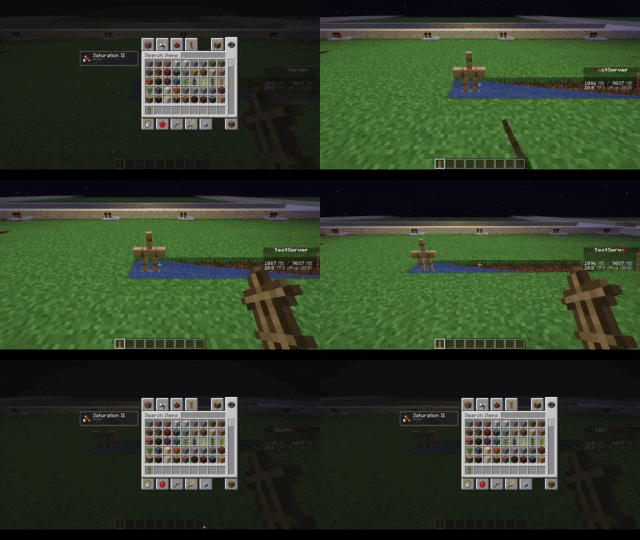
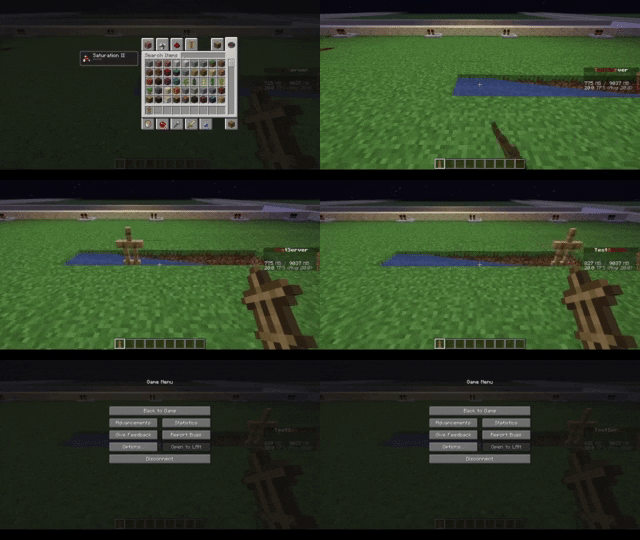
| With ArmorStand Limiter | Without ArmorStand Limiter |
|————————————————————————|—————————————————————————|
|  |  |
|  |  |
| 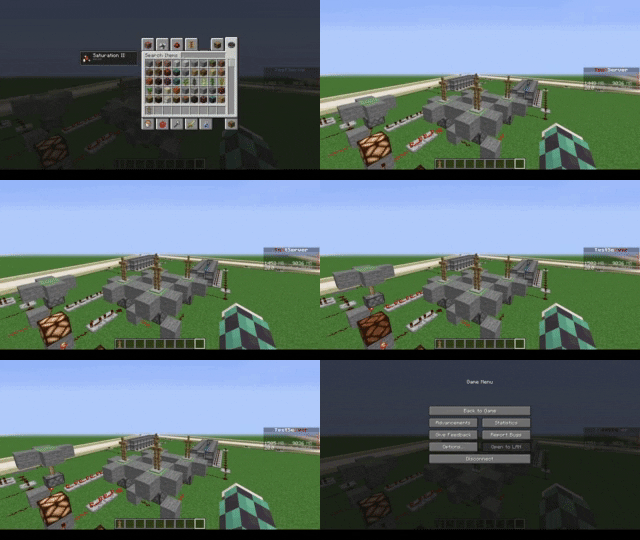 | 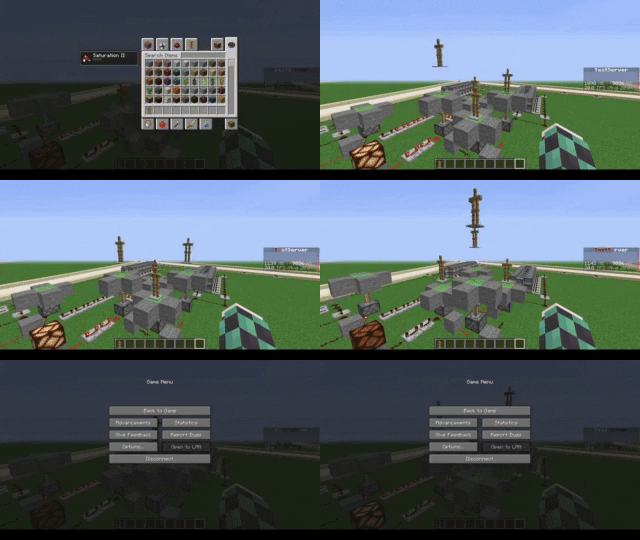 |
|  |  |
## Commands
* **/asl** – *Simple reload of the config file (Perms: `armostandlimiter.reload`)*
* **/asl check ** – *Simple command to control how many Armor Stands there are in a chunk or location in the
world (Perms: `armostandlimiter.check`)*
* **/asl clear ** – *Simple command to remove all Armor Stands there are in a chunk or location in the
world (Perms: `armostandlimiter.check`)*
* **/asl test** – *Simple command to test the notifications (Perms: `armostandlimiter.test`)*
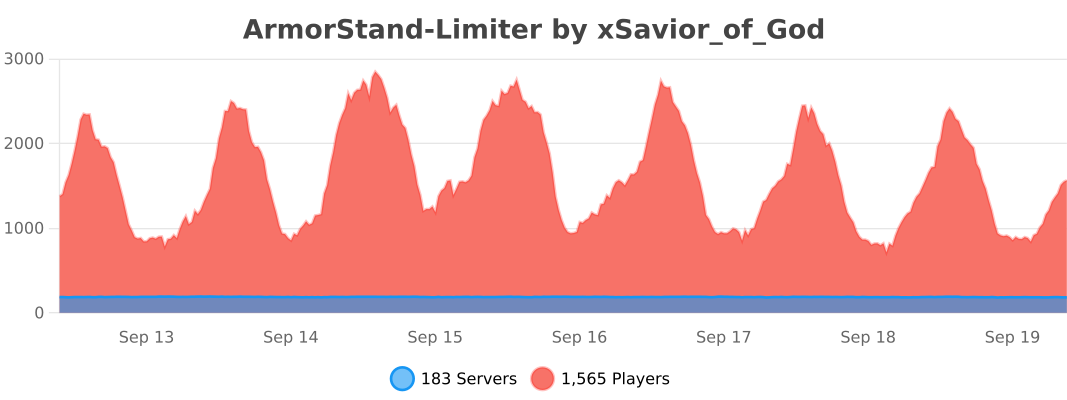
## Stats
[](https://bstats.org/plugin/bukkit/ArmorStand-Limiter/17051)
# Support
[](https://discord.gg/5GqJbRw)
**[Link: https://discord.gg/5GqJbRw](https://discord.gg/5GqJbRw)**