Arte
> **NOTE: Arte works only on Minecraft 1.20.3+**
Table of Contents
-
About Arte
-
Getting Started
- Usage
- Contact
## About Arte
So, what does it do? Simple! Let’s say you have a BIG server resource pack.
Every time you make a little change, you will have to manually re-host it somewhere, and players will have to fully re-download it.
This can get annoying. Arte splits the resource pack into parts (by namespaces), hosts it directly on your server
and sends each one as a different server resource pack!
> Q: How is this possible? There can only be one server resource pack loaded at one time!
> A: In 1.20.3 Mojang added a new feature that allows servers to send multiple server resource packs at a time!
Players will only re-download the parts that actually need updating, and apply other server packs.
## Getting Started
To set up Arte on your server follow these steps.
### Prerequisites
Different mod-loader require different dependencies!
#### On Fabric:
[![Requires Fabric API][fabric-api-shield]][fabric-api-url]
#### On Spigot:
* Requires nothing!
#### On Paper:
* Requires [ProtocolLib][protocol-url].
### Installation
[![Hangar][hangar-shield]][hangar-url]
[![GitHub][github-shield]][github-url]
[![Polymart][polymart-shield]][polymart-url]
[![Spigot][spigot-shield]][spigot-url]
_Download and install the mod or plugin from [Modrinth][modrinth-versions-url], [Hangar][hangar-versions-url], [Polymart][polymart-updates-url], [Spigot][spigot-updates-url] or [GitHub Releases][github-releases-url]._
1. Start your server
2. Open Arte’s config file
3. Set `address` to your server’s public address
4. Open the port specified in config (`1864`) or put already opened port in the `port` field in config.
5. Restart your server
## Usage
Put your resource pack source (not zipped) in the `arte/resourcepack/` folder and run `/arte reload`.
> Note: Arte folder can be different depending on your server! If you use Fabric or Quilt, it’s folder will be in server’s folder.
> If you use Spigot, then Arte’s folder will be located in `plugins/arte/`.
_For more examples, please refer to the [Documentation](https://projects.shardmc.su/arte)._
## Contact
[![Discord][discord-shield]][discord-url]
[spigot-shield]: https://raw.githubusercontent.com/intergrav/devins-badges/v3/assets/cozy/supported/spigot_64h.png
[fabric-shield]: https://raw.githubusercontent.com/intergrav/devins-badges/v3/assets/cozy/supported/fabric_64h.png
[noforge-shield]: https://raw.githubusercontent.com/intergrav/devins-badges/v3/assets/cozy/unsupported/forge_64h.png
[rptweaks-url]: https://modrinth.com/mod/resource-pack-tweaks
[fabric-api-shield]: https://raw.githubusercontent.com/intergrav/devins-badges/v3/assets/cozy/requires/fabric-api_64h.png
[fabric-api-url]: https://modrinth.com/mod/fabric-api
[protocol-url]: https://ci.dmulloy2.net/job/ProtocolLib//lastBuild/
[spigot-url]: https://www.spigotmc.org/resources/arte.114150/
[github-shield]: https://raw.githubusercontent.com/intergrav/devins-badges/v3/assets/cozy/available/github_64h.png
[github-url]: https://github.com/ShardMC/arte
[hangar-shield]: https://raw.githubusercontent.com/intergrav/devins-badges/v3/assets/cozy/available/hangar_64h.png
[hangar-url]: https://hangar.papermc.io/shardmc/arte
[polymart-shield]: https://raw.githubusercontent.com/intergrav/devins-badges/v3/assets/cozy/available/polymart_64h.png
[polymart-url]: https://polymart.org/resource/plugin-arte.5242
[curseforge-shield]: https://raw.githubusercontent.com/intergrav/devins-badges/v3/assets/cozy/available/curseforge_64h.png
[curseforge-url]: https://curseforge.com/minecraft/bukkit-plugins/arte-for-spigot
[spigot-shield]: https://raw.githubusercontent.com/intergrav/devins-badges/v3/assets/cozy/supported/spigot_64h.png
[spigot-url]: https://www.spigotmc.org/resources/arte.114150/
[modrinth-versions-url]: https://modrinth.com/plugin/arte/versions
[hangar-versions-url]: https://hangar.papermc.io/shardmc/arte/versions
[polymart-updates-url]: https://polymart.org/resource/arte.5242/updates
[curseforge-updates-url]: https://curseforge.com/minecraft/bukkit-plugins/arte-for-spigot/files
[spigot-updates-url]: https://www.spigotmc.org/resources/arte.114150/updates
[github-releases-url]: https://github.com/ShardMC/arte/releases
[github-issues-url]: https://github.com/ShardMC/arte/issues
[discord-shield]: https://raw.githubusercontent.com/intergrav/devins-badges/v3/assets/cozy/social/discord-plural_64h.png
[discord-url]: https://discord.gg/CqVAzakrqx
ArrowPost
# ArrowPost
> **Send items to any player — via a homing arrow.**
ArrowPost is a Paper 1.21+ plugin that adds a craftable **Tracking Bow**. Load up to 9 items into it, set a target player, and fire. The arrow warps above them and homes in — dropping the payload at their feet on impact.
—
## How It Works
“`
1. Craft or receive a Tracking Bow
2. Sneak + Right-click → load items into the 9-slot payload GUI
3. /aptarget → lock on to a target
4. Shoot → arrow flies, warps above target, homes in
5. Impact → payload drops at their feet
“`
If the arrow is blocked before reaching the target it is removed and your payload is **preserved** — you can shoot again without reloading.
—
## Features
– **Craftable** — 4 Ender Pearls + Bow, no permissions required
– **9-Slot Payload GUI** — sneak + right-click to open; contents persist through restarts
– **One payload per player** — stored on the player, not the bow; multiple bows can’t be used as extra storage
– **Homing arrows** — configurable free-flight delay, then warp teleport above the target and per-tick steering
– **Cross-dimension tracking** — arrow follows the target into a new world
– **Payload only consumed on delivery** — blocked shots leave items intact
– **Cooldown system** — configurable per-player shot cooldown
– **Visual & sound effects** — PORTAL warp burst, CRIT/ENCHANT trail, smoke + hit on impact
– **bStats metrics** — anonymous usage statistics via [bStats](https://bstats.org)
—
## Crafting Recipe
“`
· E ·
E B E
· E ·
“`
`E` = Ender Pearl | `B` = Bow
—
## Commands
| Command | Description | Who |
|———|————-|—–|
| `/aptarget ` | Set your homing target | All players (`arrowpost.use`) |
| `/aptarget clear` | Clear your current target | All players (`arrowpost.use`) |
| `/arrowpost give [player]` | Give a Tracking Bow | Operators only |
**Alias:** `/ap give [player]`
—
## Permissions
| Node | Default | Description |
|——|———|————-|
| `arrowpost.use` | `true` (everyone) | Use the bow and `/aptarget` |
| `arrowpost.admin` | `op` | Run `/arrowpost give` |
—
## Installation
Drop the jar into your server’s `plugins/` folder and restart.
**Requirements:** Paper 1.21+ | Java 21+
—
## Configuration
`plugins/ArrowPost/config.yml`
“`yaml
delay-ticks: 40 # Free-flight ticks before homing activates (≥ 20)
teleport-height: 500 # Blocks above target the arrow warps to (≥ 5)
tracking-radius: 5.0 # Delivery radius in blocks (2.0 – 5.0)
arrow-speed: 1.5 # Homing speed in blocks/tick (1.0 – 10.0)
cooldown-seconds: 10 # Seconds between shots per player (0 = disabled)
effect-particles: true # PORTAL warp, CRIT trail, LARGE_SMOKE on impact
effect-sounds: true # Enderman warp, arrow shoot, arrow hit on impact
“`
Out-of-range values are automatically clamped on startup with a console warning.
—
## License
GNU GPLv3
ArmorTrimEdit
Minecraft version 1.21.x
Plug-In for Paper & Spigot/Bukkit servers
Commands:
– /armortrimedit
– /armortrimedit set [pattern] [material]
– /armortrimedit remove
Permissions:
– armortrimedit.admin (all features)
– armortrimedit.use (apply & remove armor trims)
– armortrimedit.apply (add armor trims only)
– armortrimedit.remove (remove armor trims only)
GUI Usage:
1. Hold a piece of armor in your main hand
2. Run /armortrimedit
3. In the GUI, select a pattern and material
4. Click the lime concrete to apply the armor trim
5. or click the barrier to remove armor trims from the item
Command Usage:
1. Hold a piece of armor in your main hand
2. Run /armortrimedit set [pattern] [material]
3. or run /armortrimedit remove
GUI/Command functions can be enabled/disabled in the config.yml file
All plugin messages can be changed in the config.yml file.
For a survival friendly experience, survival mode can be enabled in the config.yml file which makes the editor consume/return armor trim templates and materials on use.
ArmorStandEditor-Reborn

[](https://github.com/Wolfst0rm/ArmorStandEditor/actions/workflows/maven-publish.yml)
[](https://sonarcloud.io/summary/new_code?id=wolfieheart_ArmorStandEditor)
[](https://sonarcloud.io/summary/new_code?id=Wolfst0rm_ArmorStandEditor)
[-yellowgreen?style=flat)](https://getbukkit.org/)
[](https://github.com/Wolfst0rm/ArmorStandEditor/LICENSE.md)
ArmorStandEditor is a plugin for Paper and related forks to allow players in survival to easily edit armor stand pose and attributes.
## Credits
* RypoFalem for the original version of this plugin. Thank you for all your hard work (Archived in branch [Original-Version](https://github.com/Wolfst0rm/ArmorStandEditor/tree/Original-Version) )
* Anyone who has contributed to this project with tests, issues, code reviews etc. Thank you!
* Shamblecraft for allowing me to test on the server as required before publishing to production.
## Downloads
Downloads for Version 1.17 and higher can be obtained from the [download page](https://www.spigotmc.org/resources/armorstandeditor-reborn.94503/) or our [release tracker](https://github.com/Wolfst0rm/ArmorStandEditor/releases) here on GitHub.
For versions older than 1.17, then please use [the original versions download page](https://www.spigotmc.org/resources/armor-stand-editor-dead.7688/).
The Latest Downloads Shortcut Links:
* [ArmorStandEditor-Last (Unstable)](https://github.com/Wolfst0rm/ArmorStandEditor/actions)
– **Use these at your own risk. Limited Support is provided for testing purposes**
* 1.20 – Not yet available
* [(Spigot Redirect to latest release)](https://www.spigotmc.org/resources/armorstandeditor-reborn.94503/)
* [Modrinth Redirect to Latest Release](https://modrinth.com/plugin/armorstandeditor-reborn)
* 1.19 to 1.19.4
* [Spigot/Github](https://github.com/Wolfieheart/ArmorStandEditor/releases/tag/1.19.4-41)
* [Modrinth](https://modrinth.com/plugin/armorstandeditor-reborn/version/1.19.4-41)
* 1.18 to 1.18.2
* [Spigot/Github](https://github.com/Wolfieheart/ArmorStandEditor/releases/tag/1.18.2-34.2)
* [Modrinth](https://modrinth.com/plugin/armorstandeditor-reborn/version/1.18.2-34.2)
* 1.17 to 1.17.1
* [Spigot/Github](https://github.com/Wolfst0rm/ArmorStandEditor/releases/tag/1.17.1-30)
* [Modrinth](https://modrinth.com/plugin/armorstandeditor-reborn/version/1.17-30)
* 1.16 to 1.16.5
* [Spigot/Github](https://www.spigotmc.org/resources/armor-stand-editor-dead.7688/download?version=342891)
* [Modrinth](https://modrinth.com/plugin/armorstandeditor-reborn/version/1.16-25)
* [1.14 to 1.14.4](https://www.spigotmc.org/resources/armor-stand-editor-dead.7688/download?version=299267)
* [1.13 to 1.13.2](https://www.spigotmc.org/resources/armor-stand-editor-dead.7688/download?version=235185)
* [1.11 to 1.11.2](https://www.spigotmc.org/resources/armor-stand-editor-dead.7688/download?version=152723)
* [1.10 to 1.10.2](https://www.spigotmc.org/resources/armor-stand-editor-dead.7688/download?version=124213)
* [1.9 to 1.9.4](https://www.spigotmc.org/resources/armor-stand-editor-dead.7688/download?version=92457)
* [1.8](https://www.spigotmc.org/resources/armor-stand-editor-dead.7688/download?version=29676)
**NOTE:** The 1.17 Versions introduce NMS Version Checks and will not load on versions older than 1.13.
It will also advise that if you are on 1.13 to 1.16, that you update to 1.17.x or Higher. This will be
subject to change in the future. The minimum enforced API Version is 1.13.
## Features
* Editing ArmorStands with no commands required
* Rotation of all ArmorStand Parts along each axis
* Rotation of entire ArmorStand after Placement. Supported by Crouching and Scrolling, so you never have to open the menu
* Finer Adjustment to allow for Fine-Tuning of Positions.
* Coarser Adjustments to allow you to quickly to get to the intended position
* Toggles for: Disabling Slots, Invisibility, Gravity, Base Plates, Size (Normal and Small)
* Copying and Pasting ArmorStand Settings between ArmorStandEditor in a Survival Friendly way
* Storage of Copied Settings in one of 9 available slots.
* Naming of ArmorStands through the use of Vanilla Name tags, with colored name support
* Multiple Language Support through the use of community translations
* Respects multiple protection plugins: WorldGuard, Towny, GriefPrevention, Residence etc.
* Targeting of an ArmorStand by pressing F with the tool in your hand
* Glowing ArmorStand to signify Targeting and Slot Disables through the use of Scoreboards.
You can also follow our [Feature Roadmap](https://github.com/Wolfst0rm/ArmorStandEditor-Issues/issues/11) to see what we have planned (Updated as required).
## Support
Support for ArmorStandEditor is provided:
* For API-Versions Higher than 1.13
* For Latest Release and Unstable versions of the Plugin
If there are issues with the plugin on the latest release, you can report them [here](https://github.com/Wolfst0rm/ArmorStandEditor/issues/new?assignees=&labels=P1%3A+To+Be+Tested&template=behaviour-bug.yml).
If there are new feature requests, you can ask them to be implemented [here](https://github.com/Wolfst0rm/ArmorStandEditor/issues/new?assignees=&labels=&template=feature-request.yml).
**NOTE:** Bugs are also first tested to ensure that they can be reproduced according to the reported steps. If they can not, we will ask for more info.
ArmorStandChunkLimit
# ArmorStandChunkLimit
Required Plugin: https://modrinth.com/plugin/kotlinplugins
– Allows to set the max limit of ArmorStands for all chunks.
– Usage: “`/armorstandchunk “`
– Required permission to use this command: “`armorstandchunklimit.set“`
– Players with op (/op nickname) have this required permission by default.
– The purpose of this plugin is to improve server performance.
– Check out other plugins: https://modrinth.com/user/Winlyps
ArmorStand-Limiter
# ArmorStand-Limiter


allows you to limit armor stands, so you can fix TPS drops caused by a high number of ArmorStands in your server!
Can be used in all modalities and is fully and easily configurable thanks to its intuitive configuration file.
This plugin was created with the express purpose of fixing LAG problems caused by other plugins that generate and do not
remove custom Armor Stands within a single block!
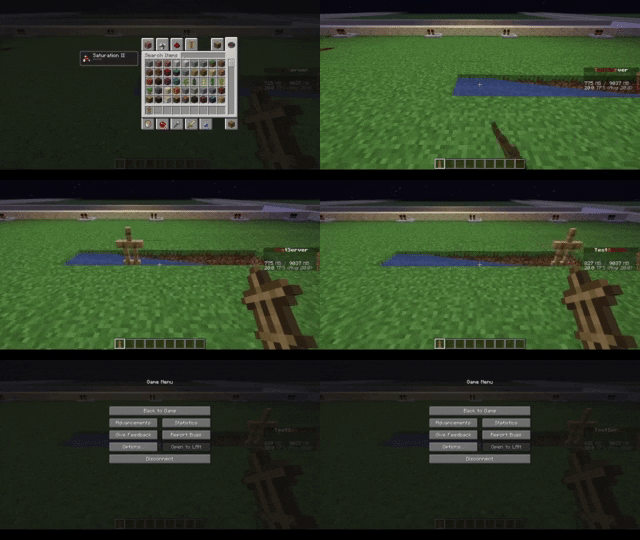
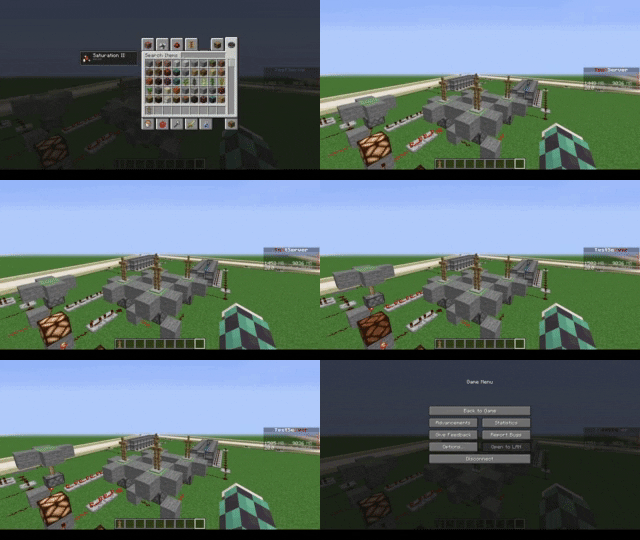
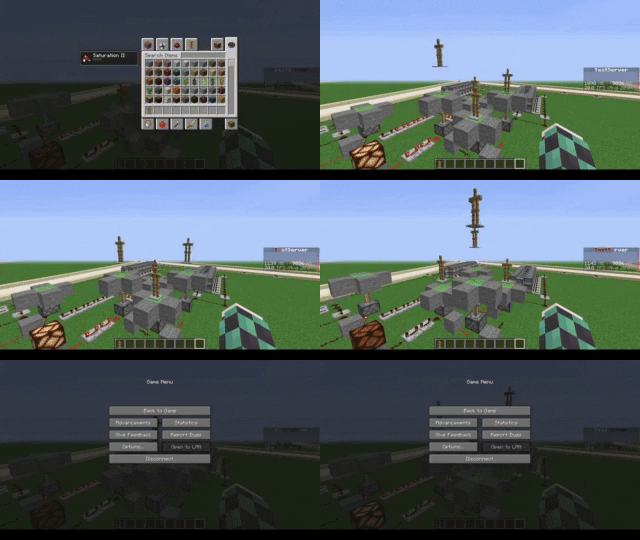
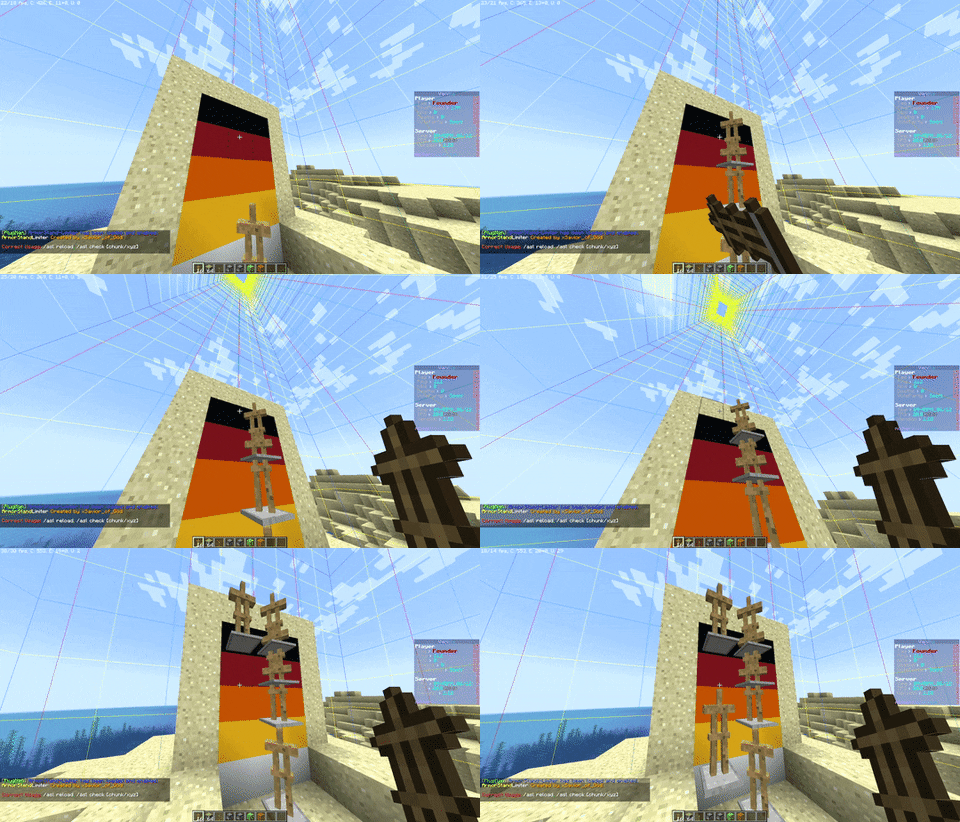
Later we also thought of adding other functions to avoid lagging machines caused by Armor Stands, like this one in the
picture
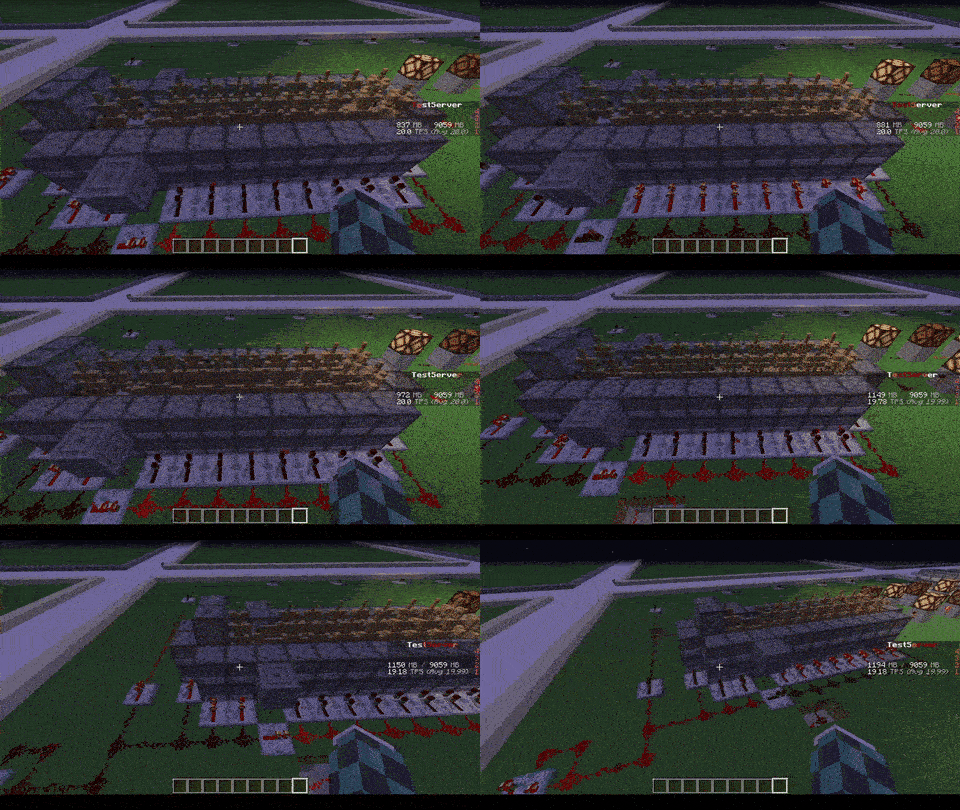
## Feature
* The most important function is that of removing CUSTOM Armor Stands ( created by other plugins ) that exceed the
preset limit in a single block or chunk!
* Set Armor Stand limit in a Block and/or a Chunk
* Check the world name, armor stand type and its name to avoid unwanted removal
* Timer that checks every X minutes in the loaded chunks the number of Armor Stands inside the chunk or in the single
block
* Check TPS status and if too low check and remove the Armor Stands in a sigle block or chunk ( this check is also
performed only on loaded chunks )
* Ability to limit players to placing a maximum of Armor Stands per chunk
* Ability to disable that the Armor Stand can be moved by the pistons or blocks connected to it depending on the number of same chunk Armor Stands
* Ability to disable that Armor Stand can move in the water depending on the number of same chunk Armor Stands
* Ability to disable that Armor Stand can be spawned through dispensers
* Customized notification ( inGame, Discord, Telegram and Console ) of when Armor Stands are removed due to limit
violation
* [NEW] Folia Support!
* No Dependency!
* Open Source!
| With ArmorStand Limiter | Without ArmorStand Limiter |
|————————————————————————|—————————————————————————|
| 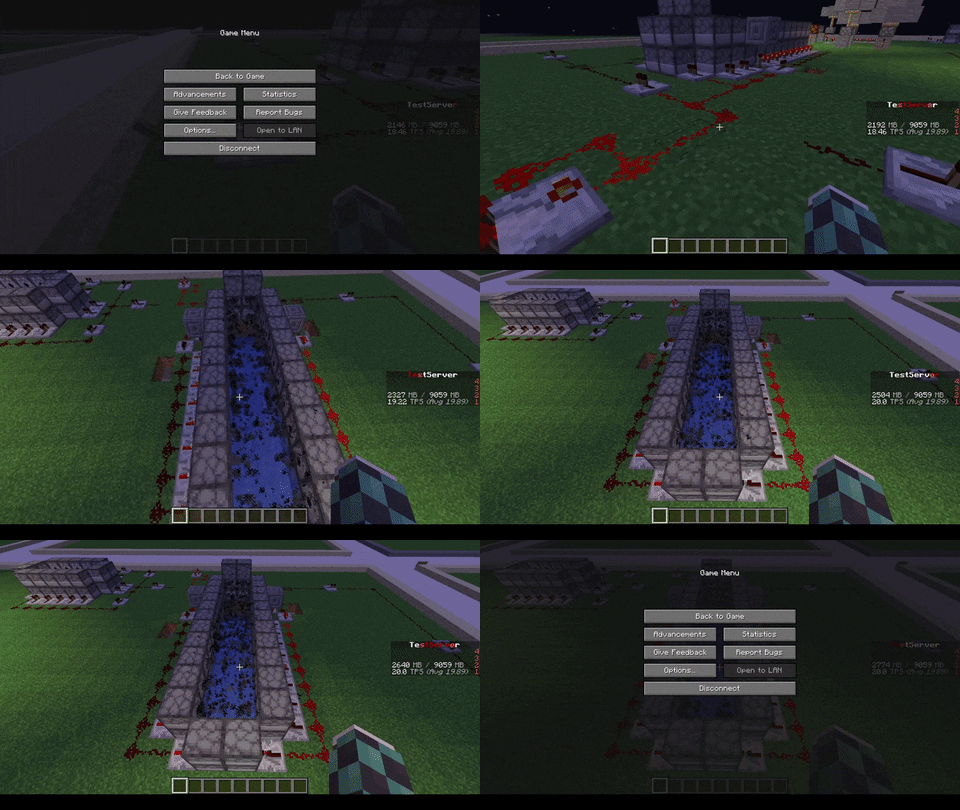 |  |
| 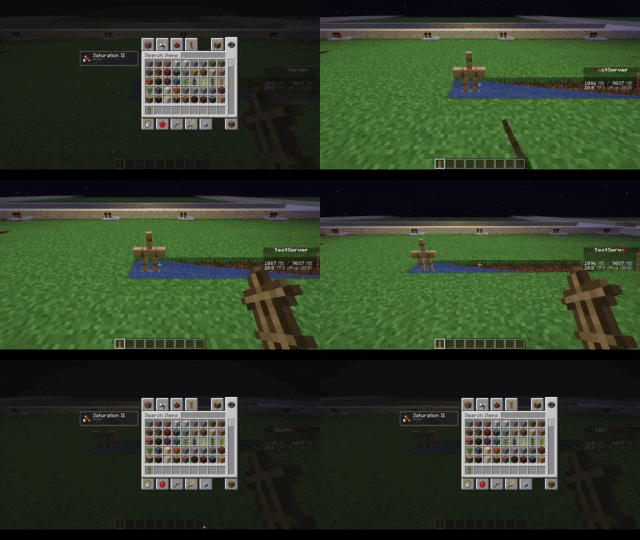 |  |
|  |  |
|  | 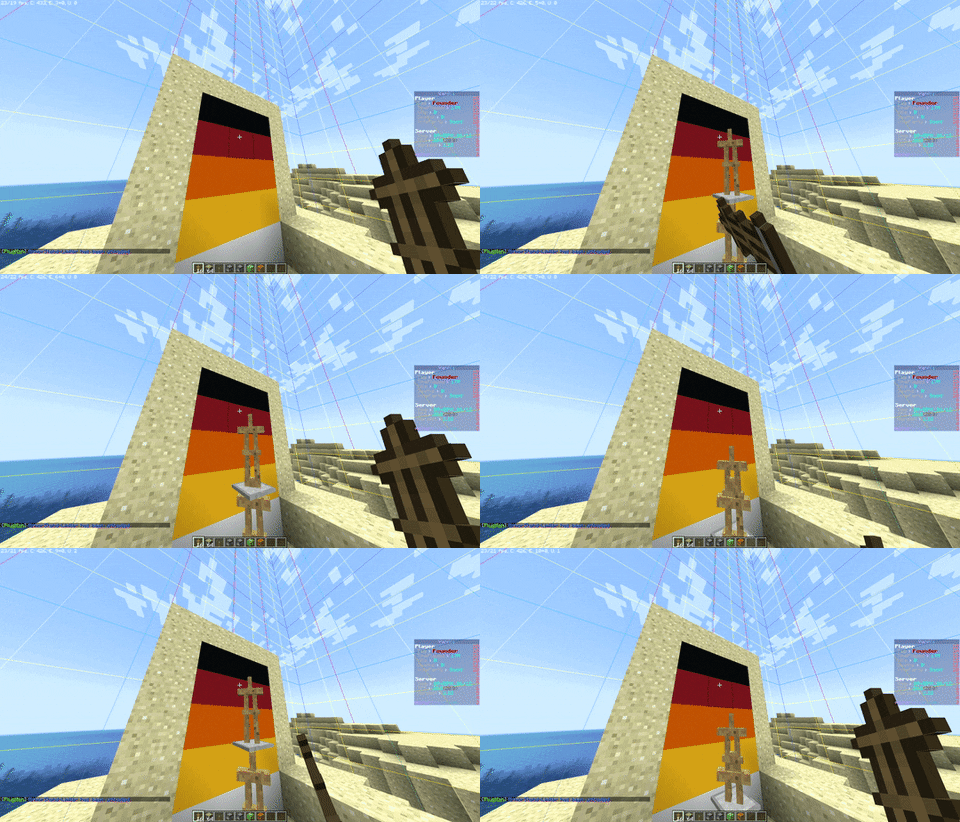 |
## Commands
* **/asl** – *Simple reload of the config file (Perms: `armostandlimiter.reload`)*
* **/asl check ** – *Simple command to control how many Armor Stands there are in a chunk or location in the
world (Perms: `armostandlimiter.check`)*
* **/asl clear ** – *Simple command to remove all Armor Stands there are in a chunk or location in the
world (Perms: `armostandlimiter.check`)*
* **/asl test** – *Simple command to test the notifications (Perms: `armostandlimiter.test`)*
## Stats
[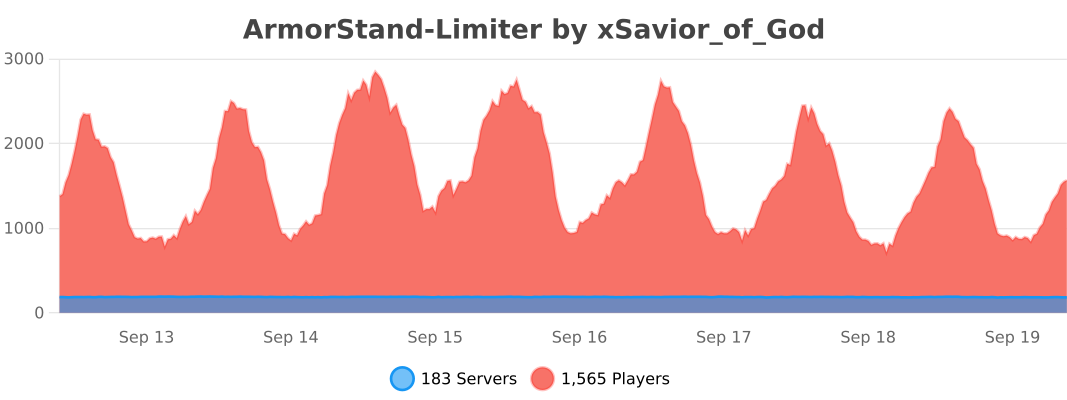](https://bstats.org/plugin/bukkit/ArmorStand-Limiter/17051)
# Support
[](https://discord.gg/5GqJbRw)
**[Link: https://discord.gg/5GqJbRw](https://discord.gg/5GqJbRw)**
Bedrock Armorstands
## What is this?
Designed to implement full functionality of bedrock armorstands into java servers
## Features
– Works out of the box with no setup required
– Place an armorstand and it has arms by default
– Shift + Right-Click an armorstand to change its pose just like bedrock edition
## Compatability
Versions of the plugin for…
– 26.1+ minecraft versions are compiled with Java 25 which the server must run
– 1.21-1.21.11 minecraft versions are compiled with Java 21 but supports Java 25
## Installation
Download the latest version then drag and drop the jar into your plugins folder.
Then restart.
Armor Set Effects
# **Armor Set Effects**
**A lightweight plugin that rewards players for wearing a full set of Netherite armor with unique, dynamic visual and defensive effects.**
—
## **⭐ Core Features**
* **Full Set Bonus:** Grants a permanent **Glowing I** effect to players wearing a full set of Netherite armor, making them stand out.
* **Dynamic Defensive Buff:** Automatically applies a powerful **Absorption V** effect as a last-stand defense when any piece of the armor set has low durability.
* **Zero Configuration:** No commands or setup required.
—
## **✨ How It Works**
The system is fully automatic and responds to the player’s equipment status:
1. **Equip Full Netherite:** When a player wears a Netherite Helmet, Chestplate, Leggings, and Boots, they are immediately granted **Glowing I**.
2. **Armor Gets Damaged:** If any of the four armor pieces drops below 50 durability, the player is instantly granted **Absorption V** in addition to the Glowing effect.
3. **Armor is Repaired:** Once all armor pieces are repaired above 50 durability, the **Absorption V** effect is removed, but the **Glowing I** effect remains.
4. **Unequip Armor:** If the player removes any piece of the set, all effects applied by this plugin are safely removed.
—
## **💡 Suggestions & Feedback**
**Want to request changes or need support? Join my Discord and share your ideas!**
🔗 https://discord.gg/kGfcXWG7mx
ArmorForged
# ⚔️ ArmorForged
### ArmorForged is a plugin that adds passive and active abilities to the 16 Trims of the game.
– /af gui – To open the trims compendium to check which ability is active and also what ability ( either passive or active ) each trim provides.
– If all the 4 pieces have same trims, player is provided with a “set-bonus” which either adds another ability to the trim or enhances the general ability.
# NOTES
1. This plugin is still in Beta testing and bugs are expected. Report any in the discord server, if found.
2. Most of the abilities ( strength, duration, etc. ) are editable in the config file.
ArmorEffect
# ArmorEffect
Required Plugin: https://modrinth.com/plugin/kotlinplugins
Provides customizable armor parts that provide effects to the players while worn.
ArmorParts include all vanilla armors ( including turtle helmet! )
– Usage: “`/armoreffect [LevelOfTheEffect]“`
– Required permission to use the command: “`armoreffect.give“`
– Players with op (/op nickname) have this required permission by default.
The purpose of this plugin is to extend rarity of armors, improve the pvp experience.
– Check out other plugins: https://modrinth.com/user/Winlyps