Async
# Async – Minecraft Entity Multi-Threading Mod ⚙️
**Async** is a Fabric mod designed to improve entity performance by processing them in parallel using multiple CPU cores and threads.
## Important❗
**Async** is currently in alpha testing and is experimental. Its use may lead to incorrect entity behavior and crashes.
## What is Async? 🤔
Async is a Fabric mod that enhances the performance of entity processing. The mod leverages multithreading, which allows multiple CPU cores to improve performance when handling a large number of entities.
### 💡 Key Benefits:
– ⚡ **Improved TPS**: Maintains stable tick times even with a large number of entities.
– 🚀 **Multithreading**: Utilizes multiple CPU cores for parallel entity processing.
– 🎲 **Async Random Ticks** (Experimental): Processes random ticks asynchronously for better performance.
### 📊 Performance Comparison (9000 Villagers)
| Configuration | TPS | MSPT |
| ———————– | —- | —— |
| **Lithium + Async** | 20 | 41.8 |
| **Lithium (without Async)** | 4.4 | 225.4 |
| **Purpur** | 5.72 | 176.18 |
### 🛠️ Test Configuration
– **Processor**: AMD Ryzen 9 7950X3D
– **RAM**: 64 GB (16 GB allocated to the server)
– **Minecraft Version**: 1.21.4
– **Number of Entities**: 9000
– **Entity Type**: Villagers
Mod List
Concurrent Chunk Management Engine, Fabric API, FerriteCore, Lithium, ScalableLux, ServerCore, StackDeobfuscator, TT20 (TPS Fixer), Tectonic, Very Many Players, Fabric Carpet.
## ⚠️ Incompatible Mods
– ❌ Moonrise – Known incompatibility
– ⚠️ …and there may be conflicts with other mods.
*If you encounter issues with other mods, please report them on our [GitHub](https://github.com/AxalotLDev/Async/issues) or [Discord](https://discord.com/invite/scvCQ2qKS3).*
## 🔧 Commands
– `/async config toggle` — Enables or disables the mod in-game (no server restart required). Use this command to instantly see how Async improves your server.
– `/async config setAsyncEntitySpawn` — Enables or disables parallel mob spawn processing (disabled by default). **Warning: Not compatible with Carpet mod lagFreeSpawning rule.**
– `/async config setAsyncRandomTicks` — Enables or disables async random ticks processing (experimental feature).
– `/async config synchronizedEntities add` — Adds selected entity to synchronized processing.
– `/async config synchronizedEntities remove` — Removes selected entity from synchronized processing.
– `/async stats` — Displays the number of threads in use.
– `/async stats entity` — Shows the number of entities processed by Async in various worlds.
– `/async stats entity [number]` — Shows the top [number] entity types by count in descending order. For example, `/async stats entity 10` displays the top 10 most numerous entity types.
– `/async stats entity [number] [ticks]` displays the top [number] most numerous entity types with their average mspt usage per [ticks].
## 📥 Download
The mod is available on [Modrinth](https://modrinth.com/mod/async)
## 🔄 Minecraft Version Support
Full support is provided only for the latest version of Minecraft. Older versions receive critical fixes only. Support for older Minecraft snapshots is not planned.
## 📭 Feedback
Our tracker for feedback and bug reports is available on GitHub:
[](https://github.com/AxalotLDev/Async/issues)
You can also chat with us on Discord:
[](https://discord.com/invite/scvCQ2qKS3)
## 🙌 Acknowledgements
This mod is based on code from [MCMTFabric](https://modrinth.com/mod/mcmtfabric), which in turn was based on [JMT-MCMT](https://github.com/jediminer543/JMT-MCMT). Huge thanks to Grider and jediminer543 for their invaluable contributions!
Astronomical
## Video showcase:
## Gallery
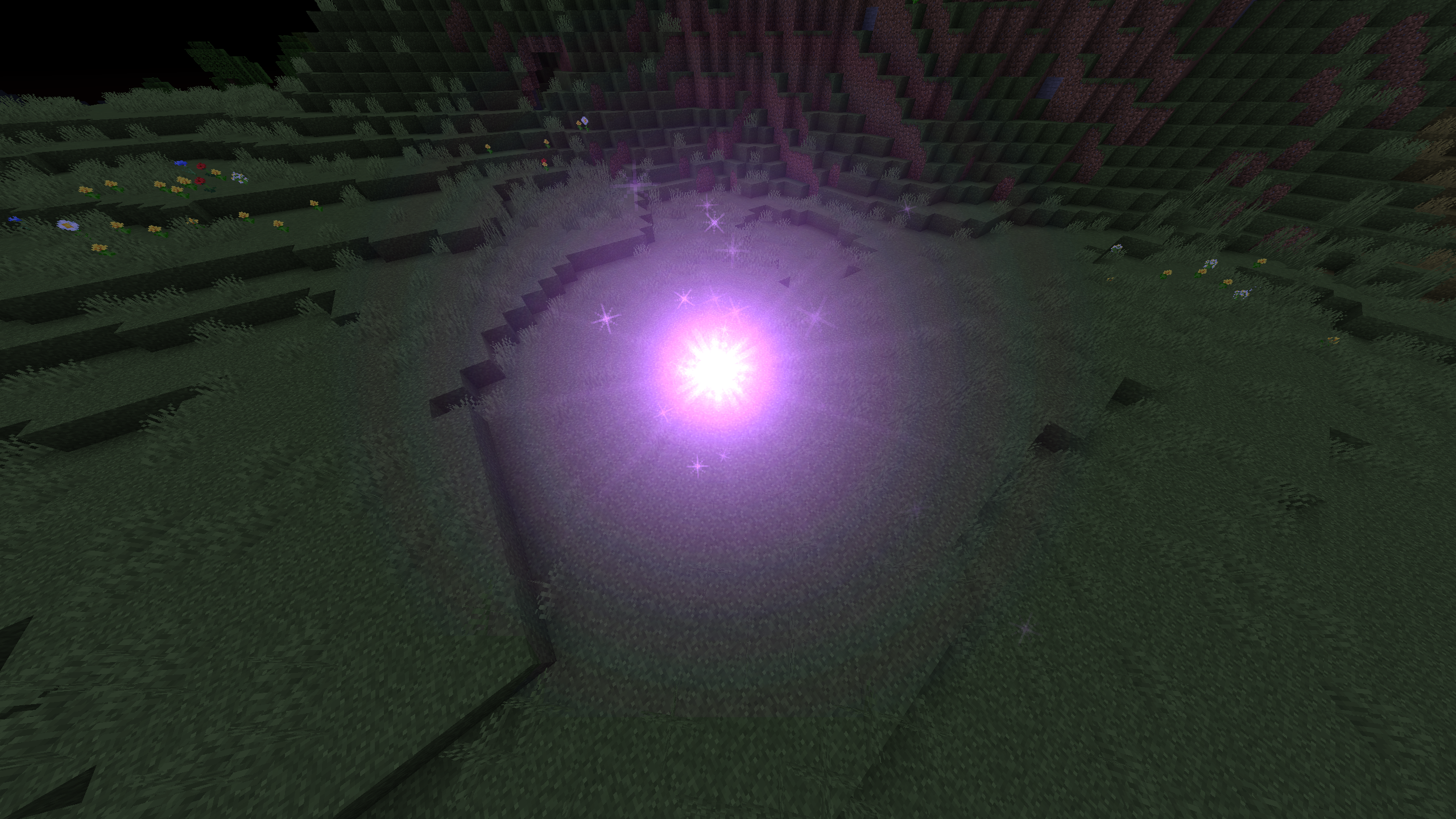
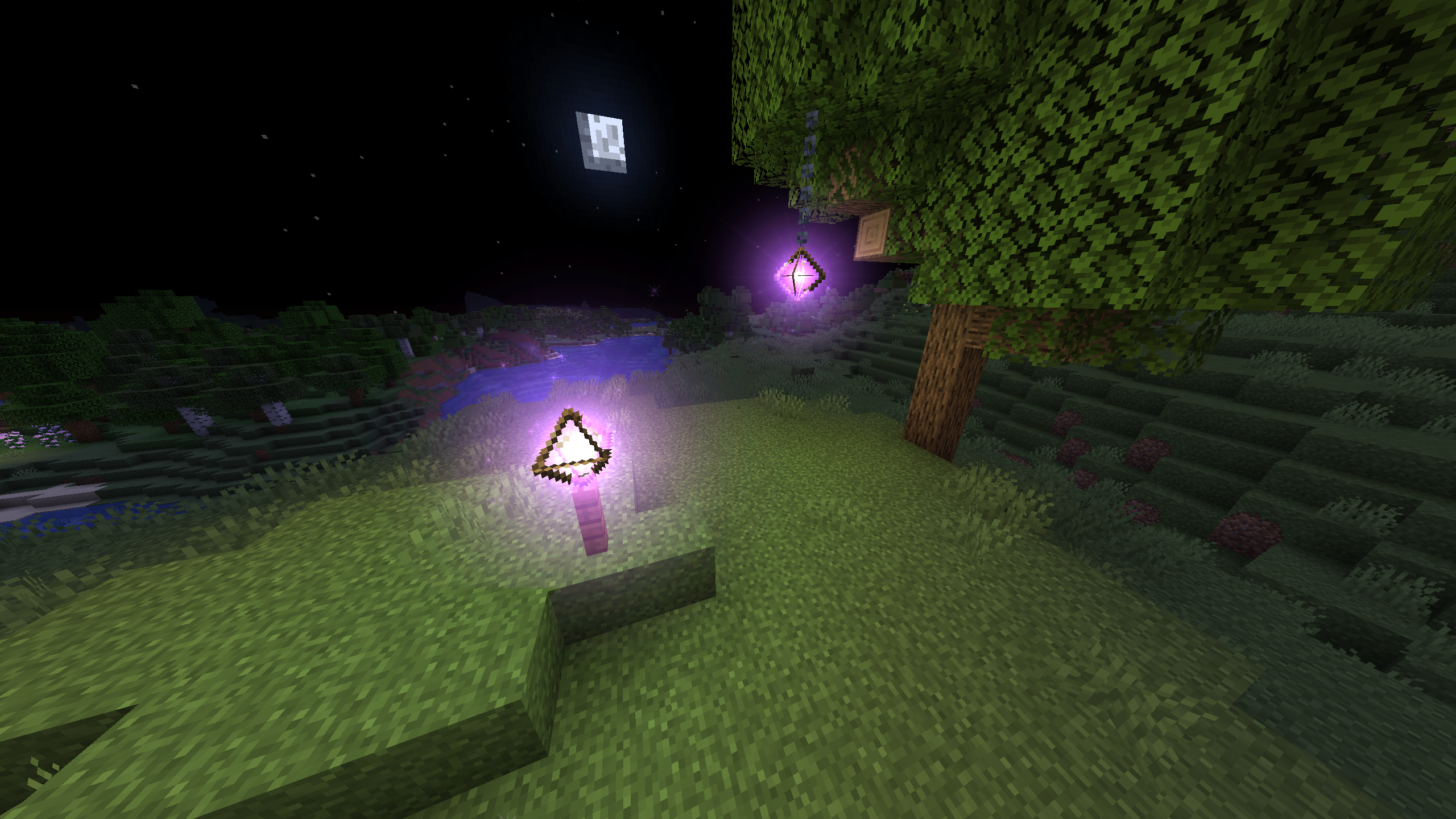
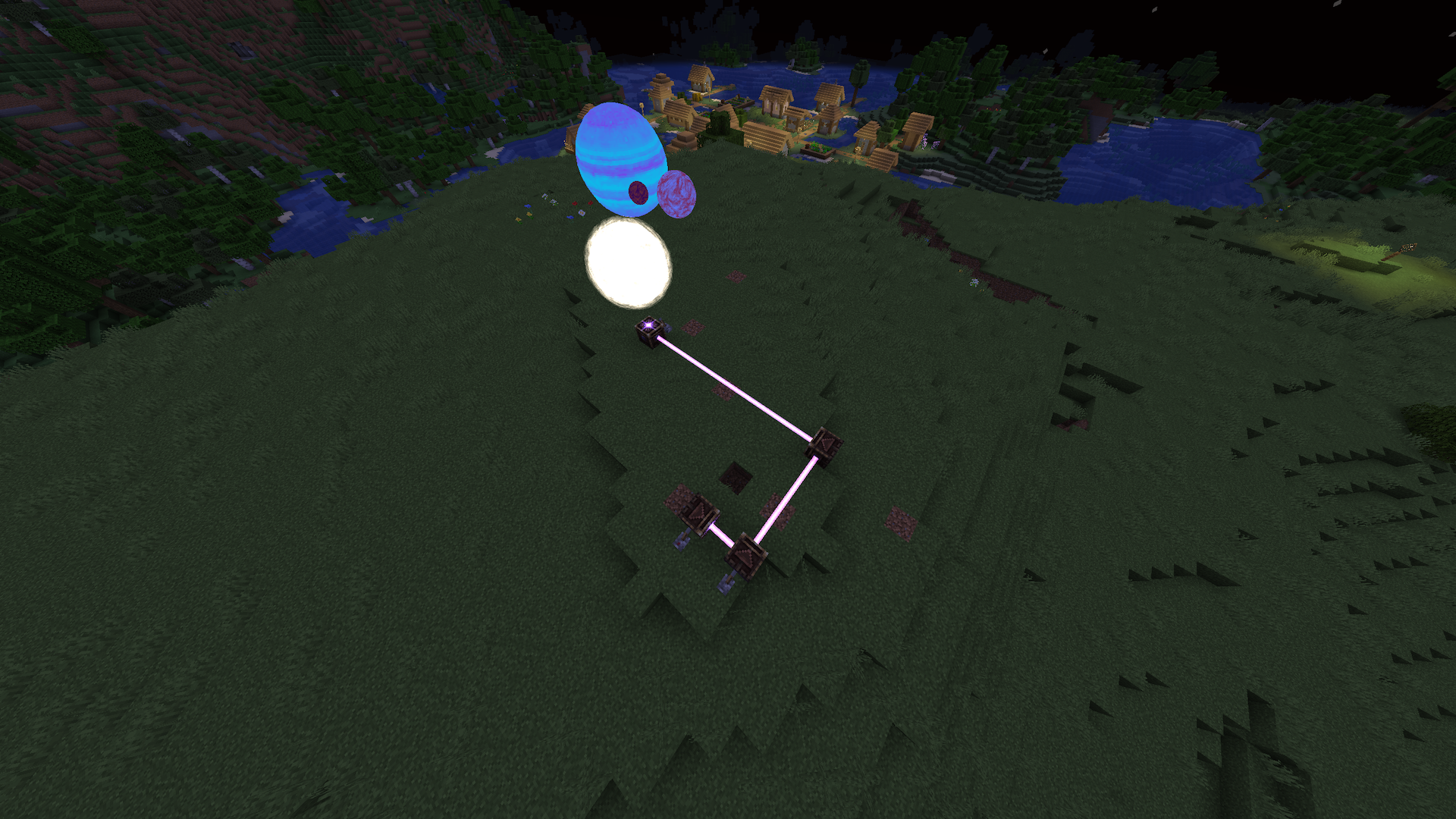
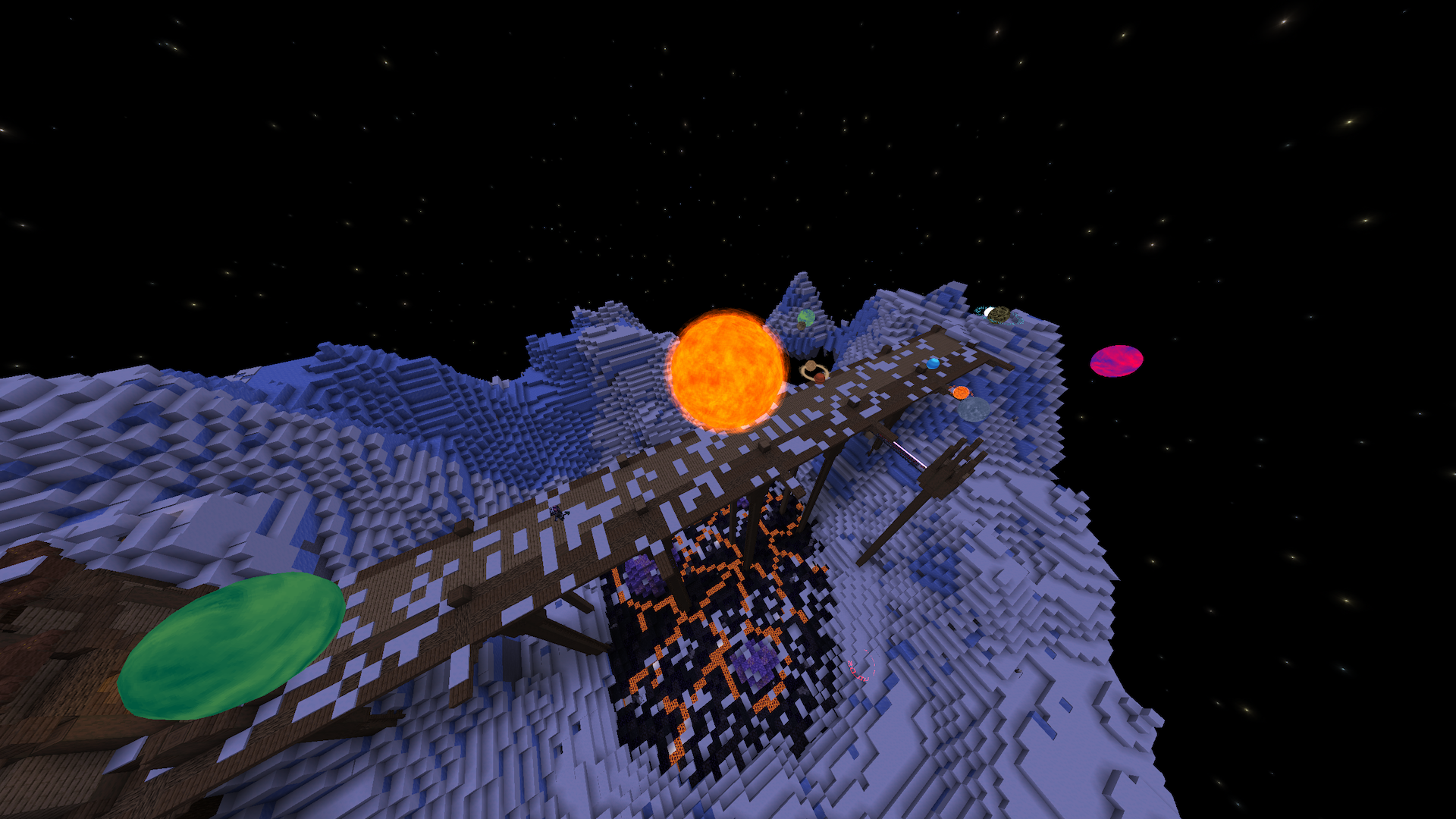
## FAQ
#### Q: Why Quilt? Why not Forge or Fabric?
**A: Short answer:** some utilities and libraries I need for my mods are only available for Quilt. I also do not wish to continue supporting loaders led by transphobes / racists / horrible people in general, especially when a better product like Quilt exists. If you want the long version of it, it’s here.
Now if you want the long version…
I don’t have any problem dissociating a project from the person behind it when that project is the best there is, however, Fabric’s lead dev’s transphobia genuinely got in the way of code contributions that would’ve been great additions to the loader’s API (these contributions being made by trans people). Certain systems like the custom biome, dimension or multipart APIs of Fabric have a lot of problems and sometimes straight up don’t work, while these issues have been fixed on Quilt.
For Forge, it’s not so much about the devs being bad people, it’s more that the way Forge does things and forces modders to do things in a particular (and in my opinion, complicated) way genuinely got me to quit modding before I switched to Fabric when it first came out. On top of that, Forge devs have in the past caused me and my friends quite a bit of trouble and unfortunate interactions, and when I did allow Forge ports of my mods to be made, I would have people come to me regarding issues on the Forge version, which I had nothing to do with.
Additionally, Quilt has a bigger team, and I personally know most of the devs. Therefore, I can also try to help by directly giving feedback or contributions to them if need be, unlike with Fabric or Forge. To also quote a friend I completely agree with: “The argument of “X modloader has no popular mods ergo no popular mods should move to it” is circular and, to put it bluntly, a tad idiotic. I’ve heard it with Fabric before, and as I did not listen previously I will not listen now. Quilt is a modloader that I can trust the development team of, and thus I develop on it.”
If you’re upset about the mod not being available to you because you don’t wanna use Quilt, I can understand that. However, please also understand that if it weren’t for Quilt, I wouldn’t have made this mod anyway, so you’re technically not missing out on anything! Ultimately, whether or not you want to use this mod is entirely your choice, so do not play victim and put the blame on me if you do not wish to go through the steps to play with it.
Finally, I mod for myself above all, releasing my mods is just a bonus I provide for free. This is a hobby that should stay enjoyable, and altough I’m trying my best to keep it that way, it’s becoming harder and harder as time passes due to entitled players and the incredibly toxic modding community. This is my work, my mod, and I am free to do whatever I want with it. If I don’t want it to be available for loaders I dislike and don’t want to support, I am free to make that choice without having to justify it. However, I still hope this explanation gives a little more insight and helps you understand!
🐀❤️
#### Q: But I really wanna play with this mod and I play on Fabric!
**A: You can run Fabric mods on Quilt**. 99% of Fabric mods run perfectly on Quilt, so if you wanna use this mod alongside Fabric ones, consider switching. It’s not as big of a task to move as it seems. If you find an incompatibility from a Fabric mod on Quilt, [you can report it here](https://forum.quiltmc.org/t/mod-incompatibility-megathread/261) and the Quilt team will do its best.
#### Q: Can I port this mod to Forge / Fabric?
**A: No**. I am not comfortable with ports of my mod being made for other loaders I do not wish to support, for the reasons listed above.
#### Q: Can I port this mod to Bedrock?
**A: Yes**. Unlike Fabric or Forge, if you wish to make a version of this mod for Minecraft Bedrock edition, I do not have an issue with it. However, please contact me first to get proper written permission.
#### Q: Can you backport this mod to 1.x? When will you update to 1.x?
**A: No**. I mod Minecraft as a hobby with very limited time. Therefore, I will not backport this mod to older versions of Minecraft, and I will update it to future versions when I feel like it. If you want it updated to newer versions, feel free to contribute to the mod and make a pull request, it’s appreciated! Otherwise, don’t come begging.
#### Q: Can I include this mod in a modpack?**
**A: Yes** you can. Go ahead, don’t bother asking. Please however provide credit and a link to either the GitHub repository, Modrinth or CurseForge project page.
###### Copyright (C) 2025 Ladysnake
Astrocraft
A configurable astronomy mod that adds a realistic night sky with real life stars, planets and much more. This mod is for those who want to explore the stars while playing minecraft.
## Features
– Real life constellations and stars
– Moving planets with moons
– Realistic sun and moon positions, longer days or nights throughout the seasons
– Shooting Stars with annual Meteor Showers
– Nebulae, Galaxies, and the Milky Way
– Rare astronomical events, such as solar and lunar eclipses
– “Live mode” to show the current irl sky in-game.
– Makes the spyglass useful
– Full customizability, with custom planets or stars.
### Stars
Astrocraft replaces Minecraft’s default stars with stars from real life. Stars retain their vanilla-style, but with variation in hues, some being more reddish, others blue. You can find any constellation in-game. Through the night, all these stars revolve around the north star (Polaris):
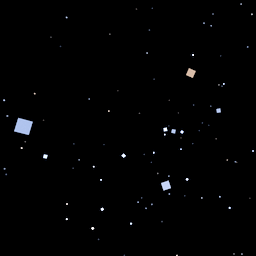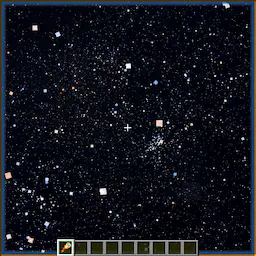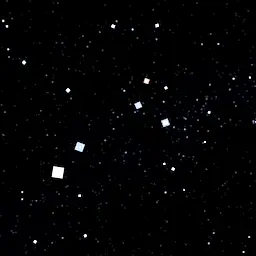
Some stars are variable, meaning they vary in brightness over time.
### Galaxies, Nebulae, Clusters
The milky way is faintly visible at night, along with numerous other objects. These include massive galaxies like Andromeda and Triangulum, or smaller planetary nebulae like the Ring Nebula. The Milky Way and other deep-sky objects become brighter and more visible from high mountain peaks, but are easily outshone when the moon is out.
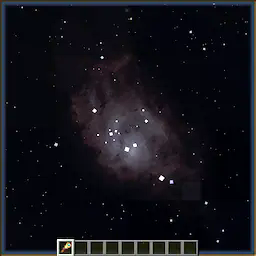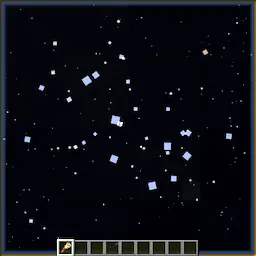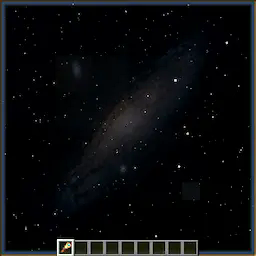
### Shooting Stars / Meteor Showers
At night, you can occasionally see streaks of light shoot across the sky. Meteors often belong to a meteor shower, where multiple will appear to radiate from the same point in the sky. Some are sporadic, not associated with any shower. Meteors showers occur at predictable times each year. The Perseids for example, are visible around the middle of summer, around MC day 142. Occasionally, certain meteor showers can even produce “meteor storms”.
Below are a few example meteor showers:
|Name |Radiant |Peak Day (/365¼)|Peak Day (/96)|
|————-|——————-|—————-|————–|
|Lyrids |Lyra |33 |9 |
|Eta Aquariids|Aquarius |46 |12 |
|Perseids |Cassiopeia, Perseus|142 |37 |
|Orionids |Orion |211 |55 |
|Leonids |Leo |239 |63 |
|Geminids |Gemini |266 |70 |
|Quadrantids |Boötes |287 |75 |
### Spyglass
The spyglass is an essential tool for exploring Astrocraft’s skies, as it lets you observe an area of the sky in much greater detail. It increases the brightness of stars, and shows objects that would otherwise be too dim, like Uranus or Neptune.
What you can see using a spyglass depends on multiple factors, such as Y position or moon phase. It is better to climb a mountain and point upwards to observe very dim objects like nebulae.
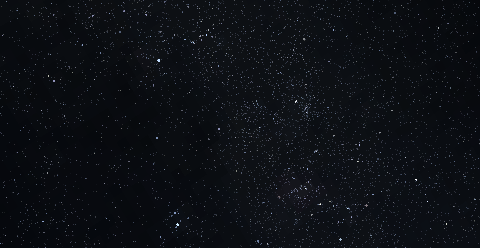
Using the mouse scroll wheel, you can zoom in and out up to 500x.
Planets / Solar System Objects
By default, this mod adds all major planets, along with many other objects in the solar system.
Planets are rendered similar to stars when not zoomed in, although typically brighter, larger and more vividly colored. Unlike stars, planets move against the fixed background of stars, traversing the zodiac as the days go by.
The positions of these planets in the sky are calculated using their orbital parameters (fully configurable), while also taking into account earth’s own orbit. These include:
– Semi-Major Axis
– Orbital period
– Eccentricity
– Inclination
– Precession
The brightness or size of a planet is calculated using:
– Diameter and Albedo
– Distance to Earth / Observing Planet
– Distance to the Sun
– Phase Angle (Different phase curve models are used for different planets)
Satellites of planets (including The Moon) or even the Sun use the same algorithm. When the angular diameter of a planet exceeds a certain size, the mod switches from star-like rendering to vanilla-moon-like rendering.
Using a spyglass allows you to see stars, planets, asteroids or moons that are too faint to see with the naked eye. If you zoom in enough, planets can be rendered with a texture, some showing phases like the moon (Venus and Mercury).
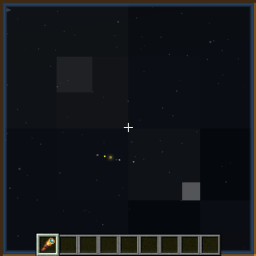
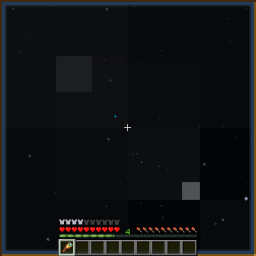
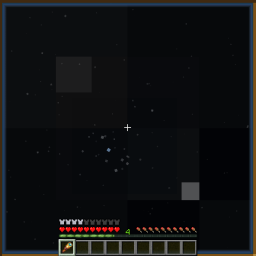

Below is a table of the planets (except Earth), with descriptions of their in-game appearances:
|Planet |Brightness |In-game Color|Notes |
|——-|———–|————-|—————————————————-|
|Mercury|Moderate |Beige |Visible at sunrise / sunset |
|Venus |Very Bright|White |Visible before sunrise / after sunset |
|Mars |Dim-Bright |Orange |Much brighter at opposition |
|Jupiter|Bright |Yellow-Brown |Four moons are visible using a spyglass |
|Saturn |Moderate |Yellow-Green |Shows rings with enough zoom |
|Uranus |Dim |Cyan |Usually requires a spyglass to see |
|Neptune|Dim |Blue |Requires a spyglass to see |
Over 100 asteroids have also been added, including Vesta and Ceres. These appear similar to dim stars.
### Moons
Both Jupiter and Saturn have easily observable moons. In a spyglass, they look like stars revolving around the planet. You can see moons move around over a single night, as they often have short orbital periods.
You can also see the moons of Mars, Uranus, and Neptune with some difficulty.
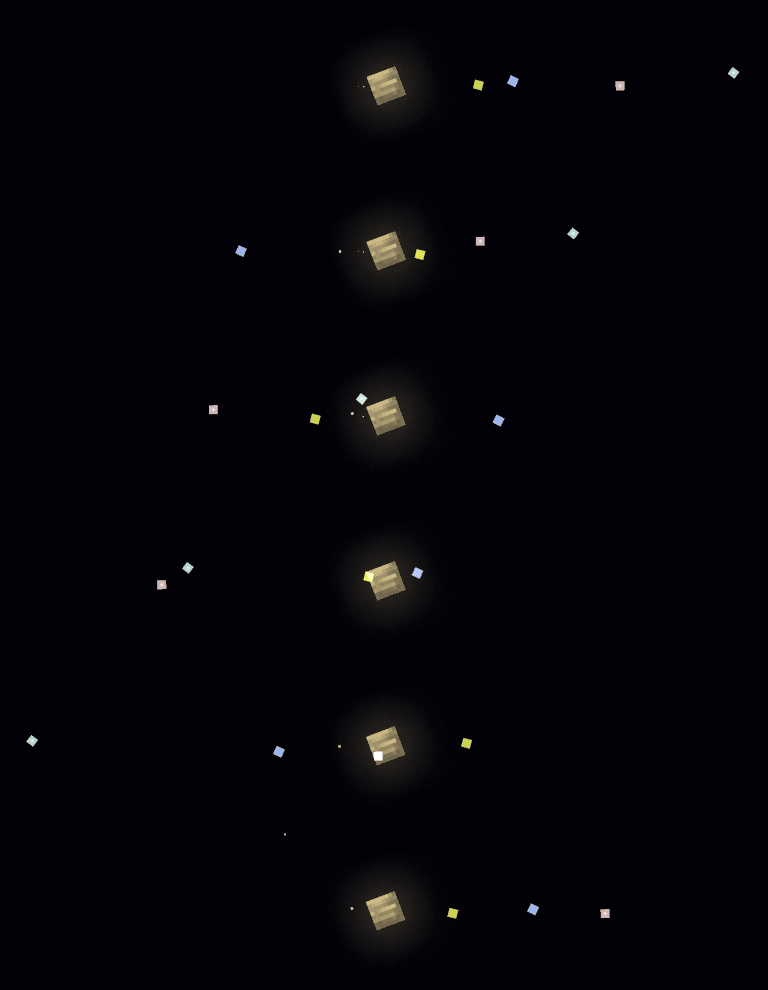
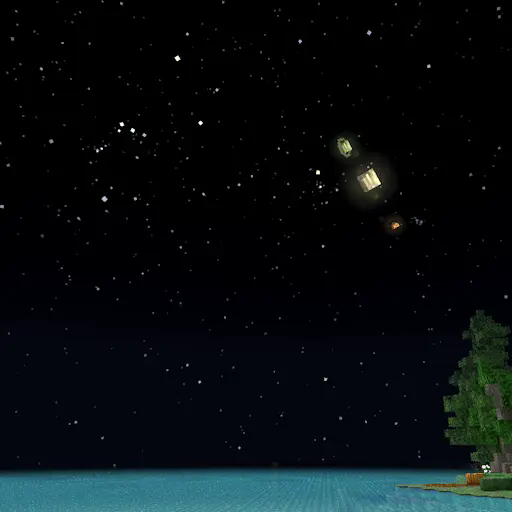
### Big Planets Mode
This option scales up the planets and renders planets using textures like the MC moon, rather than realistic star-like rendering.
### See space from other planets
Using the “Observing Location” option, you can easily switch the perspective from Earth to any other object, including planets, moons, asteroids or even the sun. This shows you how other planets / moons appear from planets other than Earth (like Earth from Mars, or Jupiter from Europa). It also simulates how lighting changes as you get further from the sun (try Pluto).
You can also switch to other nearby stars, for example “Proxima Centauri B”. The sun will be visible as a yellow star near Cassiopeia.
### Configuration + Custom Planets
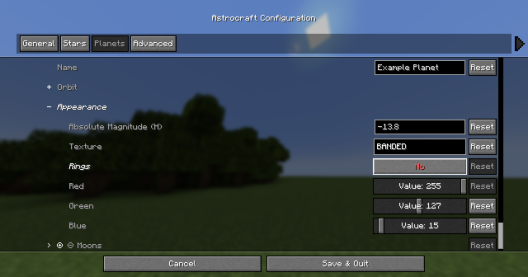
Planets are fully configurable, you can edit existing planets or even add your own.
|Orbit Options |-|
|————————-|-|
|Perihelion Distance (AU) |This is the closest the planet gets to the sun|
|Aphelion Distance (AU) |This is the furthest the planet gets to the sun|
|Orbital Period (years) |How many earth-years it takes for the planet to complete an orbit|
|Inclination (deg) |The angle which the orbit is tilted by, measured from the ecliptic|
You can also add or remove moons to each planet, which are editable just like planets.
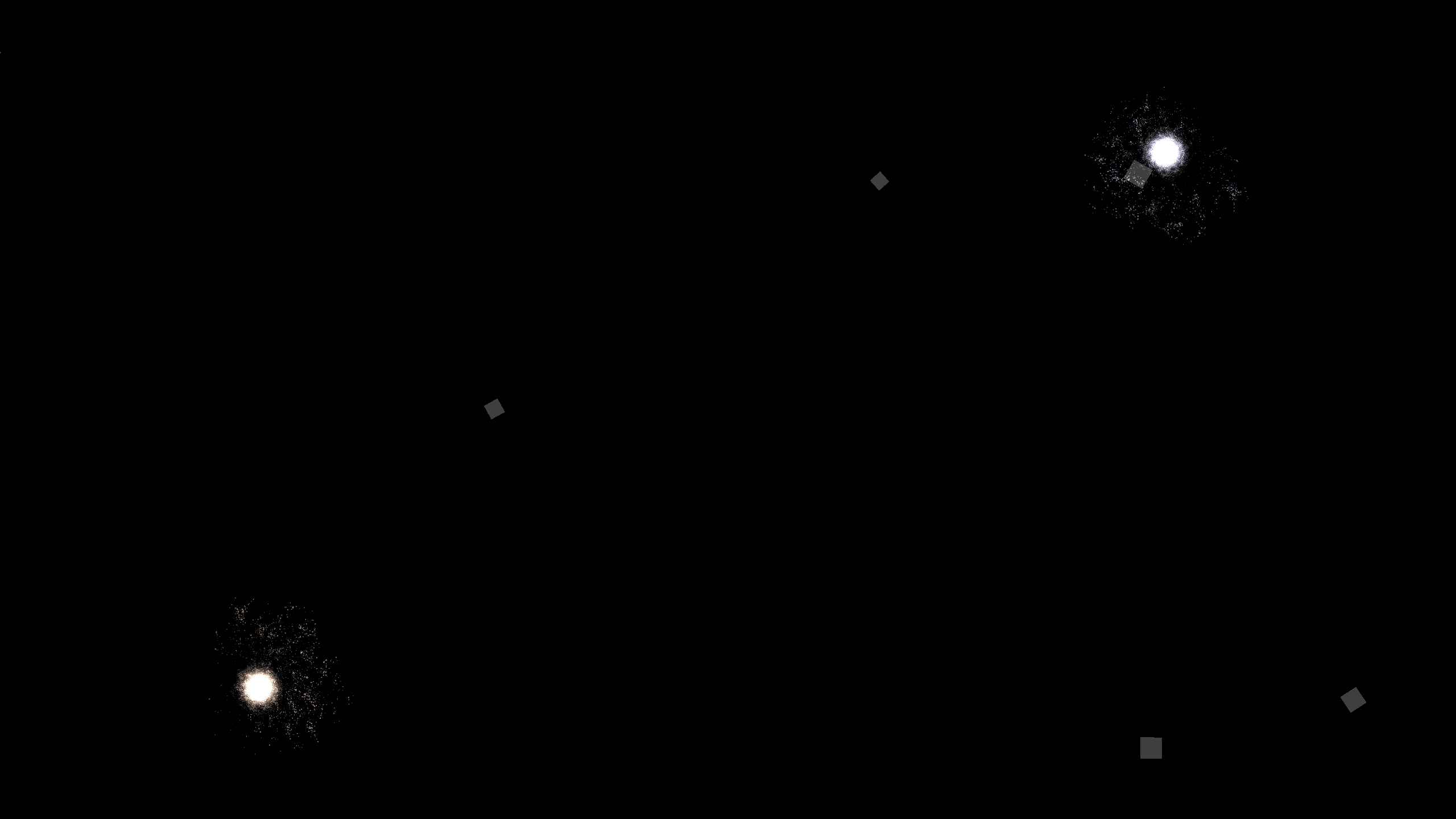
Setting a planet’s model to “Star”, will turn it into a star, you can make the solar system a binary stars system this way.
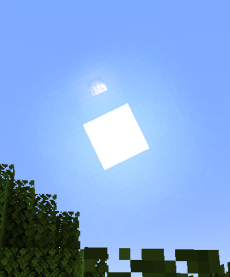
Below shows a custom planet so big that it is visible during the day:
Changes to the Sun & Moon
### Positions in the Sky
Unlike in vanilla minecraft, where the sun and moon always pass overhead, they are instead tilted by the latitude set in the configuration (30°N by default). Additionally, the sun’s path is also affected by its declination which changes throughout the year cycle (365 ingame days by default). Disable the ‘Tilted Sky’ setting in the config for vanilla behavior.
Throughout the year, the sun moves relative to the stars, travelling through the zodiac. This determines which stars can be seen at a given time.
### Changing Day / Night Lengths
Times of sunrise / sunset are also affected by the sun’s declination, with longer days and shorter nights during the summer, and the opposite during the winter. Setting latitude to 90° or -90° in the configuration will simulate the polar day / night experienced at the poles.
### The Moon
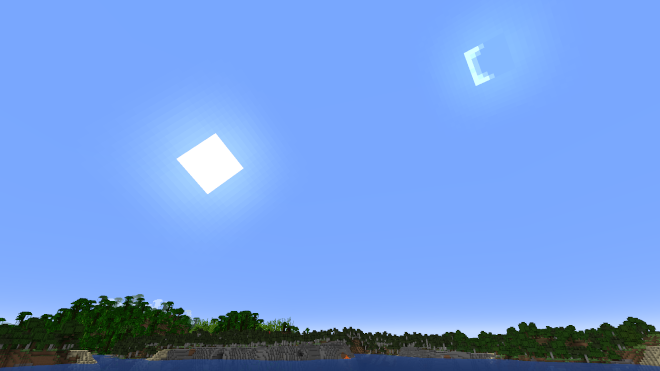
The moon’s position relative to the sun will depend on the moon’s phase. At full moon, the moon stays opposite the sun, just like in vanilla minecraft. However, during a crescent phase, the moon will appear just to the left or right of the sun, and can be seen during the day. This mod also adds moonlight, which lights up the night around the full moon.
### Eclipses
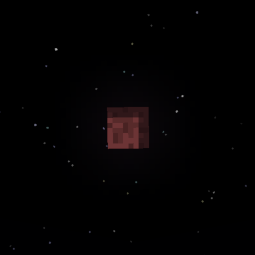
A lunar eclipse occurs when a full moon coincides with the moon crossing the ecliptic, the moon turns red and moonlight dims.
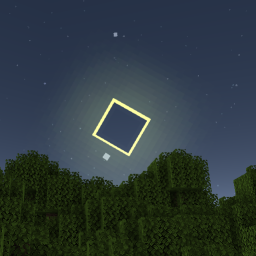
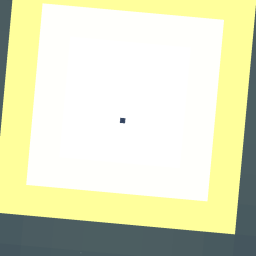
During a new moon, the moon can partially or fully cover the sun, blocking out the sunlight and dimming the sky until it is just like night-time. Other astronomical objects, such as Mercury and Venus also eclipse the sun, which you can observe as a small black spot traversing the sun’s disk.
Customization
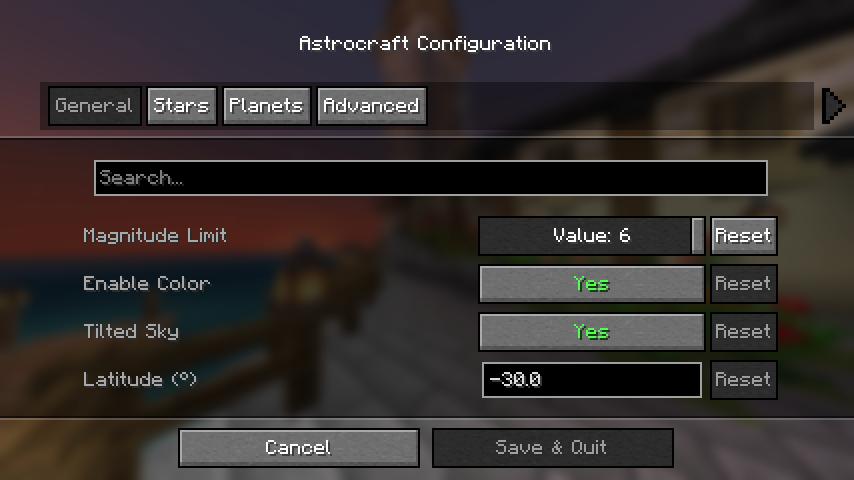
If you have mod menu installed you can open the configuration menu, otherwise edit the config file at: “config/astrocraft.json”.
Here you can toggle stars or planets off, reduce star coloring, add your own stars and planets, and much more.
### Magnitude Limit
This is the main option affecting performance, it changes how many stars are shown. Increase to 6 for a more detailed night sky. Reduce if you have performance issues, or you want to simulate urban light pollution.
### Year Length
Default “Year Length” is 365.25 minecraft days, this also affects the orbital period of every planet / moon. On singleplayer worlds, this may be too slow for you, so you can reduce it to something like 96 days.
### Multiplayer Compatibility
Positions of planets and stars are calculated from the world time, therefore other players on the same world will see the same stars and planets as you. This won’t be the case if you change certain settings, such as “year length” or most settings in the “Planets” category.
### Overlays and Constellations
In the “Overlays” categories, you can enable overlays rendered over the sky. The “Show Constellations” option, helps you see constellations by drawing lines between stars, showing which stars make up each constellation.
There are also options to show a grid or the ecliptic.
### Live Mode
Live Mode uses the current real-life planet positions. It can also use irl time of day, but you have to set a longitude and latitude to use.
### Globe Mode
Instead of fixed longitude and latitude, you can have it change based on your coordinates in the MC world.
Mod Compatibility
### Serene or Fabric Seasons
Astrocraft automatically syncs to these mods’ config files, so the seasons line up properly.
Default config Serene Seasons:
– “Year Length”: 96
Default config Fabric Seasons:
– “Year Length”: 112
## Minor Compatibility Issues
### Enchanced Celestials
Blood moons will not coincide with Astrocraft lunar eclipses, you may want to disable astrocraft eclipses to avoid confusion.
### Ad Astra
Astrocraft’s skies won’t show up on other planets. There is [a mod](https://modrinth.com/mod/astrocompat) by [mynameisjeffitowastaken](https://modrinth.com/user/mynameisjeffitowastaken) to fix this, which also automatically changes the Observing Planet option to match your current planet.
### Shaders
May have a lot of visual bugs, such as duplicated suns and moons, ugly stars, etc.
## Fixable Compatibility Issues
Please read through this section if you use other mods, especially if you are a modpack creator.
### BadOptimizations
Set “enable_sky_angle_caching_in_worldrenderer” to “false” in the BadOptimizations config file at “config/badoptimizations.txt”
Otherwise, the sun and sky will move back and forth in weird directions.
### AdditionZ
Disable AdditionZ’s Polar Star, also messes up the sky.
## Incompatible
These mods will probably not work or crash with Astrocraft:
– Fabric Skyboxes
– Blinking Stars
## Forge
Install [Sinytra Connector](https://modrinth.com/mod/connector) if you want to it use with forge or neoforge.
If you have any issues, contact the mod author pymsrps, and post the full logs.
Assassin Manhunt
# Assassin Manhunt
A Minecraft datapack that recreates the “[Speedrunner vs Assassin](https://youtu.be/ZfeNh8E3O4c)” videos by [Dream](https://www.youtube.com/@dream).
Using the [Tracker Compass](https://modrinth.com/project/VUWLXSqp) datapack is not required, but strongly recommended.
## Rules
– Assassins can kill speedrunners in one hit
– Speedrunners can freeze assassins in place by looking at them
– When a speedrunner is looking at an assassin, neither of them can hit each other
– Using bows and other projectiles on each other are not allowed (but due to the limitations of datapacks this isn’t enforced)
## Installation
Datapack version:
– Download [latest release](https://modrinth.com/datapack/assassin-manhunt/versions)
– Locate your world’s datapack folder (`.minecraft/saves/[your_world_name]/datapacks`)
– Place the datapack into the datapack folder
– Make sure the datapack is enabled by using `/datapack list`. If it isn’t, enable it with `/datapack enable “file/assassin-hunter-(version_number).zip”`
Mod version:
– Download latest version from Modrinth
– Place mod into mods folder (`.minecraft/mods`)
## How to Use
To set the assassins, use:
“`
/team join Hunters player_name
“`
To set the speedrunners, use:
“`
/team join Runners player_name
“`
(If using the Tracker Compass datapack)
To give the assassins their compasses, use:
“`
/function tracker:start
“`
More information about the compasses can be found [here](https://github.com/TWS2401/tracker-compass/blob/main/README.md).
## Attribution
This datapack’s icon uses [Twemoji](https://github.com/jdecked/twemoji) assets, which are licensed under [CC BY 4.0](https://creativecommons.org/licenses/by/4.0/).