Craft an Armored Elytra at the Smithing Table! Use a Netherite Upgrade with Netherite Chestplate + Eltra to keep the chestplate’s enchantments on the wings. Currently works only with Netherite chestplates. New variants.
Armored Elytra
# Armored Elytra
## Description
A simple implementation of the classic idea of being able to combine a chestplate and elytra.
To craft an armored elytra just combine any chestplate with an elytra and a phantom membrane in a smithing table to bind them together.
You can download the [resource pack] to install the accompanying textures for this data pack.
1. Download the [data pack] then drag and drop the ZIP file into the `datapacks` folder of the world that you would like to add this data pack to. For example `%appdata%/.minecraft/saves/world/datapacks`.
2. Enable the data pack using `/datapack enable “file/armored-elytra.zip”`.
3. **Optional:** Install the accompanying [resource pack] by downloading the ZIP file, then drag and drop the file into your `resourcepacks` folder. For example `%appdata%/.minecraft/resourcepacks`.
# Armistice
Machines from tomorrow, bringing peace to today
## 📖 About
In their time they were called Cruelty Engines: Invincible machine gods in humanity’s far future, born from greed and spite, unshackled from dominion; possessing a singleminded devotion to annihilation.
The survivors moved underground–living in fear of the machines that now ruled the earth.
Among the endless flotsam and jetsam washed up by the stellar winds and temporal tides, their wreckage has been rediscovered. The great hollow shells were repurposed not for the destruction of life, but rather its preservation. In this time beyond time, they are known as Peace Engines for the inscription found scratched inside in desperate hand: “Let those who read the words in this engine live in a world that only knows peace”
## Gameplay
Armistice is currently in early Alpha. To create a Peace Engine, craft it from schematics of armor, chassis, hull and ordnance.
To create a Cruelty Engine, move near a Peace Engine and run `/data merge @n[type=armistice:mecha] {morality:0b}`
## 📚 Citations
Aristidou, A., & Lasenby, J. (2011). FABRIK: A fast, iterative solver for the Inverse Kinematics problem. Graphical Models, 73(5), 243–260. doi:10.1016/j.gmod.2011.05.003
Lansley, A., Vamplew, P., Smith, P., & Foale, C. (2016). Caliko: An inverse kinematics software library implementation of the FABRIK algorithm. Journal of Open Research Software, 4(1).
Armadillo Boxes
This mod adds a new Shulker-like block for the people who dont want to go to the end for some better storage, this Armadillo Box is made with two of its Scutes and a Chest. Adding to Armadillos uses and aiding players early-mid game
This mod will also add Turtle Boxes which also will be a worse Shulker
When Turtle Boxes are added i will make them even worse, they are not a full block and will only be able to insert and extract items from the side which reaches the full block outline. This is currently implemented for the Armadillo Box, shich is alsy why it as a facing property
Ariah’s Simple Teleporters
Ariah’s Simple Teleporters follows both the Minecraft Datapacks [Official Conventions and Style](https://mc-datapacks.github.io/en/conventions/index.html) and the [Smithed Conventions](https://wiki.smithed.dev/conventions/).
## About
Ariah’s Simple Teleporters aims to bring simple two-way teleporters unobtrusively into Minecraft while keeping a vanilla feel. Each teleporter pad is made up of a **netherite block**, so outfitting your world with them is a late game endeavor.
## Optional Resource Pack
There is an optional resource pack introducing a texture for the **teleporter linker**. You can download it if you click on the version you wish to download instead of only hitting the download button. You can find the latest version [here](https://modrinth.com/datapack/ariahs-simple-teleporters/version/1.0.0).
## Creating a Teleporter
To get started, simply place a **netherite block** somewhere in your world. This will serve as your teleport pad, so make sure you can stand on it.
Next, drop an **ender pearl** onto that block. It’ll start smoking and you’ll be given a **teleporter linker**. Take this, and drop it onto another **netherite block** somewhere else in your world (this DOES work across dimensions). Once you’ve done that, the teleporters will link and you’ll begin to see nether portal particles coming from both teleporters.
Teleporters do ensure that the chunk they are in is always loaded in order to allow them to work across any number of blocks and between dimensions.
## Using a Teleporter
In order to use the teleporter, simply stand on top of one of the linked **netherite blocks** and throw an **ender pearl** in any direction. This will instantly teleport you to the other end, without even taking damage!
You can also use a teleporter by standing near one of the **netherite blocks** and throwing your **ender pearl** at the block. Remember that after teleporting you will end up on top of your destination teleporter, so you should still make sure there is space above your teleporters.
## Removing a Teleporter
Removing a teleporter is extremely simple. Just mine one of the linked **netherite blocks** and both teleporters will deactivate. You can then use those **netherite blocks** for another purpose, or you can make new teleporters with them!
## Uninstalling
If you have been using this datapack in your world but want to uninstall it for any reason, first run the command `/function ariahtp:uninstall` in order to remove the teleporter entities and also make sure the chunks they were in don’t continue to be forceloaded.
Arcpocalypse
# The Arcpocalypse
have you ever wanted to become Neco Arc? This is your chance!
Craft two Abyss Lifts and make sure that they’re next to each other and directly above the void. Place a cat in one, place yourself in another, and let yourself stare at the Void, and thus let the Void stare back.

Requires [Pehkui](https://modrinth.com/mod/pehkui) and [QSL/QFAPI](https://modrinth.com/mod/qsl)
# Minecraft’s biggest Server-Only full-feature Magic Mod!
### From powerful items and blocks, to multiblock structures, to custom bosses, Arcana has it all!
 This mod only needs to be installed on a server.
## Texture Pack
The server has the ability to automatically generate and serve the mod’s texture pack to your players when they connect. To do this, you must enable auto-host. This is super easy to do in a few steps:
1. Launch the server with the mod installed at least once to generate the configs
2. Go into the ‘config’ folder of the server, there should be a folder called ‘polymer’, and inside that there should be a file called ‘auto-host.json’
3. In ‘auto-host.json’, in the first few lines there will be a line that says `”enabled”: false`, change this to true.
4. (Optional) You can also set the value to make the resource pack required by players, or set the “message” line to inform players why the resource pack is important to download when they are prompted to have it be auto downloaded.
If everything is done correctly, then players will automatically load into the server with the resource pack installed.
## Commands
### Player Commands
* “`/arcana version“` Shows the current Arcana Novum mod version.
* “`/arcana help“` Opens the Arcana Guide Book GUI.
* “`/arcana guide“` Opens the Arcana Guide Book GUI (alias for help).
* “`/arcana items“` Shows your current Arcane Concentration usage and a breakdown of items taking concentration.
* “`/arcana show“` Shows off the Arcana Item in your main hand to all players on the server.
* “`/arcana blocks“` Lists all of your placed Arcana Blocks, including their location and dimension.
### Admin Commands
* “`/arcana create []“` Creates an Arcana Item by its ID and gives it to yourself, or to the specified target players.
* “`/arcana cache“` Opens the Compendium GUI for browsing and retrieving Arcana Items and ingredients.
* “`/arcana reload“` Reloads the Arcana Novum configuration and refreshes recipes.
* “`/arcana blocks “` Lists all of a specified player’s placed Arcana Blocks.
* “`/arcana uuids “` Lists all Arcana Items in a player’s inventory with their unique IDs, and flags any duplicates.
* “`/arcana infuse []“` Infuses the held item to the specified enhancement percentage (0-100). Use 0 to strip enhancements.
* “`/arcana xp add [points|levels]“` Adds Arcana XP points or levels to the selected players.
* “`/arcana xp set [points|levels]“` Sets the Arcana XP points or levels for the selected players.
* “`/arcana xp query “` Queries a player’s current Arcana Level and XP.
* “`/arcana skillpoints add “` Adds skill points to the selected players.
* “`/arcana skillpoints set “` Sets the skill points for the selected players.
* “`/arcana skillpoints query “` Queries a player’s current skill points.
* “`/arcana achievement grant “` Grants an achievement to the selected players.
* “`/arcana achievement revoke “` Revokes an achievement from the selected players.
* “`/arcana achievement query “` Queries whether a player has a specific achievement.
* “`/arcana research grant “` Grants research for an Arcana Item to the selected players.
* “`/arcana research revoke “` Revokes research for an Arcana Item from the selected players.
* “`/arcana research query “` Queries whether a player has researched a specific Arcana Item.
* “`/arcana augment apply []“` Applies an Augment at the specified level to the held Arcana Item. Cannot downgrade existing augments.
* “`/arcana augment setlevel []“` Sets an Augment to the specified level for a player. Use level 0 to remove.
* “`/arcana changeCrafter crafted|synthesized|earned|found“` Changes the crafter tag on the held Arcana Item to the specified player and acquisition type.
* “`/arcana changeSkin “` Changes the cosmetic skin on the held Arcana Item to an unlocked skin, or “none” to reset to default.
* “`/arcana boss start dragon“` Starts the Dragon Boss fight.
* “`/arcana boss resetAbilities “` Resets the boss’s ability cycle. Set doAbility to true to immediately trigger a new ability.
* “`/arcana boss forceLairAction“` Forces the boss to perform a lair action.
* “`/arcana boss abort“` Aborts the current boss fight.
* “`/arcana boss clean“` Cleans up any lingering entities or effects from a boss fight.
* “`/arcana boss status“` Displays the current status of the active boss fight.
* “`/arcana boss forcePlayerCount “` Overrides the player count used for boss difficulty scaling.
* “`/arcana boss announce
### Admin Configuration Commands
All configuration values can be viewed and changed with `/arcana config [value]`. Omitting the value will display the current setting. Changes take effect immediately and are persisted across restarts. See the [GitHub](https://github.com/borisshoes/ArcanaNovum/releases/tag/v4.0.0%2B1.21.11) for more details.
### Permission Nodes
Arcana Novum uses the [Fabric Permissions API](https://github.com/lucko/fabric-permissions-api) for command permissions. Each node has a fallback vanilla permission level for servers without a permissions mod. See the [GitHub](https://github.com/borisshoes/ArcanaNovum/releases/tag/v4.0.0%2B1.21.11) for more details.
### LICENSE NOTICE
By using this project in any form, you hereby give your “express assent” for the terms of the license of this project, and acknowledge that I, BorisShoes, have fulfilled my obligation under the license to “make a reasonable effort under the circumstances to obtain the express assent of recipients to the terms of this License.
Aquaculture Delight
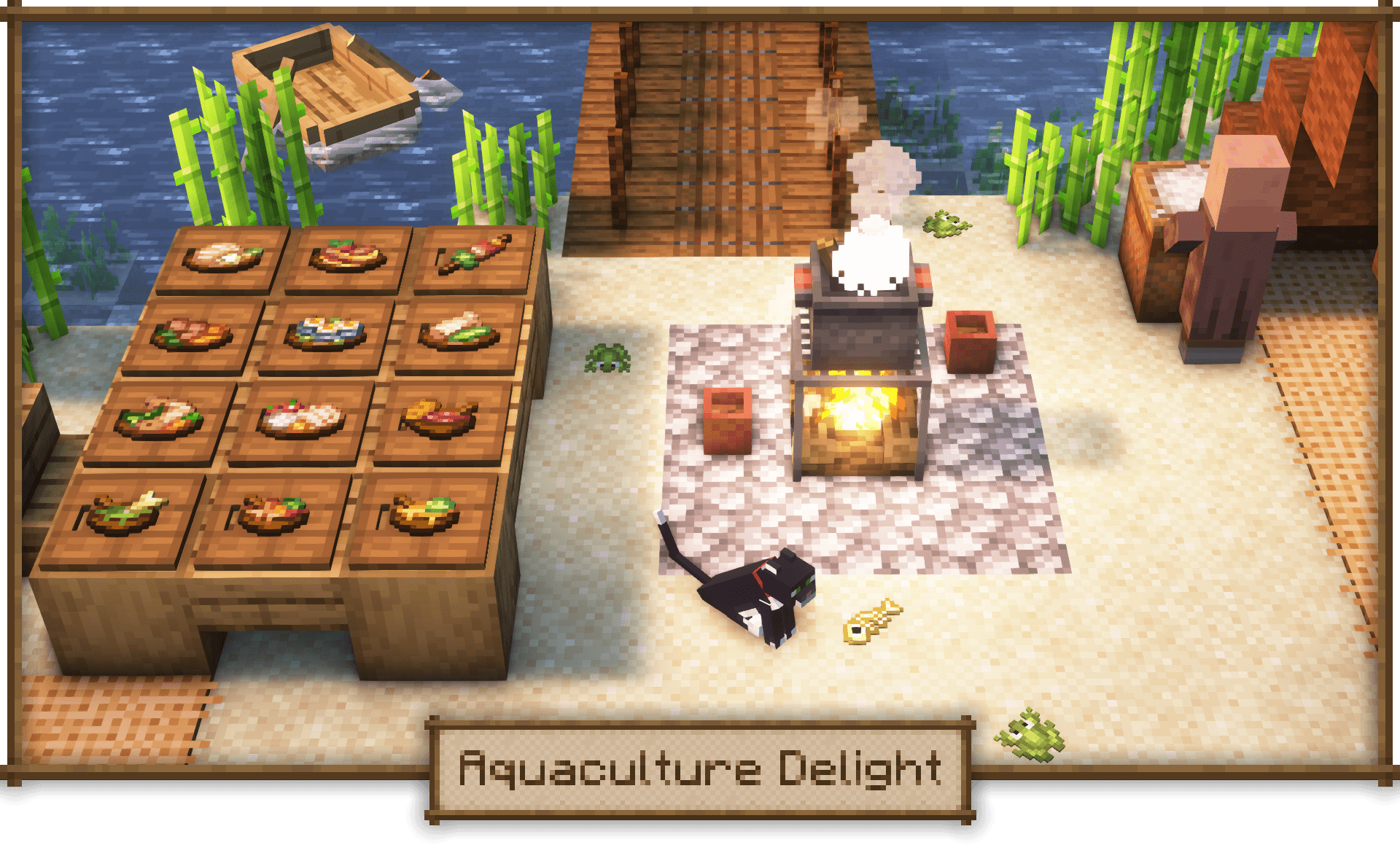
Available on [Curseforge](https://www.curseforge.com/minecraft/mc-mods/aquaculture-delight) & [Modrinth](https://modrinth.com/mod/aquaculture-delight)
### 📖 About
Aquaculture Delight is an add-on for [Farmer’s Delight](https://modrinth.com/mod/farmers-delight) that adds compatibility with [Aquaculture 2](https://www.curseforge.com/minecraft/mc-mods/aquaculture). Lightweight and compatible with most other food mods via common tags by default.
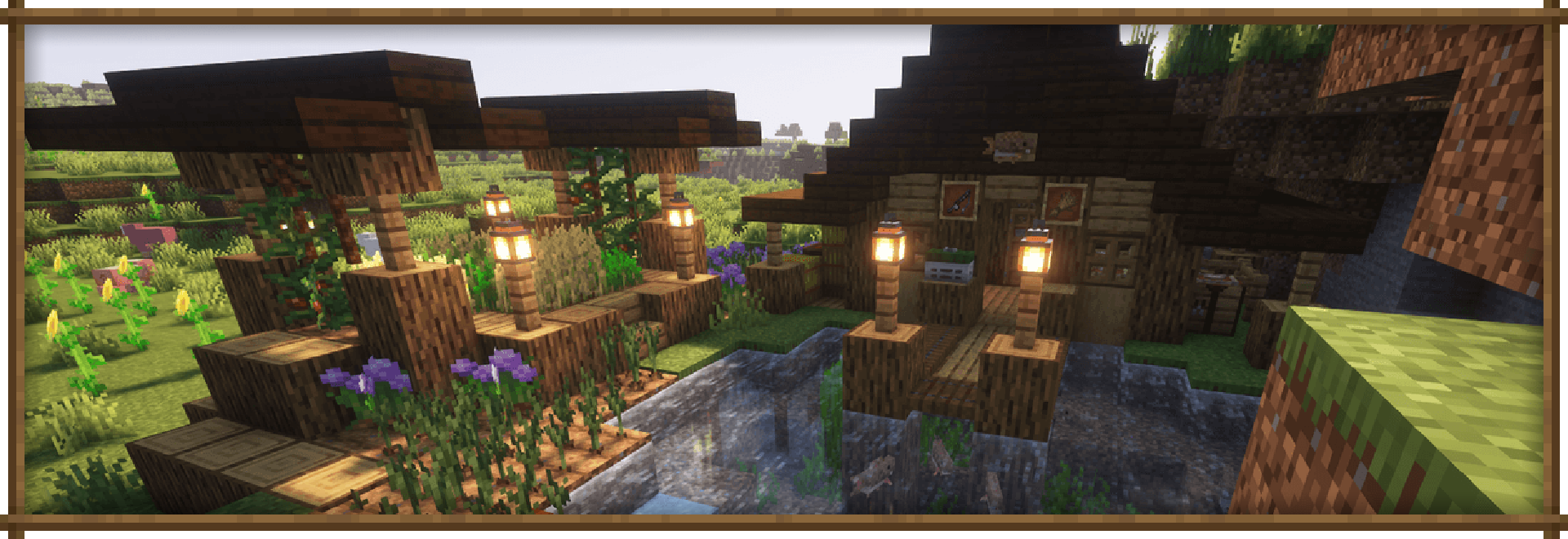
Compatible with [Farmer’s Structures](https://www.curseforge.com/minecraft/mc-mods/farmers-structures)
### 🐟 Main Features
– Use Aquaculture fish to make new dishes wtih useful effects. Placeable food included.
– Neptunium Knife, the little brother of the similar fillet knife. FarmersDelight-ish stats.
– Mutual compatibility of Farmers’ and Aquaculture knives for all purposes.
– Additional helpful recipes for cooking pot and cutting board.
– And much more! – Detailed description available [here](https://www.curseforge.com/minecraft/mc-mods/aquaculture-delight).
### 💬 Permissions
✔️ You are allowed to include this mod in [Curseforge](https://www.curseforge.com/minecraft/mc-mods/aquaculture-delight) & [Modrinth](https://modrinth.com/mod/aquaculture-delight) modpacks. Also feel free to use this mod in your videos (I would appreciate it if you leave a link to the mod page in the description).
❌ You are not allowed to reupload this mod to any other websites/launchers/apps, use any contents of this mod (textures, models, recipes, tags, etc) in other projects, sell this mod in any way or include in paid modpacks – this mod is free for all players.
Advanced Packaging Tool
# apt-mc 📦
**The Advanced Packaging Tool for Minecraft Servers.**
> *Stop downloading JARs manually. Start managing plugins like a pro.*
`apt-mc` brings the familiar, powerful experience of the Linux command line (`apt-get`) to your Spigot/Paper server. Search, install, update, and manage your plugins directly from the game chat or console, all powered by the robust **Modrinth API** (with optional support for **Hangar**).
—
## ✨ Features
– **🚀 Seamless Installation**: Install plugins by name (`/apt install viaversion`) or bulk install multiple plugins at once.
– **🧠 Smart Dependency Resolution**: Automatically detects and installs required dependencies for you (Modrinth only).
– **🔄 Auto-Updates**: Run `/apt upgrade` to scan your entire `plugins` folder, compare hashes with Modrinth, and download the latest versions automatically.
– **📋 State Management**:
– **Export**: Save your server’s plugin state to a YAML manifest (`/apt export`).
– **Import**: Restore a server’s setup or replicate it to another server with a single command (`/apt import`).
– **⚡ High Performance**:
– **Parallel Downloads**: Updates and installs happen asynchronously.
– **Persistent Caching**: Caches plugin metadata to minimize API usage and speed up commands.
– **🛡️ Safe Updates**: Updates are downloaded to the standard `update/` folder, ensuring a safe swap upon the next server restart.
– **🖥️ Clean UI**:
– Uses the **Action Bar** for progress updates to prevent chat spam.
– Intelligent console throttling keeps your logs readable.
—
## 🛠️ Commands
| Command | Description |
| :— | :— |
| `/apt install ` | Install one or more plugins. Auto-resolves dependencies. |
| `/apt remove ` | Delete a plugin JAR file from the server. |
| `/apt upgrade` | Check **all** installed plugins for updates and download the latest versions. |
| `/apt search ` | Search the Modrinth (and optionally Hangar) database for plugins. |
| `/apt info ` | View detailed metadata, author, license, and dependencies. |
| `/apt list` | List all installed plugins and their resolved versions. |
| `/apt export [file]` | Export the current plugin state to a YAML manifest (default: `apt-manifest.yml`). |
| `/apt import [file]` | Import and install plugins from a YAML manifest. |
| `/apt update` | Refresh the package cache (simulated parody command). |
| `/apt help` | Show the help menu. |
—
## ⚙️ Configuration
The `config.yml` allows you to customize the interface and sources:
“`yaml
# Whether to use the action bar for status updates and progress bars.
use-action-bar: true
# Interval in seconds to update progress in the console.
console-progress-interval: 5
# Enable references to the song “APT.” by Rosé & Bruno Mars
apt-song-references: true
# Enable scanning the PaperMC Hangar API for plugins (default: false)
enable-hangar: false
# Priority order for search results and installations.
source-priority:
– modrinth
– hangar
“`
—
## 📦 Manifest Format
The export file uses a simple YAML structure, allowing you to manually define plugins by Project ID or version for easy sharing.
“`yaml
project-details:
title: My Server
author: Admin
plugins:
# Install specific version
ViaVersion: “modrinth:viaversion/5.2.1”
# Install latest version
Sodium: “modrinth:sodium/latest”
“`
—
## 📥 Installation
1. Download the latest **apt-mc** JAR from the Versions tab.
2. Drop it into your server’s `plugins` folder.
3. Restart your server.
4. Run `/apt update` (just for fun!) and start installing.
—
## 🤝 Open Source
This project is open source! We welcome contributions, bug reports, and feature requests.
* **License**: MIT
* **Build System**: Gradle
—
*Note: This plugin acts as a bridge to Modrinth and Hangar. Please ensure you comply with the licenses of the plugins you install.*
Applied Pneumatics
# Applied Pneumatics
An add-on for **Applied Energistics 2** × **PneumaticCraft: Repressurized**.
Brings **compressed air storage**, convenient **temperature control**, and **automated Amadron trading** into the ME Network.
## Features Overview
* **Air Storage**: Adds ME Air Storage Cells. The portable version can also function as an air tank.
* **ME Pressure Interface**: Maintains a target pressure by inserting/extracting air from the ME Network. Externally follows PneumaticCraft’s high-to-low pressure diffusion.
* **ME Temperature Interface**: Consumes AE energy and compressed air to maintain a set temperature. Externally follows PneumaticCraft’s natural heat diffusion.
* **P2P Tunnels**: Two new tunnel types (Air / Temperature) for cross-area distribution and balancing.
* **Amadron Integration**: Wireless Terminal + Processing Station. Supports saving “infinite supply trades” as patterns for AE automation.
* **AE Bus Compatibility**: Import/Export/Storage buses can interact with air containers.
* **New Amadron Trades**: Adds new trades for buying and selling basic resources.
## Other Info
– **Compat / Integrations**
– Install **MEGA Cells** to unlock larger **ME Air Storage Cells** (from **1M** up to **256M**).
– Install **ExtendedAE** to unlock an extended version of the **Amadron Processing Station**.
– **Built-in Resource Pack**
– This mod includes a built-in resource pack that lets you use the **AE 1.20.1-style** visuals on **1.21.1**, and vice versa.
– **Dark Resource Pack**
– If you want a dark theme, please download **[Applied Pneumatics Dark Mode](https://modrinth.com/resourcepack/applied-pneumatics-dark-mode)**.
– **In-game Documentation**
– A detailed feature guide is available in-game via **GuideME**.