Alternative Redstone Torch
## The Problem
1. When you look at the Redstone Torch from an angled position you will see that it’s red circles crosses, and this looks bad.
2. If you view it from the top it’s look exactly like the regular torch
## Solution
1. Made the red circle to be in an X shape, like grass and other plants.
2. Made the center of the torch a bit more reddish.
||||
|–|–|–|
| 
X shaped red circle
|| 
Reddish center
|
| |
| 
Configurable with Respackopts
|| 
Partnered with Bisecthosting
|
||
ArSi’s PVP Pack
# 🔴 ArSi’s PVP Pack
Welcome to **ArSi’s PVP Pack**! This resource pack blends the clean, minimalist aesthetic of the *Bare Bones* style with an aggressive, reddish twist to make your gameplay both smoother and more stylish.
—
## 🎨 The Aesthetic
ArSi’s PVP Pack reduces visual noise by utilizing flat colors and simple textures. The primary focus is a **vibrant red color palette** that flows through the entire game environment.
* **Bare Bones Style:** Simplified textures for maximum performance and a sleek “official trailer” look.
* **Red Tint:** Many textures have been overhauled with a reddish hue to create a competitive, high-energy vibe.
* **Performance Optimized:** Low-resolution simplicity ensures high FPS, making it perfect for Bedwars, Skywars, or PvP.
## 🛠️ Installation
1. Download the `.zip` file.
2. Launch Minecraft and navigate to `Options` > `Resource Packs`.
3. Open the resource pack folder and drop the file inside.
4. Activate the pack in the menu.
—
> **Note:** This pack is inspired by the Bare Bones style. All credits for the original art direction go to the respective creators.
AR’s Better Hotbar
# AR’s Better Hotbar
[](https://www.curseforge.com/members/amongstreality/projects)
[](https://modrinth.com/user/amongstreality)
[](https://www.patreon.com/c/AmongstReality)
[](https://buymeacoffee.com/amongstreality)
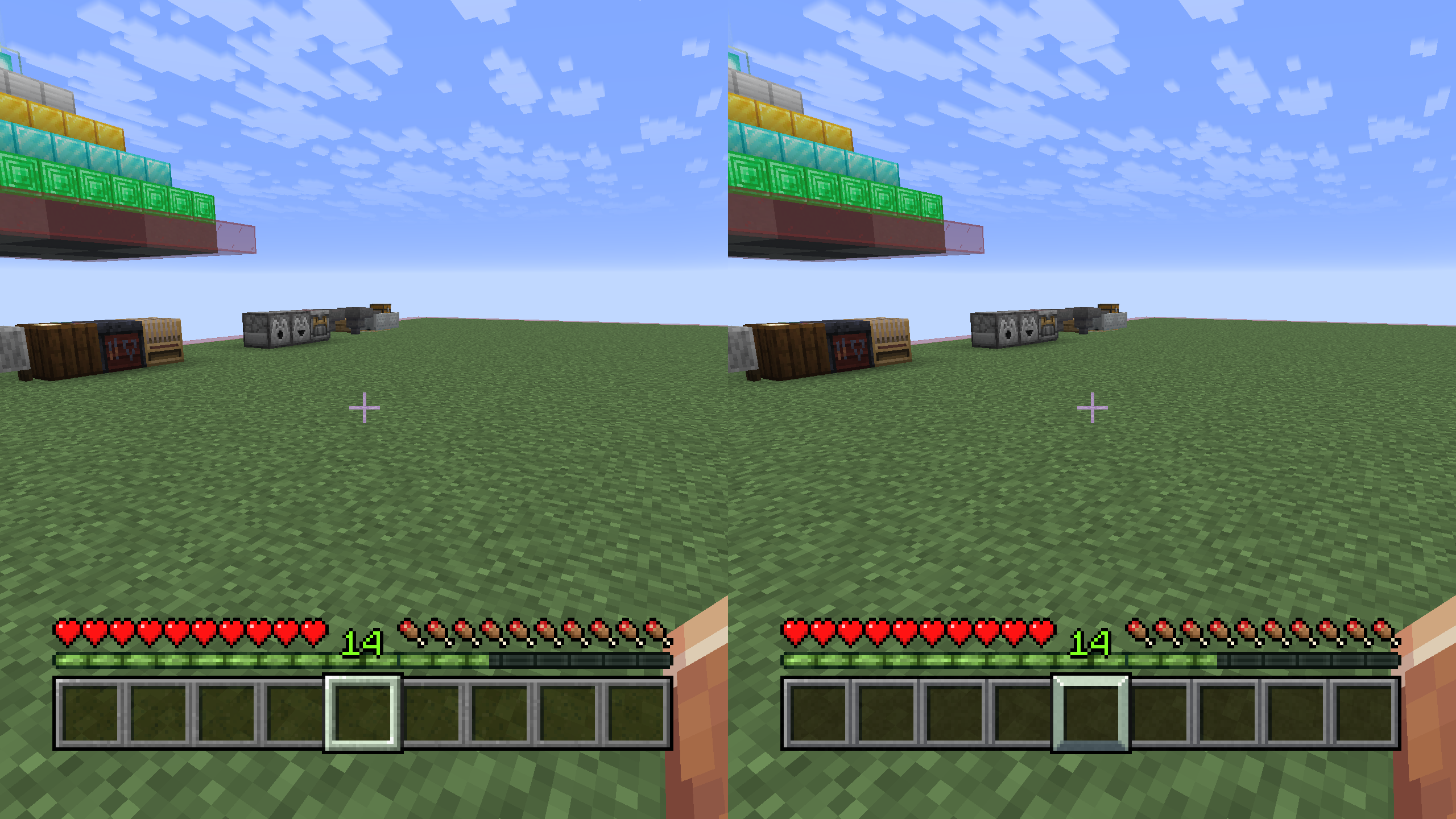
Simple resource pack that changes the hotbar texture to a better one, keeping the vanilla aesthetic.
AR’s OreUI – Dark
# AR’s OreUI(AmongstReality’s OreUI) Dark
[](https://modrinth.com/resourcepack/ars-oreui-dark)
[](https://www.curseforge.com/minecraft/texture-packs/ars-oreui-dark)
[](https://www.patreon.com/c/AmongstReality)
[](https://buymeacoffee.com/amongstreality)
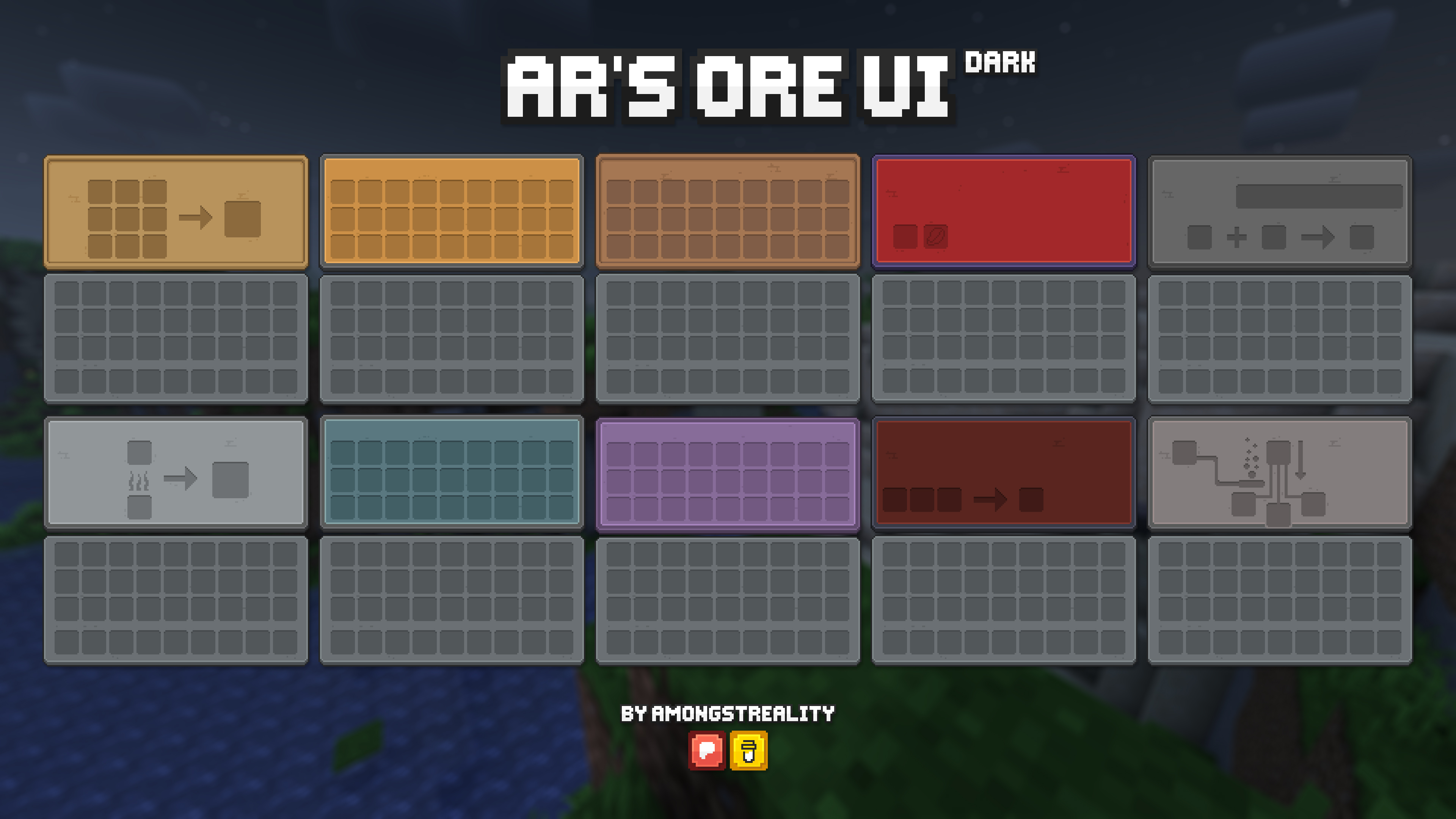
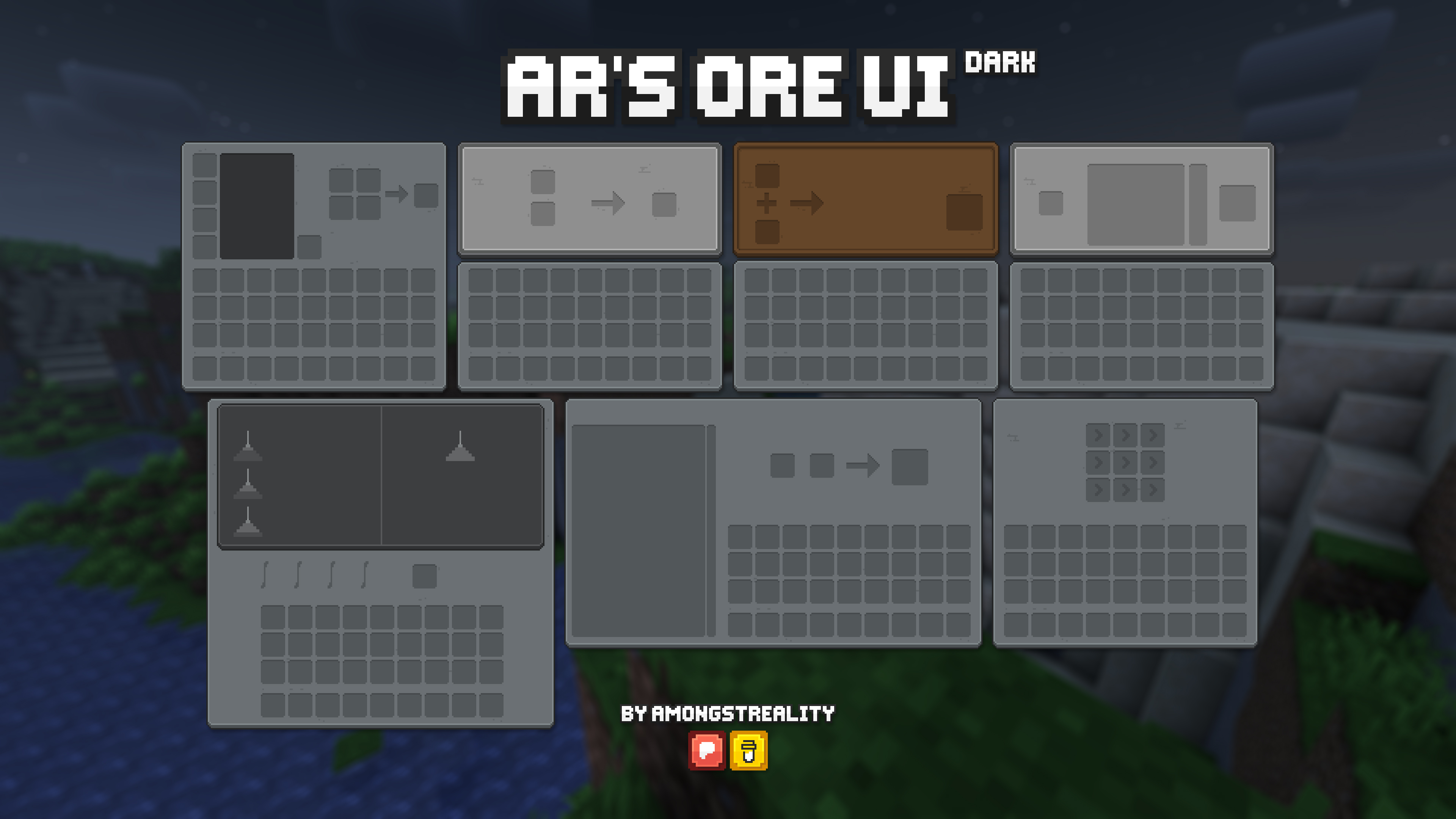
I’ve seen a [leak](https://x.com/xKingDarkYT/status/1873038637899890855) of a new ui for Bedrock, watched some videos and decided to make my own version of it.
Previews
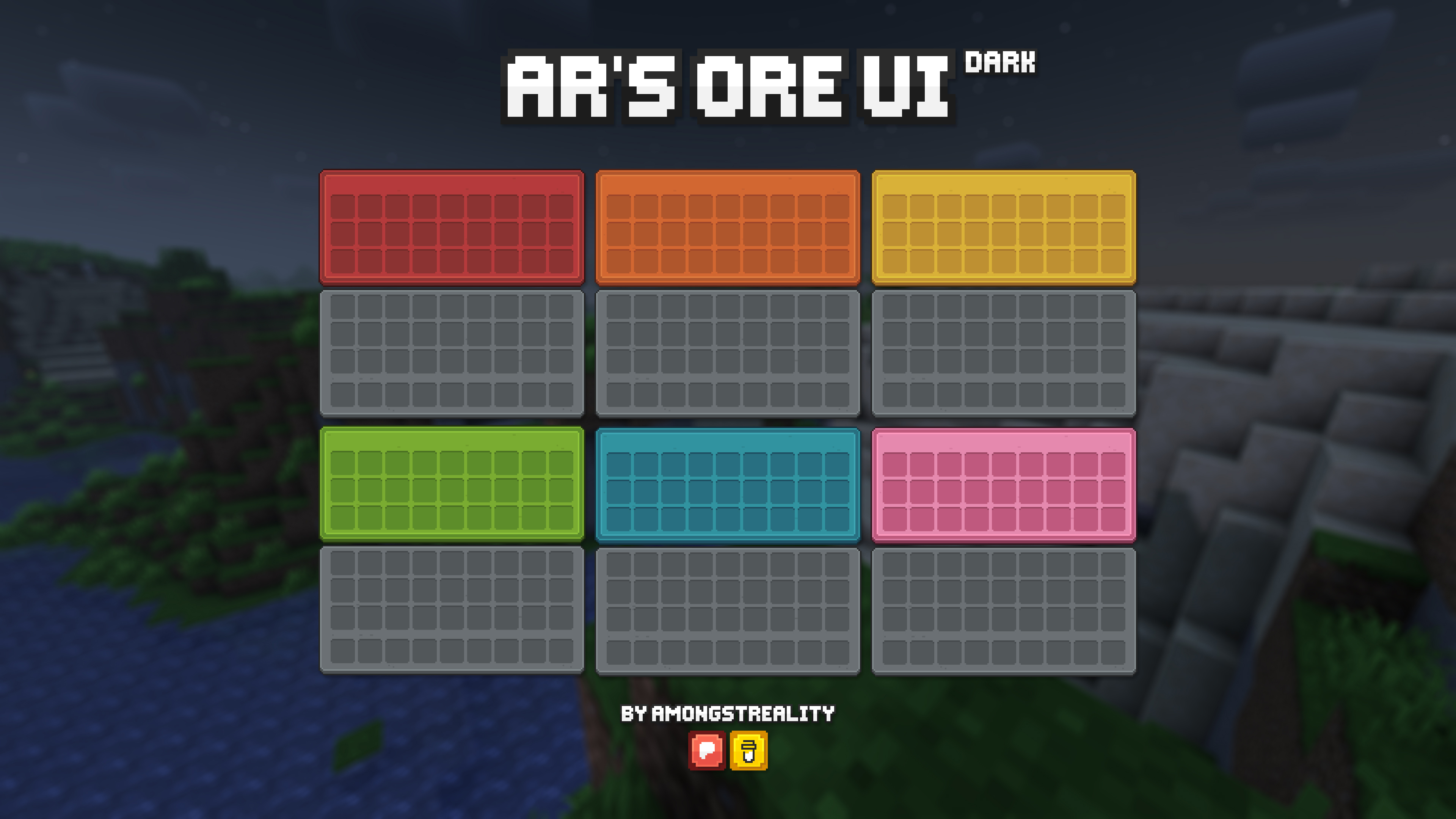
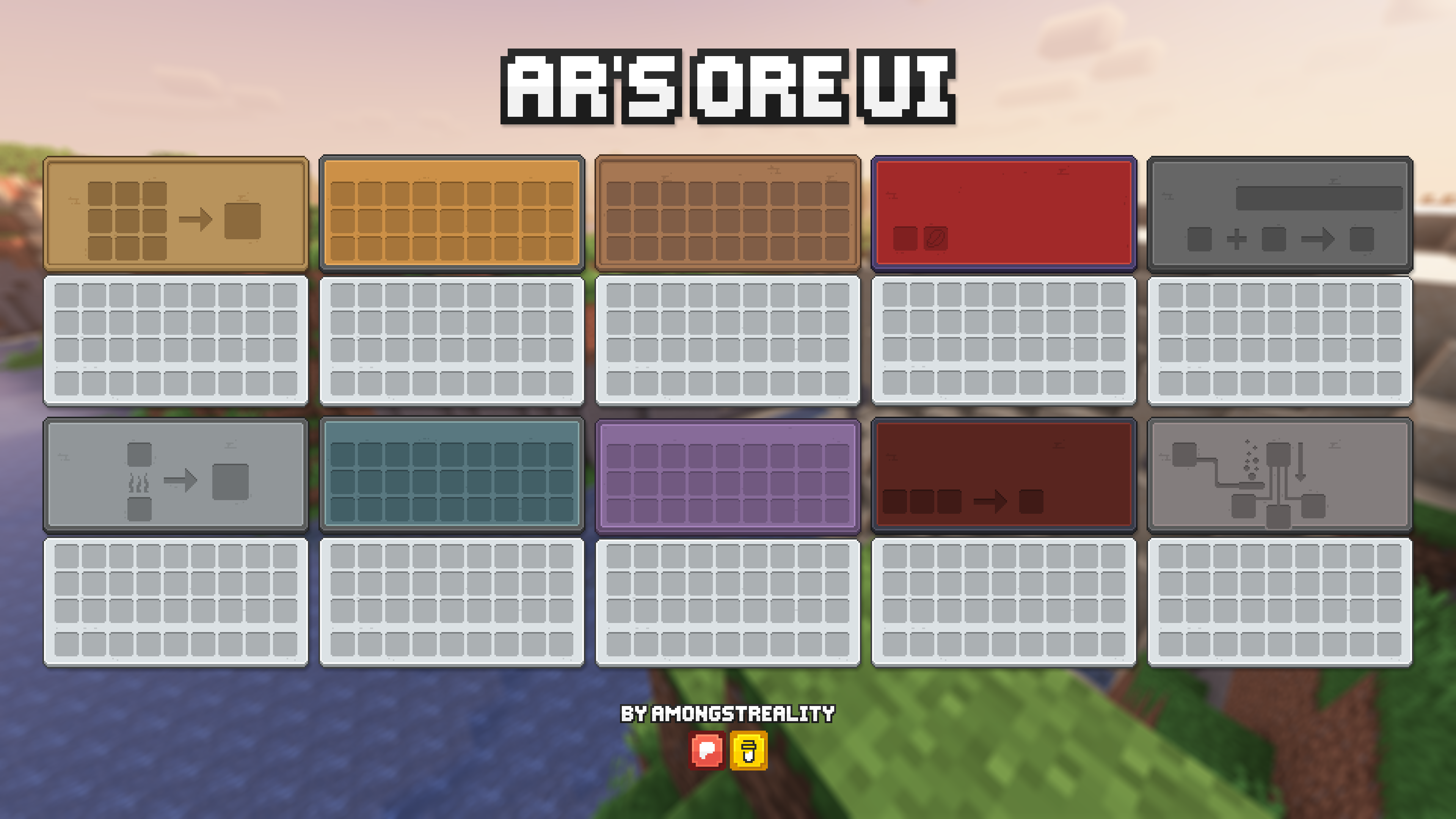
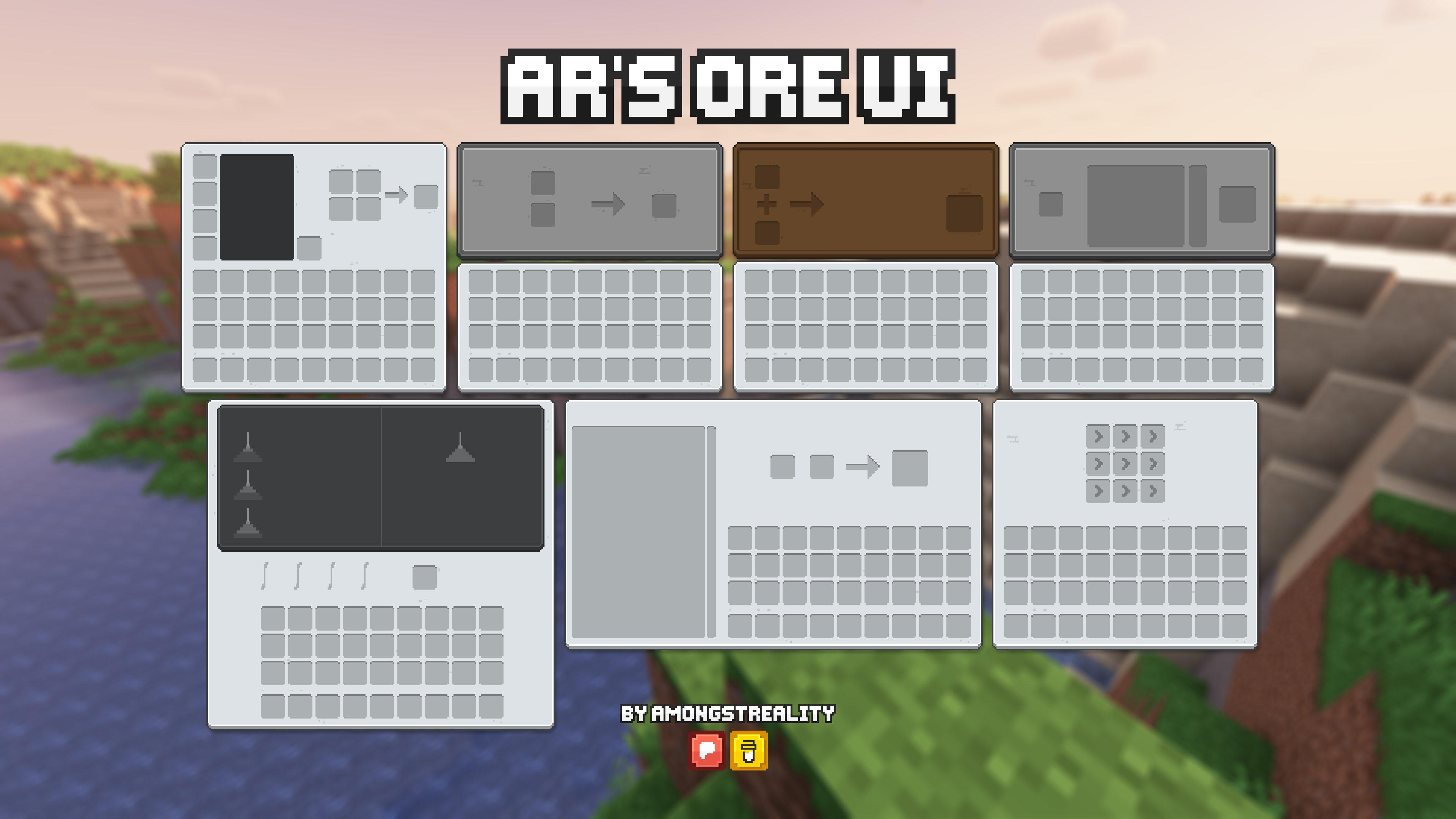
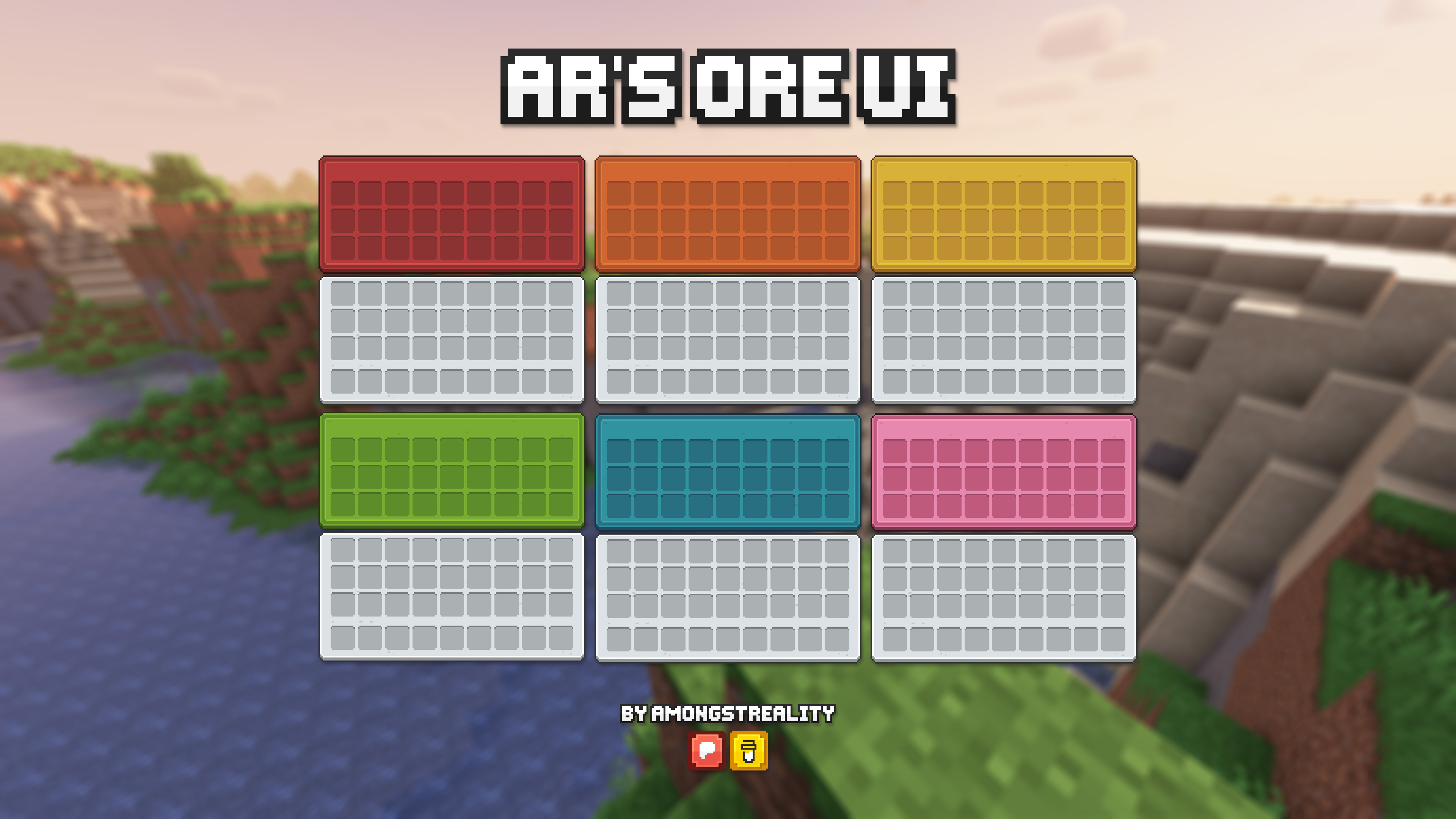
### Light mode
If you want a Light version of the pack, you can get it here – [AR’s OreUI](https://modrinth.com/resourcepack/ars-oreui).
> ❗ **Important:** the resource pack REQUIRES [OptiGUI](https://modrinth.com/mod/optigui). If you don’t use it, chest, trapped chest, ender chest and barrel will have the same generic texture.
> ⚠️ The resource pack itself is made for 1.21.2+ versions of Minecraft. It probably will work on 1.20.2-1.21.1, but since highlighted slot texture can’t be changed on these versions, it’ll look a little weird in this aspect. If you don’t care, then you can use it on 1.20.2-1.21.1.
> ⚠️ **Warning:** this resource pack is only available for download on Modrinth and CurseForge and has its own page on [Planet Minecraft](https://www.planetminecraft.com/texture-pack/ar-s-ore-ui-dark/). If you find it on any other platform – **do not download it** from them, because they redistribute it unofficially and unauthorized. The download links may lead to malicious websites and the content you download may contain viruses.
## You can support me and my projects here:
[](https://www.patreon.com/c/AmongstReality)
[](https://buymeacoffee.com/amongstreality)
## Mod Support
– [AppleSkin](https://modrinth.com/mod/appleskin)
– [Better Advancements](https://modrinth.com/mod/better-advancements)
– [Entity Texture Features](https://modrinth.com/mod/entitytexturefeatures)
– [Language Reload](https://modrinth.com/mod/language-reload)
– [Mod Menu](https://modrinth.com/mod/modmenu)
– [Shulker Box Tooltip](https://modrinth.com/mod/shulkerboxtooltip)
Terms of use
Copyright © AR’s OreUI Dark
Author AmongstReality
Links to pages of the author on different platforms:
– [Patreon](https://www.patreon.com/c/AmongstReality)
– [BuyMeACoffee](https://www.buymeacoffee.com/amongstreality)
– [CurseForge](https://www.curseforge.com/members/amongstreality/projects)
– [Modrinth](https://modrinth.com/user/AmongstReality)
– [Planet Minecraft](https://www.planetminecraft.com/member/amongstreality/)
When you can use my assets:
– In public Modpacks on Modrinth/CurseForge.
– If you want to add mod support as an addon for the resource pack. If you do that, you have to add clear credit that
includes links to the original resource pack.
– Any private modifications of the original resource pack.
When you can **NOT** use my assets:
– Distribution on the Bedrock Marketplace.
– Locking behind a paywall (e.g. Patreon).
– Distribution of original/modified assets on any platforms.
Links to the resource pack’s pages on different platforms:
– [CurseForge](https://www.curseforge.com/minecraft/texture-packs/ars-oreui-dark)
– [Modrinth](https://modrinth.com/resourcepack/ars-oreui-dark)
AR’s OreUI
# AR’s OreUI(AmongstReality’s OreUI)
[](https://modrinth.com/resourcepack/ars-oreui)
[](https://www.curseforge.com/minecraft/texture-packs/ars-oreui)
[](https://www.patreon.com/c/AmongstReality)
[](https://buymeacoffee.com/amongstreality)
GUI resource pack based on early look of OreUI update. You can look it up here [Minecraft Wiki – OreUI](https://minecraft.wiki/w/Ore_UI).
> ❗ **Important:** the resource pack REQUIRES [OptiGUI](https://modrinth.com/mod/optigui). If you don’t use it, chest, trapped chest, ender chest and barrel, etc., will have the same generic texture.
> ⚠️ **Warning:** this resource pack is only available for download on [Modrinth](https://modrinth.com/resourcepack/ars-oreui) and [CurseForge](https://www.curseforge.com/minecraft/texture-packs/ars-oreui) and has its own page on [Planet Minecraft](https://www.planetminecraft.com/texture-pack/ar-s-ore-ui-1-21-2-v1-0-early-access/). If you find it on any other platform – **do not download it** from them, because they redistribute it unofficially and unauthorized. The download links may lead to malicious websites and the content you download may contain viruses.
## You can support me and my projects here:
[](https://www.patreon.com/c/AmongstReality)
[](https://buymeacoffee.com/amongstreality)
Terms of use
Copyright © AR’s OreUI
Author AmongstReality
Links to pages of the author on different platforms:
– [Patreon](https://www.patreon.com/c/AmongstReality)
– [BuyMeACoffee](https://www.buymeacoffee.com/amongstreality)
– [CurseForge](https://www.curseforge.com/members/amongstreality/projects)
– [Modrinth](https://modrinth.com/user/AmongstReality)
– [Planet Minecraft](https://www.planetminecraft.com/member/amongstreality/)
When you can use my assets:
– In public Modpacks on Modrinth/CurseForge.
– If you want to add mod support as an addon for the resource pack. If you do that, you have to add clear credit that
includes links to the original resource pack.
– Any private modifications of the original resource pack.
When you can **NOT** use my assets:
– Distribution on the Bedrock Marketplace.
– Locking behind a paywall (e.g. Patreon).
– Distribution of original/modified assets on any platforms.
Links to the resource pack’s pages on different platforms:
– [CurseForge](https://www.curseforge.com/minecraft/texture-packs/ars-oreui)
– [Modrinth](https://modrinth.com/resourcepack/ars-oreui)
Ars Nouveau Brass-ified Create-Style – ANBICS

# Ars Nouveau Brass-ified Create-Style – ANBICS
#

**Changes Ars Nouveau blocks, items and armors with Gold trim into a Brass trimmed variant to match Create mod’s Brass**
– for – 1.19.2 – 1.20.1 – 1.20.2 – 1.21.* –
## ↓ _Before_ & _After_ ↑


AR’s Better Buckets
## AR’s Better Buckets
[](https://www.curseforge.com/members/amongstreality/projects)
[](https://modrinth.com/user/amongstreality)
[](https://www.patreon.com/c/AmongstReality)
[](https://buymeacoffee.com/amongstreality)
A simple resource pack that changes bucket textures

Arrows begone
Simply a resource pack to make arrows in entity form flying through the world invisible.
Arrow PVP
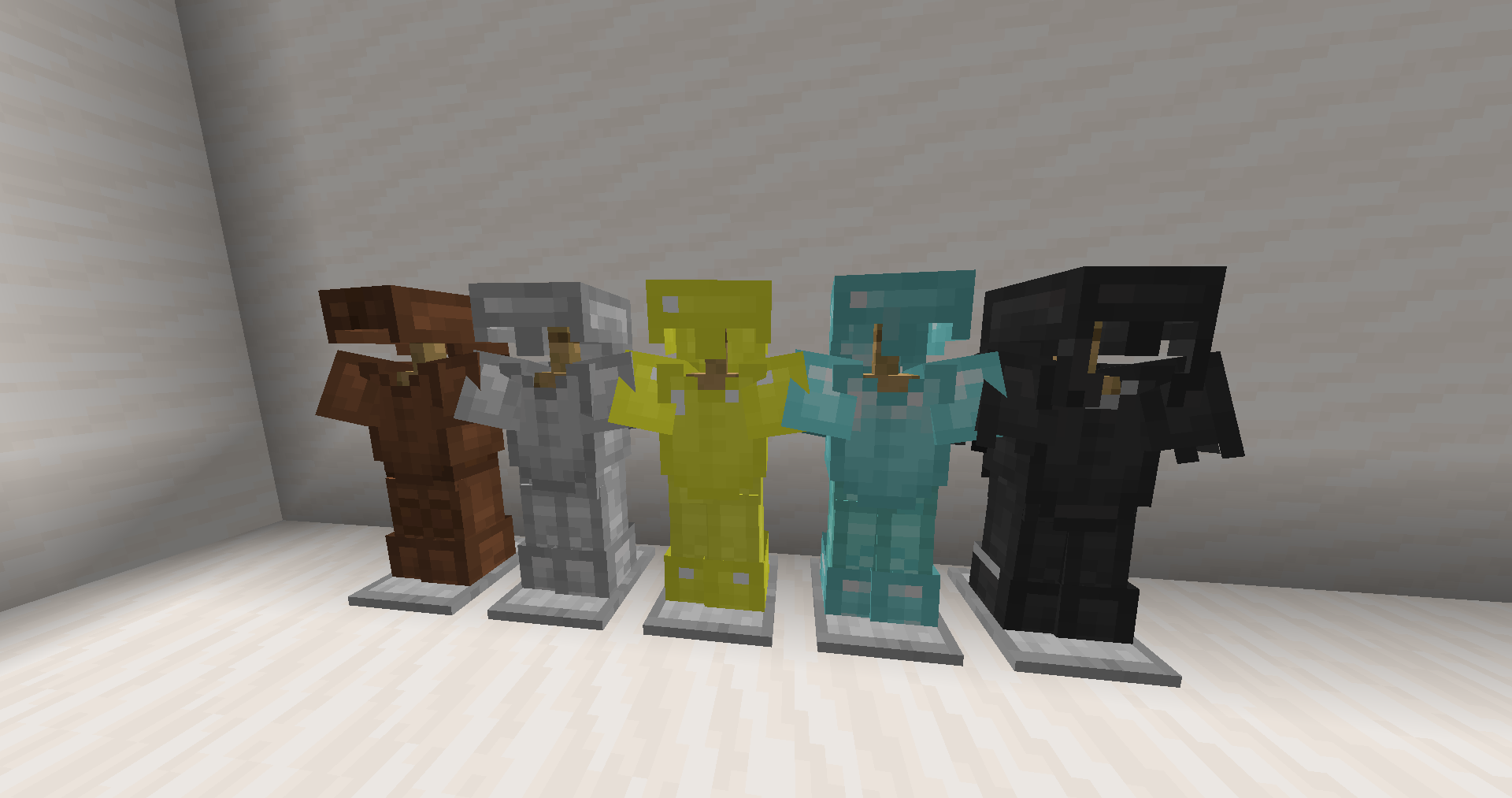
Hello! This is my first resource pack, which can make your PVP a little easier (although you can’t call it a PVP resource pack)! **This pack includes**: Shortening swords and changing all types of armor (except chainmail) to leather style.
**YOU CAN USE MY PACK IN YOUR PACK!!!!!!**
Arrow For Fluid | 流体流向箭头
# Arrow For Fluid
~~Do you also need some arrow for the water and lava fluid like I do?~~
## Features
Add arrow for water and lava.Like gallery.
## Installation
1. Download the resource pack file (.zip).
2. Open Minecraft, go to “Options” > “Resource Packs” > “Open Resource Pack Folder”.
3. Place the downloaded file into the folder.
4. Enable the resource pack in-game.
# 流体流向箭头
~~你是否也跟我一样需要简易查看流体的流向?~~
## 概述
对水和岩浆流体添加了指向箭头。
## 安装方法
1. 下载资源包文件 (.zip)。
2. 打开 Minecraft,进入“选项” > “资源包” > “打开资源包文件夹”。
3. 将下载的文件放入文件夹中。
4. 在游戏中启用该资源包即可。