

1.1.0
release

AnimalGuard
🐾 Protect, Track, and Manage! The essential Mob Protection plugin featuring Nametag claiming, SQL support, and a Visual Admin GUI. [1.20+]
 87
87
AnimalGuard
📢 Overview
Keep your pets safe. Manage them with precision.
Name Tag is a robust, lightweight protection plugin designed for modern Minecraft servers (Paper 1.20+). It transforms the simple act of using a Name Tag into a secure ownership claim.
Unlike complex land-claiming plugins that happen to include animals, AnimalGuard focuses purely on Entity Protection with enterprise-grade performance (HikariCP) and a sophisticated Admin GUI.
Why use this?
* Markup Mode 👉 Simply name them with a Name Tag to lock ownership. * Markup Mode 👉 Use the Admin GUI to sort by "Distance" or "Date" and prune old entities. * Markup Mode 👉 Enable Markup Mode to make specific mobs glow through walls.
✨ Key Features
* ⚡ Performance First: Players simply rename a Nametag and right-click a mob to claim it. The mob becomes invincible to other players. * ⚡ Performance First: A powerful inventory interface for OPs to browse all protected mobs. * ⚡ Performance First: Sort by ⚡ Performance First:, ⚡ Performance First:, or ⚡ Performance First: from you. * ⚡ Performance First: Easily locate entities relative to your position. * ⚡ Performance First: A unique feature that applies the ⚡ Performance First: to protected mobs via the GUI, making them instantly visible for management or debugging. * ⚡ Performance First: Built on ⚡ Performance First: for high-performance connections. * ⚡ Performance First: Zero-setup local file storage (Default). * ⚡ Performance First: Full support for large networks and external databases. * ⚡ Performance First: Written in Kotlin with asynchronous database I/O to ensure your server TPS never drops.
🎮 How to Use
For Players
1. Obtain a Success!. 2. Rename it in an Anvil. 3. Success! any mob (Cow, Horse, Villager, etc.). 4. 🎉 Success! The mob is now yours. Only you can damage or interact with it.
For Admins
1. Run `/ag` to open the Management GUI. 2. Click the Delete Protection to change sorting (e.g., find the nearest protected mobs). 3. Delete Protection a mob head to toggle Delete Protection (Markup) to find it in the world. 4. Delete Protection a mob head to Delete Protection (Permanently remove owner data).
📜 Commands & Permissions
| Command | Description | Permission | | :--- | :--- | :--- | | `/ag` | Opens the Admin Management GUI. | `animalguard.admin` | | `/ag reload` | Reloads config.yml and messages.yml. | `animalguard.admin` | | `/ag blacklist list` | Shows all blacklisted mob types. | `animalguard.admin` | | `/ag blacklist add <type>` | Adds a mob type to the blacklist. | `animalguard.admin` | | `/ag blacklist remove <type>` | Removes a mob type from the blacklist. | `animalguard.admin` | *(By default, `animalguard.admin` is granted to OPs)*
⚙️ Configuration
You can customize the storage backend and every message displayed to players.
config.yml
```yaml
=============================================================================
AnimalGuard - Configuration
=============================================================================
[Storage] Database Settings
Choose between SQLite (local file) or MySQL (external).
database: type: sqlite # Options: sqlite, mysql
sqlite: file: "animalguard.db"
mysql: host: "localhost" port: 3306 database: "minecraft" username: "root" password: "password" ssl: false
Connection Pool Settings (HikariCP)
pool-size: 10 connection-timeout: 30000 ```
📸 Gallery
Admin GUI Manage all protected entities in a centralized interface. Sort by distance to clean up local areas.

Markup Mode Targeted mobs glow, allowing Admins to easily distinguish protected entities from wild ones.

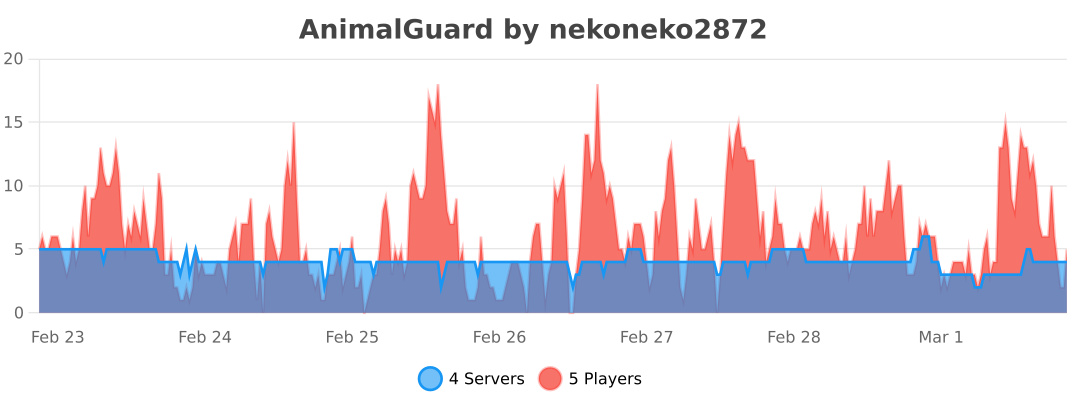
📈 bStats
Versions
1.0.0
release