

1.2-1.19
release

Audio Engine Tweaks
this mod changes how Minecraft schedules sounds in order to prevent the sound pool to fill up
 153,54k
Audio Engine Tweaks
Audio Engine Tweaks
---
News
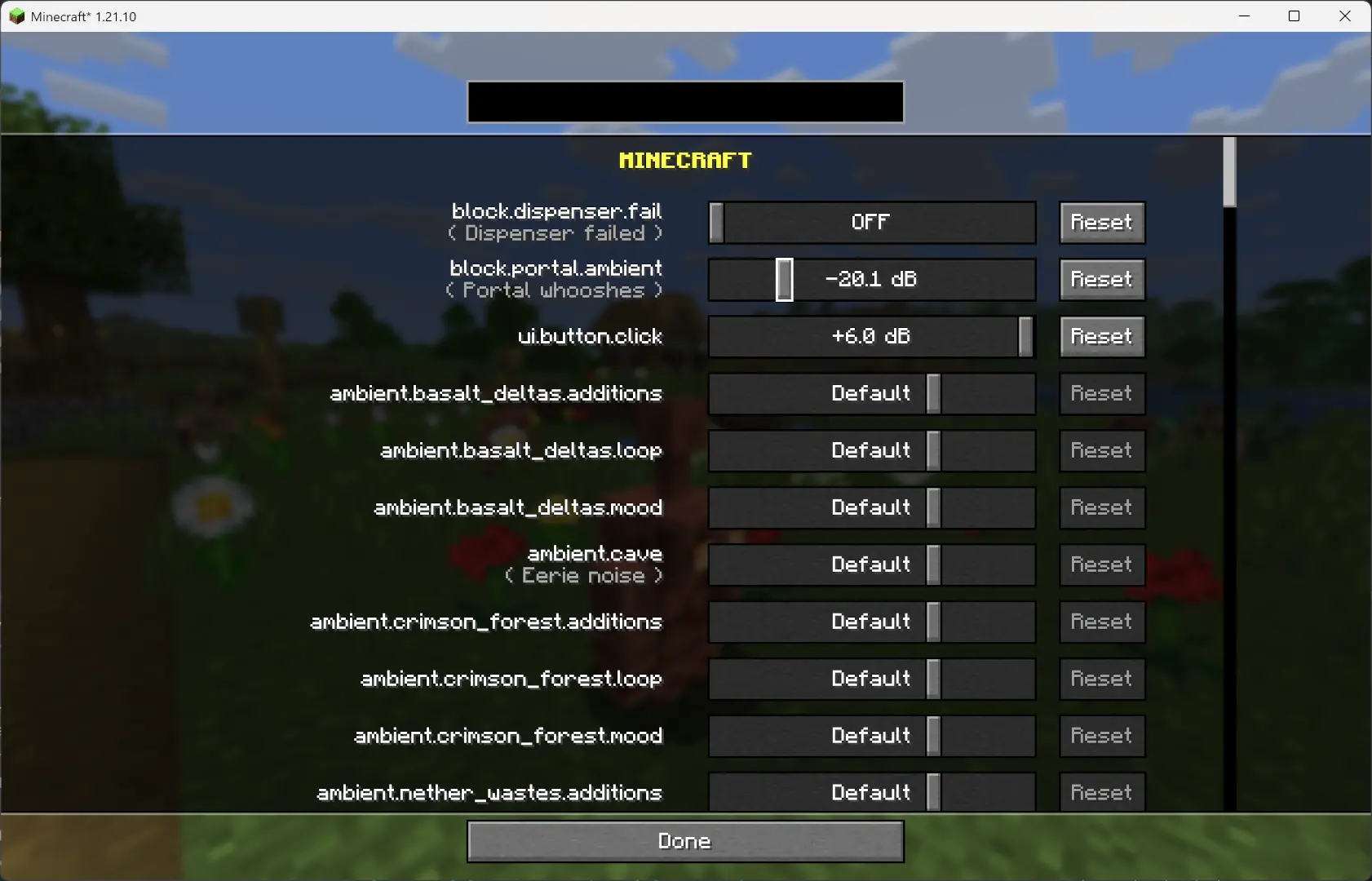
Since independently, you can now adjust the volume of each sound independently of the vanilla sliders.
---
Overview
This mod changes how Minecraft schedules sounds to prevent the sound pool from filling up, or at least reduce the effects of a full sound pool.
TL;DR
It fixes these common errors (and the related log spam): ``` [Render thread/WARN]: Failed to create new sound handle [Sound engine/WARN]: Maximum sound pool size 247 reached ```
Without this mod, a full sound pool causes all in-game audio to stop until slots free up.
---
How It Works
- Each tick, sounds are distance from the player by type. - distance from the player. - Within categories, sounds are sorted by distance from the player.
- Depending on the sound pool fill level, only certain sound types are allowed to play. Others are skipped. - If the pool somehow fills completely (shouldn’t happen with thresholds), new sounds are skipped entirely.
- Duplication check: - Only a limited number of identical sounds can play from the same coordinate (1 block). - Extra duplicates are skipped.
- MUSIC and MUSIC sounds bypass the queue and duplication check (important for main menu or GUI events when the server is frozen). - They still follow fill-level thresholds. - Other categories, if requested to play instantly, are instead deferred to the next tick.
- All values are configurable through ModMenu or by editing the config file directly.
---
Default Settings
```yaml MASTER : cat 0, always allowed VOICE : cat 0, always allowed PLAYERS : cat 1, up to 95% HOSTILE : cat 2, up to 90% BLOCKS : cat 3, up to 80% MUSIC : cat 4, up to 70% RECORDS : cat 4, up to 70% NEUTRAL : cat 5, up to 60% WEATHER : cat 6, up to 50% AMBIENT : cat 6, up to 50%
maxDuplicatedSounds: 5
Gallery
Versions
1.2.8
release
1.2.3-post
release
1.2.5
release
1.2.3
release
1.1
release
1.2.12
release
1.2.9
release
1.2.13
release
1.2.7
release
1.2.5
release
1.2.16
beta
1.2.5
release
1.2.15
release
1.2.14
beta
1.2.2
release
1.1-1.19
release
1.2.10
beta
1.2
release
1.2.4
release
1.2.5
release
1.2.5
release
1.2.7
release
1.0-pre-1.19
release
1.2.2-post
release
1.2.11
release
1.2.7
release
1.2.11
release
1.2.5
release
1.2.15
release
1.2.14
beta
1.2.5
release
1.2.3-pre
release
1.2.1-pre
release
1.2.5-b1
release
1.2.13
release
1.2.16
beta
1.2.2-pre
release
1.2.6
release
1.0
release
1.2.4
release
1.2.1-post
release
1.2.15
release
1.2.5
release
1.2.8
release
1.2.12
release
1.2.15
release