

1.5.0
release
BeeChat
Adds chat formatting with permissions and player list customisation
 989
989
BeeChat
BeeChat
Chat and tab formatting plugin for Paper and its forks.
Features
- MiniMessage in config and chat - Using placeholders from MiniPlaceholders and PlaceholderAPI in config - Message formatting with permissions - Chat channels with customizable formats and permissions - Spy mode for monitoring chat channels - Tab customization
Message formatting
Players with permission can use formatting with MiniMessage in chat.
Permissions
- beechat.format.sprite - all formatting tags - beechat.format.sprite - `color`, `gradient`, `rainbow`, `pride` and `shadow` tags - beechat.format.sprite - `reset` tag - beechat.format.sprite - `bold`, `italic`, `underlined`, `strikethrough` and `obfuscated` decorations - beechat.format.sprite - `insert` tag - beechat.format.sprite - `click` tag - beechat.format.sprite - `hover` tag - beechat.format.sprite - `head` tag - beechat.format.sprite - `sprite` tag
Example
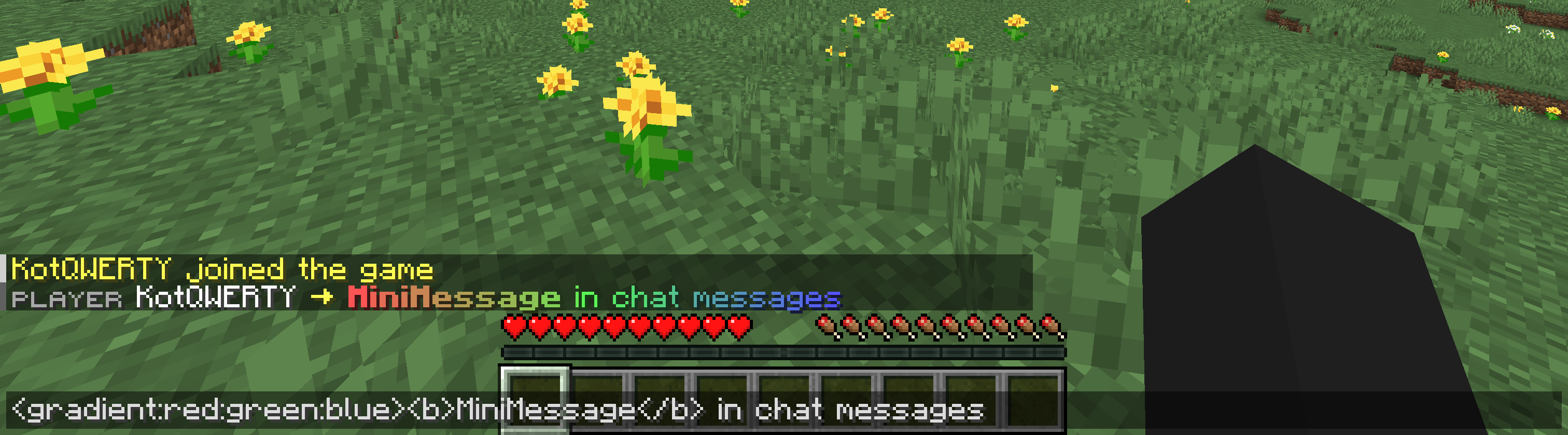
The %%MD0%% plugin is used here to display the prefix from %%MD0%%
Chat channels
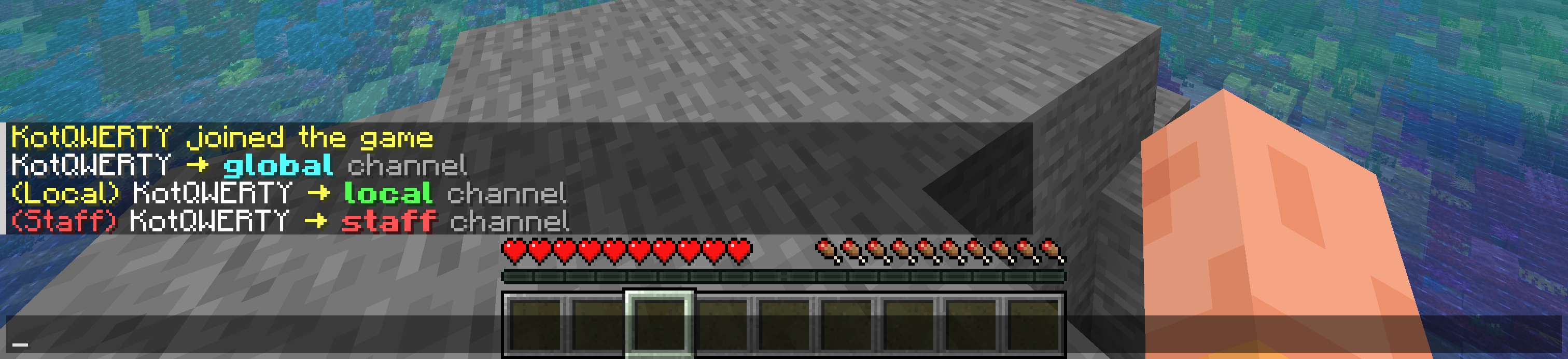
BeeChat supports multiple chat channels, each with its own format, distance and permission. Channels are identified by prefixes in the message.
Example
Spy mode
Spy mode allows players with permission to monitor all chat channels. This is useful for administrators who need to oversee conversations for moderation purposes. When enabled, all messages sent in any channel will be displayed to the spy, formatted according to the spy mode configuration. Can be enabled or disabled using the `/beechat spy` command. Permission: beechat.spy
Tab customization
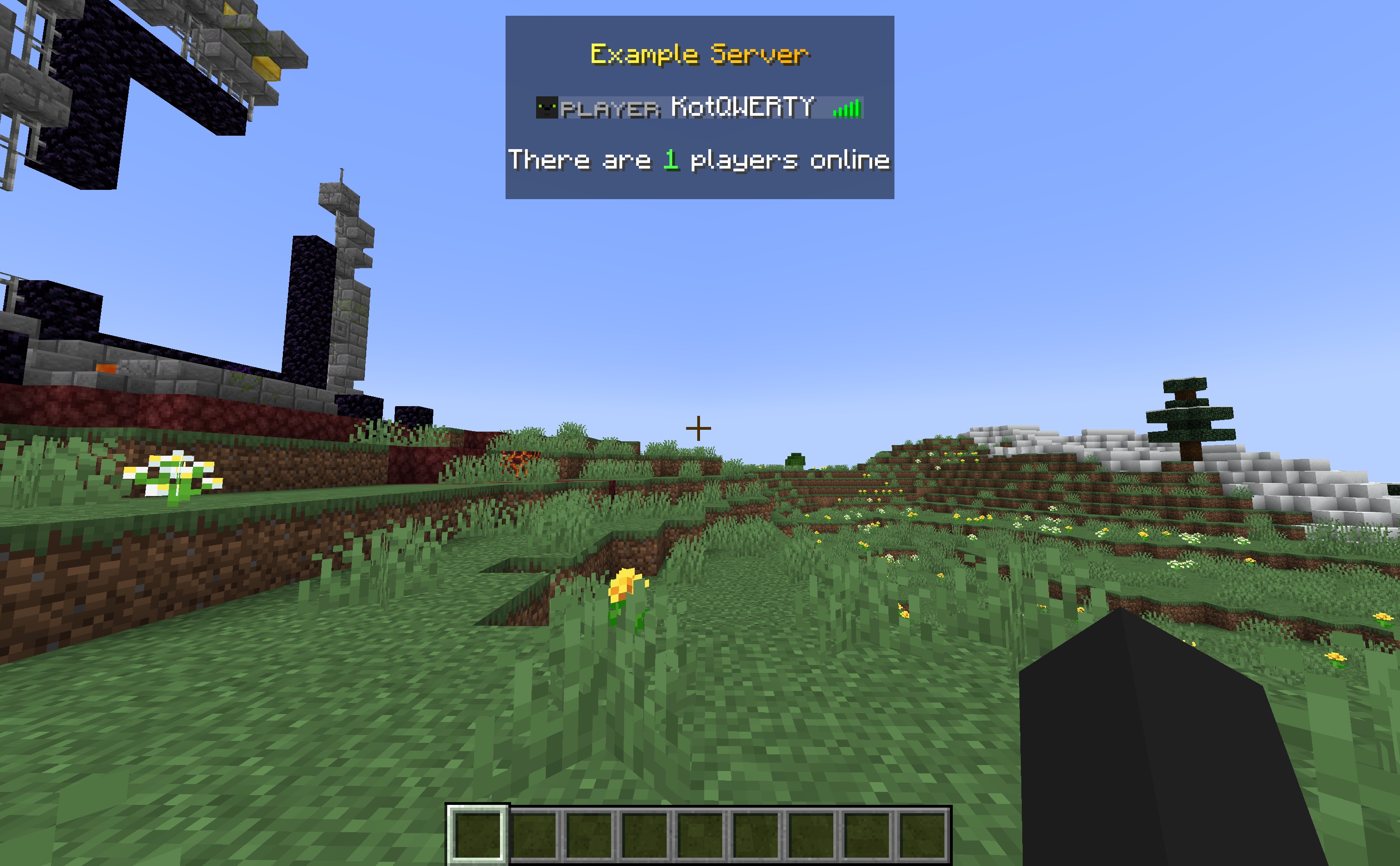
Tab header, footer and player name format can be customized in config.
Example
Configuration
The default config can be found here: https://github.com/KotQWERTY/bee-chat/blob/main/src/main/resources/config.yml.
The configuration file (`config.yml`) only supports MiniMessage format. Legacy (ampersand) formatting is not supported.
You can use placeholders from MiniPlaceholders and PlaceholderAPI in the configuration.
Reloading
The configuration can be reloaded using the command `/beechat reload`.
Permission for the command: beechat.reload
Example configuration
```yaml chat: message-format: '<luckperms_prefix><reset> <name> <yellow>→ <gray><message>' channels: - identifier: '!' format: '<message_format>'
- identifier: '#' permission: chat.channel.staff format: '<red>(Staff)</red> <message_format>'
- identifier: '' distance: 40 format: '<yellow>(Local)</yellow> <message_format>' spy: format: '<aqua>Spy</aqua> <channel_message>' disable-on-leave: true
tab-list: enable: true update-period: 200 header: '<br><gradient:yellow:gold>Example Server<br>' footer: '<br>There are <green><server_online></green> players online<br>' player-name: '<luckperms_prefix> <reset><name> <luckperms_suffix>'
messages: reload: '<green>The <gradient:yellow:gold>BeeChat</gradient> configuration has been reloaded' not-player: '<red>This command can only be executed by a player' spy-mode-enabled: '<aqua>Spy</aqua> mode <green>enabled</green>. Enter the command again to <red>disable</red>' spy-mode-disabled: '<aqua>Spy</aqua> mode <red>disabled</red>' ```
Gallery
Versions
1.8.1
release
1.1.0
release
1.8.0
release
1.2.0
release
1.3.0
release
1.0.0
release
1.4.0
release
1.2.1
release
1.6.0
release
1.7.0
release