






1.0
release

Clearview Add-Ons
Clearview Add-Ons offer modular customization to further modify your Clearview experience!
 733
733
Clearview Add-Ons
<a href="https://modrinth.com/resourcepack/eco-attire" rel="noopener nofollow ugc"> <img src="https://imgur.com/8mUkzDQ.png" alt="Eco Attire" width="215"> </a> <a href="https://modrinth.com/resourcepack/clearview" rel="noopener nofollow ugc"> <img src="https://imgur.com/mQOCZxB.png" alt="Clearview" width="215"> </a> <a href="https://modrinth.com/resourcepack/clearview-sodium" rel="noopener nofollow ugc"> <img src="https://imgur.com/5c3rnGh.png" alt="Clearview - Sodium" width="215"> </a> <a href="https://modrinth.com/resourcepack/clearview-optifine" rel="noopener nofollow ugc"> <img src="https://imgur.com/9yOVjdh.png" alt="Clearview - Optifine" width="215"> </a>
##
Clearview Add-Ons offer modular customization to further modify your Clearview experience. These add-ons remove or modify visual effects, allowing you to adjust the game to your personal preference for clearer gameplay.
To install Clearview Add-Ons, simply download the appropriate version for your game. All add-ons are included in the zip folder. Open the zip folder, extract the add-ons you want to use, and place them in your resource pack folder. Make sure to set the add-ons above Clearview in your resource packs list to ensure all modifications are applied.
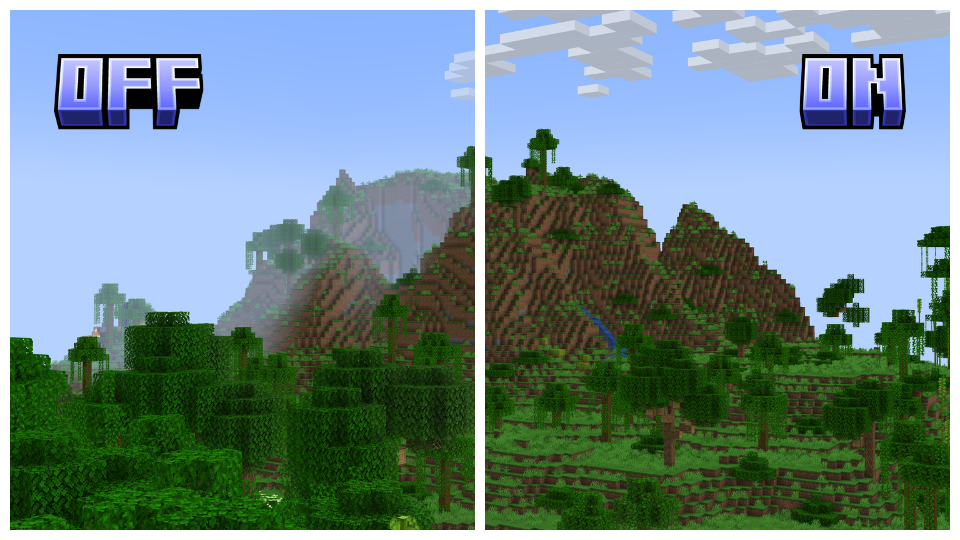
Dehumidifier: Removes all fog, both above and underwater, to enhance distant view and underwater exploration. This add-on requires Clearview and does not support Sodium or Optifine.
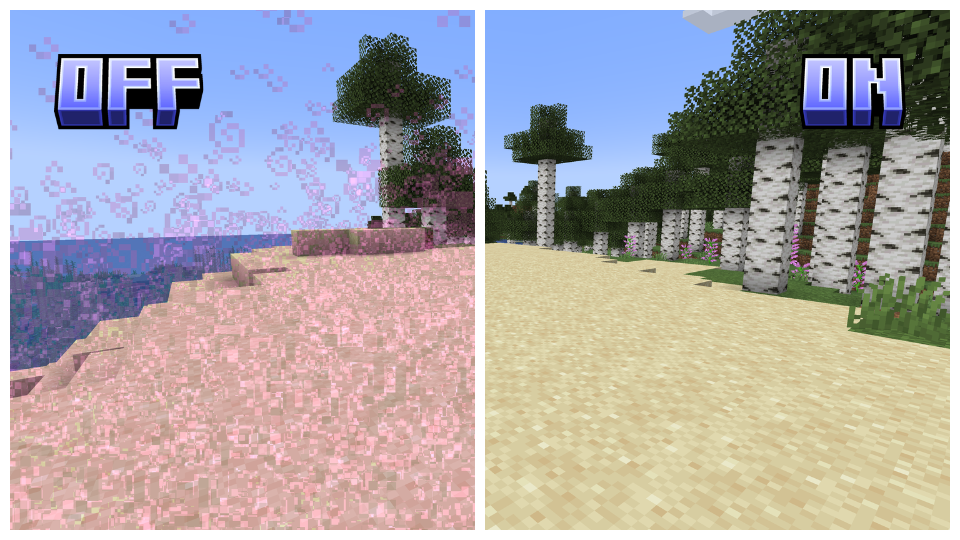
Particle Purge: Removes all particles, improving visibility in otherwise particle-dense areas. This add-on can be used standalone and supports all versions.
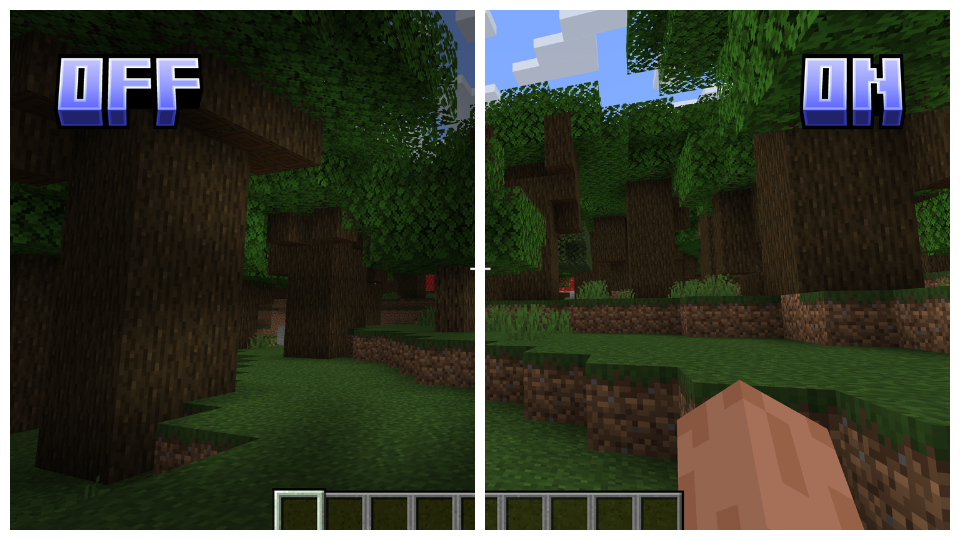
Jack-O-Gone: Removes the pumpkin head overlay, enhancing visibility. This add-on can be used standalone and supports all versions.
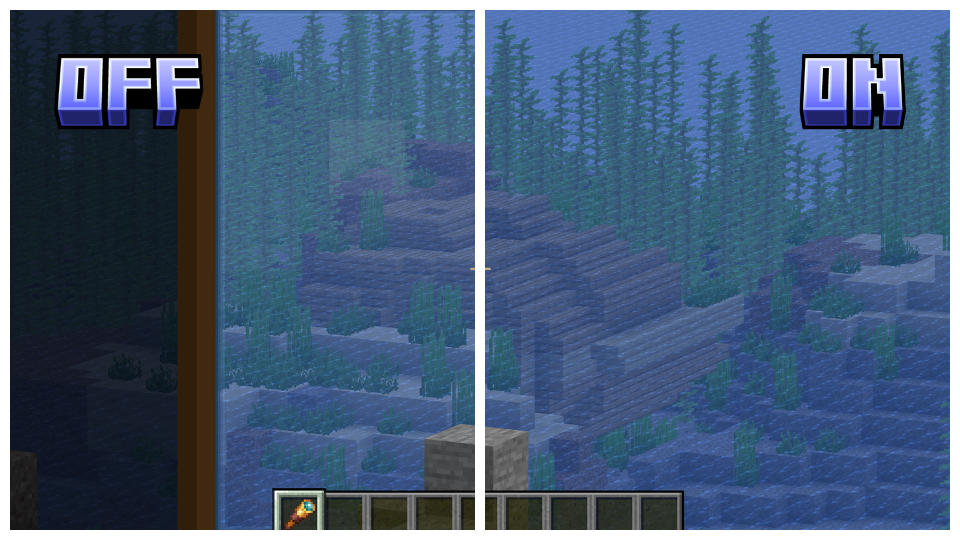
No Scope: Removes the spyglass overlay, enhancing visibility. This add-on can be used standalone and supports all versions.
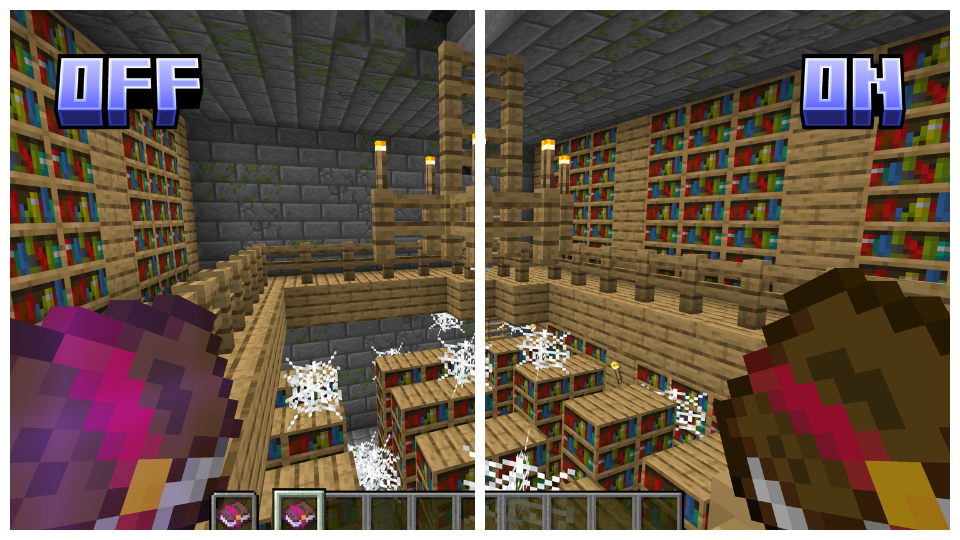
Glintless: Removes the enchantment glint, eliminating its distracting effect. This add-on can be used standalone and supports all versions.
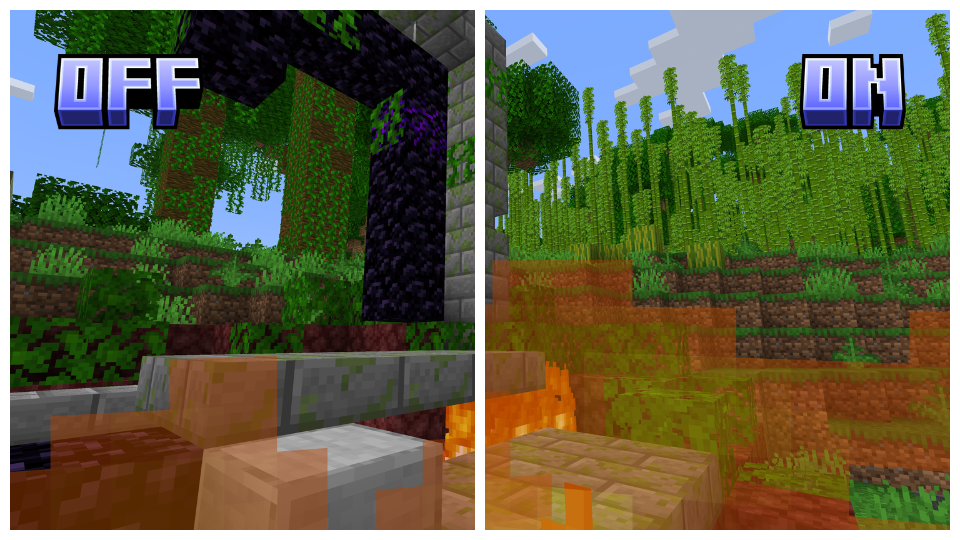
Blazing Flames: Adjusts screen fire height to the original while maintaining transparency, preserving the authentic effect. This add-on requires Clearview and supports all versions.
Clearview Add-Ons supports all versions of Vanilla, Optifine, and Sodium starting from 1.17, ensuring a seamless experience across various versions. Please note that the "Dehumidifier" Add-On does not support Sodium or Optifine versions.
<a href="https://legacy.curseforge.com/minecraft/texture-packs/clearview" rel="noopener nofollow ugc"> <img src="https://imgur.com/lNZhxmH.png" alt="Clearview - Forge" width="286.6"> </a> <a href="https://www.planetminecraft.com/texture-pack/clearview/" rel="noopener nofollow ugc"> <img src="https://imgur.com/kOUk7Ur.png" alt="Clearview - Planet Minecraft" width="286.6"> </a> <a href="https://modrinth.com/mod/polytone" rel="noopener nofollow ugc"> <img src="https://imgur.com/t7WsxQS.png" alt="Polytone" width="286.6"> </a>
Gallery
Versions
1.0
release
1.0
release
1.0
release
1.0
release
1.0
release
1.0
release
1.0
release
1.0
release
1.0
release
1.0
release
1.0
release
1.0
release
1.0
release
1.0
release
1.0
release
1.0
release
1.0
release