

0.1.0
release

Cukkoo's Quality of Life
51 highly customizable Quality of Life (QoL) improvements in one mod. Client-side only (no server needed). Includes built-in presets for FPS and difficulty!
 47
47
Cukkoo's Quality of Life
Cukkoo's Quality of Life
51 modular quality-of-life (QoL) improvements in a single mod. Every feature can be toggled independently, most are fine-tunable, and it comes with built-in + user presets.
Side: 26.1 / 26.1.1 / 26.1.2 · Side: Fabric · Side: Client & Server (See note below)
---
Screenshots
| Main Menu | Presets | |---|---| | 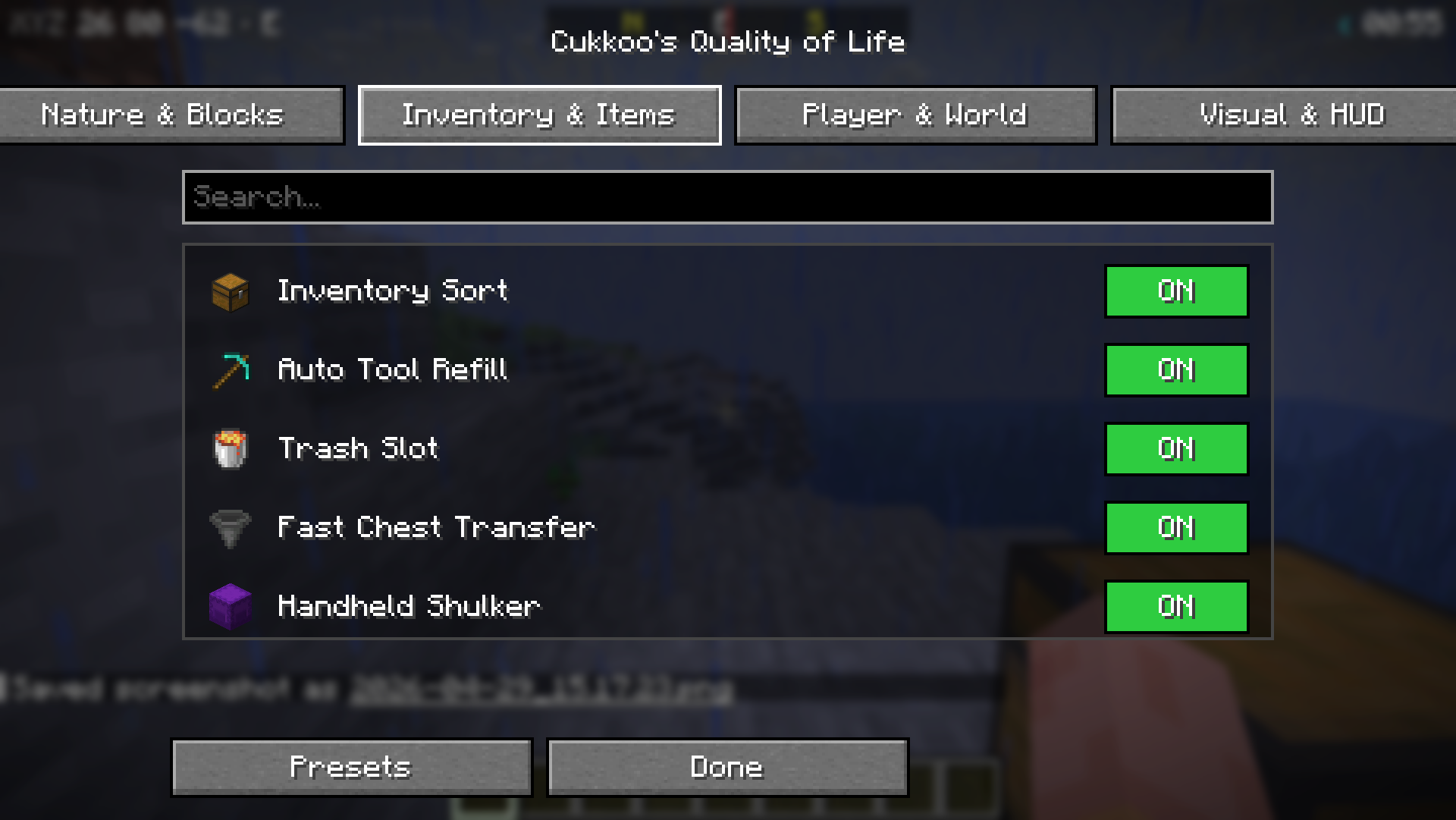 |
|  |
|
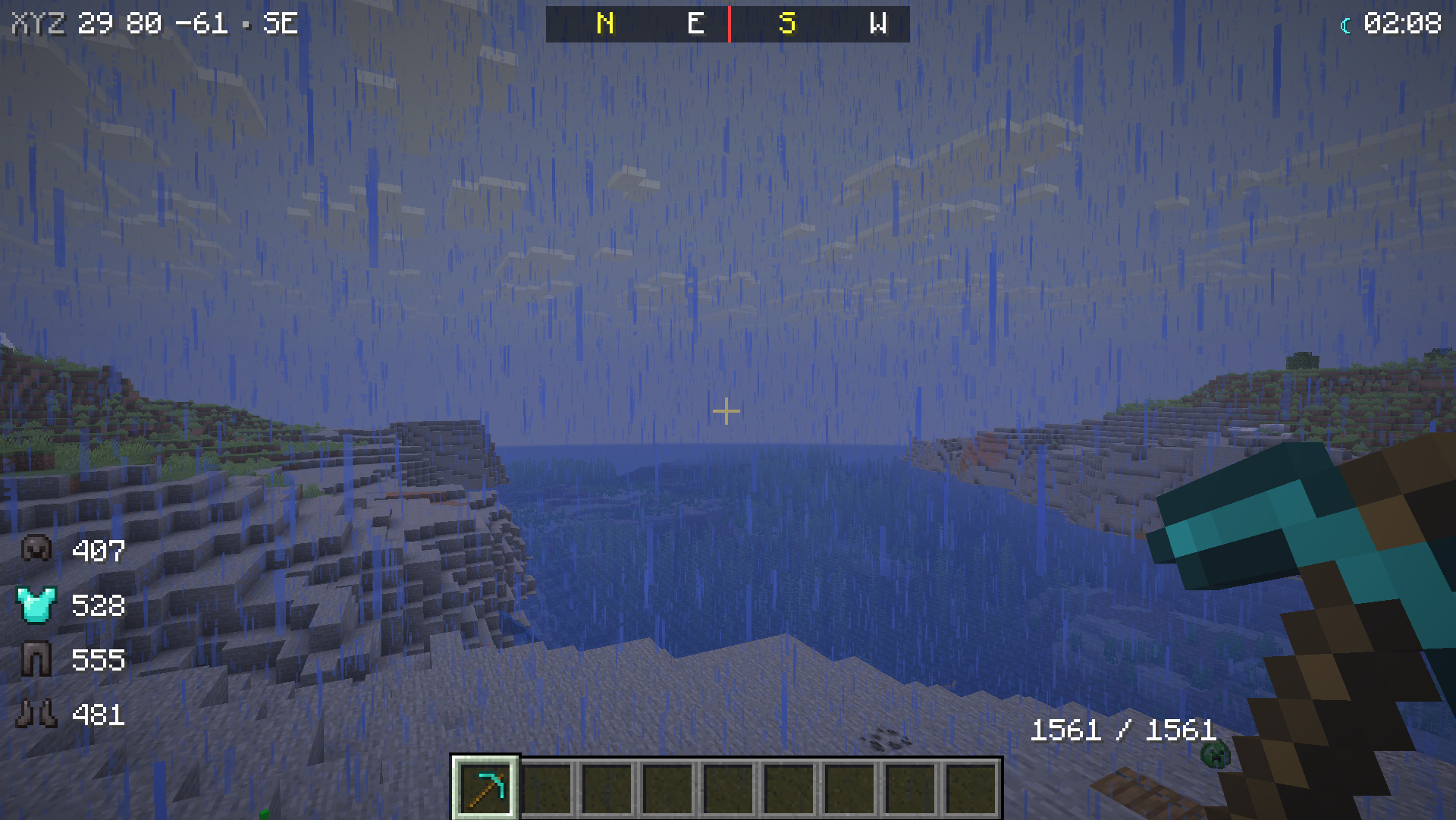
| Sub-Settings (⚙) | HUDs (Armor + Clock + Compass + Durability) | |---|---| | 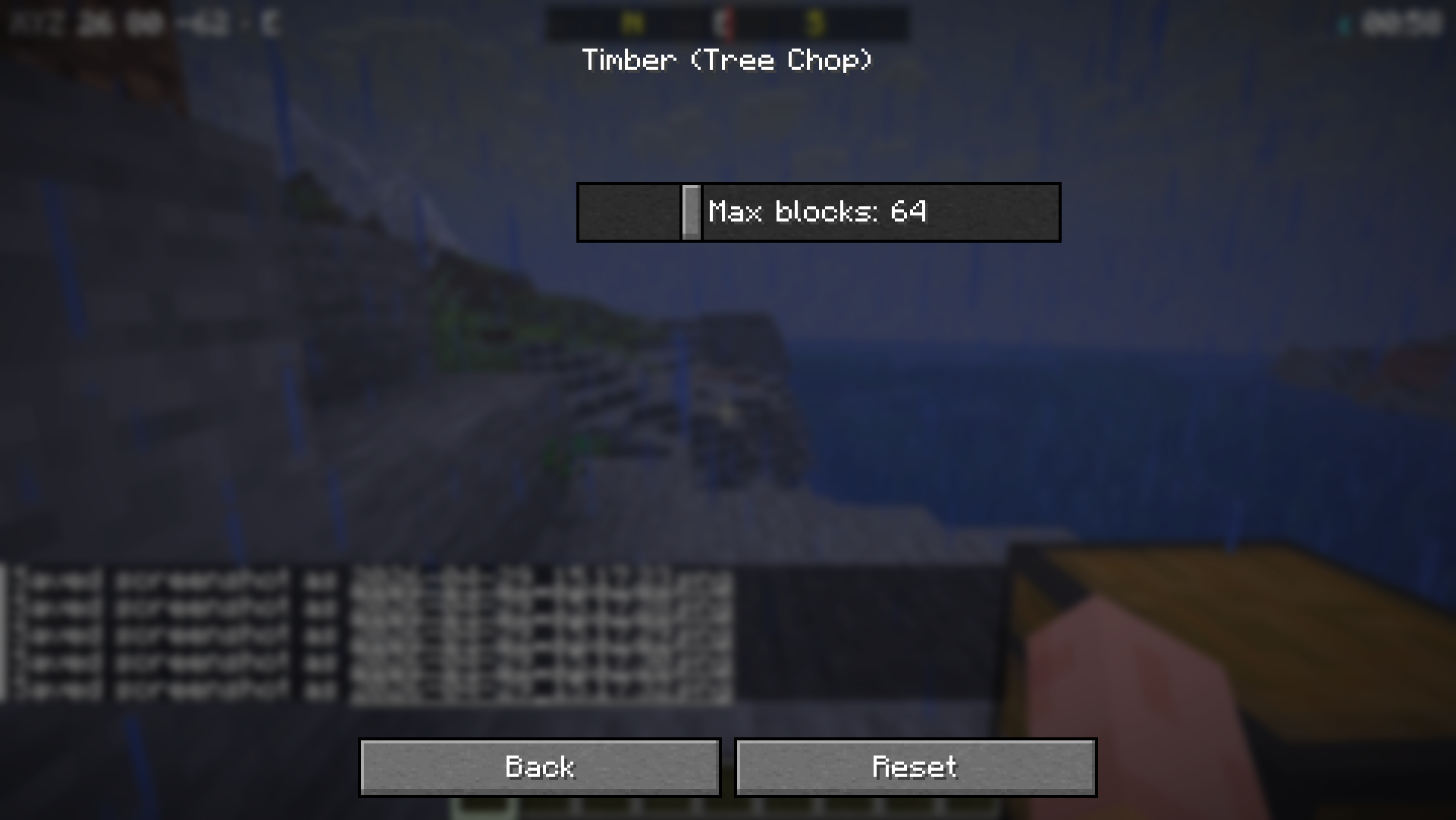 |
|  |
|
---
Installation
1. Install K (≥ 0.19.2). 2. Download %%MD1%%. 3. (Optional) %%MD2%% — to access the menu from the Mods list. 4. Drop the mod's `.jar` file into your `mods/` folder. 5. Press K in-game or type `/cqol menu`.
---
Features (51)
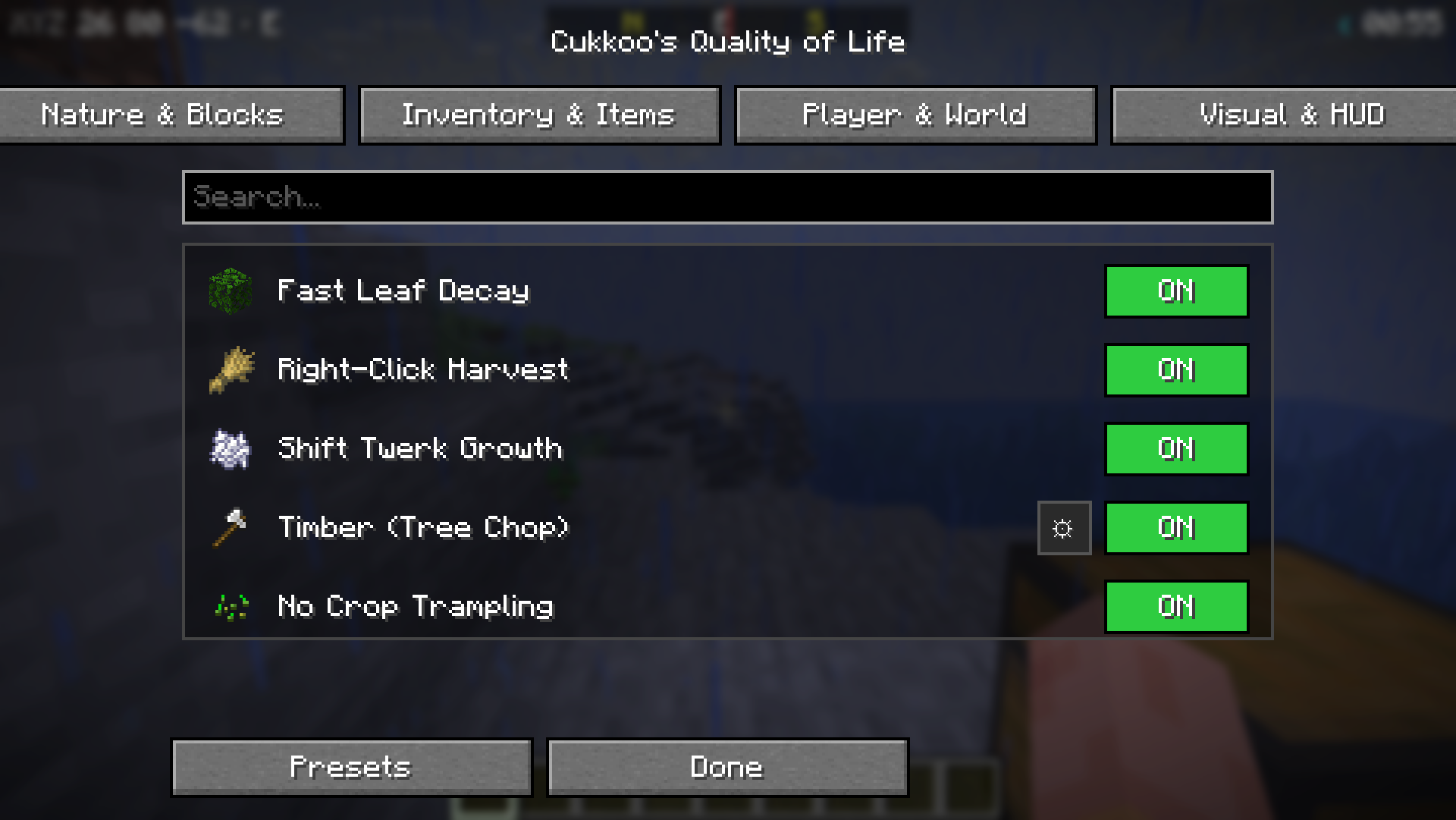
🌿 Nature and Blocks (10)
| Feature | Description | |---|---| | Fast Leaf Decay | Leaves decay instantly and drop loot when a tree is cut. | | Right-Click Harvest | Right-clicking a mature crop harvests and replants it. | | Shift Twerk Growth | Repeatedly crouching near plants grows them without bone meal. | | Timber (Tree Chop) | Breaking one log fells the entire tree (configurable block limit). | | No Crop Trampling | Farmland/crops are not trampled when jumped on. | | Auto Sapling Plant | Dropped saplings automatically plant themselves. | | Grass Extra Drops | Extra chance for seeds/saplings from grass (rates adjustable). | | Cactus Protection | Items touching a cactus are no longer destroyed. | | Vine Control | Shift + right-click to stop vines from spreading. | | Infinite Anvil | Anvils never break. |
🎒 Inventory and Items (13)
| Feature | Description | |---|---| | Inventory Sort | Press Ctrl+F in any container to sort by name. | | Auto Tool Refill | Automatically replaces a broken tool with a fresh one from your inventory. | | Trash Slot | A dedicated slot for permanently deleting unwanted items. | | Fast Chest Transfer | Press Ctrl+F in a chest to dump your entire inventory at once. | | Handheld Shulker | Open shulker boxes directly from your hand without placing them. | | Death Grave | Items are placed in a chest upon death. | | Villager Trade Refill | Trades replenish automatically over time. | | Item Merging (FPS) | Aggressive merging of dropped items to boost FPS. | | XP Storage | Store your XP levels into bottles. | | Shulker Preview | Hover over a shulker box to see its contents. | | Hotbar Swap | Press Ctrl+F in inventory to swap hotbar with a backup row. | | Auto Eat | Automatically eats food when hunger drops below a threshold. | | Chest Search | Press Ctrl+F in a container to filter items. |
🏃 Player and World (12)
| Feature | Description | |---|---| | Fast Ladder | Increases climbing speed (adjustable). | | Skip Portal Nausea | Removes the dizzying portal effect. | | Fast Minecarts | Increases max speed (multiplier adjustable). | | Fall Damage Reduction | Damage multiplier (0.0–1.0). | | One-Player Sleep | Sleeping alone advances time to day. | | Despawn Timer | Adjustable multiplier for item despawn time. | | AFK Notify | Chat notification after N idle minutes. | | Hunger Balancer | Hunger drains slower (multiplier adjustable). | | Painless Ender Pearl | No damage taken from throwing pearls. | | Fast Block Placement | Removes placement cooldown (tick adjustable). | | Auto Respawn | Automatically respawns after death. | | Death Coordinates | Prints your death location coordinates to chat. |
🎨 Visual and HUD (16)
| Feature | Description | |---|---| | Tool Break Warning | On-screen warning when durability is low. | | Low Health Sound | Periodic warning sound when health is below threshold. | | No Pumpkin Blur | Removes the overlay when wearing a pumpkin. | | Low Fire | Pushes the fire overlay down (offset adjustable). | | Clear Underwater | Removes underwater fog for perfect vision. | | Numeric Durability | Shows durability as a number on items. | | Mob Health Bar | Health bar nameplates above targeted entities. | | No Damage Flash | Removes the red screen flash when taking damage. | | Minimal Weather | Reduces rain/snow particles (multiplier adjustable). | | Armor Status HUD | Displays equipped armor and durability. | | Coordinate HUD | Displays X/Y/Z and facing direction. | | Game Time HUD | Displays game time with day/night icon. | | Compass Bar | Top-center N/E/S/W compass. | | Ping HUD | Color-coded latency display for multiplayer. | | Saturation HUD | Displays saturation value next to hunger. | | Block Name HUD | Displays the name of the block you are looking at. |
---
Commands (`/cqol`)
| Command | Description | |---|---| | `/cqol menu` | Open the QoL Menu. | | `/cqol list [category]` | List all features. | | `/cqol enable <feature>` | Turn a feature ON. | | `/cqol disable <feature>` | Turn a feature OFF. | | `/cqol settings <feature>` | List settings for a feature. | | `/cqol preset apply <id>` | Apply a preset. | | `/cqol preset save <id>` | Save current settings as a new preset. |
---
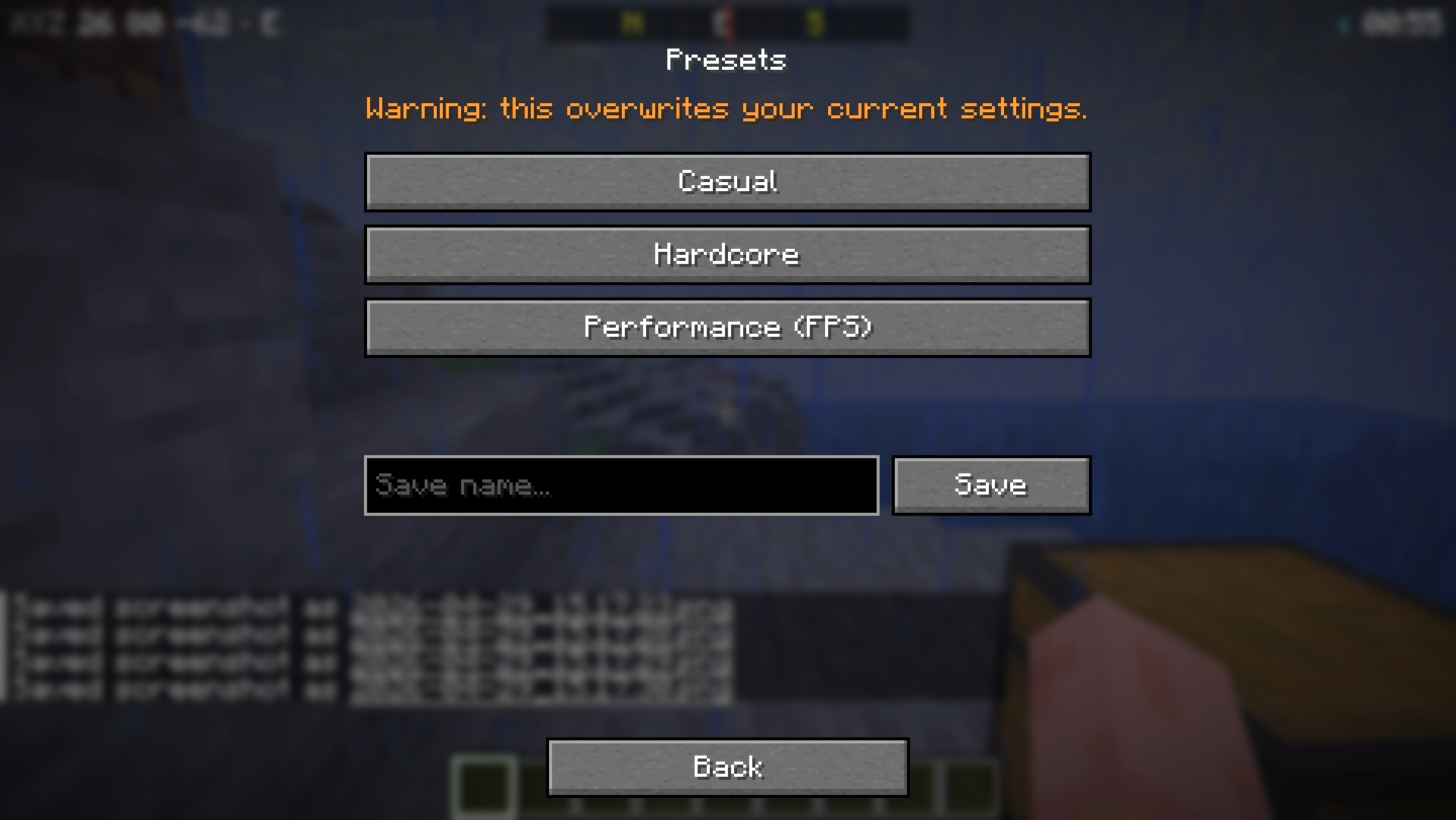
Presets
There are three built-in presets: - Performance — All UX features enabled, relaxed survival mechanics. - Performance — Only UI/UX improvements (sorting, warnings), keeps vanilla difficulty. - Performance — FPS focused, minimal visual clutter.
---
Keybinds (Customizable in vanilla controls)
| Key | Task | |---|---| | Ctrl+F | Open QoL Menu. | | Ctrl+F | Sort inventory (when container open). | | Ctrl+F | Dump inventory (when chest open). | | Ctrl+F | Hotbar swap (when inventory open). | | Ctrl+F | Chest search (when container open). |
---
License
MIT — See `LICENSE` for details.
--- *Note: For features like Timber, Auto-Replant, and Grave-on-Death to work in multiplayer, the mod must be installed on the server as well. Visual and HUD features work client-side everywhere!*