

26.1.2-1.2-fabric+forge+neo
release
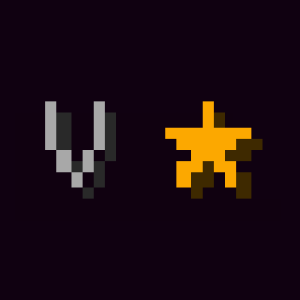
Enchantment Level Cap Indicator
⭐ Displays a symbol next to enchanted item tooltips when they reach their max level.
 88,37k
Enchantment Level Cap Indicator
<p style="text-align: center;"><center><a href="https://serilum.com/" target="_blank" rel="noopener noreferrer"><img src="https://cdn.serilum.com/description/header/header.png" alt="" width="838" height="400" /></a></p><p style="text-align: center;"><a href="https://curseforge.com/members/serilum/projects" target="_blank" rel="noopener noreferrer"><img src="https://wsrv.nl/?url=https://workflow.serilum.com/badges/svg/curseforge.svg&w=400" width="200" /></a> <a href="https://modrinth.com/user/Serilum" target="_blank" rel="noopener noreferrer"><img src="https://wsrv.nl/?url=https://workflow.serilum.com/badges/svg/modrinth.svg&w=400" width="200" /></a> <a href="https://patreon.com/serilum" target="_blank" rel="noopener noreferrer"><img src="https://wsrv.nl/?url=https://workflow.serilum.com/badges/svg/patreon.svg&w=400" width="200" /></a> <a href="https://youtube.com/@serilum" target="_blank" rel="noopener noreferrer"><img src="https://wsrv.nl/?url=https://workflow.serilum.com/badges/svg/youtube.svg&w=400" width="200" /></a></center></p><p><strong><span style="font-size: 24px;">Requires the library mod <a style="font-size:24px" href="https://modrinth.com/mod/collective" target="_blank" rel="nofollow">Collective</a>.<br></span></strong></p>
<p><span style="font-size:18px">Enchantment Level Cap Indicator is a client-side mod that helps players determine whether an enchantment on an item is maxed out. While more experienced players have each level cap memorized, new adventurers do not. A symbol is placed next to the enchantment level when it has reached its maximum potential. By default a golden star is used, though you can change this to whatever you prefer in the config.<br><br>Works in the enchantment table, anvil and inventory item tool tips.<br></span><br><br><strong><span style="font-size:20px">Configurable:</span> <span style="color:#008000;font-size:14px"><a style="color:#008000" href="https://github.com/Serilum/.information/wiki/how-to-configure-mods" target="_blank" rel="nofollow">( how do I configure? )</a></span><br></strong><span style="font-size:12px"><strong>maxLevelSymbol</strong> (default = "⭐"): The symbol used to show that an enchantment is the maximum level. By default a star.</span><br><span style="font-size:12px"><strong>maxLevelSymbolColourIndex</strong> (default = 6, min 0, max 15): The colour index value used for the max level symbol. Possible values; 0: black, 1: dark_blue, 2: dark_green, 3: dark_aqua, 4: dark_red, 5: dark_purple, 6: gold, 7: gray, 8: dark_gray, 9: blue, 10: green, 11: aqua, 12: red, 13: light_purple, 14: yellow, 15: white</span><br><br></p>
<p><br><span style="font-size:18px"><strong>Easily see what enchantments are maxed on your tools!</strong></span><br><img src="https://cdn.serilum.com/projects/max-enchantment-indicator/a.png"><br><br><br><span style="font-size:18px"><strong>Here's a GIF showing the full mod functionality:</strong></span></p>
<details><summary>Show Spoiler</summary>
<p><img src="https://cdn.serilum.com/projects/max-enchantment-indicator/b.webp"></p>
</details>
<p> </p>
<p><br><span style="font-size:18px"><strong>Shows the symbol next to the enchantment clue:</strong></span><br><img src="https://cdn.serilum.com/projects/max-enchantment-indicator/c.png"><br><br><br><span style="font-size:18px"><strong>Works in the anvil as well:</strong></span><br><img src="https://cdn.serilum.com/projects/max-enchantment-indicator/d.png"><br><br><br><span style="font-size:18px"><strong>Don't like the star? Use your own custom symbol and colour!</strong></span><br><img src="https://cdn.serilum.com/projects/max-enchantment-indicator/e.png"><br><br>------------------<br><br><span style="font-size:24px"><strong>You may freely use this mod in any modpack, as long as the download remains hosted within the Modrinth ecosystem.</strong></span><br><br><span style="font-size:18px"><a style="font-size:18px;color:#008000" href="https://serilum.com/" target="_blank" rel="nofollow">Serilum.com</a> contains an overview and more information on all mods available.</span><br><br><span style="font-size:14px">Comments are disabled as I'm unable to keep track of all the separate pages on each mod.</span><span style="font-size:14px"><br>For issues, ideas, suggestions or anything else there is the <a style="font-size:14px;color:#008000" href="https://github.com/Serilum/.issue-tracker" target="_blank" rel="nofollow">Github repo</a>. Thanks!</span><span style="font-size: 6px;"><br /><br /></span></p>
Versions
26.1.0-1.2-fabric+forge+neo
release
1.21.11-1.2-fabric+forge+neo
release
1.20.1-1.0-fabric+forge+neo
release
1.21.4-1.0-fabric+forge+neo
release
1.21.8-1.2-fabric+forge+neo
release
1.21.5-1.1-fabric+forge+neo
release
1.21.1-1.0-fabric+forge+neo
release
1.21.6-1.2-fabric+forge+neo
release
1.21.5-1.2-fabric+forge+neo
release
1.21.4-1.1-fabric+forge+neo
release
1.21.10-1.2-fabric+forge+neo
release
1.21.9-1.2-fabric+forge+neo
release
1.21.7-1.2-fabric+forge+neo
release
1.20.1-1.1-fabric+forge+neo
release
26.1.1-1.2-fabric+forge+neo
release
1.21.1-1.1-fabric+forge+neo
release