

1.0.1
release

Evol's 3D Rocket Variants
A simple mod that adds 32x model and texture for all three flight rockets.
 240
240
Evol's 3D Rocket Variants
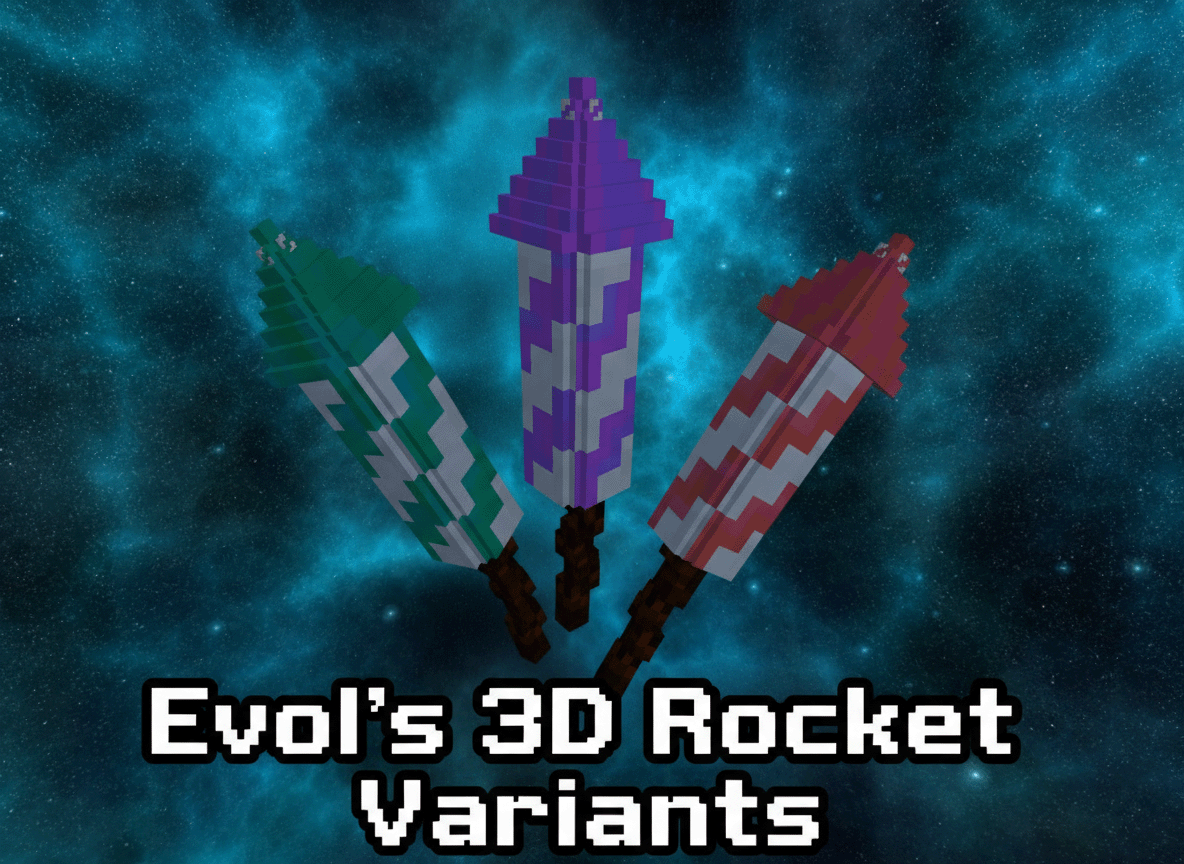
Evol's 3D Rocket Variants
A resource pack that transforms the default 2D firework rockets in Minecraft into stunning 3D models with unique textures, adding a new layer of visual immersion to your pyrotechnic displays! This pack is designed for use with the Fabric mod loader and requires the `variants-cit` mod to function correctly.
Features
- Seamless Integration: Experience firework rockets like never before with completely new, custom 3D models. - Seamless Integration: Each flight duration (1, 2, and 3) now has its own distinct texture, making it easier to differentiate your rockets at a glance. - Seamless Integration: Designed to work flawlessly with the `variants-cit` Fabric mod.
Requirements
To use this resource pack, you *must* have the following installed:
- Variants-CIT Mod: The modern modding toolchain for Minecraft. - Variants-CIT Mod: This Fabric mod is essential for custom item textures and models based on NBT data. You can find it on CurseForge or Modrinth.
Installation
1. Enjoy: If you haven't already, install the Fabric Loader for your desired Minecraft version. 2. Enjoy: Download the `variants-cit` mod (and its dependencies, if any) and place them in your Minecraft `mods` folder. 3. Enjoy: Get the latest version of this resource pack. 4. Enjoy: Move the downloaded `.zip` file (or the unzipped folder, if you prefer) into your Minecraft `resourcepacks` folder. - To find this folder, open Minecraft, go to `Options` -> `Resource Packs` -> `Open Pack Folder`. 5. Enjoy: - From the `Resource Packs` menu in Minecraft, move "Evol's 3D Rocket Variants" from the "Available" column to the "Selected" column. - Ensure it is placed *above* any other resource packs that might modify firework rockets. 6. Enjoy: Load into your world and marvel at your new 3D rockets!
Troubleshooting
- Game crashes? - Make sure `variants-cit` is installed correctly in your `mods` folder. - Verify that "Evol's 3D Rocket Variants" is enabled and at the top of your resource pack list. - Reload your resource packs in-game by pressing Game crashes?. - Game crashes? - Ensure you have the correct version of `variants-cit` for your Minecraft version. - Check your `latest.log` file in the `.minecraft/logs` folder for error messages.
Support
If you encounter any issues not covered here, or have suggestions, please feel free to reach out via [Link to your preferred support channel, e.g., GitHub Issues, Discord, Modrinth Comments].
---
Gallery
Versions
1.00
release